

©2026 ZenABM - All Rights Reserved.

There is a window between when a company starts evaluating a solution and when they make a shortlist.
That window is shrinking.
In fact, the winning vendor is usually already on the buyer’s shortlist before the formal evaluation begins.
If you detect a buying signal on Monday and your BDR reaches out on Thursday, a competitor who detected the same signal and responded within hours has already shaped the conversation.
In B2B, speed of response to buying signals is not a nice-to-have.
It is the difference between being on the shortlist and competing for scraps.
This is not theoretical.
Philip Ilic (LinkedIn ads specialist) shared, in his post, a case where implementing real-time lead routing via Slack (enabling SDR follow-up within minutes, not days) was the single highest-impact change his client made to their ABM program.

The clients who respond fastest to signals consistently see the highest conversion rates.
This post is about the timing dimension of buying signals: how to capture them in real time, how to route them instantly to the right person, and which signals have the shortest windows of opportunity.
What you will learn:

Short on time?
Here’s a quick summary:
Most ABM teams process buying signals in batches.
Someone exports a report on Friday, reviews it on Monday, assigns accounts to BDRs on Tuesday, and outreach starts Wednesday. That is a 5-day lag between signal and action.
Real-time signal processing means the system detects the signal, routes it to the right person, and enables outreach within minutes or hours, not days.
The difference is not marginal.
Traditional ABM creates a 4 to 7 day lag between marketing detecting intent and sales taking action.
Marketing sees the signal, manually exports data, updates the CRM in 1 to 2 days, and the BDR notices and acts on day 4 or later. By that point, the buying window may have closed or a competitor who detected the same signal has already had the first conversation.
Here is how that lag plays out across different signal types:
Signal | Window | Batch Response (5 days) | Real-Time Response (same day) |
|---|---|---|---|
Pricing page visit | 24 to 48 hours | Missed entirely. They already talked to a competitor. | BDR outreach while interest is peak. |
Demo page visit without form fill | 24 to 48 hours | Missed. They hesitated and moved on. | BDR addresses the hesitation directly. |
LinkedIn ad engagement spike | 1 to 2 weeks | Signal may cool before outreach starts. | Outreach while the account is actively engaging. |
G2 category page visit | 1 to 2 weeks | Risky. Evaluation may be advanced by the time you reach out. | Catch them during active research and comparison. |
Positive outbound email reply | Hours | Response buried in inbox. Momentum lost. | Follow-up within the hour. Meeting booked same day. |
New VP hire at target account | 30 to 90 days | Still viable but you are late to the vendor shortlist. | First vendor in the door while they are building their stack. |
Funding announcement | 2 to 4 weeks | Viable but crowded. Every vendor piles in week one. | Outreach in the first 48 hours, before the noise. |
The pattern is consistent: the higher the intent, the shorter the window, and the more costly the delay.
A pricing page visit from a target account is the most perishable signal in B2B. A funding announcement is the least perishable. Your routing system needs to reflect that hierarchy.
A real-time signal capture system has three layers, each with different refresh rates, different sources, and different response SLAs.
The mistake most teams make is treating all signals with the same urgency, which either overwhelms BDRs with low-priority alerts or buries high-priority signals in a weekly digest.
These update in near real time and have the shortest windows.
They demand same-day (often same-hour) response:


These update daily and have slightly longer windows, but still require action within 24 to 48 hours:
These update weekly or on event-driven schedules. They open a window rather than demand immediate action:
The golden rule: match your response speed to the signal’s decay rate. A pricing page visit decays in hours. A funding announcement gives you weeks. Building separate routing paths for each layer is what separates a real-time signal system from a glorified weekly report.
The goal is zero manual steps between signal detection and BDR notification.
Every manual step adds hours of lag and creates a point where signals get lost.
Here is how to build the automated routing system, step by step.
Your signals come from multiple tools. They all need to flow into one central hub (HubSpot or Salesforce) where every team can see them:
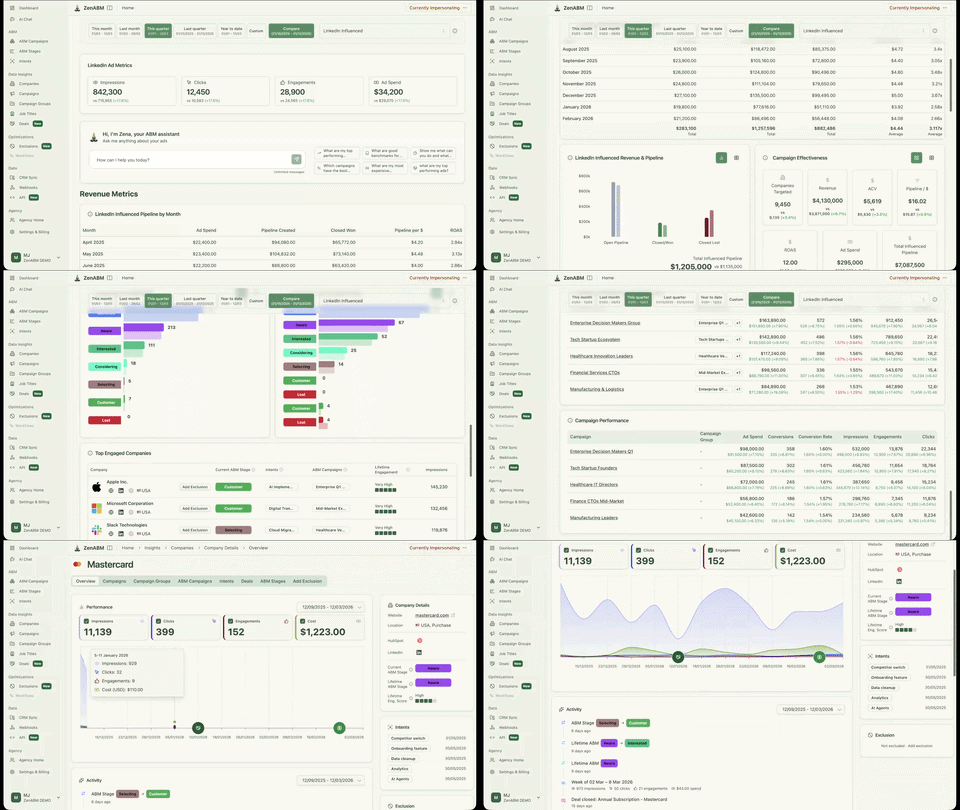

As Ali Yildirim stressed in his post:

“Running LinkedIn ads and outbound email without unified audience data creates three problems. You are building separate lists with no shared intelligence, timing is random instead of signal-driven, and messaging is disconnected.
The CRM is where this unification happens.
Not every signal goes to the same person or triggers the same action.
The routing table below maps each signal to a priority level, a destination, and a response SLA:
Signal | Priority | Route To | SLA + Action |
|---|---|---|---|
Demo form submission | P0: Critical | Account owner (BDR or AE) via Slack + CRM task | 15 minutes. Call or email immediately. This is the highest-intent signal; treat it accordingly. |
Pricing page visit from target account | P0: Critical | BDR via Slack alert with company name + page visited | 2 hours. Personalized outreach referencing the pricing context. “Noticed you were looking at our plans” is too aggressive; lead with value. |
Pricing page + LinkedIn ad engagement (stacked) | P0: Critical | BDR via Slack alert with full engagement context | 2 hours. This is a stacked signal: they are engaging with your ads AND evaluating pricing. Lead with the intent topic from ZenABM. |
ZenABM stage change to “Interested” | P1: High | Assigned BDR via Slack alert + CRM task + prospecting webhook to Clay/LeadMagic | Same day. The webhook finds contacts automatically so the BDR has a ready list when they see the alert. |
Positive outbound email reply | P1: High | Sequence owner via email tool notification + Slack | 1 hour. Book the meeting before momentum fades. Every hour of delay reduces booking probability. |
G2 category page visit | P2: Medium | BDR for research + outreach | 24 hours. They are comparing solutions. Lead with differentiation and social proof. |
TLA comment or share from target account | P2: Medium | Content author for personal LinkedIn DM (not BDR sequence) | Same day. This is a champion signal. The person publicly associated with your brand. Build the relationship personally. |
New VP hire at target account | P3: Standard | BDR queue for personalized, researched outreach | 48 to 72 hours. Research the person’s background, previous tools, and stated priorities before reaching out. |
Funding announcement | P3: Standard | BDR queue | 48 hours for Tier 1 accounts, 1 week for others. Reference the funding, connect to a pain point your tool solves. |
The final piece: when a signal fires, the right person knows immediately AND has what they need to act.
This means two parallel automations running simultaneously:
Notification path:
Prospecting path (runs in parallel):
This is the workflow Emilia Korczynska described in her signal-based outbound post: ZenABM pushes engagement signals to HubSpot and Clay. Clay enriches and finds contacts. SmartLead and HeyReach fire sequences. The “BDR team of zero” runs on automation, with one GTM engineer managing the entire operation.
The key detail from her cost breakdown: $0 for ZenABM (included in existing plan), $852.80 for Clay, $501 for HeyReach, $94 for SmartLead, and approximately $150 for domains, inboxes, and OpenAI tokens. Total: $1,597.80 per month for the complete real-time signal-to-outreach pipeline.


The ZenABM webhook is the trigger that starts the automated prospecting chain.
Here is how to configure it:
The result: an account clicks your LinkedIn ad 5 times in a month, ZenABM moves them to “Interested” with the intent “competitor switching,” the webhook fires to Clay, Clay finds 3 contacts matching your buyer persona, pushes them to HubSpot with the intent data attached, HubSpot triggers a Slack alert to the BDR, and the BDR sees: “Acme Corp just hit Interested. Intent: competitor switching. 3 contacts ready in HubSpot.” All of this happens without anyone manually exporting a report, reviewing a dashboard, or building a contact list.
Building the system is half the battle.
These are the execution failures that break signal routing in practice:
When every signal triggers a Slack alert, BDRs start ignoring all of them.
This is the number one routing failure and it happens within weeks of launching.
The fix: only P0 and P1 signals get Slack alerts. P2 signals create CRM tasks. P3 signals go to a weekly queue. If your BDR gets more than 5 to 8 Slack alerts per day, you have the thresholds set too low.
A Slack alert that says “Acme Corp is Interested” is not actionable if the BDR does not know what Acme Corp is interested in.
The fix: every alert must include the qualitative intent from ZenABM (which campaigns/creatives the account engaged with).”Acme Corp is Interested, engaged with competitor switching campaign, 6 clicks in 30 days” tells the BDR exactly what to say. “Acme Corp is Interested” tells them nothing.
The BDR sees the alert, opens HubSpot, and finds zero contacts at the account.
They spend 45 minutes manually researching and finding contacts on LinkedIn.
By then, the urgency has faded and the outreach happens tomorrow instead of today.
The fix: the prospecting webhook (Step 3 above) must run in parallel with the notification. By the time the BDR sees the Slack alert, Clay or LeadMagic has already found contacts and pushed them to the CRM.
A high-intent signal from a Tier 1 enterprise account gets routed to a junior BDR who sends a generic sequence. The fix: routing rules must account for account tier, not just signal type.
Tier 1 accounts route to senior BDRs or directly to AEs. Tier 3 accounts can go through automated sequences with lighter personalization.
Signals fire, alerts send, but nobody tracks whether the BDR actually followed up or how fast.
The fix: add a “signal response time” metric to your sales manager dashboard.
Track the gap between signal timestamp (when ZenABM pushed the stage change) and first outreach timestamp (when the BDR sent the email or LinkedIn message). This is the ABM equivalent of “speed to lead” and it should be a team KPI.
The difference between an ABM program that generates pipeline and one that generates reports nobody acts on almost always comes down to signal routing speed.
The signals are already there: accounts clicking your LinkedIn ads, visiting your pricing page, engaging with your competitor content.
The question is whether those signals reach the right BDR with the right context fast enough to matter.
Most teams lose this race because they rely on manual processes: weekly report exports, dashboard reviews, spreadsheet handoffs.
By the time the BDR sees the signal, the account has either cooled off or a faster competitor has already started the conversation.
The fix is architectural, not motivational.
ZenABM detects LinkedIn ad engagement and pushes stage changes and qualitative intent to your CRM automatically.
A webhook fires the account to Clay for instant contact enrichment.
A Slack alert reaches the BDR with account name, intent data, and a ready contact list, all within minutes of the signal being detected.
No exports.
No dashboards.
No manual list building.
Emilia Korczynska’s team runs this exact system at Userpilot: ZenABM to HubSpot to Clay to SmartLead to HeyReach. Total cost: $1,597.80 per month.
Pipeline opened: already exceeding what a team of 4 to 5 BDRs produced in slower months.
One GTM engineer manages the entire operation.
The accounts you are trying to reach are evaluating solutions right now.
The only question is whether your signal-to-outreach pipeline is fast enough to reach them before your competitors do.
Try ZenABM free for 37 days and start routing buying signals to your BDRs in real time.
Some common questions about real-time B2B buying signals:
Real-time buying signals are intent indicators that are detected and routed to sales teams within minutes or hours of occurring, rather than being batched into weekly reports. Examples include LinkedIn ad engagement spikes (detected by ZenABM), pricing page visits (detected by HubSpot + visitor ID tools like Vector or RB2B), form submissions, and social engagement on your content. The “real-time” aspect refers to the detection and routing speed, not necessarily the signal itself.
It depends on signal type and priority. P0 signals (demo form submissions, pricing page visits from target accounts): 15 minutes to 2 hours. P1 signals (ZenABM stage change to “Interested,” positive email replies): same day. P2 signals (G2 research activity, social engagement): 24 hours. P3 signals (funding announcements, new hires): 48 hours to 1 week. The key principle: higher-intent, shorter-window signals demand faster response. See our intent-based outbound guide for the complete response framework.
Core stack: ZenABM for LinkedIn ad engagement signals and automated webhooks ($59 per month), HubSpot or Salesforce as the central CRM router, and Slack for instant notifications. Add Vector or RB2B for website visitor identification, Clay for enrichment signals and automated contact finding ($853 per month at scale), SmartLead or Instantly for email sequences ($94 per month), and HeyReach or Expandi for LinkedIn outreach ($501 per month). The total operational stack costs $1,597.80 per month.
Use signal stacking and engagement thresholds. A single ad click might be accidental. An ad click plus a pricing page visit plus engagement with your competitor comparison content is a genuine signal. ZenABM’s engagement scoring naturally filters noise by requiring sustained engagement (5+ clicks or 10+ engagements in 30 days) before moving accounts to the “Interested” stage. The threshold prevents one-off clicks from flooding your BDR’s Slack channel.
Yes. First-party signals from your own LinkedIn ads (via ZenABM at $59 per month), your website (via HubSpot tracking + free-tier visitor ID from Vector or RB2B), and your outbound engagement (via your email tool) are both more reliable and more affordable than third-party intent providers. ZenABM captures the most actionable first-party buying signal available: company-level LinkedIn ad engagement with qualitative intent showing which campaigns each account engaged with. Third-party intent data (Bombora at $25K to $75K per year, 6sense at $50K to $150K+ per year) adds breadth but costs dramatically more and provides topic-level signals (what category they researched) rather than messaging-level signals (which of your specific ads they clicked).
