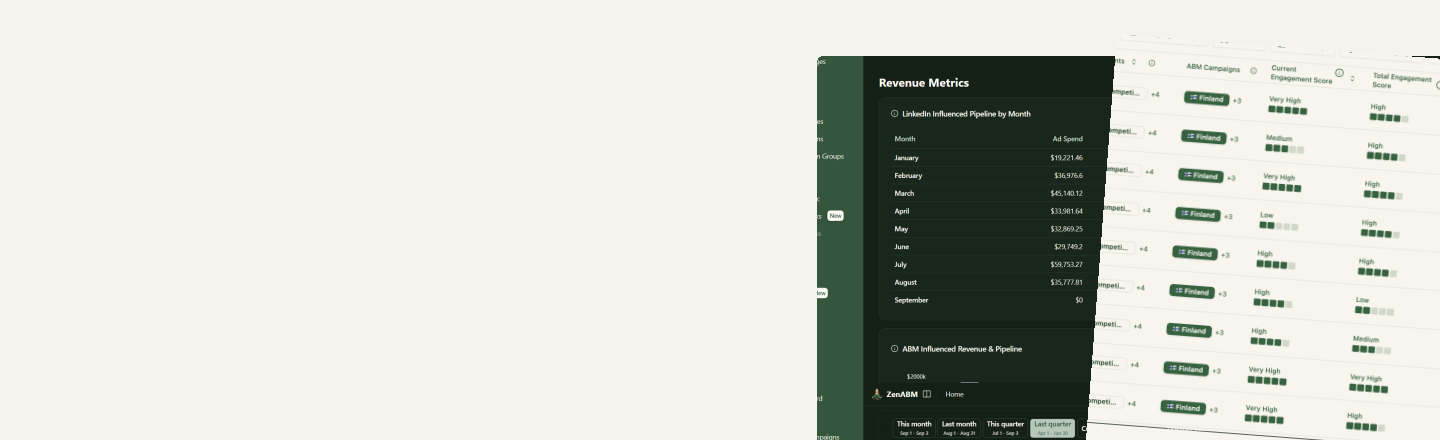
An Automatic Report for every aspect of your LinkedIn ABM program
Every report ends in clear recommendations, and Zena, the AI agent, takes the action: lower a bid, adjust a budget or exclude an account, in one click after you confirm.
Same structure everywhere
Consistent reports, original insights - shareable & ready every week, month and quarter
Learn to read one and you can read all ten. Every report also has a Share button, so you can send it to your manager or the board without rebuilding anything in slides.
1. Headline verdict
One sentence on what happened this period, such as "A stronger week for account progression", with the two or three numbers that drove it.
2. What's working, what needs attention, where to act
The top positives with the numbers behind them, the top problems (decaying ads, spend spikes, over or under-delivering ad sets, accounts going quiet, open deals with no delivery) and the fixes to make.
3. One-click fixes
Each fix has a button: "Preview & lower bid", "Preview & raise bid", "Preview & adjust budget", "Preview & exclude". You see the change first, and Zena applies it in LinkedIn only after you confirm.
4. Metric cards and trends
The 3 to 6 KPIs for that aspect against the previous period, plus 3 charts of the last 4 periods against the 4 before, each tagged Rising or Falling.
5. Tables behind the summary
The companies, ad sets, contacts or deals behind every claim, each with Export and Fullscreen, so you can check the numbers or hand a list to sales.
6. Ask follow-up questions
A chat box at the bottom of every report. Ask Zena why a number moved, or ask her to act on something the report found.
Three cadences
Generated on schedule, compared with the period before
Nothing is exported or stitched together by hand. Each report reads your account at that moment.
Weekly, every Monday
Covers the previous Monday to Sunday and compares it with the week before. The Dashboard report also sets quarter-to-date pipeline against the same point last quarter, so you know on Monday whether the quarter is on pace.
Monthly, on the 1st
The last full calendar month against the month before it. The one to bring to the monthly marketing review.
Quarterly, on day one of the quarter
The whole quarter against the previous one, with the pipeline, closed-won and pipeline per dollar view leadership asks for at quarter end.
All reports at a glance
Which report answers which question
| Report | Question it answers | Key metrics | Actions Zena can take |
|---|---|---|---|
| Dashboard | What happened this week? | Pipeline created, deals opened, closed won, pipeline per dollar, spend, LP clicks, LP CPC by format | Lower or raise bids, adjust budgets |
| Campaigns | Which campaigns are gaining or losing efficiency? | Spend, LP CTR, LP CPC, CPM, frequency, companies reached | Adjust budgets, pause, re-bid |
| Ad Sets | Which ad sets to fund, pause or re-bid? | Engagement rate, LP CTR, spend against daily budget, frequency | Lower or raise bids, adjust budgets, pause |
| ABM Campaigns | Are we reaching the list and moving it? | Companies reached, accounts moved up a stage, pipeline and deals influenced, LP CTR, frequency | Adjust budgets, exclude companies |
| ABM Stages | How are accounts moving through the funnel? | Companies entering each stage, time in stage, stalled companies, stage influence by ad set | Build retargeting ad sets, exclude |
| Companies | Which accounts to call, which to exclude? | Companies reached, first-time engagers, score changes, quiet accounts, top ad-spend consumers | Exclude, retarget, hand to sales |
| Contacts | Who should SDRs contact this week? | New contacts at engaged accounts, mid-funnel contacts, clicks per contact | Export, sales handoff |
| Deals | Which ads influenced pipeline and revenue? | Closed-won, ACV, pipeline opened, ad-influenced deals, ad sets, formats and channels before deal creation | Deal-acceleration ad set, shift budget |
| Intents | What topics are accounts engaging with? | Companies with intents, intent clicks by topic, intent spend, untagged spend | Tag ad sets, push to sales |
| Job Titles | Are we reaching the right people? | Engagement and spend by job title, spend outside targeting, least-reached targeted titles | Title exclusions, dedicated ad sets |
Report 1 of 10 · Dashboard aspect
Weekly ABM performance report
What happened this week across the whole program?
The executive summary. Engagement, account progression, cost and pipeline on one screen, written to forward to leadership as is.
“Engaged accounts increased 3.5x to 97 and 365 accounts moved up a stage, while LP CPC rose 98% to $8. Pipeline this quarter so far is $10,528 across 10 deals, on pace with last quarter.”
What's working
- The best ad format this week, with LP CTR across its ads and the best single ad
- Campaigns whose LP CTR improved week over week
- HOT accounts: companies showing strong engagement
What needs attention
- Ad sets spending over their daily budget
- Accounts with clicks going nowhere, such as 18 clicks and no stage change in 60 days
Where to act
- Lower the bid on ad sets spending 150% of their daily budget
- Raise the bid on ad sets stuck at 30% of budget because they lose auctions
Metric cards and trends
- Pipeline this quarter so far: pipeline created, deals opened, closed won and pipeline per dollar, each against the same point last quarter
- LinkedIn performance: impressions, engagements, clicks, LP clicks and spend, each against last week
Tables
- Ad formats breakdown: LP CTR, LP CPC, impressions, clicks, LP clicks and spend for TLA, single image, document, video, text and Spotlight ads
Zena can
- Lower or raise bids
- Adjust budgets
- Pause ads
Click to see the full Weekly ABM performance report
Report 2 of 10 · Campaigns aspect
Campaigns report
Which campaigns are getting more efficient, which are losing efficiency, and is budget going to the right ones?
Performance and efficiency of your LinkedIn campaign groups, so budget follows the campaigns that are still earning it.
“CTR rose to 0.42% from 0.27% and clicks climbed to 1,341 from 910, though spend rose 82% to $2,179 while impressions dipped to 317,075.”
What's working
- The campaign with the highest engagement rate, such as 5.82% from 2,140 social actions on 36,801 impressions
- Campaigns whose LP CTR rose week over week
What needs attention
- Campaigns where spend spiked, such as $1,513 from $604
- Campaigns losing efficiency, such as LP CPC up to $7.50 from $5.12 and eCPM up to $2.18 from $1.13 over 4 weeks
- Campaigns with frequency too low to work, such as members reached only 1.4 times
Metric cards and trends
- Trends: spend, LP CTR and companies reached
- Frequency by campaign over the last 4 weeks, tagged Rising or Falling, to catch both under-delivery and saturation
- LinkedIn performance: impressions, clicks, CTR, LP clicks, LP CTR, engagements, spend, CPC, CPM and companies reached, each against last week
Zena can
- Adjust campaign budgets
- Pause campaigns
- Change bids on the ad sets inside them
Click to see the full Campaigns report
Report 3 of 10 · Ad Sets aspect
Ad Sets report
Which ad sets should get more budget, which should be paused, and which bids need changing?
The optimization layer. It checks every ad set against its daily budget and its own recent trend, then tells you which bid to move and in which direction.
“CTR rose to 0.42% from 0.27% and clicks increased to 1,341 from 910, while impressions dipped slightly to 317,075 from 333,257.”
What's working
- The ad set with the highest engagement rate (social actions over impressions), such as 4.83% from 805 social actions on 16,663 impressions
- Ad sets with rising LP CTR
What needs attention
- Ad sets over daily budget, with average daily spend against budget and the peak day
- Ad sets with rising spend
- Ad sets whose LP CTR fell
Where to act
- Lower the bid on ad sets spending 150% or 106% of their daily budget, testing a 10% lower bid
- Raise the bid on ad sets spending 30% of budget because the bid is too low to win auctions
Metric cards and trends
- Trends: spend, LP CTR and companies reached
- Frequency by ad set over 4 weeks
- LinkedIn performance: impressions, clicks, CTR, LP clicks and LP CTR, each against last week
Zena can
- Lower or raise bids
- Adjust daily budgets
- Pause ad sets or single ads
Click to see the full Ad Sets report
Report 4 of 10 · ABM Campaigns aspect
ABM Campaigns report
Are we reaching the target list, are those accounts moving through the funnel, and is it turning into pipeline?
Performance of each ABM campaign: a target account list plus the LinkedIn campaigns running against it.
“886 accounts moved up a stage this week, up 5.8x from 152 last week, as companies reached grew 99% to 6,470.”
What's working
- Reach up: companies reached against the prior week
- Accounts that moved up a stage, and how many reached Interested or deeper
- Campaigns ramping up, with companies reached by week
What needs attention
- Campaigns with frequency too low, such as members reached 1.2 times
- Campaigns whose accounts are stuck at Identified with no stage progress after a number of weeks
Where to act
- Unblock stalled accounts, such as 5,220 of 7,823 still at Identified
- Review the companies that reached Interested or deeper this week
Metric cards and trends
- Pipeline created, deals opened, closed won and pipeline per dollar, each against last week
- Trends: companies reached, pipeline influenced and deals influenced
- Ad delivery by campaign: LP CTR and frequency per ABM campaign over 4 weeks, tagged Rising or Falling
Zena can
- Adjust budgets and bids on the underlying campaigns
- Exclude companies from the target list
Click to see the full ABM Campaigns report
Report 5 of 10 · ABM Stages aspect
ABM Stages report
How many accounts entered each stage, how long do they sit there, and which ads moved them?
Funnel movement. It shows which ads move accounts from Identified to Interested and which move them from Interested to Considering.
“362 companies moved past Aware, up from 78 the previous period, while top-funnel entries rose to 3,970 from 2,235.”
What's working
- Companies advancing past Aware
- Top-funnel entries into Identified and Aware
- Middle-funnel entries into Interested, Considering and Selecting
What needs attention
- Time in stage rising, such as Identified up to 109.5 days from 24.5, with the number of companies sitting there
Tables
- Companies moving stages: companies entering each stage, previous period against now
- Stage influence: for each stage entered, the ad sets (with format) that reached the most companies before they entered
- Average time in stage
- Stalled companies: accounts with no stage movement in the period
Each table opens in Insights, exports and goes fullscreen.
Zena can
- Build retargeting ad sets for companies entering a stage
- Exclude stalled accounts
Click to see the full ABM Stages report
Report 6 of 10 · Companies aspect
Companies report
Which accounts are heating up, which are wasting spend, and which should sales call this week?
Account-level engagement, including the open deals your ads have stopped reaching.
“Companies reached rose to 4,529 from 2,181 and CTR increased to 0.42% from 0.27%, while 16 companies with $7,989 of open pipeline got no impressions.”
What's working
- More companies reached
- First-time engagement: companies engaging for the first time
- Companies whose engagement score rose
What needs attention
- Open-deal companies with no delivery, with the count and the pipeline value at stake
- Companies that dropped in score
- Companies that went quiet: engaged last period, nothing this period
Where to act
- Engaged companies with no open deal: clicks and engagements, nothing in the CRM. A list for sales
- Prioritize: the highest-CTR accounts that are not customers yet, such as CTR of 1.00% or better
- Review: clicks with no stage change, high spend or quiet accounts, with a Preview & Exclude button
Metric cards and trends
- Trends: companies reached, clicks and engagements
Tables
- Most engaged companies, with ABM stage, impressions, clicks, engagements and spend
- First-time engagers
- Companies entering stages
- Trending-down companies
- Top ad-spend consumers
Zena can
- Exclude companies from campaigns
- Add companies to a retargeting audience
- Push a prioritized list to sales
Click to see the full Companies report
Report 7 of 10 · Contacts aspect
Contacts report
Who should SDRs reach out to this week, and what did they engage with?
The people at the accounts that are engaging, ready to hand to sales.
“New contacts at engaged accounts rose 73% to 19, and contacts at accounts entering a mid-funnel stage grew 3.5x to 267.”
What's working
- Mid-funnel contacts up
- New contacts at engaged accounts up
Where to act
- Contacts at accounts that moved up from Identified this period, such as 267 contacts at 365 companies with 18+ impressions
Metric cards and trends
- New contacts at engaged accounts, contacts at accounts that entered a mid-funnel stage and contacts at accounts with intent, each against last week
Tables
- Contacts to prioritize: contact, company, company stage (Considering, Interested and so on) and clicks this period. Export it and hand it to sales
Zena can
- Export the list
- Run the sales handoff: contacts with company stage, intent and what they clicked
Click to see the full Contacts report
Report 8 of 10 · Deals aspect
Deals report
How much pipeline and revenue did ads influence, and which ad sets, formats and channels showed up before deals were created?
Attribution, read from your CRM deals and the LinkedIn impressions that came before them.
“Closed-won revenue reached $2,176 with 8 deals won, up from $0 and 0 last period, while deals opened fell 67% to 1.”
What's working
- Closed-won revenue
- Pipeline opened
- Deals won, each against the previous period
What needs attention
- Companies below the influence threshold: fewer than 10 impressions in the 180 days before the deal was created, so your ads cannot claim the deal
- Deals opened falling
Metric cards and trends
- Closed-won revenue, average ACV, pipeline opened, deals opened, deals won and the share of ad-influenced deals
Tables
- Ad sets influencing open and closed-won deals: type, open-deal companies, closed-won deal companies and enterprise-deal companies (top 20% by value)
- Ad formats before deal creation
- Channels appearing before deal creation
- Accounts that converted without meaningful engagement
Zena can
- Build a deal-acceleration ad set for open-deal companies
- Shift budget to the ad sets that influence the most deals
Click to see the full Deals report
Report 9 of 10 · Intents aspect
Intents report
Which topics are accounts engaging with, which companies are behind it, and is any spend producing no signal?
Buying-intent signals from ads tagged with an intent topic.
“Q4 AI Intent (Text ads) intent clicks jumped to 50 from 1, pushing total intent clicks to 63 (+13%), while COLD - Sept 26 intent cooled to 0 clicks from 47.”
What's working
- Intent topics rising
- The format driving the most intent clicks, such as single image with 50 of 63 intent clicks
- Intent spend against the previous period
What needs attention
- Intent topics cooling
- Intent clicks concentrated on one topic
Where to act
- Ad sets with no intent topic tagged, and how much they spent, such as $1,622 building no intent signal
Metric cards and trends
- Companies with intents, intent clicks and intent spend, each against last week
- Trends: total intent clicks plus the two fastest-moving topics
Tables
- Trending intent topics, with clicks against the previous period
- Most engaging companies
- Ad sets driving intent
Zena can
- Tag ad sets with an intent topic
- Push companies with intent, and the topic, to sales
Click to see the full Intents report
Report 10 of 10 · Job Titles aspect
Job Titles report
Are we reaching and engaging the people we want inside target accounts?
Persona engagement: which job titles see your ads, which engage, and where spend is going to titles you did not target.
“Founder reach rose 87% to 35,727 impressions, and every tracked job title grew reach over the previous week.”
What's working
- The job title leading engagement, such as Founder with 284 engagements from 35,727 impressions
What needs attention
- Spend on job titles outside your current targeting, such as $245 on Founders this period
Tables
- Top engaging job titles: impressions, clicks, engagements and spend, previous period against now
- Highest spend outside current targeting
- Targeted titles with least reach
- TLA vs rest, by persona
Zena can
- Add job-title exclusions
- Create a dedicated ad set for an underpenetrated persona
Click to see the full Job Titles report
Follow-up questions
Ask about any number in the report
The report tells you what moved. The chat box under it tells you why, and does something about it.
- Ask Zena why LP CPC rose, which ads moved accounts to Interested, or which companies to exclude, right under the report.
- Ask for last month's report or this week's digest outside the schedule, then keep asking about it.
- Run
/linkedin-abm-report,/weekly-digestor/revenue-attributionfrom Claude, ChatGPT or Cursor through the MCP server. All 15 expert skills read the same live workspace, so an on-demand report matches the scheduled one.
How it works
How automated reporting works
Connect your data once. The reports arrive on their own after that.
- 1
Connect LinkedIn and your CRM
ZenABM syncs your LinkedIn Ads data and, once you connect HubSpot, Salesforce or Attio, your pipeline and revenue. Reports are written from whatever is connected.
- 2
Zena writes a report for every aspect
Every Monday, on the 1st of the month and on the first day of the quarter, Zena reads your account and writes the Dashboard, Campaigns, Ad Sets, ABM Campaigns, ABM Stages, Companies, Contacts, Deals, Intents and Job Titles reports.
- 3
Read it, then share it
Each report sits in the app next to the data it covers. The Share button sends a link to your manager or the board, so nothing gets rebuilt in slides.
- 4
Preview and apply the fixes
Click a fix to preview the bid, budget or exclusion change. Zena applies it in LinkedIn only after you confirm. Anything else, ask in the chat box under the report.