

©2026 ZenABM - All Rights Reserved.

Manually sifting through a long list of companies that have viewed your LinkedIn ads, picking out the most engaged ones to export into a CSV, uploading that CSV to your CRM so your sales team knows which accounts to approach, and then during reporting, reconciling each closed deal and pipeline addition back to ad engagement…
All this can get too tedious, especially as you scale your ABM.
You need a way to sync LinkedIn ad data with your CRM to automate all of this and more.
In this guide, I’ll show you exactly how to do that.
Doing everything by hand is exhausting. Exporting CSVs, matching deals to campaigns, and keeping sales aligned is labour-intensive and prone to mistakes.
Traditional CRM integrations, like HubSpot’s native option, only provide top-line metrics such as spend and click-through rate. They do not deliver company-level impressions, engagement tracking, or insight into how ads influence deals.
ZenABM fills that gap. It provides a two-way sync between LinkedIn Ads and your CRM, created specifically for ABM teams with features such as:
Native LinkedIn ad integrations with CRMs—take HubSpot as an example—have significant shortcomings. Here are the advantages of using ZenABM to sync LinkedIn ad data with your CRM and how it addresses the gaps left by native integrations:
LinkedIn Campaign Manager does not reveal which companies engaged with your specific LinkedIn ads, and that same limited data gets pushed into CRMs like HubSpot, rendering them inadequate for ABM-focused campaigns.
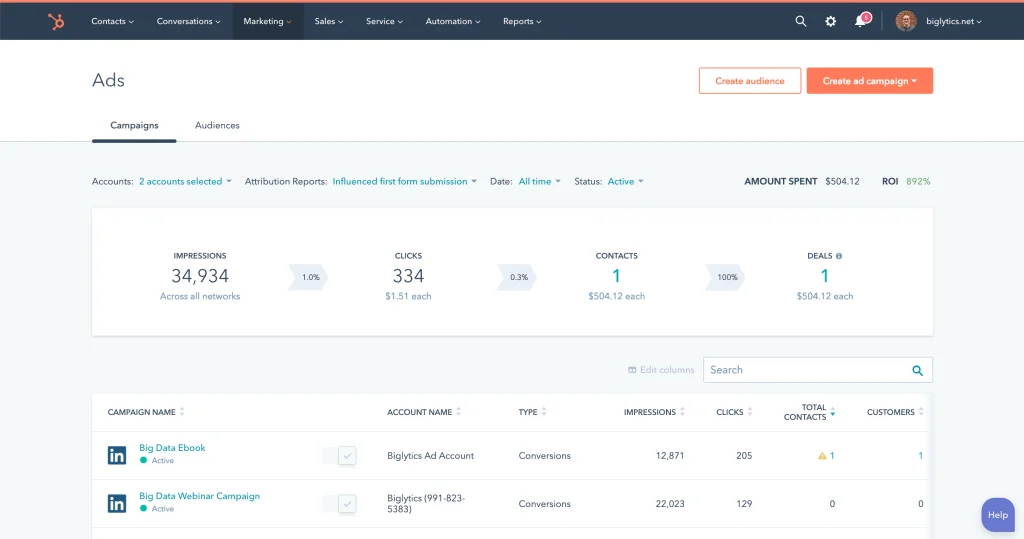
For example, HubSpot’s built-in integration only shows broad, aggregated metrics:
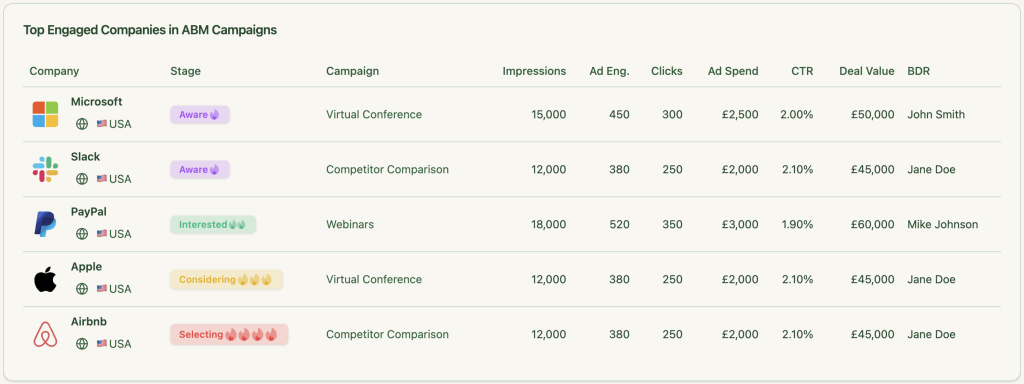
ZenABM remedies that by displaying company-level ad engagement data for each campaign or campaign group:
Since HubSpot or LinkedIn Campaign Manager do not offer company-level engagement insights for each campaign, many marketers turn to third-party solutions. However, these often have critical flaws that ZenABM solves:
Most services that claim to identify your website visitors only work after someone clicks an ad and lands on your site, which means they miss anyone who saw the ad but did not click.
Tools like RB2B, Warmly, Demandbase, and others typically rely on reverse IP lookup. They match a visitor’s IP address to a company name using public or private IP databases. The problem? They only identify companies, not individuals, and the process is far from reliable.
If a prospect uses a VPN or accesses your site from a shared network—say, a coffee shop or co-working space—the IP address could show the wrong organization, making these tools inaccurate for capturing genuine LinkedIn ad engagement.
According to a study by Syft, Clearbit is the most accurate among many deanonymization services, but its precision is only around 42%.

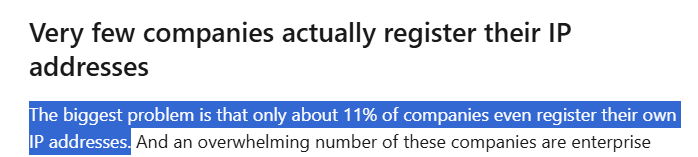
Additionally, as Kyle Ackerman notes in her LinkedIn post, most companies do not even register their IP addresses:
Since these tools only provide vague, company-level data, lack reliability, and completely miss accounts that viewed your ads without clicking, it makes sense to move to first-party intent signals instead.
ZenABM fills this void by fetching company-level engagement data directly from LinkedIn’s official API on a per-campaign basis.
This method provides:
Some marketers also rely on Display Ad Networks (DANs) like AdRoll or Criteo to try to fill in the gaps.
These networks track users across the web using third-party cookies and device fingerprinting, then match that activity to data management platform (DMP) profiles to infer details such as company, industry, or job title.
However, DANs are losing relevance quickly because:
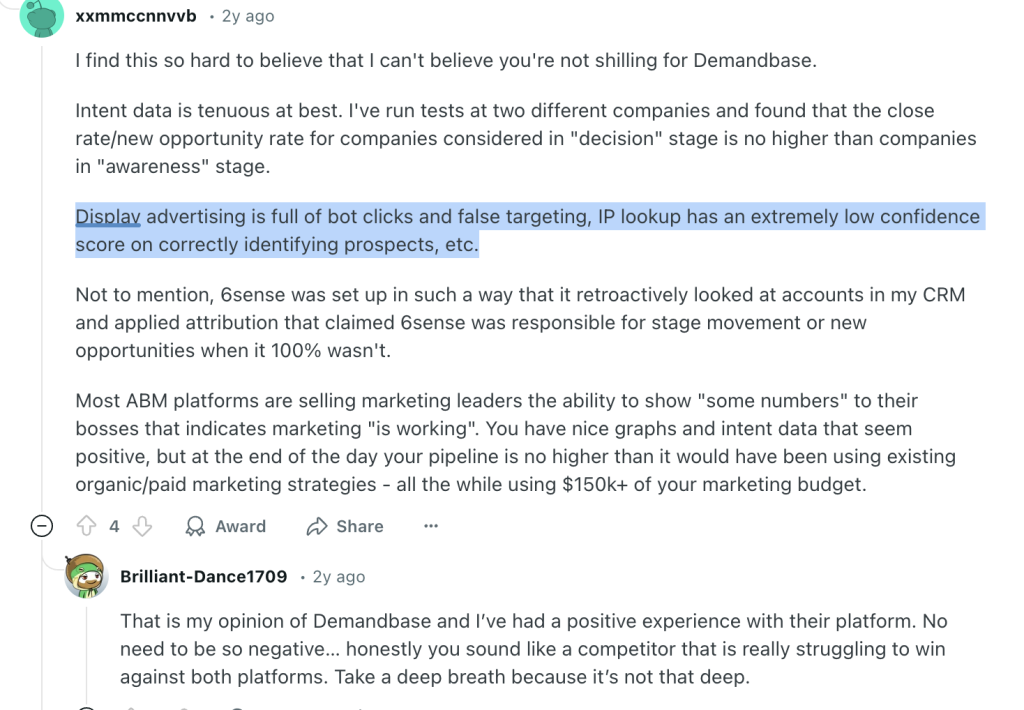
Like website deanonymization tools, Display Ad Networks have their own limitations. ZenABM overcomes these challenges by sourcing company-level engagement data per campaign directly from LinkedIn’s API.
That means:
At the end of the day, third-party tools guess who is behind the engagement. ZenABM pulls verified data straight from the source.
Lead scoring is essential for any ABM strategy.
It enables BDRs to concentrate on accounts that show genuine interest instead of chasing cold leads. Yet HubSpot’s ads tool has no built-in scoring. You would need days or even weeks to build complex scoring workflows from scratch.
ZenABM changes that. It automatically scores each account based on its latest LinkedIn ad engagement, not just historical activity. It generates a real-time “Current Company Engagement Score” for your chosen timeframe (such as the past seven days), instantly highlights your most active accounts, and updates their ABM stages in HubSpot automatically.
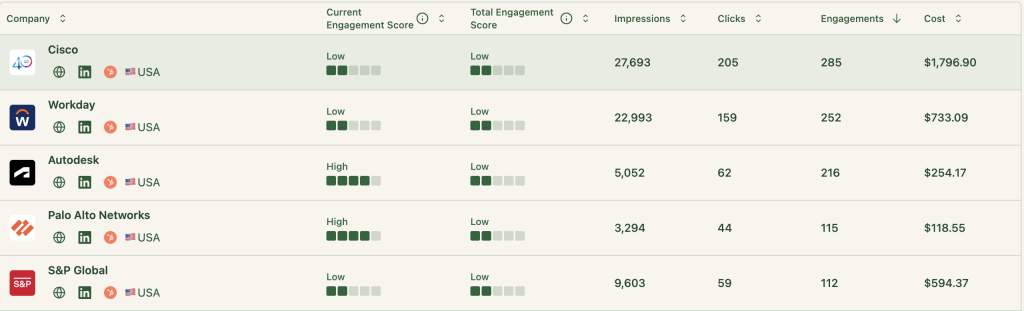
ZenABM keeps marketing and sales tightly aligned.
It routes accounts tagged as “interested” directly to the appropriate BDRs and syncs this assignment in real time with your HubSpot CRM:
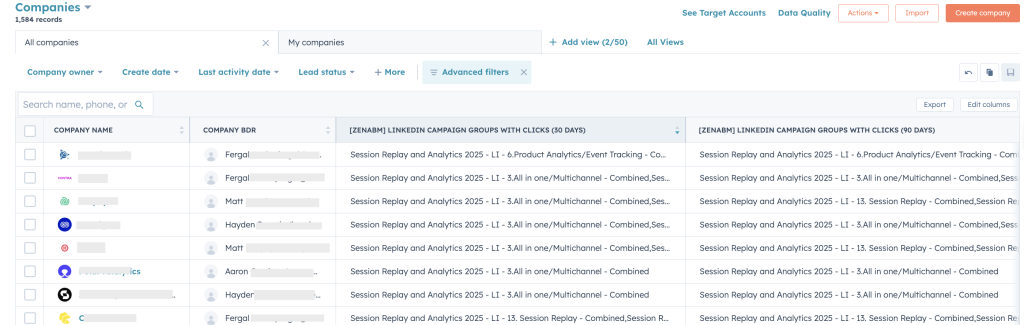
HubSpot and other CRMs do not provide this type of out-of-the-box automation, so you would otherwise have to manage it manually.
ZenABM acts as a bridge between your LinkedIn campaigns and HubSpot CRM, delivering true company-level intent tracking. It retrieves detailed engagement metrics—impressions, clicks, and interactions—for each campaign directly from LinkedIn’s API. Then it packages these metrics into a single, structured text field and pushes it into HubSpot as a company property. This gives your marketing and sales teams access to intent data at both the company and contact levels.
Take Userpilot, for example. They needed to capture LinkedIn ad engagement for each campaign inside HubSpot, something HubSpot’s native integration could not handle. ZenABM closed that gap by synchronizing both the numbers (impressions, clicks) and the context (how each company engaged with specific campaigns) seamlessly into HubSpot from LinkedIn Campaign Manager.


These engagement metrics appear in HubSpot as company properties such as “LinkedIn Ad Engagements – 7 days” and “LinkedIn Ad Clicks – 7 days,” and they every midnight.
This is how it looks in your CRM once the sync is done:

LinkedIn does not display engagement data if interactions per company are under three in a given time period. ZenABM addresses this by aggregating data at the campaign-group level.
This ensures your marketing and sales teams have full visibility into how each company interacts with every LinkedIn campaign, without manual data entry in HubSpot.
It becomes especially powerful when your campaigns target different use cases or pain points. For instance, if you are promoting project management software and observe a company interacting heavily with your “productivity enhancement” ad but not the “secure file sharing” ad, your BDRs immediately know which value proposition to lead with in their outreach.
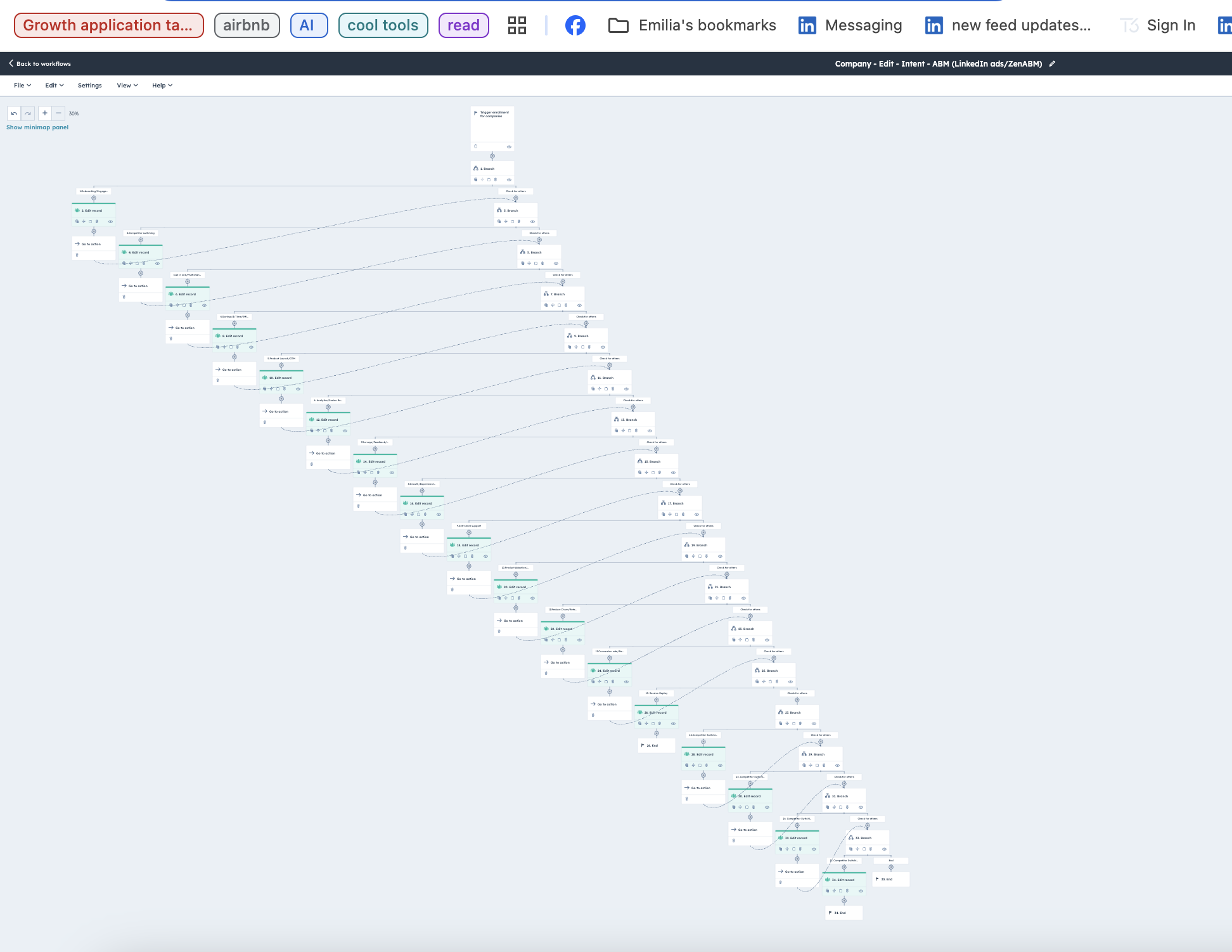
Trying to replicate this level of intent recognition natively in HubSpot would take your sales team hours—perhaps even days—to build equivalent workflows that ZenABM delivers out of the box.
Here’s a glimpse of how complex creating such a workflow looks in HubSpot:
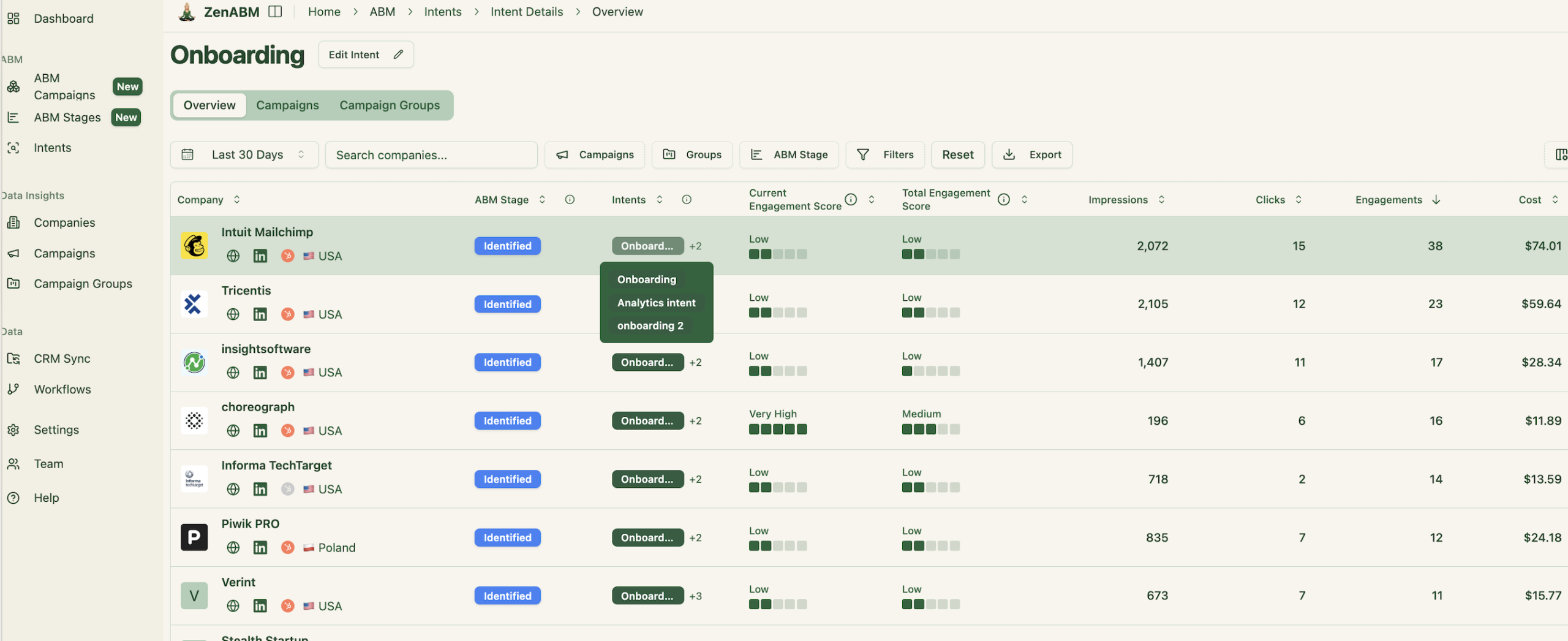
With ZenABM, you have this functionality ready-made:
If you want to learn more about designing LinkedIn campaigns that reveal your prospects’ feature or use-case preferences, check out our guide on running ABM campaigns using LinkedIn ads.
Thanks to its bi-directional sync between LinkedIn Ads and HubSpot, ZenABM connects engaged companies directly to deals in your CRM.
This provides a clear understanding of how your LinkedIn efforts influence pipeline generation and lets you track ad spend ROI with confidence.
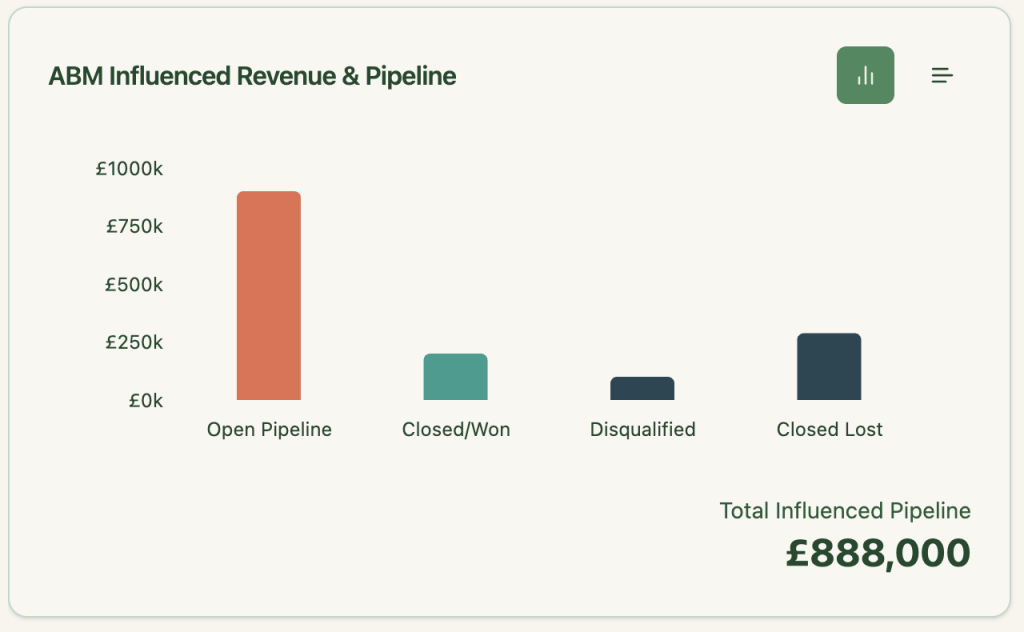
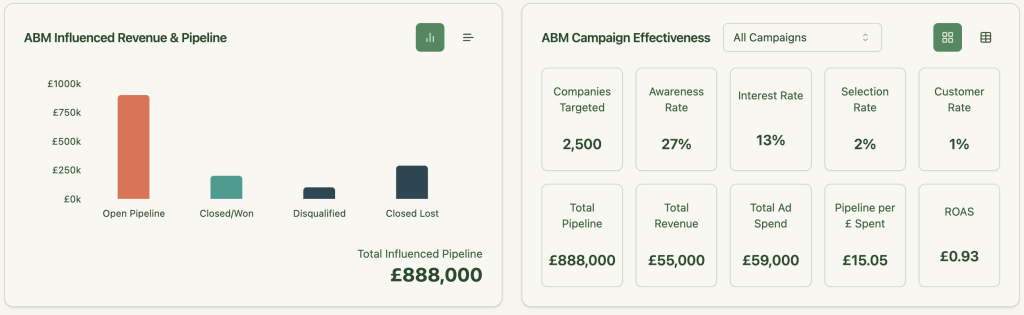
ZenABM provides comprehensive, out-of-the-box dashboards for account intent and ABM campaign effectiveness analytics:
ZenABM shows you exactly which companies engaged with each campaign or campaign group, making retargeting straightforward and effective.
Here’s how to put it into practice:
After seeing the benefits, here are the steps to sync LinkedIn ad data with HubSpot using ZenABM in just a few minutes:
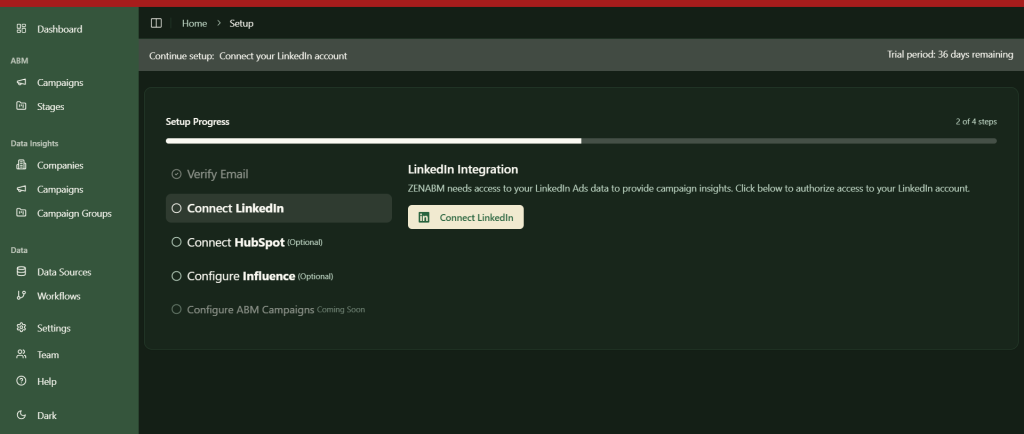
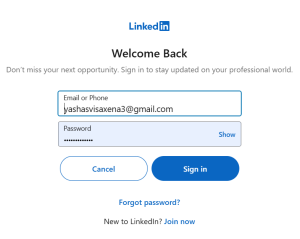
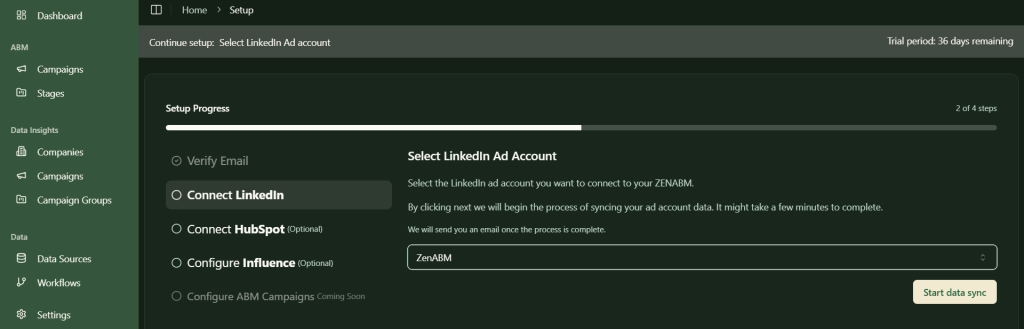
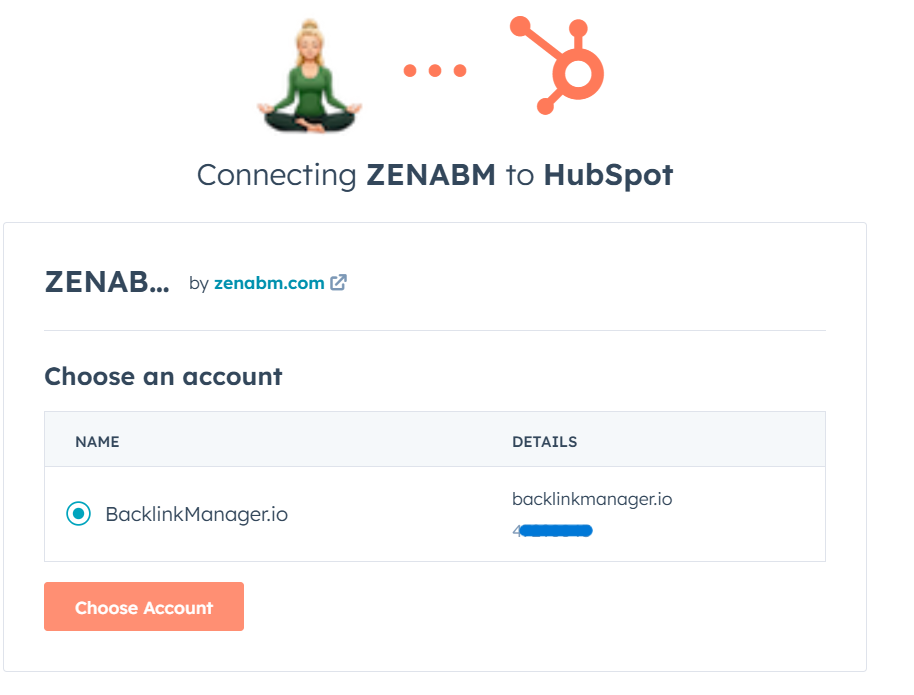
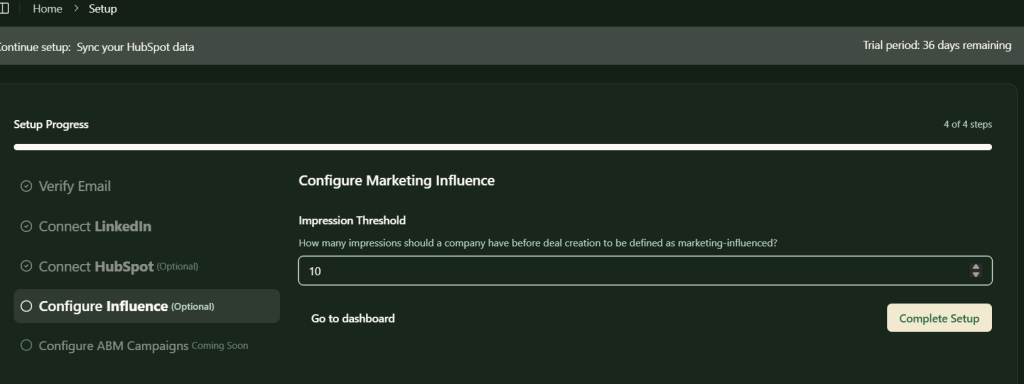
Once you finish these steps, your LinkedIn ads–HubSpot integration is live, and company-level ad engagement data for each campaign will flow automatically into your CRM.
Manually syncing LinkedIn ad data into your CRM over and over again can be painful. But native CRM integrations such as HubSpot’s do not provide insight into which companies engage with individual LinkedIn ads. ZenABM fills that void by delivering precise, company-level engagement data directly from LinkedIn’s official API—no sketchy reverse IP methods, no guesswork.
It takes things even further with automated lead scoring, real-time BDR assignment to high-intent accounts, and seamless data synchronization into HubSpot. Plus, it closes the loop between your LinkedIn ad campaigns and closed-won deals with built-in attribution dashboards.
Ready to finally track the ROI of your LinkedIn ad spend? Try ZenABM and turn campaign engagement into clear pipeline visibility.
If you want to learn more about the tool, book a demo now!


