

©2026 ZenABM - All Rights Reserved.

LinkedIn matched audiences are the backbone of every ABM campaign.
They let you upload your own data, like company lists, contact lists, website visitor data, and use it to target specific people on LinkedIn.
Without matched audiences, you are stuck relying on LinkedIn’s built-in attribute filters, which are useful but not precise enough for account-based marketing on their own.
In this guide, I will cover every type of LinkedIn matched audience, how to create each one, what match rates to expect, and how you can use them effectively for ABM.
In case you want a quick overview:

LinkedIn matched audiences are custom audiences you create by bringing your own data into LinkedIn Campaign Manager.
Instead of relying solely on LinkedIn’s targeting attributes (company size, job function, industry), you tell LinkedIn exactly which companies or people you want to reach.
You can find matched audiences under Plan > Audiences in Campaign Manager.
Once created, you can use them as targeting criteria in any campaign (either as the primary audience or as a layer on top of other targeting options).
For ABM, matched audiences are not optional.
They are the mechanism that makes account-based marketing possible on LinkedIn.
Without them, you cannot target a specific list of companies.
You would have to approximate your target account list using industry, size, and other attribute filters, which is inherently imprecise.

LinkedIn offers five categories of matched audiences:
Company list audiences are created by uploading a CSV file containing company names, LinkedIn Company Page URLs, domains, or email domains.
LinkedIn matches each entry against its database of Company Pages and creates an audience of people who work at those companies.
This is the most important matched audience type for ABM.
It is how you tell LinkedIn, “these are my target accounts and show my ads to people at these companies.”
How to create a company list audience:

Match rates: Expect 60-90% match rates for company lists. Companies with active LinkedIn pages match at higher rates. Small companies, very new companies, or companies with common names may not match. Including company website domains alongside company names significantly improves matching accuracy.
The quality of your company list is critical, not just because you’ll be targeting some wrong accounts, but also because you’ll be training LinkedIn’s algorithm to get even worse.
I mean, your list is your strategy, and must be taken very seriously.

For guidance on building a high-quality target account list, see our complete guide to running ABM on LinkedIn.
Contact list audiences are created by uploading a CSV of email addresses.
LinkedIn matches each email against its member database and creates an audience of the specific people you listed.
How to create a contact list audience:


Match rates: Contact list match rates are lower than company lists (typically 30-70%). The gap exists because many LinkedIn members use personal email addresses on their profiles, while your CRM usually has work emails. Including additional data fields (name, company) helps LinkedIn match more contacts.
The company list vs. contact list question comes up constantly in ABM.
My general recommendation is that you should use company lists as the default and save contact lists for specific use cases.
This is because company lists give you a broader reach.
You hit all employees matching your role filters, including people you have not identified yet.
Yes, contact lists give you precision to reach exactly the people you specified, but they miss anyone not on your list.
For most ABM campaigns, the broader reach of company lists is more valuable.
And then again, as I told you, match rates for the contacts list are usually lower.

Retargeting audiences capture people who have interacted with your brand.
LinkedIn offers retargeting based on:
For ABM, the power of retargeting audiences comes from layering them with your company lists.
On their own, retargeting audiences include everyone who engaged, including people outside your target accounts.
Layer a retargeting audience with your company list, and you get people from your target accounts who have actively engaged with your brand.
That is the highest-quality audience you can build on LinkedIn.
Tim Davidson highlights a specific retargeting play using thought leader ads:
For a deep dive into retargeting audience types and best practices, see our guide on seeing which companies engage with your LinkedIn ads.
This is one of the areas where ZenABM is especially strong.
Its company-level ad engagement and first-party qualitative intent give you a much better signal on which matched-audience accounts are merely browsing and which ones are actually behaving like serious buyers.

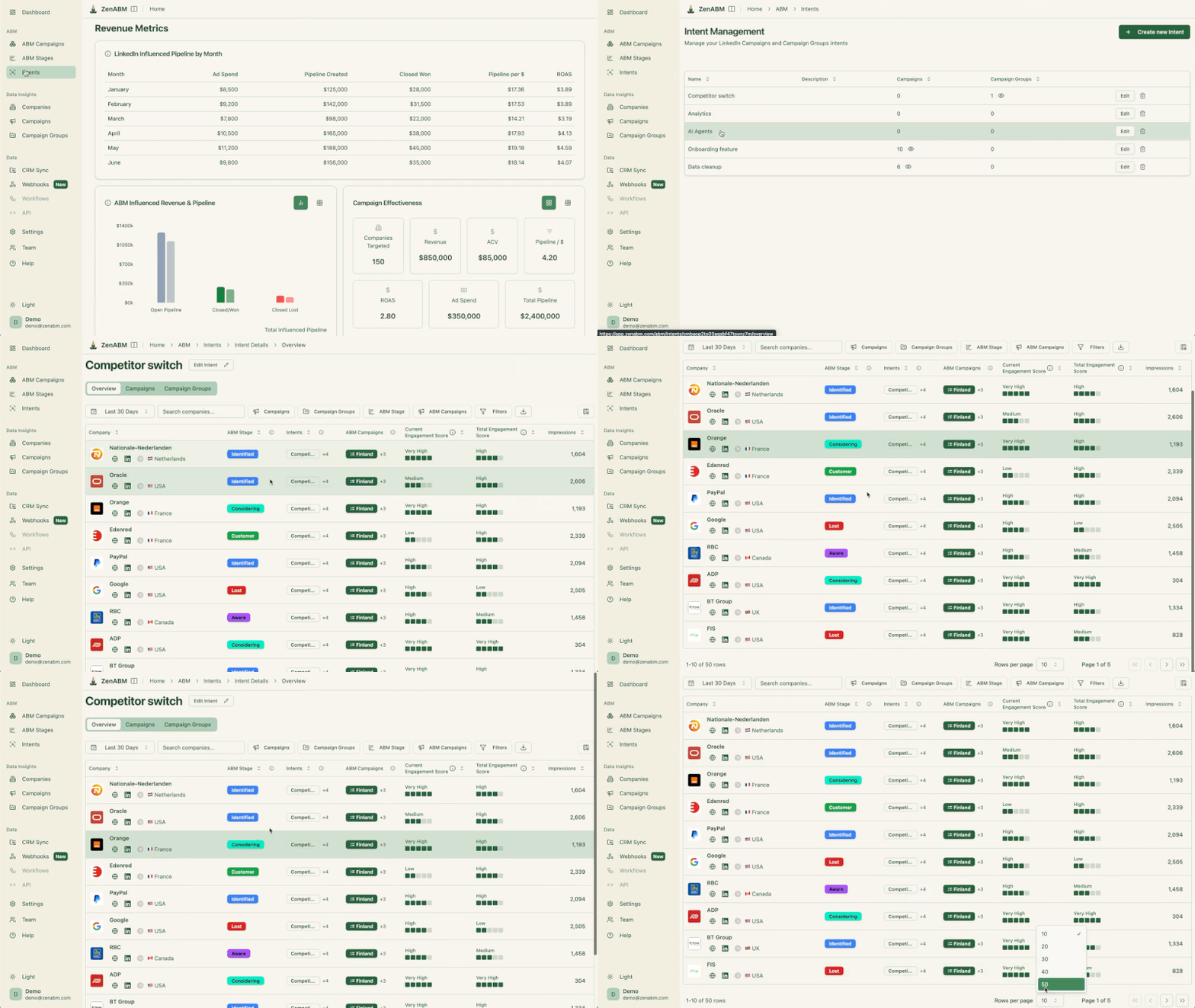
That makes your retargeting layers far more useful than just relying on generic site-visitor pools.
Lookalike audiences let you reach people who are similar to your existing matched audience but are not in it.
LinkedIn analyzes the attributes of your source audience and finds other LinkedIn members who share similar characteristics.
To create a lookalike audience, you need a source audience of at least 300 matched members.

LinkedIn then generates a new audience of similar members.
You cannot control the size or the matching criteria, as LinkedIn’s algorithm handles it automatically.
So, for ABM, I have mixed feelings about lookalike audiences.
They can be useful for discovery (finding companies that resemble your best customers), but they are not precise enough for core ABM targeting because you do not control which companies are included. I
f you use them, treat lookalike audiences as a discovery tool (to find new accounts to add to your TAL), not as a primary campaign audience.
Predictive audiences is LinkedIn’s AI-powered audience creation tool.
You provide a source audience (a company list, contact list, or conversion data), and LinkedIn uses machine learning to find other members likely to take a specific action (like converting or engaging).
Like lookalike audiences, predictive audiences sacrifice precision for reach.
They introduce an element of uncertainty that conflicts with the precision ABM requires.
So, they can work for broader demand generation campaigns, but for ABM, I prefer to control exactly which accounts are in my campaigns.
Match rates are one of the most common frustrations with LinkedIn matched audiences.
Here is a realistic view of what to expect and how to improve them.
Audience Type | Typical Match Rate | Key Factor |
|---|---|---|
Company lists | 60-90% | |
Contact lists (work email) | 40-70% | Whether members registered with a work email |
Contact lists (personal email) | 50-80% | Many members register with their personal email |
Website retargeting | N/A (automatic) | Insight Tag installation and website traffic volume |
Tips to improve company list match rates:
Tips to improve contact list match rates:
ZenABM can also help improve the usefulness of these audiences after the match, not just before it.
Its job title analytics lets you see whether the people actually engaging line up with the roles you intended to target, which is useful when a matched audience technically works, but the campaign is attracting the wrong slice of the account.


Different ABM campaign stages need different matched audience strategies.
You should not use the same audience setup for cold awareness campaigns, warm engagement campaigns, hot pipeline acceleration, and reactivation plays.
Here is how I recommend structuring matched audiences across the funnel.
For cold campaigns, the primary matched audience should be a company list of cold target accounts, meaning companies that have not engaged with your brand yet.
On top of that, layer job function and seniority filters so your ads reach the right buying committee members instead of random employees across the account.
At this stage, the goal is awareness, not immediate conversion. You do not need to reach every person at every account right away.
I recommend targeting roughly 30 to 50% audience penetration per month.
That gives you enough exposure to build familiarity without burning budget too quickly.
Your content here should focus on credibility and education.
Thought leader ads, category education, benchmark content, and problem-awareness messaging tend to work best.
One important caveat: many companies begin ABM with a completely cold list of accounts.
That is a common mistake because cold accounts are the hardest to convert.
A smarter approach is to mix truly cold accounts with warmer segments, such as churned customers or closed-lost deals, so you can generate results faster while your cold campaigns gradually build recognition.
For warm campaigns, I recommend using a company list of engaged accounts combined with a website retargeting audience layered on top.
These are accounts that already know who you are.
They may have clicked on ads, visited your website, consumed your content, or shown early intent signals.
Because there is already some familiarity, you can push much harder than you would in cold campaigns.
For warm audiences, I recommend aiming for 70 to 90% audience penetration per month.
At this stage, you want stronger repetition so your brand stays top of mind while the account is actively researching solutions.
Product-focused content, customer stories, case studies, comparison pages, and social proof work well here.
For hot campaigns, precision matters more than scale.
The primary matched audience here should be a contact list of known buying committee members at pipeline accounts.
You can then add a company list of those same accounts as a secondary layer, so you still maintain some broader visibility across the rest of the committee.
At this point, the account is already in motion, so your job is not just to create awareness.
It is to reduce friction and help the deal move forward.
Your content should be highly conversion-focused: demos, free trials, ROI calculators, competitive comparisons, implementation guides, pricing-related assets, and anything else that helps stakeholders justify a decision internally.
ZenABM helps sharpen this stage with account scoring, CRM sync, automated BDR assignment, and custom webhooks.
Once an account crosses the engagement threshold you care about, you can push that signal into sales workflows faster instead of leaving hot-matched audiences trapped inside ad reporting.


For pipeline reactivation, the primary matched audience should be a company list made up of closed-lost deals and churned customers.
These accounts are not truly cold.
They already know your product, your category, and likely your competitors too.
That means your messaging should not restart from scratch. Instead, it should focus on what has changed since they last evaluated or used your solution.
This could include new features, pricing updates, product improvements, market changes, or industry shifts that make your offer more relevant than it was before.
Some best practices for using matched audiences for your account-based marketing strategy:
Target account lists go stale because companies get acquired, key contacts leave, accounts close or become customers, and many other reasons.
So, update your matched audiences at least monthly.
Most teams update only quarterly, which means they spend 2-3 months targeting accounts that are no longer relevant.
Even within a one-to-many approach, segmenting your matched audiences by stage allows you to serve the right message to the right accounts at the right time.
So, do not upload one giant list and run the same campaign to everyone.
Rather segment by:
Exclusions prevent wasted spend and ensure accounts see messaging appropriate to their stage.
So, upload matched audiences for exclusion, too.
Some examples of exclusions you should make:
ZenABM’s company exclusions are particularly useful here, especially if you want to stop hammering already-penetrated accounts with awareness campaigns.

That is a small feature on paper, but in practice, it can save a surprising amount of wasted spend and impression clutter.
Audience expansion – don’t use that. And LAN – don’t use it either. – Maximillian Herczeg, former LinkedIn employee, LinkedIn ads expert and founder at Kamrat (a marketing agency).
Audience expansion adds people who are not in your matched audience.
For ABM, this means your ads reach people at companies that are not on your target list.
Always turn it off.
Similarly, disable LinkedIn Audience Network to keep your ads on LinkedIn, where the professional context provides value.
LinkedIn requires a minimum of 300 matched members per campaign.
Small company lists (under 100 companies) often fall below this threshold when you add job function and seniority filters.
If your audience is too small, either broaden your role filters, combine account segments, or extend your retargeting lookback windows.
Gabriel Ehrlich provides a useful framework for thinking about reach:
You want to reach as much of your audience as possible, as often as possible. 4 or 5 times a month would be great. – Gabriel Ehrlich
Your audience needs to be large enough to sustain this level of exposure without exhausting LinkedIn’s available impressions.
This is one of the most common questions about LinkedIn matched audiences for ABM.
Here is the framework I recommend:
Criteria | Company List | Contact List |
|---|---|---|
Reach | All employees matching role filters | Only the specific people you uploaded |
Discovery | Reaches people you have not identified yet | Only reaches known contacts |
Match rate | 60-90% | 30-70% |
Data requirement | Company name + domain | Email address (work or personal) |
Best for | Awareness, engagement, broad ABM | Conversion, deal acceleration, specific personas |
Refresh frequency | Monthly | Bi-weekly to monthly |
Default recommendations:

For more on how matched audiences affect your budget planning, see our guide on estimating your ABM budget.
LinkedIn matched audiences are what turn ABM on LinkedIn from broad professional targeting into actual account-based targeting.
They give you the control to reach the right companies, the right people, and the right stages of the funnel with far more precision than LinkedIn’s default filters ever can.
But the real advantage does not come from uploading a list alone. It comes from how well you segment those audiences, how often you refresh them, how carefully you use exclusions, and how clearly you align each audience with the right campaign objective.
That is also where a platform like ZenABM becomes especially useful.
Features like company-level LinkedIn ad engagement, CRM sync, ABM stages, account scoring, first-party qualitative intent, job title analytics, company exclusions, and the ABM budget calculator help you move from static matched lists to a much more operational ABM system.
Try ZenABM for free (37-day free trial) or book a demo now to know more!
Some common queries about using LinkedIn matched audiences for ABM and their answers:
Company and contact list uploads typically take 24-48 hours to process. During this time, LinkedIn matches your data against its member database. Once processing is complete, you will see the matched audience size in Campaign Manager. If the audience shows fewer than 300 members, it will not be usable for campaigns.
Yes. You can update an existing matched audience by uploading a new CSV file. LinkedIn will re-match and update the audience. The campaign will continue running against the updated audience without interruption. I recommend updating your company lists at least monthly to reflect changes in your target account list.
The most common reason is email mismatch. Many LinkedIn members register with personal email addresses, but your CRM typically has work emails. To improve match rates, include additional data fields (first name, last name, company, job title) alongside the email. If available, include both work and personal emails for each contact.
Lookalike audiences work better as a discovery tool than as a targeting mechanism for ABM. Use them to find new companies that resemble your best customers, then evaluate those companies and add the good fits to your target account list. Do not use lookalike audiences as your primary campaign targeting for ABM – they do not give you control over which companies are included.
If your matched audience drops below LinkedIn’s 300-member minimum, any campaigns using that audience will stop delivering. This can happen when contacts leave companies, when companies deactivate LinkedIn pages, or when you add too many targeting filters on top of a small matched audience. Monitor your audience sizes in Campaign Manager and have contingency plans – broader role filters or combined segments – ready.
