

©2026 ZenABM - All Rights Reserved.

Intent-based outbound or signal-based outbound are one of the top-2 biggest bets B2B marketing teams are making for 2026 – according to the survey conducted study by Kyle Poyar of Growth Unhinged and Maja Voje of Growth Strategist.

And I’m not surprised. “Cold outbound” isn’t working – since outbound sales automation like Apollo, Outreach or Salesloft have become popular and made outbound easier, “spray and pray” cold outbound made the market really saturated, and made it extremely hard to cut through the noise. The same is happening on LinkedIn, with linkedin outreach (DM) tools like HeyReach, Meetlfred, Sales Robot, or Buzz[dot]ai.
So everyone knows you need to heavily personalize your messaging with “intent signals” – signs what your account is interested in, and when it’s ready to buy. But the problem with creating these personalized messages for intent-led outbound is two-fold:
Intent-led outbound is more effective, cheaper…and it’s the perfect complement to ABM campaigns, no actually, scratch that – an integral part of ABM campaings (you generate intent signals = target account engagements with your great content, delivered through e.g. LinkedIn ads but also your blog, website, lead magnets…and then simply leverage these intent signals to reach out to the prospects with the right message, at the right time. And then it may actually be the prospects who want to book the meeting – as Mahinour Sabra wrote in her recent LinkedIn post:)

So this post, I will share with you:
WARNING: This is a long, “ultimate guide” type of post – including step-by-step instructions how to set the automations for pushing account-level intent signals from ZenABM into Clay – so brace yourself for a 30 minute read and take notes! (but I prepared a quick summary for you below – so you can decide if it’s worth reading for you 😉 )
already_in_smartlead? and already_in_heyreach?, populated via each tool’s search API, and skip sending if a prospect already exists.Intent based outbound (or signal based outbound) is a marketing strategy involving reaching out to highly qualified prospects based on their intent signals – often involving automation that uses these intent signals both as triggers for (sales) outreach (via email/LinkedIn) and for creating personalized copy relevant to the intent signal (usually with generative AI).

It has gained a lot of attention in 2025 nd is now the 2nd most popular strategy marketers are investing in for 2026. And I understand why – in August 2025, after 2 years of trying to make our manual outbound work with the BDR team, we decided to let them go and replace them with intent-based outbound automation. Why automation, you may say?

Marketers are turning to intent-based outbound because – ironically – AI is better at personalizing outreach messages based on signals than most human SDRs.
Another reason for the surging popularity of intent-led outreach is that it’s a lot cheaper (and easier) than hiring and managing teams of BDRs/ SDRs.
But let’s focus on the effectiveness first:
No human being can possibly mentally process 367 company properties from your CRM, and then craft a bespoke message based on them.
This is where intent-based outbound really helps – it helps you turn your CRM company (and contact) properties and ad engagement data into a signal database, and them orchestrate an efficient, automated, predictable outreach operation based on those intent signals.
I’ve learned it the hard way – after trying (and failing) to deliver consistent pipeline with a BDR team, with different BDRs/SDRs, strategies, tools and leads – we finally gave up and turned to automation. Since then – our intent-led outbound campaigns, fuelled with intent data from our CRM and LinkedIn ads (via ZenABM – which deanonymizes LinkedIn ad engagements on company level and captures company intent from those engagements)

37 Days Free Trial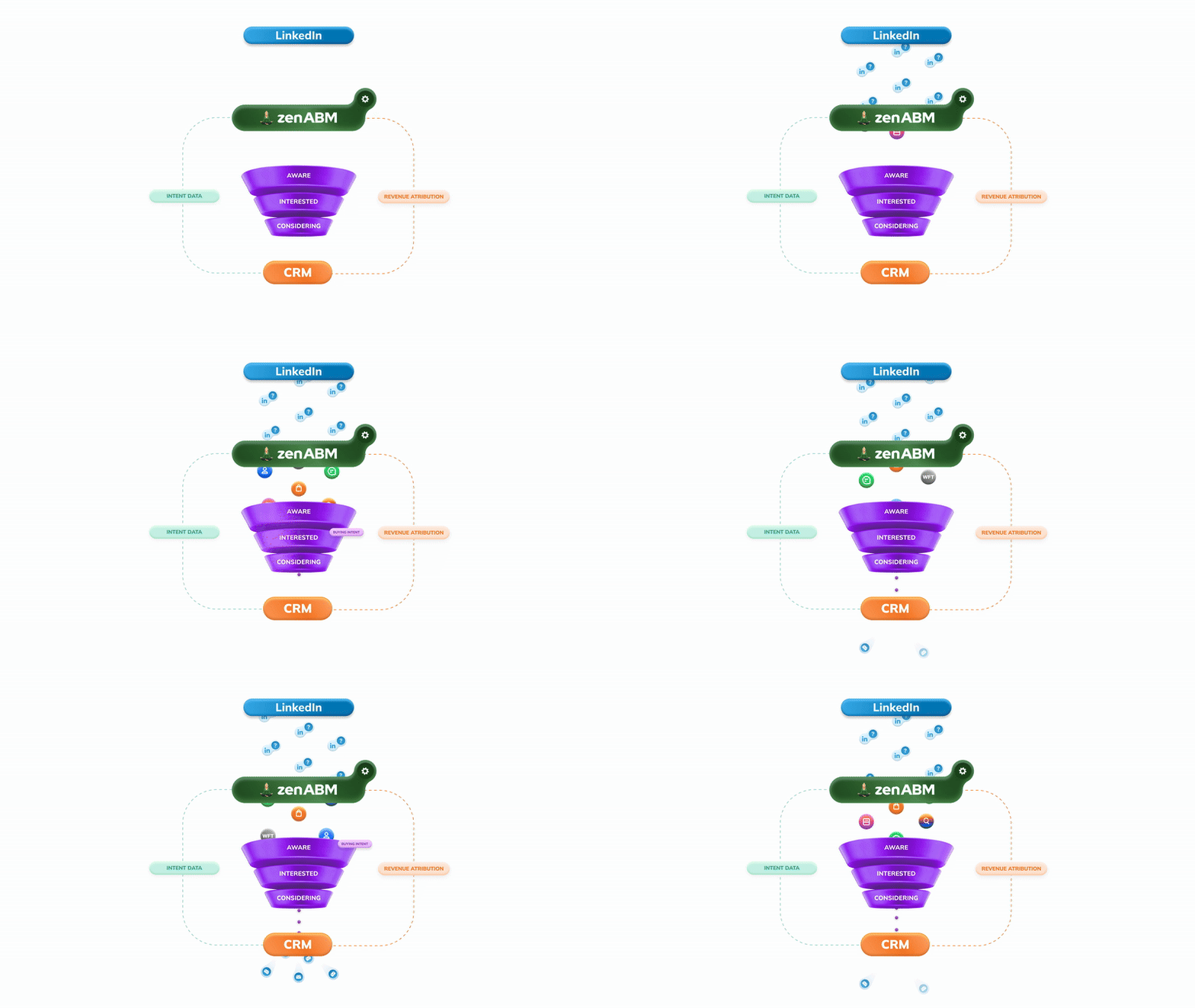
Intent signals come in three main forms:

Product-led signals are a type of first-party signal, but they merit their own short paragraph.
Product-led intent signals intent include signup events and usage events inside your product. In a PLG model, actions such as free-trial sign-ups, the number of sessions (many logins indicate the account is a good indication that the account is really commited to testing your product and more interested in buying it) or heavy feature usage serve as intent signals. In short, meaningful in-product activity can be treated as a sign to reach out.
All of these count as first-party intent signals. These are the most reliable clues because they show the company is directly engaging with your content. Userpilot is a great source of product-led intent signals (that can be pushed from your product into your CRM with webhooks):

Ok, so now you know what types of signals you can collect about your target accounts – let’s make it a little less abstract – and see what signals you should be collecting, from where – and how to collect them.
I thought it would be easiest to do in the form of a table:
Signal source (1st / 2nd / 3rd party) | Signal type | Where to get the signal from? | What to use the signal for? | Tools for obtaining the signal |
|---|---|---|---|---|
1st party | High-intent website visits (pricing, demo, trial pages) | Your CRM/ RB2B/Vector/ Text ad website visitor de-anonymization with ZenABM | Adding the specific page visit to account scoring | Your CRM + Tools like RB2B/Vector |
1st party | Mid-intent content visits (comparison pages, competitor blogs) | Blog and content page events in CRM and analytics tools | Building “research stage” audiences, nurturing with comparison content, warming up before direct outreach | GA/GA4, HubSpot, Webflow analytics, CMS + CRM event tracking |
1st party | Ad click + form fill (LinkedIn / Google → lead form) | Ad platform + form submissions synced into CRM | Capturing contact-level intent, prioritising fast follow-up, auto-enrolling in signal-based nurture or outbound | LinkedIn Ads, Google Ads, native lead gen forms, HubSpot / Salesforce forms |
1st party | LinkedIn ad impressions & engagements (company-level) | Spotting accounts consuming your ads, scoring account intent, building “warm outbound” lists | ZenABM (de-anonymises and syncs to HubSpot/Salesforce from $59/m), LinkedIn Ads | |
1st party | LinkedIn campaign theme engagement (which ads/campaigns they clicked) | Campaign + creative-level engagement mapped to companies in CRM | Understanding what topics each account cares about (AI, analytics, adoption, etc.), powering highly relevant messaging | ZenABM intent tags, LinkedIn Ads campaign data, CRM custom properties |
1st party | Gated content downloads (reports, lead magnets) | Form submissions and content download events in CRM / marketing automation | Identifying topics of interest, segmenting by use case, triggering follow-up sequences referencing the asset | HubSpot, Marketo, Customer.io, landing page tools (Unbounce, Webflow) |
1st party | Webinar / event / exec dinner signups | Registration lists and attendance data synced into CRM | Prioritising attendees for follow-up, running post-event outbound, multi-threading into active opportunities | Zoom, Livestorm, Demio, Hopin, event platforms + CRM integrations |
1st party | Social media visits & engagements | Social profile clicks, UTM-tagged visits, social engagement metrics | Identifying who is “lurking” on your brand, warming up accounts with light-touch outreach or content follow-ups | LinkedIn Page analytics, Meta/Instagram analytics, GA/GA4 with UTMs, CRM |
1st party (product-led) | Product signup / free trial | Trial signup events and workspace/account creation in product analytics / CRM | Triggering onboarding and AE outreach, qualifying product-qualified leads (PQLs), mapping “evaluation” stage | Userpilot, Mixpanel, Amplitude, in-house event tracking, webhooks → CRM |
1st party (product-led) | Product usage & feature adoption | Login frequency, key feature usage, usage depth in product analytics | Identifying highly engaged trials, expansion opportunities, churn risk, and timing sales conversations | Userpilot (in-app events + webhooks), Amplitude, Mixpanel, Heap, Segment |
2nd party | Co-hosted webinar / event attendee lists | CSV / export from partner or event organiser with signups + survey responses | Joint outbound motions with partners, prioritising accounts with urgent problems, tailoring messaging to survey answers | Partner CRMs, event platforms, spreadsheets synced into your CRM |
2nd party | Sponsored conference / community data | Sponsor reports with booth scans, badge swipes, participant lists | Re-engaging people who interacted at events, mapping new accounts into your ICP, running post-event sequences | Conference platforms, sponsor dashboards, manual imports into CRM |
3rd party | Category / competitor research behaviour | Page views and research activity tracked across publisher networks and review sites | Discovering net-new in-market accounts outside your CRM, prioritising outbound by “in-market” score | Bombora, Demandbase, 6sense, G2, similar 3rd-party intent providers |
3rd party | Keyword/search-based intent (topic or competitor queries) | Search terms and topics monitored by 3rd-party networks | Building campaigns around the exact problems/accounts are researching, triggering outbound when search intent spikes | 6sense, Demandbase, Bombora, other ABM/intent platforms |
Now, let’s see what you can actually do with all these intent signals for intent-led outbound…
Once you have these signals, you can tailor your outreach. For example, if a target keeps clicking on an AI-focused ad, you’d follow up with AI-related content (case studies, a webinar invite, etc.). Conversely, a visit to your pricing page is a strong late-stage signal:
In that case you might immediately route that account to sales or send a personalized email about pricing. The general rule is: match the message to the signal’s intent level.
ZenABM is our source of not only LinkedIn ad interactions, but allows us to push scored accounts into both your CRM and Clay (for automated prospecting).
ZenABM de-anonymizes your LinkedIn ad engagements (= tells which company engaged with which campaign) and then pushes this data automatically into your CRM – both the raw engagement date (impressions, engagements, clicks) and computed “account scores” (=ABM stages based on combinations of LinkedIn ad engagements, lifecycle stages and custom properties = any of the intent signals you have in your CRM that we’ve discussed before) 

…as well as intent (from the qualitative ad engagements = which campaigns the accounts engaged with):

ZenABM ingests your LinkedIn ad interactions at the company level, computes a real-time score for every account, and tags each account with the campaign or content they engaged:

Then all these intent signals flow directly into your CRM – ZenABM syncs account them into your CRM as custom fields automatically (and creates these fields as well).
You can then build workflows so that any company hitting a certain intent threshold triggers an alert or outreach task – or you can push the data to Clay for autoprospecting (automatically finding the right personas in these accounts for outreach), and then automated lead routing or follow-up sequences.

In short, ZenABM bridges marketing signals and sales action with very little rev-ops required.
In ZenABM’s dashboard we see company-level LinkedIn engagement visualized: each target account is listed with the campaigns it clicked and an inferred intent or ABM stage. You can also use its AI chatbot, Zena, to pull a specific list of accounts that engaged with any campaign, in any timeframe:

With ZenABM, those LinkedIn ad engagements and web visits automatically turn into CRM triggers, so your sales reps only spend time on accounts already primed to buy. As soon as a company shows buying signals, you can either automatically prospect into those accounts with Clay and send them into automated outreach sequences e.g. in Smartlead/Heyreach, or notify your sales team in your CRM (Hubspot).
I will explain how to set the automatic prospecting up in more detail in the next few paragraph.
OK but now you still need to know how to use the intent signals from account level, that you have in ZenABM – to find prospects for outreach in Clay, and add them to the right respective intent-based outreach sequences.
Below, I will show you how to do that + set up filters, connect your Smartlead (email outreach) account, and configure automatic updates to keep your campaigns running smoothly.
0. Copy the Clay Template from here [LINK – FREE CLAY TEMPLATE].


In this example, it’s companies with three or more clicks. Select what you prefer and then, click on “Update Stage”
2. Click on “Update Stage”

This playbook works only with Clay’s Explorer plan or higher or on the free trial because Webhooks and Email sequence integrations are only available with those plans.
3. You will need Clay’s Explorer plan at least to run this playbook

After you copy the Clay template, you will see the full workbook with 2 tables and an Overview.
Go to the first step and click on it.
4. Click on “Pull in data from a Webhook”

5. Double-click here

It will take you to step one, where you need to complete the first step. The first step is to copy the webhook URL you see. Copy it, then go to ZenABM. Click on “Webhooks,” and select “Create a new webhook.”
6. Click on “Copy”

7. Go to ZenABM, Click on “Webhooks”

8. Click on “Create new Webhook”

In this webhook, you will select companies and then name the webhook.
9. Click on “Companies”

10.Name the Webhook here:

Paste the webhook you just copied from Clay in the “URL”. Click Next.
11. Paste the webhook you just copied from Clay here

After you paste the webhook, click Next.
12.
Click on “Next”

These are the filters. If you want companies from specific campaign groups, campaigns, or ABM campaigns, you can select them. I want everything, so I will ignore this. Click on “Add Filter.” Select “ABM stage” and choose “any of interested.” Ignore the other options.
13. Click on “Add filter group”

14. Click on “LinkedIn Metric”

15.
Click on “ABM Stage”

16. Click on “Has any of”

17. Click on “Select ABM stages”

18. Click on “Interested”

Then click Next.
19. Click on “Next”

From here, I want it to recur for every 7 days, since I plan to run this weekly. So I am going to change the Date Range to “Last 7 Days”.
20. Click on Date Range

21. Select “Last 7 Days”

Each week, once this occurs, the companies are automatically included.
22. Click here:

23. Click on “Individual” under Delivery Mode

Individual, because that’s what’s best for Clay. I will select all of the “Data Fields”, then create the webhook.
24. Click on “Create Webhook”

Once I do this, I will go back to Clay for Step 2.
All of these company URLs will be pulled in automatically. I will click on Overview, then Find People, and then Edit Inputs.
25. In “Overview”, Click on “Find People”

26. Click on “Edit inputs”

Here, select the filters for your ICP. Including Job Titles, Locations etc.
27. Edit the filters for your ICP here

List all the job titles you want to include, as well as those you want to exclude. Add any other relevant details as needed.
Adjust the filters as needed, then click Continue.
28. Click on “Continue ✓”

Once you do that, click on…
29. Click on “Replace existing rows”

Click on “Replace Rows”, and you’re done.
30. Click on “Replace rows”

Now It will prospect into your ICP from the Interested Stage companies automatically. Go to Step 2 now.
31. Click on “Step 2”

This table, finds the work emails of the prospects and pushes them to the relevant Smartlead and HeyReach campaigns automatically. By default the “Work Email” column is turned off so you don’t spend Clay credits unexpectidly. If you want to automatically find the work emails for your ICP in those interested stage companies, you need to enable “Auto Update” for this column.
32. Click on “Work Email”

Click on “Edit Column.” Then, you…
33. Click on “Edit column”

34. Click here

35. Click here

Turn on “Auto-update”.
If you want to change certain settings, you can do so in “Full Configration”. If not, let it be. Click on “Save”.
36. Click on “Save”

Now to select the right Smartlead Campaign to add the prospect to, follow these steps.
37. Click on the column “Add Lead to Campaigns”

Here you need to select which Smartlead campaign do you want to add the prospect automatically to.
38. Click on “Edit column”

If your Smartlead account is already connected, select your account. Then, choose the campaign you want.
39. Click on “Select Smartlead.ai account”

40. Click on “Campaign ID” to select the right campaign

If your smartlead account isn’t connected, click “Add Account” and name your connection.
41. Click on “+ Add account”

To get your Smartlead API key, go to Smartlead and click on Settings.
42. Click here

43. Click on “Settings”

Click on API key management, then copy the API key.
44. Click on “API Key Management”

Copy the API key from this location. Click on “Copy.”
45. Click here

Go back to Clay and name your connection however you like.
In this example let’s name it “Smartlead connection”. Paste the key here. Click save, test, and save.
46. Click here

47. Paste the API key you copied from Smartlead here

48. Click on “Test account & save”

Now your Smartlead account is connected to Clay.
Simply choose the campaign you want to run and the other fields will populate automatically.
49. Select the campaign you want to push the contacts to

If you want to add custom fields, you can do so.
50. Click on “Custom Fields”

If not, you can leave it as is. To set this to run automatically, click on auto-update. Then select save and run.
51. Click here

52. Click here

53. Click on “Save and run rows in this view”

After this, you do the same for HeyReach. If it is connected, you can simply choose any campaign you want. If not, you connect it via API.
54. Click on “Add Lead to Campaign”

55. Click on “Edit column”

56. Click here

If Heyreach isn’t connected, click Add Account.
57. Click on “+ Add account”

58. Click here

First, name your connection. Then, obtain the API key for HeyReach.
59. Click here

Go to HeyReach and click on Integrations. Select HeyReach API, then click Get API. Copy the API key. Go back to Clay, paste the key, then click Test Account and Save.
60. Go to HeyReach. Then “Integrations”

61. Click on “Get API key”

62. Click here

63. Go back to Clay. And paste the API Key here

64. Click on “Test account & save”

It will save, and that’s it. You can now choose your Heyreach Sequence you want to add the prospects into and add custom fields if needed. It will work automatically.
If you enable auto-update, click Run.
65. Toggle on “Auto-update”

66. Click on “Save and run rows in this view”

Okay. Everything is now set.
Go to ZenABM and click “Trigger Webhook.” That’s all you need to do.
67. Click on “Trigger webhook”

Now, return to your Clay account. You will start to see companies appearing gradually.
Okay, this is how it will look. It will fetch each individual webhook and automatically find people. It will find your ICP in those Interested accounts, find their emails, and add them to the appropriate campaigns.
That is all you need to do.
68. How it will look on Step 1

69. How it will look on Step 2

Ready to leverage intent-led outbound? Try ZenABM free for 37 days or book a demo to see how ad engagement signals can power your outbound strategy.
For a limited time, ZenABM will:
✅ Set up this entire workflow inside ZenABM
✅ Build your Clay table + auto-prospecting flow
✅ Implement Smartlead + Heyreach API pushes
✅ Configure anti-duplication logic
✅ Plus: Salescaptain will write your entire email outreach sequence for free
🎁 Deadline: 14 December
This offer is genuinely insane value — and it’s the fastest way to launch a warm-outbound motion that actually generates pipeline.
👉 Want this implemented for you?
Click below and book your slot while the offer is still available:
When I took over our outbound motion at Userpilot in 2025, we realised our outbound motion was still behaving like it’s 2015:
At the same time, we were drowning in signals:
So instead of “motivating SDRs to send more emails”, we decided to change the rules:
No signal → no outbound.
Strong signal → strong offer.
This is how we actually run signal-based outbound at Userpilot today – using HubSpot, our own product data (from Userpilot into Hubspot), LinkedIn ad engagement data and intent based on which ads the accounts engaged in (pushed from ZenABM into Hubspot and Clay), 3rd-party intent signals found in Clay from other tools like Builtwith (technographics – mainly competitors tool usage & , SmartLead and HeyReach.
For every contact, we try to answer two questions before we ever reach out:
Instead of starting from “all SaaS companies 50–500 employees in the US”, we start from:
All of that gets translated into:
and then orchestrated through:
We didn’t invent the signals in a Notion doc alone. We sat down with:
We literally asked:
“In the deals we actually won, what always happened before they talked to sales?”
The patterns were painfully obvious:
So we turned that into a prioritised signal list.
In priority order:
In priority order:
A long list of signals is useless if everybody ends up in the same sequence.
So we grouped both contacts and accounts into three buckets: hot, warm, cold – based on those signals.
HOT contacts
WARM contacts
COLD contacts
HOT accounts
WARM accounts
COLD accounts
Then we use a really simple rule:
This one matrix saves us from spamming people “because the sequence is ready”:

Now the nerdy bit.
In Clay, every row = one contact. For each contact we pull in:
Instead of building a huge Frankenstein scoring model, or sending these awkward, extremely long outbound emails (see the image below ;)) covering someone’s entire work history that just scream “automation”, we do something much simpler:

Everything is driven by tiny rules like:

If a contact has no fresh contact signal and no interesting account signal, the row is simply skipped.
No signal, no outreach.
Once each Clay row knows:
…we feed that into one AI block that does just two things:
Some constraints we’ve found critical:
Example shapes:
The offers change, but the pattern stays:
Signal → offer → shortest possible path to value.
To keep ourselves sane, we rolled this out in five phases, from “spiciest” signals to broader plays.
Signals:
These people are already raising their hand – something just broke.
What we do:
This alone stops us wasting the highest-intent inbound.
Signals:
These people are not yet asking for a demo, but they are clearly in our world.
What we do:
This fills the gap between “content consumer” and “active opportunity”.
Signals:
These are our favourite: they already know what Userpilot does.
What we do:
If they don’t respond, same rule: we expand within the account.
Signals:
This is where we scale up across our Strategic Addressable Market.
What we do:
All of this sits on top of evergreen ABM campaigns, so they see us in their feed while we’re in their inbox.
Signals:
What we do:
This keeps expansion aligned with relationships, not just sequences.
To avoid turning this into sophisticated spam, we enforce a few guardrails:
Here’s a bunch of playbooks you can use for intent-led outbound (using signals):


By “inbound-led outbound” we mean treating inbound engagement signals (like ad clicks) as triggers for outbound sales action. In practice, this has aligned our marketing and sales perfectly. ZenABM logs that intent in HubSpot and automatically queues it for our BDRs with personalized context. We no longer send cold outreach blindly – each sequence is seeded by actual behavior. The result is a true flywheel: marketing fuels sales, and sales feedback refines marketing. Our inbound-led outbound approach has turned passive interest into active pipeline and made our ABM outreach dramatically more effective.
