

©2026 ZenABM - All Rights Reserved.

The most common LinkedIn ads frequency question is some version of “what frequency is too high?”
The honest answer is that there is no universal cap.
A LinkedIn ads frequency of 3 can be too high for a weak demo CTA pushed at a cold audience, and too low for a category-education campaign trying to teach a new mental model.
The right number depends on the campaign stage, the audience size, the ad format, the type of pain, the depth of the creative, and whether CTR is still holding up.
In ABM, the goal is never maximum frequency.
The goal is enough exposure to move the right accounts through stages without burning them out on the same ad.
The real warning sign is not a high frequency number on its own.
It is frequency rising while CTR and engagement decline for two or three weeks in a row.
Well, this guide will walk you through the solution.
Short on time?
Here’s a quick snapshot:
LinkedIn ads frequency is the average number of times one person in the audience saw an ad.
The math is simple: impressions divided by reach. If a campaign has 10,000 impressions and reached 2,000 unique people, the average frequency is 5.
The catch is the word “average.”
Some people will see the ad far more often than 5 times, while others will see it once or not at all.
LinkedIn’s algorithm tends to push more impressions to the easiest-to-reach part of the audience, which in B2B usually means a handful of large companies with thousands of matching employees.
That is why, for ABM, average frequency is not the first metric to check.
The distribution matters more: which target accounts are getting too many impressions, and which ones from the account list are not getting enough?
That second group is usually larger than most people expect, and it is where most wasted spend hides.
LinkedIn ad fatigue is the point where an audience has seen the same creative too many times and starts ignoring it, or reacting less positively.
It is the outcome.
Frequency is just the input.
The signs to watch for:
Ali Yildirim, who runs LinkedIn and Google ads for a long roster of B2B SaaS companies, frames the diagnostic clearly:
“CTR = (Clicks / Impressions) x 100. Each metric tells part of the story. A CPM spike usually means targeting got too narrow or competitive. Dropping CTR signals creative fatigue. When conversion rate falls but CTR holds steady, the landing page could be the problem.” – Ali Yildirim in his LinkedIn post

The point to keep returning to: do not panic just because frequency is high.
Panic when performance starts decaying.
These ranges are starting points, not laws.
A good LinkedIn ads frequency depends on whether the audience is cold or warm, the format, and how varied the creative library is.
Audience / Stage | Suggested Frequency | Notes |
|---|---|---|
Cold awareness | 3 to 5 per week | Acceptable when the creative is educational and varied. |
Warm retargeting and consideration | 1 to 3 per week | Audience is smaller and already familiar with the brand. |
Very narrow ABM and Tier 1 accounts | 3 to 5 per window (watch closely) | Small audiences fatigue quickly; monitor as soon as frequency hits this range. |
Message ads and conversation ads | 1 to 2 per month | Feel more intrusive than feed ads, so a lower ceiling applies. |
Video ads | Up to 5 to 7 per week | Higher exposure is acceptable when the video is short and useful, but only while engagement holds. |
The trend matters more than the static number.
A campaign sitting at frequency 6 with steady CTR and good account coverage is healthier than a campaign at frequency 2 with CTR cut in half.
Frequency should not be a single setting across an entire account.
The right LinkedIn ads frequency changes with the stage.
Stage | Suggested Frequency | Best Creative | Watch For |
|---|---|---|---|
Cold Awareness | 3 to 5 per week | TLAs, founder POV, pain-point content, document ads with educational depth | CTR decline after the same hook has been served two or three weeks in a row |
Warm Consideration | 1 to 3 per week | Case studies, product proof, demo GIFs, comparison content, webinar invites | Repeated clicks dropping while CPC rises |
BOF and Selecting | 1 to 2 per week (unless coordinated with sales) | ROI content, security and implementation proof, executive testimonials, customer stories | Overexposing a small buying committee; feels invasive at this stage |
Closed-Lost and Reactivation | Low and spaced out | New features, “what changed” updates, comparison content, and direct objection handling | No engagement after multiple touches; route to sales and stop spending |
For a deeper view of stage-by-stage structure, the guide on how to structure LinkedIn ABM campaigns for pipeline growth covers this in full.
Also, if you’re wondering how to track account stages, ZenABM can do that for you based on the LinkedIn ad engagement data it pulls from the LinkedIn ads API, and also data from your CRM.
In fact, the thresholds for different stages are also customizable at your end:


The stage is one half of the picture.
Pain type is the other.
The same person can sit at the same stage and react completely differently depending on whether the pain is obvious or latent.
Examples: broken attribution, CRM sync issue, urgent compliance gap.
Frequency should be lower to moderate, because when the pain is obvious, there is no need to educate for an extended period.
Move quickly from awareness to proof and demo, since repeating the same pain hook feels annoying fast.
Examples: account-stage movement, view-through attribution, account-level engagement, dark funnel, ABM orchestration.
Higher frequency is acceptable here, but only when the story is sequenced across multiple creatives.
The fatigue risk is showing one TLA on the same idea ten times instead of building a five-step argument.
Examples: pipeline efficiency, board reporting, revenue attribution, sales-marketing alignment.
Frequency stays lower, but quality goes up.
Executives respond to credibility and a sharp POV, not repeated tactical demos.
Over-retargeting senior buyers with a generic “Book a demo” CTA is the fastest way to burn the relationship.
Examples: HubSpot or Salesforce sync, workflow automation, data quality, API and webhooks. Moderate frequency, with creative that shows specificity: diagrams, workflow screenshots, product GIFs, implementation proof.
The fatigue risk is too much high-level copy without ever showing how it works.
Examples: replacing another ABM tool, evaluating a Fibbler alternative, leaving Campaign Manager for something more complete.
Frequency low to moderate.
Buyers in evaluation mode dislike feeling stalked, so lean on comparison pages, customer proof, and migration messaging instead of negative competitor takes repeated too often.
Examples: framing LinkedIn ad engagement as first-party intent, defining ABM stages from ad data.
Higher frequency is acceptable, but only with a deep library of angles.
The goal is to teach a new mental model, and the fatigue risk is showing the same concept too many times without adding a new layer of value.
The most reliable pattern is week-over-week CTR direction across two or three weeks of meaningful impressions. One bad week is noise.
Two to three consecutive weeks is a pattern.
What to watch for:
Before blaming fatigue, rule out the boring explanations.
When none of those explains the dip, fatigue is the most likely culprit.
Ali Yildirim (founder at Understory) describes this exact difficulty of running LinkedIn well at a small scale:
“Run paid when the audience is tiny, CPMs are high, and ‘conversion’ might be 6 months away. Make LinkedIn work when targeting is narrow, creative fatigue is real, and everyone is fighting over the same titles.” – Ali Yildirim on LinkedIn
The wrong move is to nuke the whole campaign.
Most of the time, fatigue is concentrated in one or two creatives or one or two oversaturated accounts.
Diagnose first:
Then act:
The general guidance is to refresh creatives every 4 to 8 weeks, or sooner if performance drops first.
In small ABM audiences, rotating creative every 3 to 4 weeks is often necessary because saturation hits much faster.

Catching fatigue manually means logging into Campaign Manager every Monday, sorting ads, and trying to remember last week’s CTR for each one.
That workflow holds until there are more than two campaigns running, at which point it breaks down.
Zena AI watches every ad in the account against the right benchmark for that format.
Detection logic includes:
Concrete example: if an image ad has more than 1,000 impressions, CTR below 0.4%, and CTR has declined for 2 to 3 consecutive weeks, Zena AI flags it as likely fatigued or underperforming.
Because Zena uses the LinkedIn ABM benchmarks by format, it does not compare a TLA to an image ad using the same threshold.
TLAs sit at a much higher CTR baseline than single-image ads, so the rule has to know which format it is judging.

The output is not just an alert: Zena surfaces the ad, explains the likely issue, and recommends whether to refresh, pause, or move the budget.
Detection is half the battle.
The other half is the action.
Zena AI can go beyond alerts and pause ads automatically when they meet pre-defined fatigue or underperformance rules.
An example automation looks like this:
If all of those conditions are true, Zena pauses the ad and recommends replacement angles.
A real example: “Zena AI found 6 image ads with CTR below 0.4%, more than 1,000 impressions, frequency above 3, and CTR declining for 3 weeks. It paused them and recommended 3 replacement angles.”
That is one Slack notification instead of an hour of dashboard babysitting.
Marketers should not have to manually check Campaign Manager every week to find dying ads.
When the pattern is obvious, the system should catch it and stop the waste.
For more on the AI side of this, see how to analyze LinkedIn ads performance with AI.
Average frequency at the campaign level is misleading for ABM.
The most useful question is: which target accounts are getting too many impressions, and which ones are not getting enough?
ZenABM answers that by:


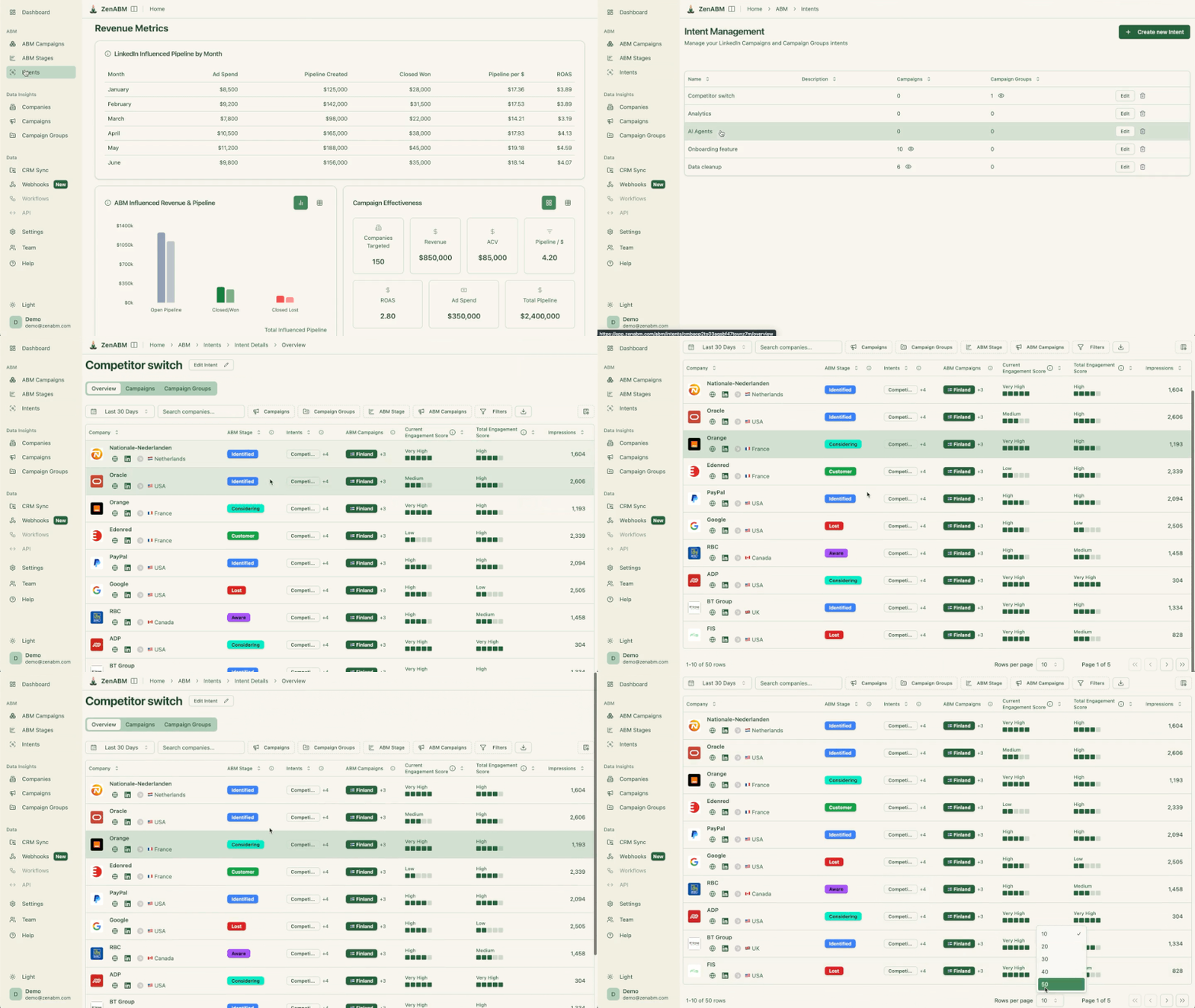


LinkedIn Campaign Manager shows average frequency.
ZenABM shows whether the right accounts are seeing, engaging, and moving.
That is a different question, and the one that actually matters for revenue.
The mistakes that appear most often in account audits:
Frequency is not a number to optimize in isolation.
The question worth asking is whether the right accounts are seeing your ads enough to move stages, without seeing the same creative so many times that they stop reacting to it entirely.
A campaign sitting at frequency 6 with steady CTR and healthy account coverage is in better shape than one at frequency 2 with CTR cut in half and no stage movement to show for it.
The practical version of this is simple: watch CTR direction over two to three weeks, refresh creative before performance collapses, and exclude accounts that have already been saturated.
If you want account-level visibility into which companies are overexposed and which are being ignored, ZenABM tracks impression and engagement distribution at the company level and lets Zena AI flag and pause fatigued ads automatically before the budget is gone.
Try ZenABM for free now (37-day free trial) or book a demo to know more!
For cold awareness, 3 to 5 impressions per person per week is usually safe if the creative is varied. For warm retargeting and consideration, 1 to 3 per week is healthier. For message and conversation ads, stay at 1 to 2 per month per user. The bigger signal is whether CTR holds steady over the same period.
Look for CTR declining week over week for 2 to 3 consecutive weeks while frequency rises and engagement falls. CPC creeping up at the same time is another tell. One bad week is noise; a multi-week pattern is fatigue.
Refresh creative every 4 to 8 weeks as a default, and sooner if performance drops first. In small ABM audiences (Tier 1, narrow ICPs), rotating creative every 3 to 4 weeks is often necessary because saturation hits much faster.
LinkedIn’s frequency capping works at the user level, not the company level. Its algorithm tends to concentrate impressions on the easiest-to-reach part of a target list, which is usually the largest companies. The fix is account-level visibility so the imbalance is visible, paired with exclusion or capping rules so smaller accounts get a fair share. ZenABM is built for exactly this view.
Yes. With pre-defined rules covering CTR thresholds against format benchmarks, impression volume, frequency, multi-week CTR decline, and stage movement, Zena AI can pause underperforming ads and recommend replacement angles. The rules are configurable: some can be set to alerts only, while others trigger an automatic pause.
