

©2026 ZenABM - All Rights Reserved.

I have been picking apart the best LinkedIn revenue attribution tools every quarter for the last two years, and the picture keeps shifting because the tools that connect LinkedIn ad spend to real pipeline are no longer the same as the tools that simply count clicks and form fills.
If you are running LinkedIn ads against a target account list, the question is not whether you need an attribution layer, it is which one will tell the truth about how your campaigns actually move accounts through the funnel.
This guide unpacks how I evaluate the best LinkedIn revenue attribution tools, covering the metrics that matter, the ones I ignore, and the side-by-side criteria I use when a buyer asks me which tool to pick.
Everything here is grounded in things I have run, broken, and rebuilt across my own program and the campaigns my team supports.
Note: This guide is more about how to choose the right tool and not a feature-by-feature comparison of the top contenders. For that, read our feature-centred listicle here.
Short on time?
Here is a quick tabulated comparison of the top 8 LinkedIn revenue attribution tools:
Tool | Company-level impressions | Two-way CRM sync | First-party LinkedIn API | Pricing | Best for |
|---|---|---|---|---|---|
ZenABM | Yes | Yes (native HubSpot, bi-directional) | Yes | $59 to $479 per month | LinkedIn-first ABM teams who want clean revenue attribution without the enterprise price tag |
Factors.ai | Yes | One-way (pull only) | Yes | $399+ per month | Teams running LinkedIn alongside paid social and intent data |
Demandbase | Yes | Yes | Yes | Custom (enterprise) | Enterprise ABM with display, intent, and orchestration needs |
6sense | No (engagement only) | Yes | No | Custom (enterprise) | Intent and predictive scoring across the whole funnel |
HockeyStack | Yes | Bi-directional (ABM add-on) | Yes | Custom | Multi-channel revenue analytics with dashboards |
Dreamdata | Partial | Yes | Partial | $$$ (mid to high) | Full-funnel B2B revenue attribution |
HubSpot Attribution | No | Native (within HubSpot) | No | $890 to $3,600 per month | HubSpot-native teams without ABM specificity |
Terminus | Limited (matched audience) | Yes | Limited | Custom | LinkedIn campaign management plus Salesforce sync |
LinkedIn ads do not behave like search ads.
The CTR sits around 0.44 to 0.65 percent on sponsored content, the buying committee touches your brand five to fifteen times before they ever fill out a form, and the form fill almost never happens in the same session as the impression.

So when a CRO asks “what did LinkedIn drive last quarter,” the honest answer is “more than the dashboard shows, and probably less than the agency claims,” which is precisely the gap that the best LinkedIn revenue attribution tools exist to close.
The mismatch is structural.
LinkedIn Campaign Manager reports clicks and conversions tracked by its own pixel, but it cannot see the deal in your CRM, while your CRM sees the deal, but not the impressions that warmed up the buyer.
Most analytics tools sit on top of cookies that get blocked, dropped, or wiped between sessions, which means none of them sees the same buyer journey, and stitching them together is the entire reason this category exists.

It is 3:38pm on a Wednesday, reviewing late stage opportunities for a client. One of them is a target account, $68k ACV, came in organic. I knew we’d been marketing to them but “We’ve been marketing to them on LinkedIn ads” isn’t what the budget holder wants to hear. I look in LinkedIn Ads, pull up the company feature. I can see paid impressions, paid clicks, paid engagements but that only goes back 90 days.
That is the problem statement in one paragraph.
Without a tool that connects ad-level engagement back to the company and the deal, marketing loses the argument with finance every time, because the reason most teams over-rotate on form fills is that forms are the only thing the CRM actually sees.
The best LinkedIn revenue attribution tools rebuild the rest of the picture: the impressions, the views, the dark social, and the influence on accounts that never click but always close.

When I shortlist tools, I throw out the demo decks and ask for one thing: show me the metrics.
If a tool cannot produce these in a clean, exportable view, it is not a serious contender.
Below are the metrics I look for, ranked in the order I weigh them.
This is the metric that matters most, because the influenced pipeline is the dollar value of every open opportunity in your CRM where the account had at least one ad impression or engagement on a given campaign.
It is not a vanity metric; it is the only number that ties what you are spending on LinkedIn to what the sales team is forecasting.
I look for two flavors: campaign-level influenced pipeline (which campaign warmed which deal) and campaign-group influenced pipeline (which strategy, ABM tier, or audience drove the most pipeline dollars).
If the tool only reports an aggregate number for the entire account, it is too coarse to act on because you cannot optimize what you cannot decompose.
Pipeline is leading, revenue is lagging, and both belong in the report. I want to see closed-won deals matched back to the campaign that touched the account, the total revenue value, and a clean ROI calculation against the spend on those campaigns.
The best LinkedIn revenue attribution tools let you switch between attribution models (first-touch, last-touch, linear, view-through) so you can pressure-test the story before sending it to the board.
For a deeper walk-through of how to set up that math, we wrote a separate piece on measuring LinkedIn ABM ROI that pairs well with this guide.
Click-based attribution misses the way LinkedIn actually works, because most accounts that close were impressioned for weeks before anyone clicked.
The tool needs to count ad views at the company level, not just the contact level, and LinkedIn’s official API exposes company-level impressions natively, which means any serious attribution tool pulls from it directly.
Anything pretending to deanonymize impressions through reverse IP lookup or third-party cookies is fundamentally guessing.
I want to know how often an account has seen my ads in the last 30 days, when the last touch happened, and whether engagement is trending up or down.
A frequency score that combines impressions, clicks, and recency tells me which accounts are warming up and which have gone cold, and this is the metric that bridges paid media and outbound because it tells the SDR who to call this week.
Cost per click is meaningless in ABM.
Cost per influenced account (spend divided by accounts on the target list that received at least N impressions) and cost per influenced opportunity (spend divided by opportunities created from those accounts) are the efficiency metrics that actually translate to a board slide, because they measure what the program did for the pipeline rather than how many people touched a button.

Once I have the metric list, I put every tool through a five-point filter.
These are the things that separate a real attribution platform from a glorified dashboard, and if a tool fails on any of them, I deprioritize it immediately.
The tool must pull data directly from LinkedIn’s official Marketing Developer Platform API, because this is the only way to get clean, accurate, company-level impressions and engagement at scale.
Tools that scrape, use third-party cookies, or rely on UTM-based stitching cannot match LinkedIn’s own data, and they break every time LinkedIn updates the platform.
I have watched three scraping-based tools quietly lose half their reporting in the last year alone.
One-way sync (CRM into the tool) is the bare minimum.
Two-way sync (engagement data also pushed back into HubSpot or Salesforce as company properties) is what makes the tool useful for the rest of the org, because when my SDRs see “LinkedIn engagements last 7 days” on the company record, they know who to call without me building a separate report.
If the tool cannot push enriched company properties into the CRM, the data dies inside the platform.
The tool should match the company name on the LinkedIn ad engagement to the account record on the CRM deal, and then attribute the deal value back to the campaigns that touched that account.
It sounds basic, but most tools fumble it because of company name normalization (Microsoft Corp vs. Microsoft Inc. vs. Microsoft) or because they only match on email domain and lose any deal where the buyer used a personal email or where multiple subsidiaries share a parent company.
Last-click attribution is fine for paid search, but it is useless for LinkedIn.
The best LinkedIn revenue attribution tools let you toggle between first-touch, last-touch, linear, and view-through models so you can present the same deal under different lenses.
View-through, in particular, is non-negotiable on LinkedIn because most of the brand-building work happens in impressions, not clicks, and any tool that cannot surface that influence is systematically understating the channel.
This is the one most overlooked.
A lot of enterprise attribution tools charge based on seats, accounts tracked, or “data volume” in ways that scale punitively as your program grows.
I prefer tools that price against ad spend or against a flat platform fee, because the value of the tool is the data it produces, not how many people are looking at it.
The market is crowded, but most tools fall into one of four buckets, and knowing the bucket helps you stop comparing apples to oranges.
These are tools built specifically to attribute LinkedIn ad spend to the pipeline at the account level.
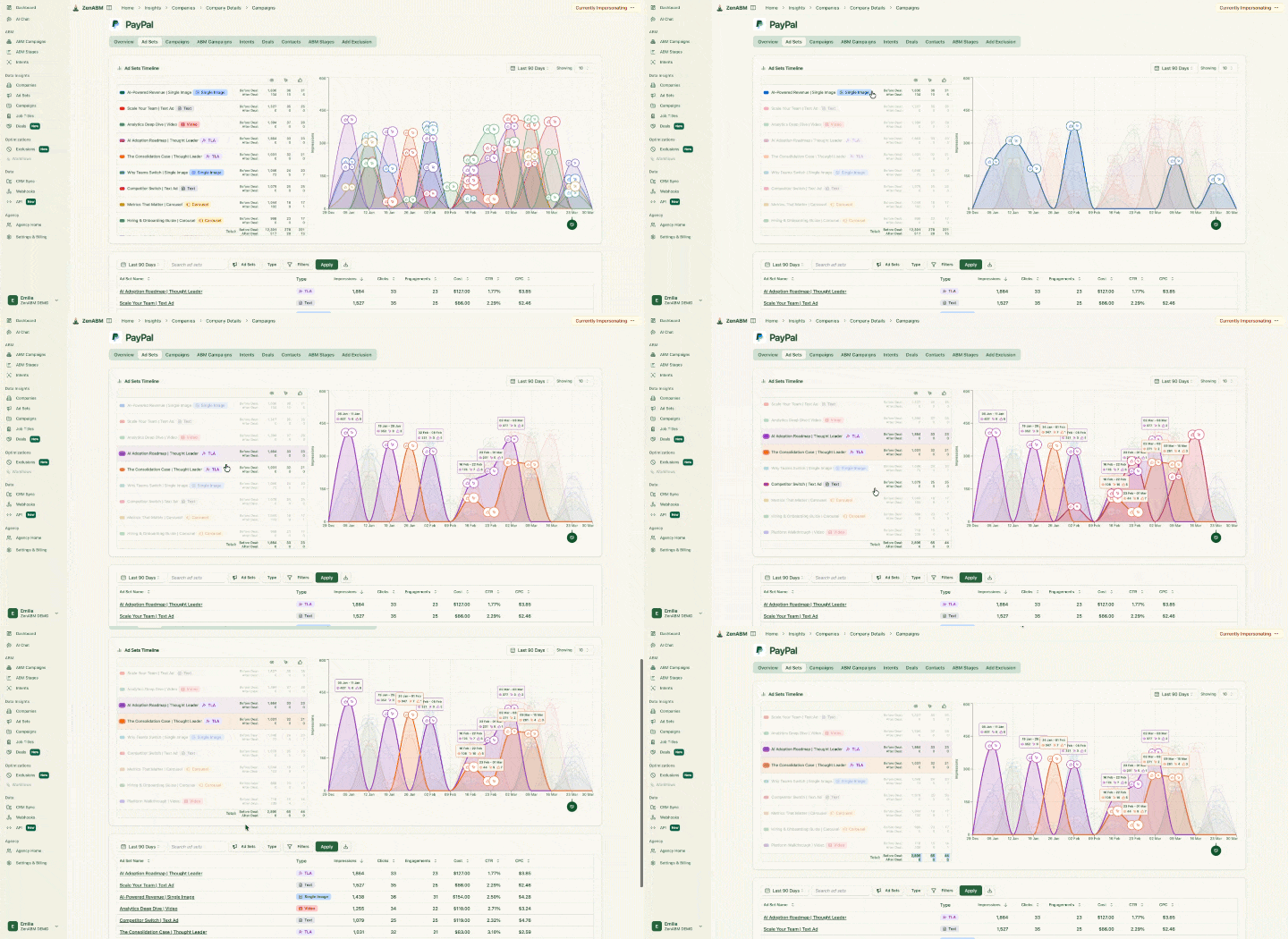
ZenABM falls here, offering first-party LinkedIn API integration, company-level impression and click tracking, bi-directional HubSpot sync, and engagement scoring that feeds directly into your CRM as company properties.


ZenABM now also tracks Google Ads, Reddit Ads, website visits, etc.

Factors.ai also lives in this bucket.

The advantage of this category is depth: company-level impression tracking, CRM deal mapping, and engagement scoring are core, not afterthoughts.


Demandbase, 6sense, Terminus, and RollWorks are platforms that cover everything from intent data to display retargeting to attribution.
They have the most surface area, but the LinkedIn-specific attribution layer is rarely the strongest part of the product, and pricing typically starts in the high five figures annually.
If you are running LinkedIn-only or LinkedIn-heavy programs, you are paying for a lot of features you do not use.


Dreamdata, HockeyStack, and Factors.ai (which also fits here) are revenue analytics platforms that ingest data from every channel (LinkedIn, Google, organic, dark social, sales touchpoints) and attribute revenue across the full journey.
The strength is the cross-channel view, while the weakness is that LinkedIn-specific depth (campaign-level company impressions, native HubSpot push) varies tool to tool.
I use these when the marketing org is multi-channel, and the board wants one chart, not five.

HubSpot Marketing Hub Enterprise has its own attribution module, and Salesforce has Marketing Cloud Account Engagement.
These are convenient if you are already paying for the parent suite, but they are contact-level by design (no company-level impression tracking), and they only see the touchpoints they can pixel.
For LinkedIn, that means clicks but not impressions, which is exactly the data you cannot afford to lose.
The right tool depends entirely on the stage of your program, the size of your spend, and the depth of your CRM.
Here is the framework I walk people through.
You do not need a $40k per year platform. What you need is company-level impression tracking, basic deal mapping, and a clean integration with HubSpot or Salesforce.
At this stage, my recommendation is a focused LinkedIn ABM tool where the cost stays under $1,500 per year so it is a rounding error against your ad spend, and the time to value should be under a week.
If the tool needs three onboarding calls and a CSM kickoff, it is the wrong fit for this spend level.
This is the band where attribution actually starts to pay back its own cost.
You should be tracking influenced pipeline, multi-touch attribution, view-through revenue, and account-level engagement scoring, and you probably also want intent signals layered on top.
Tools like Factors.ai, ZenABM Pro, or HockeyStack are good fits here because they provide the depth without the enterprise overhead. Avoid the enterprise ABM suites unless you have a real multi-channel orchestration need that justifies the price tag.
At this scale, you usually have other channels in play (display, retargeting, intent media), and you have a team big enough to actually run a multi-channel attribution workflow.
This is where Demandbase, 6sense, or a Dreamdata-class platform earns its keep, because the price tag is justified by the surface area of the program, not by the LinkedIn attribution alone.
I spent £16K testing Thought Leader Ads. And I think I just cracked how to actually make them drive revenue. After analysing over $300K of client spend, I learned: Engagement almost always beats Brand Awareness. Most people are boosting the wrong content. Frequency matters way more than reach. And without warm outbound, you’re leaving pipeline on the table.
Philip Ilic, LinkedIn ads expert and founder at KiiN, in his post

Philip’s point is the punchline of every attribution conversation: the tool only matters if it lets you act on the insight.
A platform that tells you frequency drives revenue but does not let you cap or pace impressions at the account level is just an expensive dashboard.

The cost of bad attribution is not abstract.
It is the budget cut that happens at quarter end because finance cannot see the revenue impact, the account that closed organic on paper but was actually warmed up by twelve LinkedIn impressions over six weeks, and the campaign you killed because the cost per lead looked high when in reality it was driving the most influenced pipeline in the program.
I have rolled out attribution at five different stages of program maturity, and the implementation always follows the same shape. If your tool’s onboarding does not cover these steps, push back.
For a deeper walkthrough of how I structure the dashboards themselves, the post on ABM analytics dashboards and ROI reporting covers the layout I use with my own clients.
Some patterns are universal.
If your reporting is showing weak LinkedIn ROI, check this list before you cut the budget.

Last-click is the worst possible model for LinkedIn because it assigns 100 percent of the credit to the final touch, which is almost never LinkedIn, since direct, organic, or branded search wins every time in the last-click contest. Switch to multi-touch or view-through, and the picture flips entirely.
B2B buying is a committee sport, which means the person who saw the ad is rarely the person who fills the form.
If your attribution is contact-level, you are losing every account where a different buyer signed in, so the fix is to track the company rather than the individual.
Cost per lead optimizes for the wrong metric in ABM.
A high-CPL campaign that touches twenty target accounts is more valuable than a low-CPL campaign that pulls in self-serve leads from out-of-ICP companies, so you should optimize for cost per influenced account or cost per opportunity instead.
LinkedIn’s native RAR is a starting point, but it can only see what you upload back to LinkedIn via offline conversions.
Without a CRM-aware attribution layer, it misses any deal that closed without a logged conversion event, which is the majority of them in most programs.
The right LinkedIn revenue attribution tool is not the one with the most features. It is the one that closes the gap between what your campaigns are actually doing and what finance is willing to believe.
If you are spending under $5k per month on LinkedIn, you need first-party impression data at the company level, a CRM sync that pushes engagement back into HubSpot or Salesforce without you building a custom integration, and a price tag that does not require a board sign-off. That is the entire list. Anything beyond it is overhead you will not use.
If you are spending $5k to $30k per month, add multi-touch attribution, view-through modeling, and account-level engagement scoring. This is the spend band where the attribution tool starts paying for itself in recovered budget, because the campaigns you would have killed on CPL alone turn out to be the ones driving the most influenced pipeline.
Above $30k per month, the conversation shifts to cross-channel orchestration, and the attribution layer becomes one component of a larger revenue intelligence stack. Enterprise suites earn their price tag at that scale, not before.
The one thing that does not change regardless of spend stage: last-click attribution will always undercount LinkedIn, contact-level reporting will always miss the buying committee, and a tool that keeps the data inside its own dashboard instead of pushing it into your CRM is a tool your sales team will never act on.
Get those three things right, and the rest of the decision is mostly a function of budget and growth stage.
Well, ZenABM, gets it all right 🙂
Try it on your own (37-day free trial) or book a demo to know more!
Some common questions about choosing the right LinkedIn revenue attribution tool and their answers:
Conversion tracking counts events on your site (form fills, demo requests, sign-ups) and ties them back to a click. Revenue attribution goes further: it ties LinkedIn ad impressions and engagements to actual deal records in your CRM, including deals that closed without a tracked click. Conversion tracking sees the click, while revenue attribution sees the deal.
Partially. HubSpot Marketing Hub and Salesforce Marketing Cloud have attribution modules, but they only see contact-level events tied to clicks. They cannot see company-level LinkedIn impressions because LinkedIn does not push that data into the CRM by default, which means you need a tool that pulls from LinkedIn’s official API and writes the data back to the CRM as company properties to get full revenue attribution.
Match the window to your sales cycle. For SMB B2B, 90 days is usually right. For mid-market, 120 to 180 days. For enterprise, 180 to 365 days. Anything shorter than your average sales cycle will systematically undercount LinkedIn’s contribution because the impressions that warmed up the buyer happened outside the window.
If you are running LinkedIn-first ABM, the attribution tool can serve both functions. Tools like ZenABM and Factors.ai cover audience targeting, engagement tracking, and revenue attribution in one stack, so you only need a separate enterprise ABM platform if you have multi-channel orchestration needs (display, intent media, ad sequencing across networks) that LinkedIn alone cannot satisfy.
View-through attribution credits an ad impression for a conversion that happens later, even if the user did not click the ad. On LinkedIn, where most accounts close after multiple impressions and zero clicks, view-through is the model that captures the real influence of your campaigns. Without it, you are only crediting the small fraction of buyers who clicked, which means you are systematically underselling LinkedIn to the CFO.
