AI can now optimize almost every part of an ABM campaign on LinkedIn: who you target, how you bid and budget, your creative, your wasted spend, your ad frequency, the follow-up after the click, and how you measure it all against pipeline.
Most of this runs at two levels. LinkedIn’s own AI (Predictive Audiences, automated bidding, AI-drafted creative) optimizes the auction, so it chases cheaper clicks from individual people, but it cannot see which companies your ads reached, and for ABM, that is the whole game.
The second level is account-level optimization: an AI agent reads your company-level engagement, ABM stages, and CRM deals, then pauses, caps, and moves budget on that basis.
This guide covers that second level, one part of the campaign at a time, with the exact thresholds and copy-paste prompts.
Some of it needs only a prompt, and some needs your data connected.
I say which is which each time.
The short version:
/abm-strategy-planning sizes it, /abm-campaign-execution builds the ads, /linkedin-abm-audit runs the diagnostic, and /linkedin-abm-report writes the exec recap. One command installs all four.

First, LinkedIn’s native AI deserves credit. Predictive Audiences went generally available in 2025 and now powers a large share of Sponsored Content spend. It delivers about a 21% lower cost per lead than standard targeting once the conversion pixel has enough signal, per GrowthSpree’s 2026 analysis, and the Accelerate campaign mode uses the same machine learning to auto-tune bids and targeting. So the auction-side AI works, and I turn it on for broad demand gen.
I do not lead with it for ABM. Here is the problem. LinkedIn’s AI has your conversion pixel and its own professional graph, but not your target account list or your CRM. So it cannot tell that 40 of the impressions it just bought went to an account with an open deal, while 4,000 went to companies that will never buy. It optimizes clicks from members; ABM needs outcomes from accounts. The mistake I keep seeing is a team turning on Maximum Delivery, watching blended CTR hold steady, and never noticing that the mix of companies underneath has gone lopsided.
The account-level layer fixes that. There are three ways to run it, depending on how connected you want to be.
You do not need a platform to start. Export your campaign data from Campaign Manager as a CSV, paste it into ChatGPT, Claude, or Gemini, and ask for the read. This is genuinely useful, and it costs nothing.
Here is my LinkedIn Ads campaign export for the last 30 days [paste the CSV]. Build a summary table with campaign name, type, impressions, clicks, CTR, average CPC, leads, cost per lead, and total spend, sorted by spend descending with a totals row. Then flag every campaign whose CTR dropped more than 20% versus the prior period, every campaign in the top third of spend with a below-average CTR, and the three changes you would make first.
Be realistic about the ceiling, because it is the whole reason the deeper paths exist. An export is aggregate. It tells you a campaign’s CTR, but not which companies engaged, whether a director or an intern clicked, or which of those accounts has an open deal.
So a prompt alone is great for spotting a campaign that is slipping and drafting new copy. It cannot make an account-level decision, because the account-level data is not in the file. I mark an AI-only move you can run this way in most sections below, so you always know when a prompt is enough.


To make account-level decisions, the agent needs company-level engagement and the CRM join. That is what the ZenABM MCP server gives it. Claude Code, ChatGPT, Cursor, or Zena in the app points at it.
The server sits on top of the LinkedIn Ads API and your CRM and exposes around 60 tools the agent picks from. In Claude Code, setup is one config block plus /init, which writes a CLAUDE.md so the agent remembers your account between sessions. In ChatGPT, you add the same endpoint as a custom connector under Developer mode.
{
  "mcpServers": {
    "zenabm": {
      "url": "https://app.zenabm.com/api/mcp",
      "headers": { "Authorization": "Bearer YOUR_ZENABM_API_TOKEN" }
    }
  }
}
Anything starting with get or list only reads. A small set of write tools (pause or activate an ad, ad set, or campaign, exclude companies, adjust budgets) is what makes it an optimizer, and each one waits for your approval before it runs. That is what makes it safe to point a terminal agent at a live ad account.
The whole loop is also packaged as four free Claude skills in the ZenABM skills package, each owning one job and all reading the same MCP data.
| Skill | Command | The job it owns |
|---|---|---|
| ABM Strategy Planning | /abm-strategy-planning |
Checks your revenue goal against your budget and real ad metrics, then proposes the campaign structure, formats, and how many ads you can afford. |
| ABM Campaign Ad Design | /abm-campaign-execution |
Turns the approved strategy into launch-ready output: campaign outline, ad copy briefs, and designed mockups. |
| ABM Audit | /linkedin-abm-audit |
The 30-day diagnostic: scorecard, format grading against benchmarks, decaying ads, impression hogs, and an ordered fix list as branded HTML and PDF. |
| ABM Monthly Report | /linkedin-abm-report |
The exec-facing monthly recap: spend, pipeline and deals influenced, best campaigns and formats, top engaged companies, month-over-month change. |
In Claude Code, two commands install all four.
/plugin marketplace add ZENABM/linkedin-abm-skills
/plugin install linkedin-abm-skills@zenabm
They run on sample data out of the box, and on your own numbers once pointed at a ZenABM account. I point to the right one at each step below.


Not everyone will open Claude Code, and they should not have to.
Zena, ZenABM’s AI analyst, runs the same reads and proposes the same actions from a chat box in the app.
Zena Proactive goes one step further: it builds your weekly, monthly, and quarterly review on a schedule and flags the accounts to work and the ads to pause before you ask. Whichever path you pick, two metrics decide the moves.
Campaign Manager reports CTR and CPC blended with social engagement (likes, comments, reactions).
That flatters ads that collect reactions but never drive a visit.
The connected layer surfaces two numbers that matter more for B2B.
eCTR is the share of impressions that become a real landing-page click, so it separates the ads that drive traffic from the ads that farm reactions.
eCPC is the real cost for each visitor who reached your page. Sorting ad sets by eCPC against the account median is the fastest way to find spend that looks fine on blended CTR but is not.
That is why every threshold here is in eCTR and eCPC. Optimizing on blended CTR is optimizing on the wrong number.

Optimization starts with who you reach, and the first structural choice does most of the work.
We ran one campaign across every persona once, and the data came back unreadable, so we split campaigns by persona and never went back.
The payoff is that a persona split makes every later move easy to read: you can see which role is expensive, which is engaging, and which is dark.
Keeping campaigns split by audience is also the most-repeated advice in the 2026 optimization guides, because a campaign mixing ten audience groups makes budget optimization almost impossible.
AI adds a running audit on top, because job-title engagement data shows which personas your spend actually reached versus which it bled into.
There is a reason to keep advertising to personas that are not clicking yet. Maximilian Herczeg, a LinkedIn ads consultant across the DACH market, points out that only about 5% of buyers are in-market at any moment, dropping toward 1% in a tight economy, and the vendor that wins the other 95% is the one that stayed visible while they were not ready.
So a persona that is quiet on immediate clicks is not automatically waste. It may be the warming layer doing its job. The audit prompt tells you which is which by separating warming accounts from dead ones.
Break my LinkedIn ad spend down by job title and persona over the last 60 days. For each: spend, impressions, landing-page clicks, eCTR, eCPC, and any influenced deals. Flag personas that are NOT in my ICP as exclusion candidates, and separate ICP personas that are warming (rising engagement, no conversion yet) from ICP personas that are simply dead (spend, no engagement, no movement). Tell me which to exclude and which to keep warming.

AI-only tip (no tool): Before you spend a dollar, sharpen the audience with a prompt. Paste your ten best current customers and ask ChatGPT to write an explicit ICP: the firmographic filters, the technographic signals, and the negative signals that disqualify a company, written as filters you can apply in Campaign Manager. Then pull three competitors from the LinkedIn Ad Library, paste their live ad copy, and ask which personas and pains they target and where the gap is. Neither needs a seat or a connector, only the model and public data.

No bid strategy survives a budget spread too thin, so sizing comes before tuning.
The most expensive mistake in ABM advertising is a specific chain.
You split the audience into precise segments, give each its own campaign, then load each ad set with eight creatives.
Now every campaign is underfunded, loses most of its auctions, and delivers so few clicks a day that you cannot tell whether the message landed or the budget just never reached anyone.
The fix is the ad-count model. Take your monthly budget, divide by 30, divide by your cost per landing-page click, then divide by roughly 4 clicks per ad per day.
That is the most ads you can support at once, and it should set your campaign structure, not the other way around.
The /abm-strategy-planning skill runs the whole model against your real numbers rather than an estimate. You give it the revenue goal, deal size, budget, site conversion rate, and close rate.
It pulls your real CPM and cost per landing-page click through the MCP server, then works backward to the clicks you need, the accounts you must reach, and how many ads you can afford.

The most useful thing it does is tell you when the goal is not reachable at your budget, which you want to hear in the planning session, not two quarters in.
AI-only tip: you can run the same arithmetic with a prompt and your own numbers, no skill needed. Paste your budget, target CPC, and revenue goal, and ask ChatGPT to solve the ad-count model and tell you whether the goal is reachable. The skill just does it against your live metrics instead of your estimates.
With the program sized, the bid strategy is a mechanism choice, not a marketing one.
| Strategy | How it bids | When it wins for ABM |
|---|---|---|
| Maximum delivery | Automated, charged on CPM. LinkedIn’s ML spends the full budget for the most results, with no bid control. | Broad awareness on large audiences with a well-fed pixel. Rarely on a tight account list. |
| Cost cap | Automated within a target cost per result. The ML chases the cheapest events first and averages under your cap. | Mid-size audiences where you want automation but a ceiling. |
| Manual CPC | You set the bid. Charged on the objective’s key action (landing-page click, engagement, view). | Precise ABM audiences, where predictability and a found floor beat the ML. |
On a tight, list-based ABM audience, start with manual CPC and find the floor. Bid low, let delivery stall, raise in small steps until impressions flow, and settle just above the point where delivery is healthy, which is usually around 80% of the suggested bid and creeping up.
Floor-finding beats automation on precise audiences because the ML’s job is to spend the whole budget, which on a small audience means bidding you up. Save Maximum Delivery and cost cap for broader top-of-funnel layers where the pixel has signal.
One hard timing rule: LinkedIn’s predictive model needs 4 to 6 weeks of impression and engagement data to calibrate. Judging an AI-bid campaign after ten days and yanking it is the most common self-inflicted wound I see. The other budget mistake is spreading spend evenly across all accounts. Allocate it by account tier and funnel stage instead, so your best-fit accounts and your near-deal accounts get the weight.
Creative decays slowly, which is what makes it expensive. An ad slides for weeks before a monthly review catches it, and the auction charges more per click the whole way down.
To catch it early, watch a weekly eCTR trend, not a snapshot.
For my top 15 ads by spend, show the weekly eCTR trend over the last 6 weeks. Separate ads that peaked early then declined for 2 or more consecutive weeks while serving over 1,000 impressions per week (classic fatigue, refresh with a fresh variant of the same idea) from ads that never performed from launch (weak, cut them). For the fatigued ones, tell me how many weeks past peak they are.

In small B2B audiences, fatigue can set in within about three weeks of launch, so rotating creative every three to four weeks keeps it from compounding.
The guides agree, too: once CTR falls below 0.4% after a week of real delivery, the creative is the problem.
For the kill decision, use a hard threshold rather than a judgment call, because judgment calls do not survive a busy week.
An ad past 1,000 impressions with an eCTR under 0.4% comes off.
The difference between fatigue and weakness matters because it changes the fix.
A fatigued ad has earned its keep — just needs a new variant of the winning idea.
A never-performed ad you cut.
The discipline almost nobody keeps is the swap ratio. Killing an ad is only half the move.
The replacement has to hold your planned messaging mix.
Say the strategy called for eight ads, split two on analytics, three on onboarding, and three on AI.
If you spend a quarter killing the analytics ads because they fatigued first, you now run an onboarding campaign nobody signed off on.
So every swap keeps the ad count at what the budget supports and the ratio at what the strategy specified.
The /abm-campaign-execution skill is the shortcut for the rebuild half. It takes the approved strategy and produces the outline, the ad copy briefs against the right job per audience, and designed mockups, so a replacement variant is an afternoon rather than a weekly grind.

I still put a human on the final polish and kill some variants on taste the account history cannot see.
The most common creative misread is comparing a video’s 0.24% CTR to a Thought Leader Ad’s 2.68% and calling the video broken.
Different formats do different jobs at very different baselines, so benchmark each format against itself.
| Format | Median CTR | Median CPC |
|---|---|---|
| Thought Leader Ads | 2.68% | $2.29 |
| Single image | 0.42% | $13.23 |
| Carousel | 0.32% | $13.30 |
| Video | 0.24% | $15.61 |

The read is that Thought Leader Ads win click efficiency by a wide margin, roughly 77% cheaper per landing-page click than single image in the ZenABM 2026 benchmarks, while the other formats earn their keep on awareness and account-level reach.
For awareness, creative should carry industry thought leadership, not a product pitch, and a carousel breaking down a market trend or a 30-second expert video tends to beat a product demo.
So the benchmarking prompt flags the bottom quarter of each format against its own median.
Group my ads by format. Within each format, rank by eCTR and eCPC and flag any ad in the bottom 25% of its own format. Compare each format’s median to these benchmarks: TLAs 2.68% CTR / $2.29 CPC, single image 0.42% / $13.23, carousel 0.32% / $13.30, video 0.24% / $15.61. Tell me which whole formats are below benchmark and which individual ads drag each format down.

On video, run a hook audit.
Rank by view-through rate, then separate low view-through (weak hook, re-cut the first three seconds) from high view-through with low eCTR (weak CTA or offer, a different fix).

LinkedIn accounts rarely break. They leak, in four places, and each has its own prompt. Run them in order.
Sorting by spend alone hides inefficiency, because a high-spend ad set can still be efficient. Cross-reference spend against eCPC instead.
Audit my LinkedIn ad sets over the last 30 days. List spend, impressions, clicks, CTR, landing-page clicks, eCTR, and eCPC for each. Sort by eCPC descending. Flag any ad set whose eCPC is more than 2x the account median AND whose spend is in the top third. Show me the account median eCPC for reference.

In list-based campaigns, a handful of large companies can absorb most of your delivery while the rest of the list sees almost nothing.
This is the leak almost nobody checks, and often the biggest.
List companies by total impressions served over 30 days, descending, with clicks, landing-page clicks, eCTR, and estimated spend. Flag any company that received more than 5% of total program impressions but sits below the program median eCTR. Those are eating budget without engaging, candidates to exclude or cap.

LinkedIn targeting bleeds into nearby titles, and the cost of it is invisible on a blended dashboard.
Adam Robinson, founder of RB2B, published his own persona breakdown where $819 on his sales persona produced zero conversions, while his founder persona converted 12 times at $68.56 each.
That zero-conversion line is exactly what a blended dashboard buries, and the fix is the persona audit from the audience section, read for exclusions.
This is the creative-fatigue check from the creative section, read as spend. Rank the declining ads by spend during decline, because that column is the wasted-spend number.
At typical B2B levels, a single fatigued creative can quietly burn $500 to $800 a week as its CPC inflates.

One prompt turns four lists into a decision.
Add up the total monthly spend across everything flagged: overspending ad sets, impression-hog accounts, non-ICP job titles, and decaying ads. Give me one number for reclaimable monthly spend and the specific changes that produce it.
An audit that stops at problems is half the job.
The return comes from moving the reclaimed spend into what already works, and the one catch is headroom. Pouring budget into a saturated winner just drives up frequency and starts its fatigue clock, so confirm capacity before you move money.
Show my best ad sets and ads by eCTR and eCPC over 30 days, with landing-page clicks and influenced pipeline. For each, tell me whether it has headroom (audience not saturated, frequency still healthy) or is already maxed out. Then build a reallocation plan: pair the reclaimable spend from the audit against the winners with headroom, and propose which ads to pause, which accounts to exclude or cap, and where the freed budget goes. Draft the status changes but do not apply anything until I confirm.
The agent drafts every pause through the write tools and executes nothing until you approve, which is where the confirmation gate earns its keep.
If you would rather not run the four prompts by hand every week, /linkedin-abm-audit does the whole pass as one diagnostic. It compares the last 30 days against the previous 30 across Campaign Manager and your CRM, runs the ad-count model against your live account, grades every format against the benchmarks on effective cost per landing-page click, and outputs a prioritized red-and-green-flag fix list as branded HTML and PDF.
For a settings-level check on top (tracking, bid strategy, Audience Network), the free Claude Ads skill runs 250-plus checks across platforms locally. The two pair well: one tells you which settings are misconfigured, the other which ads are reaching the wrong accounts.

Frequency fails in both directions, and most teams only guard the wrong one.
The direction everyone fears is over-delivery.
The direction that actually costs ABM programs is under-delivery to most of the list, while a few accounts hog the impressions.
That is the impression-hog leak, viewed as a delivery problem, and it is worse because LinkedIn’s built-in frequency controls are limited and count people, not companies.
On the ceiling, the fear is mostly misplaced. Maximilian Herczeg argues from his client accounts that ads need 8 to 10 touchpoints a month to register, that most accounts he audits do not reach half of that, and that his working floor is a frequency of at least 6 for cold audiences and 8 for retargeting layers.
Under-frequency wastes budget as surely as fatigue does, because the impressions are too thin to build memory.
The account-level fix runs in three steps.
First, diagnose the distribution: ask which companies received more than 5% of total impressions over 30 days with a below-median eCTR, and how much budget would move to the rest of the list if you capped or excluded them.
Second, cap the saturated non-responders by building the exclusion audience and adding it to the ad sets, which ZenABM pushes to your campaigns in one click.

Third, re-check the floor: ask which target accounts received fewer than 10 impressions this month.
If a third of your list is effectively dark, the problem is distribution, not creative, and capping the hogs is the cheapest fix available.
This account-level control is exactly what member-level frequency caps in Campaign Manager cannot give you, because LinkedIn counts people and your program counts companies.
ABM campaign optimization is not only about the ad.
The account-level layer also lets you optimize the steps after the click.
This part stays tied to LinkedIn because the engagement is the trigger, but it reaches into the rest of the program.
When an account crosses your Interested threshold, the best next move is a landing experience that speaks to it. Tools like Tofu, Userled, and Mutiny build per-account pages and microsites from your CRM and intent data.
My opinion is that they are only as good as the signal you feed them, so pointing them at the exact campaigns and intent themes an account engaged with is what keeps the output from being a personalized name field.

AI-only tip: you do not need a personalization platform to start. Open-source builders like bolt.diy or Open Lovable, or even ChatGPT writing the page, turn a master landing page into a per-account variant with the account’s name, one industry proof point, and a relevant case study swapped in, on a prompt.
An account should never go cold between engaging with your ad and getting a relevant first touch. The move is to draft outreach from the exact engagement, so it is specific rather than generic.
Take the accounts that entered the Interested stage this week. For each, draft a short outbound email to the most likely buyer that references the specific ad or theme they engaged with, states one relevant proof point, and ends with a soft ask for a 20-minute call. Keep each under 90 words and give me the drafts to approve before anything is sent.
The last optimization is making sure the warm account reaches a human while it is still warm.
ZenABM’s bidirectional CRM sync writes the engagement score and ABM stage onto the company record in HubSpot or Salesforce, and it can assign a crossed-threshold account to a BDR automatically.
The connected /sales-handoff skill produces the call list, scored by stage moves, fresh intent, and engagement spikes, with each row having a talking point pulled from the account’s real journey.
That is the difference between a score in a dashboard and a task in someone’s queue.
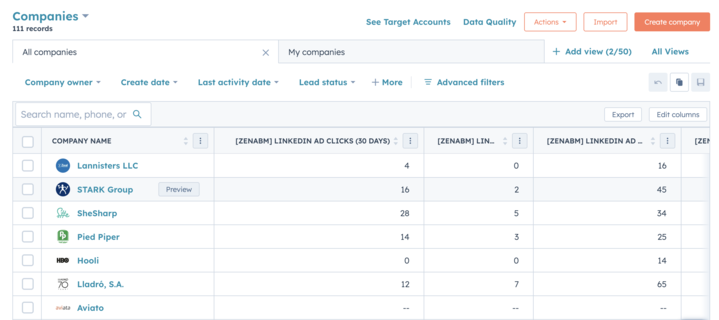
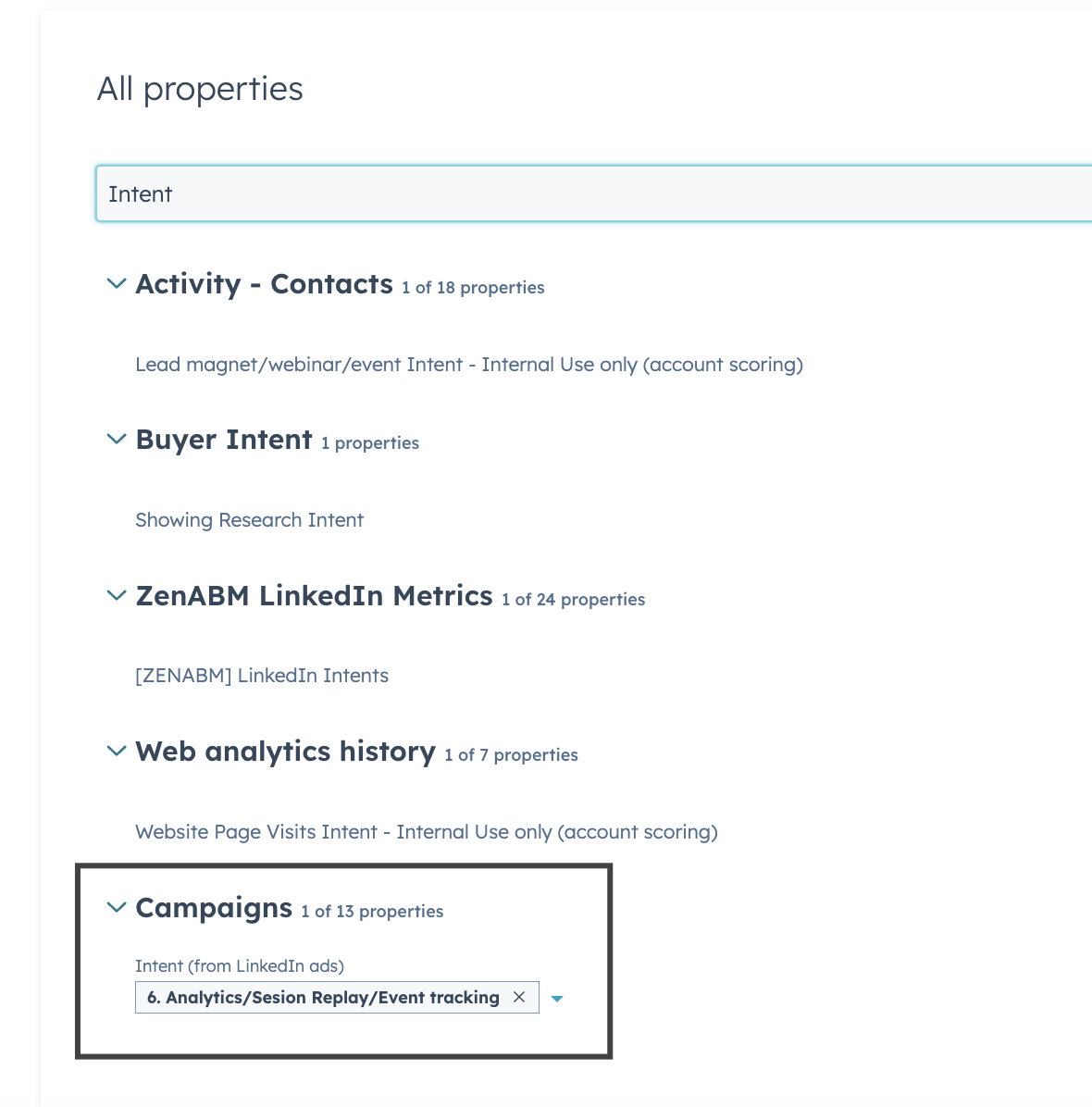

Every move above optimizes an input. This one checks the output, and it is where the CRM join earns its place. Because ZenABM matches ad-engaged companies to CRM deals, the agent answers the question leadership actually asks: did the spend produce pipeline?

Compare my ABM program this month versus last: spend, influenced pipeline, deals opened, closed-won, and pipeline per dollar. Which campaigns were the most common touchpoints among companies with open deals, and among closed-won? Which deals closed with zero LinkedIn exposure (a targeting gap)? End with the three optimization moves you would make next month and the data behind each.
Grade the answer against real baselines. The 2026 benchmarks put median influenced pipeline at $5.21 per dollar, top performers at $15.20, and median ROAS at 1.62x, so a program returning $3 per dollar has a diagnosis to run, not a win to celebrate. Since 2026, ZenABM covers multiple channels (LinkedIn, Google, Reddit, organic, and AI chatbot referrals), so LinkedIn competes for budget on equal footing instead of winning by being the only channel measured.

AI-only tip: even without the CRM join, you can get a decent monthly narrative from a prompt. Paste your campaign export and your list of deals opened, and ask ChatGPT to line up which campaigns were spending against the accounts that opened deals. It is coarser than the real join, but it beats a slide of impressions.
The audit and the report answer different questions for different readers, and mixing them up is why so many monthly reviews land badly. /linkedin-abm-audit is the operator’s to-do list, run weekly. /linkedin-abm-report is the recap for the people who fund you, run monthly on the same data and math. It covers spend, pipeline and deals influenced, the best campaigns and formats, the most engaged companies, and the month-over-month change.
Here is what a report from /linkedin-abm-report looks like.


Run it the Friday before your review, and the deck writes itself. The exec question you can never answer on the spot, which campaigns actually preceded the deals, is already in it, sourced.
Put together, this is a standing loop, not a one-time cleanup.
Per planning cycle, run /abm-strategy-planning to stress-test the goal and set the ad count.
Per launch or refresh, run /abm-campaign-execution for the assets, then make the bidding decision and hold any AI-bid campaign for its first two weeks.
Weekly, in about 30 minutes, run /linkedin-abm-audit or the four leak prompts, reallocate to winners with headroom, and kill anything past 1,000 impressions under 0.4% eCTR.
Monthly, run /linkedin-abm-report plus the pipeline review and the frequency-distribution check.
The mistakes that sink most LinkedIn ABM programs are consistent, so it is worth naming them in one place:
Every one of them is avoidable with the moves above. Three things stay manual on purpose, and I would not automate them if I could:
Everything else here is automation you can have running this week.
If you start with one move, start with the weekly wasted-spend audit, because the reclaimable number it produces is what convinces the rest of the team the whole layer is worth it.
AI did not replace the demand-gen or ABM team. It made the program more efficient and far more data-driven, and the proof is in the shape of the team rather than the tooling. It also works at every budget, from a low-budget debut to a six-figure engine.
So whether you are about to spend your first $5k or you are already past six figures, start with a prompt and an export to see the surface, connect the account when you need company-level decisions, run /abm-strategy-planning to stress-test the goal, and let /linkedin-abm-audit and /linkedin-abm-report keep you honest every week and every month.
A free 37-day ZenABM trial includes the MCP server, Zena, company-level engagement, eCTR and eCPC, and the full attribution layer, or you can book a demo and we will run the wasted-spend audit on your own data with you.
It is using AI to improve an account-based campaign at two levels. LinkedIn’s native AI (Predictive Audiences, automated bidding) optimizes delivery to individual members inside the auction. The account-level layer uses an AI agent connected to company-level engagement and CRM data to optimize what ABM cares about: which companies your ads reach, which to pause or cap, and where to move budget. The second layer runs outside Campaign Manager because LinkedIn’s own AI cannot see your target account list or your pipeline.
Partly, and it is a good place to start. Export your campaign data from Campaign Manager and paste it into ChatGPT, Claude, or Gemini, and a prompt can summarize performance, flag CTR drops, rank formats, and draft new creative, all for free. The ceiling is that an export is aggregate, so it cannot tell you which companies engaged or which have open deals. For account-level moves you need a connected layer such as the ZenABM MCP server, which reads company-level engagement and the CRM join a CSV does not contain.
Use manual CPC with floor-finding on tight, list-based ABM audiences, where predictability beats the machine’s instinct to spend the whole budget by bidding you up. Save Maximum Delivery and cost cap for broader top-of-funnel audiences where the pixel has enough signal. If you switch to an automated strategy, hold for the full learning period, because LinkedIn’s model needs 4 to 6 weeks of data to calibrate and is not bidding well in the first two.
eCPC is the effective cost per landing-page click: the real amount paid for each visitor who reached your page, not each like or comment. Campaign Manager blends clicks with social engagement, so spend can look fine on CTR while the true cost per visitor is terrible. Sorting ad sets by eCPC against the account median is the fastest way to surface inefficient spend, which is why every threshold in this playbook is in eCTR and eCPC rather than blended CTR.
Yes. The ZenABM skills package at github.com/ZENABM/linkedin-abm-skills ships four free Claude skills, one per job: /abm-strategy-planning sizes your revenue goal against your budget and real ad metrics, /abm-campaign-execution produces ad briefs and mockups, /linkedin-abm-audit runs the 30-day diagnostic with a prioritized fix list, and /linkedin-abm-report writes the monthly exec recap. Install all four in Claude Code with the plugin marketplace command, or upload the zips to Claude Desktop or the web app.
Weekly for the wasted-spend audit, decaying-ads check, and reallocation, and monthly for the pipeline review and format and frequency benchmarking. Weekly cadence matters because creative fatigue and impression-hog leaks compound quietly, so catching a two-week eCTR decline instead of a six-week one is pure recovered budget. Run the audit on the same day each week so no leak gets a month to grow.