

©2026 ZenABM - All Rights Reserved.

A proper LinkedIn ads audit used to consume the better part of a workday.
Export the campaigns, export the creatives, export the demographics, paste everything into a sheet, build the pivot tables, and only then start thinking.
The thinking is the valuable part, and it is the part that gets reached last and with the least energy.
Running the audit with AI flips that order.
The mechanical work that used to eat the morning now takes minutes, and attention goes to the decisions instead.
This is the complete LinkedIn ads audit checklist, written for how it actually runs in 2026: with AI doing the data pulls and the pattern-finding, and the strategist doing the judgment.
The approach uses Claude Code or Claude Cowork connected to ad and pipeline data through ZenABM’s Model Context Protocol (MCP) server, so the AI can read your account in plain English.

For the full manual recipe behind every check, the detailed LinkedIn ads audit walkthrough covers it step by step.
Here, the focus is on the AI version.
Short on time?
Here’s a quick overview:
The mistake is thinking AI replaces the auditor.
It does not.
It replaces the boring 80%: the exports, the sorting, the cross-referencing, the first pass at spotting what looks off. That is the part that made audits slow, and that teams consistently put off.
What stays human is the judgment about whether a finding matters for the business, the ICP, and the stage of growth.
Gabriel Ehrlich, LinkedIn ads expert who runs Remotion, makes the distinction well when he describes what a serious LinkedIn Ads practice is built on in his LinkedIn post:
“You get senior strategy, not just button-clicking. We obsess over segmentation. We figured out how to run Thought Leader Ads the right way, and operationalized it.

That is the right division of labor for an AI audit, too.
The AI handles the button-clicking, done in seconds and without errors, while strategy, segmentation calls, and the read on what to do next stay with the practitioner.
A good AI audit should produce a clean, sorted picture of reality and flag the anomalies, but it should not be trusted to decide budget allocation, and it should never change campaigns without explicit approval.
Two things change when the audit runs through AI connected to live data rather than through Campaign Manager exports.
The first is speed and completeness.
Sampling stops.
Instead of auditing the ten campaigns there was time to export.
The AI reads every campaign, ad set, and creative in one pass and ranks them, so nothing hides in the long tail that never got reviewed.
The second is the metrics.
Campaign Manager reports impressions, clicks, and CTR, but none of those tells you whether the click reached the landing page or what that visit cost.
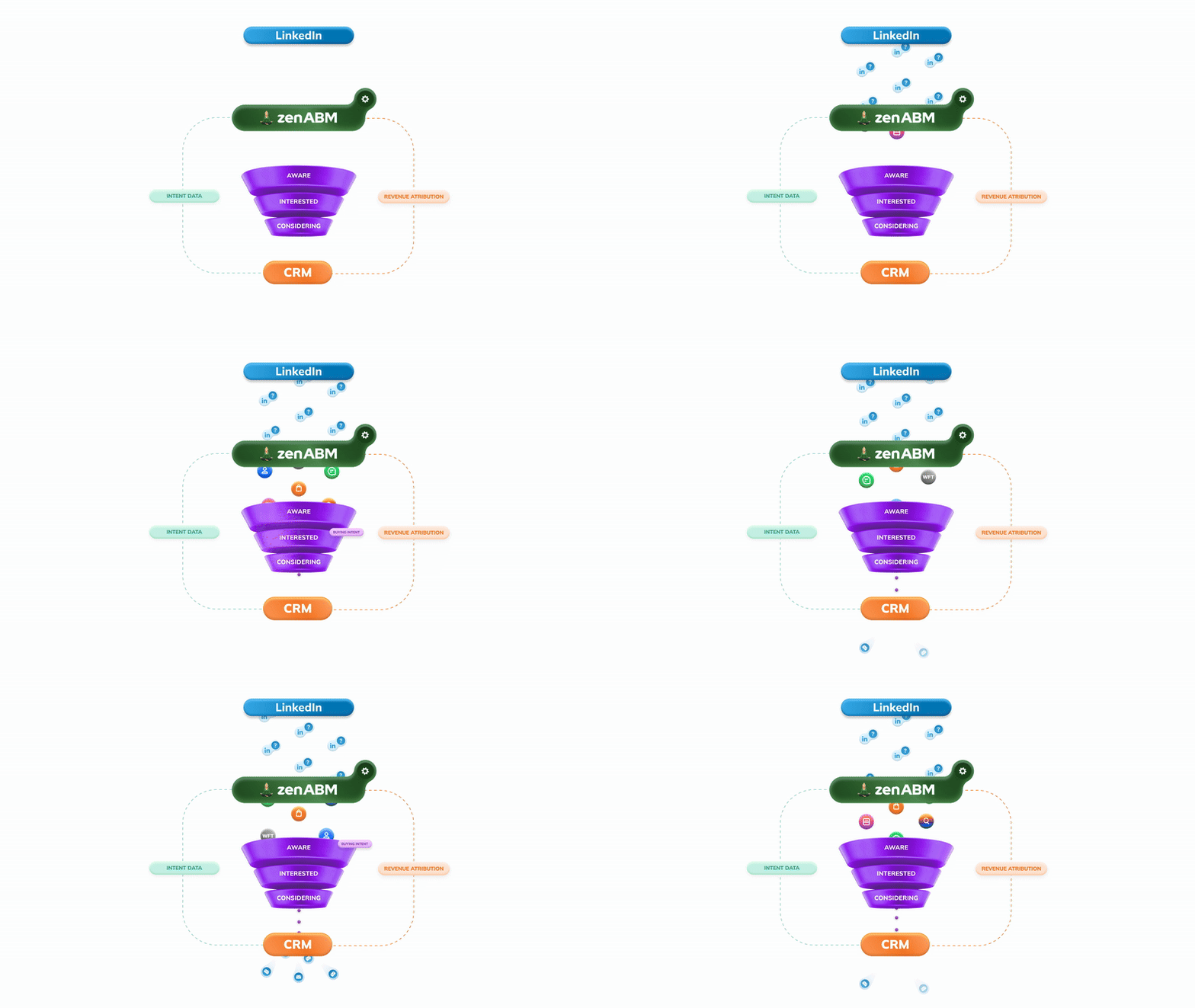
An AI audit that reads a connector like ZenABM works in eCTR and eCPC, the effective click-through rate and cost to your landing page, and it can tie spend to the CRM, so the audit ends in the pipeline rather than vanity engagement.
ZenABM pulls first-party intent signals directly from the LinkedIn API, so the account-level engagement data is sourced from the same place LinkedIn itself uses rather than from estimated panel data.

Before any checklist runs, the AI needs to see the account.
There is no official LinkedIn connector for Claude or ChatGPT, so the connection goes through a third-party MCP server that reads the LinkedIn Ads API and joins it to the CRM.
With ZenABM, the path is short: start an account, connect LinkedIn Ads and the CRM, then add the server at https://zenabm.com/mcp to Claude Code or Cowork over OAuth or an API token.

Once connected, the audit runs by asking questions in plain English.
There are no tool names to learn; the AI picks the right tools based on what is asked.

The whole connection process and the broader reporting workflow are covered in the companion guide on analyzing LinkedIn Ads with Claude Code.
With the data reachable, the checklist below becomes a series of prompts.

These are the six areas to run on every LinkedIn ads audit, each with the kind of prompt to give the AI and what it should hand back.
Treat the prompts as starting points and adjust the thresholds to your account.
An audit that skips tracking is auditing numbers it cannot trust.
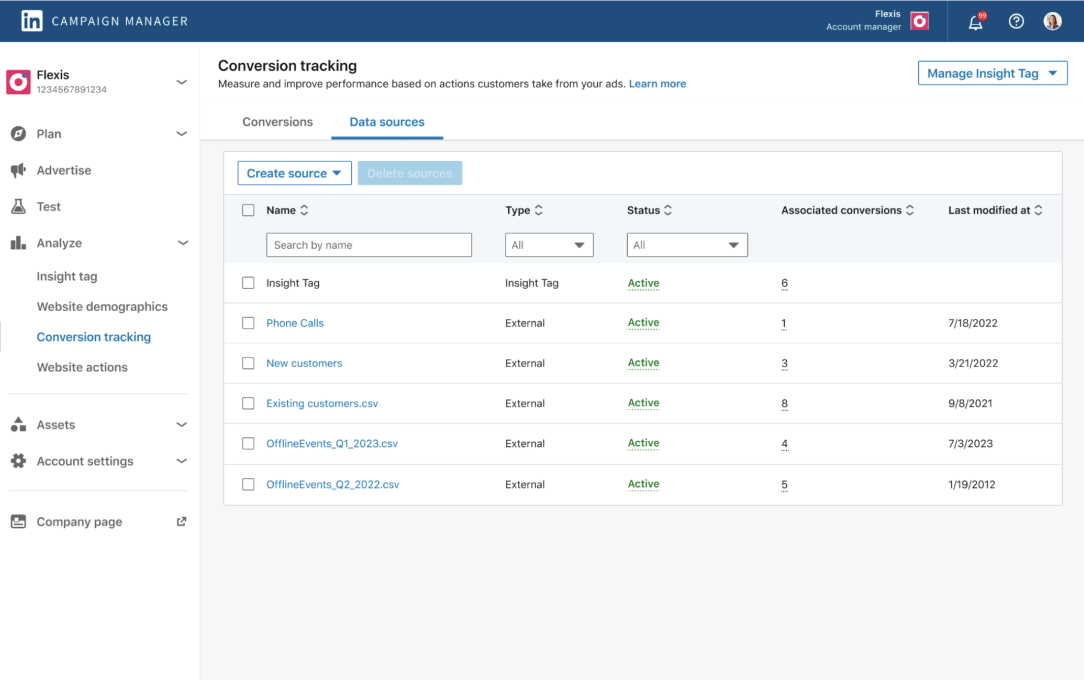
The first step is confirming that the Insight Tag fires, conversions are defined correctly, UTMs are consistent, and the CRM sync is intact.
The AI can cross-check that the conversions in the account match the events landing in the CRM and flag where they diverge.
Check my conversion tracking: list every conversion action, whether it has fired in the last 14 days, and any campaign optimizing for a conversion that has recorded zero events this month.
What to look for is the silent break.
A conversion that stopped firing three weeks ago will not announce itself, but every campaign optimizing toward it has been wasting budget ever since.
Grade each tracked event as working, partially working, or broken, and treat anything below working as a reason to distrust the numbers in the rest of the audit until it is fixed.
Messy structure hides waste.
The AI should map the account: campaigns by objective, ad sets by audience, and any legacy campaigns still spending that no one remembers launching.
Inconsistent naming is the tell that testing logic has drifted, and it is the first thing to clean up before moving further into the audit.
Map my account structure. Group campaigns by objective and ad format, flag any campaign with spend in the last 30 days that has not been edited in 90, and list naming inconsistencies.

The output to look for is a clean tree readable at a glance, plus a short list of orphans.
The orphans are the tell.
A campaign still spending months after its last edit is usually a test someone forgot to turn off, and it is the easiest budget to reclaim in any audit.
If the AI cannot group campaigns cleanly because the names do not follow a pattern, that is itself a finding worth acting on.
This is where segmentation discipline pays off.
Audience sizes should sit in the 30,000 to 100,000 range, exclusions should cover job seekers, competitors, and current customers, and ad sets should not be quietly bidding against each other through overlapping audiences.
The AI can also surface which job titles received spend that are not on the ICP list, which is often invisible until someone pulls the job-title breakdown explicitly.
Audit my targeting: list ad sets with audiences under 30,000 or over 100,000, any non-ICP job titles I spent over $200 on this month, and the companies eating the most impressions without engaging.
Two patterns matter most in the answer.
The first is overlap: when two ad sets target nearly the same audience, the account is paying to compete with itself, and the AI can show exactly where that happens.
The second is ICP drift.
If a meaningful share of spend reached titles outside the ideal customer profile, that is, budget leaving the building through a targeting setting that no one revisited.
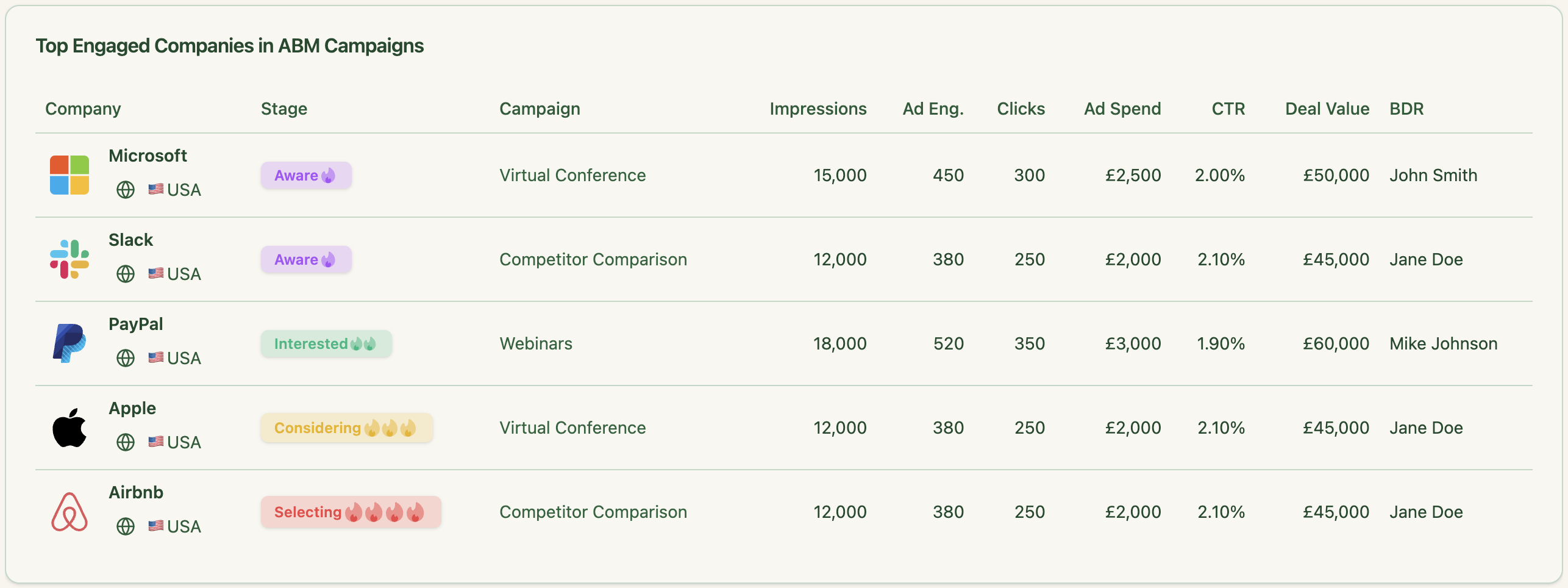
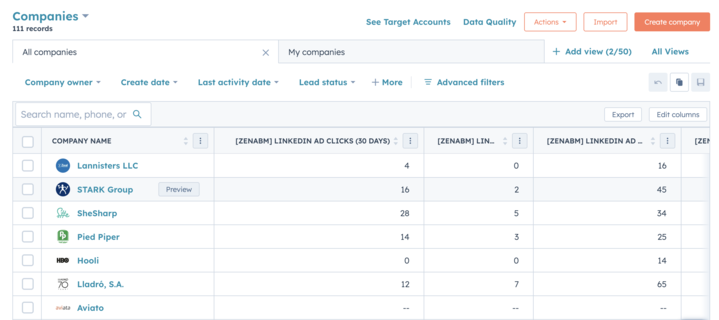
ZenABM surfaces this data at the company level, showing which specific accounts are absorbing impressions, what their engagement rate looks like, and where they sit in the ABM funnel, so the targeting audit is based on named accounts rather than aggregated audience stats.

Most audits get sloppy here by comparing incompatible formats.
A Thought Leader Ad and a single-image ad do not play the same game, so the right approach is to benchmark each format against itself.
In the LinkedIn ABM benchmarks, Thought Leader Ads run a 2.68% median CTR at a $2.29 median CPC, while single-image ads sit near 0.42% CTR at a $13.23 CPC.

The AI should rank ads within each format by eCTR and eCPC, then flag the ones in decline.
A prompt you can use:
For each ad format separately, rank ads by eCTR and eCPC. Then give me a decaying-ads report: ads whose eCTR has fallen two or more weeks running above 1,000 impressions.


The decaying-ads list is the one to read first. Creative fatigue on LinkedIn is gradual, so an ad slides for weeks before anyone notices in a dashboard, and by the time it shows up in a monthly review it has already wasted the spend.
Catching a two-week eCTR decline means the creative gets refreshed or paused before it costs another month.
For Thought Leader Ads, the AI should also break out performance by author, because the same message often performs very differently depending on whose face and voice carries it.
This is the section that pays for the audit.
The AI should show spend concentration by format, audience, and funnel stage, surface the ad sets with rising spend and falling engagement, and identify the accounts hogging impressions without ever clicking through. Each of those is a budget line that can be reclaimed.
ZenABM’s engagement score tracks current versus total engagement per account, which means the budget-waste signal comes with account-level context rather than just aggregate numbers, and this score is available in your AI terminal via the MCP.

The prompt you can use:
Show me wasted spend: ad sets with the most spend and lowest eCTR, ad sets with rising spend and falling engagement over 4 weeks, and the 10 companies with the most impressions and least engagement.
A B2B audit that ends at lead counts has not finished.
The real question is which campaigns touched the deals that opened and the deals that closed.
Because the connector joins ad data to the CRM, the AI can answer that question directly instead of leaving it to inference.
The prompt:
Which campaigns and ad sets were the most common touchpoints before open deals and before closed-won? Which spend produced no pipeline at all this quarter?

The answer reframes the whole audit.
A campaign that looks mediocre on CTR but shows up as a touchpoint before half the closed-won deals is not a campaign to cut, it is one to defend.
A campaign with a great CTR that never appears before a deal is the opposite.
Without the CRM join these two are indistinguishable, which is why a LinkedIn ads audit that stops at engagement metrics so often recommends cutting the wrong thing.
ZenABM handles this attribution join natively, connecting LinkedIn Ads data to deal records in HubSpot or Salesforce so the pipeline view comes back without any manual export-and-merge step.


And if you want it in your Claude Code UI, just know you have to set up the MCP connector and use the prompt we just discussed above in this section.
The six areas above cover performance.
A surprising amount of waste hides one level down, in the campaign settings that look fine until someone actually reads them against the objective.
These are the settings to pull and check on every audit, with prompts written to return the specific thing needed to make a decision rather than a generic data dump.

LinkedIn offers maximum delivery (automated), cost cap, and manual bidding, and the right one depends on the objective and ad format.
Manual bidding can charge by impressions, landing-page clicks, engagement clicks, sends, or video views, so a bid set against the wrong charging model inflates cost without anyone noticing.
The audit should put each campaign’s bid strategy, bid amount, and charging basis next to its objective, then flag the mismatches and any manual bid sitting well above the format benchmark.
For every active campaign, list: objective, bid strategy (maximum delivery, cost cap, or manual), the bid amount, and what that bid charges for (impression, landing-page click, engagement, send, or video view). Then flag two things: any manual bid priced more than 20% above the median for that ad format, and any bid strategy that does not fit the campaign objective.
Daily versus lifetime budgets both need review, along with whether spend is pacing evenly or front-loading early in the period, and whether any campaign is budget-constrained against the size of its audience.
The schedule matters just as much as the budget level.
The classic finding here is a campaign with no end date that has been spending quietly for months past the moment it was relevant.
Show me, per campaign: daily and lifetime budget, how spend paced across the last 30 days (even, front-loaded, or under-delivering), any campaign whose budget is too small to serve its audience size, and any campaign with no end date that has spent for more than 60 days.


These two toggles are the quiet budget leaks.
Audience Expansion lets LinkedIn serve ads to profiles it considers similar to the target audience, which dilutes precise ABM targeting and trains the algorithm on engagement that does not come from real buyers.
The LinkedIn Audience Network extends delivery to off-platform placements that often behave very differently from the in-feed audience.
For a tight ABM program both usually belong off, and the audit should confirm their status and surface the spend running through them so the decision is made on numbers, not defaults.
List every campaign with Audience Expansion enabled and every campaign delivering on the LinkedIn Audience Network. For each, show the spend, impressions, and engagement attributed to the expanded or off-network delivery, and compare account penetration on the core audience versus the expanded one so I can decide what to switch off.

Frequency capping is only available on the brand awareness objective, with a seven-day window, so for awareness campaigns, a sensible cap should be confirmed rather than letting the same accounts absorb dozens of impressions a week.
Across every campaign, the deeper check is alignment: the objective, the optimization goal, and the bid should all point at the same outcome.
campaign with a brand-awareness objective optimizing toward reach, then judged on landing-page clicks, is being graded against a goal it was never set up to reach.
For each campaign, put the objective, optimization goal, and bid side by side and flag any case where they do not point at the same outcome. For brand awareness campaigns, show the frequency cap setting and the accounts currently seeing the highest weekly frequency.
An audit is only as good as the actions it triggers.
Once the AI has delivered the details after you threw the prompts above, working the findings in this order puts money back to work fastest.

None of these requires the AI to touch the account.
It proposes and the team decides.
When an action like pausing an ad is approved, the connector treats that as a write action and asks for explicit confirmation before it runs, so the audit never turns into an accidental change.
A LinkedIn ads audit is only useful if it actually gets run, and the reason most teams run it quarterly instead of monthly is that the mechanical work takes most of a day.
With the account connected to Claude Code or Cowork through ZenABM’s MCP server, that mechanical work collapses to minutes.
Every campaign gets read in one pass, decaying creatives get flagged before they cost another month, impression hogs get surfaced by name, and the attribution question resolves against real CRM deal data rather than guesswork.
The six-area checklist covers tracking, structure, targeting, creative, budget, and pipeline, but the bigger shift is what happens when the audit runs monthly instead of quarterly. Problems that used to compound for three months before anyone noticed them get caught in week five.
Fixes compound too. Budget that was leaking to non-ICP titles or expanded audiences gets redirected to the formats and accounts that actually precede closed deals.
ZenABM connects LinkedIn Ads to the CRM, tracks engagement at the company level using first-party LinkedIn API data, scores accounts by intent, and routes the ones moving toward a deal to the right BDR before the timing cools. The audit is one workflow inside that system.
Start a free 37-day trial and run the first audit this week.
You can also book a demo with us to know more!
Yes. With the account connected through an MCP server, Claude Code or Cowork can run the mechanical part of a LinkedIn ads audit in minutes: pulling every campaign, ranking by eCTR and eCPC, detecting decaying ads, and finding wasted spend. Strategic calls about what to change stay with the practitioner.
Six areas: conversion tracking, account structure and naming, audience and targeting, creative and format performance, budget and wasted spend, and attribution to pipeline. The connector adds metrics Campaign Manager does not show, like effective click-through rate and cost to your landing page.
Yes. Every audit check is a read, so nothing changes. If the AI is later asked to act on a finding, such as pausing an ad, that is a write action and the connector asks for explicit confirmation before it runs.
Monthly once it is automated. LinkedIn ad performance decays gradually, so a quarterly audit catches waste late. Saving the audit as a repeatable prompt or skill lets it run on the first of every month with findings comparable over time.
The AI handles the data work, but the judgment is not automated. For the full manual recipe behind each check, including the step-by-step scorecard, the detailed LinkedIn ads audit guide covers it, and the AI version runs those same checks faster.
The data work that used to take most of a day takes a few minutes once the account is connected, because the AI reads every campaign in one pass rather than waiting on exports. The time spent after that is judgment: deciding which findings matter and what to change. In practice a full first audit takes about an hour of attention, and monthly re-runs are far shorter because only what changed needs review.
