

©2026 ZenABM - All Rights Reserved.

Most LinkedIn ad reporting still runs the way it did five years ago: open Campaign Manager, set a date range, export a CSV, and rebuild last week’s pivot table in a sheet.
A LinkedIn Ads Claude Code integration removes those steps because a question in plain English pulls live campaign data and returns a structured answer on the spot.
There is no official version, though.
LinkedIn does not ship a connector for Claude, and Claude Code cannot read Campaign Manager on its own, so the real connection runs through a Model Context Protocol (MCP) server that sits on top of the LinkedIn Ads API, such as ZenABM’s MCP server.
Connect it once, and every future question about the account, from your top ad sets to which accounts sales should call today, takes one sentence instead of an afternoon.

Short on time?
Here’s a quick summary:
Before I talk about the setup, let’s discuss what you can do using the LinkedIn ads Claude code integration, so you can know whether it’s worth it.
So, once the integration is live, you ask a question, and Claude Code picks the tools.
Below are the questions that map most directly to decisions, grouped by what they help resolve.

Performance questions come back as ranked tables that can be acted on directly rather than walls of metrics.
Here is the same kind of request answered inside Claude Cowork, with formats sorted by eCTR.

ABM questions are where the CRM joins show its value.
Claude Code returns campaign-level pipeline rather than just ad metrics, so the answer reads like a summary a RevOps lead would produce.
This bucket is built for the handoff to sales.
Claude Code pairs each engaged account with the intent topics it is showing, so a rep opens with the specific thing the account is researching rather than a generic pitch.
ZenABM tracks buyer intent qualitatively per account, recording which messaging has resonated most, which gives that handoff more precision than a simple engagement score alone.
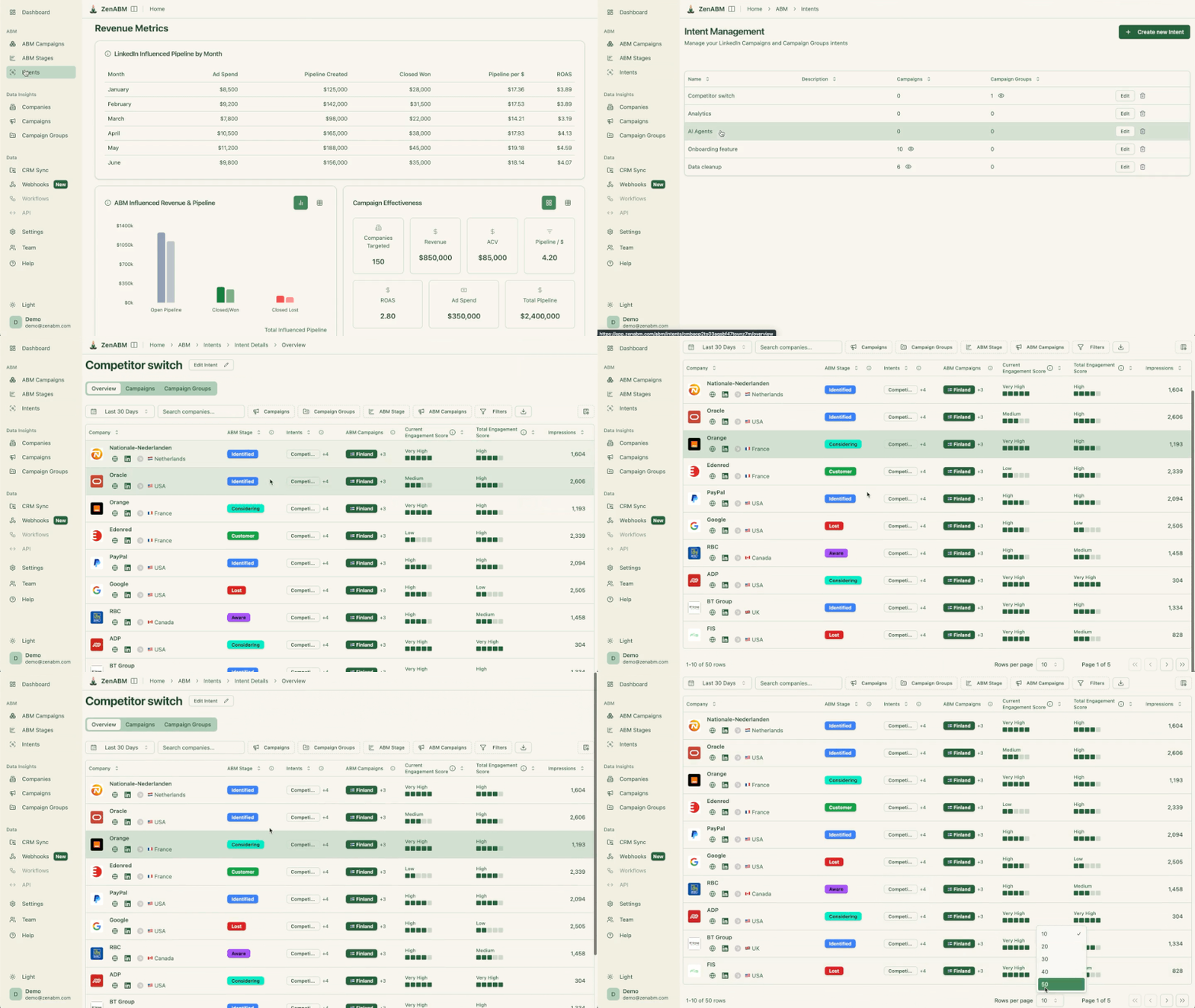

Each of those maps to a real decision.
The decaying-ads report shows what to refresh before it burns another month of budget.
The exclusions question quietly pays for itself, because capping the handful of accounts hogging impressions without engaging frees real budget for accounts that actually move.
For the strategy behind these plays, the guide to running ABM on LinkedIn covers the program design that the data sits on top of.
One-off questions are the obvious use of the integration, but not the most valuable one.
Because Claude Code is an agent that can write files and run code, it can build things that read LinkedIn Ads data on a schedule rather than answering once and forgetting.
These are the builds that produce the most compounding value.
The pattern underneath all of these is the same.
Once the data is reachable in plain English, the agent can compose it into whatever artifact is needed: a report, a chart, an alert, a message, or a draft.
The compounding value comes from chaining several MCP servers together.
Claude Code is Anthropic’s agent that runs in the terminal, and on its own it has no visibility into a LinkedIn ad account because it has never seen any campaigns. A LinkedIn Ads Claude Code integration is the bridge that provides that context, and that bridge is an MCP server.
MCP stands for Model Context Protocol, an open standard that lets an AI tool call external services and pull live data instead of guessing from training data. The MCP server exposes a set of tools, each with a plain-language description, and Claude Code decides which ones to call based on the question asked.
Alex Fine, Co-Founder at Understory, put the idea well in a post about why MCP servers are worth reaching for in the first place.
“This is what happens when you stop clicking through dashboards and start talking to your data in natural language instead. MCPs are basically secure bridges between Claude and your business tools. Think of them like translators that let you use plain English.”
It is not a plugin installed inside LinkedIn. It is a server pointed at Claude Code once, and after that every conversation in Claude Code can query LinkedIn Ads data. The connection is legitimate because the server reads the official LinkedIn Ads API behind the scenes, so the numbers returned are the same numbers Campaign Manager reports, delivered through a question instead of a CSV.
LinkedIn has not published its own MCP server, and it does not expose Campaign Manager to AI clients directly.
There is also no single LinkedIn Ads API; there are several marketing APIs, and some require an application and days of waiting for approval.
That friction is exactly why most teams connect through a server that has already handled the API work rather than building the plumbing from scratch.
The flow is straightforward once the server is connected.
A question gets typed into Claude Code. Claude Code reads the tool descriptions the MCP server exposes, picks the ones it needs, calls them, and pulls live data from the LinkedIn Ads API and the CRM. The result is a structured answer with no exports, no pivot tables, and no clicking through Campaign Manager.
Under the hood, the server advertises each tool as a JSON schema over the MCP protocol, served on an HTTP transport in ZenABM’s case. Claude Code matches your plain-English question to those schemas, then calls one or several tools in sequence (often a list call to find the right campaign, then an overview call to pull its numbers), gets structured JSON back, and writes the prose answer on top. You never see the individual calls unless you ask for them, which is why there are no endpoints or parameters to manage by hand.
Here is a real example:
Question: What were my top-performing ad sets last week?
Claude Code (via the ZenABM MCP): The ZenABM tools were loaded, the last seven days of data were pulled, and a ranked table of every active ad set came back, sorted two ways: by efficiency and by reach.
The answer was not just numbers.
It flagged that one ad set dominated impressions but barely drew engagement, and that a small Thought Leader Ads set was the only genuinely efficient unit.
That is the difference between a CSV and an integration: the CSV gives rows, while Claude Code gives the read.

You never call these by name, since Claude Code selects them for you, but it helps to see the surface area, because it maps almost one to one to the questions in the section above. The ZenABM server registers tools in a few families.
Tool family | What Claude Code calls it for | Example tools |
|---|---|---|
Metrics and spend | Pull impressions, clicks, CTR, CPM, CPC, eCTR, eCPC, and budget for any date range. | get_linkedin_metrics, get_ad_spend, get_creative_performance |
Campaigns and ad sets | Rank and inspect campaigns and ad sets, with company and job-title breakdowns. | list_campaigns, get_campaign_overview, list_ad_sets, get_ad_set_overview, find_ad_sets_or_campaigns |
ABM program and stages | Read program-level pipeline, stage movement, and which accounts entered or progressed. | list_abm_campaigns, get_abm_campaign_overview, get_abm_campaign_stages_breakdown, get_abm_stage_companies_progressing, get_abm_stage_history |
Accounts and intent | Pull company-level engagement, timelines, deals, and qualitative buyer intent. | list_companies, get_company_overview, get_company_timeline, list_intents, get_intent |
CRM (deals, contacts, sources) | Join ad engagement to open deals, contacts, and attribution sources. | list_deals, list_contacts, get_contact, get_sources |
Job titles and personas | See which personas a campaign reached and which ICP titles are under-penetrated. | list_job_titles, get_job_title_overview, get_job_title_campaigns |
Write actions (confirmation gated) | Pause or activate an ad, ad set, or campaign, only after you approve the change. | update_ad_status, update_ad_set_or_campaign_status |
Everything that starts with get or list only reads data and changes nothing. The two write tools are the only ones that touch ad serving state, and they are gated behind an explicit confirmation, which is the safety model covered in the setup section.
A number of LinkedIn Ads MCP servers exist now.
Most of them stop at ad metrics: spend, impressions, clicks, CTR, CPM, CPC.
That is genuinely useful for a quick report, but it is not enough to answer the question leadership actually asks, which is whether the spend produced pipeline.
ZenABM’s server joins company-level LinkedIn ad engagement to CRM deals, and that joined dataset is what lets Claude Code reason about accounts, ABM stages, intent, and closed-won revenue rather than raw metrics alone.
Connecting it is not adding a reporting shortcut; it is giving Claude Code the go-to-market context it was missing.


The integration earns its place when one question produces a decision.
A query asking what changed in an ABM program in May versus April returned spend, attributed revenue, and ABM stage movement in a single pass, along with a comparison table showing that attributed revenue climbed from about $148 to roughly $1,720.
The explanation pointed to a mid-May consolidation of several scattered intent campaigns into one that carried most of the new pipeline.
What made it more than a report was the last line. Claude Code recommended a follow-up action: draft the pause for the underperforming text-ad set, or route the engaged accounts to the reps first.
That is the loop that matters.
A question returns a read, the read produces a next action, and that action can be approved on the spot.
The same workflow underpins benchmark-led reviews, where the goal is to compare numbers to a baseline and act rather than admire a dashboard.
Campaign Manager is adequate for launching and editing campaigns, but it is slow for answering questions.
The data sits behind filters and date pickers, the views that matter often require an export, and the metrics that are actually useful for B2B (clicks to the landing page, cost per landing-page click, pipeline influence) are not surfaced at all.
There are three concrete reasons to run analysis in Claude Code instead of Campaign Manager.
On the metrics point, the gap is large. In the LinkedIn ABM benchmarks, Thought Leader Ads run a 2.68% median CTR at a $2.29 median CPC, while single-image ads sit closer to 0.42% CTR at a $13.23 CPC.

Looking only at impressions in Campaign Manager makes those two formats appear comparable.
Sorting by eCTR and eCPC in Claude Code makes the difference obvious, and the budget can move accordingly.
The most valuable use of the integration is the one that saves money rather than reports it.
Creative fatigue on LinkedIn is gradual.
An ad can slide for weeks before anyone notices in a dashboard, because the weekly numbers only drop a little at a time, and by the time the problem shows up in a monthly review the spend has already been wasted.
A decaying-ads report pulled every week returns the ads whose eCTR has fallen for two or more consecutive weeks above a thousand impressions, which is the early signal of fatigue.

Catching a two-week decline means the creative gets refreshed before it costs another month, and that budget moves to a format still pulling landing-page clicks.
The same report surfaces the ad sets with rising spend and falling engagement, which is the clearest waste signal available.
This is also the bridge to measurement.
Once it is clear which campaigns drive landing-page clicks and which accounts move toward a deal, spend can be connected to revenue.
That is the subject of the deeper walkthrough on analyzing LinkedIn Ads with Claude Code, which covers the reporting workflows step by step.

The full path takes about five minutes.
Connect once, and every future Claude Code conversation can query the account.
https://zenabm.com/mcp.Claude Code reads the MCP servers from its config.
The fastest route is the command line. Register the ZenABM server once and Claude Code remembers it for every project.
claude mcp add zenabm --transport http https://zenabm.com/mcpBy default that command registers the server at local scope, which means it is private to you in the current project. Add -s user to make it available in every project on your machine, or -s project to share it with your team through a checked-in .mcp.json file. Run claude mcp list to confirm it is registered.
For manual config editing, add the server to the Claude Code MCP settings with the token as a Bearer header. The block looks like this.
{
  "mcpServers": {
    "zenabm": {
      "url": "https://zenabm.com/mcp",
      "headers": { "Authorization": "Bearer YOUR_ZENABM_TOKEN" }
    }
  }
}
After that, type /mcp inside Claude Code or simply ask a silly confirmation question like the one I asked here, confirm the ZenABM server shows as connected, and the tools are listed:
If it does not appear, recheck the token and verify the URL has no trailing slash.
The full reference, including the OAuth flow and available tools, lives in the ZenABM MCP docs.
On safety, this is the part that matters most for a tool running in the terminal. Read questions never change anything. Write actions, like pausing an ad or activating a campaign, are flagged as destructive, so Claude Code asks for explicit confirmation before changing any ad serving state.
The agent cannot quietly turn off a campaign: it proposes the change, the user approves it, and only then does it run.
The bottleneck in most LinkedIn Ads programs is not spend, audience size, or even creative quality. It is the gap between the data and the decision.
By the time a CSV has been exported, pivoted, and reviewed, the account has already moved on, and the insight arrives too late to change anything.
Connecting Claude Code to LinkedIn Ads through the ZenABM MCP server closes that gap.
Campaigns, creatives, audience overlap, decaying ads, and pipeline attribution all become things you ask about rather than things you extract and manually reconstruct.
The setup is a one-time five-minute step.
What changes after that is permanent: every future question about the account takes seconds instead of an afternoon, and the answers arrive in the context of real deal data rather than raw ad metrics.
For teams running ABM on LinkedIn, that shift compounds quickly.
Decaying ads get caught a month earlier.
Budget moves toward formats that actually precede closed-won. Sales gets the hot accounts while the intent is still fresh.
The integration does not change what a good LinkedIn Ads program looks like; it just removes the friction that kept most teams from running one.
A free 37-day ZenABM trial includes the MCP server, the CRM connection, and the full pipeline attribution layer.
Connect it once, and the next LinkedIn Ads question is one sentence away.
You can also book a demo with us to know more!
No. LinkedIn does not publish a connector for Claude, and Claude Code cannot read Campaign Manager on its own. The connection runs through a third-party MCP server that reads the LinkedIn Ads API, such as the ZenABM MCP server, which also adds CRM and ABM context on top of the raw metrics.
Only if explicitly approved. Read questions never modify anything. Write actions like pausing an ad are flagged as destructive, so Claude Code asks for explicit confirmation before any change to LinkedIn ad serving state.
Anything the account data supports: top performers by eCTR, decaying ads to pause, which campaigns touched open deals, which accounts are surging in intent, and which companies waste spend. Questions go in plain English and Claude Code selects the right tools.
It runs over the HTTP transport at https://zenabm.com/mcp, and you authenticate with either OAuth or a Bearer API token. OAuth is the one-click route: approve the access prompt and Claude Code is linked. For the manual route, add the server to your Claude Code config and pass the token in the Authorization header as Bearer YOUR_ZENABM_TOKEN. Tools register dynamically, so there is no per-tool setup.
About five minutes. Start a ZenABM trial, connect LinkedIn Ads and the CRM, open the MCP page, authorize over OAuth or paste an API token, and ask the first question. The connection is reusable across every future Claude Code session.
No. The MCP server handles the API entirely. There are no endpoints, parameters, or authentication tokens to manage for individual reports. Questions go in plain English, and Claude Code translates that intent into the right calls behind the scenes and returns a clean answer.
