

©2026 ZenABM - All Rights Reserved.
Emilia Korczynska is Head of Marketing and co-founder at ZenABM. Before that she was VP of Marketing at Userpilot for nearly 7 years, where she ran a large ABM program primarily on LinkedIn ads.

The 5 best marketing attribution software tools for B2B in 2027 are ZenABM, Dreamdata, HockeyStack, Ruler Analytics and LinkedScope. They differ most in how they give a deal credit. ZenABM shows which deals your LinkedIn ads influenced at the account level, Dreamdata and HockeyStack spread credit across tracked touches in many channels, Ruler Analytics adds calls and offline conversions, and LinkedScope matches the companies your ads reached to CRM deals.
I compared them on five criteria: the attribution model, the LinkedIn ad data each one pulls, whether it writes engagement back to your CRM, the price you can see before a sales call (checked in October 2026), and which team it fits. ZenABM’s attribution comes first because it is built for B2B teams running ABM on LinkedIn ads, and we build it, so weigh that accordingly.
We almost chose Dreamdata for our own ABM program, and CRM write-back is what changed the decision, so I check it for every tool below.
The best marketing attribution software for B2B depends on the question you need answered. For a LinkedIn ABM team, I would start with account influence and inspect the deal's ad activity. A weighted multi-touch suite answers a different question: how tracked touches across several channels share credit.
For the wider stack, our guide to ABM tools covers the other jobs around attribution.
Tool | Attribution model | Entry price | CRM sync | Creates LinkedIn campaigns | Best for |
|---|---|---|---|---|---|
ZenABM | Account influence threshold; deal influence signals | $59/month, billed annually | Yes | Yes | LinkedIn ABM and deal influence |
Dreamdata | Weighted multi-touch and custom models | Free Starter; Advanced not published (Vendr median $35,440/year) | Yes | No | Multi-channel attribution |
HockeyStack | Multi-touch and predictive scoring | Not published (Vendr median $29,702/year) | Yes | No | Predictive scoring on large deal histories |
Ruler Analytics | Multi-touch; data-driven and impression models on higher plans | From about £299/month for up to 10,000 monthly visits | Yes | No | Calls and offline conversions |
LinkedScope | Company reach and CRM deal matching | Not published | Partial: deal matching, no native engagement write-back found | No | Company reach reporting |
I left out visitor identification tools such as RB2B and website analytics suites because they do not pull LinkedIn ad delivery data for this job.
See which LinkedIn ads touched your deals
Explore ZenABM’s account-level attribution with your team.

I trust an attribution model when its answer matches the channel and the decision I need to make. For LinkedIn ads, that usually means seeing whether an account was exposed before a deal opened, rather than giving all credit to its final click.
Model family | What it credits | When it suits | Main weakness | Tools here that use it |
|---|---|---|---|---|
First click or last click | The first or final tracked touch gets the credit | A simple view of how demand was captured, such as a search click | Other touches get no credit, including ad impressions | Dreamdata |
Fixed-weight multi-touch | Linear spreads credit equally; U-shaped and W-shaped models use set patterns | Comparing tracked touches when several channels matter | The weights are assumptions, not proof of each touch's effect | Dreamdata; Ruler Analytics (multi-touch on every plan) |
Influenced revenue | A deal counts when the account meets a defined exposure rule | Account-based LinkedIn campaigns where impressions matter | Exposure and a later deal do not prove that the ad caused it | ZenABM (threshold rule); HockeyStack and Ruler Analytics list impression models |
Data-driven | Statistical models estimate weights from historical data | Teams with enough conversion history to test the estimates | Small deal counts can make estimates unstable | Dreamdata; Ruler Analytics (Medium and above) |

Last click works for a search campaign where someone is already looking for a solution. The catch is that a buyer may see your LinkedIn ads before anyone at their company enters your CRM, then arrive later through search or direct traffic.
A last-click report gives that later visit all the credit. An influence rule asks a different question: did the account receive enough ad exposure before the deal was created?
ZenABM answers that question in two ways, and its Deals dashboard shows both.
The Influenced deals tab shows your pipeline both ways, from the threshold and from the influence coefficient:

Either number is a correlation you can check, not proof that the ads caused the deal, so I still open the deal and compare its touches with the CRM record.
A statistical model needs enough relevant conversion history to estimate weights you can trust. I would be cautious about paying for one on a $5,000-per-month LinkedIn program with only a few dozen target accounts, because the subscription does not create more deals to learn from.
Fixed-weight models still work at smaller volumes because the weights are chosen in advance. Just remember that a linear model's equal shares are a reporting rule, not a finding that every touch contributed equally.
If you want a practical look at reporting on influence, our free webinar on AI reporting and revenue attribution shows how. In any tool, the first thing I check is still the deal timeline: are the impressions and clicks actually there?
ZenABM is the pick I would make when LinkedIn ads sit at the center of your ABM program and you need to see which accounts your campaigns reached before a deal opened. It joins company-level ad activity to CRM deals, then lets you inspect the underlying touches instead of trusting a blended number.
The deal attribution dashboard lays the LinkedIn campaigns that touched a deal out on a timeline:
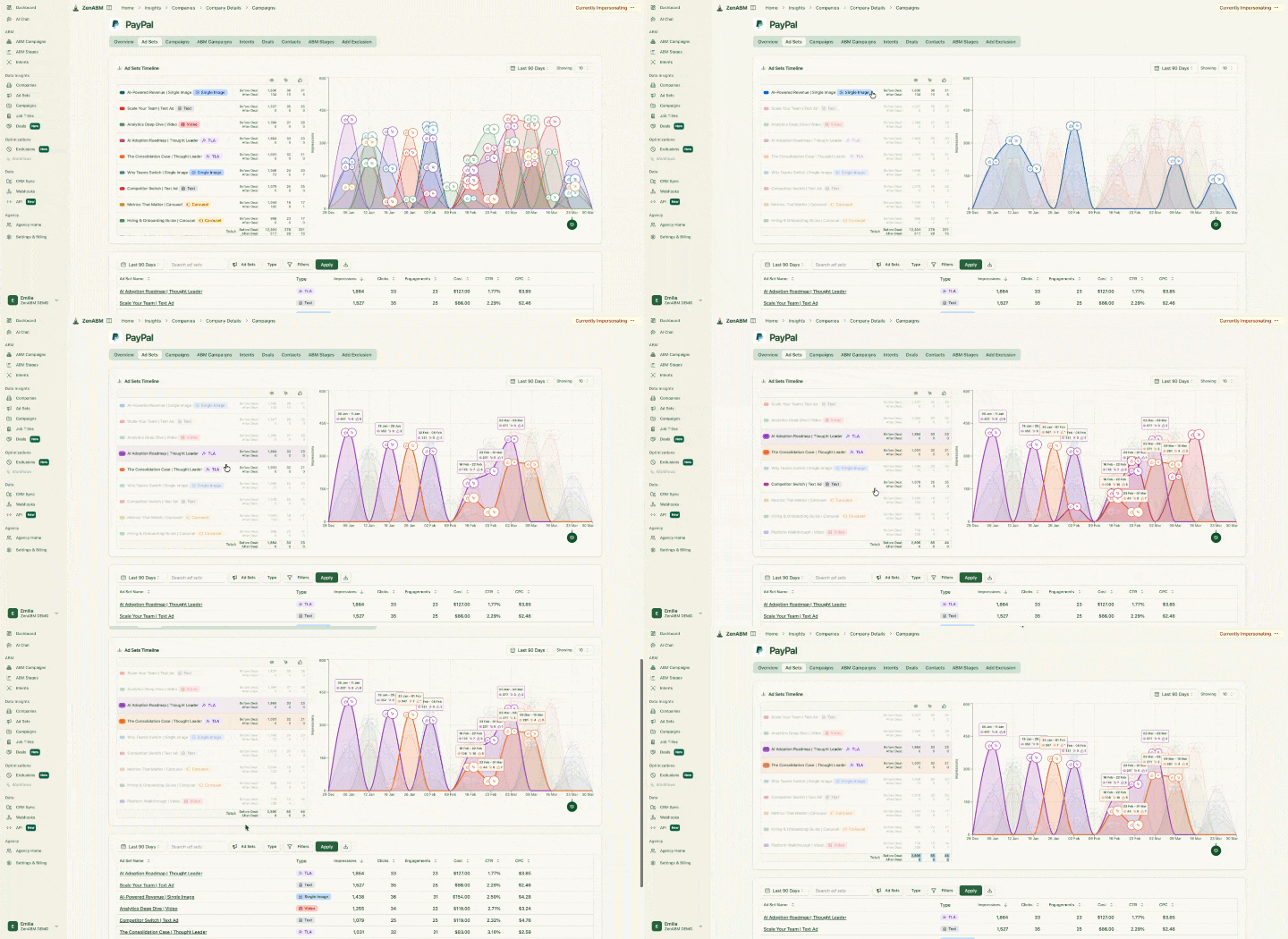
Company engagement and deal attribution. ZenABM matches LinkedIn impressions, clicks and engagements to the company behind them. The deal view then shows the activity and spend before a deal opened and before it closed, broken down by campaign and ad set, next to each account's stage and engagement score.
Deal influence signals. A threshold tells you which deals qualify as influenced, but not which patterns show up more often before a deal opens. So every Friday ZenABM compares accounts that had a signal with accounts that did not, in the 180 days before each company's first deal. The signals include impressions, clicks, engagements, ad formats and ABM stages, and for multi-channel signals the analysis leaves out the final 14 days before the deal.
The Deal influence signals tab lists the signals and combinations that are significant for your accounts, with their lift, signal coefficient and coverage:

A signal appears only when it is statistically significant for your number of target accounts, and combinations must also pass a split-half check. Each result shows lift with a 95% range, coverage and the number of companies needed for significance, ranked by a signal coefficient of phi multiplied by log2 of lift. ZenABM's deal influence signals do that ranking for you, and the /signal-finder skill tests 1,022 ad signals on your data. I treat the output as correlations to investigate, because accounts with a signal may differ in other ways too.
Other channels and CRM sync. The multi-channel view puts LinkedIn Ads, Google Ads, Reddit Ads, AI referrals and organic visits on one company timeline. Non-LinkedIn touches currently rely on HubSpot contact source history, so check that dependency if your CRM is Salesforce or Attio. ZenABM also writes engagement, scores, stages and intent to company records in HubSpot, Salesforce or Attio and creates the properties it needs, with no warehouse or reverse ETL step. HubSpot analytics write back weekly on Monday, and deal and lifecycle data refresh daily.
LinkedIn campaign management. Attribution should lead to a decision, so ZenABM can also create and edit LinkedIn campaigns, ad sets and ads. Zena, its AI agent, proposes each change and applies it only after you confirm. If the deal view shows a campaign repeatedly reaching accounts that open opportunities, you can act on it in the same place.
Plan | Billed annually | Billed monthly |
|---|---|---|
Starter | $59/month | $69/month |
Growth | $159/month | $199/month |
Pro | $399/month | $499/month |
Agency | $479/month | $599/month |
Every plan starts with a 37-day free trial, no credit card needed, and a free plan follows the trial. API, Model Context Protocol (MCP) and Attio access start on Growth. MCP connects an AI client such as Claude to ZenABM's data and tools. There is no markup on ad spend, no per-feature add-ons, and every plan has unlimited seats. See the current details on ZenABM pricing.
Choose ZenABM when your main question is which target accounts your LinkedIn ads reached before they opened deals, and you want to inspect the touches yourself. A small program can use the threshold view without buying a regression model. Look elsewhere if you need a suite centered on weighted attribution across a broad channel mix.
That broader channel mix is where Dreamdata comes in.
Dreamdata is best for teams that want to compare tracked activity across paid channels, web, email and CRM with weighted models. I had a demo and we almost chose it, but I would judge it by the data volume and operational work your team has, not by the number of models alone.
This is its Company Journey view, where you can filter touches by channel and see account activity over time:

Dreamdata brings LinkedIn, Google, Meta, Microsoft, web, email and CRM activity into account timelines, down to known contacts. It shows which touches came before pipeline creation or a closed-won deal, using the weighted, data-driven and custom models I listed above.
It has two-way CRM sync with Salesforce and HubSpot and reads Dynamics and Pipedrive. This is the part that decided it for us. Without ZenABM's write-back of engagement, scores, stages and intent to the CRM, we would have needed a data warehouse and reverse ETL (moving processed data back into the CRM). Dreamdata's AI agent answers questions in chat but is read-only. Dreamdata does not create, edit, schedule or bid on LinkedIn campaigns.
The revenue reporting view then breaks attributed value down by channel:

Compared with ZenABM, Dreamdata is stronger at multi-source stitching and weighted models, but it does not apply the deal influence threshold or the signal correlation model.
The Starter plan is free. It includes 5 seats, 1 sync, 3 stage models and 2 months of user history. It stays free until you pass a monthly tracked-user limit (the number is not published). Advanced needs a quote, and Vendr's median is $35,440 per year, with a range of $27,000 to $96,000. Advanced has a guided free trial. Activation, Data Warehouse and SCIM login are add-ons with no listed price, and Vendr notes that renewals often carry 5% to 10% annual increases.
Choose Dreamdata when your team needs multi-channel attribution and has people to maintain and interpret it. If your immediate question is which LinkedIn accounts saw ads before opening a deal, start with that narrower requirement before paying for a broader setup.
HockeyStack also combines account activity, with a stronger focus on prediction.
HockeyStack is best for teams that want predictive scoring alongside multi-channel attribution and have enough closed-won history to test it. I had a demo and its predictive scoring is impressive, but the data volume it needs to be trustworthy is higher than most LinkedIn ABM programs have.
Its dashboard shows campaign impressions, conversion rates and LinkedIn influenced deals:

HockeyStack is a multi-channel attribution and revenue intelligence suite. It pulls account-level LinkedIn impressions and engagement into account and opportunity timelines, which show every touchpoint from the first ad impression to closed won, along with filters and influence reporting.
Its predictive scoring runs against closed-won buyer paths and ideal customer profile criteria. That helps when you have enough historical deals to train on, so ask the team to show how the score performs on deals outside the history used to produce it.
The CMO overview dashboard shows how it reports across channels:

HockeyStack cannot create or edit LinkedIn ads and does not manage settings such as Audience Network or Audience Expansion. Compared with ZenABM, it is stronger at multi-touch modelling and predictive scoring, but it does not apply the influence threshold or the deal influence signals model.
HockeyStack builds plans through a demo, and startup pricing is available. Vendr's median is $29,702 per year, with a range of $24,040 to $77,500 across 33 purchases. That range is wide, so I would use it to decide whether a conversation is worthwhile, not as a substitute for a quote. Ask what implementation and data access are included.
Choose HockeyStack when prediction is a real buying requirement and you have a deal history to test it against. Skip it for now if your team first needs a transparent view of ad exposure before deal creation.
Some teams have a different problem altogether: revenue arrives through phone calls that click reports miss.
Ruler Analytics is best when calls, forms and chats make up a large share of your conversions. It connects those events to marketing sources and CRM revenue, so a services firm taking phone enquiries has more to inspect than a website click.
Its call attribution table records phone calls next to their marketing sources:

Ruler offers multi-touch attribution on every plan, with data-driven and impression models on Medium and above and marketing mix modelling on Advanced. Its LinkedIn integration attributes sessions, leads and CRM revenue to paid and organic LinkedIn campaigns.
The catch for ABM is that it does not show which companies saw or engaged with your LinkedIn ads. It also does not create or control LinkedIn campaigns, so your team still makes those changes in LinkedIn.
Its revenue records table lists transactions with first and last click attribution:

Compared with ZenABM, Ruler is stronger when calls and offline conversions are a large part of revenue, but it is not built for account-level LinkedIn insight.
Ruler's pricing is indicative and scales with monthly website traffic, product and integration needs. Ask for trial and minimum contract terms in the quote.
Plan | Monthly website visits | Billed monthly | Billed annually |
|---|---|---|---|
Small | Up to 10k | From £299/month | £269/month (£3,228/year) |
Medium | Up to 50k | From £499/month | £449/month (£5,388/year) |
Large | Up to 100k | From £999/month | £899/month (£10,788/year) |
Advanced | From 100k | From £1,499/month | £1,349/month (£16,188/year) |
Choose Ruler when phone enquiries are part of how opportunities arrive and you need to connect them to marketing. If your priority is inspecting impressions at the target-account level, skip it or verify that coverage in a demo first.
LinkedScope addresses company reach from another direction.
LinkedScope is best for a team that wants to see every company its LinkedIn ads reached and match those companies to deals. I would keep it on the shortlist for reporting, while checking whether the lack of native engagement write-back fits your workflow.
This is its reached companies table, with deal value, ad spend and engagement metrics:

LinkedScope pulls every company reached by your ads from LinkedIn's official API, with dashboards for reach, company penetration and post-click engagement. It matches reached companies to deals in HubSpot, Pipedrive and RD Station, and other CRMs connect through Make or n8n.
Its Intent Index scores companies on clicks, conversions and comments and produces a weekly Spark Prospects list. The Professional plan also adds a unified LinkedIn, Google and Meta dashboard, bid optimization and an impression cap per company.
The Integrations tab in its settings lists the CRM connections:

Compared with ZenABM, LinkedScope is a lighter analytics tool that does not create or edit campaigns, and I found no write-back of engagement data to CRM records.
LinkedScope does not publish prices: the price shows at purchase or in the app, so start the trial to see yours. Every new account gets a 15-day free trial with full access and no credit card. Billing is monthly or annual (annual saves up to 20%), with a 30-day cancellation notice. Professional covers 3 users and Enterprise covers 8, and Premium Advisory adds an ad account audit and a monthly 1:1 session through the sales team. Engagers, which shows who reacts to and comments on your LinkedIn posts, is a separately contracted add-on.
Choose LinkedScope if company reach reporting and deal matching answer your immediate question. If sales needs engagement written onto CRM records, skip it or check the extra work needed to make that happen.
There is one more product in the historical comparisons, but it is not one I would add to a new shortlist.
The biggest difference I see in this group is what happens after the report: ZenABM can create and edit LinkedIn campaigns, while the other tools here report on activity.
Tool | Company engagement | LinkedIn campaign management | Analytics and attribution | AI | CRM sync |
|---|---|---|---|---|---|
ZenABM | Yes: company ad engagement and stages | Yes: create and edit campaigns | Yes: deal influence and multi-channel touches | Yes: Zena and expert skills | Yes: HubSpot, Salesforce and Attio |
Dreamdata | Yes: account activity | No | Yes: weighted and custom models | Yes: read-only agent | Yes: two-way HubSpot and Salesforce |
HockeyStack | Yes: account activity and scoring | No | Yes: multi-touch and predictive scoring | Yes: predictive scoring | Yes |
Ruler Analytics | Partial: sessions and conversions | No | Yes: multi-touch and call attribution | Yes: AI agent on Advanced | Yes |
LinkedScope | Yes: reached companies | No | Yes: reach and deal matching | Not stated | Partial: deal matching |
A subscription is only one part of the cost, so keep the LinkedIn campaign budget separate when you compare quotes. The table helps you compare price, contract terms, setup work and fit.

Tool | Starting price | Contract or trial | Setup to plan for | Best fit |
|---|---|---|---|---|
ZenABM | $59/month, billed annually | 37-day free trial, no credit card | Define your influence rule and connect your CRM | LinkedIn ABM teams |
Dreamdata | Free Starter; Advanced not published (Vendr median $35,440/year) | Guided trial on Advanced; renewals often 5% to 10% higher | Data setup, plus any add-ons you need | Multi-channel teams |
HockeyStack | Not published (Vendr median $29,702/year) | Not published | Check how many closed-won deals you have to test scoring | Teams evaluating predictive scoring |
Ruler Analytics | From £299/month for up to 10,000 monthly visits | Not published | Match calls and CRM revenue | Call-heavy businesses |
LinkedScope | Not published | 15-day free trial; 30-day cancellation notice | Check your CRM workflow | Company reach reporting |
Here is how I would calculate the first-year commitment for the $5,000-per-month LinkedIn program mentioned earlier.
First-year cost = annual subscription + 12 months of ad spend
At $5,000 per month in ad spend that is 12 × $5,000 = $60,000. ZenABM Starter at $59 per month billed annually is $708 per year, so the combined example is $60,708 before any other tools or team costs. That does not mean $5,000 is a required budget. It shows why I compare the subscription with the campaign budget it sits beside.
Read related: Best LinkedIn ad attribution tools
ZenABM connects LinkedIn account activity to the deal and CRM records your team already uses. These are the parts that help with attribution:
I would use the deal view to check individual opportunities first, then use the aggregate dashboard to discuss the program. That makes the number easier to explain without claiming more than the data shows.
My pick depends on the question you need answered and whether you have the data to support it.
Your situation | My pick | Why |
|---|---|---|
LinkedIn ABM on a lean team | ZenABM | It applies the influence threshold and shows deal touchpoints from $59 per month billed annually |
Multi-channel attribution with people to manage the data | Dreamdata | It has the most complete set of weighted models, so ask for a quote that includes the add-ons you need |
Predictive scoring on a large closed-won history | HockeyStack | Ask it to show how predictions hold up on your own deal history before using them in a sales process |
Calls and offline conversions are a large share of revenue | Ruler Analytics | Check its traffic-based price against your expected website volume |
Decide what exposure should count, how far back you will look and who will review the deals first. Also make sure you have target accounts, a campaign budget and an owner for the reporting. Without a threshold and a stage model, any tool here gives you vanity metrics.
The numbers above in one picture:

I would rather explain a modest influence report that I can inspect than defend a complicated score I cannot. Pick the tool for the question, not the longest model list.
See the ad activity behind your deals
Start a free trial and inspect which companies engaged with your LinkedIn ads.

Marketing attribution software connects marketing activity with conversions, pipeline or revenue so you can examine which channels and touches preceded a result. The model determines how the report assigns credit. For LinkedIn ABM, I look for company-level impressions and engagement joined to CRM deals, because a click-only report can miss the exposure that happened before a buyer contacted us.
The best fit depends on your channels and the question you need answered. I would choose ZenABM for a LinkedIn ABM team that needs to inspect account exposure before deal creation. Dreamdata suits a team comparing tracked touches across several channels, while Ruler Analytics fits a workflow where calls are a major conversion source.
Start by connecting the marketing activity you want to measure with your CRM deals, then choose a model and a reporting window. For LinkedIn ABM, I would define an impression threshold, check when the deal opened and inspect the underlying account touches. Review individual deals before presenting the aggregate influenced pipeline figure.
ZenABM Starter is $59 per month billed annually. Vendr's median for Dreamdata Advanced is $35,440 a year and for HockeyStack it is $29,702, while Ruler starts at about £299 per month for up to 10,000 monthly visits. Add your LinkedIn ad budget, and ask each vendor about add-ons and renewals before you compare quotes.
I favor influenced revenue for LinkedIn ABM because it can count account exposure before a deal opens, including impressions that never produced a click. Set the threshold and lookback window, then inspect the deal activity behind the result. An influenced label shows that the rule was met; it does not establish that the ads caused the deal.
You may still need it if your question requires company-level LinkedIn ad activity alongside CRM deals. ZenABM connects that activity to deals and can write engagement, scores, stages and intent to supported CRM records. I would first check whether your existing reports answer the specific question you need to take to sales or finance.
About the author

