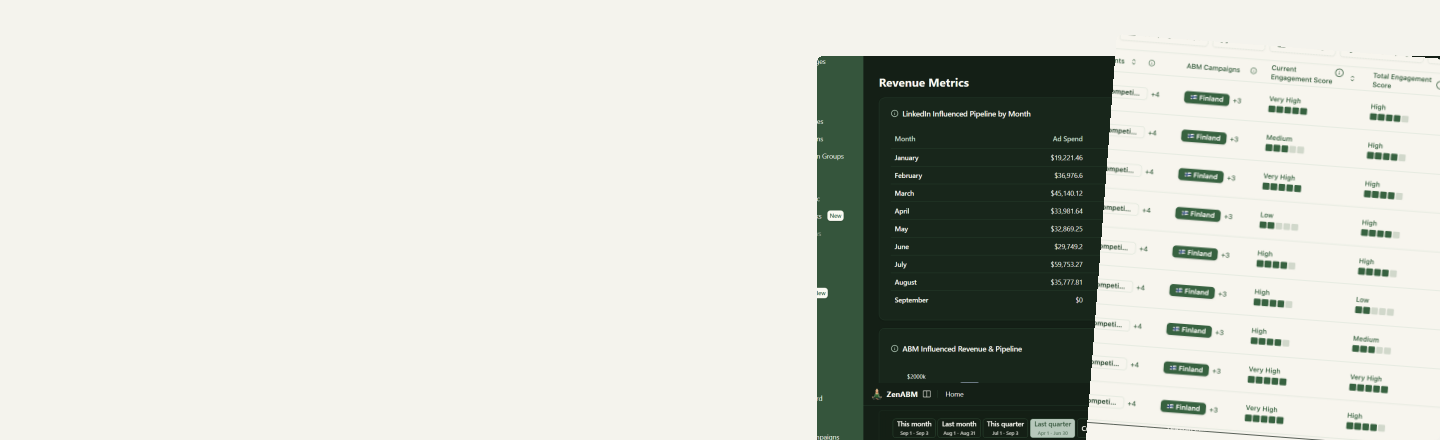
Capture 1st party company engagement signals automatically & sync them to CRM
Capture dynamic company signals from LinkedIn ad engagement and/or a combination of any company and contact properties: website visits, intent, lead magnet downloads, webinar and trial signups, demos booked, email replies and many more.
What a signal can watch
Ad engagement and CRM data, in one rule
LinkedIn ad engagement
Impressions, engagements, clicks, CTR, CPC and cost per company, over any rolling window from 1 to 365 days. Count every ad your team runs, or only selected campaigns, ad sets and ABM campaigns.
Company properties
Any HubSpot company property or Attio company attribute: company size, industry, country, revenue, or your own custom fields.
Contact behaviour
Any HubSpot contact property, matched when at least as many contacts as you choose qualify: website visits, lead magnet downloads, webinar and trial signups, demos booked, email replies.
Pipeline
HubSpot lifecycle stages, specific deal stages or any open deal, and Attio deal statuses.
Conditions
Create signals from any combination of conditionsCompany LinkedIn ad engagement, company properties or contact properties
A hot account might be 8+ ad clicks in the last 30 days and a visit to your pricing page. Put each part in a condition, group them with AND or OR, and give the signal a name, color and icon your sales team will recognise at a glance.
- Capture every company that meets the conditions, and only for as long as it meets them
- Put a time window on any condition, like the last 30 days, and your signals stay dynamic
- Filter groups combine with AND or OR, and so do the conditions inside each group
- Order the signals by priority, and add a description that shows next to each one in the list
Use cases
Put every signal to work
A signal is only useful if something happens next. Every signal is one click away from a LinkedIn audience, and the same signals feed your ABM stages and the accounts you hand to sales.
- Turn any signal into a dynamic retargeting audience in one click
- Build exclusion audiences for open deals, trial users, demos booked and existing customers
- Pass companies with a signal to your sales team or AI SDRs, or into automated email sequences
- Move companies between campaigns as their signals change
- Set impression caps by LinkedIn impressions and company size
- Sync signals to HubSpot, Salesforce or Attio, so sales sees them on the company record
How it works
How it works
- 1
Write the rule
Pick the conditions in the editor, or describe the signal to Zena or through the MCP server and let it map your words to conditions.
- 2
ZenABM applies it
The rule runs across all your companies in the background. The Signals list shows how many companies carry each signal and when it last ran.
- 3
Companies move in and out
A company carries a signal exactly while it matches the rule. When it stops matching, the signal drops off; nobody has to clean up a list.
- 4
Act on it
Create an audience from the signal, use it in other audiences and ABM stages, and hand the accounts to sales.