



Attributing results like revenue, ROI, and pipeline influence to your LinkedIn ads is not going to work in Excel because the data lives across too many disconnected systems.
You need a dedicated tool in your stack, so here is a list of the 10 best LinkedIn ad attribution tools with a laser focus on features that matter for this specific use case.
Read on to choose your fit!
Short on time?
Here is a quick tabulated comparison:
| Tool | Company-Level Impression Tracking | Two-Way CRM Integration | First-Party LinkedIn API Data | Pricing | Summary |
|---|---|---|---|---|---|
| ZenABM | ✓ | ✓ (bi-directional, native HubSpot + Salesforce) | ✓ (via LinkedIn API) | $59 to $479/mo | Multichannel ABM attribution (LinkedIn, Google, Reddit, organic), native CRM sync, deal mapping, Zena AI, REST API, MCP server, and webhooks. |
| Factors.ai | ✓ | ✗ (pulls only, no native push) | ✓ (via LinkedIn API) | $399 to Custom | Great at impression capping, audience control, and LinkedIn AdPilot, but no native CRM push. |
| Demandbase | ✓ | ✓ (multi-CRM, bi-directional) | ✓ (via LinkedIn API) | Custom | End-to-end ABM solution with intent bidding and frequency capping, but pricey and complex. |
| Terminus | ⚠ (Matched Audience only) | ✓ (bi-directional) | ✓ (limited to matched audiences) | Custom | Great for LinkedIn campaign management & Salesforce sync, but tracking is audience-restricted. |
| HockeyStack | ✓ | Bi-directional (ABM add-on); base plan pull only | ✓ (via LinkedIn API) | From $2,200/mo | Multi-touchpoint, visual-heavy analytics with person-level tracking, but complex setup and high entry price. |
| LeadsRx | ✗ (cookie-based) | ✗ (has to be built, not ready-made) | ✗ | Custom | Tracks offline and online campaigns, but no LinkedIn API support or native company tracking. |
| 6Sense | ✗ | ✓ | ✗ | Custom | Great for audience segmentation and targeting; lacks view-through attribution via impressions. |
| HubSpot Attribution | ✗ | ✓ (internal) | ✗ | $890 to $3,600/mo | Easy if you are already in HubSpot, but contact-level only with no impression tracking or ABM focus. |
| CommonRoom | ✗ (engagement only) | ✓ | ✗ (uses a different LinkedIn API that pulls engaging contacts, not impressions) | $999 to Custom | Excellent for community-based signals, but does not support full LinkedIn ad attribution. |
| Windsor.ai | ✗ | ✗ (manual grouping) | ✗ | $19 to $499+ | Great for data centralisation, custom models, and visual reports, but not built for ABM attribution. |
A tool can have the fanciest dashboard and a plethora of integrations, but these three things actually matter:
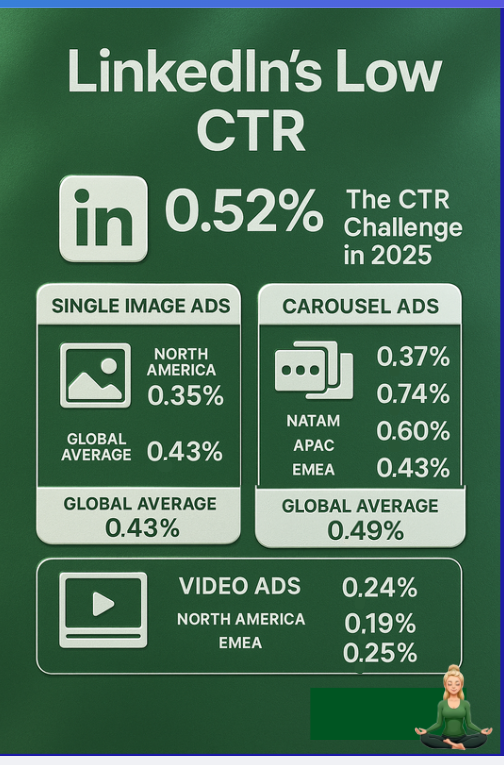
“No click world” might be a new buzzword in SEO, but LinkedIn ads and ABM experts have always known this: people do not click on LinkedIn ads (CTR is as low as 0.4 to 0.6% for sponsored content), and this platform is more about brand awareness and multi-touch attribution.
Your customer may see your ad on a drive back home and later search for you organically on Google, but that is not truly organic because B2B buyer journeys are often this crooked.
So if you are running an ABM campaign using LinkedIn ads, you must track company-level impressions to see all ads that have contributed to the deal closure.
Why not contact-level impression tracking?
That is not provided by LinkedIn’s official API, and reverse IP-based matching third-party tools are too unreliable to depend on.
Your ad attribution tool needs a solid two-way integration with your CRM.
Here is exactly what it should do:
Automatically sync company-specific impressions and engagement metrics directly into CRM platforms like HubSpot or Salesforce, because this integration saves you countless hours of manual data entry and ensures all insights are readily accessible.
Your attribution tool must match company names from your CRM deals with ad performance data to directly link your advertising efforts to your sales pipeline.
For instance, if your sales team logs a $2,000 deal with Company X, and Company X reaches the set threshold of ad impressions, this activity should automatically reflect in your attribution tool as “$2000 more in the pipeline.”
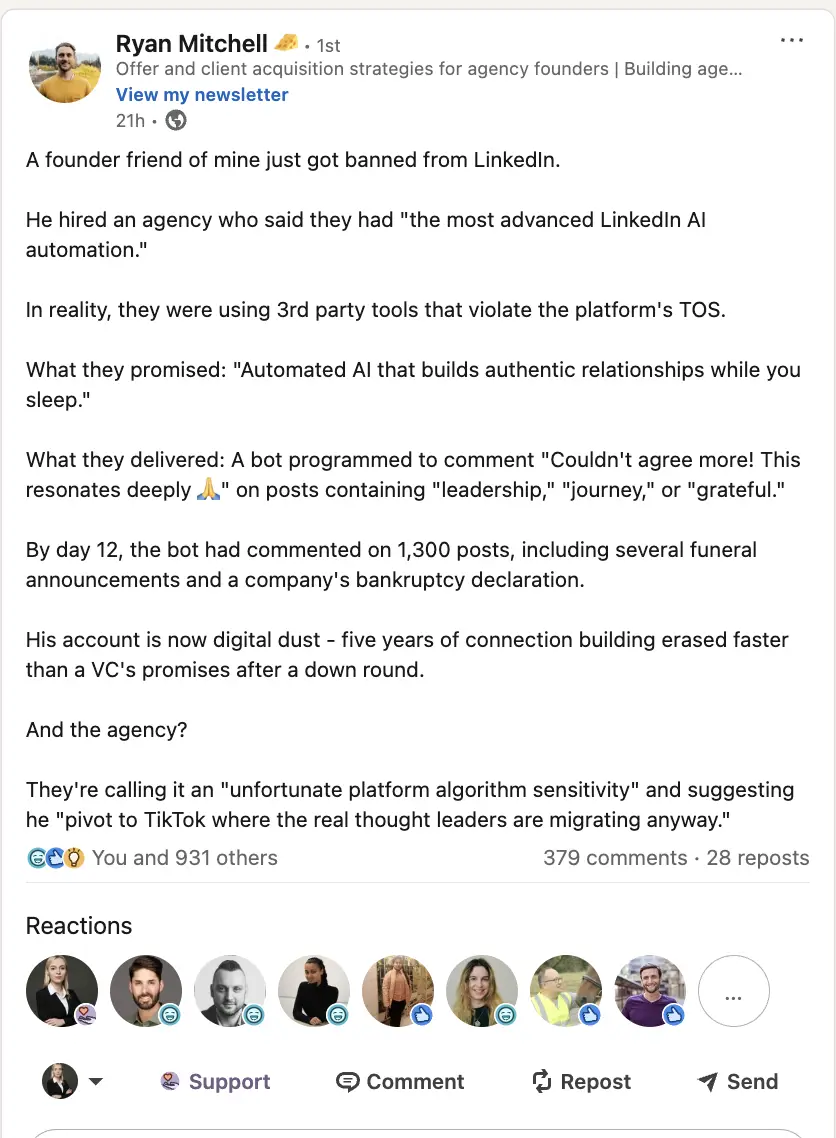
LinkedIn has been cracking down on data scrapers and third-party automation:
Website visitor deanonymization tools are unreliable (and they can only track clicks):
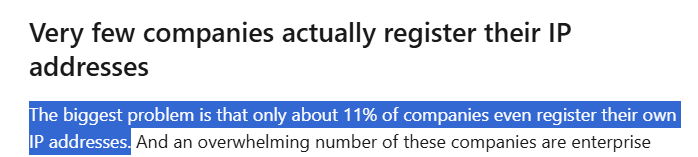
DANs also turn out to be disappointing with their bot fraud and false positives.
The realisation? First-party company-level engagement data pulled directly from LinkedIn’s official API is essential for your attribution tool.
Now, let’s look at the top 10 LinkedIn ad attribution tools, what they are great for, whether they fulfil the prerequisites, and more.

ZenABM is a purpose-built multichannel ABM platform, originally built for LinkedIn ads and now expanded to track Google Ads, Reddit Ads, organic website traffic, and AI chatbot referrals (ChatGPT, Perplexity, Claude).
From view-through attribution and bi-directional CRM integration (HubSpot and Salesforce) to plug-and-play ABM dashboards, contact-level engagement data, company engagement journey mapping, Zena AI chatbot, REST API, MCP server, and webhooks, ZenABM covers the full attribution and orchestration workflow for LinkedIn-first ABM teams.
The prerequisites we discussed above are foundational to the tool, not add-ons or afterthoughts.


ZenABM captures every company that sees your ad (impressions), engages with your ad (like, comment, share), clicks it, or never lands on your website at all. This means you can attribute impact even when there is no form fill, no click, no like, and no comment.
For example, Company X saw your LinkedIn ad 50+ times but never clicked.
They later came inbound through organic search. With ZenABM, you know that ad planted the seed because the tool maps every impression to the company record.
And even if they did click, you will see every other ad the company had an impression for, so you can attribute ROI across all ads that contributed to the awareness. ZenABM pulls all of this data from LinkedIn’s official API.
ZenABM’s CRM integration is native, no-code, and bi-directional with both HubSpot and Salesforce:


ZenABM maps LinkedIn campaign engagement to deals in your CRM.
And not just the overall pipeline; you can also see the value of each deal as matched from your CRM.
So you can finally say “this ad campaign drove $75k in the pipeline,” “this campaign group touched 22 deals that closed,” or “ROI for this quarter’s LinkedIn spend = 5.2x.”
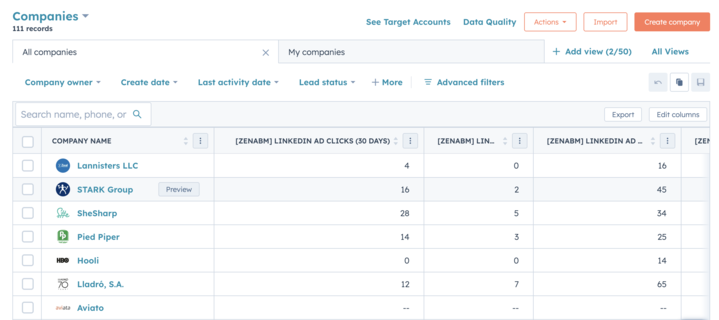
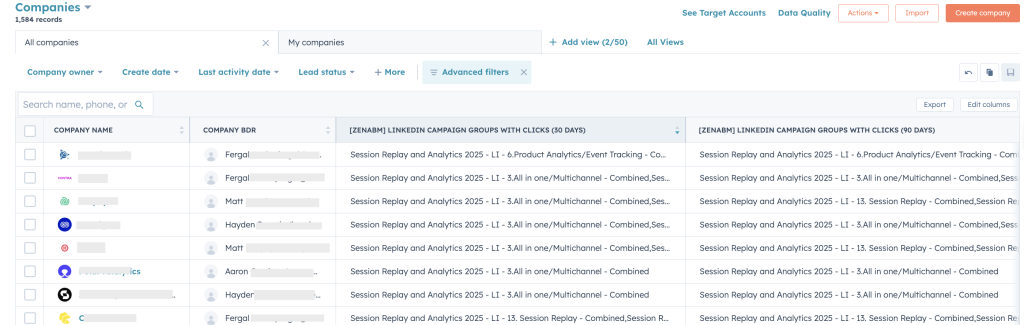
ZenABM pushes LinkedIn ad engagement data to HubSpot and Salesforce as company properties like “LinkedIn Ad Engagements (7 days)” and “LinkedIn Ad Clicks (7 days).”

Here’s what else is great about ZenABM:


As of 2026, ZenABM captures engagement signals from Google Ads, Reddit Ads, organic website traffic, and AI chatbot referrals (ChatGPT, Perplexity, Claude) in addition to LinkedIn Ads.
All channels feed into a unified company engagement journey timeline that maps every touchpoint alongside CRM deal events (deal opened, progressed, closed-won, closed-lost), giving you deduplicated revenue attribution across your entire acquisition stack.
Multichannel signals are included in all paid plans at no extra cost.
Beyond company-level insights, ZenABM provides contact-level engagement data, showing which specific people within target accounts are interacting with your campaigns (but this is only limited to people who have revealed themselves via form fills).
This makes it possible to identify actual buying committee members and route them directly to BDRs or personalized outreach sequences.
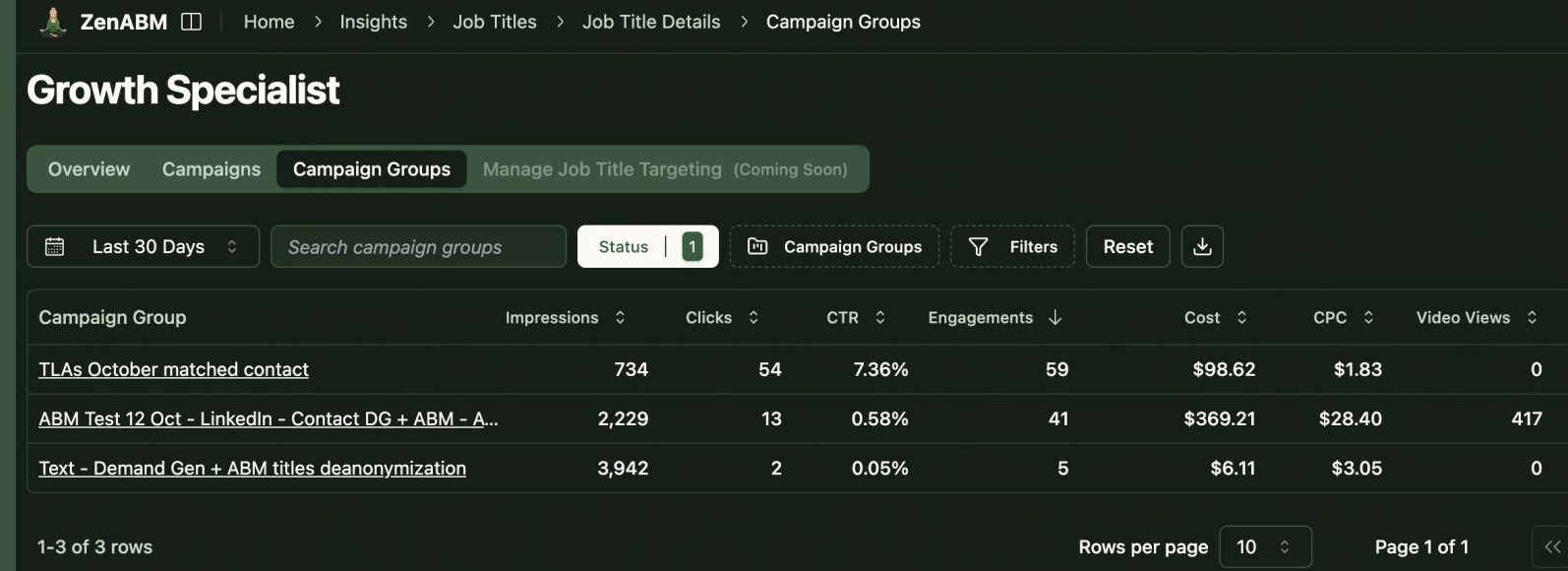
ZenABM also provides audience insights by persona, showing impressions, engagements, and clicks broken down by job title and seniority across each LinkedIn campaign.

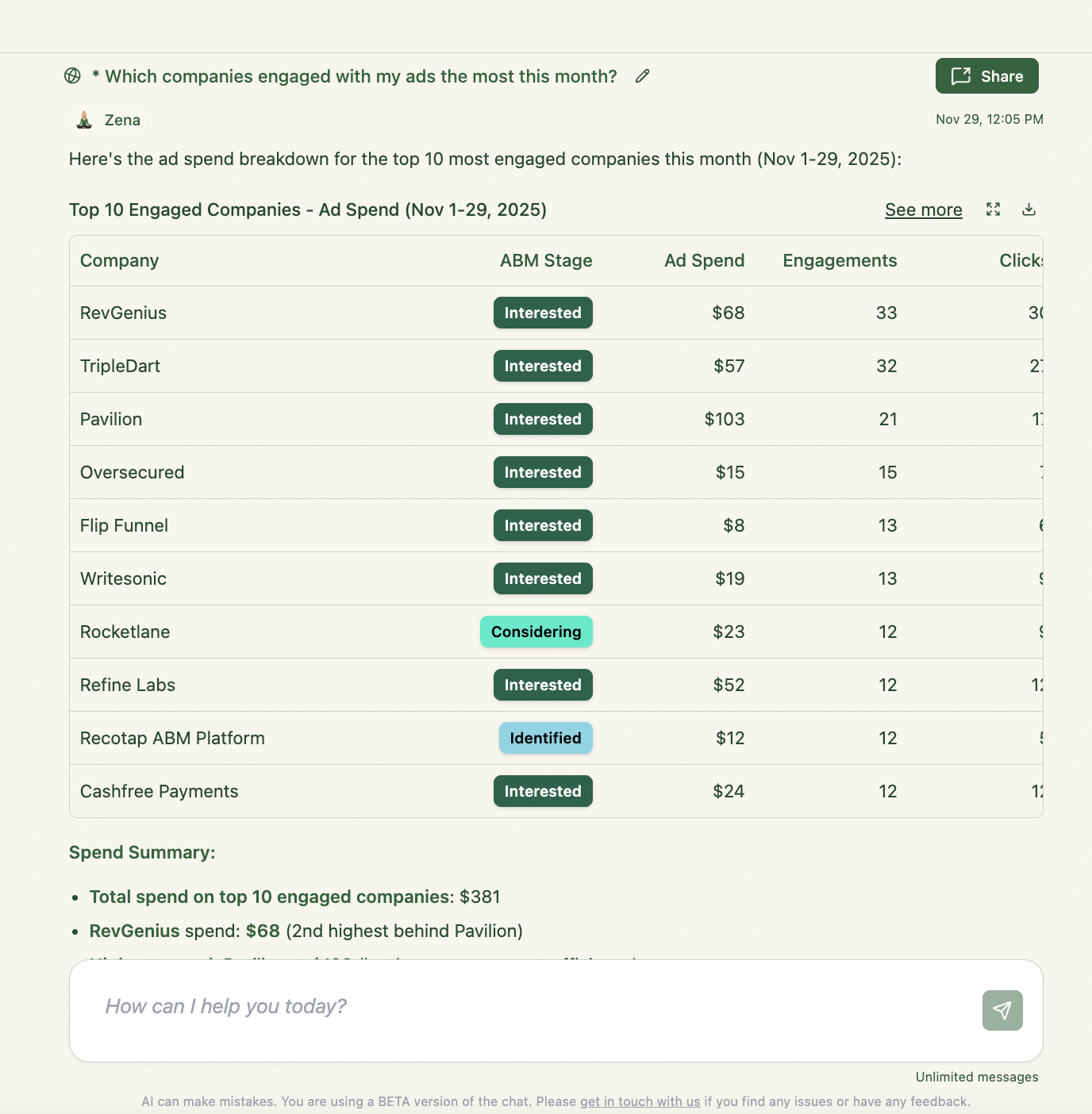
ZenABM includes Zena, an AI chatbot that can query both your raw LinkedIn ads data and processed ZenABM data (intents, account stages, deal attribution), so you can ask questions like “which campaigns drove the most pipeline last quarter” without exporting CSVs.
ZenABM also exposes a REST API and MCP server, letting you connect your ads data to any LLM (like Claude Code) and build bespoke analytics, reporting, or automated agents.

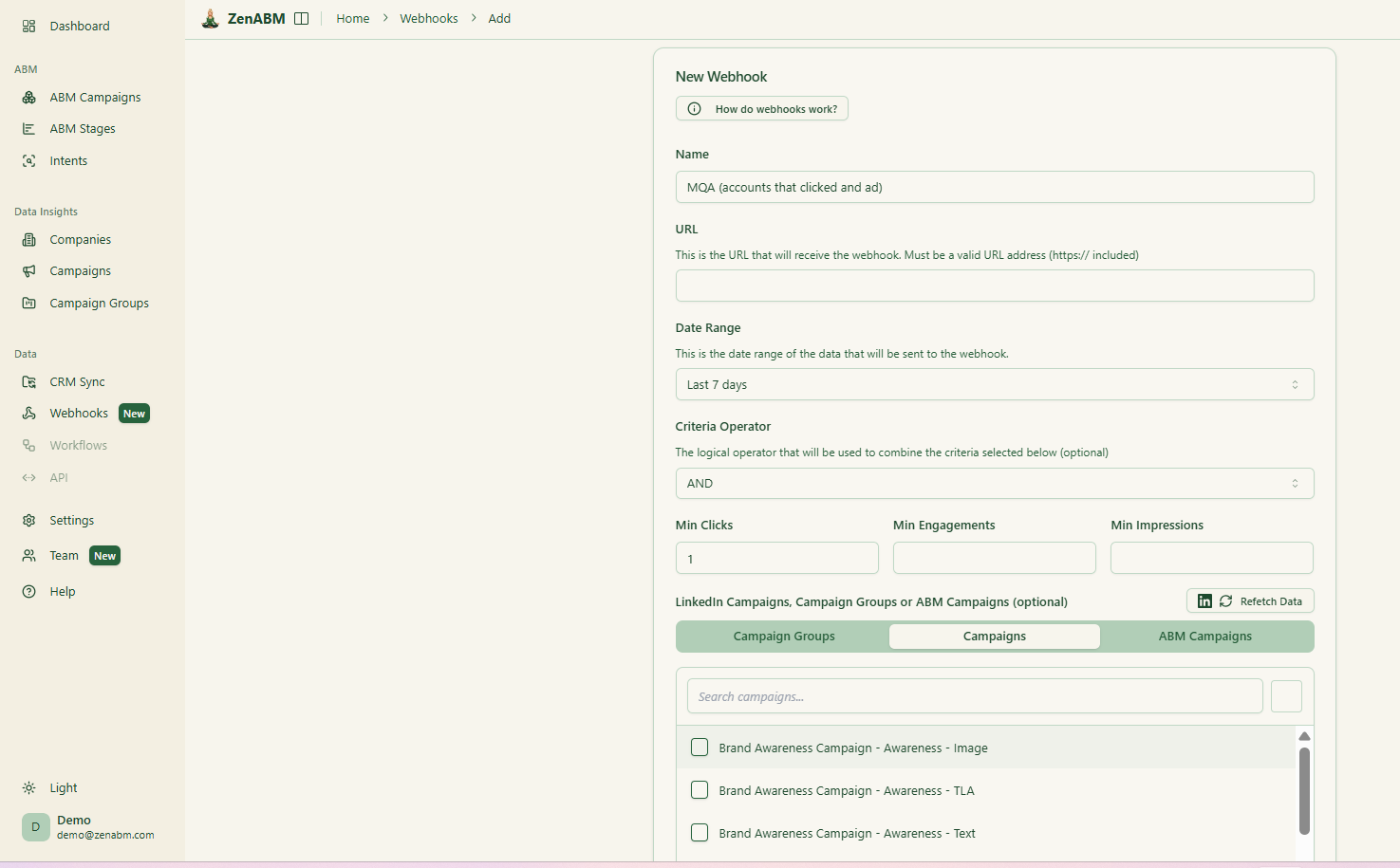
Webhooks allow you to push engagement signals and account stage changes to Clay, Attio, Pipedrive, or any HTTP endpoint in your stack.
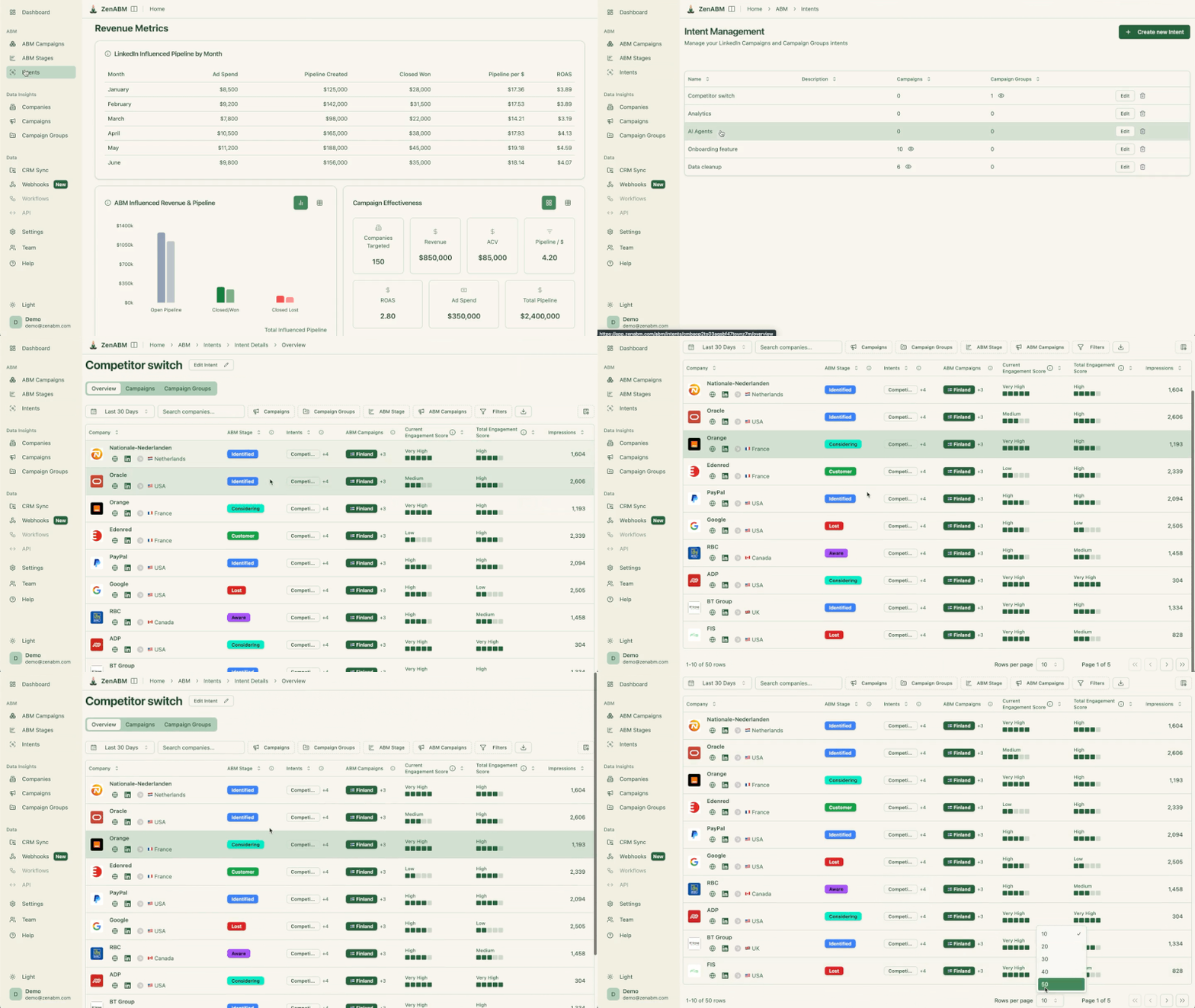
ZenABM calculates a real-time “Current Engagement Score” based on impressions, clicks, and recency:

ZenABM then assigns those accounts to your BDRs in HubSpot or Salesforce without you lifting a finger:
ZenABM also tracks buyer intent based on your campaigns, identifying which product feature or use case each target account is most interested in:
Your team works the right accounts, at the right time, with messaging tailored to the right feature.
With ZenABM, you do not have to build reporting systems of your own in your CRM or Excel because the tool provides plug-and-play ABM dashboards to calculate metrics like ROI, ROAS, pipeline per dollar spent, and average ACV of your LinkedIn ads ABM campaigns:

In short, ZenABM helps you switch from click-through to view-through attribution while also providing a hub to do all the ABM math, across all your acquisition channels.
If you want to know more about the tool, you can book a demo here.
ZenABM started as a LinkedIn-focused tool and has expanded into multichannel ABM (Google Ads, Reddit Ads, organic, AI chatbot referrals), but it still does not perform website visitor deanonymization via reverse IP lookup, display ad network tracking, or target account list building.
It is an attribution and orchestration platform, not a full-stack ABM suite with its own ad serving or intent data provider.
Bottom Line: ZenABM is a multichannel ABM attribution and orchestration platform that tracks LinkedIn, Google, Reddit, organic, and AI chatbot referral signals, all with first-party data.
For teams whose primary ad channel is LinkedIn, it remains the most affordable and purpose-built option, with Zena AI, REST API, MCP server, webhooks, and bi-directional CRM sync (HubSpot and Salesforce) included.
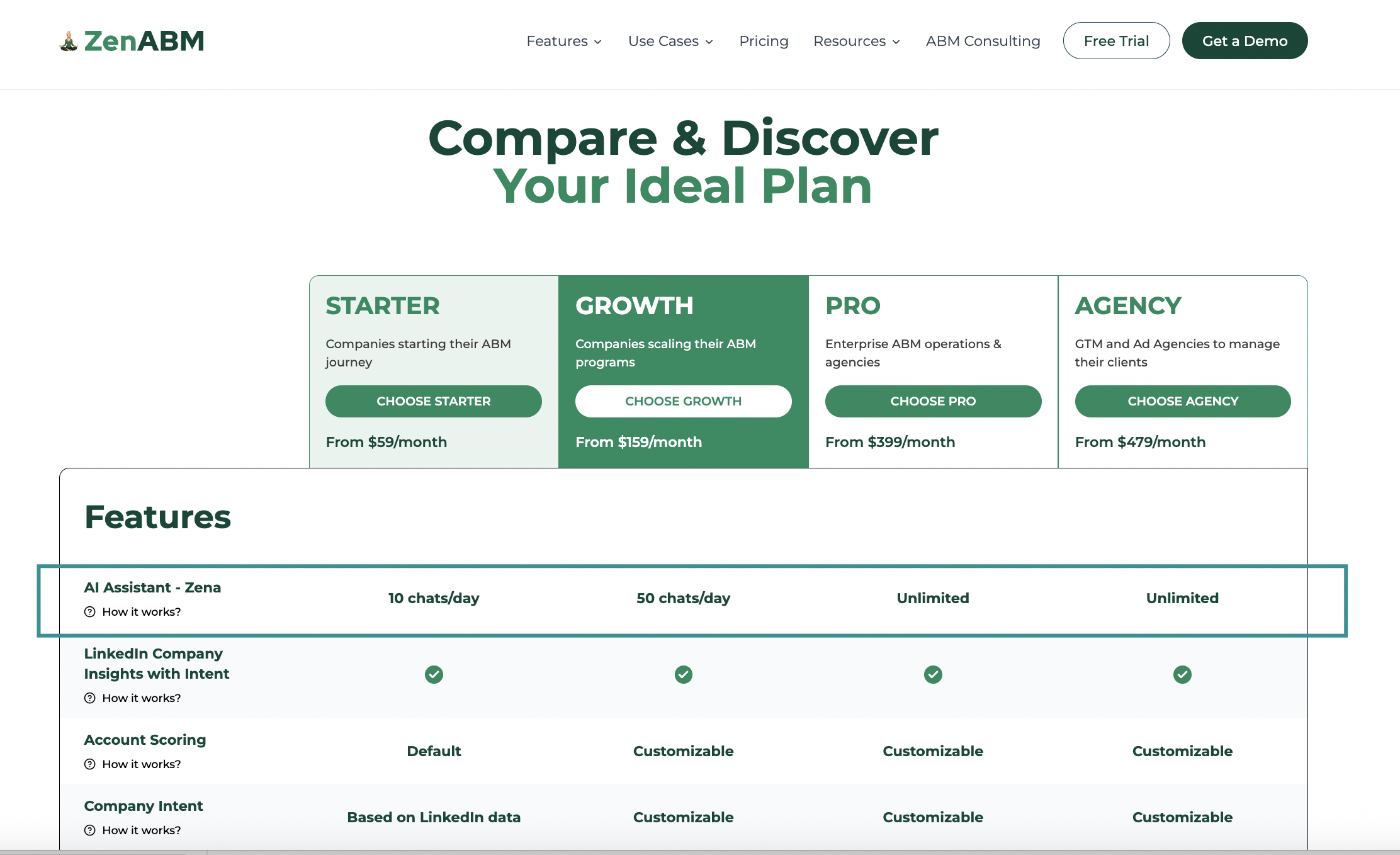
ZenABM offers four plans designed to grow with your ABM program.
The Starter plan at $59/month is built for teams beginning their ABM journey, offering LinkedIn company insights with intent, default account scoring based on ad and CRM data, one ABM campaign, Zena AI (10 chats/day), and native bi-directional HubSpot and Salesforce sync.
The Growth plan at $159/month adds customizable account scoring, customizable intent definitions, separate dashboards for up to 3 ABM campaigns, webhooks, and API access, along with 50 Zena AI chats per day.
The Pro plan at $399/month unlocks unlimited ABM campaigns, unlimited Zena AI chats, and is suited for in-house enterprise ABM programs and agencies that need full flexibility.
The Agency plan at $479/month includes 3 client account seats (with additional seats at $199 each), separate dashboards per client, and is designed for LinkedIn ads agencies and ABM consultancies managing multiple accounts.
All plans include multichannel engagement signals (Google Ads, Reddit Ads, organic traffic, AI chatbot referrals) at no extra cost, a 37-day free trial with full functionality, and Zena AI access. Annual billing gives you 2 months free. For more details, visit the pricing page or book a demo.
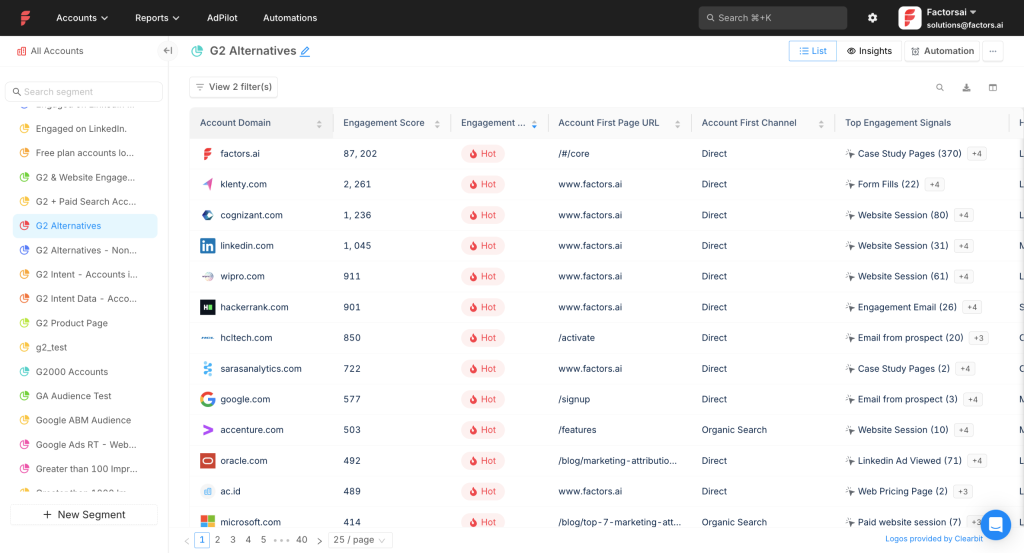
Factors.ai is a LinkedIn ABM advertising platform that also helps with Google ads, Facebook ads, marketing automation, workflow-building, intent capture, account intelligence with website visitor deanonymization, lead scoring, multi-touch attribution, and more.
Yes, Factors.ai fulfils the following important requirements:
Factors.ai pulls first-party engagement data (clicks, impressions, and spends) from LinkedIn’s official API to a campaign group/campaign level, so you can see the companies that viewed your ads and not just the ones that clicked.
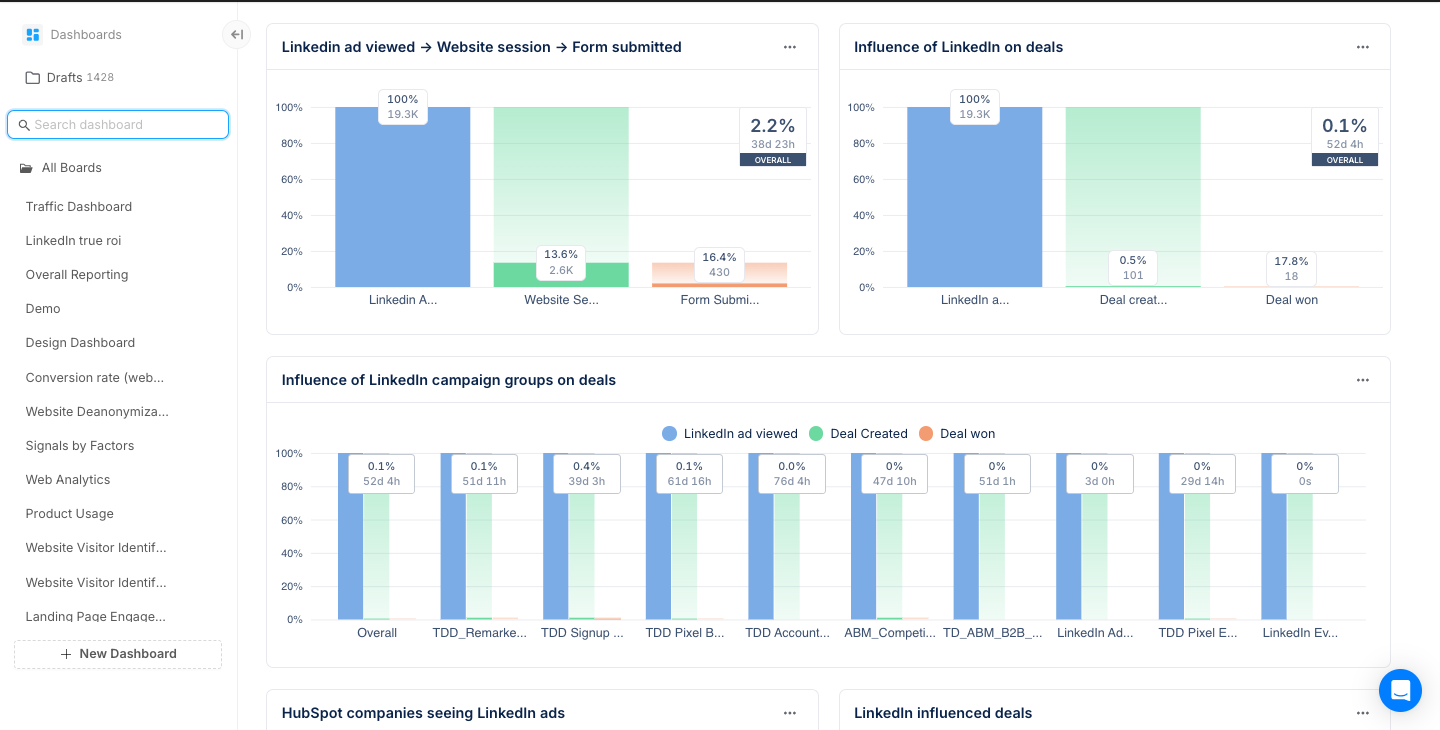
Factors.ai integrates with CRMs like HubSpot and Salesforce to match the engaged account names with the deals in your CRM, so you can see the accounts and their value added to your pipeline from each ad campaign and also attribute credit to all the ads that contributed to a deal closure or pipeline addition.
For example:
Note: As discussed in the prerequisites about two-way CRM integration, Factors.ai lacks a ready-made workflow to push all LinkedIn engagement data as company property to your CRM, and you will have to build it on your own (yes, it can be built natively).
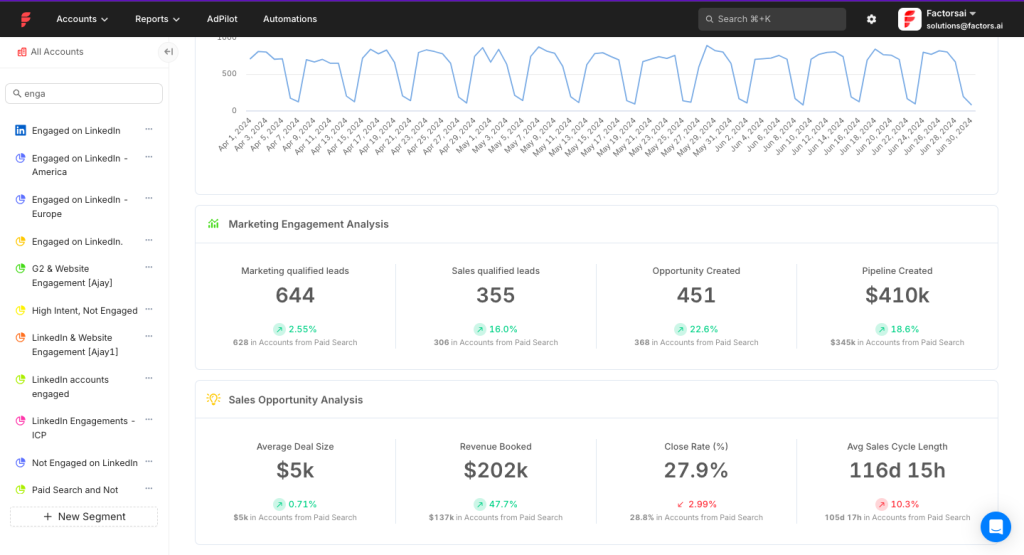
Factors.ai has a dedicated AI-powered solution called LinkedIn AdPilot that offers these advanced features for your LinkedIn ad campaigns:
Creates precise target audiences by integrating data from various sources, so you do not have to import the audience list manually into LinkedIn Campaign Manager and can manipulate the audience list automatically from Factors.ai. Its integration with LinkedIn Ads CAPI also helps you refine audience lists based on conversion data from various online and offline channels.
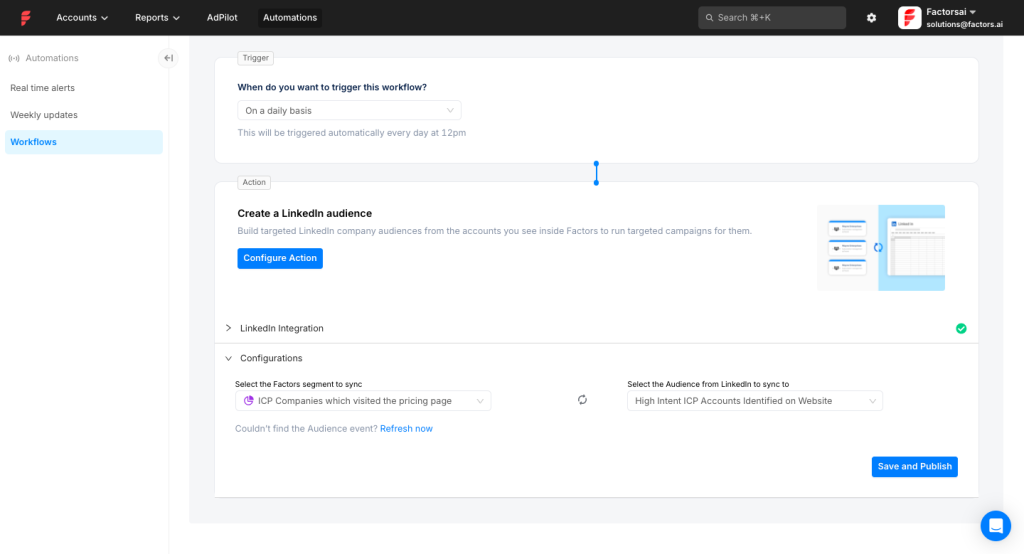
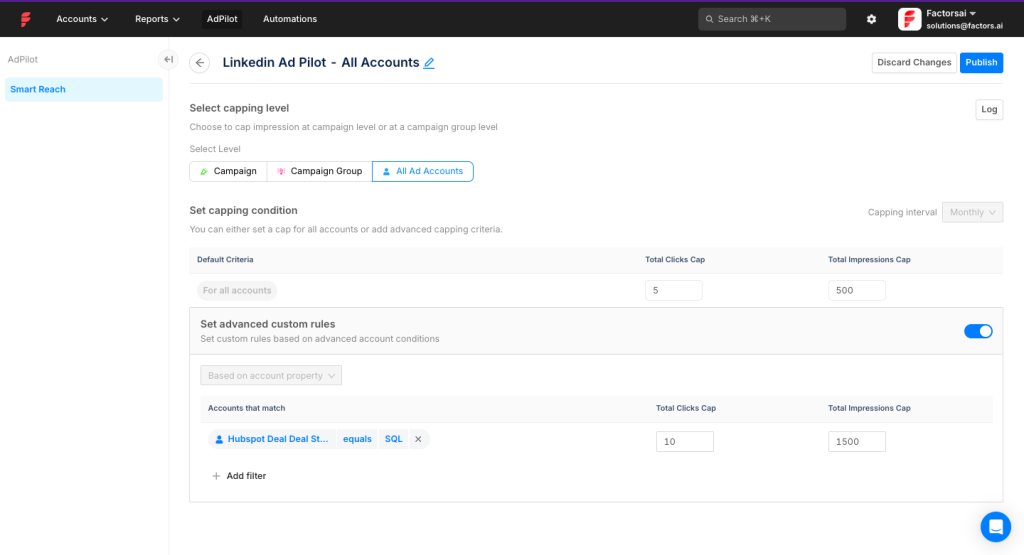
Ensures ads are evenly distributed across your target accounts to avoid overexposure to some and underexposure to others, so you can ensure that huge companies do not eat out all your impressions and you can stop showing them ads once an impression/click threshold has been reached.
Fcators.ai’s additional features:
Factors.ai allows you to build workflows to connect MAP, CRM, Slack, etc., natively.
Tracks and credits all marketing interactions a lead has before converting, giving a complete picture of which efforts are most effective. This also helps see how LinkedIn ads are performing compared to other channels and where LinkedIn ads lie in the funnel.
Though the tool almost passes our basic criteria, it has the following limitations:
Bottom Line: Factors.ai is best for impression capping, audience segmentation, company-level impression tracking, and using LinkedIn CAPI integration for the attribution of offline conversions. One drawback: it cannot push company-level engagement data as company properties into HubSpot. Such a workflow, you will have to build on your own if you choose Factors.ai.
Factors.ai pricing ranges from a free plan (ideal for startups exploring basic visitor insights) to premium options. The Free plan identifies 200 companies/month and provides basic visitor analytics.
The Basic ($399/mo) plan offers advanced LinkedIn intent tracking, deeper analytics, and basic CRM integrations, making it suitable for SMB teams. This is typically enough if you are trying to manage ABM campaigns via LinkedIn ads in-house.
The Growth ($999/mo) plan significantly expands capabilities with ABM analytics, LinkedIn and G2 attribution, automated workflows, and extensive integrations, aimed at mid-market teams.
Finally, the Enterprise plan (custom pricing) provides comprehensive, tailored solutions with multi-touch attribution and extensive integrations, suitable for larger enterprises or agencies.
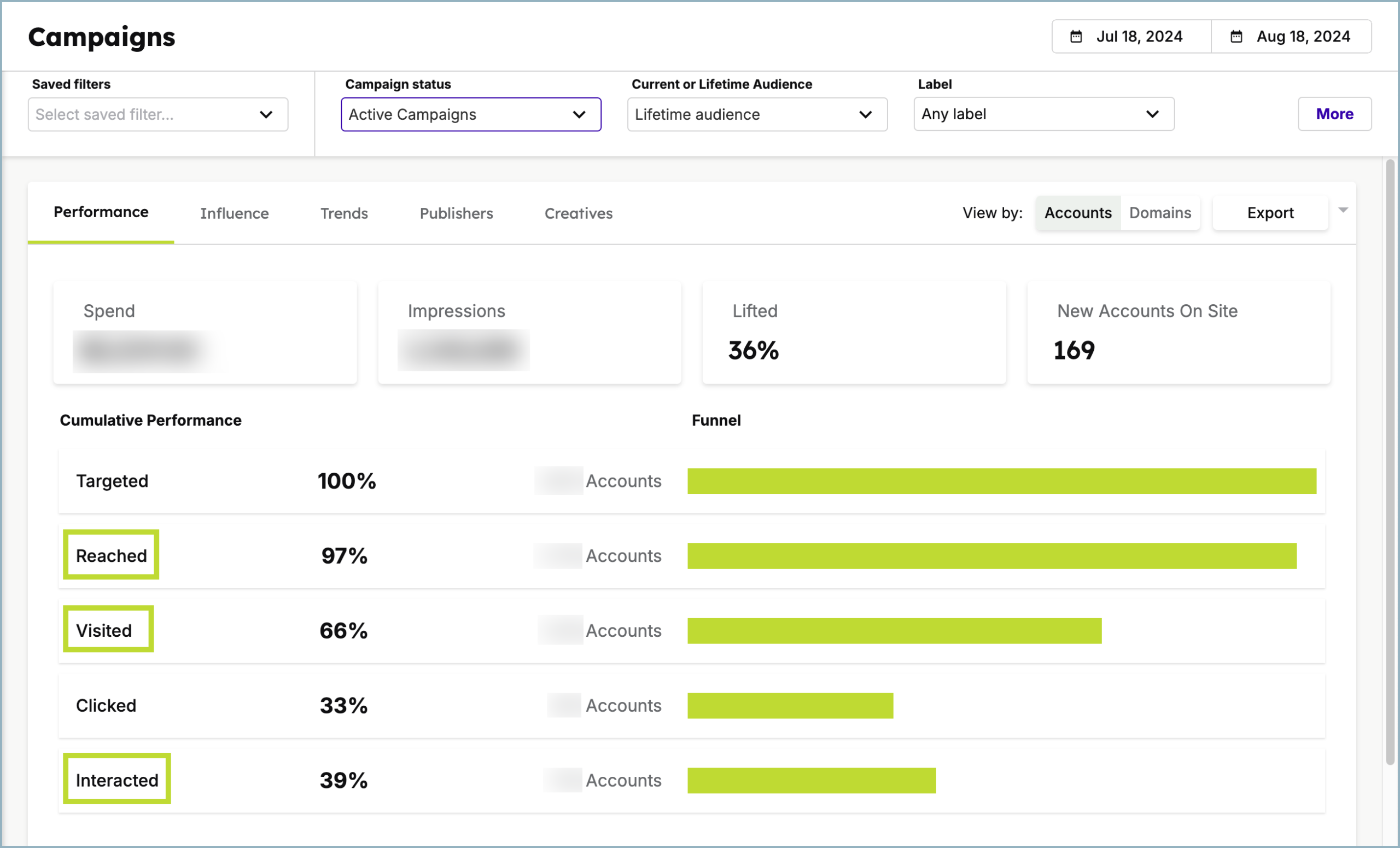
Demandbase is an end-to-end ABM platform that covers everything from target account list building to LinkedIn ad ROI attribution and reporting. Demandbase is the brand and Demandbase One is the name of their platform.
Yes, Demandbase fulfils all the prerequisites for LinkedIn ad attribution:
Demandbase One is a certified LinkedIn partner and has access to LinkedIn’s official API for tracking company-level ad engagement data, and because Demandbase focuses on ABM, company/account-level reporting is very inherent to the tool.
Demandbase One provides bi-directional integration with CRMs like HubSpot, Salesforce, Microsoft Dynamics 365, Marketo, Pardot, and Oracle Eloqua so you can measure the impact of each LinkedIn ad on your pipeline and closed deals, push company-level engagement data, and even funnel stage movement into your CRM.
In fact, a user on Capterra said, “Demandbase has a seamless UI that makes it easy to work in. I don’t expect sales to actually log into the platform, so the Salesforce integration is really important.”
The additional features of Demandbase One surrounding LinkedIn ads are many. Here are the most valuable ones:
LinkedIn can sometimes deliver a lot of impressions to a single account, wasting your budget, but with Demandbase you can limit the impressions for a specific campaign and period:
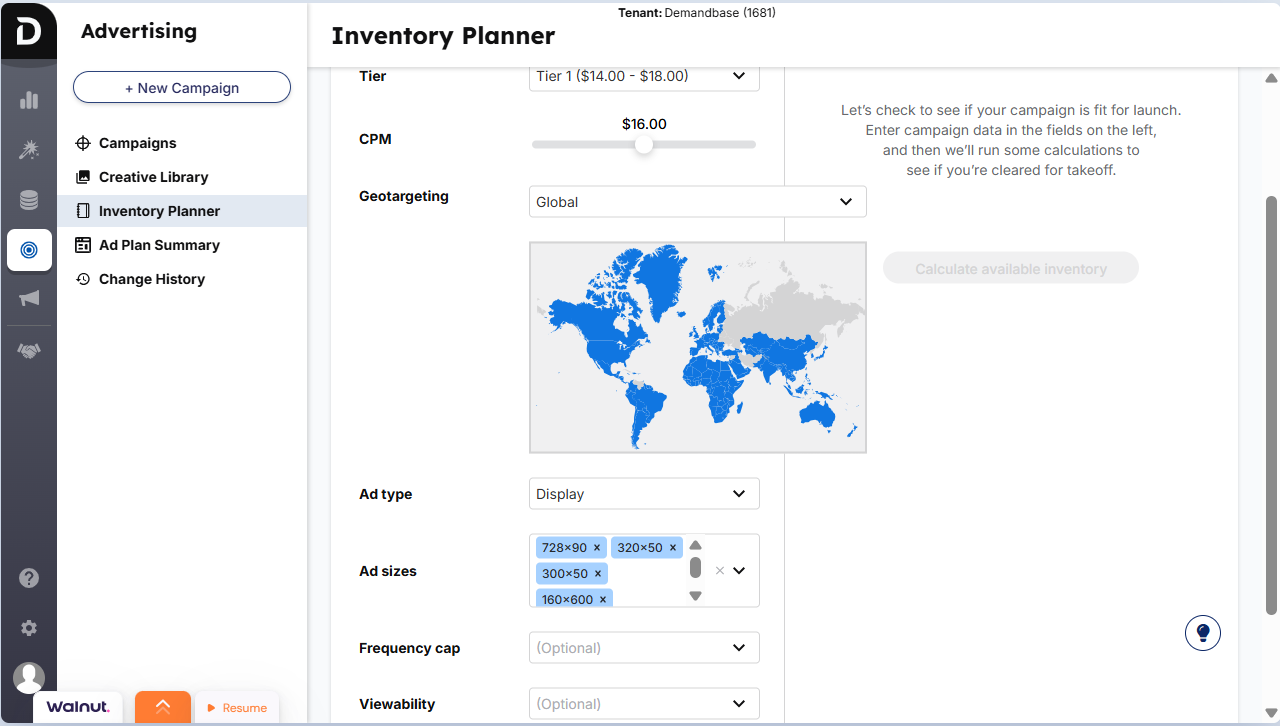
Basic geographical and job-type/level targeting is something you can do in LinkedIn Campaign Manager, but with Demandbase you can prioritise bidding based on intent by choosing intent keywords from Demandbase’s list, targeting users actively interested in your product or service:
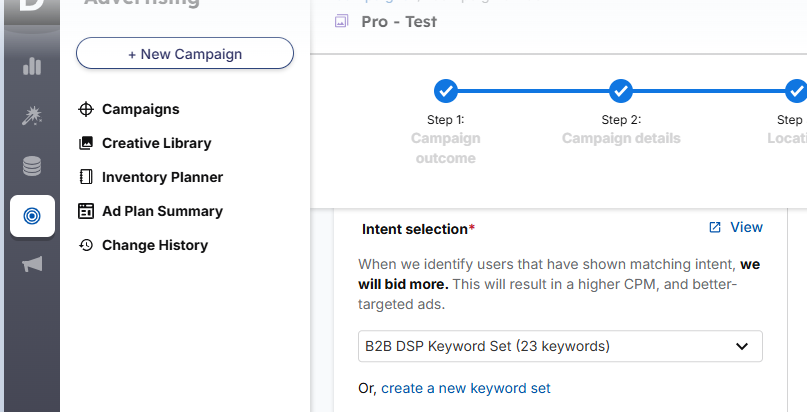
For example, if users in an account/company are searching for “enterprise software solutions,” you can target them with specific use-case-based ads that align with the keyword. Demandbase uses 40,000+ data sources and proprietary technology to track account intent on the web.
Demandbase is an end-to-end tool for ABM and can get expensive for small businesses, since it has a lot of features that you might not be able to justify the price for. The extensive features also make the tool hard to set up and navigate.
Bottom Line: Demandbase can be your one-stop solution for ABM if you are using multiple ad channels, have a substantial budget, and can dedicate time to train your team to use the tool.
Demandbase has not publicly disclosed its pricing packages, and you will have to book a demo.
Terminus is an account-based marketing platform known for its advertising focus and multi-channel engagement features, with a strong integration with LinkedIn Marketing Solutions launched in 2021 to enable real-time data syncing, making it well-suited for LinkedIn ad attribution and similar use cases.
Yes, Terminus passes our basic criteria, but only partially:
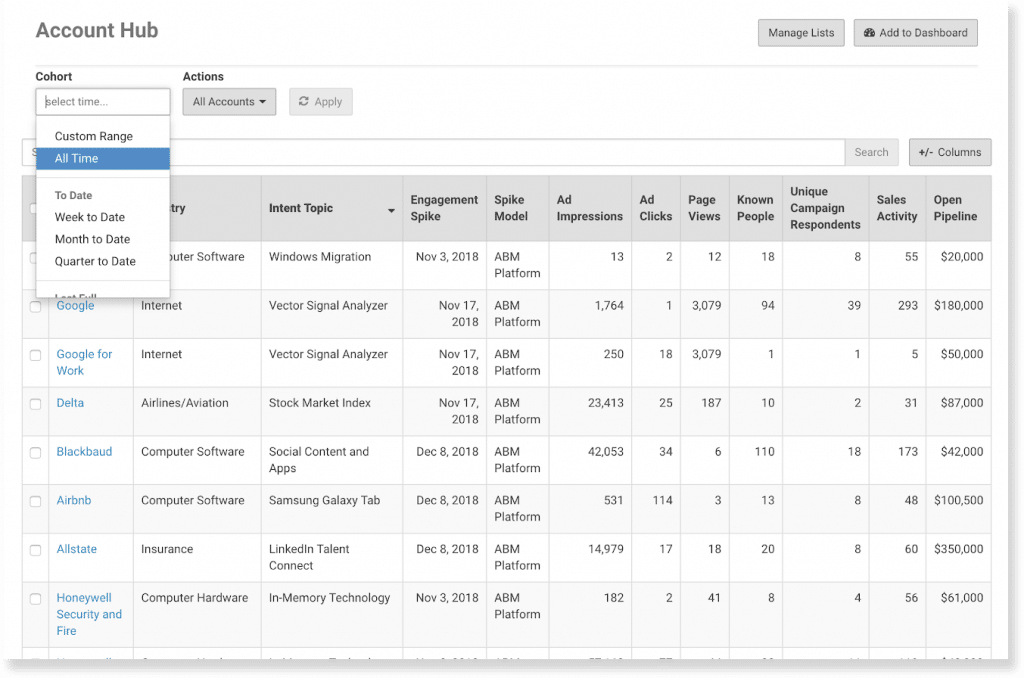
With Terminus Account Hub, you can track company-level LinkedIn ad impressions pulled from LinkedIn’s official API, but you can only track companies either pulled from your CRM or uploaded by you as a Matched Audience while setting up the ad campaign.
Terminus is great at integrating with CRMs, especially with Salesforce, where the integration is strong enough that your sales team might never need to log into Terminus. Your accounts in your CRM will be matched with those viewing your ads, then you can see ad impressions of those matched accounts and move them through funnel stages in your CRM based on impression, engagement, and click thresholds:
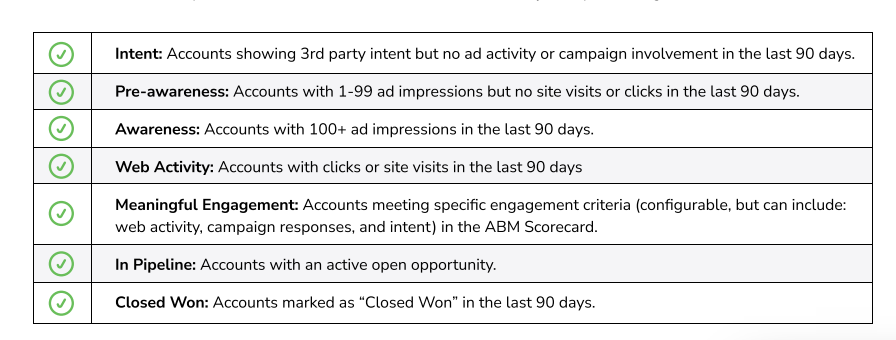
CRM integration also includes tying your ads’ impact to pipeline and revenue:
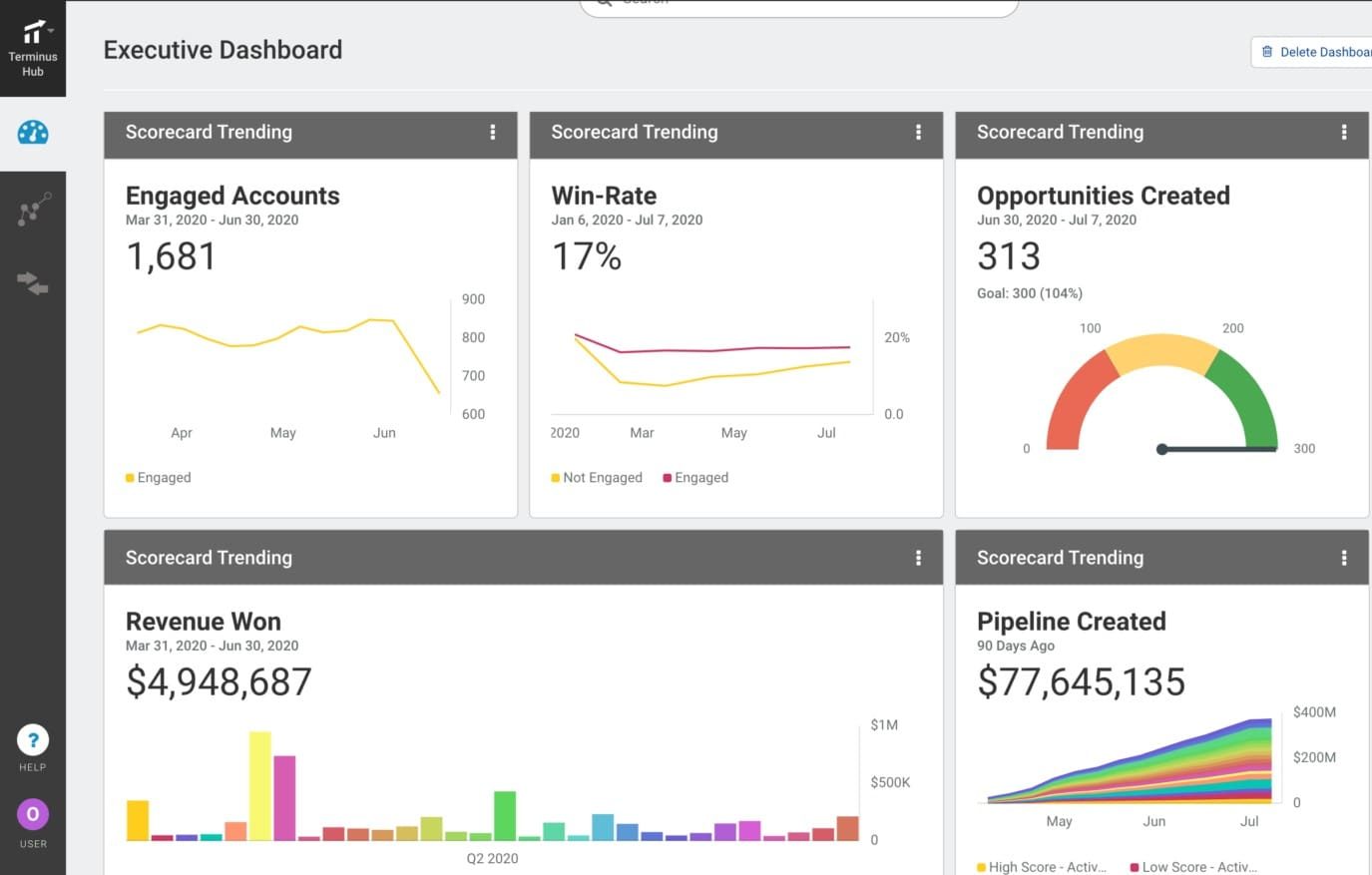
Some other notable features of Terminus:
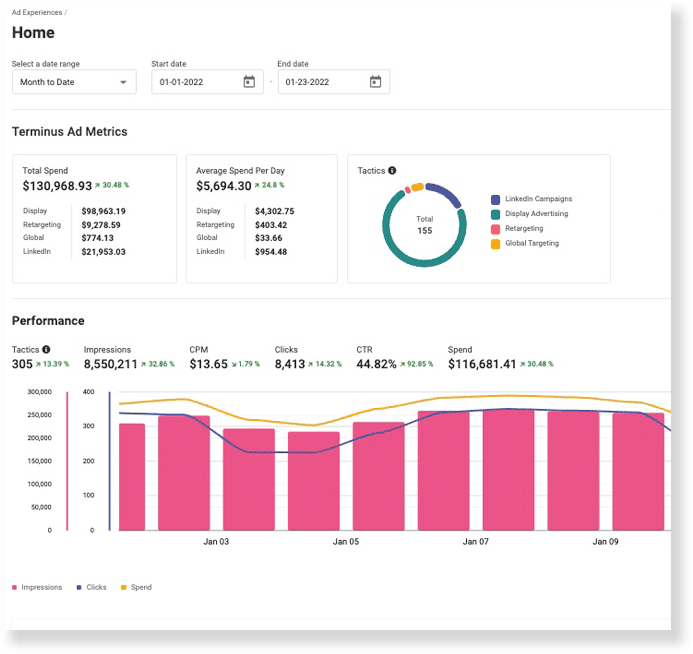
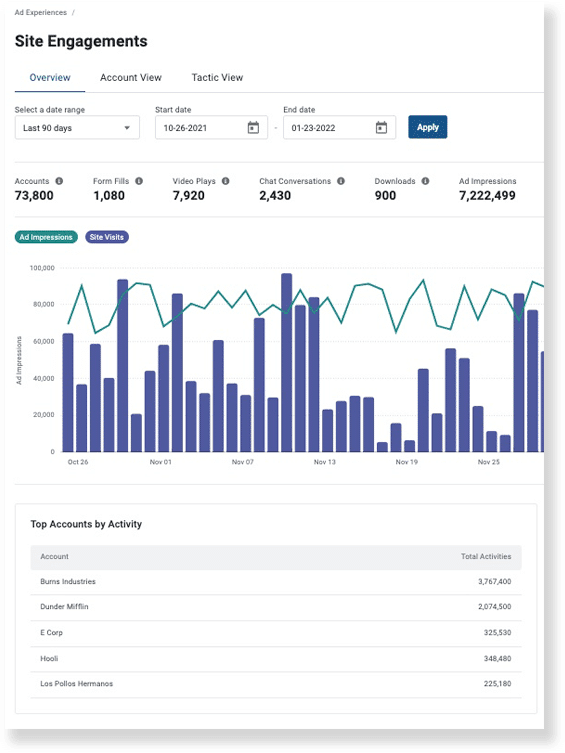
Terminus tracks all your ad campaigns on different platforms like LinkedIn and DANs in one dashboard for easy performance comparison and attribution. You can also see marketing performance across various touchpoints like chats, video plays, downloads, form fills, site activity, ad impressions, and accounts with the top overall activity:
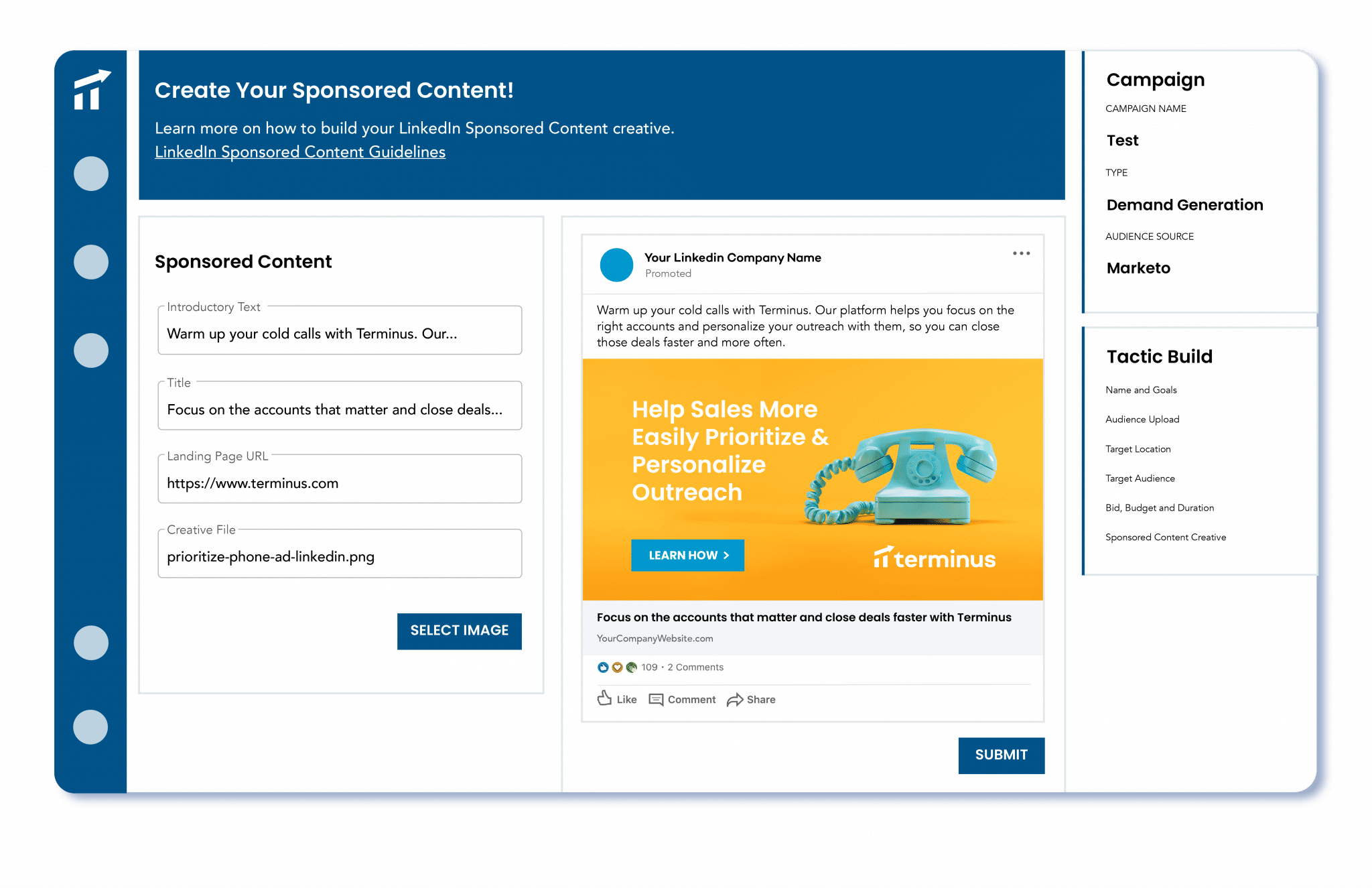
From setting up the target audience to ad creatives, you can build your entire LinkedIn ad campaign natively in Terminus:
Terminus integrates with tools like Outreach, SalesLoft, Uberflip, and intent data sources like Bombora to trigger targeted LinkedIn ad campaigns.
Major cons reported by users are:
Bottom Line: Terminus has what you need for LinkedIn ad attribution, but it may not be the most economical if you are only running ABM on LinkedIn, since there are cheaper and equally effective tools available for LinkedIn ad attribution specifically.
Terminus has merged with DemandScience to become a part of it. You will have to book a demo with the DemandScience team for pricing details as they are not publicly disclosed.
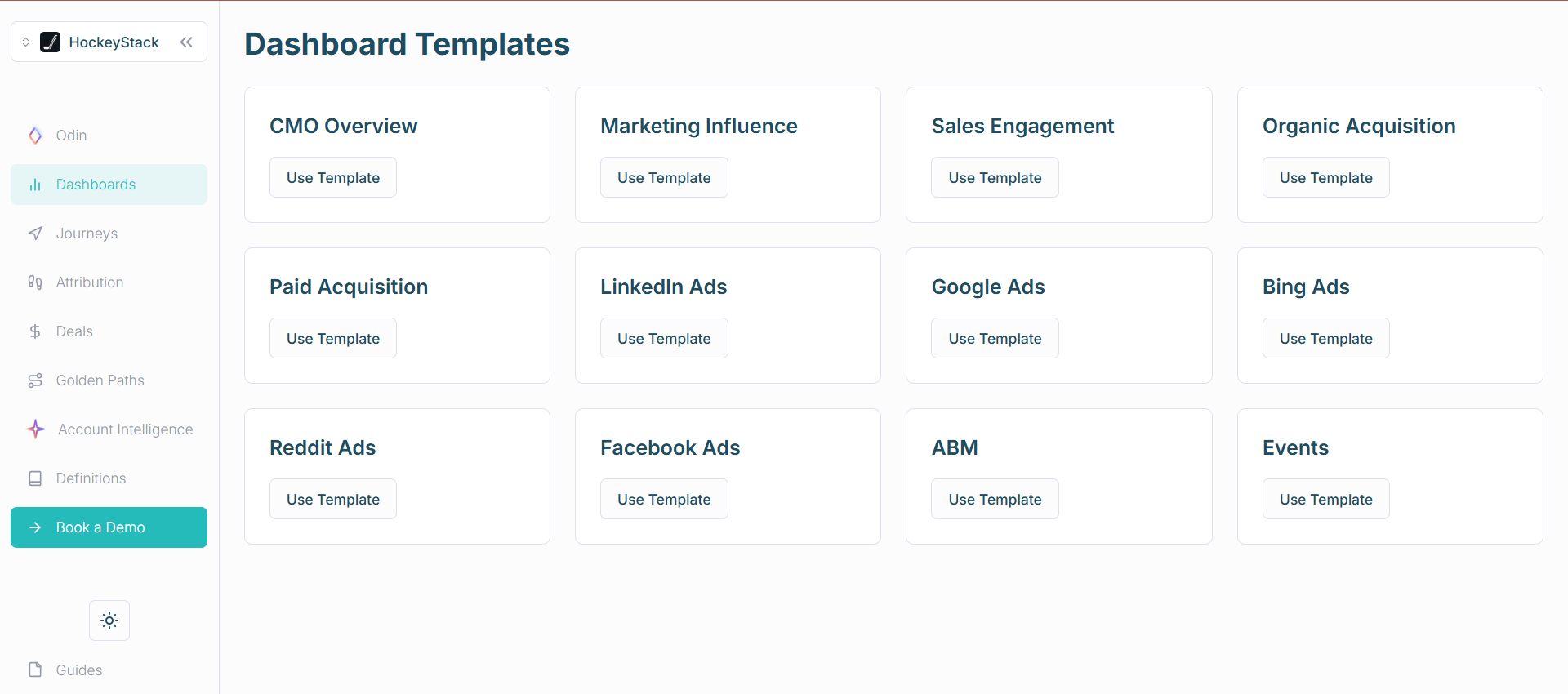
HockeyStack is a modern B2B analytics and attribution platform with deep integration with LinkedIn Ads. It also integrates marketing touchpoints on your site and CRM to draw out a complete customer journey, focusing on not only account-level but person-level journey tracking too.
Yes, HockeyStack almost passes our basic criteria:
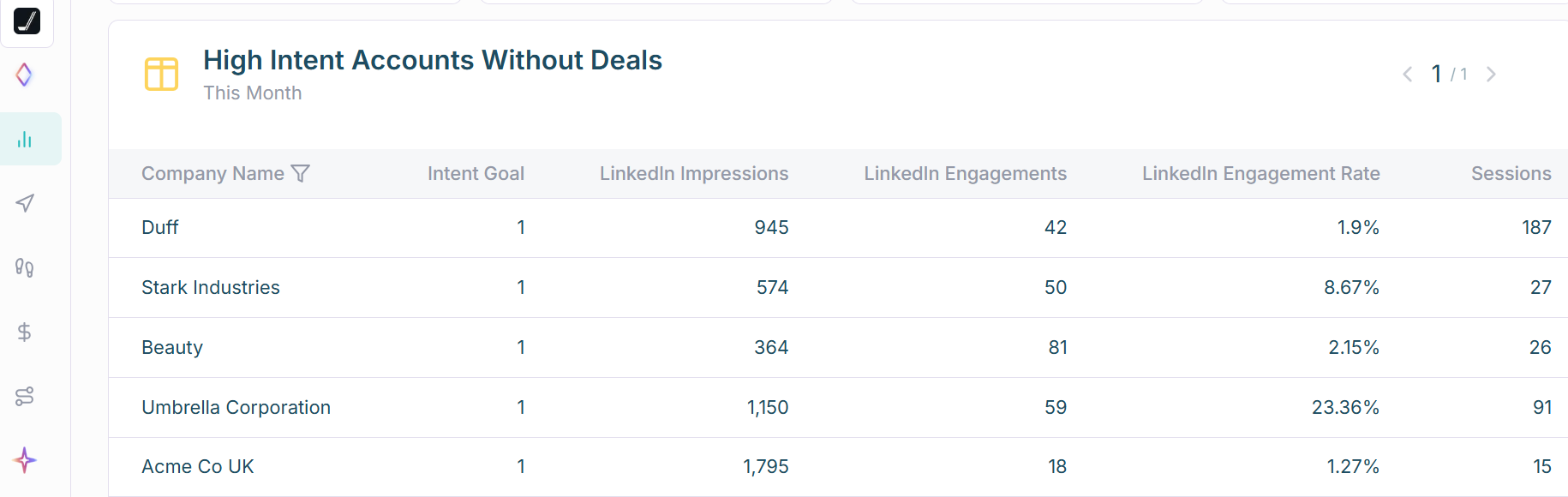
HockeyStack pulls first-party company-level impression data from LinkedIn’s official API, which means safe and true LinkedIn ad view-through attribution.
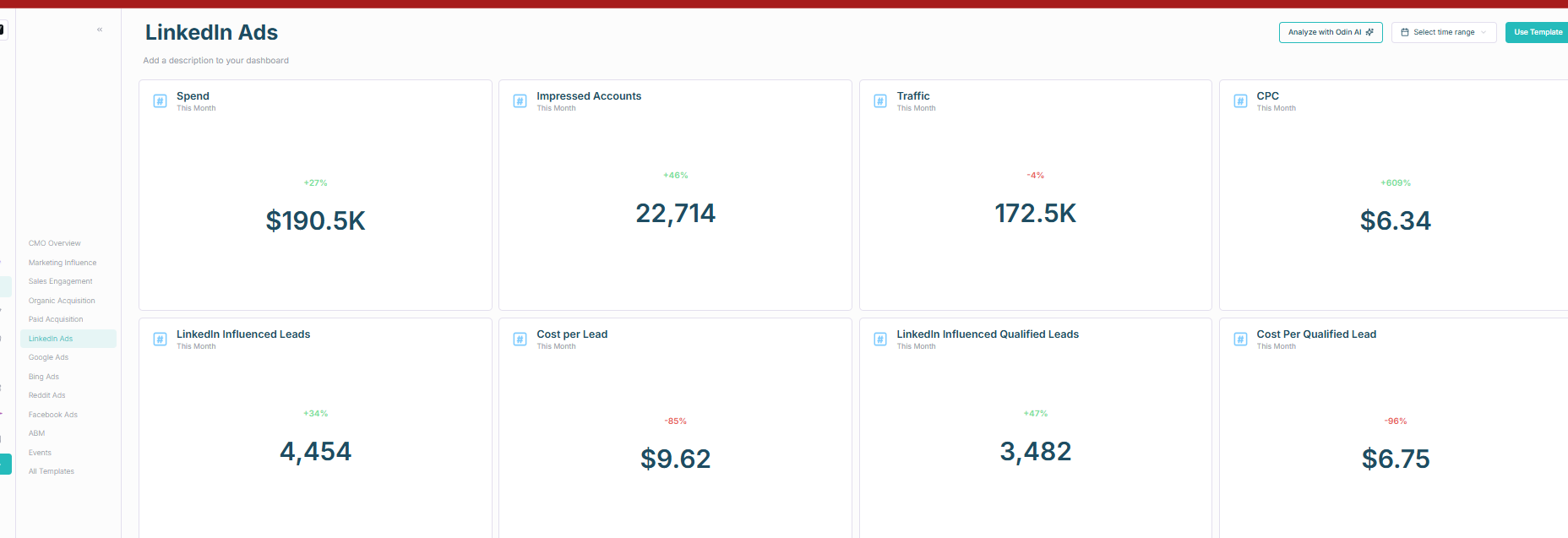
HockeyStack integrates with your CRM to pull deals data and match it with the accounts engaging with your LinkedIn ad campaigns, which helps you see the direct impact of each LinkedIn ad on your pipeline and revenue.
Note: HockeyStack now offers bi-directional CRM sync, but it is gated behind the ABM add-on tier (priced separately from the base Platform plan). On the base plan, the CRM integration is pull-only. A native workflow builder exists if you want to push data without the add-on:
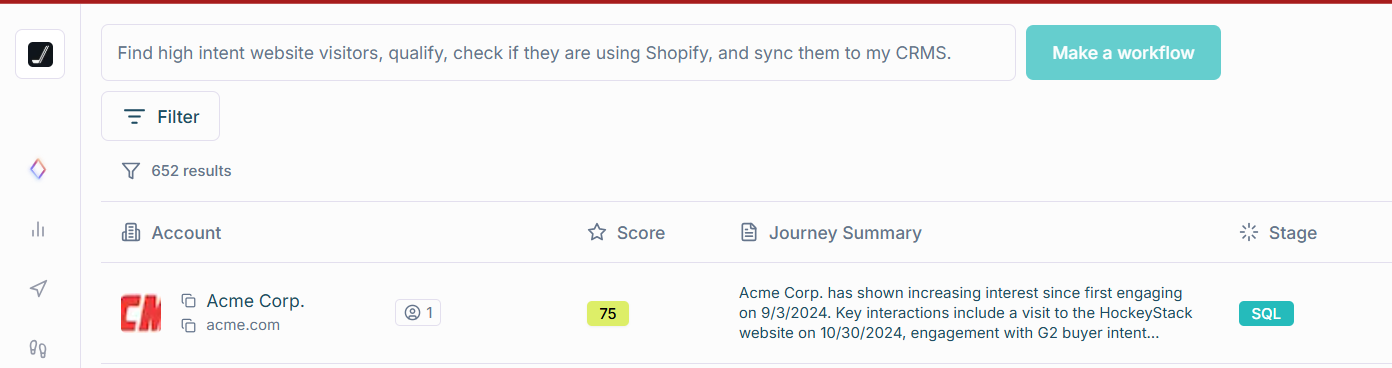
Additional notable features of HockeyStack:
HockeyStack excels at multi-channel and multi-touchpoint attribution with about 17 sources like G2 intent, reverse IP lookup-based website visitor deanonymization, form submissions, deals in CRM, sales calls, emails, LinkedIn ad impressions, and more:
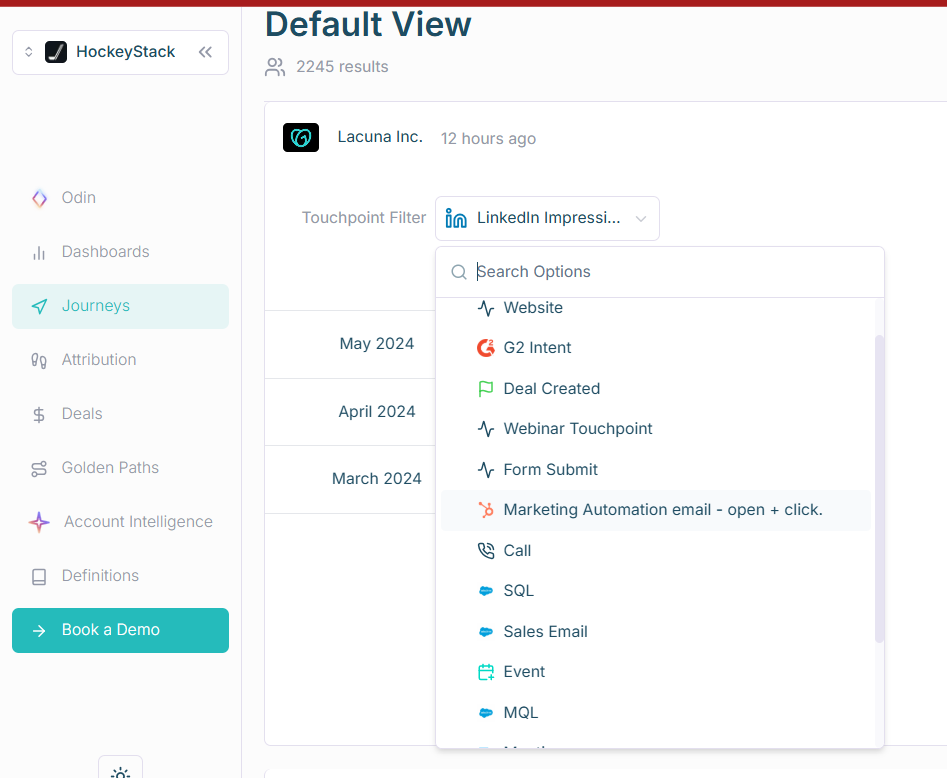
The tool dives deeper to give you not just account but person-level data, identifying and associating specific users with their companies and grouping them as part of the account. So you can see the influence on companies and also on individuals from the company and how they were influenced by different marketing channels:
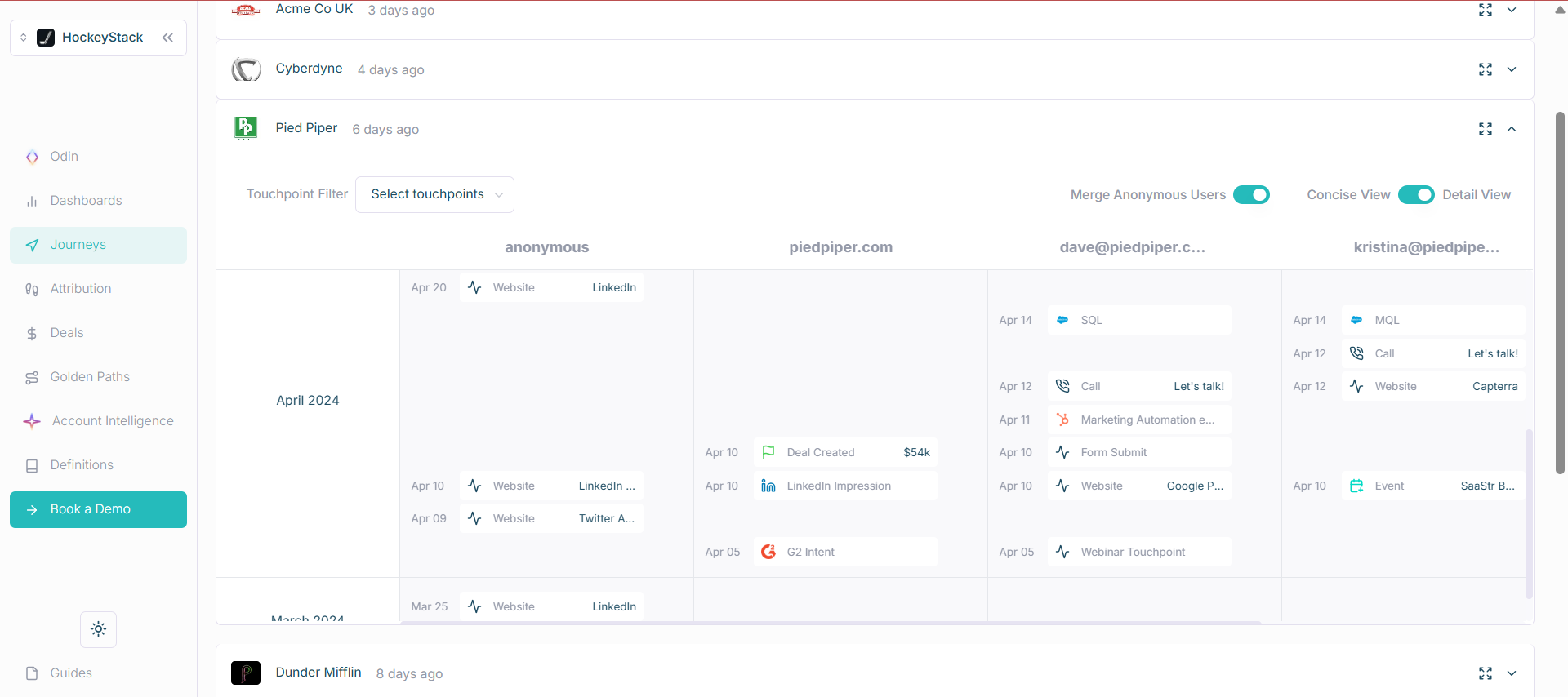
For instance, there is an anonymous entry in the screenshot above. That is a user who visited a website and their company was identified with HockeyStack’s reverse IP lookup technology (yes, this tech can be frequently inaccurate). Later, if the user fills a form on the site, they will be deanonymized.
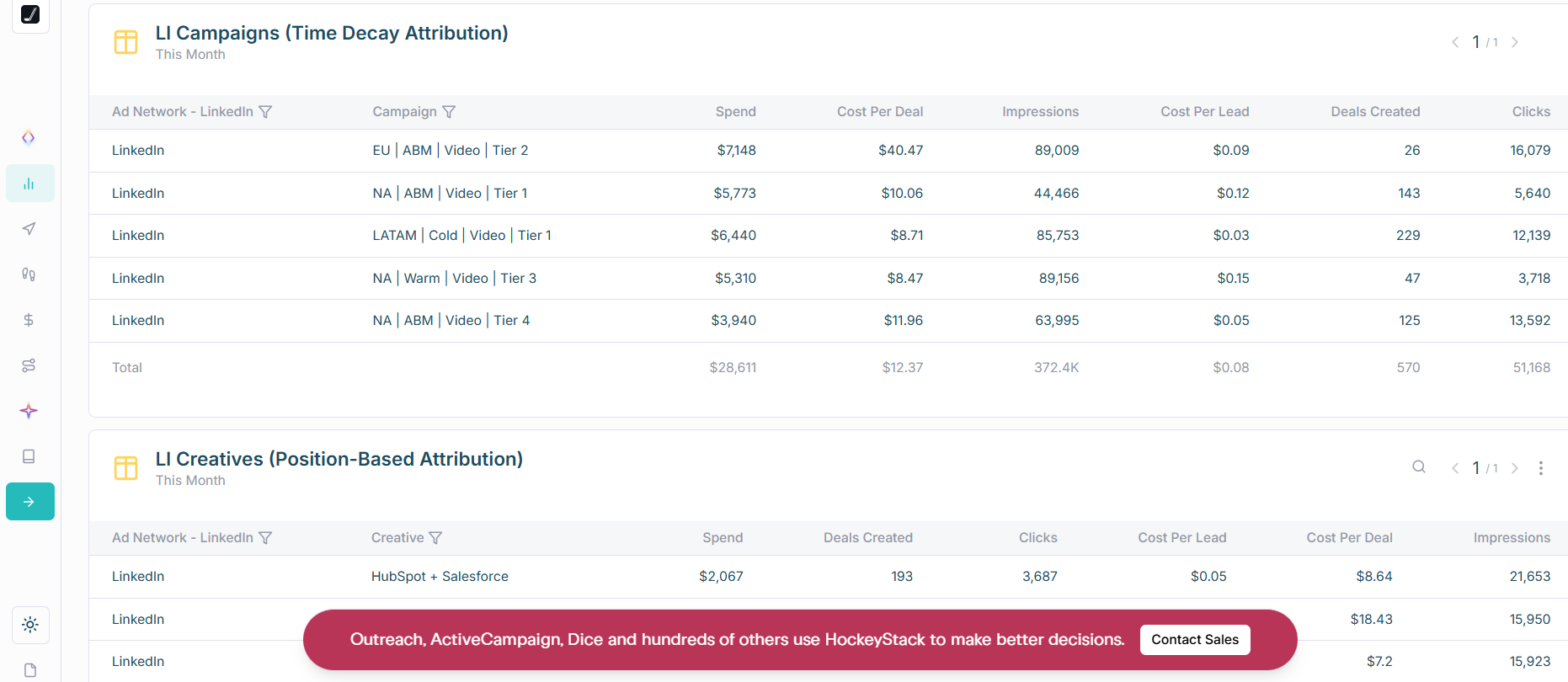
HockeyStack’s dedicated attribution dashboard helps you see attribution based on different models like time decay, position-based, etc., in one place:
HockeyStack helps you visualise your LinkedIn-influenced funnel:
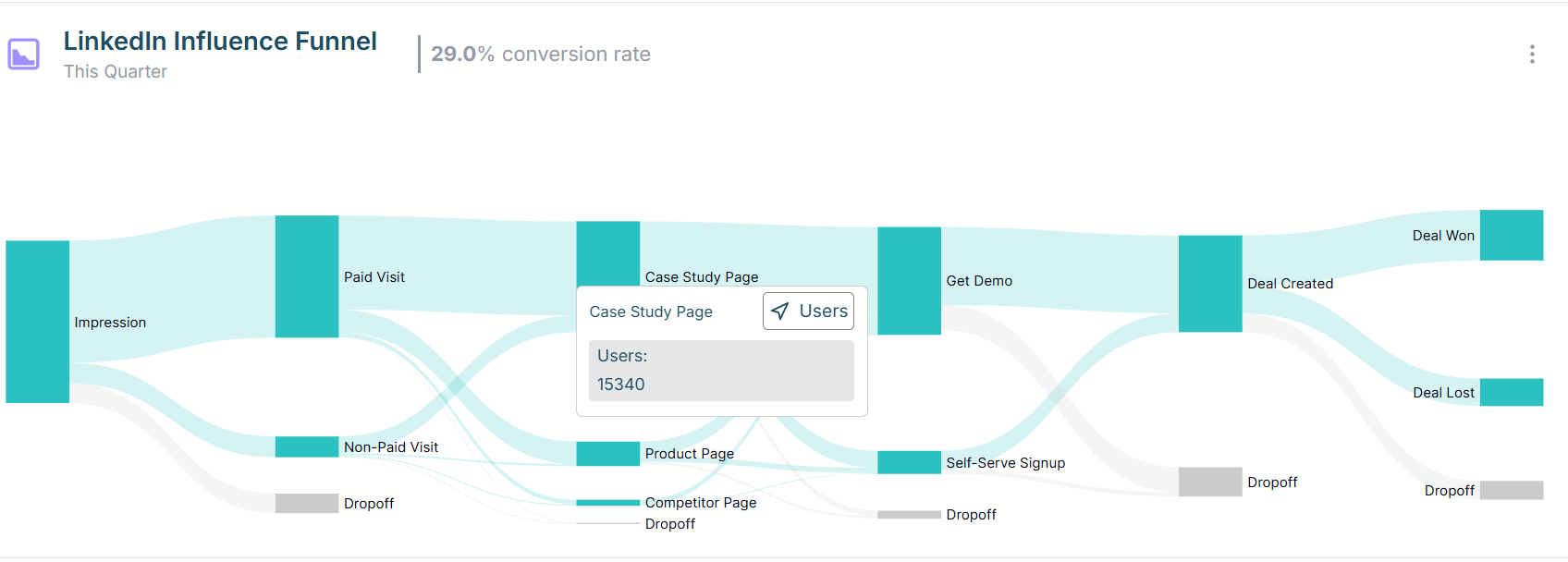
This visualisation helps you see how users/accounts move through your funnel, touching different marketing points and where they drop off.
HockeyStack’s golden paths help you compare the impact of LinkedIn ads with other channels with detailed impact scores and path visualisation:

HockeyStack’s bi-directional CRM sync requires the ABM add-on, which is priced separately from the base Platform plan (starting at $2,200/mo). Without the add-on, CRM integration is pull-only.
Although its person-level tracking may look promising, it is ultimately unreliable because it relies on cookies and reverse IP lookup technology.
Additionally, users on G2 have reported bugs, UI/UX issues, and have pointed out that the tool lacks out-of-the-box insights, which means you may need to build time-consuming custom reports. The tool is not easy to navigate for ABM attribution either, and you might require ongoing collaboration with HockeyStack’s team to fully utilise it.
Bottom Line: HockeyStack offers bi-directional CRM sync via its ABM add-on but the base platform is pull-only, and entry pricing starts at $2,200/mo. It is great at company-level impression tracking for LinkedIn ads along with attribution for 16 more channels, which helps you compare your LinkedIn ROI with others and understand the role and position of LinkedIn in your entire marketing funnel.
HockeyStack starts at $2,200/month for the base Platform plan, with ABM and Sales Intelligence available as separately priced add-ons. All plans are quote-based and require an annual contract. You can explore more on their pricing page.
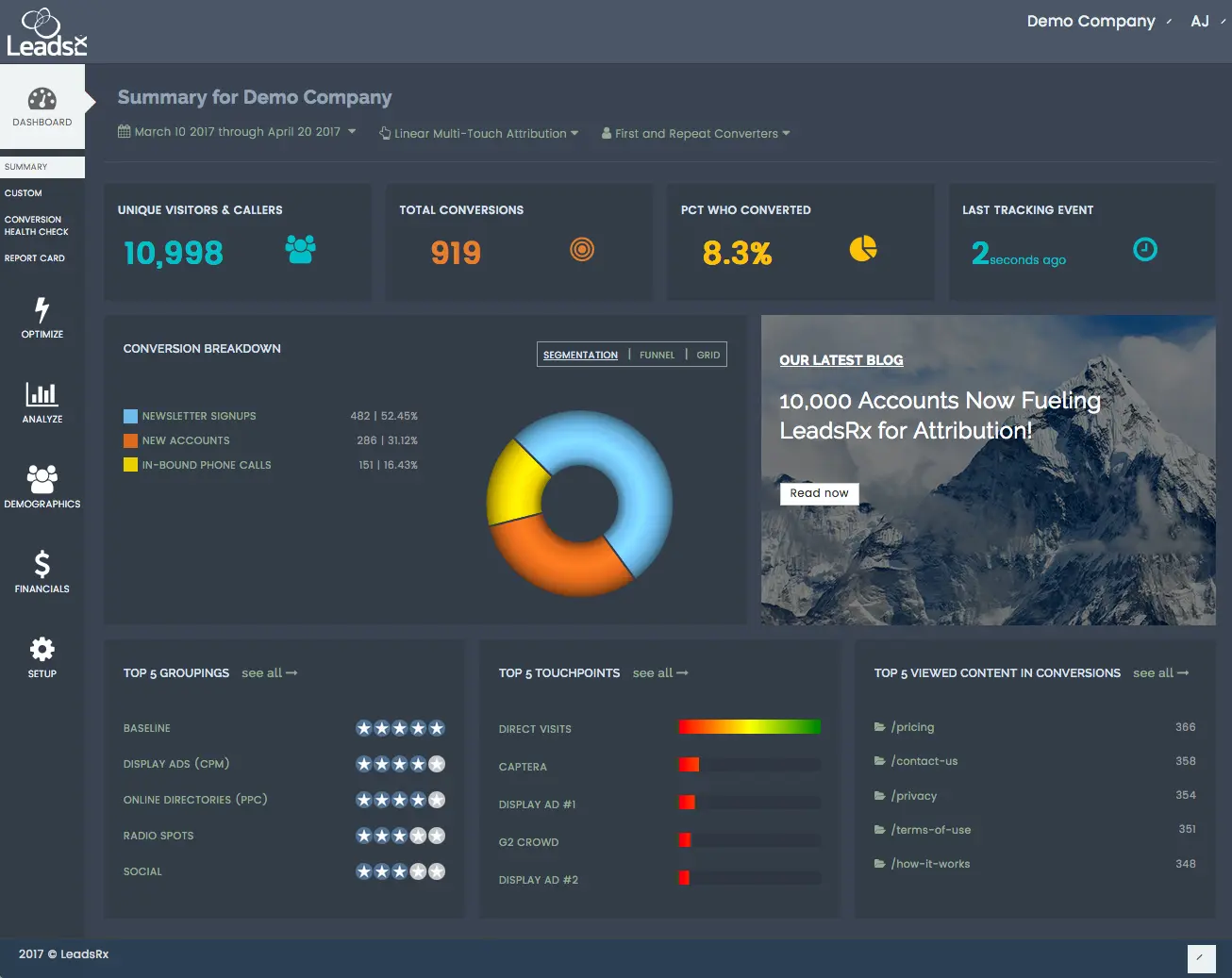
LeadsRx is a long-standing multi-touch and multichannel attribution platform known for tracking both online and offline channels with its “Universal Tracking Pixel.”
Yes, LeadsRX fulfils the basics but only partially:
For LinkedIn Ads, LeadsRx can attribute conversions even when there are no direct clicks, but it does not pull this data from LinkedIn’s official API. Instead, it works on pixels provided by LeadsRX: you configure a special tracking pixel URL in your LinkedIn ad (as an impression tracker), and when the ad is served, the pixel drops a cookie on that viewer’s browser. If that person later comes to the website (via any channel) and converts, LeadsRx matches it back to the earlier LinkedIn impression and assigns credit.
For LinkedIn lead gen forms (which do not hit your site), LeadsRx would track those only if you set up a webhook (not ready-made).
Regarding CRM integration, LeadsRX can be connected with HubSpot, Salesforce, Pipedrive, etc., and will import deals from your CRM to tie them to your account-based touchpoints for attribution. However, this is not plug-and-play. LeadsRx’s UI does not inherently present “company-level impression” reports; instead, it presents journeys per anonymous user, which you can roll up by account if your CRM or site identifies them.
Conclusively, LeadsRX does not fulfil our prerequisites in the best way because its impression tracking depends on cookies rather than LinkedIn’s API, and its company-level identification is not inherent since anonymous users must be identified with companies using data from your CRM and form fills.
LeadsRx is superb for conversion attribution when you are running ads and organic marketing campaigns on too many channels:
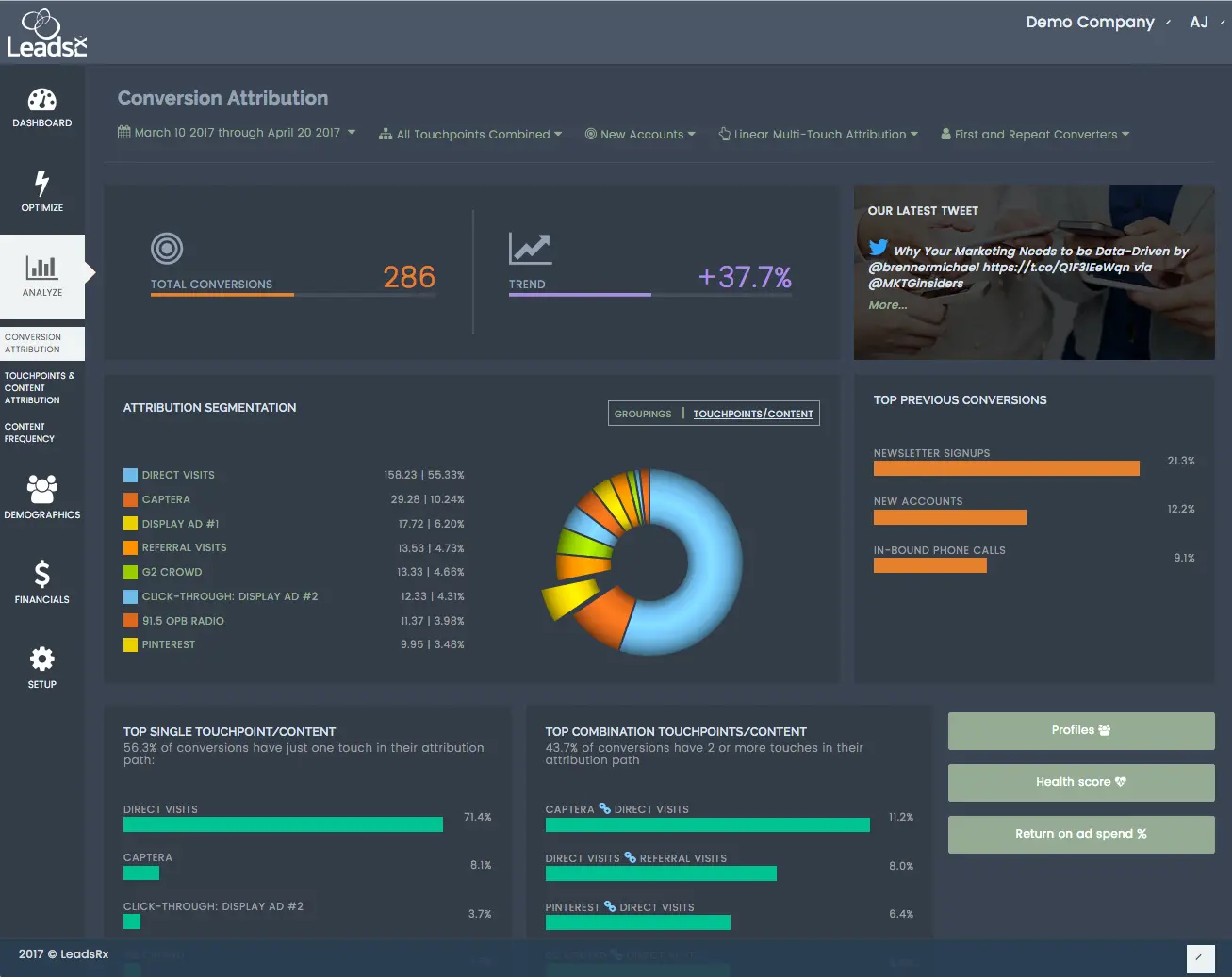
You just have to use their proprietary “Universal Pixel” and you will be able to track not just Google or LinkedIn ads but your radio ads, podcast attribution, event attribution, and more.
Another strength is user-journey mapping:
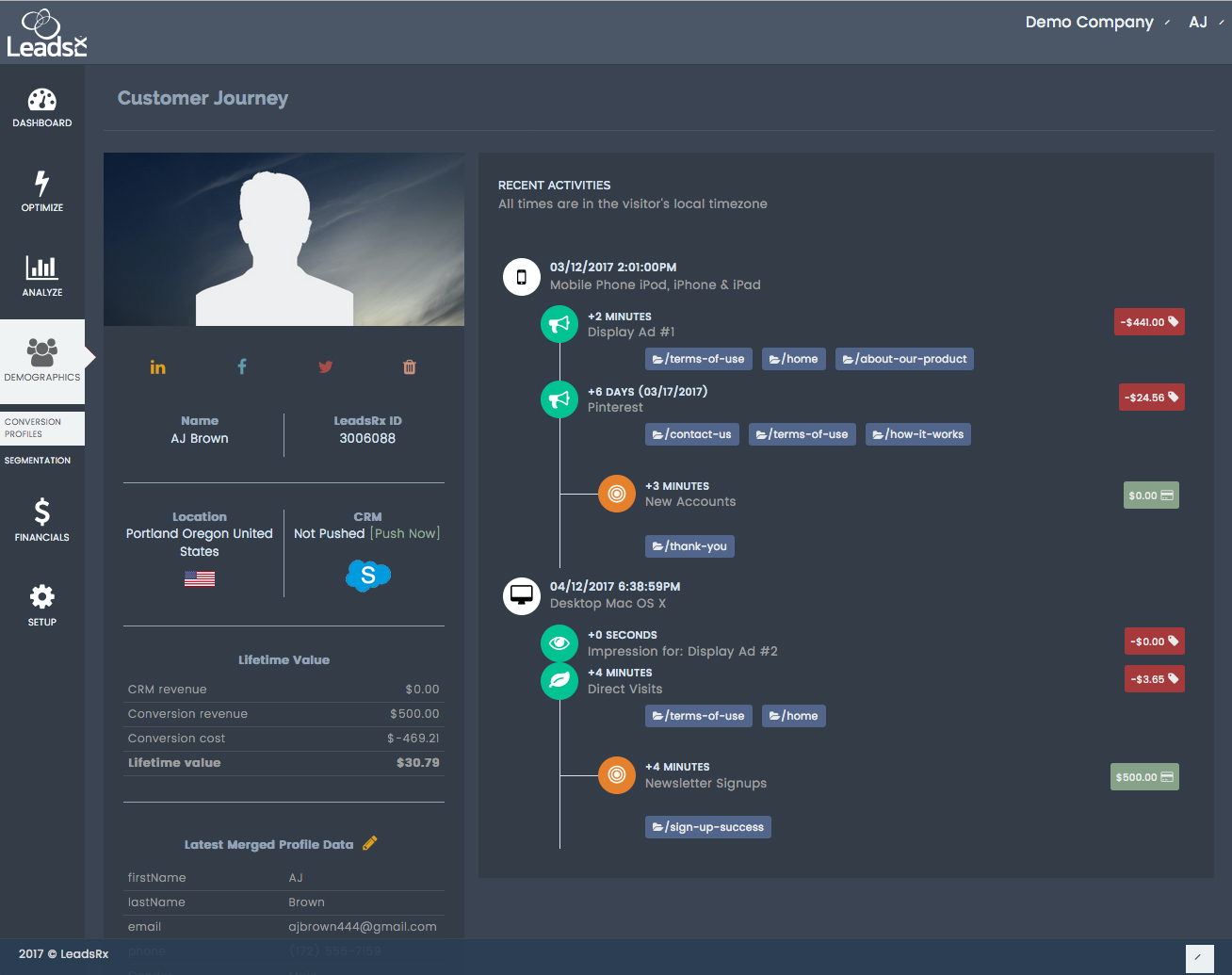
With journey mapping, LeadsRx truly utilises multi-touchpoint and multichannel attribution by drawing out what the user did in a timeline: you can see how your user first saw an ad, then attended a webinar, then heard a radio ad, then came to your site and finally converted.
If you are running ads on too many platforms and need a comprehensive ROAS calculation dashboard:
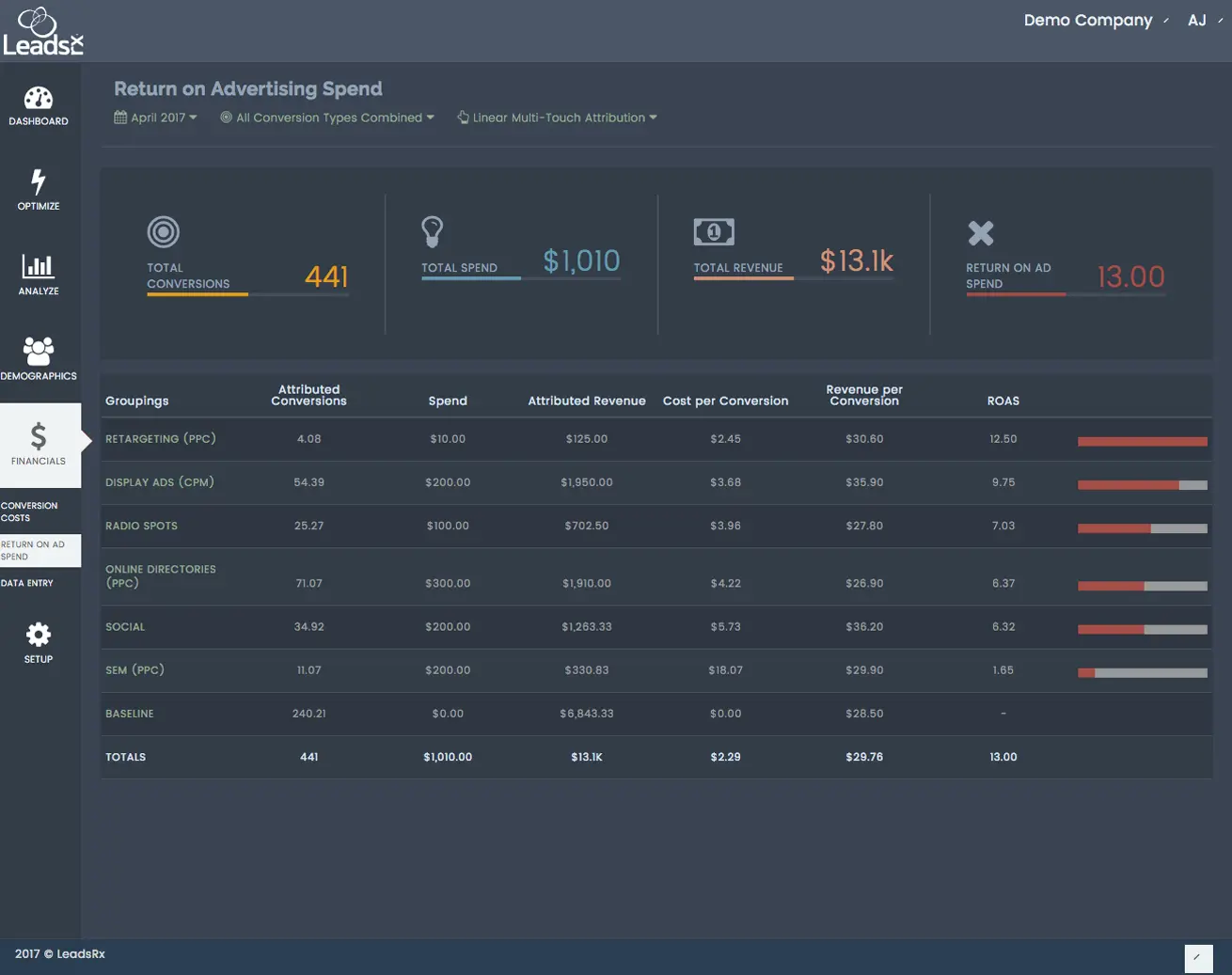
Bottom Line: LeadsRX is a giant hub of multi-channel and multi-touchpoint attribution, but if you intend to run comprehensive ABM with a laser focus on LinkedIn ads, its attribution dependence on cookies (rather than official LinkedIn API) and lack of plug-and-play company-level reporting make it inadequate.
LeadsRx is a sales-led business, and you will have to contact their sales reps for a quote.
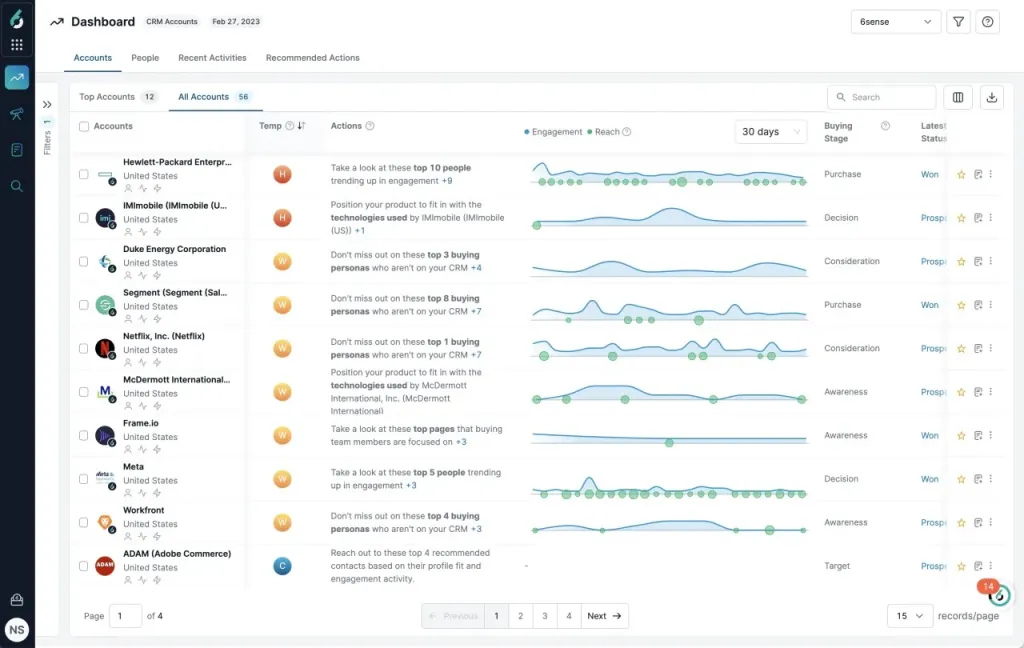
6Sense’s Revenue AI platform is known for its account identification, intent data, and predictive analytics. Historically, 6Sense mainly relied on its patented web visitor deanonymization technology called 6Graph, but in 2023 6Sense launched a tight integration with LinkedIn ads.
No, 6Sense does not fulfil all the prerequisites:
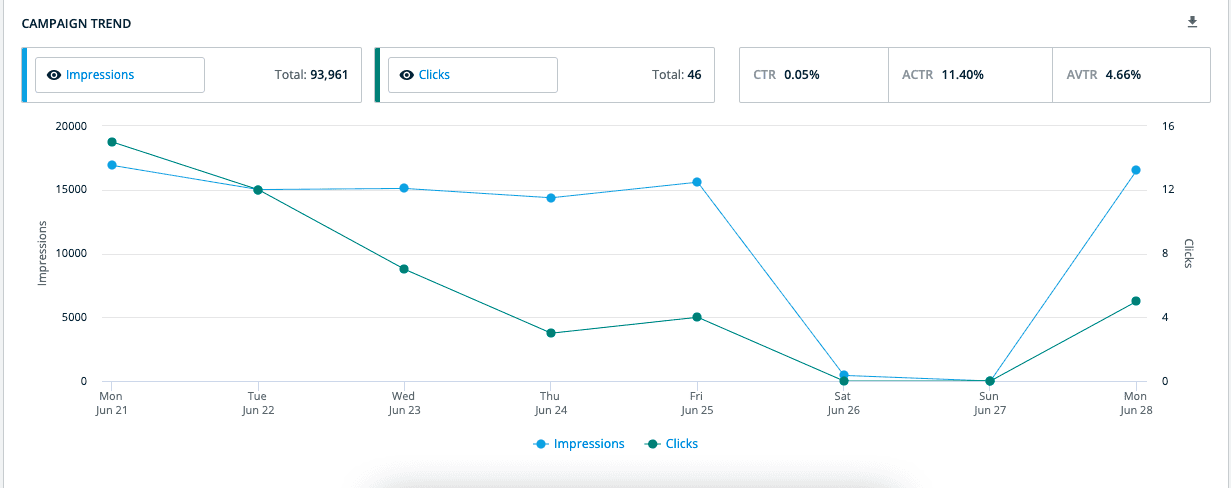 Account-level impression tracking is not available. For LinkedIn ads attribution, a click on the ad is necessary so that the lead visits your site and gets deanonymized by 6Sense web pixel.
Here are some features 6Sense boasts related to ads:
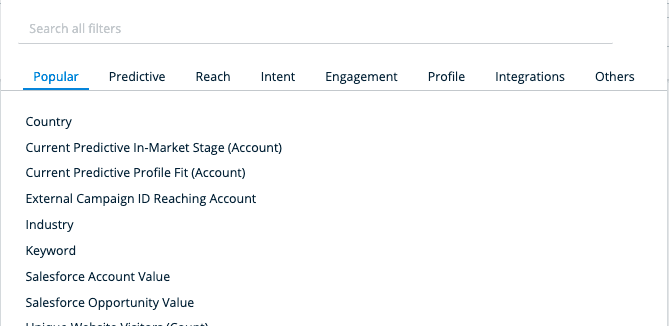
You can only do basic segmentation like job level, seniority level, geographic level, etc. in LinkedIn Campaign Manager, but with 6Sense you can choose a variety of filters to create perfectly segmented audiences and run specific LinkedIn ad campaigns for specific audiences controlled natively from 6Sense.
For instance, you can create a segment based on accounts in a specific country that are in a specific buying stage with a minimum Salesforce account value.
If your ads are displayed close to relevant organic content, the chances that the viewer will click or at least engage with the ad increase manifold, and you can do that with 6Sense by choosing specific keywords:
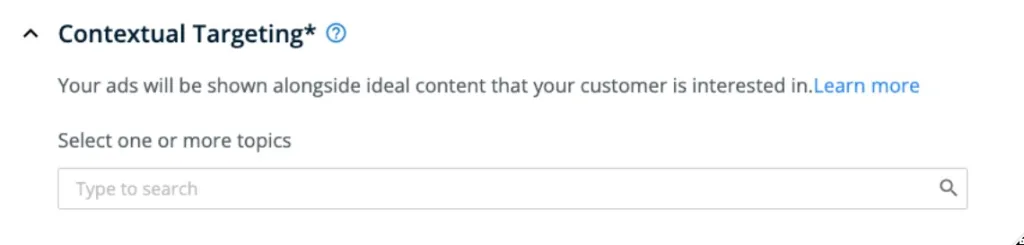
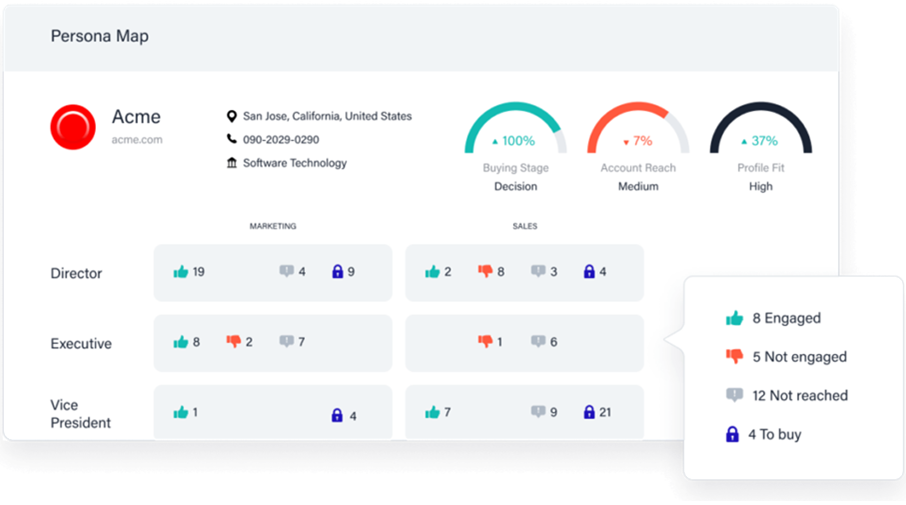
With 6Sense, you can drill down into your account-level impact to see exactly which job roles have been covered via your marketing efforts.
Apart from a lack of company-level LinkedIn ad impression tracking, users have reported these minor flaws:
Bottom Line: 6Sense is an end-to-end ABM tool for running display ads, but it cannot help you attribute results to each specific LinkedIn ad. Its attribution is more click-based and insufficient if you prefer a view-through attribution model.
6Sense has not revealed its pricing publicly, and you will have to contact their sales reps for a quote.
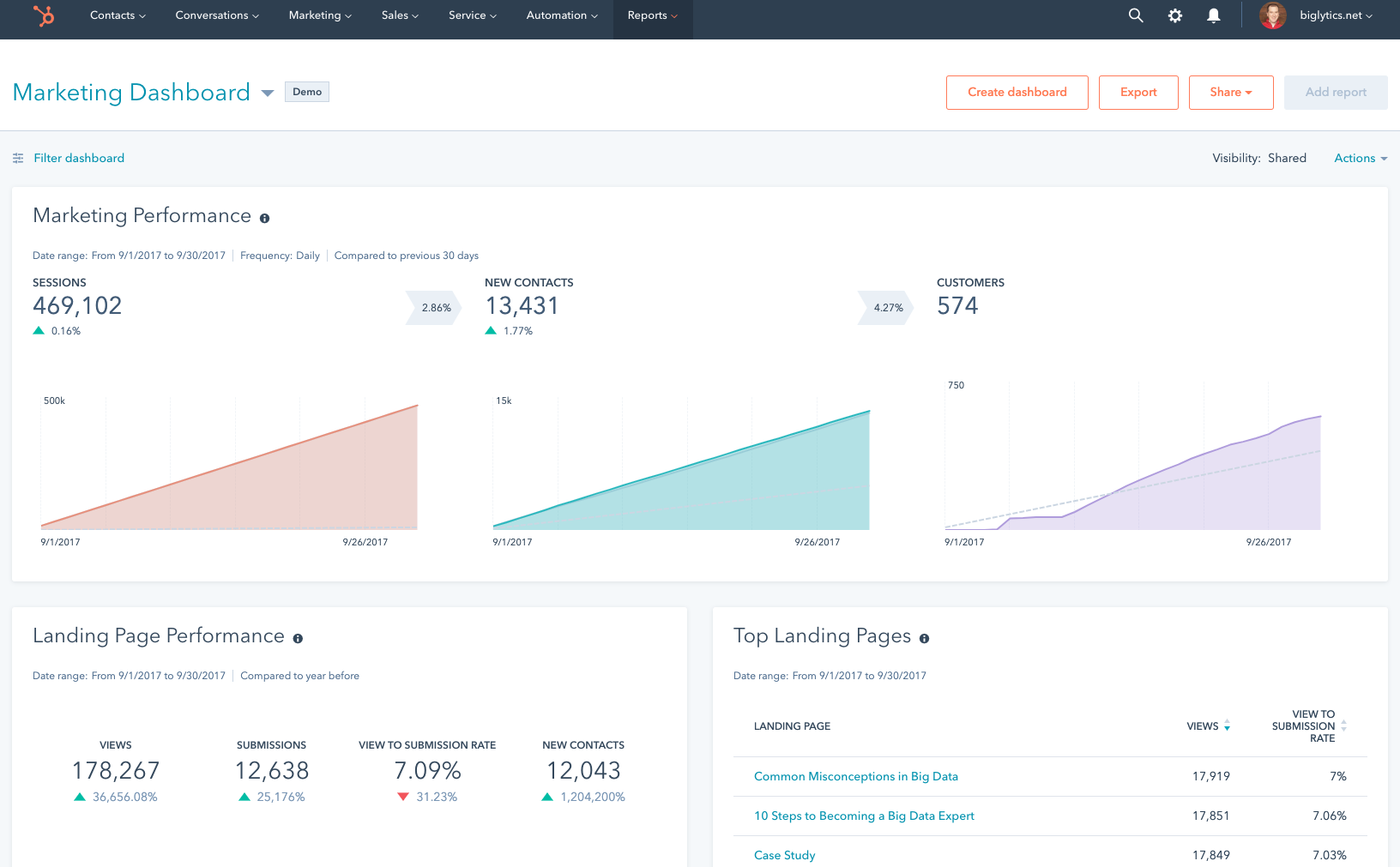
HubSpot is a very popular CRM and MAP with different capabilities available in its different tiers of subscription. It has a dedicated module for marketing attribution called “HubSpot Marketing Attribution” which can be utilized for LinkedIn ad attribution by integrating HubSpot with your LinkedIn ads account.
If you want to learn how to push LinkedIn ads data into HubSpot, check our LinkedIn ads HubSpot Integration guide.
No, it misses our basic criteria:
If you do not need company-level impression tracking or view-through attribution, and you are fine with tracking attribution at the contact level through clicks, HubSpot is perfect because it combines CRM and attribution in one convenient tool.
For example, HubSpot can connect LinkedIn ad clicks directly to your contacts, and you can then link those contacts to revenue from deals and create a “revenue attribution” report. This makes it easy to see exactly how each LinkedIn ad click contributes to your revenue, all within HubSpot.
Regarding attribution models, you can choose from First Touch, Last Touch, Last Non-Direct Touch, Linear, U-Shaped, W-Shaped, and Time Decay models, toggling between them to see how credit for conversions or revenue would be split:
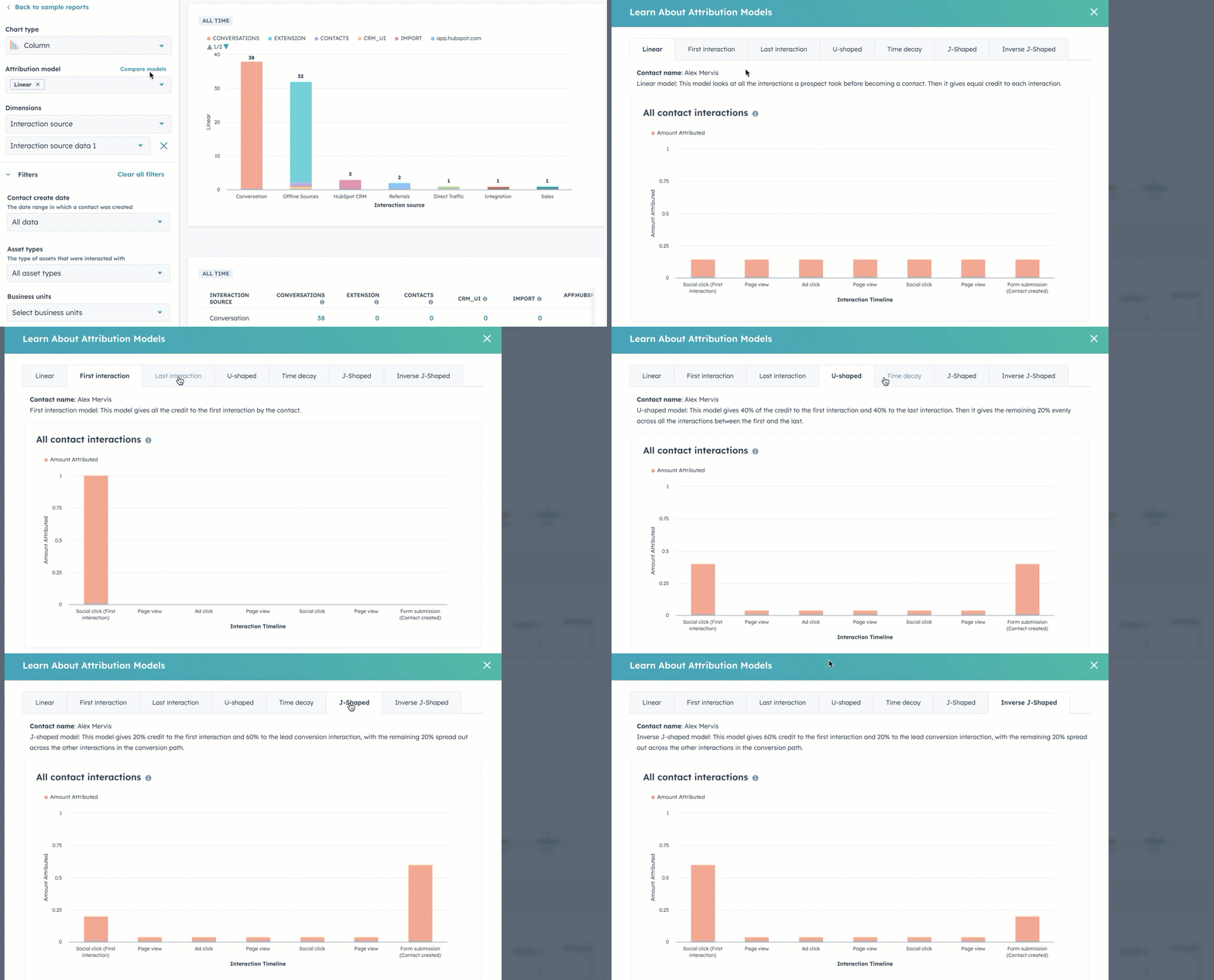
Apart from lacking impression tracking, experts have also pointed out another limitation: HubSpot does not allow custom weightings or algorithmic models, as the options are fixed. Users often find this adequate but not deeply customizable, since you cannot change the U-shaped percentages or include custom “milestone” definitions. Similar dissatisfaction was reported by Devyani, a marketer on LearnG2.com:
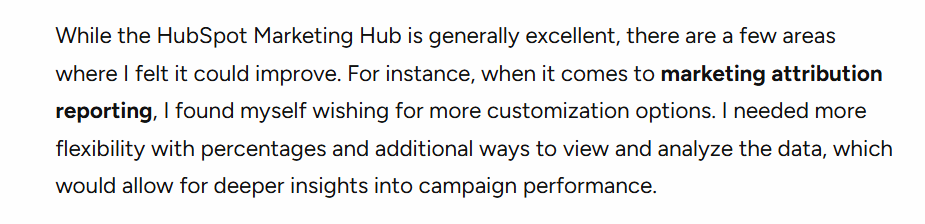
Also, HubSpot only tracks certain ad types due to API limitations, which means LinkedIn Message Ads and Document Ads are not trackable for contact attribution.
Bottom Line: HubSpot can be your perfect CRM and MAP kit, but for laser-focused, impression-based LinkedIn ad attribution, it is simply not enough.
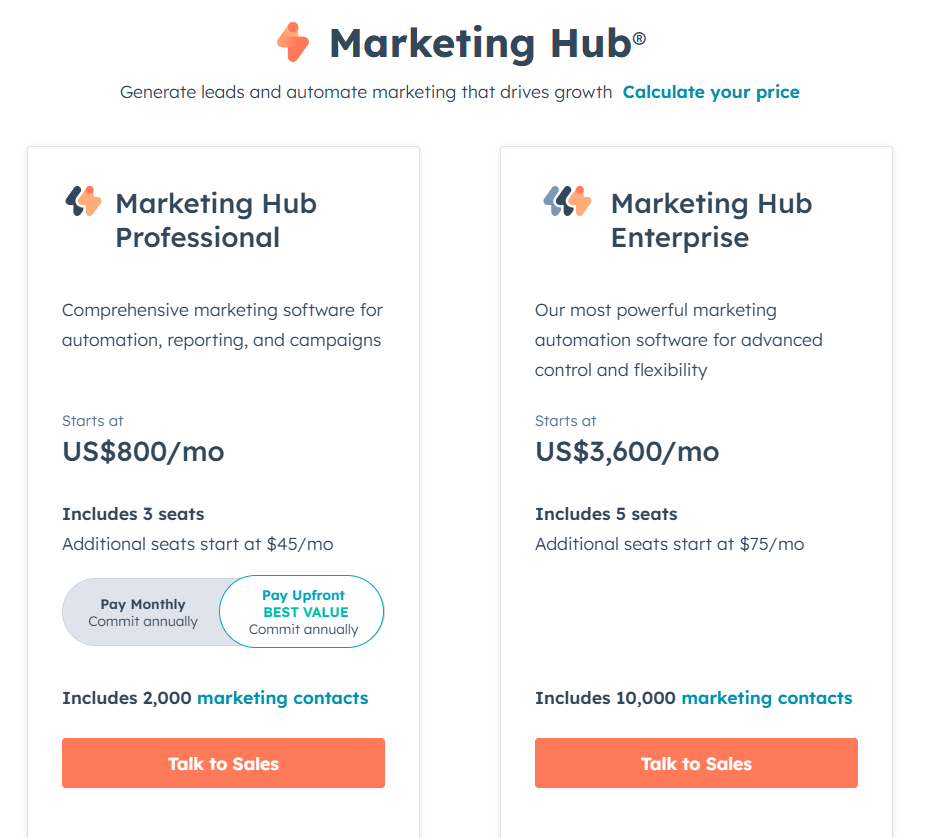
HubSpot LinkedIn Ads attribution feature is available in only two packages:
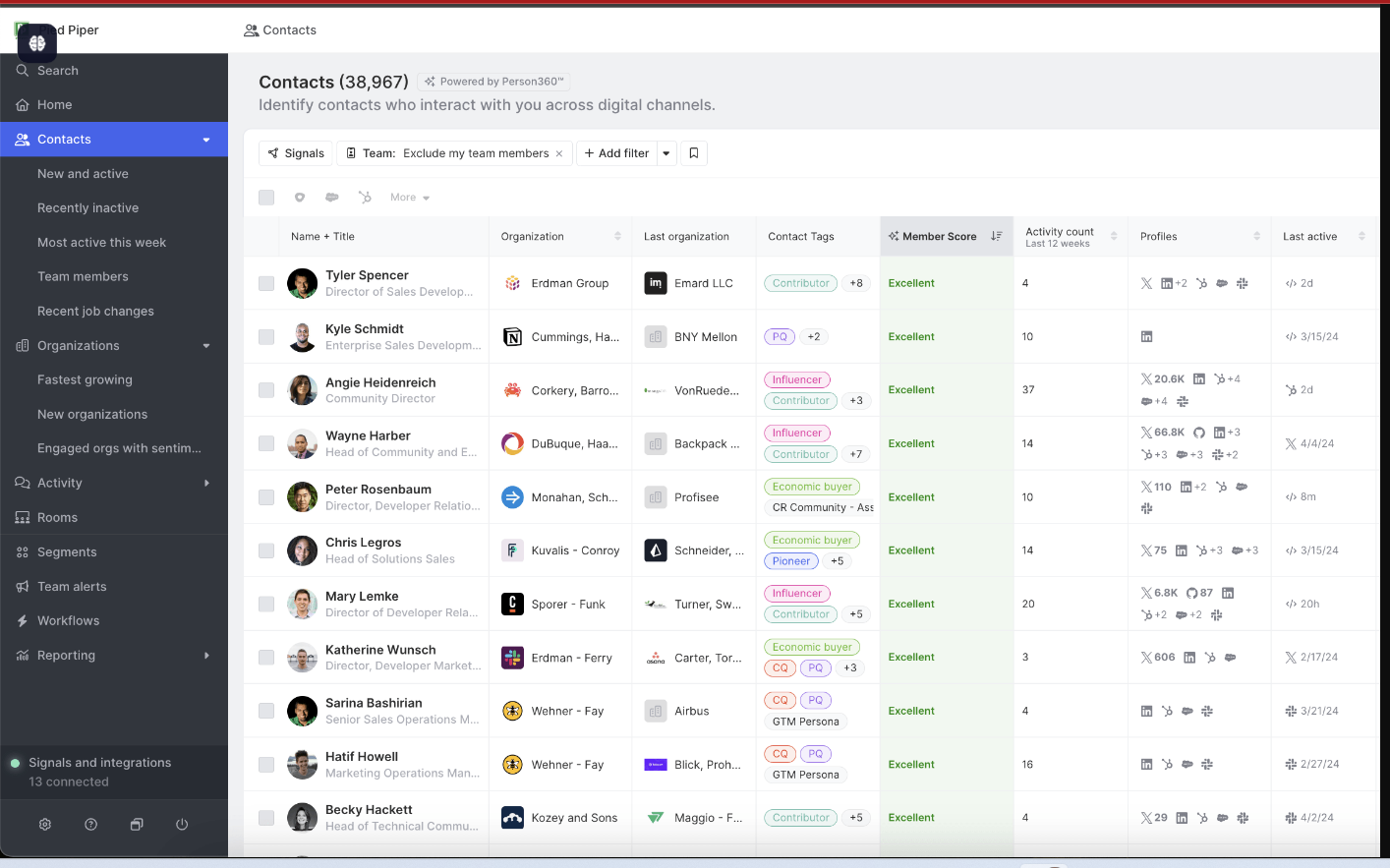
CommonRoom is not like traditional ABM tools that focus on ad clicks and site visits; it is a community intelligence and customer engagement tool that specializes in aggregating signals from community forums, social media (including LinkedIn), and product usage to identify and nurture prospects.
No!
CommonRoom helps with LinkedIn ad attribution a bit differently:
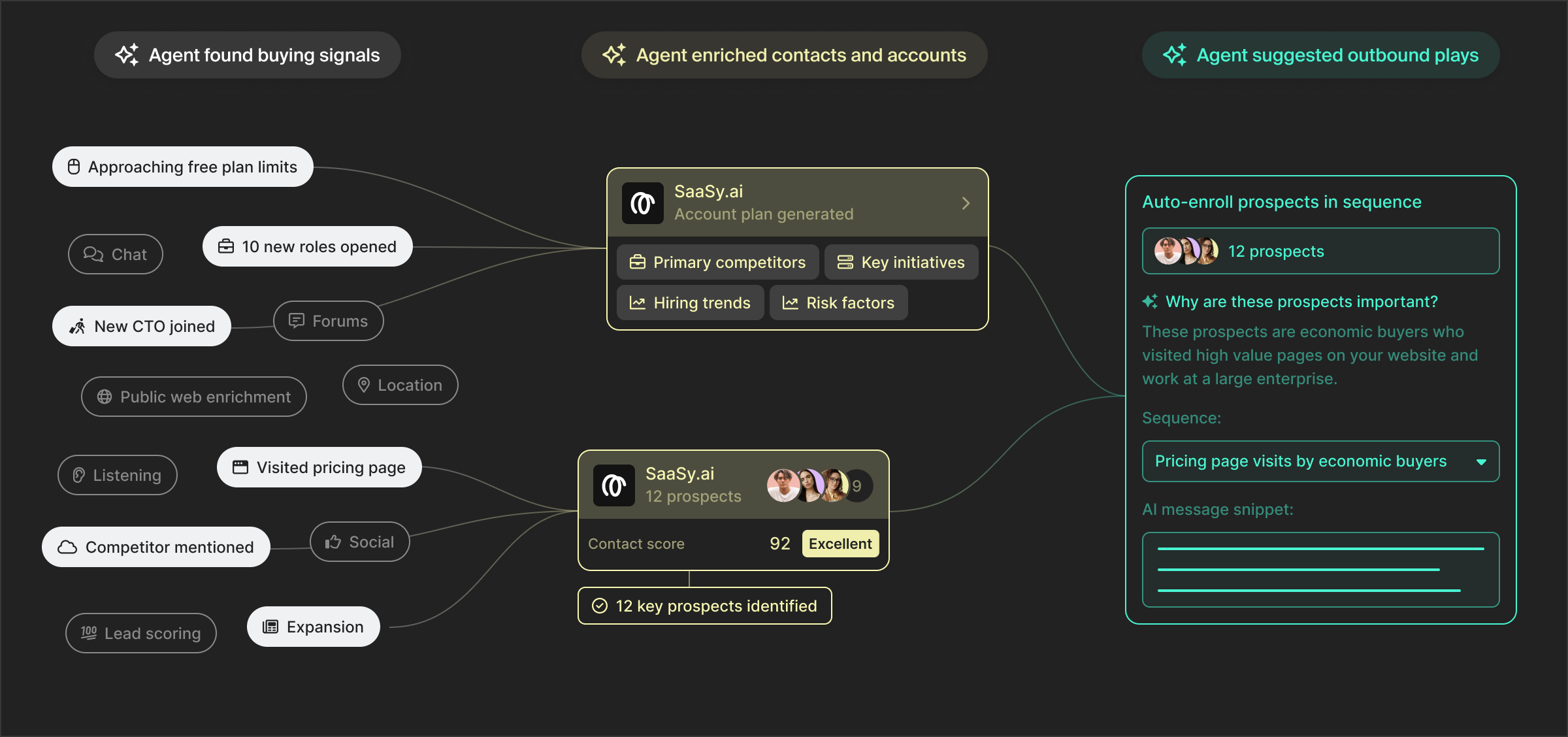
CommonRoom, apart from LinkedIn user-generated engagement, also reports on website visitors who join your public community like on Slack. For instance, you might find an account that never clicked an ad but has 5 members active in your community; CommonRoom flags that as a hot account to Sales.
Also, RoomieAI, CommonRoom’s community AI bot, can answer questions about your community data. For example, you could ask if a certain LinkedIn post correlated with signups that week, which is a form of ad impact analysis.
CommonRoom helps you collect more firmographic data by enriching signup info and providing details on who is signing up, turning just an email into a full profile with the company and role. This enrichment can connect an anonymous LinkedIn ad click (if it leads to a signup with just an email) to a known company, aiding attribution.
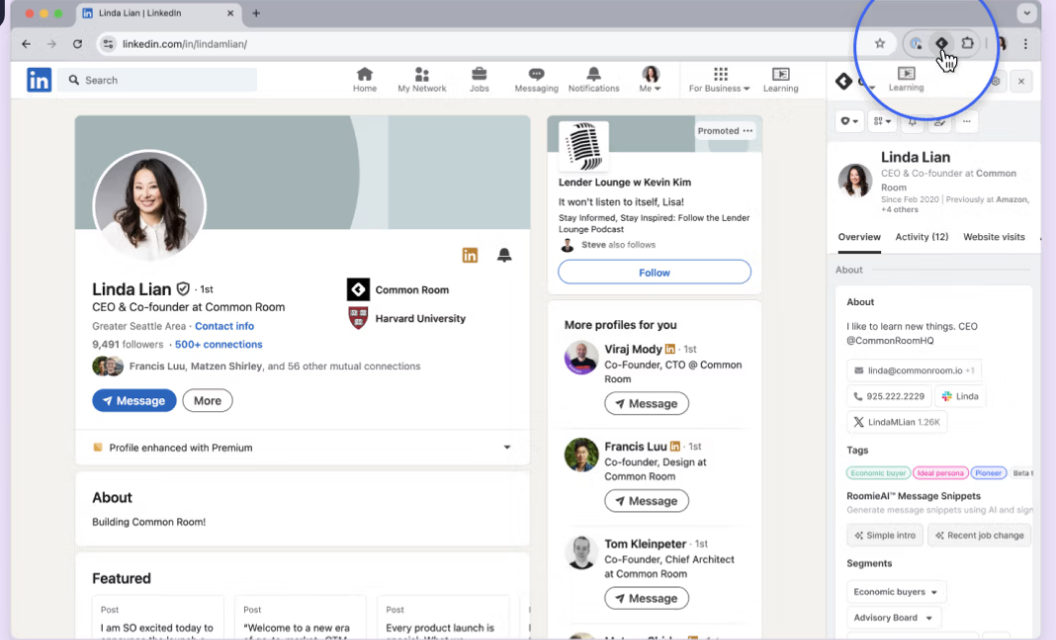
With CommonRoom’s Chrome extension, you can add and enrich contacts in your lists in CommonRoom in one click while casually surfing on LinkedIn.
Apart from the lack of LinkedIn ads company-level impression tracking and traditional ABM functionalities, users have reported these issues:
Bottom Line: CommonRoom is great at integrating with your CRM to give you contact and company-level engagement details from your LinkedIn ads and community forums, but impressions (the very basis of ABM) are not accounted for by CommonRoom.
Common Room’s pricing starts at $999/month (billed annually) for the Starter plan, which includes up to 35,000 contacts, 2 user seats, select integrations, and unlimited workflows, segments, and alerts, plus a 14-day free trial.
The Team plan ($1,999/month) helps scale to 100,000 contacts and 3 seats, with similar features and trial access.
For larger organizations, the Enterprise plan offers custom pricing, includes 200,000+ contacts, up to 10 seats, full integration access, unlimited everything, and dedicated support.
All tiers are designed for signal-rich, GTM-focused teams, but keep in mind they are billed annually, so this is not for casual experimentation.
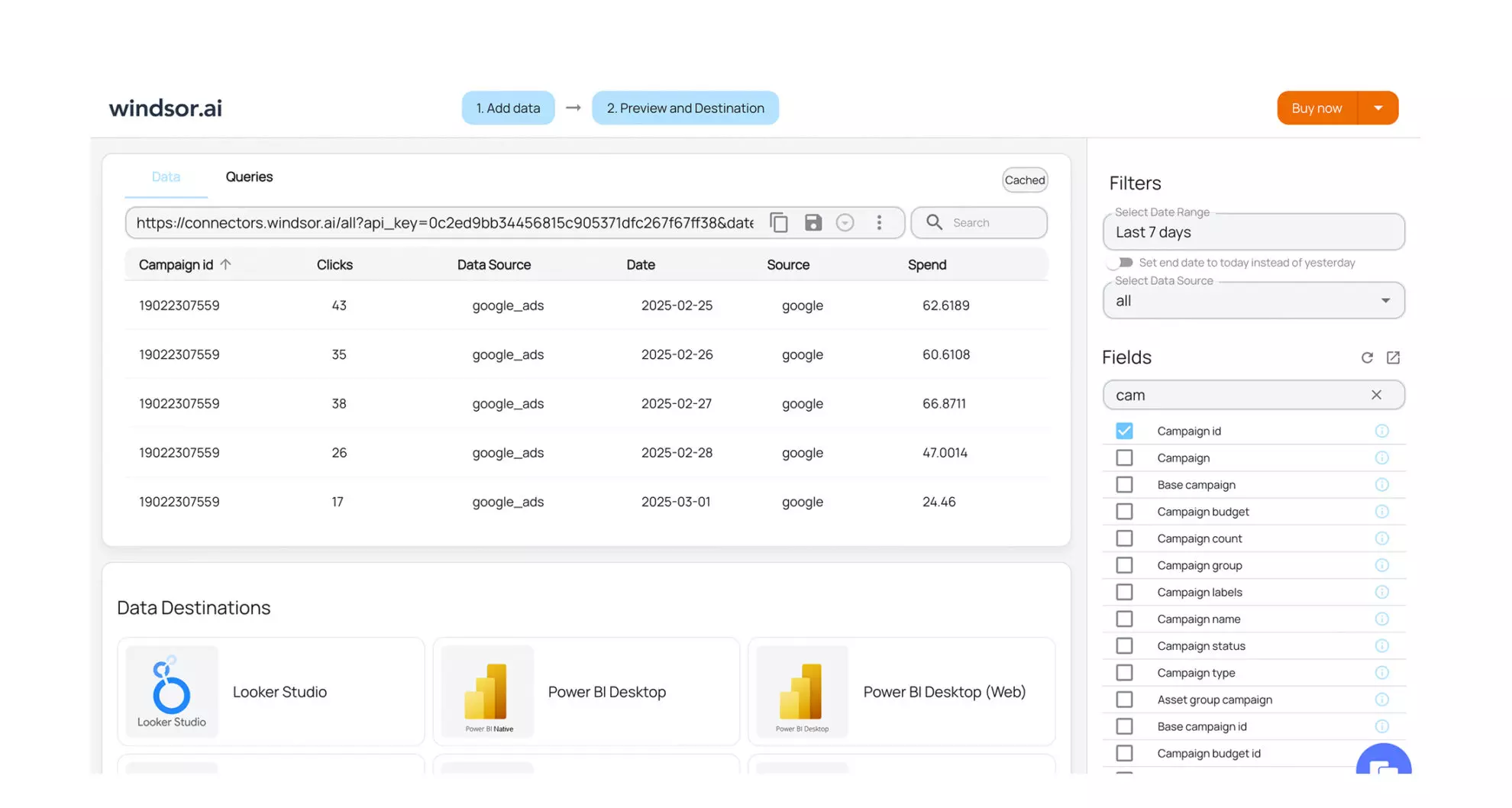
Windsor.ai is a broad marketing attribution platform that can include LinkedIn Ads as one of 300+ data sources (CRM, ad platforms, social media, MAPs, etc.). It is basically a hub where you can connect all your CRMs, ad platforms, and data providers to centralise your data for better visualisation and analysis.
No!
Windsor.ai is not a LinkedIn ads attribution tool if you really want to know exactly which ad contributed what to your pipeline and revenue. You cannot run ABM on LinkedIn with Windsor.ai. Instead, it offers broad attribution features (300+ sources) that make it suitable for businesses that want to answer, “I just want to know if LinkedIn ads have made a difference overall.”
Users praise Windsor.ai for:
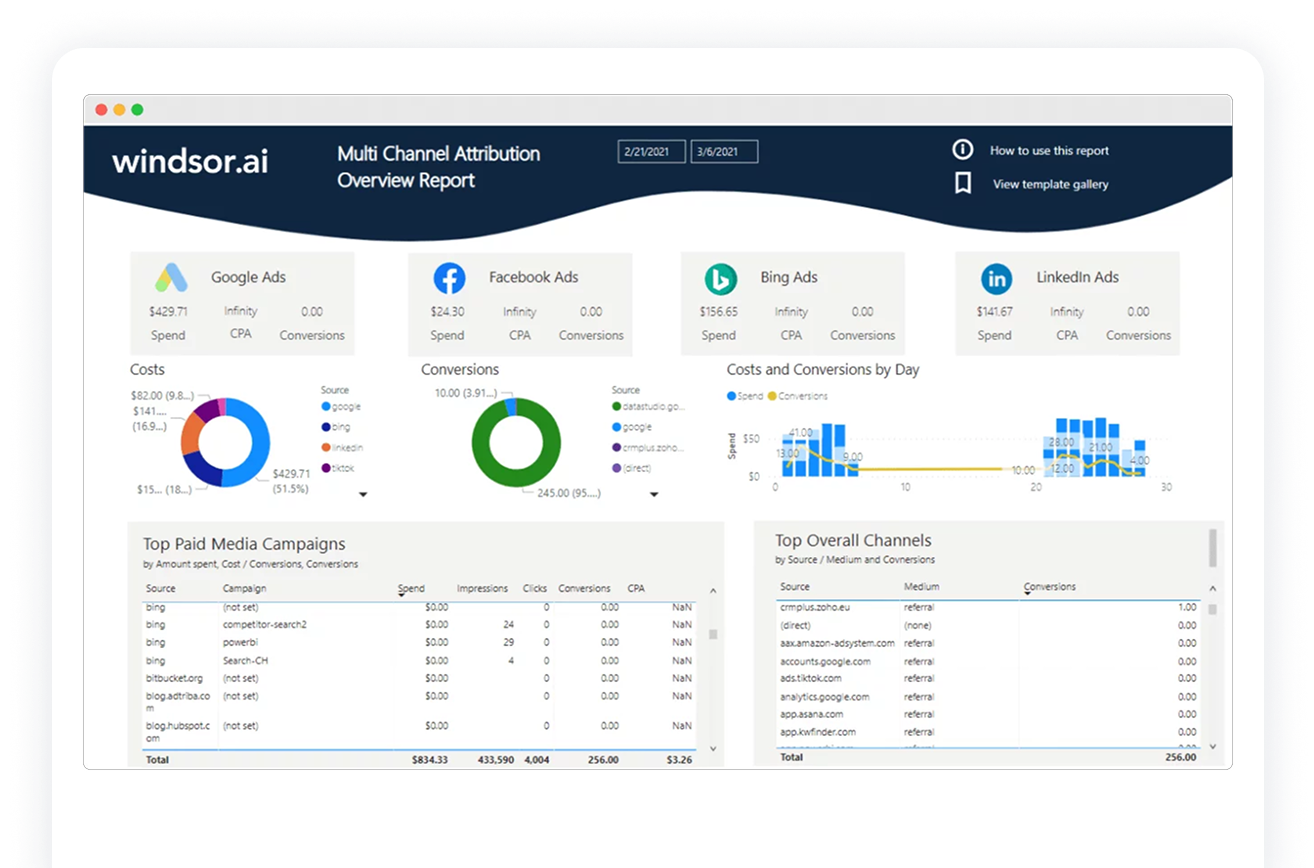
Bottom Line: Windsor.ai is more of a data-analysis solution and not a convenient, plug-and-play LinkedIn ad attribution tool.
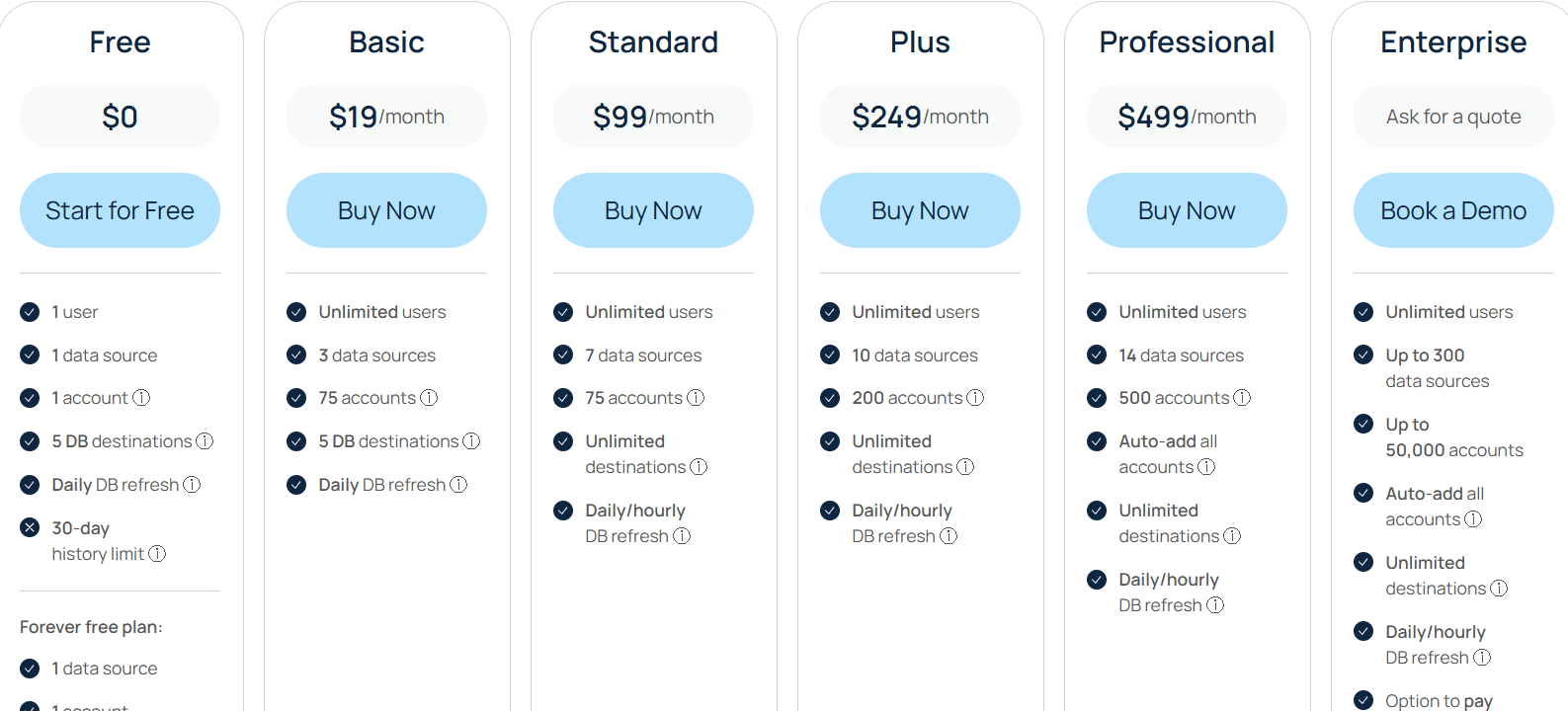
Windsor.ai pricing starts with a Free tier (1 user, 1 data source, 30-day history), ideal for basic testing. The Basic plan ($19/month) upgrades to 3 sources and 75 accounts. The popular Standard ($99/month) and Plus ($249/month) plans increase sources and accounts and offer hourly data refreshes. The Professional plan ($499/month) includes extensive sources (14) and 500 accounts. Finally, the Enterprise plan provides fully customizable features, extensive sources (up to 300), and premium support meant for large businesses.
Tools like Demandbase, HockeyStack, Terminus, and Factors.ai are great if you have a large budget, the time to learn a feature-heavy platform, and the actual need for all those features.
LeadsRx does not pull company-level impression data from LinkedIn’s API and relies on its own pixel (which depends on cookies).
HubSpot Attribution also does not pull company-level impression data and can only attribute clicks.
6Sense is focused on website visits and clicks, with its LinkedIn integration built for campaign audience management rather than pulling impression data.
CommonRoom pulls only engagements (likes, comments, and reactions) from LinkedIn’s API, while Windsor.ai is a data analysis hub, not a plug-and-play attribution tool.
If there is a tool that covers everything within budget (starting at $59/mo), it is ZenABM. It tracks company-level impressions from LinkedIn’s first-party API, matches them to CRM deals, auto-syncs with HubSpot and Salesforce, provides multichannel attribution across LinkedIn, Google, Reddit, organic, and AI chatbot referrals, and shows which campaign influenced which deal, even when nobody clicked.
It also gives you contact-level engagement data (based on site form fills), persona analytics by job title and seniority, an AI chatbot (Zena) for querying your data, a REST API and MCP server for building custom analytics, and webhooks for pushing signals into Clay or any other tool in your stack.
Book your ZenABM demo now and finally attribute the ROI to each ad, in the fairest way possible.
You can also try the tool on your own for free for 37 days.

