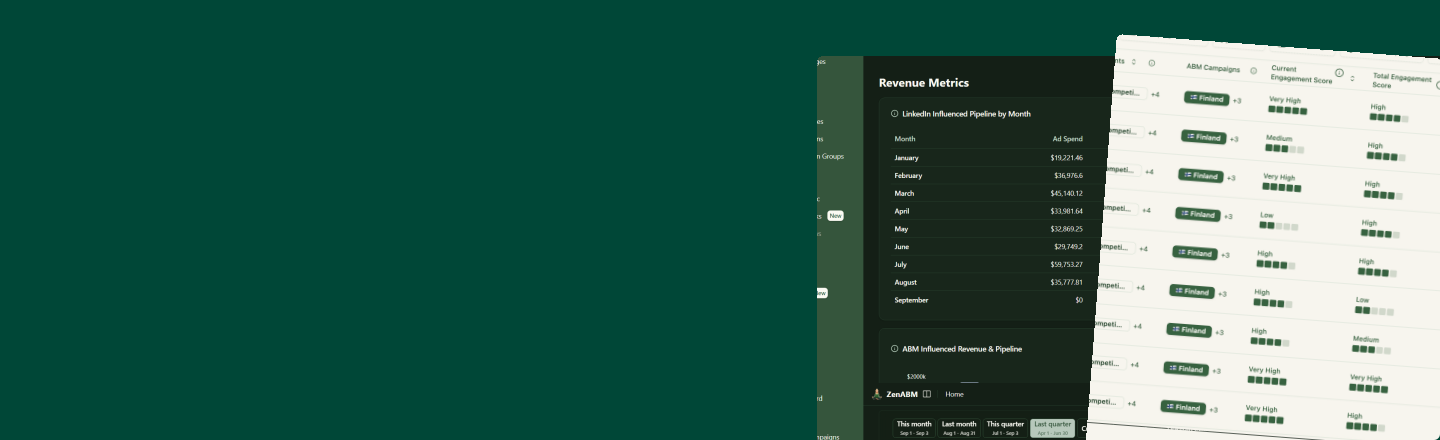
Prompt 1Slide 14
Define your ICP
From my won deals, which industries, company sizes, regions and job titles show up most?
Every prompt from the workshop “How to plan, manage & optimize ABM campaigns on LinkedIn Ads with AI”, numbered as on the slides. Pick a prompt from the menu, copy it, and replace anything in [brackets] with your own.
Connect ZenABM to Claude first
Claude: Settings → Connectors → Add custom connector → paste app.zenabm.com/api/mcp. The prompts read your LinkedIn Ads and CRM data through it. How the MCP works
No ZenABM account yet? Build along with a free 37-day trial:
Prep
Your ICP, your own numbers and your target account list.
From my won deals, which industries, company sizes, regions and job titles show up most?
From my LinkedIn Ads and CRM data, what are my ACV, close rate and deal-open rate?
From my LinkedIn Ads data, what is my average CPM?
/account-list-building Find lookalikes of my top 20 won accounts, with LinkedIn page URLs.Part 1
How many accounts to target and how much budget you need.
What are my average ACV, close rate, deal-open rate and CPM?
/budget-planning My revenue goal this quarter is [$200K] and my average deal is [$25K]. How many target accounts do I need?/abm-strategy-planning Plan my LinkedIn ABM program: [$200K] new revenue next quarter, [$25K] deal size. How many accounts and how much budget do I need?Part 2
ABM stages, angles, budget per ad set, every ad format, then go live.
Using ZenABM, pull all target companies from the last 180 days with their LinkedIn impressions, engagements and clicks (by ad format) before their first deal, their highest ABM stage before the deal, and whether they opened a deal.

For each signal below, build a 2×2 table and calculate lift with a 95% range, coverage, phi and significant at = (1.96 ÷ phi)².

Drop signals where significant at is bigger than my number of companies, or where the 95% range crosses 1x.

Split companies in half at random, find the best signals on half A, and show me only the ones that still hold on half B.

Rank the result by phi, then show a second list ranked by lift. Use these signals:

Reach: 1+ impressions; 10+ impressions; 50+ impressions; 200+ impressions; 1,000+ impressions; 5,000+ impressions

Engagement: 1+ engagement; 3+ engagements; 5+ engagements; 10+ engagements; 20+ engagements; 50+ engagements

Clicks: 1+ click; 3+ clicks; 5+ clicks; 10+ clicks; 20+ clicks

Reach + engagement: 200+ impressions + 3+ clicks; 200+ impressions + 10+ engagements; 200+ impressions + 3+ engagements + 3+ clicks; 200+ impressions + 10+ engagements + 3+ clicks; 1,000+ impressions + 50+ engagements; 5,000+ impressions + 50+ engagements + 20+ clicks

Ad formats: Image ad: 1+ engagement; Image ad: 1+ click; Document ad: 1+ engagement; Document ad: 1+ click; Carousel ad: 1+ engagement; Carousel ad: 1+ click; Video ad: 1+ engagement; Video ad: 1+ click; Video ad: 10+ impressions; Thought leader ad: 100+ impressions; Thought leader ad: 1+ engagement; Thought leader ad: 1+ click

Format pairs: Image click + Document click; Image engagement + Document engagement; Document engagement + Image click; Carousel 10+ impressions + Document click; Thought leader ad engagement + Document click; Thought leader ad click + Document click; Thought leader ad engagement + Carousel click; Thought leader ad engagement + Image ad engagement

Thought leader ad combinations: Thought leader ad engagement + any other ad engagement; Thought leader ad 10+ engagements + any other ad engagement; Thought leader ad 100+ impressions + Interested stage or higher

ABM stages (highest stage before the deal): Interested; Considering; Selecting; Interested or higher
Create a signal in ZenABM for each signal that held up on half B, named after its rule (for example “10+ engagements · 180 days”), counting all our LinkedIn ads. Then create one audience, “WARM · deal signals”, of every company that carries any of these signals (OR), and sync it to LinkedIn.
From my won deals and call notes, list the 5 problems customers mention most, with how often each comes up. Turn each one into an ad angle.
Go through [our website] and match each of my 5 angles to the landing page that best explains it: [angle 1], [angle 2], [angle 3], [angle 4], [angle 5]. One URL per angle. No page for an angle? Tell me what to put on a new one.
/ad-countFrom my LinkedIn Ads data for the last 90 days, list my cost per desired action for each ad format in my COLD campaign: text, spotlight, document and video ads (a landing-page visit), thought leader ads (a landing-page visit from the link in the P.S.). Then calculate each ad set’s budget a day = number of ads × cost per desired action × 3 for 8 text, 8 spotlight, 5 thought leader, 5 document and 3 video ads, and give me the list in bullet points with the total a month.
This is my monthly campaign budget: [fill in the budget]

It needs to sustain the following ad sets:
- 8 text ads, Website visits: minimal budget, set $10 a day
- 5 spotlight ads, Website visits: minimal budget, set $10 a day
- 5 to 6 TLAs, Brand awareness: 50% of the budget
- 5 document ads, Website visits: 25% of the budget
- 3 video ads, Website visits: the rest

Calculate how much budget I should set for each ad set and give me the list in bullet points.
/linkedin-text-spotlight-ads Write 8 COLD text ads from my 5 angles: [angle 1], [angle 2], [angle 3], [angle 4], [angle 5]. Each ad links to the landing page for its angle. Then add them to my DRAFT ad set “COLD · Text”./linkedin-text-spotlight-ads Now write 8 COLD spotlight ads from the same 5 angles, each linking to the landing page for its angle, with a 300×250 background in [our brand colours] and a [Book a demo] button. Then add them to my DRAFT ad set “COLD · Spotlight”./linkedin-thought-leader-ads Here are the posts I found from my CEO, colleagues, customers and brand mentions: [post links]. Pick the 4 that best fit my 5 angles, then draft 1 new post for [founder or expert] on the angle they miss: 1,000 to 1,500 characters, written as “I”, real numbers, the link to the angle’s landing page in the P.S. Then add all 5 posts to my DRAFT ad set “COLD · Thought leader” once their authors approve./linkedin-document-ads Make 5 COLD document ads, one per angle: ungated, 5 to 10 square pages, one idea per page, the angle’s landing page link in the intro text. Page one is a hook: something intriguing, radically interesting about the angle, like the best B2B ads on adfolio.design. Then upload them to my DRAFT ad set “COLD · Document”./linkedin-video-ads Script 3 talking-head videos for [founder or expert] from my 3 strongest angles: under 30 seconds, the hook in the first 3 seconds, captions on, the angle’s landing page link in the intro text. Once I’ve filmed them, add them to my DRAFT ad set “COLD · Video”./linkedin-image-ads Design 5 image ads, one per angle: humour, real photos of [our team or product], never stock photos, the call to action in the image, the angle’s landing page link in the intro text.List every DRAFT campaign, ad set and ad I created today, with its budget, bid and audience. Then set my “COLD Pilot Campaign (workshop)” live: campaign first, then ad sets, then ads.
Part 3
Your Pilot Campaign, the WARM audience, pacing and the hand-off to sales.
Using ZenABM, create a DRAFT campaign “COLD Pilot Campaign (workshop)” in my LinkedIn ad account [ad account], with no campaign objective.
In my “COLD Pilot Campaign (workshop)”, create 5 DRAFT ad sets targeting my [target account list], Audience Expansion and Audience Network off:
- COLD · Text: Website visits, manual CPC, recommended bid + 10%, [$15] a day
- COLD · Spotlight: Website visits, manual CPC, recommended bid + 10%, [$15] a day, [$1,350] total
- COLD · Thought leader: Brand awareness, automatic bid, [$85] a day
- COLD · Document: Website visits, manual CPC, recommended bid + 10%, [$150] a day
- COLD · Video: Video views, manual bid, [$57] a day
Create a signal in ZenABM for each signal that held up on half B, named after its rule (for example “10+ engagements · 180 days”), counting all our LinkedIn ads. Then create one audience, “WARM · deal signals”, of every company that carries any of these signals (OR), and sync it to LinkedIn.
Using ZenABM, check pacing for every ad set in my “COLD Pilot Campaign (workshop)” over the last 7 days. Under 80% of the daily budget: raise the bid 10%. Over 110%: lower it 10%. List each change with the numbers, then apply only the ones I approve.
Using ZenABM, list the target accounts that reached Interested or higher this week, with what they engaged with (ads, formats, pages) and their owner in [HubSpot or Salesforce]. Then draft a short follow-up for each owner that mentions the ad or page the account engaged with.