



ChatGPT hasn’t been a mere copywriting tool for a long while now, and that drastically changes how it can be used for LinkedIn Ads analysis and account-based marketing.
There is a catch, though: if ChatGPT has never seen your LinkedIn Ads account, you are missing out on almost every useful thing it can do for you.
The prompts that actually move a LinkedIn ABM program are analysis prompts, and they only work once ChatGPT can read your live ad and CRM data through a LinkedIn Ads MCP connector.
This article gives you 30 ChatGPT prompts for LinkedIn ads analysis and ABM that I run against my own account data.
They lean on eCTR and eCPC, the two metrics Campaign Manager hides, and every one of them hands back a decision rather than another batch of copy: which ad to pause, which account to call, which campaign drove pipeline.
Copy one, paste it in, and you get a ranked answer in seconds instead of an afternoon of exports.
Every analysis prompt in this guide relies on one thing: the connection between ChatGPT and your live account, and that connection is the ZenABM MCP server.
It is worth understanding properly because it is the reason a prompt returns your actual numbers rather than a plausible-sounding guess.
There is no official LinkedIn Ads connector for ChatGPT, and ChatGPT cannot read Campaign Manager on its own, so the server sits in the middle: it reads the LinkedIn Ads API, joins that data to your CRM, computes the metrics LinkedIn does not expose, and hands the whole thing to ChatGPT as tools it can call in plain English.
In ChatGPT on the web, open Settings, go to Apps, open Advanced settings, and turn on Developer mode. Developer mode is available on the Plus, Pro, Business, Enterprise, and Education plans, and it is what lets you add a custom connector.

From the Plugins panel in the sidebar, add a connector, paste the ZenABM MCP server endpoint at https://app.zenabm.com/api/mcp, and authorize over OAuth. ChatGPT only connects to remote servers over HTTPS, which the ZenABM server is, so there is nothing to run on your own machine.
Before you do this, start a ZenABM account and connect LinkedIn Ads and your CRM, because without the CRM sync, the ad metrics still flow but the pipeline and deal context that half of these prompts rely on will be missing.


Once it is connected, you never name a tool.
You paste a prompt in plain English, and ChatGPT reads the tool descriptions, picks the ones it needs, pulls the data, and writes the answer.
If you want to see the surface for yourself, just ask it what it can do, and it calls the connector’s list_skills tool to list the workflows and hands back the catalog.

The server registers around 60 data tools, and knowing the families is useful because it tells you what you are allowed to ask for.
Each family maps to a group of prompts below, and I name the specific capability in each section so you can see the machinery behind the answer.
The server does not only read.
A set of write tools lets ChatGPT act on what it finds, and every one of them waits for your explicit yes before anything changes in your account.
You can pause or activate an ad, an ad set, or a campaign (one at a time or in a batch), exclude companies from delivery, turn on a Budget Saver, pull LinkedIn’s suggested bid for an ad set, and update ad-set or campaign budgets (single or batched).
So an optimization prompt can end in a proposal like “pause these two decaying ads, exclude these three impression hogs, and shift the freed budget to this winner”, and none of it happens until you approve it.
The read prompts, which are all 30 in the analysis groups below, change nothing at all.
On top of the raw tools, the server ships 15 skills, which are complete multi-step workflows built out of a real LinkedIn ABM program, grouped into audit and optimization, strategy and planning, reporting, and account engagement and handoff.
They are the packaged version of the prompt jobs in this article: the audit, the budget-waster hunt, the persona audit, the decay report, the strategy and scaling planners, the weekly digest and monthly report, the revenue attribution, the account sort, the company deep-dive, the intent report, the funnel-movement report, and the sales handoff list.
In clients that support MCP prompts (Claude Code, Claude Desktop, Cursor) they run as slash commands; ChatGPT does not surface them as slash commands, so in ChatGPT you either ask for the workflow in plain English and let it call the underlying tools, or package your own version as a ChatGPT Skill.
I point to the matching skill in each section so you know the shortcut exists.
With the engine understood, here is the map.
Every prompt below reads your live account, so keep the connector on for all of them.
| Prompt group | Prompts | What they answer |
|---|---|---|
| Performance analysis | 1 to 4 | Which ads, formats, and campaigns are winning and losing on eCTR and eCPC. |
| Wasted spend and audits | 5 to 8 | Where money is leaking: outliers, decaying ads, impression hogs, and delivery leaks. |
| Audience and targeting | 9 to 11 | Who your spend actually reached versus your ICP, and where audiences are wrong-sized. |
| Companies and accounts | 12 to 15 | Which accounts engaged, which are new, and everything about a single account. |
| Intent and ABM stages | 16 to 18 | Who is showing intent, who moved stage, and who stalled. |
| Attribution and pipeline | 19 to 21 | Which campaigns touched deals, which produced none, and pipeline per dollar. |
| Reporting | 22 to 24 | The weekly digest, the monthly exec recap, and an on-the-spot segment slice. |
| Strategy and budget | 25 to 28 | Ad-count sizing, budget reallocation, scaling, and format grading. |
| Sales handoff and outreach | 29 to 30 | Who sales should call today, and the personalized drafts to send. |
Start here every week, because these set the agenda for everything else. What makes them work is the performance family of tools: ZenABM pulls impressions, clicks, and spend per creative straight from the LinkedIn Ads API, then computes eCTR and eCPC by joining those clicks to your landing page, so ChatGPT can rank on the click that actually reached your site rather than the like or comment that LinkedIn’s native CTR counts.

The first thing I want on a Monday is a clean, sorted picture of what is actually working, and this prompt gives it: ChatGPT calls the creative-performance tool, ranks every active ad on eCTR, and lays the raw and effective metrics side by side so the gap between vanity engagement and real traffic is obvious.
Using the ZenABM tools, rank my active ads by eCTR for the last 30 days, with impressions, spend, clicks, CTR, landing-page clicks, eCTR, and eCPC side by side. Call out any ad set that dominates impressions but barely draws landing-page clicks, and the single most efficient unit in the account.
Result:

Ranking the winners is only half the read; the faster route to reclaimed budget is the mirror image, so this prompt builds your pause list.
It sorts by eCPC to find the ads paying the most for the least real traffic, and because the tool exposes each ad’s impression count and effective metrics, ChatGPT can apply the kill threshold I run the program on (past 1,000 impressions with eCTR under 0.4%) and even tell you whether the problem is the creative or the audience behind it.
List my 10 worst-performing ads by eCPC over the last 30 days, each with impressions, landing-page clicks, and eCTR. For each, tell me whether it is underperforming because of the creative or the audience, and which are past 1,000 impressions with eCTR under 0.4%.
Result:

Format choice is the single biggest efficiency lever on LinkedIn, and most teams get it wrong by trusting CTR alone, because a Thought Leader Ad and a single image ad are not playing the same game.
This prompt asks ChatGPT to roll the creative-performance data up by format and rank on eCTR and eCPC, so you can see which format buys a real landing-page click most cheaply right now, and which one is quietly eating budget for engagement you are not paying for.
Rank my LinkedIn ad formats for the last 30 days by eCTR. For each format show impressions, spend, CTR, landing-page clicks, eCTR, and eCPC, then tell me the most efficient format to buy a landing-page click right now and the one format I am overspending on.
Result:

The report that actually gets read in a standup is one paragraph, so this prompt produces exactly that.
It leans on the weekly series the server exposes to compare this week against last on the metrics that matter (eCTR, eCPC, and pipeline movement rather than raw engagement), then names the three biggest movers so you leave with an agenda instead of a wall of numbers.
Give me a one-paragraph headline on whether my LinkedIn ads got healthier or worse this week versus last, using eCTR, eCPC, and pipeline movement rather than vanity engagement. Then list the three biggest movers and why each moved.
The result of a very similar prompt:

Pro tip: The /linkedin-abm-audit skill runs this whole audit as a graded scorecard if you want the packaged version and not individual prompts.
This is the group that pays for the whole exercise, because every prompt here points at budget you can reclaim this week.
It draws on three capabilities in particular: the spend and creative-performance tools for the outliers, the rolling weekly series for creative fatigue, and the live ad-set settings read, which pulls Audience Expansion and the LinkedIn Audience Network status straight from Campaign Manager rather than from a stale sync.
Note: If you don’t want to run prompts, the /budget-wasters and /ad-decay skills package (part of the MCP server) this group and can end in a pause or a Budget Saver after you approve.
The clearest waste signal in any account is spend rising while engagement falls, and this prompt hunts for exactly that pattern.
ChatGPT reads spend and effective engagement per ad set across the last four weeks, then ranks the leaks by the monthly dollars at stake, so you work the biggest reclaim first instead of tinkering at the edges.
Show my wasted spend: the ad sets with the most spend and the lowest eCTR, and any ad set with rising spend and falling engagement over the last 4 weeks. Rank everything by the monthly dollars at stake so I know what to fix first.
Result:


Creative fatigue on LinkedIn is gradual, so an ad slides for weeks before it ever shows up in a monthly dashboard, and by then the spend is gone.
This prompt uses the weekly creative series to catch the slide early: it flags any ad whose eCTR has fallen for two or more consecutive weeks above a thousand impressions, ranks them by the spend behind the decline, and pairs the pause list with the winners worth cloning before they fatigue too.
Give me a decaying-ads report: every ad whose eCTR has declined for 2 or more consecutive weeks while above 1,000 impressions, ranked by how much spend sits behind the decline. Mark which to pause and which to refresh, and list my top 5 ads by eCTR that I should scale or clone.
Result:

A handful of accounts often eat a large share of impressions without ever engaging, and because ZenABM resolves engagement to the company level (not just an aggregate), ChatGPT can name them.
This prompt lists the accounts absorbing the most impressions for the least engagement, with the spend behind each, so you can exclude or cap them and send that budget back to accounts that actually move.
List the 10 companies eating the most impressions with the least engagement over the last 30 days, each with their eCTR and the spend behind them, so I can exclude or cap them.
The result of a similar prompt:

Audience Expansion and the LinkedIn Audience Network are the two quiet budget leaks in most accounts, and both usually belong off for a tight ABM program.


This prompt is only possible because the server reads your ad-set settings live from Campaign Manager, so ChatGPT can tell you which campaigns have each toggle on and, crucially, how much spend and engagement is running through the expanded or off-network delivery, which turns the decision to switch them off from a hunch into a number.
Check every campaign for Audience Expansion enabled and for delivery on the LinkedIn Audience Network. For each, show the spend, impressions, and engagement running through the expanded or off-network delivery so I can decide what to switch off.
Result:


Configured targeting and delivered targeting drift apart over a few weeks, and these prompts catch the drift before it wastes a quarter.
They run on two capabilities working together: the job-title insights, which show the titles your ads actually reached and the campaigns that reached them, and the live ad-set settings, which carry the job titles, functions, and seniorities you configured plus the audience size.

That pairing is what lets ChatGPT compare intended targeting against real delivery, which is the whole point of the /persona-audit skill this group is built on.
You can select VP and Director and still find, three weeks later, that half your impressions went to Managers, because those were the cheaper members in the pool.
This prompt makes that leak visible: ChatGPT reads the job titles the ads delivered to, compares them against your configured targeting, and sums the dollars spent on non-ICP titles.
Break my last 30 days of spend down by the job titles the ads actually reached, and show me the non-ICP titles I spent more than $200 on. Compare my configured targeting against real delivery and sum the off-persona leak in dollars.
Result:


The leak in prompt 9 has a flip side that is just as expensive: the buyers you meant to reach and did not.
This prompt uses the same job-title delivery data against your target list to find the ICP personas that are under-reached relative to their share of the accounts you care about, and it names the campaigns or ad sets that should carry more budget to close the gap.
Which of my ICP personas (the job titles and seniorities I care about) are under-reached relative to their share of my target account list, and which campaigns or ad sets should carry more budget to reach them?
Result:

Tiny audiences run expensive, huge ones run loose, and two ad sets aimed at nearly the same audience pay to compete with each other in the auction.
Because the live ad-set settings expose the addressable audience size per ad set, ChatGPT can flag the ones outside a healthy range and surface the overlaps, with the spend attached so you fix the costliest collision first.
List my ad sets with audiences under 30,000 or over 100,000, and flag any two ad sets targeting nearly the same audience so I can stop bidding against myself. For each flag, show the spend so I can prioritize the fix.
Result:

This is where ChatGPT connected to company-level data does something Campaign Manager cannot, which is tell you the names behind the numbers.
It runs on the company-intelligence family: ZenABM resolves ad engagement to the company level from the LinkedIn Ads API, scores each account on current and total engagement, and keeps a full timeline of every touchpoint joined to CRM deals.

The /account-engagement and /company-deep-dive skills, part of the MCP server, are the packaged versions of the prompts below.
This is the question a BDR asks every morning, and the connector answers it in one line.
ChatGPT ranks your accounts by clicks over the window and enriches each with its ABM stage, its intent theme, the spend against it, and its eCTR, so the list is not just “who engaged” but “who engaged, how warm they are, and what it cost to get there”.
Show my top 20 engaged companies over the last 30 days sorted by clicks, each with its ABM stage, its intent theme, the spend against it, and its eCTR.
Result:

A brand-new engagement is a fresher signal than a steady one, and the accounts already on your target list matter most of all.
Using the engagement timeline, this prompt isolates the companies that engaged for the first time this week and tells you which are on your target account list versus net-new.
Hence, a rep knows immediately which fresh signal deserves a same-day touch.
Which companies engaged with my LinkedIn ads for the first time this week, and which of them are on my target account list versus net-new? Sort by how many times each engaged.
Result:

The accounts already engaging with you convert to meetings at a rate cold lists do not approach, so this is the list I work first.
This prompt uses the company-level engagement data to tier every engaged account by depth (a landing-page click plus five engagements is a different animal from a single scroll), drops anything off your ICP, and shows the campaigns that drove each Tier 1 account, which is exactly the seed a rep or an outbound sequence needs.
Pull every company with LinkedIn ad engagement in the last 60 days and tier them: Tier 1 is 5 or more engagements plus a landing-page click, Tier 2 is 3 or more, Tier 3 is the rest. Drop any company that fails our ICP, and show the campaigns that drove each Tier 1 account’s engagement.
Result:

When a named account is heating up, you want everything about it on one screen before a call, and the company-intelligence tools assemble exactly that.
This prompt pulls the spend against the account, the campaigns and creatives it engaged with, its intent themes, its ABM stage history, any open deals from the CRM, and its full journey, then closes on a plain verdict so the read ends in a decision rather than a data dump.
Give me everything you know about [company]: the spend against it, the campaigns and creatives it engaged with, its intent themes, its ABM stage history, any open deals in the CRM, and a one-line verdict: hand to sales, keep nurturing, or exclude.
Everything downstream (routing, outreach, prioritization) depends on intent you can actually verify, which is why this group reads ZenABM’s first-party intent rather than a third-party keyword surge.
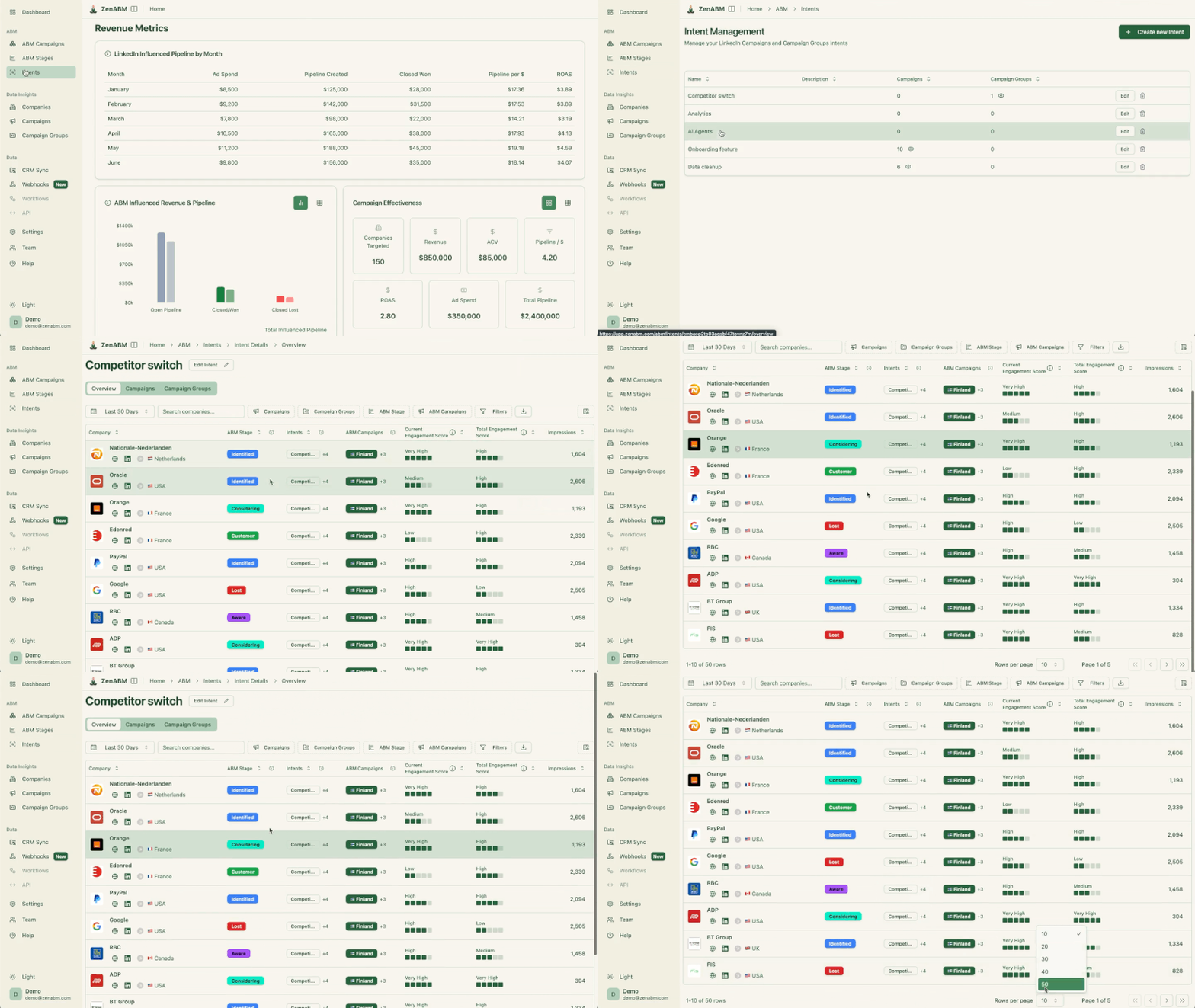
The intent themes are tags on your own campaigns, so any account that engages inherits the label, and you can click through to the exact engagement behind it, and the ABM stages are thresholds you define on that same engagement.
Those two capabilities feed the /intent-report and /funnel-movement skills that package this group.
The intent report answers three questions at once, and it is only trustworthy because the evidence is inspectable.
ChatGPT reads which accounts showed which intent themes over the window, which campaigns produced the most fresh-intent companies per dollar, and which theme correlates most with open deals, so you are not just collecting labels but ranking the inputs that actually precede pipeline.
Show the intent report for the last 30 days: which accounts showed which intent themes, which campaigns drove the most fresh-intent companies per dollar, and which intent theme correlates most with open deals.
Result:

Stage movement is the honest measure of whether your ads are doing their job, because it shows accounts actually progressing rather than just clicking. Using the stage-history data, this prompt reports who moved from Aware to Interested and Interested to Considering, who stalled, the average time in each stage, and which campaigns drove the most movement, so you learn which message is pulling accounts forward and where to point the next budget.
Show ABM stage movement for the last 30 days: who moved from Aware to Interested and Interested to Considering, who stalled, the average time in each stage, and which campaigns drove the most stage movement.
Result:

A stall is a to-do, not a metric, and the stage history makes it easy to find. This prompt lists every account stuck in the Interested stage well past your average time in stage, with the last thing each engaged with, so you can decide account by account whether to change the creative, add a touch, or hand it to sales before the intent cools.
List every account stuck in the Interested stage for more than 6 weeks past our average, with the last thing each engaged with, so I can decide whether to change the creative, add a touch, or hand it to sales.
These are the prompts that answer “what is the ROI”, and they only work because ZenABM ties account-level engagement to CRM deals and computes deduplicated revenue attribution per campaign.
That join is the hard part that used to take a data warehouse, and the server exposes it directly, which is what the /revenue-attribution skill runs.
The rule to hold throughout: report influence and correlation honestly, never as proof of cause.
Click-based last-touch attribution makes ABM look broken, because it hands all the credit to the final ad and zero to the Thought Leader Ad that started the account on its journey.
This prompt runs influence-based attribution instead: ChatGPT reads which campaigns and ad sets were the most common touchpoints before open and closed-won deals, credits every campaign that touched an account before the deal, and states plainly that this is correlation rather than proof, which is exactly what makes the number survive a sharp CFO.
Which campaigns and ad sets were the most common touchpoints before open deals and before closed-won deals this quarter? Report this as influence, credit every campaign that touched an account before the deal opened, and state clearly that this is correlation, not proof of cause.
Result of a similar prompt:

The other half of attribution is the spend that produced nothing, and it is often the easiest budget to reclaim. Using the same deal join, this prompt finds the campaigns and ad sets that touched no pipeline at all this quarter and reports what each cost, then separates the ones worth reworking from the ones worth cutting outright.
Which campaigns and ad sets produced no pipeline at all this quarter, and how much did each spend? Separate the ones worth reworking from the ones worth cutting.
Result:

Pipeline per dollar is the clean efficiency number leadership responds to, and ZenABM’s revenue-attribution tool computes it deduplicated so a single deal is not double-counted across campaigns. This prompt ranks every ABM campaign by that number alongside ACV and ROAS, and flags anything below the median so you know exactly where to dig.
Show pipeline per dollar, ACV, and ROAS by ABM campaign for the last quarter, deduplicated, and rank the campaigns by pipeline efficiency. Flag any campaign below the median so I can dig into it.
Result:

Reporting is the most automatable job here, because the format barely changes month to month and only the numbers do.
These prompts stitch together everything the earlier families expose (performance, stages, intent, and the CRM join) into a readout.
Run a weekly and a monthly, and keep the third prompt for the question you did not plan for.
This is the Monday readout for you and the ops team, and it is deliberately tight. ChatGPT compares the last seven days against the previous seven, opens with a one-paragraph verdict on whether the program got healthier or worse, then hands you the three biggest movers, the stage changes, and the decaying ads to pause, all on eCTR and eCPC rather than the softer native metrics.
Give me my weekly LinkedIn ABM review, last 7 days versus the previous 7: a one-paragraph headline on whether the program got healthier or worse, the 3 biggest movers, the stage changes, and the decaying ads to pause. Use eCTR and eCPC, not just CTR and CPC. Keep it tight.
Result:
The CMO reads pipeline and progression, not clicks, so this prompt is built to lead with those.
It opens on spend and influenced pipeline with their trends and one decision for next month, then lays out the campaigns that touched new deals with pipeline and spend, the accounts that moved into buying stages, and the top three risks and opportunities, which is the shape of a recap that survives an executive review.
Build a monthly ABM exec summary versus last month. Three sentences at the top: spend and its trend, influenced pipeline and pipeline per dollar and its trend, and one decision for next month. Then a table of the campaigns that touched new deals with pipeline and spend, the accounts that moved into buying stages, and the top 3 risks and top 3 opportunities, each with its number.

The real reason to connect your data is the question your CEO pings you with at 4pm, and the connector turns an afternoon of exporting into one prompt.
Because every metric family can be sliced by a segment, ChatGPT can pull reach, engagement, stage movement, pipeline, and the campaigns that touched deals for a single industry or vertical on demand, in front of the person asking.
For my target accounts in [industry], show this quarter: reach, engagement rate, how many moved into the Interested stage or later, influenced pipeline and pipeline per dollar, and the three campaigns that touched the most of those accounts before a deal opened.
Pro tip: If you want a packaged skill and not individual prompts for this analysis, install /linkedin-abm-report skill and you’ll get a detailed report like this (not that it is a Claude skill and you’ll have to upload it to ChatGPT and tell it to build a ChatGPT-compatible version):


These size the program and move the money, which is where a small mistake compounds fastest.
They draw on the reach-and-frequency data (unique members reached and impressions per member against the addressable audience size), the ad-count math, and, newest of all, the server’s suggested-bid and budget-update tools, so a budget prompt can go beyond describing a move to proposing and, after your confirmation, executing it.
If you want packaged skills and not the prompts below (25 to 30), you can install ZenABM’s /abm-strategy-planning Claude skill and ask ChatGPT to quickly build a scaffold that’s compatible with ChatGPT or simply run it in Claude.
The single check that catches the most accounts is embarrassingly simple: are you running more ads than the budget can actually feed?
This prompt runs the ad-count model against your real CPM, eCTR, and cost per click, tells you whether the revenue goal is even reachable at your budget, and then proposes a campaign structure, a format mix, and the number of ads the budget genuinely supports, so you stop spreading spend so thin that no ad ever gets enough data to prove itself.
Here is my program: revenue goal [X], average deal size [X], monthly budget [X], site conversion rate [X], and close rate [X]. Using my real CPM, eCTR, and cost-per-click, tell me whether the goal is reachable, then propose the campaign structure, the format mix, and the number of ads the budget supports. Use the rule that ad count equals monthly budget divided by 30, divided by cost per landing-page click, divided by roughly 4 clicks per ad per day.
Analysis is only worth as much as the move it produces, so this prompt turns the last 30 days into named budget moves with dollar amounts: which ad sets to cut for high spend, low eCTR, and no pipeline, and which winners to scale for the lowest eCPC and highest eCTR.
Because the server now exposes budget-update tools, ChatGPT can propose the exact shifts and, once you approve, apply them, so the plan and the execution live in the same chat.
Given my last 30 days, tell me exactly where to move budget: which ad sets to cut (high spend, low eCTR, no pipeline) and which winners to scale (lowest eCPC, highest eCTR, not decaying), with a dollar amount for each move and the reason behind it.
More budget only helps if it reaches new accounts rather than re-serving the same ones more often, and this is the prompt that tells the two apart.
It reads reach and frequency against the audience size to compute penetration, so ChatGPT can say whether raising your best ad set’s budget will buy new people or just more repetition, and it returns a sequenced step-up with a stop condition for each step instead of a blanket “spend more”.
For my best ad set, tell me whether raising its budget will reach new accounts or just show the same accounts more ads, using audience penetration (reach divided by audience size) and frequency. Give me a sequenced budget step-up with a stop condition for each step.
Result:

Comparing yourself to your own past tells you the direction; comparing yourself to everyone else tells you the ceiling.
This prompt grades each of your formats against the ZenABM 2026 benchmark medians, and because the effective metrics are available, a Thought Leader Ad is graded on eCTR and eCPC rather than the raw numbers, so the verdict is fair per format and comes with the budget implication of each.
Grade each of my ad formats against the ZenABM 2026 benchmark medians, for example Thought Leader Ads at a 2.68% CTR and single image ads at 0.42%, and tell me which formats are pulling their weight and which are dragging, with the budget implication of each.

The last link in the chain is turning the data into something a rep can act on today, and it works because the connector can combine four signals a human would otherwise stitch together by hand: stage moves, fresh intent, engagement spikes, and the contacts at each account.
This prompt produces the call list a BDR actually wants, scored rather than dumped. ChatGPT ranks the accounts by stage moves, fresh intent, and engagement spikes, and pins a one-line talking point to each that is pulled from what the account genuinely engaged with, so the rep opens with the specific thing the account is researching instead of a generic pitch.
Give me the accounts sales should call today, scored by stage moves, fresh intent, and engagement spikes. For each row, add a one-line talking point pulled from what the account actually engaged with, not a generic pitch.

The reason these emails land is that the personalization is real and inspectable: “your team engaged with our analytics content” is verifiable, not inferred. This prompt takes the accounts that entered the Interested stage this week and drafts a short email to the most likely buyer at each, referencing the specific ad or theme they engaged with and one relevant proof point, and it hands you the drafts to approve before anything is sent.
Take the accounts that entered the Interested stage this week. For each, draft a short outbound email to the most likely buyer that references the specific ad or theme they engaged with, states one relevant proof point, and ends with a soft ask for a 20-minute call. Keep each under 90 words and give me the drafts to approve before anything is sent.

A prompt is only as good as the data behind it, which is why a copywriting prompt list has a ceiling and a connected analysis prompt does not.
Wire ChatGPT to your account through the ZenABM MCP server once, and these 30 prompts stop being clever text and start being a weekly operating rhythm: read the account, find the leaks, move the budget, and hand the hot accounts to sales, all in plain English.
Best part?
You can try running these prompts for free.
ZenABM’s 37-day free trial includes the MCP connector, the CRM join, and Zena, and the first connected prompt tends to tell you more than a quarter of dashboards did.
You can also book a demo with us to learn more.
The best ones are analysis prompts that read your live account, not copywriting prompts. A copywriting prompt writes headlines from nothing; an analysis prompt ranks your ads by eCTR, finds decaying creatives, surfaces impression hogs, and ties campaigns to pipeline. The 30 in this guide are grouped by job (performance, wasted spend, targeting, accounts, intent, attribution, reporting, strategy, and sales handoff), and they return a decision you can act on rather than more copy.
The useful ones do. ChatGPT on its own has never seen your ad account, so a performance or attribution prompt against an empty context just guesses. Connect ChatGPT to your data through an MCP connector, such as the ZenABM server at https://app.zenabm.com/api/mcp in Developer Mode, and the prompts pull live company-level engagement, ABM stages, intent, and CRM deals. Every one of the 30 prompts in this guide reads your live account, so all of them need the connector on.
eCTR is the effective click-through rate to your landing page: landing-page clicks divided by impressions. LinkedIn’s native CTR counts likes and comments too, so it reads higher than the click you are actually paying for. eCPC is the matching cost metric, the real cost per landing-page click. ZenABM computes both by joining your ad data to your landing page and CRM, which is why the connector can surface them and Campaign Manager cannot.
Only with your approval. The ZenABM connector exposes write actions such as pausing an ad, excluding a company, and updating a budget alongside the read tools, and every write waits for an explicit confirmation. The analysis prompts are all reads, so they never change your account, and even the optimization prompts end in a proposal you approve rather than an action that just runs.
Yes. The prompts are model-agnostic, so they behave the same in ChatGPT, Claude, or the Zena chat inside ZenABM, as long as the model is connected to the same data through an MCP server. What differs is the surface: ChatGPT gives you Skills, Projects, and scheduled Tasks to make the recurring prompts repeatable, while Claude Code adds a terminal that writes files and charts. The prompt text does not change.
Fewer than you think, run more often. Most teams live on about six: the weekly headline, the wasted-spend audit, the decaying-ads report, the top engaged companies, the influence attribution, and the sales handoff list. The other prompts here cover the monthly recap, the strategy resets, and the one-off questions. Start with the weekly digest, package it as a Skill, and add the rest as the need shows up.
