

©2026 ZenABM - All Rights Reserved.

LinkedIn ads automation with AI usually consists of a set of toggles in Campaign Manager: automated bidding, predictive audiences, AI-drafted creative, etc.
When we ran our LinkedIn ABM program, none of those toggles could answer the most important question that mattered, which was what each target account saw and did across our campaigns.
LinkedIn optimizes delivery at the member level, while every ABM decision (who to pursue, where to move budget, which accounts to cap) is an account-level decision, and Campaign Manager does not even show you which companies engaged with exactly which of your ads.
So the automation that actually changed how we operate runs outside Campaign Manager: an AI agent, in our case Claude Code, connected to company-level engagement and CRM data through a LinkedIn ads MCP server.
By the end of this guide, you will have the exact workflows we run through that setup (account lists, creative, audits, budget reallocation, frequency control, attribution, and the sales handoff), each with the copy-paste prompt.
In case you want a quick overview:


I want to be fair to LinkedIn’s native features before I argue past them.
Campaign Manager now ships automated bidding, predictive audiences, and AI-generated ad drafts.

If you run broad demand gen, those toggles are worth considering.
The problem is what they optimize for.
LinkedIn’s AI spends your budget toward more clicks and impressions from individual members, because that is the data it has.
It has no idea that 40 of the impressions it just bought went to an account with an open deal, while 4,000 went to companies that will never buy from you.
For ABM that distinction is the entire job, and the mistake I keep seeing is teams flipping on maximum delivery, watching CTR hold steady, and never noticing that the account-level distribution underneath is a mess.
That is why the useful version of LinkedIn ads automation with AI has two layers.
LinkedIn’s toggles handle the auction.
An agent layer (Claude Code plus an MCP server that exposes company-level engagement, ABM stages, intent signals, and CRM deals) handles the decisions: which accounts to add, which ads to pause, where the budget moves.
The rest of this guide is that second layer.
If you are still comparing vendors for it, I keep a full breakdown in the AI ABM tools roundup; here I will just show you the workflows.

Everything below depends on one five-minute setup, so let me get it out of the way.
Claude Code on its own has never seen your campaigns.
The bridge is a Model Context Protocol (MCP) server: a service that sits on top of the LinkedIn Ads API and your CRM, exposes a set of tools with plain-language descriptions, and lets the agent pick which ones to call for any question you ask.
Alex Fine, Co-Founder at Understory, described the idea in a way I have not beaten yet:
“MCPs are basically secure bridges between Claude and your business tools.” Alex Fine, Co-Founder, Understory, on LinkedIn
Here is the setup, start to finish:
claude mcp add zenabm --transport http https://zenabm.com/mcpOr, if you prefer editing the config by hand, add the endpoint with your API token as a Bearer header:
{
  "mcpServers": {
    "zenabm": {
      "url": "https://app.zenabm.com/api/mcp",
      "headers": { "Authorization": "Bearer YOUR_ZENABM_API_TOKEN" }
    }
  }
}The ZenABM MCP server ships 60+ tools, and you never call them by name (Claude Code picks them for you), but knowing the surface area helps you trust the answers:
Tool group | What the agent uses it for | Example tools |
|---|---|---|
List and search | Companies, campaigns, ad sets, creatives, CRM deals, contacts, job titles, intent signals, spend. | list_companies, list_campaigns, list_deals |
Company intelligence | Company-level engagement, ABM stage history, activity logs, timelines. | get_company_overview, get_company_timeline |
LinkedIn ads performance | CTR, CPC, eCTR, eCPC, spend, and engagement across campaigns, formats, and job titles. | get_campaign_overview, get_creative_performance |
ABM and revenue | Program pipeline, ROAS, stage movement, influenced deals. | get_abm_campaign_overview, get_abm_stage_history |
Safe write actions | Pause or activate ads, ad sets, and campaigns, each behind an explicit confirmation. | update_ad_status, update_ad_set_or_campaign_status |
One design decision matters more than the rest: everything starting with get or list only reads data.
The two write tools are the only ones that touch ad serving state, and they are flagged as destructive, so the agent proposes the change and waits for your approval.
That safety model is what makes it sane to hand a terminal agent your ad account.
The deeper walkthrough of the connection, including what the answers look like, is in the LinkedIn Ads Claude Code integration guide.
Note: If you’re wondering why you should go for the ZenABM MCP server instead of getting your own LinkedIn API, the simple reasons include the hassle of applying for different LinkedIn APIs, creating a private app in the LinkedIn developer portal, wiring OAuth tokens and scopes, etc.

Done with the setup, let’s see what actual workflows you can run using the ZenABM MCP server for LinkedIn ads automation.
Most target account lists are built once a year from firmographic filters and then treated as scripture.
We did this too, and the result is that a static list goes stale the month you finish it.
The better source is behavior: the companies already engaging with your ads are telling you who belongs on the list, and ZenABM’s company-level engagement tracking gives the agent that data per campaign, per ad, in 7, 30, or 90-day windows.

The prompt I run every two months:
Using ZenABM data, pull every company that engaged with my LinkedIn ads in the last 60 days. For each show: – company name and employee count – ABM stage (aware/ interested/ considering) – total impressions and engagements – whether they have an open deal in the CRM. Then split it into three tiers: Tier 1: in interested or considering or has an open deal – Tier 2: engaging repeatedly but still in aware – Tier 3: light or one-off engagement Output each tier as a separate list.

For net-new accounts that have never touched your ads, the free AgentSource plugin does the research half from the same terminal: it pulls from company databases, scores accounts on fit signals like funding and hiring, and outputs a structured list.
Traditional account research runs 15 to 25 minutes per account; with the plugin, it drops to about 2 minutes, which is what makes a 50-account weekly refresh practical.
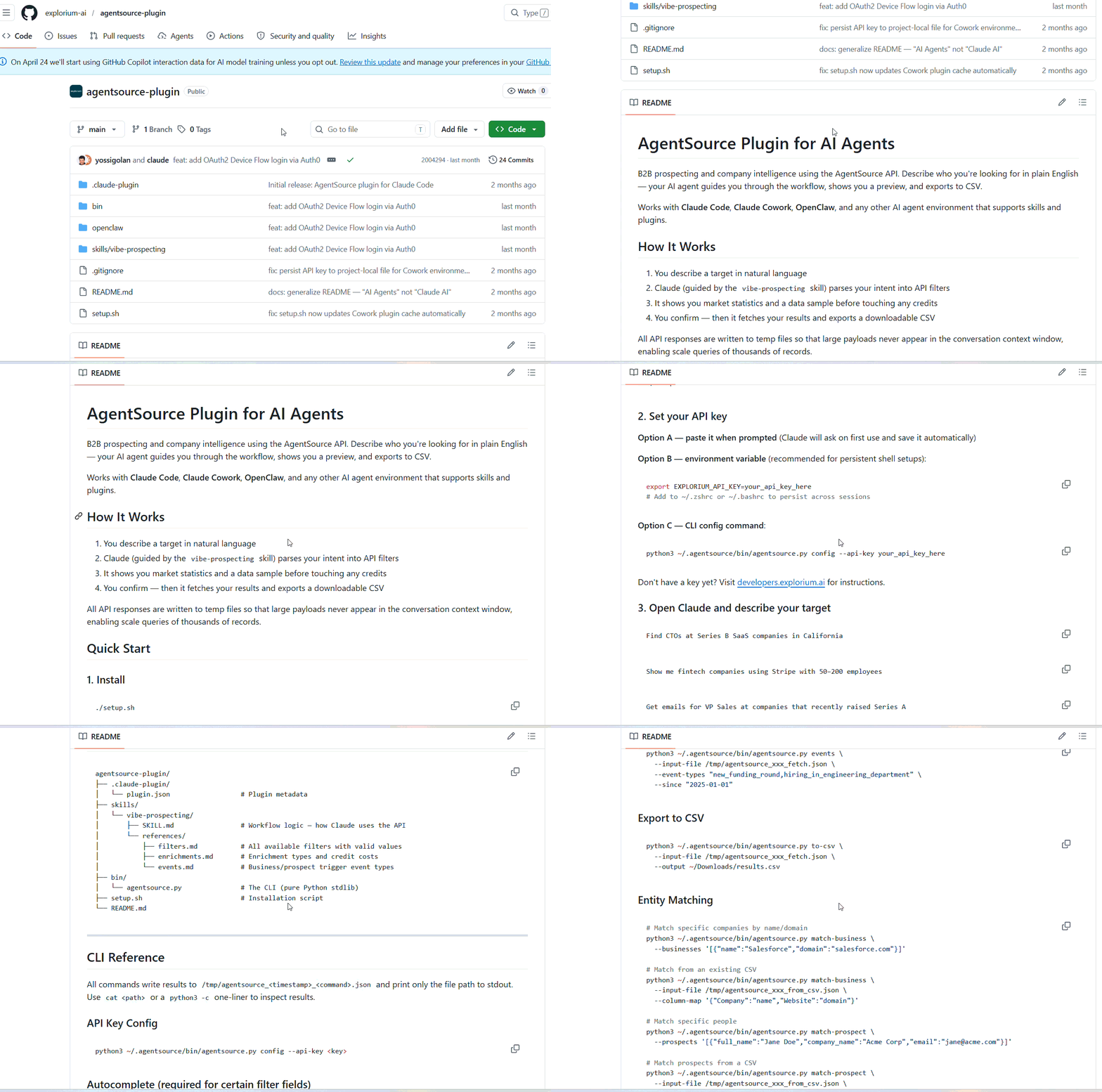
The combination is the play: AgentSource proposes cold accounts on fit, the engagement prompt promotes warm accounts on behavior, and the list stops being static.
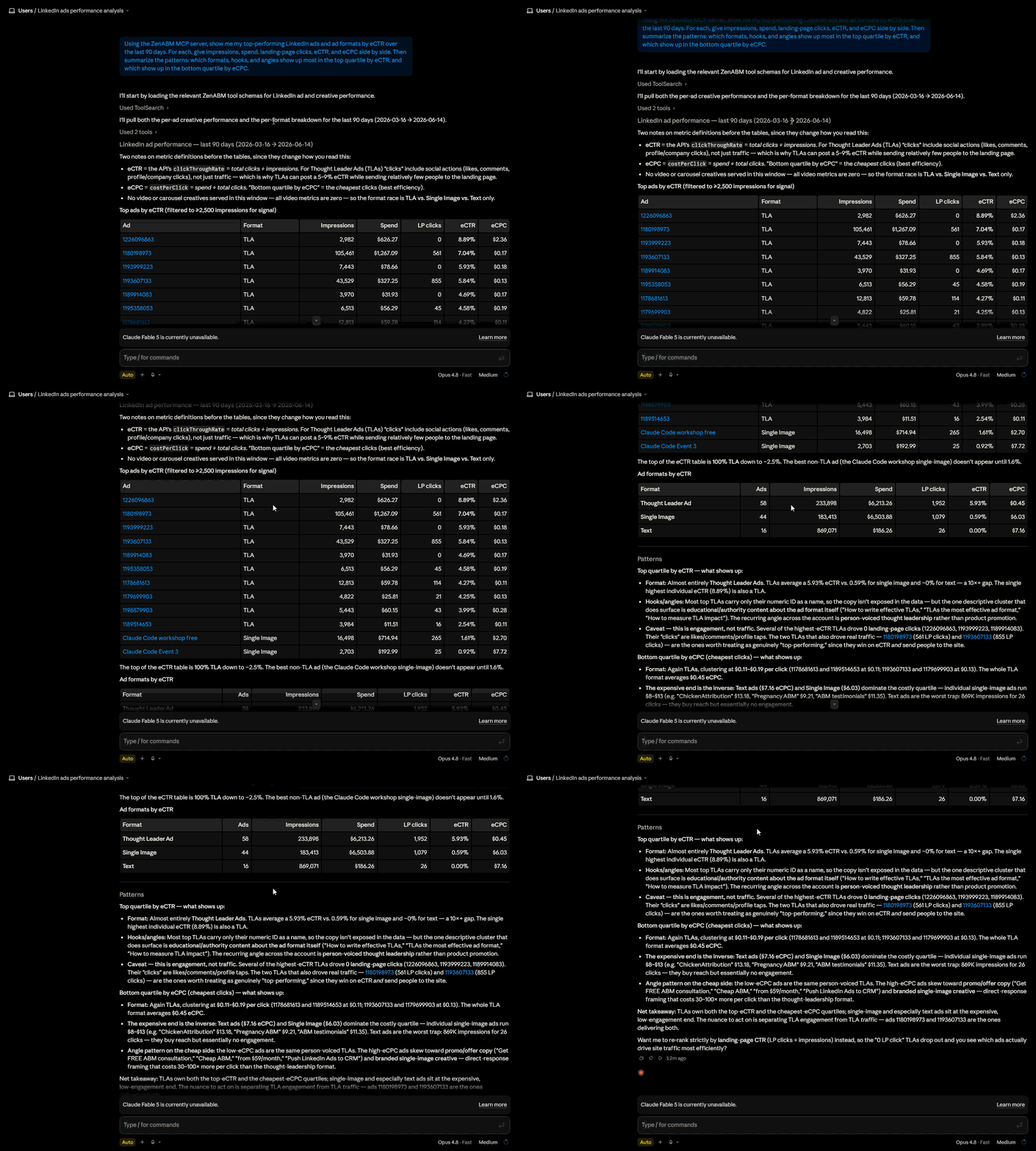
AI ad generation is only useful if it starts from what your account has already proved.
Generic generation gives you plausible ads; generation grounded in your performance data gives you variants of your winners. The prompt:
Look at my 10 best LinkedIn ads by eCTR over the last 90 days. Identify the copy patterns and hooks they share (proof-point-led, problem-led, question hook, stat hook). Then draft 5 new ad variants for my target persona that follow the winning patterns, with a one-line rationale per variant tied to the data.
For the visual side, the free LinkedIn Ad Designer skill by Advanced Client ships 23 pre-built ad patterns (stat highlights, before and after comparisons, testimonials, contrarian hooks) and follows your brand guidelines once you upload them.

Teams using this approach have reported cutting ad production from 30 minutes to about 30 seconds per variant.
Volume matters more here than most teams accept.
Also, set expectations per format before you judge the output.
From the ZenABM 2026 LinkedIn ABM benchmarks (real performance data from 211 B2B companies, 161,256 ads, and $5.5M in spend across 29 countries):
Format | Median CTR | Median CPC |
|---|---|---|
Thought Leader Ads | 2.68% | $2.29 |
Single image | 0.42% | $13.23 |
Carousel | 0.32% | $13.30 |
Video | 0.24% | $15.61 |

The honest read of that table: TLAs win click efficiency by a wide margin, and the other formats do a different job (awareness, warming, account-level reach), so benchmark each format against its own median, never against TLAs.
LinkedIn accounts leak money in four places.
Each leak can be detected with a prompt, and you run them in order.

Audit my LinkedIn ad sets for wasted spend over the last 30 days. List every ad set with spend, impressions, clicks, CTR, landing-page clicks, eCTR, and eCPC. Sort by eCPC descending. Flag any ad set whose eCPC is more than 2x the account median AND whose spend is in the top third of the account. Show me the account median eCPC for reference.
eCPC (the real cost per landing-page click, not per like) is a metric Campaign Manager does not surface, which is exactly why this leak goes unnoticed.
An ad set paying double the median for each visitor is donating money unless it is a deliberate awareness play.

Find my impression-hog accounts over the last 30 days. List companies by total impressions served, descending, with impressions, clicks, landing-page clicks, eCTR, and estimated spend for each. Flag any company that received more than 5% of total program impressions but has an eCTR below the program median. Those accounts are eating budget without engaging and are candidates to exclude or cap.
On account-list campaigns, a few large companies can absorb most of your delivery while the rest of the list gets scraps.
This is the leak almost nobody checks and, in my experience, the one that most often pays for the audit on its own.
Even with the right accounts, LinkedIn targeting bleeds into adjacent titles.
Adam Robinson, founder of RB2B, published a persona-level breakdown in his LinkedIn post of his own spend that shows the failure precisely: $819 on his sales persona produced zero conversions while his founder persona converted 12 times at $68.56 each.
That zero-conversion line is exactly what a blended dashboard buries.
Here’s the prompt to detect this leak:
Break down my LinkedIn ad spend by job title and persona over the last 60 days. For each persona: spend, landing-page clicks, eCPC, and any influenced deals. Flag personas that are NOT in my ICP, and any ICP persona spending real budget with zero or near-zero conversions. Tell me which titles to exclude and roughly how much budget that frees up.

Run a decaying-ads report. Identify every ad whose CTR or eCTR has declined for 2 or more consecutive weeks while serving more than 1,000 impressions per week. For each: the weekly eCTR trend, current eCPC versus launch eCPC, and total spend during the decline. Rank by wasted spend and recommend pause or refresh for each.
Fatigue on LinkedIn is gradual, so an ad slides for weeks before a monthly review catches it, and the auction charges you more per click the whole way down.
Catching a two-week decline instead of a six-week one is pure recovered budget.
Add up the total monthly spend across everything we just flagged: overspending ad sets, impression-hog accounts, non-ICP job titles, and decaying ads. Give me one number for reclaimable monthly spend and a short list of the specific changes that produce it.
That single number turns a vague sense that something is off into a figure you can reallocate this week.
The full version of this audit, with the reading guide for each output, is in the LinkedIn ad performance audit with Claude Code walkthrough.
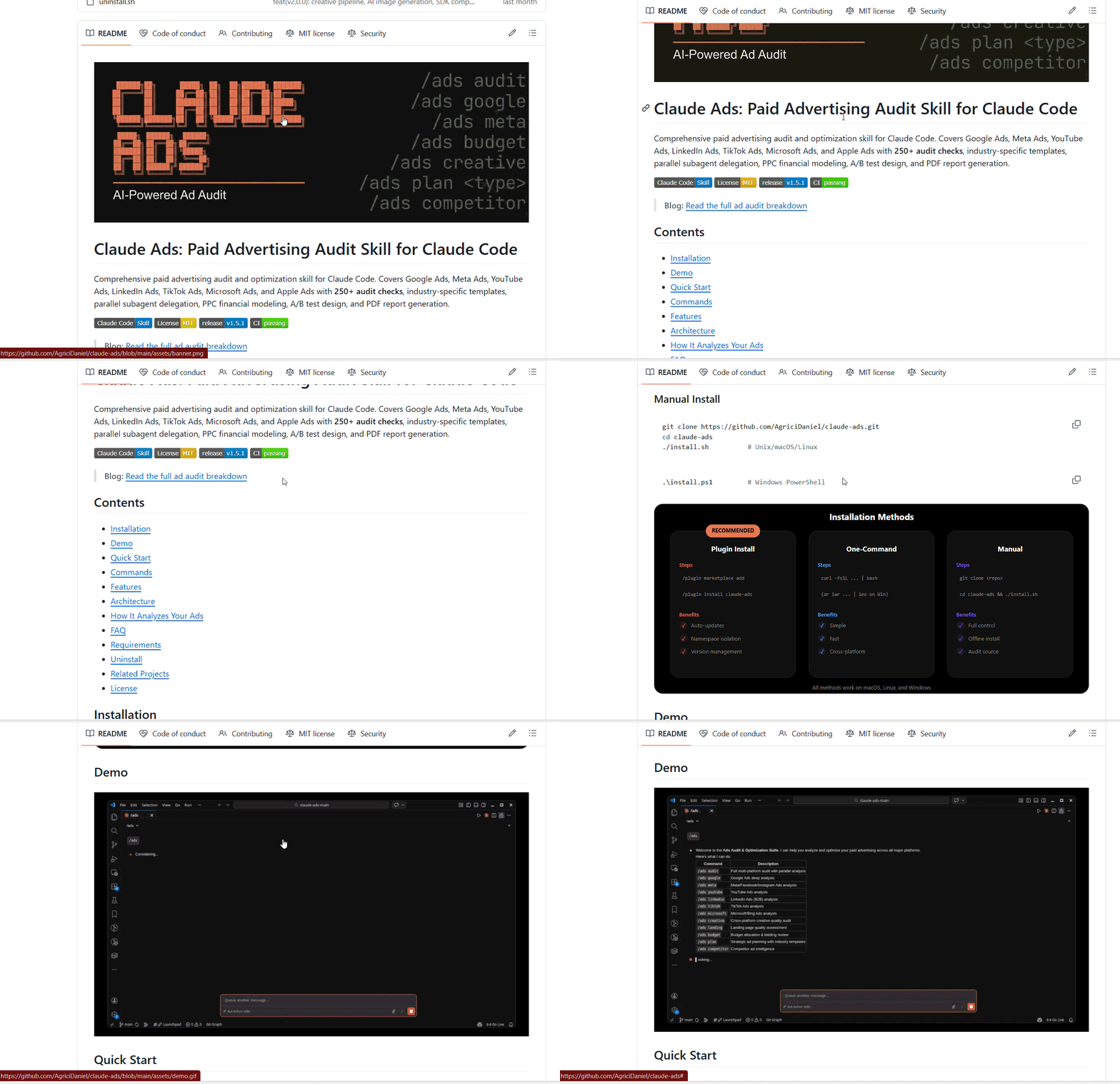
Note: If you also want a settings-level check (tracking, bid strategy, Audience Network), the free Claude Ads skill runs 250+ checks across seven ad platforms locally and hands you a prioritized fix list.
An audit that ends with a list of problems is half a job.
The return comes from moving the reclaimed money into what already works, and this is the step most programs skip.
Two prompts close the loop.
First, confirm where the winners are and whether they can absorb more:
Show me my best-performing ad sets and ads by eCTR and eCPC over the last 30 days, with landing-page clicks and any influenced pipeline. For each, tell me whether it has headroom to take more budget (audience not saturated, frequency still healthy) or whether it is already maxed out.
Headroom is the keyword there.
Pouring budget into a winner whose audience is saturated just drives up frequency and starts the fatigue clock. Then draft the actual move:
Build me a reallocation plan. On one side, the reclaimable spend from the wasted-spend audit. On the other, my winning ad sets with headroom. Propose specifically which ads to pause, which accounts to exclude or cap, which titles to exclude, and where the freed budget goes. Draft the status changes but do not apply anything until I confirm.
The agent drafts every pause through the write tools (update_ad_status, update_ad_set_or_campaign_status), and nothing executes until you approve each change.
If you prefer doing this without a terminal, Zena, ZenABM’s built-in AI chatbot, runs the same loop from a chat box: it surfaces underperforming ads, pauses them on your confirmation, and excludes unresponsive companies from campaigns.
The difference from generic optimizers is that both act on who engaged (a company-level intent signal from your target accounts), not just on surface CTR, which is why you can pause an ad with a fine CTR that is only reaching the wrong companies.

Frequency on LinkedIn fails in both directions, and most teams only guard against one.
The direction everyone fears is over-delivery: annoying the same people with the same ad.
The direction that actually costs ABM programs is under-delivery to most of the list while a few accounts hog everything, which is the impression-hog leak from the audit viewed as a delivery problem.
On the over-delivery side, the fear is mostly misplaced.
Maximilian Herczeg argues in his post that ads need 8 to 10 touchpoints a month to register, that most accounts he audits do not reach half of that, and his working guideline in a 30-day window is a minimum frequency of 6 for cold audiences and 8 for retargeting layers.
Under-frequency wastes budget just as surely as fatigue does; the impressions are too thin to build memory.
The account-level fix runs in three steps:

This account-level view is something member-level frequency caps in Campaign Manager cannot give you, because LinkedIn thinks in people and your program thinks in companies.
The program design behind these thresholds (personas, audience floors, stage-based retargeting) is covered in the guide to running ABM on LinkedIn.
Every workflow above optimizes an input.
This one grades the output, and it is where the CRM join earns its place.
Because ZenABM matches ad-engaged companies to CRM deals, the agent can answer the question leadership actually asks, which is whether the spend produced pipeline.
The monthly prompt:
What happened in my ABM program this period? Are we trenshing up or down on influenced pipeline, deals opened, closed-won, and pipeline per dollar versus the last period?

When I ran this exact review on our own program, the answer did not just report the numbers; it pointed at the mid-month consolidation of scattered intent campaigns as the driver of the pipeline jump and recommended the next action.
That is the difference between attribution as a dashboard and attribution as a decision.
For context on what good looks like: the 2026 benchmarks put median influenced pipeline at $5.21 per dollar spent, with top performers reaching $15.20, and median ROAS at 1.62x.
If your reallocation from workflow 4 worked, this is where you see it a few weeks later, graded in pipeline rather than CTR.
Now, the same attribution layer of ZenABM covers multiple channels (LinkedIn Ads, Google Ads, Reddit Ads, organic traffic, and AI chatbot referrals), so the pipeline-per-dollar comparison holds across your whole paid mix, not just LinkedIn.

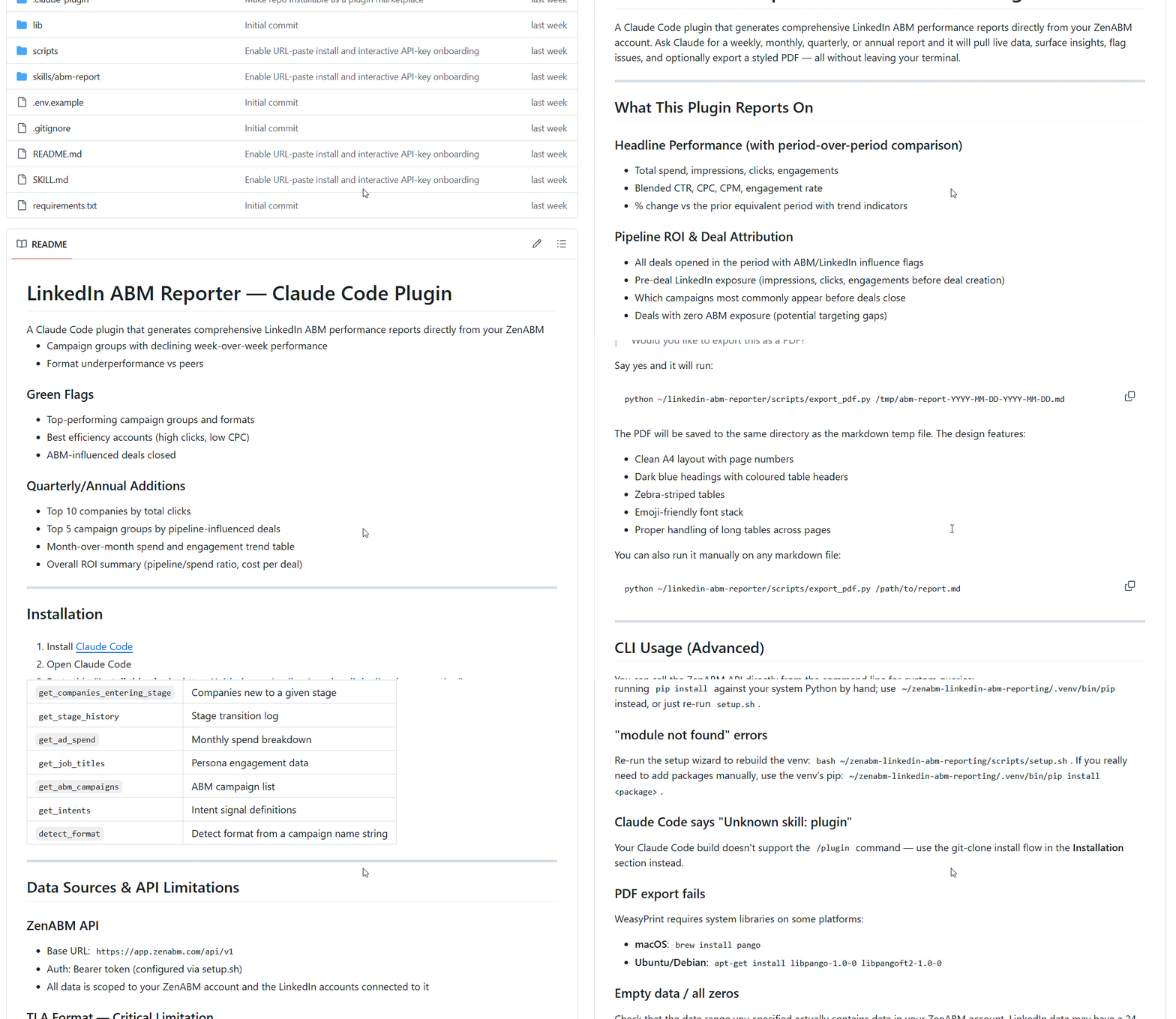
And if you want this as a recurring artifact instead of a conversation, the free LinkedIn ABM Reporter plugin generates the weekly or monthly report (period comparisons, red flags, stage moves, top engaged accounts) from one /abm-report command.
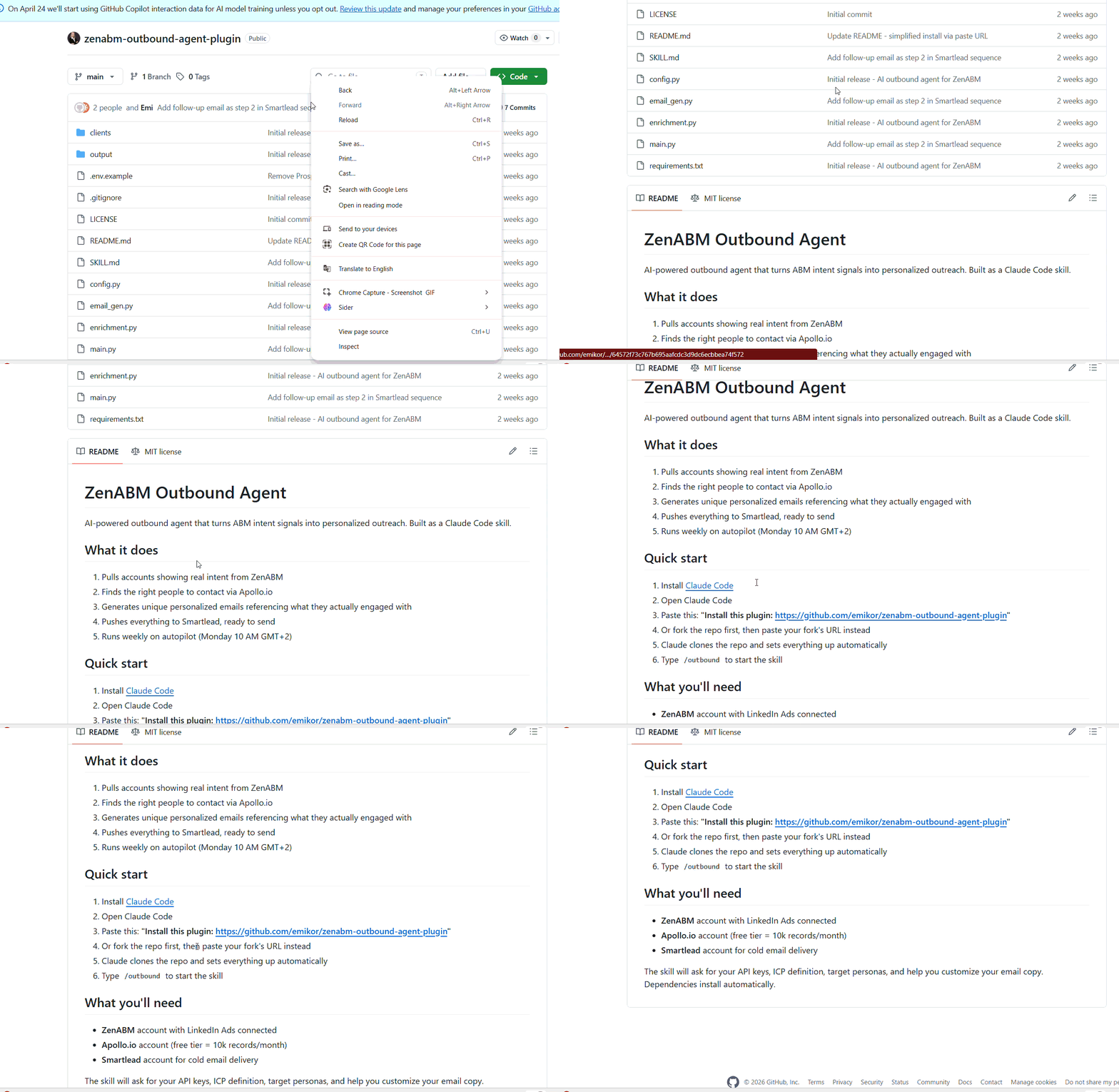
The last workflow is the one that turns all the ad data into revenue motion.
The free ZenABM outbound agent plugin runs a five-step cycle on a weekly schedule: it reads ZenABM for accounts actively engaging with your ads, finds ICP-matched contacts at those accounts through Apollo.io (the free tier covers 10,000 records a month), writes personalized emails that reference the specific ads and topics each account engaged with, pushes everything to Smartlead for delivery, and repeats every Monday without being asked.
What makes this different from generic outbound automation is the intent signal underneath.
Every prospect it touches belongs to a company that has already engaged with your ads, and ZenABM’s qualitative buyer intent tracking records which messaging resonated with each account, so the email opens with the thing the account is actually researching instead of a cold pitch.
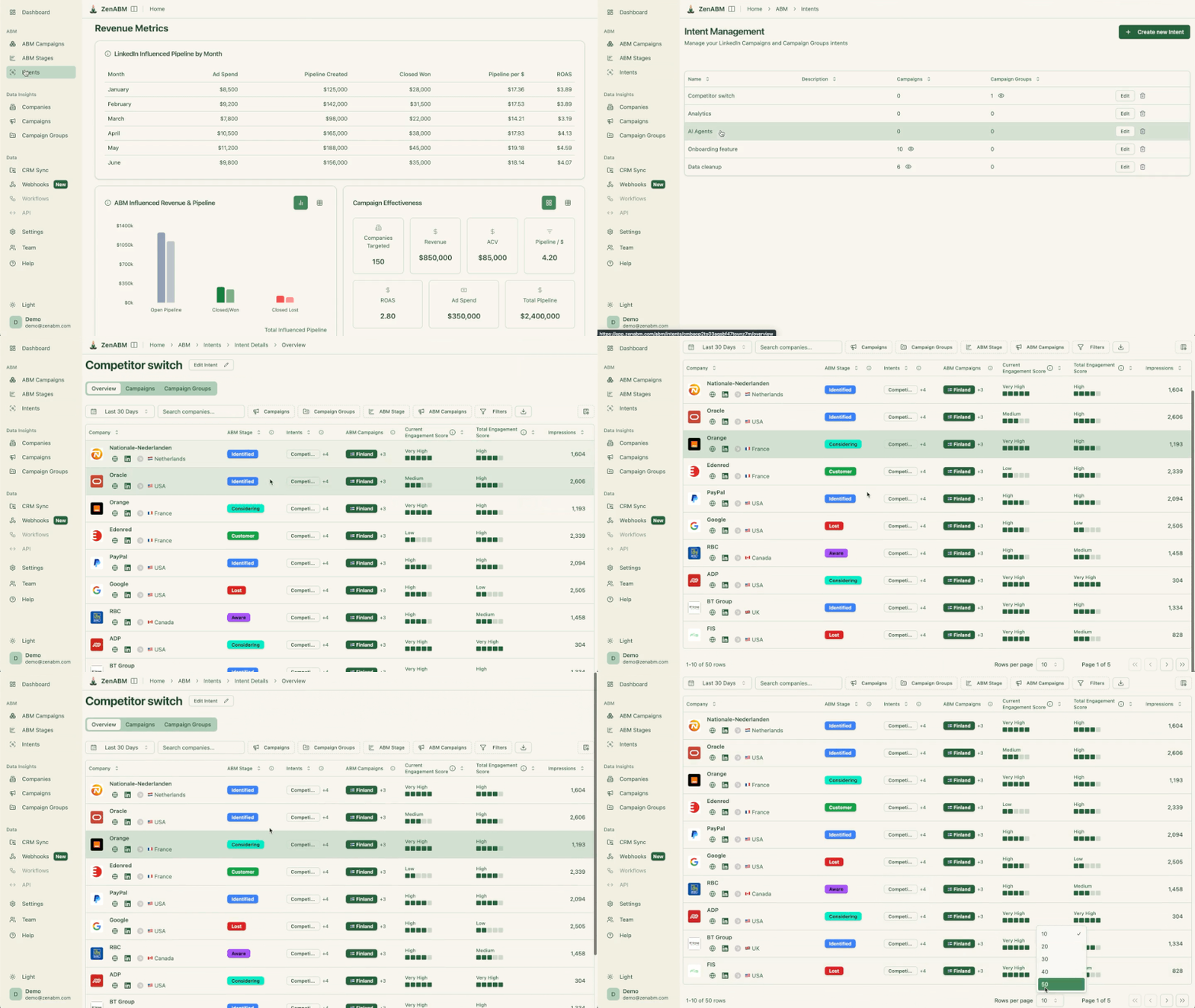
If you want to use the MCP server to get the data and not automate directly with the plugin, the prompt is one line: which accounts show the strongest buying intent this period, what are their intent topics, and which contacts should the SDRs prioritize today.
The full plugin catalog, including installation, is in the Claude Code for ABM use cases and plugins guide.
After a year of running this stack, three things stay manual on purpose.
Everything else in this guide is automation you can have running this week.
If you start with one thing, start with the wasted-spend audit: connect the ZenABM MCP server, run the four leak prompts and the roll-up, and you will have a reclaimable-spend number in about 30 minutes.
That number is what convinces the rest of your team the agent layer is worth it, far better than any argument I can make here.
Ready to run these workflows on your own account?
A free 37-day ZenABM trial includes the MCP server, Zena, company-level engagement, and the full attribution layer, or book a demo and we will walk you through the audit on your own data.
Yes, at two levels. LinkedIn’s native AI automates delivery: automated bidding, predictive audiences, and AI-drafted creative inside Campaign Manager. The more valuable layer for ABM teams is an AI agent like Claude Code connected to company-level ad data through an MCP server, which automates audits, budget reallocation, frequency control, attribution reporting, and the sales handoff through plain-English prompts, with any account change gated behind explicit confirmation.
LinkedIn ships automated bidding, predictive audiences, auto-targeting, and AI-generated ad drafts inside Campaign Manager. These optimize member-level delivery within the auction. What they do not provide is account-level automation: Campaign Manager never shows which companies engaged with your ads, so decisions like excluding saturated accounts or routing hot accounts to sales need a company-level data layer on top of the LinkedIn Ads API.
It can draft the pause, but the good implementations require your approval before executing. Through the ZenABM MCP server, Claude Code identifies decaying ads and eCPC outliers, proposes the pauses through write tools like update_ad_status, and waits for confirmation on each change. Zena, ZenABM’s AI chatbot, runs the same flow from a chat box. Nothing touches ad serving state silently, which is the safety model that makes AI ad management trustworthy.
It depends on the job, but for account-level automation the deciding factor is company-level engagement data, because ABM decisions are made per account. ZenABM provides that layer (with an MCP server, AI chatbot, CRM-joined attribution, and intent signals) starting at $59 a month with a 37-day trial; see current pricing. Free Claude Code plugins cover list building (AgentSource), creative (LinkedIn Ad Designer), auditing (Claude Ads), and reporting and outbound (ZenABM’s plugins).
No. Applying to LinkedIn’s Marketing Developer Platform yourself takes 2 to 4 weeks, is often rejected, and still would not give you company-level engagement data, because LinkedIn’s reporting API returns aggregate campaign metrics rather than the companies behind them. An MCP server that has already done the API work, like ZenABM’s, connects in about five minutes over OAuth or a Bearer token and adds the company-level and CRM context that makes the automation useful for ABM.
