

©2026 ZenABM - All Rights Reserved.

LinkedIn ABM nurture campaigns fail for a reason not discussed enough: LinkedIn’s retargeting audiences are built around individual members, and your ABM funnel is built around accounts.
The reason the account-level view matters so much is that the average B2B buying committee is 11 people, so the person who watched your video in week one is usually not the person who books the demo in week nine.
This post gives you the actual mechanics: every retargeting trigger LinkedIn exposes, the lookback ladder that graduates people automatically, the stage thresholds we used, the creative sequence per stage, and how to stop the whole thing from decaying.
A quick overview:
The standard advice is to build a creative sequence: video one introduces the problem, video two shows the product, video three asks for the demo, each one retargeting the viewers of the last.
It is a clean idea, and it works fine in B2C.
In ABM, it leaks badly because the audience LinkedIn hands you is a list of members, and the unit you actually care about is a company with 11 people wandering in and out of the buying process at different times.
Here is the failure in practice.
Your VP of Engineering watches 50 percent of the video, so she enters the stage-two audience.
Nobody else at that account did, so the account itself has one touch and no momentum.
Meanwhile, the Head of Data at the same company clicked a document ad from a different campaign and sits in a completely separate audience.
Two people, one account, two disconnected sequences, and no view anywhere that tells you the account is warming up.
You end up reporting on audience sizes while the thing you were hired to move, account progression, is invisible.
The fix is to treat the two layers as different jobs.
LinkedIn’s retargeting audiences are the delivery mechanism, good at getting the next ad in front of someone who has already interacted.
The account funnel is the decision layer, and it needs its own data: total engagement per company, across every campaign and every person, which is exactly what ZenABM pulls from the LinkedIn Ads API.
Once you can see that a company has produced 60 impressions and 6 clicks across four different people, you can make a stage decision that no member-level audience could have told you.

There is also a strategic reason not to build a tight conversion sequence, and it comes from Professor John Dawes at the Ehrenberg-Bass Institute.
His research, popularized by the LinkedIn B2B Institute, found that only around 5 percent of B2B buyers are in market at any given moment, so roughly 95 percent of the people you reach will not buy for months or years.
That reframes the whole exercise.
A nurture sequence is mostly a memory device for the 95 percent, and only occasionally a conversion path for the 5 percent. If you judge every ad by its conversion rate, you will kill the ads doing the memory work.
Before you sequence anything, you need to know what LinkedIn will actually let you retarget on, because the list is longer than the interface makes obvious.
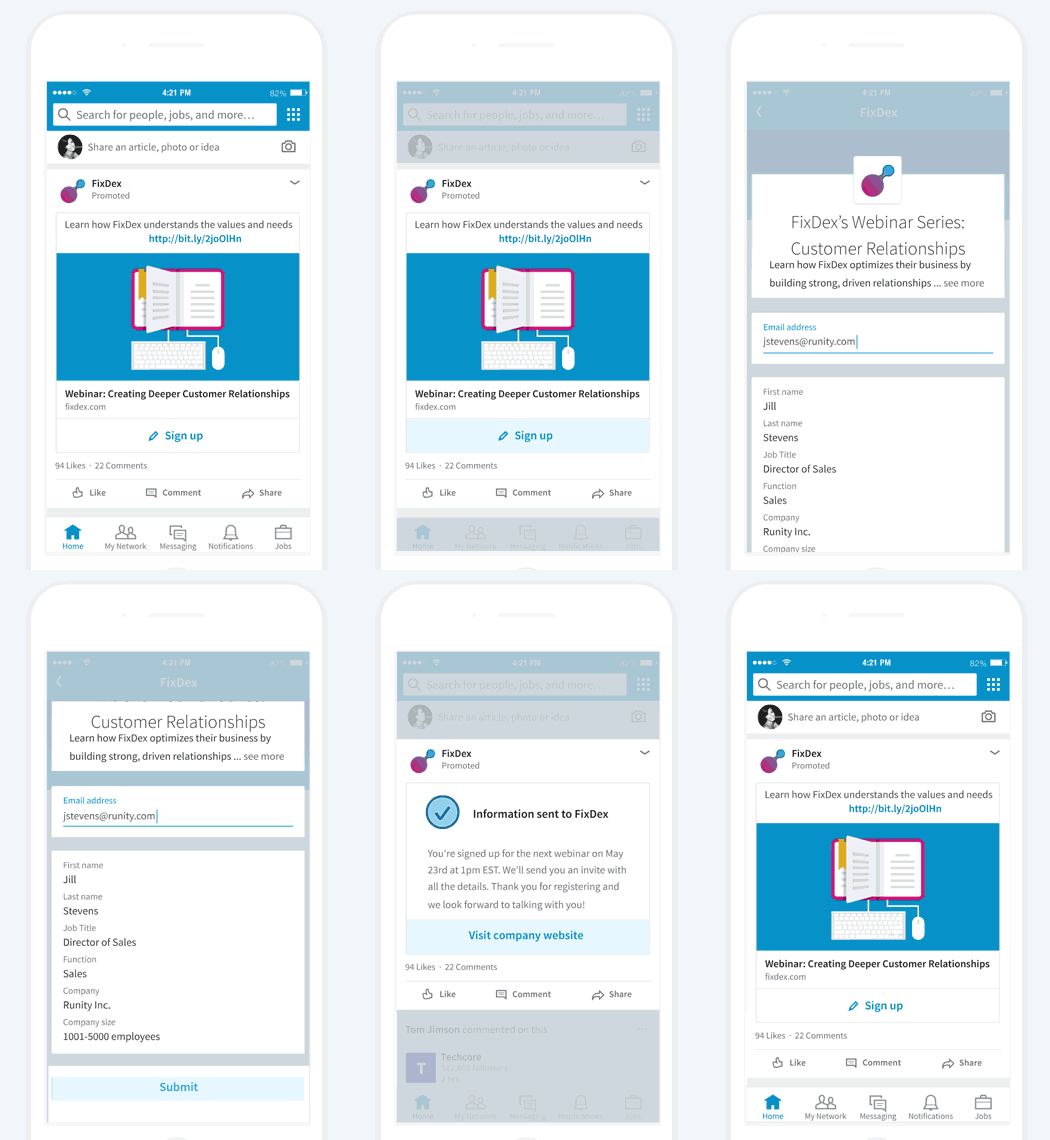
This table is drawn from LinkedIn’s own engagement retargeting documentation, and I would bet most readers are using video views, website visits, and lead forms while ignoring the rest.
Source | Triggers you can retarget on | Lookback windows |
|---|---|---|
Video ads | Viewed at least 25%, 50%, 75%, or 97% | 30, 60, 90, 180, 365 days |
Lead gen forms | Anyone who opened the form (including submits), or only people who submitted | 30, 60, 90, 180, 365 days |
Document ads | Chargeable clicks, any interaction, or specifically those who downloaded the document | 30, 60, 90, 180, 365 days |
Single image ads | Chargeable clicks, or any interaction (likes, comments, reshares) | 30, 60, 90, 180, 365 days |
Conversation ads | People who opened the conversation, or clicked any call to action | 30, 60, 90, 180, 365 days |
Company pages | Page visitors, or call-to-action button clicks | 30, 60, 90, 180, 365 days |
Event pages | RSVPs, 2 second stream views, 25%, 50%, 75%, 97% views, any interaction, chargeable clicks | 30, 60, 90, 180, 365 days |
Website | People who visited your website (Insight Tag required) | 30, 60, 90, 180 days |
Three details in there change how you build.

One operational warning that costs people a launch day: after you create the audience, LinkedIn takes up to 48 hours to process it and up to another 24 hours to begin delivery.
Build your nurture audiences three days before you intend to run them, not the morning of.
This is the mechanic that turns a set of audiences into an actual sequence.
Because the same trigger is available at 30, 60, 90, 180 and 365 days, you can nest the windows and let time do the sorting.
Somebody who engaged 20 days ago sits in all five audiences.
At day 31 they drop out of the 30 day audience but remain in the 60.
At day 91 they fall out of the 60 and 90 and remain in the 180 and 365.
So you build one campaign per window, exclude the shorter window from the longer one, and each person automatically walks down a ladder from urgent to occasional as their engagement ages.
As Wilcox puts it in his write-up on the approach, this is how you “graduate people through these funnels.”
Here is the structure I would set up on day one:
Window | Exclude | What runs here |
|---|---|---|
0 to 30 days | Nothing | Your strongest offer while the memory is fresh: case study, ROI proof, demo invite. |
31 to 60 days | 30 day audience | A different angle on the same problem, usually a customer story from their industry. |
61 to 90 days | 60 day audience | Educational content that re-earns attention rather than asking for anything. |
91 to 365 days | 90 day audience | Low-frequency brand and point-of-view content. This is the 95 percent memory layer. |
Note: If every rung of the ladder shows the same creative, the ladder is pointless, and you have simply bought frequency. Each window needs its own message.
The fastest way to fill the top of this ladder, by the way, is a short video.
Wilcox recommends running an eight-second video ad and retargeting anyone who watched at least 25 percent, because a quartile view on a short video is cheap to generate and builds a usable audience in days rather than weeks.
Now the account layer.
A stage is only useful if it has a number attached; otherwise, it is a label somebody updates by hand and stops trusting within a month.
These are the thresholds we ran, and they are a reasonable starting point for any program with a similar deal size:
Stage | Threshold to enter | What the nurture does here |
|---|---|---|
Identified | In the target account list | Cold reach. Thought Leader Ads and point-of-view content. |
Aware | 50 or more ad impressions | Keep showing up with varied creative. Do not ask for anything yet. |
Interested | 5 or more clicks, or 10 or more engagements | Switch to proof: case studies, comparison content, demo invites. Fire a BDR task. |
Considering | Booked a demo or started a trial | Support the deal. Sales-led, with ads reinforcing the specific objection. |
Selecting | Open deal in the CRM | Multi-thread across the committee. Keep the account warm while procurement grinds. |
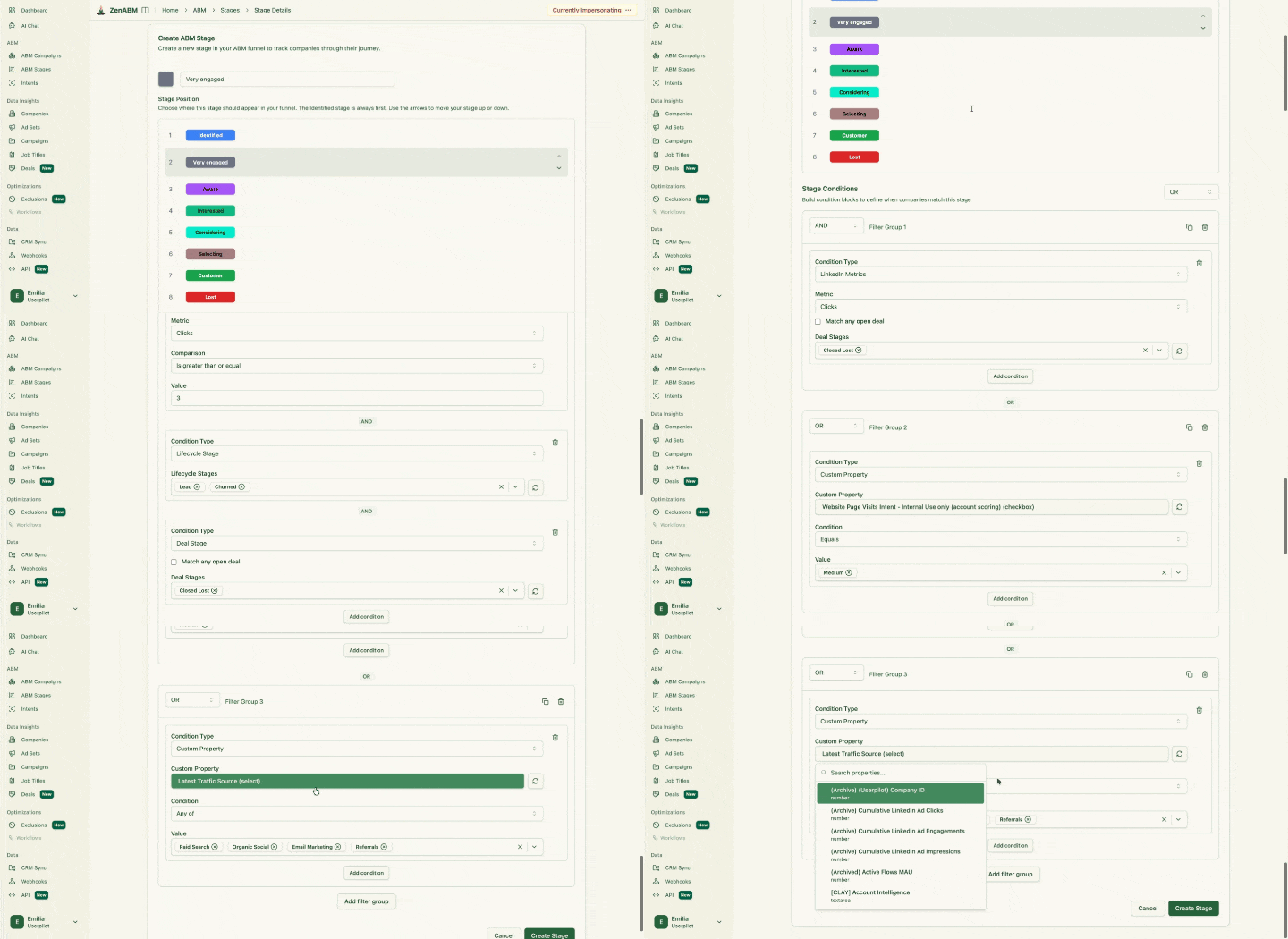
Emilia Korczynska (former VP of Marketing at Userpilot) used a similar ABM stages framework in her program:

In ZenABM, you define these yourself rather than accepting a vendor’s fixed funnel.
You pick the stage names and the exact conditions, and you can build them from ad engagement, CRM properties, form fills, webinar signups, or deal stages in any combination.

Two scores make these thresholds smarter than a raw count.
ZenABM keeps a current engagement score (engagements over impressions in your chosen window) and a total score (all time).
An account with a high total and a collapsing current score is cooling off and needs a different message than a brand-new account climbing fast.
If you only look at cumulative engagement, you will keep nurturing accounts that stopped caring three months ago.

Here is the mistake I want to save you from, because it cost us a quarter.
Having defined five stages, the obvious next move is to build five campaign groups, one per stage, each with its own creative.
Do not.
We tried it, and every campaign was underfunded; several audiences fell below LinkedIn’s 300-member serving floor, and the accounts stranded in the middle stages got almost no delivery at all.

The version that worked collapses delivery to two layers while keeping all five stages for reporting and routing:
Selected accounts come out of paid nurture and into sales-led motion, with ads used only to keep the wider committee warm.
Veronika Vebere, a demand generation consultant who has run these pilots for lean teams, describes almost the same structure in the ABM Bootcamp: a simple three-month pilot with a cold thought leadership layer feeding a warm retargeting layer, rather than an elaborate multi-stage build (from her ABM Bootcamp session).

She also makes the point that the budget itself caps how many segments you can run, and that most marketers underestimate that constraint badly.
She is right, and there is a formula for it.
Take your monthly budget, divide by 30, divide by your cost per landing page click, then divide by roughly 4 clicks per ad per day.
That gives you the maximum number of ads you can genuinely fund at once.
Every extra nurture stage multiplies your ad count, so a five-stage sequence with three creatives each is 15 ads, and on a modest budget, you have just guaranteed that none of them get enough delivery to learn anything.
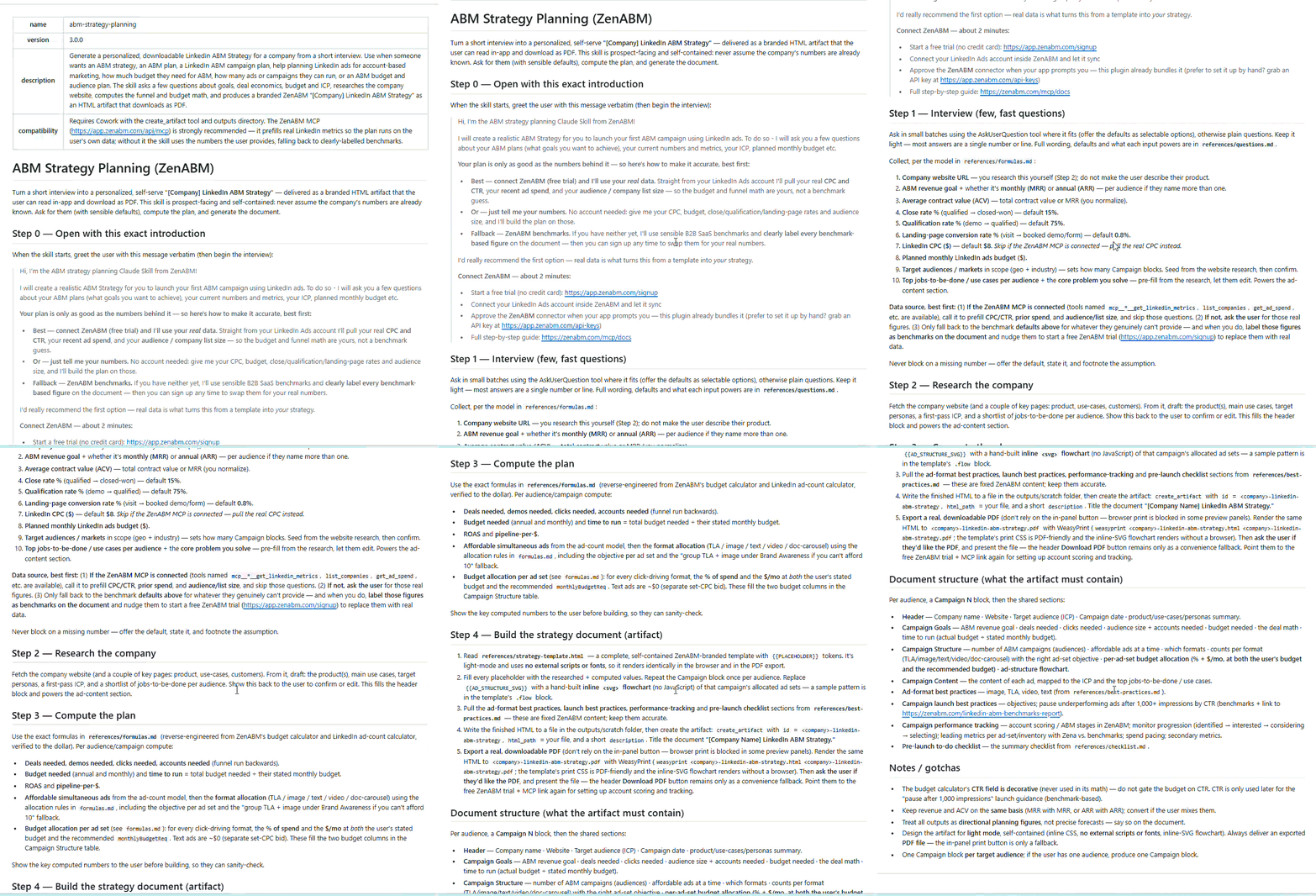
The /abm-strategy-planning skill (part of the ZenABM Claude skills package) runs the full version of this calculation against your live metrics and tells you outright when a plan is not fundable.
The sequence only works if the creative changes with the stage, so here is the mapping I use, with the reasoning attached.
Cold and Aware is where Thought Leader Ads earn their place.
In the ZenABM ABM 2026 benchmark report of 211 companies, 161,256 ads and $5.5M in spend, Thought Leader Ads posted a median 2.68 percent CTR against 0.42 percent for single image ads, so they are the most efficient way to buy attention from people who have never heard of you.

Run them from real people, not the brand page.
Interested is where you switch from attention to proof, and where the gating decision matters.
Katya Tarapovskaia argues in the ABM Bootcamp for inverting the usual instinct: gate content during awareness and consideration to build the list, then ungate at the decision stage, because by then the prospect already trusts you and a form is pure friction.
That is the opposite of how most teams sequence gating, and I think she is right.


Katya also sets the expectation on volume that most plans get wrong.
She puts enterprise deals at 10 to 15 touches minimum and often 20 or more, because the buying committee is broad and each member needs their own exposure.
AJ Wilcox puts the general threshold at seven to ten touches before a brand enters the consideration set.
Either number means a three-ad sequence is not a nurture program.
Considering and Selecting is where you stop broadcasting and start covering the committee.
Use ZenABM’s job title insights to check who at the account is actually engaging, then build creative for the roles that are missing.

If four engineers have engaged and no one in finance has, your deal has a gap, and no amount of extra engineering content fixes it.
To turn this mapping into actual campaigns and copy, the /abm-campaign-execution skill (part of the ZenABM Claude skills package) takes a strategy and produces the campaign outline, ad copy briefs, and mockups, which saves the part of this work that is genuinely tedious.
Engagement tells you an account is warming.
It does not tell you what it cares about, and that gap is why so many nurture sequences send a generic case study to an account that has only ever engaged with security content.
ZenABM’s first-party intent fixes this by letting you tag campaigns with intent themes (Analytics, Security, AI Features, whatever your real buying triggers are).
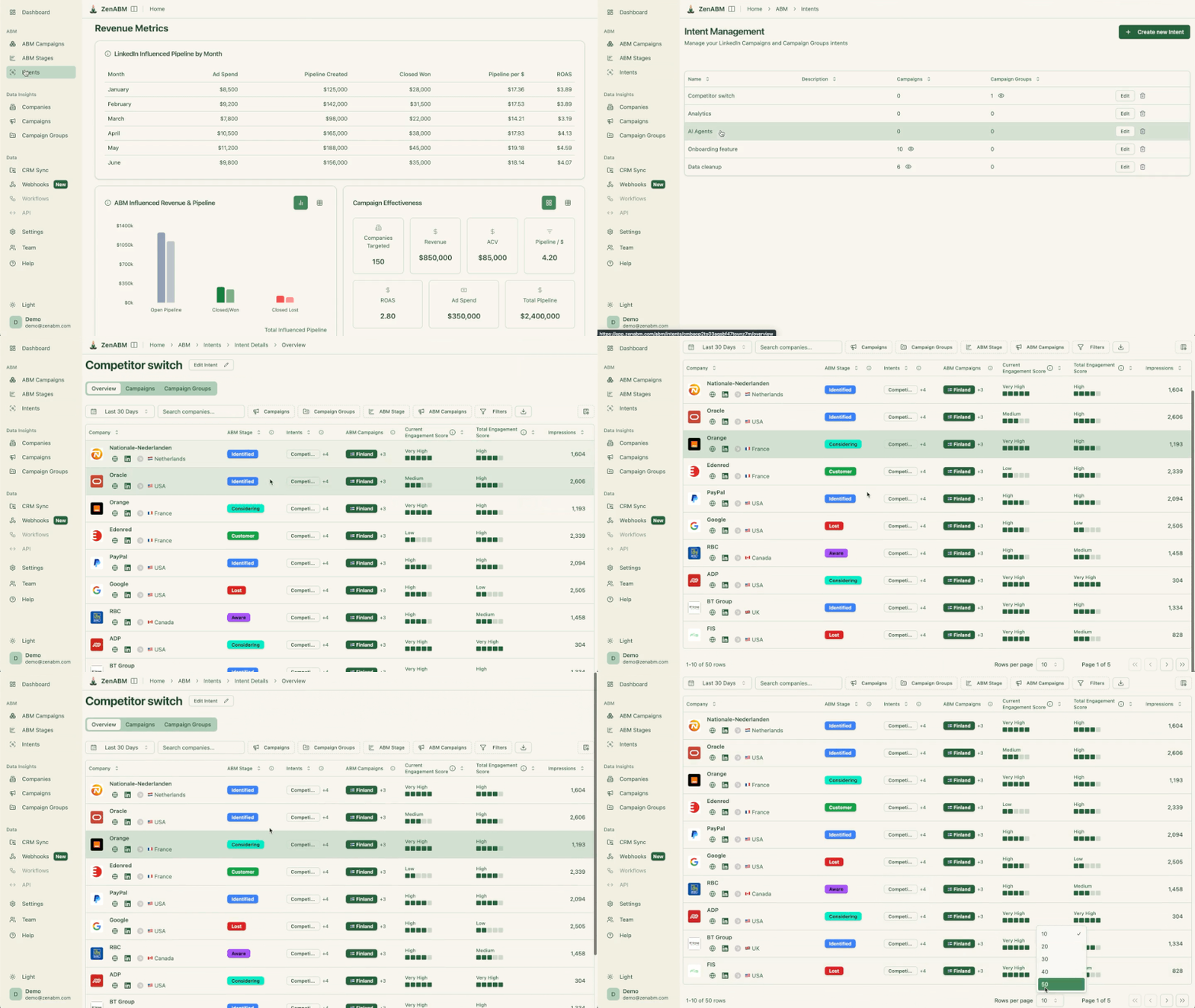
Any account that engages with a tagged campaign inherits the label, so your warm layer can branch by theme instead of running one message to everyone.
The practical payoff is a branched warm layer: accounts tagged Security get the security proof, accounts tagged Analytics get the analytics story, and both convert better than the generic version.
The /intent-report skill then ranks which themes actually correlate with deals, so over a couple of quarters you learn which of your themes is a real buying trigger and which is just interesting content.
That skill is one of 15 workflows the ZenABM MCP server ships as slash commands, which is worth explaining properly before we go further, because most of the checks in the rest of this post run through it.

Everything so far has been things you configure once and then have to keep checking: decaying ads, saturating audiences, accounts that moved stages, committees with a missing persona.
That weekly checking is the part that quietly does not get done, and it is exactly what an AI agent is good at.
The ZenABM MCP server is how you give an agent like Claude Code, Claude Desktop, or ChatGPT direct access to your LinkedIn ads and ABM data, so instead of exporting CSVs you ask a question in plain English and it queries the live account.
MCP (Model Context Protocol) is just the standard that lets an AI client talk to an external data source, so connecting ZenABM to Claude works the same way connecting any other MCP server does.
The endpoint is https://app.zenabm.com/api/mcp, authenticated with a Bearer token or OAuth.
In Claude Code you add it once, then run /init, which writes a CLAUDE.md file so the agent has standing context about your account and does not need to relearn your campaign structure every session.

Two separate things, and the distinction matters:
get_ad_set_settings, which is how you catch Audience Expansion or LinkedIn Audience Network quietly left on), reach and frequency, and weekly rolling series for real week-over-week decay rather than estimates.The 15 group roughly like this: audit and optimization (/linkedin-abm-audit, /budget-wasters, /persona-audit, /ad-decay), strategy and planning (/abm-strategy-planning, /abm-campaign-execution, /scaling-planner), reporting (/linkedin-abm-report, /weekly-digest, /revenue-attribution), and account work (/account-engagement, /company-deep-dive, /intent-report, /funnel-movement, /sales-handoff).
If you lose track of what is available, the list_skills tool or the /overview command prints the full catalog.
Writes are deliberately narrow. Reads change nothing, and only four actions can change your account (pausing an ad, pausing an ad set or campaign, excluding companies, and setting Budget Savers), each behind an explicit confirmation. An agent cannot quietly restructure your campaigns.
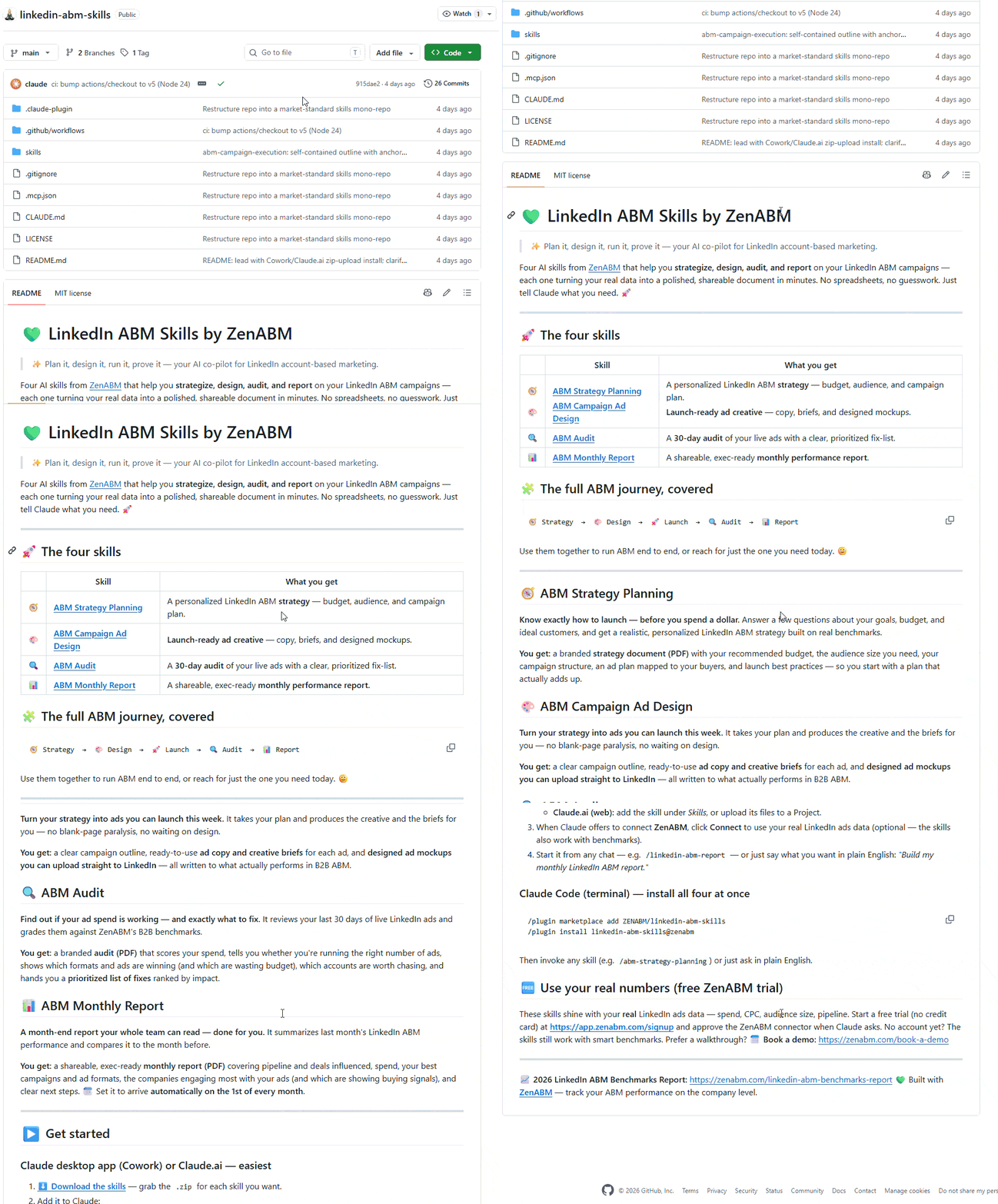
The four packaged skills also live in a public repo, which is the better route if you want them inside a project or on Claude Desktop:
/plugin marketplace add ZENABM/linkedin-abm-skills
/plugin install linkedin-abm-skills@zenabm
They run on sample data out of the box, and point them at a connected ZenABM account and they use your real numbers.
With that context, the skills referenced from here on should make more sense: each one is a prepackaged version of a check you would otherwise run by hand.
Long nurture sequences have a specific failure mode: you keep spending on the same accounts, frequency climbs, response falls, and the dashboard still looks busy.
Three checks catch it.
The first is ad decay.
Our rule was that an ad past 1,000 impressions with an eCTR under 0.4 percent comes off, and that when you kill one you replace it while holding the planned message ratio, or the whole account drifts off strategy one weekly swap at a time.
ZenABM’s weekly performance series gives you real rolling seven-day windows rather than estimates, and the /ad-decay skill (one of the MCP server’s slash commands) formalizes the rule: an ad is DECAYED when eCTR falls two weeks running with at least 1,000 impressions each week, and AT RISK after one down week.
It also flags the Thought Leader Ad trap where an ad collects plenty of engagement and almost no landing page clicks.
The second is saturation.
Before you add budget to a nurture layer, work out whether more money buys new people or just more impressions on the same people.
That is penetration (reach divided by audience size) against frequency (impressions divided by reach), and the /scaling-planner skill, also on the MCP server, sequences the step-ups with a stop condition at each stage.

One planning number worth holding onto comes from Maximilian Herczeg, a LinkedIn Ads specialist who spent time at LinkedIn itself: on the ABM Bootcamp, he estimates realistic monthly reach at roughly half your total audience pool, because plenty of profiles are inactive or log in rarely.
If you plan on reaching everyone, you will overspend chasing people who are not there.
The third is capping the accounts that never respond.
Some companies absorb thousands of impressions and never engage, and in a long nurture program they quietly eat a large share of the budget.
You can build a dynamic exclusion audience for companies past an impression count, and ZenABM’s exclude_companies action removes them from delivery outright once you approve it.

Running all three checks by hand every week is exactly the kind of work to hand to an agent.
With the MCP server connected, you can ask for the whole audit in one go:
Review my LinkedIn ABM nurture layers for the last 8 weeks. For each ad set, show eCTR week over week, flag any ad with two consecutive down weeks above 1,000 impressions, and calculate reach divided by audience size and impressions divided by reach. Then list the companies with more than 1,000 impressions and fewer than 2 engagements, ordered by spend.
A nurture sequence that lives only in Campaign Manager cannot trigger anything, so the last piece is plumbing.
ZenABM syncs bi-directionally with HubSpot and Salesforce, writing the ABM stage and the intent theme onto the company record as properties, which means the account a BDR opens already shows Interested and the engagement history behind it.


The engagement journey is the artifact that makes the handoff land.
It maps every ad touchpoint for a company on one timeline alongside CRM deal events, so a rep can see the eight touches that preceded the demo request rather than being told an account is “warm.”

Nurture is rarely LinkedIn alone, which is why ZenABM added multi-channel signals covering Google Ads, Reddit Ads, organic traffic, and AI chatbot referrals alongside LinkedIn.
An account that saw four LinkedIn ads and then arrived through an AI chatbot referral is further along than the LinkedIn data alone suggests.

Two more of the MCP server’s skills close the loop weekly.
/funnel-movement reports who moved between stages, who stalled, and which transition is the clog, with one fix for the slowest step.
/sales-handoff produces the call list for today, scored by stage moves, fresh intent, and engagement spikes, each row carrying a talking point drawn from that account’s real journey.
If your sequence is working, those two reports are the only nurture meeting you need.
The trap in nurture reporting is judging each ad by its own conversion rate, which punishes exactly the memory-building content the 95:5 rule says you need.
Judge the sequence instead on two things: how many accounts move between stages per month, and how much pipeline the whole program influences per dollar.

The benchmark numbers give you a yardstick: median influenced pipeline is $5.21 per dollar spent at 1.62x median ROAS, with top performers at $15.20.
If your nurture layer is running well below the median after a fair run, the problem is usually the creative sequence repeating itself, not the targeting.
The /revenue-attribution skill, another of the MCP server’s reporting workflows, runs this per campaign and is honest about small samples, telling you when a segment has too few companies to draw a conclusion from.

For the weekly rhythm, /weekly-digest gives a stakeholder headline plus the operator detail, and /linkedin-abm-audit is the monthly diagnostic that catches the decayed ads and impression hogs before they compound. Both run off the same MCP connection, so once it is set up there is nothing further to install.
Nurture on LinkedIn is not complicated, it is just slow, and almost everyone breaks it in the same two ways: sequencing individuals instead of accounts, and building more stages than the budget can feed.
Fix those and the rest is mechanical. Nest your lookback windows so people graduate on their own, write a different message for each rung, set numeric thresholds that push accounts into the CRM, and check decay and penetration every week so the sequence does not quietly turn into repetition.
If you want the shortest path to a working version, build the 30, 60, 90 and 365 day ladder off one short video this week, set the Interested threshold at 5 clicks or 10 engagements, then connect the MCP server and let /funnel-movement tell you in a month which step is stuck.
That single report will teach you more about your funnel than another round of creative testing.
The one thing you cannot improvise is the account layer, because LinkedIn will not give it to you.
If you want to see which companies are actually moving through your sequence, ZenABM is free for 37 days with full functionality, and you can have company-level engagement, your own stage thresholds, and the MCP connection running against live data before your next nurture review.
A LinkedIn ABM nurture campaign is a sequence of ads that moves target accounts from unaware to sales-ready over months, using engagement retargeting audiences as the delivery layer and account-level stages as the decision layer. The distinguishing feature against normal retargeting is that progression is judged per account, not per person, because the average B2B buying committee is 11 people and any single member sees only a fraction of the sequence.
Plan in quarters, not weeks. Ehrenberg-Bass research indicates only about 5 percent of B2B buyers are in market at any moment, so most accounts you nurture will not buy for months. LinkedIn’s engagement retargeting supports lookback windows up to 365 days for exactly this reason. Practically, give a nurture program at least one full sales cycle before judging it, and expect 10 to 20 touches for enterprise accounts.
AJ Wilcox puts the general figure at seven to ten touches before a brand enters the consideration set, while Katya Tarapovskaia puts enterprise deals at 10 to 15 minimum and often more than 20, because each buying committee member needs their own exposure. Multiply that by committee size and a three-ad sequence is clearly not enough. Track touches at the account level, since one person’s five touches are not the same as five people seeing one ad each.
No, and this is the most common structural mistake. Track five stages for reporting and routing, but collapse delivery into two layers, cold and warm. Splitting spend across five campaigns underfunds all of them, and narrow segments fall below LinkedIn’s 300 member serving floor. Your budget divided by 30, divided by cost per click, divided by roughly 4 clicks per ad per day, tells you how many ads you can genuinely support.
Video viewers at 25 percent are the cheapest audience to build quickly, which makes them the best entry point for a nurture ladder. The most underused is the lead gen form open trigger, which captures people who opened your form and did not submit, a group with clear interest and obvious hesitation. Document ad downloads are the strongest intent signal of the standard set, since a download takes more commitment than a click.
The ZenABM MCP server connects your LinkedIn ads and ABM data to an AI client like Claude Code or ChatGPT, so you can ask questions in plain English and run 15 prepackaged analysis workflows as slash commands. You do not need it to run nurture campaigns, since the stages, intent themes, and CRM sync all work in the ZenABM app itself. It matters for the weekly upkeep: decay checks, saturation math, and stage movement reports that otherwise get skipped.
Report account movement between stages per month and influenced pipeline per dollar spent, rather than per-ad conversion rates, which systematically undervalue the memory-building content most of the sequence is doing. The ZenABM 2026 benchmark puts median influenced pipeline at $5.21 per dollar with 1.62x ROAS, so you have a comparison point. The engagement journey view showing every touch before a deal opened is usually what convinces a skeptical CFO.
