

©2026 ZenABM - All Rights Reserved.

You can generate LinkedIn ads with AI in two ways: the lazy way, where you ask ChatGPT for “10 LinkedIn ad ideas” and paste whatever comes back, and the data-informed way, where you brief the AI on what already works in your account and ask it to make more of that.
This post is about the second approach, because the first one is how you burn budget on creative that looks fine and converts like sand.
Generating LinkedIn ad creative with AI covers two things: the copy (hooks, headlines, primary text, variations) and the visuals (the actual image or HTML the viewer sees in the feed).
Both are covered here, along with the part most guides skip: making that generation pull from your own winning ads instead of from a generic best-practices blog the model read in 2023.
Short on time?
Here is a quick summary:

The honest reason is volume. LinkedIn creative fatigues, and an ad that pulled a strong click-through rate in week one slides over the following weeks because the fix is fresh creative, not a bigger bid.
For account-based campaigns running across several segments, each segment wants its own angle, which means a lot of variations are needed, and they are needed often.
AI is good at volume.
What it is not good at, on its own, is judgment: it does not know which hooks actually drove landing-page clicks last month, so left alone it will hand you ten plausible ads and zero indication of which one your buyers respond to. That is the gap this guide closes.
Use AI for the generation; use your own data for the direction.
Tim Davidson is blunt about the limits of treating AI as a full replacement for the creative team in his LinkedIn post.
“AI is great and all but as someone who has tried very very hard to use it to replace designers, it’s not the answer.” Tim Davidson
The point is not to eliminate the designer. The point is to give AI enough context and enough constraint that the output is worth a human’s time to refine, instead of slop you have to throw away.
If you want the broader picture of where AI fits in an ABM motion, the guide to running ABM on LinkedIn covers how creative sits inside the whole program.

Copy is where AI is most useful and most dangerous. Useful because it can spin out fifteen hook variations in seconds; dangerous because the default output is bloated, hedge-filled, and full of the exact words that make a B2B reader scroll past.
The work is in the prompt, not the model.
Three rules to bake into every copy prompt:
Here is a prompt you can copy and paste directly:
“You are a senior B2B performance copywriter for LinkedIn Ads. “Product: [one-line description of what you sell] ICP: [job titles, company size, industry] Offer: [the free audit/demo/report/feature you are promoting] Proof points: [your real numbers, e.g. “3x pipeline”, “$2.44 CPC”, “37-day trial”] Write 10 LinkedIn single-image ad concepts. For each, give: 1) HOOK (first line, max 12 words, must stop a scroll) – HEADLINE (max 70 characters) 2) PRIMARY TEXT (max 40 words, one idea only) 3) CTA (2-4 words) Hard rules: 1) Numbers over adjectives. 2) No claim without a number behind it. 3) One idea per ad. No ad lists more than one benefit. 4) Banned words: leverage, seamless, innovative, unlock, supercharge, game-changing, revolutionary, cutting-edge, effortless. 5) No exclamation points. No em dashes. 6) Sound like a person who knows the buyer, not like marketing.”
Once the ten concepts are back, do not run all ten.
Pick the three that match an angle that already worked in your account, which is the data-informed step covered below.
Then ask the model for tight variations of just those three.
Take these 3 winning concepts: [paste the 3].
For each, write 4 variations that keep the same core promise but change the angle of the hook:
Same hard rules as before: 40 words max per ad and one idea each.
That produces twelve tested-adjacent variations instead of ten cold guesses.
On the question of where the leverage really sits, Gabriel Ehrlich puts creative and targeting in the right order in his LinkedIn post.
“We treat creative as a strategic lever, not a design task – the ‘who this resonates with’ is the whole game in B2B.”
So the copy prompt should always carry the “who” with it.
The same product sold to a CFO and to a RevOps lead needs two different hooks, and the AI only knows that if it is told.

Copy is half the ad.
The other half is the visual, and this is where most AI workflows fall apart.
General image tools like Midjourney or the image models in ChatGPT can produce a picture, but they tend to ignore brand colours, mangle text rendering, and output something that looks like a stock photo with the soul removed.
For a feed full of B2B buyers who have seen everything, that reads as cheap.
The route worth recommending for LinkedIn-specific, brand-consistent visuals is the LinkedIn Ad Designer Claude skill by Advanced Client.
You can download the LinkedIn Ad Designer skill here.

It is worth understanding exactly what it is, because it does not work like an image generator.
It is a Claude Project skill, which means it ships as a markdown file you add as Project Knowledge inside a Claude Project.
The setup is short:
The brand config is what makes the output on-brand instead of generic. It requires:
The part that matters most and that people miss: the skill outputs ads as live, editable HTML visuals.
They are pixel-perfect and on-brand, rendered from code.
They are not AI-generated raster images, and they are not stock templates you fill in.
Because the output is HTML, you can tell Claude to nudge the headline, swap the stat, or change the CTA colour, and it regenerates cleanly without re-rolling a prompt and praying the text comes out spelt correctly.
The skill ships with 23 design patterns, so there is no starting from a blank canvas.
A few of them:
Ads come out square (1:1) by default, with a 1.91:1 landscape option, and the skill caps copy at around 40 words per ad, which enforces the one-idea rule automatically.
That word ceiling is a feature, not a constraint, because it stops you from cramming a paragraph onto a creative nobody will read.
Once the project is set up, you talk to it in plain language.
Examples that map directly to the patterns:
General AI image tools still have a place when you want a photographic or illustrative element.
But for the LinkedIn-specific, brand-consistent, text-heavy ad unit, the Ad Designer skill is the route that does not make you choose between speed and looking professional.
If you want to wire AI creative work into a broader toolchain, the post on Claude Code for ABM use cases and plugins covers how these skills and plugins fit into a real workflow.
This is the step that separates AI-generated LinkedIn ads that work from AI-generated LinkedIn ads that waste budget.
Before asking any model to make creative, you pull what already wins from your own account and brief the AI with it.
The two numbers that matter most are not in LinkedIn Campaign Manager.
They are eCTR, the effective click-through rate to your landing page, and eCPC, the effective cost per landing-page click.
Campaign Manager shows a click-through rate that counts likes and comments; eCTR counts only the clicks that actually reach your page, which is the only engagement that can turn into a pipeline.
Ranking your formats and hooks by eCTR and eCPC tells you what your buyers click on, not just what they react to.
The ZenABM MCP server lets you query your LinkedIn Ads and pipeline data in plain English inside Claude, ChatGPT, or Cursor.
The server lives at https://zenabm.com/mcp, exposes 60+ tools across your campaigns, ad sets, creatives, deals, and intent data, and you do not call the tools by name.
You ask a question, the AI picks the tools, pulls live data, and returns a structured answer.
The question to run before any creative sprint:
Using the ZenABM MCP server, show me my top-performing LinkedIn ads and ad formats by eCTR over the last 90 days. For each, give impressions, spend, landing-page clicks, eCTR, and eCPC side by side. Then summarize the patterns: which formats, hooks, and angles show up most in the top quartile by eCTR, and which show up in the bottom quartile by eCPC.
You’ll get something like this:
That summary becomes your creative brief.
Hand it to the copy prompt from Part 1 and the Ad Designer skill from Part 2:
Here are my winning patterns from the last 90 days (from ZenABM): – Top format by eCTR: [paste] – Top hooks / angles: [paste] – Lowest eCPC angle: [paste] Generate 10 new ad concepts that extend these winning patterns. Do not invent new angles that contradict the data. Then design the top 3 as on-brand LinkedIn ads using our brand config.
Now the AI is generating more of what already works rather than guessing.

Generation is a loop, not a one-off. Once the new AI-generated creative is live, go back to the same ZenABM MCP server and ask which of the new ads is pulling the strongest eCTR, which is decaying, and which to pause. Then feed those results back into the next generation round.
Two questions to run weekly:
Which of my ads launched in the last 30 days have the highest eCTR
and lowest eCPC, and which are decaying (CTR or eCTR declining two or
more consecutive weeks above 1,000 impressions)?

Compare the new AI-generated creative to the previous batch on eCTR
and eCPC. Did the new patterns beat the old baseline?
This is the compounding part. Every round of generation starts from a higher baseline than the last, because the model is always briefed on a fresher, sharper read of what buyers click.
ZenABM’s current and total engagement scores make it easy to surface which accounts are heating up between creative rounds, so the brief gets sharper each time.

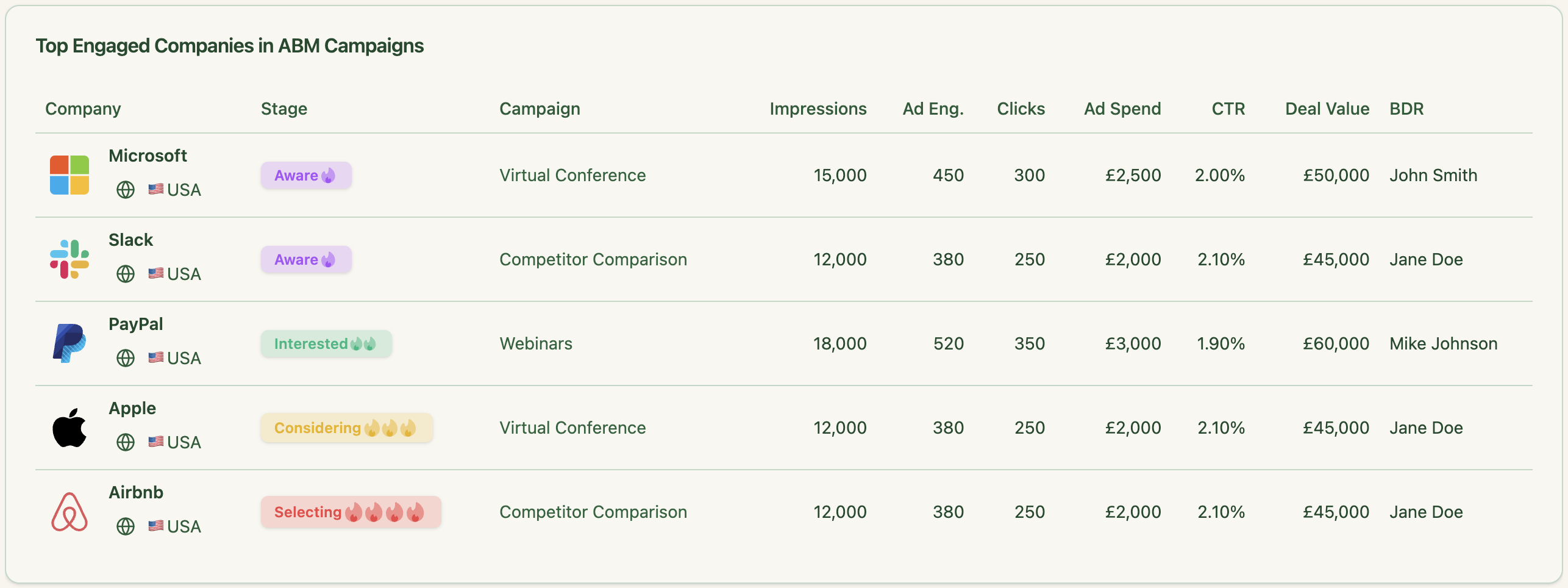
That is the entire discipline: generate, launch, measure with eCTR and eCPC from ZenABM, brief the AI again, generate better.
The AI handles the volume. Account data handles the direction.
The fastest way to make AI-generated creative look AI-generated is to skip the constraints.
No banned-words list, no word cap, no real numbers, no brand config.
The output comes out smooth and forgettable, and a B2B buyer clocks it in half a second.
The anti-slop checklist for any AI ad creative before it ships:
If you want the benchmarks to sense-check what “good” eCTR and eCPC even look like for your format mix, the LinkedIn ABM performance benchmarks report for 2026 gives you the reference points to judge generated creative against.

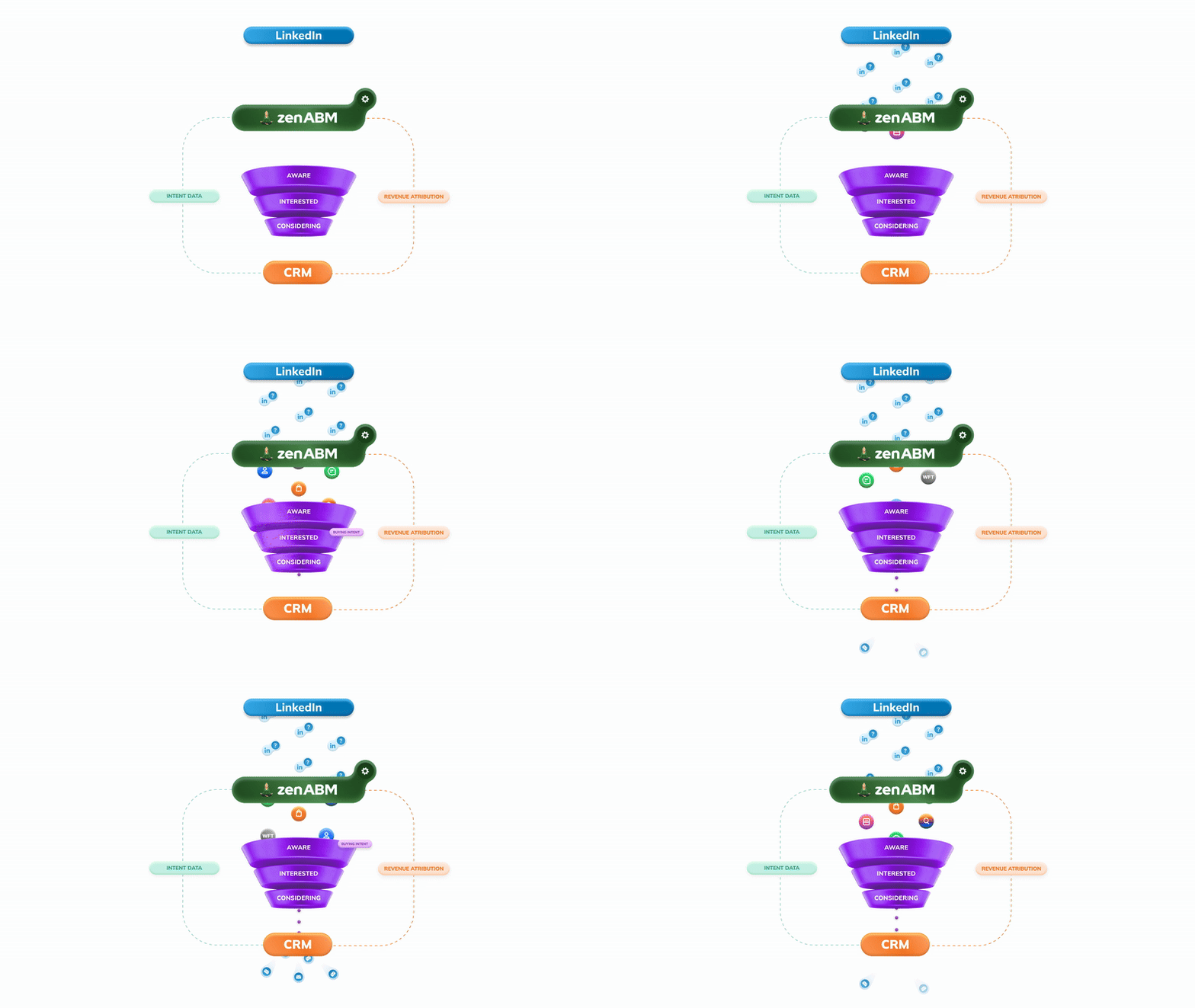
The biggest waste in AI-generated ad creative is not bad copy or off-brand visuals.
It is briefing the model with nothing.
When you give AI a blank prompt and a product description, you get plausible output with no connection to what your buyers have already responded to, which means every ad is a fresh guess instead of a compounding bet.
ZenABM fixes the brief. Its MCP server surfaces your top-performing LinkedIn ad formats, hooks, and angles by eCTR and effective CPC directly inside Claude, so every generation sprint starts from 90 days of real account engagement data rather than intuition.
The company-level impression and click tracking tells you which creative moved which accounts through the funnel, and the engagement scores tell you which accounts are warming up so you can time the next creative push accordingly.
Try ZenABM free for 37 days and run your first data-informed creative sprint before your next campaign goes live.
You can also book a demo with us to know more!
Some common questions about generating LinkedIn ad creative with AI and their answers:
Yes, in two different ways. General AI image tools can produce photographic or illustrative images, but they often miss brand colours and render text poorly. The LinkedIn Ad Designer Claude skill takes a different route: it generates ads as live, editable HTML visuals that are pixel-perfect and on-brand, which is the better fit for the text-heavy, brand-consistent ad units that perform on LinkedIn.
Constrain the prompt hard. Demand a number behind every claim, limit each ad to one idea and around 40 words, and ban the fluff words that flag generated copy, such as leverage, seamless, and innovative. Then brief the model on the specific buyer, because the same product needs a different hook for a CFO than for a RevOps lead.
It is a Claude Project skill from Advanced Client that ships as a markdown file you add as Project Knowledge. You fill in a brand config (company, tagline, hex colours, accent and CTA colour, dark background, fonts, logo, tone), then ask Claude for ads in plain language. It outputs on-brand HTML ads across 23 design patterns. You can download it from the LinkedIn Ad Designer page.
Before generating, pull what already works from your account. Use the ZenABM MCP server at https://zenabm.com/mcp to rank your formats and hooks by eCTR and eCPC, summarize the winning patterns, then hand that summary to your copy prompt and to the Ad Designer skill so the AI extends your winners instead of guessing. The guide to LinkedIn Thought Leader Ads is a good companion if Thought Leader Ads are part of your mix.
No. AI is good at volume and fast first drafts. It is not good at judgment, and its unconstrained output reads as generic. Treat AI as the tool that produces options at speed, and keep a human to set the strategy, pick the angle from your data, and refine the final ad before it runs.
