

©2026 ZenABM - All Rights Reserved.

LinkedIn Document Ads sit in an interesting middle ground between content marketing and paid distribution.
They let you promote a PDF, deck, or report directly in the LinkedIn feed so people can start consuming the asset without immediately bouncing to a landing page.
That makes them useful for warming accounts, distributing expertise, and creating richer engagement signals than a standard click-only ad.
But they are not magic.
The strongest way to think about LinkedIn Document Ads in 2026 is this: they are a strong content distribution format, not automatically the strongest performance format.
In the ZenABM 2026 LinkedIn ABM Performance Benchmarks Report, which analyzed real performance data from 211 B2B companies, 161,256 ads, and $5.5M in spend across 29 countries, Document Ads posted a median 0.43% CTR.

That put them roughly in line with Single Image Ads at 0.42%, below Event Ads at 0.55%, and far below Thought Leader Ads at 2.68%.
So the real opportunity is not to treat Document Ads like a miracle format.
It is to use them for the job they are actually good at, distributing useful content in-feed, qualifying interest through document engagement, and then connecting that engagement to the pipeline.

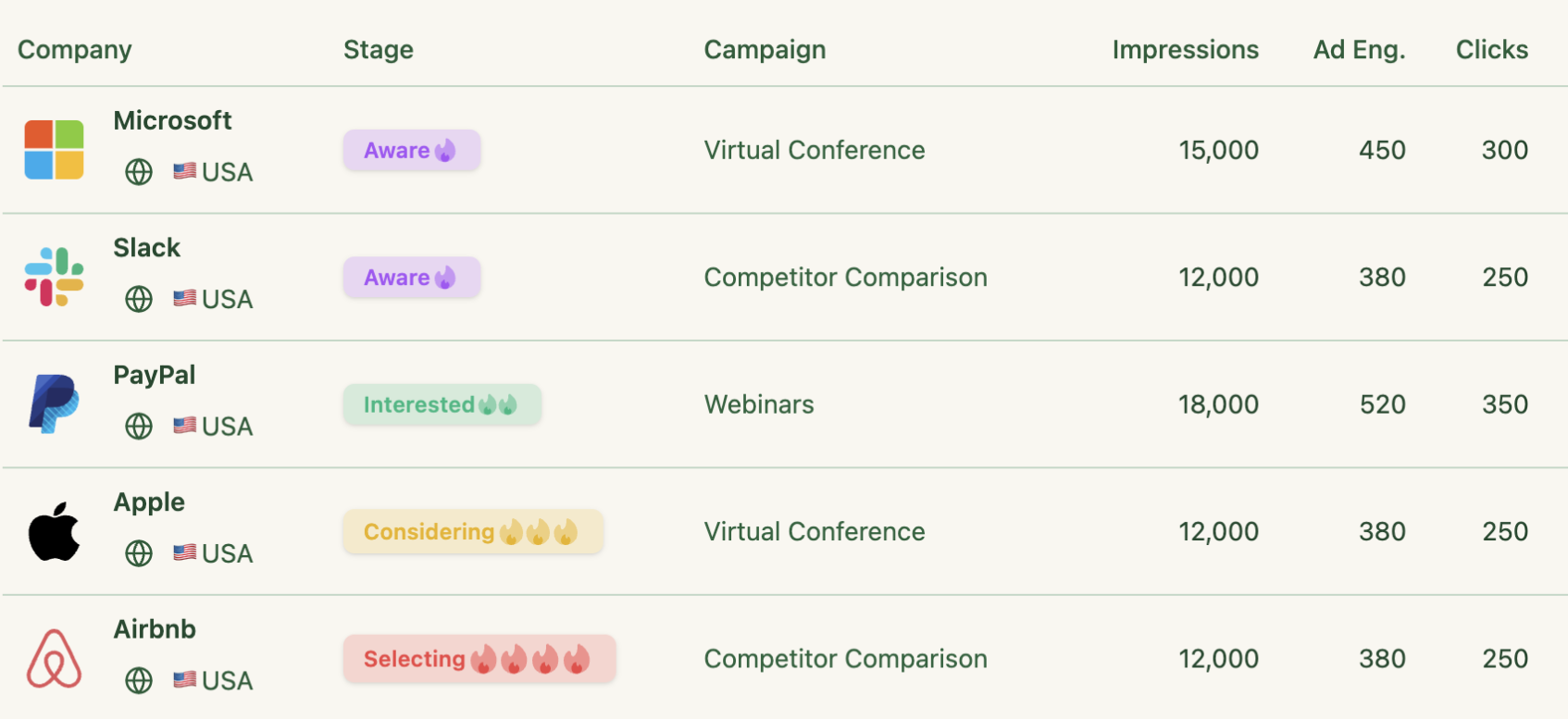
In case you want it short:

LinkedIn Document Ads are Sponsored Content units that let you upload a document, usually a PDF or deck, and promote it directly in the feed.
Instead of forcing an immediate click to an external page, people can start browsing the asset inside LinkedIn itself. That is why the format works well for distributing useful, fairly substantial content without asking the audience to commit to a landing-page visit right away.
You can use Document Ads to:


Document Ads work best for assets that already have some built-in utility, such as benchmark reports, playbooks, buyer checklists, implementation guides, product one-pagers, event recaps, trend explainers, and case-study decks.
They are especially effective when your audience would actually benefit from previewing the content before deciding whether to take the next step.
Before you obsess over copy and creative, get the format basics right.
Pro Tip: ZenABM tracks company-level engagement for every ad creative, so you can see which document topics, aspect ratios, and gated versus ungated strategies actually move the right accounts.
For the current official specs, review LinkedIn’s Document Ads specifications and product page.

Here is why LinkedIn Document Ads are worth using, and where the 2026 benchmark data helps keep expectations realistic.
Document Ads let people start consuming the asset without first asking for a site visit. That lowers immediate friction and makes the format useful for guides, benchmarks, checklists, and educational content that would otherwise lose people between the ad click and the landing page.
For ABM teams, this matters more than the click itself. A prospect who browses several pages of a benchmark report or buyer guide has given you a stronger signal than a casual click on a generic ad. That is why Document Ads work well in awareness and consideration stages, especially when you want to educate named accounts before outbound or retargeting.
One of the most useful features is that you can evaluate document engagement depth, including whether people opened the asset and how much of it they consumed. That gives you better retargeting and better creative feedback than a normal ad that only tells you whether someone clicked or not.
If you gate the asset, native Lead Gen Forms reduce friction further because user details are already pre-filled. Across LinkedIn campaigns more broadly, native forms often convert around 10%, strong campaigns can exceed 15%, and CPL can be 20 to 30% lower than sending traffic to an external landing page. The tradeoff is that you gain the lead but lose the website visit, which matters for retargeting and website-level intent signals.
The 2026 ZenABM benchmark dataset is useful here because it stops you from making the wrong claim. Document Ads are not automatically the best-performing LinkedIn format on raw efficiency. Their median CTR was 0.43%, which is basically on par with Single Image Ads at 0.42% and well below Thought Leader Ads at 2.68%.
So the reason to use Document Ads is not, “this format beats everything else by default.” It is, “this format is great when the job is distributing substantive content and building account-level interest inside the feed.”
If someone opened the document or meaningfully engaged with it, you can build a better next step than a generic nurture sequence. That might mean retargeting them with a case study, routing the account into outbound, or moving them into a more specific offer based on the topic they engaged with.
Like every other LinkedIn format, Document Ads should not be judged only on engagement. The broader benchmark lesson from the ZenABM 2026 report is that the median B2B company generates $5.21 in influenced pipeline per dollar spent on LinkedIn ads, top performers reach $15.20, and median ROAS sits at 1.62x. The real question is not whether your document got swiped. It is whether the right accounts engaged and whether that engagement moved the pipeline.
Enough theory, here are examples that show how different brands use the format.

Ad: A multi-page guide on influencer marketing tips.
Why it worked: It led with a visually distinctive cover, delivered immediate value in the preview, and made the payoff of unlocking the full document obvious.
Lesson: If the preview already teaches something useful, the audience is much more willing to continue.

Ad: A gated cold call and email templates playbook.
Why it worked: Gong used a strong credibility anchor on the cover, “304,174 interactions analyzed,” which immediately signals the asset is not generic opinion. That kind of specificity is exactly what makes a Document Ad worth opening.
Lesson: The cover should carry proof, not just branding.

Ad: “Website Redesign in 7 Steps” checklist.
Why it worked: It gave the audience something practical and immediately understandable, which is often better than a broad thought-leadership headline.
Lesson: Checklists and frameworks often travel better than abstract reports.

Ad: An educational document about cookieless advertising.
Why it worked: It paired a topical issue with a memorable cover visual and a tightly targeted audience.
Lesson: For niche audiences, relevance beats scale.

Ad: A case study on reducing tracking-related support costs.
Why it worked: The cover led with concrete outcome numbers and a named customer, which made the offer credible and commercially relevant.
Lesson: If you have proof, put it on the cover instead of burying it on page four.

Ad: A thought-leadership whitepaper on AI and transformation.
Why it worked: It combined a familiar executive topic with an easy-to-grasp title and a professional presentation style that fit the audience’s expectations.
Lesson: Safe can still work if the topic is timely and the value is clear.
Ads (multiple): A series of Document Ads built from existing thought-leadership assets.
Why it worked: EY used the format as a fast repurposing engine, testing different title pages and themes without needing to produce entirely new assets for every campaign.
Lesson: Document Ads are one of the fastest ways to turn existing long-form content into a feed-native paid asset.
You can read more of this case study on LinkedIn’s own page.

Ads (multiple): Repurposed long-form research and whitepapers delivered directly in the feed.
Why it worked: Instead of pushing people out to a PDF download page, LSEG let them begin reading instantly. That improved content consumption and created stronger nurture opportunities.
Lesson: For serious content, the in-feed reading experience can outperform the traditional “click to download” motion.
Ad: Industry- and region-specific investor documents promoted to tightly defined audiences.
Why it worked: The content was tailored to clear audience slices and paired with Lead Gen Forms for follow-up, which is a strong pattern when the offer is specific and high-value.
Lesson: Document Ads become much stronger when the content is tailored to a narrow ICP slice instead of trying to speak to everyone.

This one is anecdotal, but still useful. A Reddit user said most of their LinkedIn leads were coming from Document Ads, which reflects something practitioners repeatedly mention: when the offer is specific and the audience fit is strong, the format can punch above its overall benchmark averages.
Once the basics are clear, execution matters a lot. Here are the best practices that actually matter in 2026.
Choose the objective that matches the job you want the format to do.
If the goal is account reach and education, run the asset ungated under Brand Awareness or Engagement. If the goal is lead capture around a strong offer, use Lead Generation and gate the asset with a form.
What you should not do is pick an objective because it makes the dashboard look flattering while the campaign itself does the wrong job.
Also, respect the format requirements. Use a single page size throughout the file, keep the document lightweight enough to load well, and verify any links or post-click destinations before launch.
Think slide deck, not ebook.
LinkedIn itself recommends shorter documents for best performance, and that lines up with what practitioners report too. If the asset feels like homework, consumption drops fast.
Ungated is usually better for authority, reach, and warming. Gated is better when the offer has clear perceived value and the audience already has some reason to care.

The realistic answer is, it depends on perceived value, friction, and audience fit. But if you use LinkedIn’s native form, the broader benchmark range is useful: around 10% average conversion, with stronger campaigns exceeding 15% when audience, offer, and copy line up well.
Document Ads perform best when the content is tightly matched to the audience.
Start with the audiences most likely to care:
Then expand outward only after you learn which message and asset are landing.
Also, borrow from your organic signal. If a specific angle already worked on your company page or leadership content, promoting that angle usually beats inventing a fresh paid concept in a vacuum.


Pro Tip: If the document is meant for cold audiences, make the cover brutally obvious. Nobody clicks because the design is elegant. They click because the value is instantly legible.
Match your measurement to the stage of the campaign.
One useful benchmark context from the ZenABM 2026 report is that Document Ads represented less than 1% of budget share across the 211-company dataset. That tells you two things. First, the format is still underused. Second, you should not expect endless platform-level benchmark depth on Document Ads the way you can for Single Image Ads or TLAs.
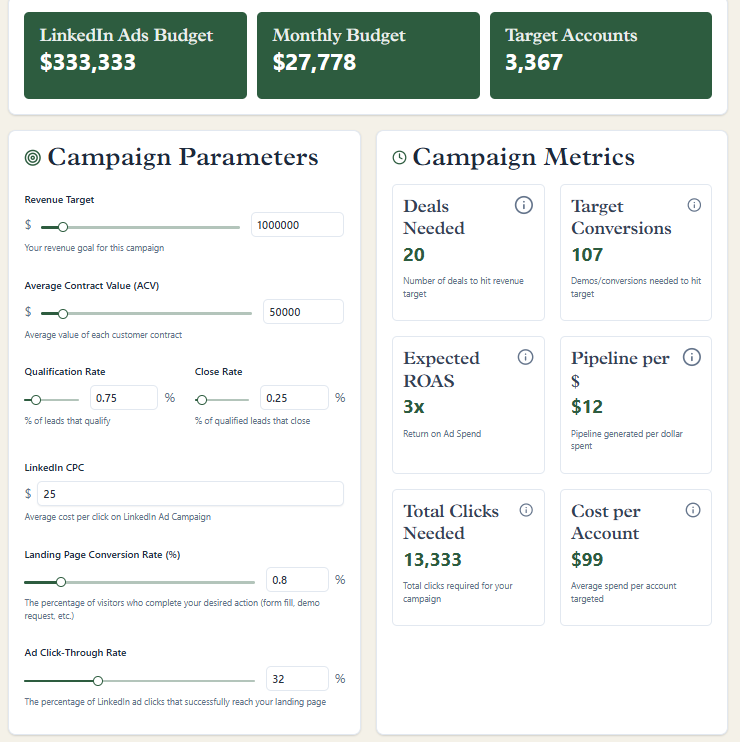
Still, broader LinkedIn budget benchmarks help anchor expectations. Across the full dataset, the median company spent $2,693/month on LinkedIn ads, while top performers spent $6,576/month. More importantly, top performers generated nearly 3x the pipeline per dollar.
For Document Ads, track more than just clicks.
This is also where the benchmark article changes the way you should read performance. CTR is helpful, but it is not the north-star KPI. In the broader 2026 dataset, CTR showed a slight negative correlation with pipeline generation. That means good-looking top-of-funnel engagement can still be commercially weak if the audience is wrong.
Pro tip: ZenABM connects document engagement back to CRM deals, so you can evaluate Document Ads as part of account progression and revenue influence, not just content consumption.
If you want LinkedIn Document Ads to work, the asset has to earn attention. The format cannot rescue weak content.
High-value assets, such as benchmark reports, checklists, practical frameworks, playbooks, and case studies, tend to outperform generic “learn more” PDFs because they give the audience an immediate reason to keep swiping.
The best Document Ads are not just downloadable; they are instantly useful.
We have covered the key mechanics of running Document Ads well. Here are additional tips that improve the odds of quality results:
If you are running LinkedIn Document Ads in an ABM motion, ZenABM helps you turn content engagement into something sales can actually use.
It syncs your LinkedIn Ads and CRM, tracks company-level engagement by campaign and intent theme, and shows which accounts are leaning toward topics like pricing, implementation, or ROI.
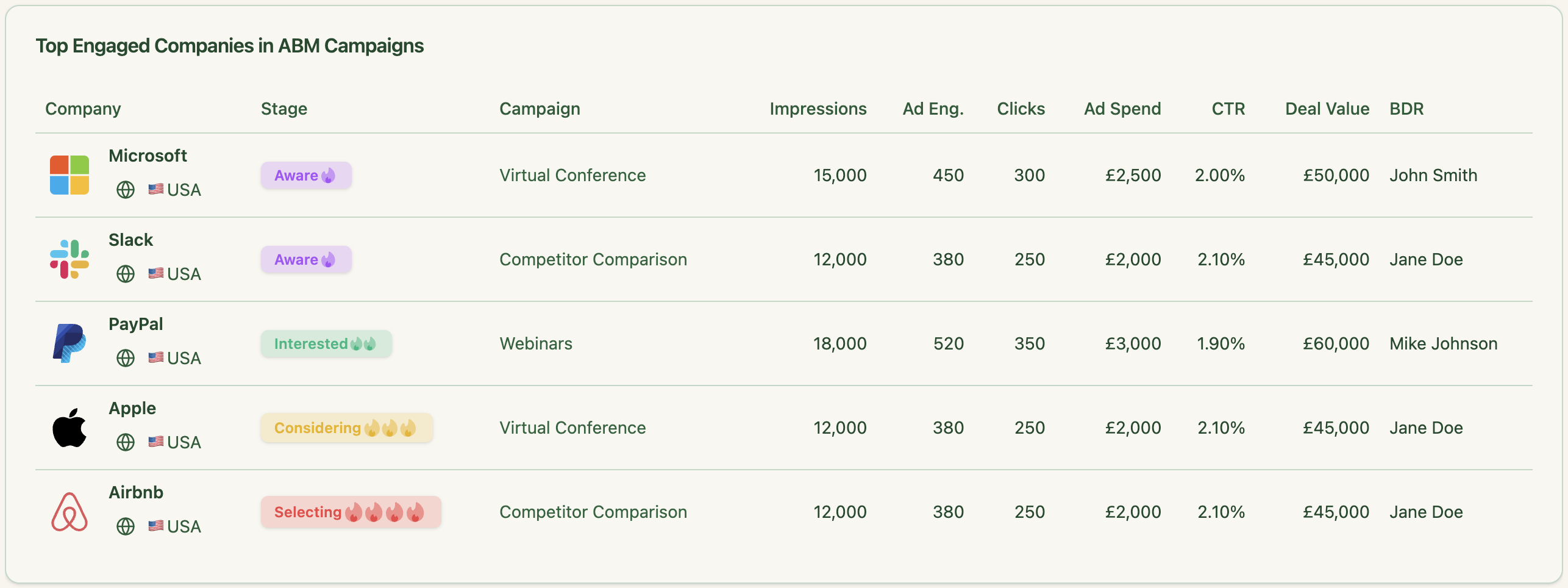
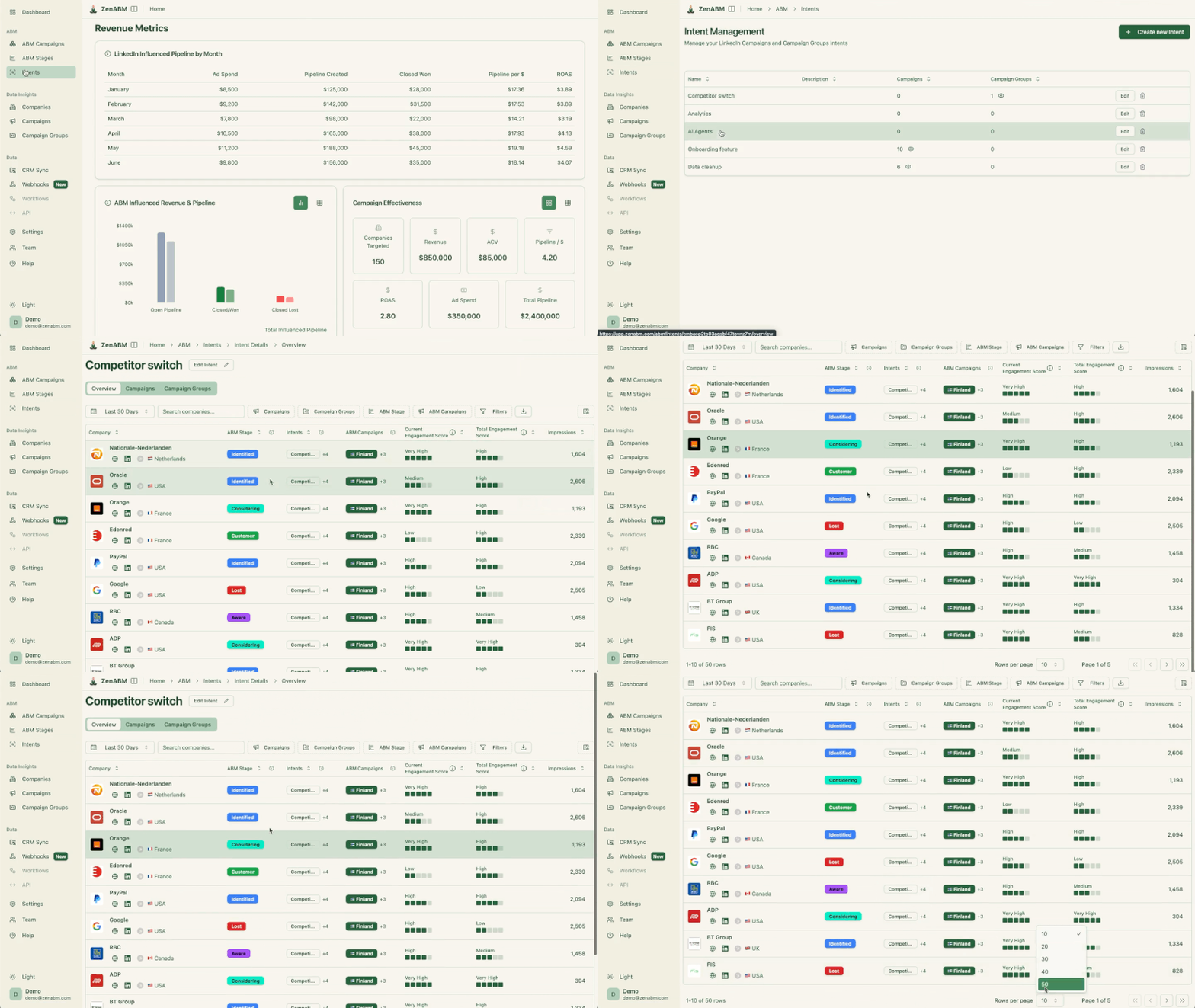
That data rolls into account scoring, stage movement, and CRM properties, so BDRs can follow up based on real signals rather than generic ad exposure.

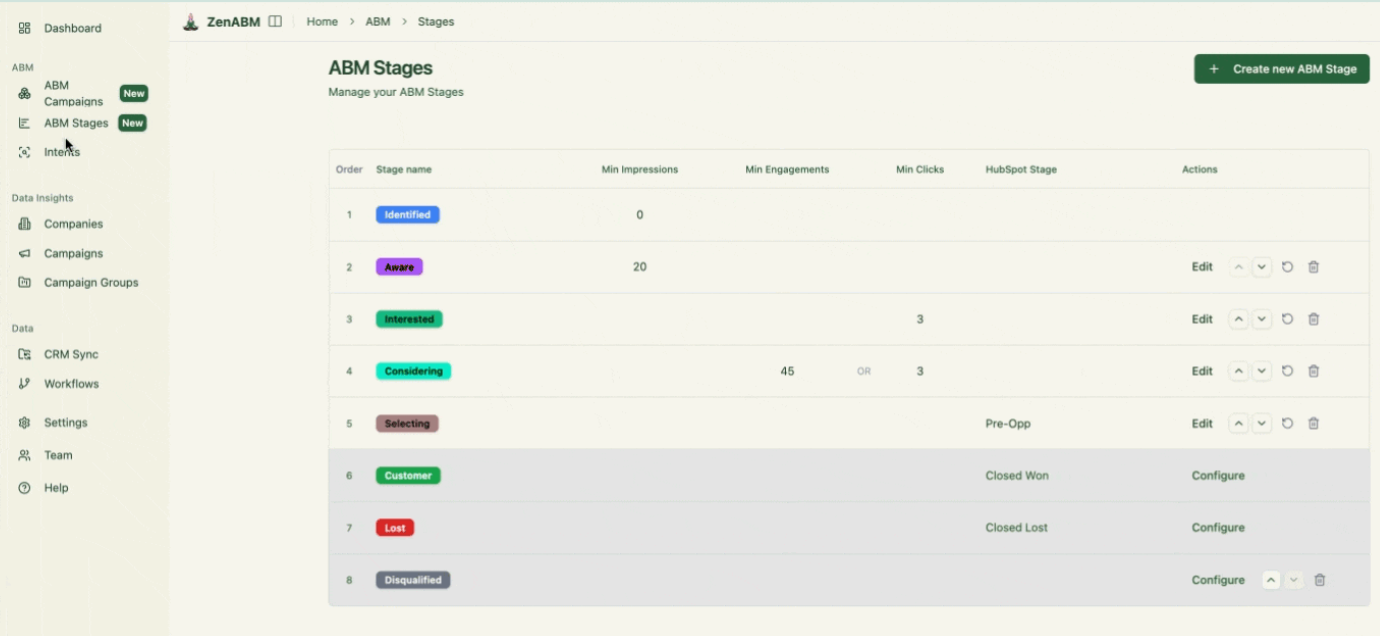
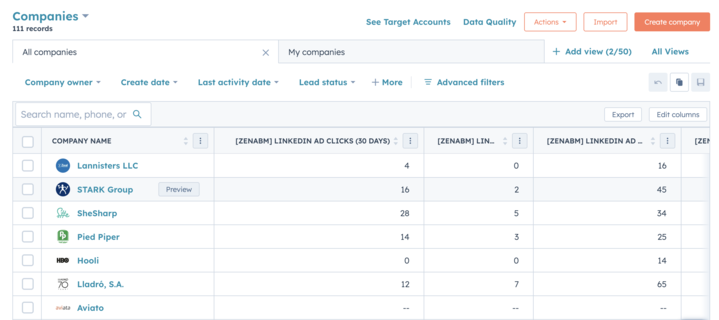


From there, you can test different document themes, page-one hooks, CTAs, gated versus ungated versions, and persona variants, then shift budget toward what drives stronger engagement, pipeline, and revenue.
In short, it helps you move from “people viewed our document” to “these accounts engaged, progressed, and influenced the pipeline.”
Also, ZenABM has become multi-channel now to give you a fuller picture of your ABM efforts:

LinkedIn Document Ads are not a gimmick, and they are not a cheat code either.
Used well, they let you turn static PDFs and decks into in-feed assets that warm accounts, capture demand, and reveal which topics your buyers actually care about. Used badly, they become just another content graveyard with a vanity engagement layer on top.
The difference is whether you treat them as part of a real ABM system.
That is what ZenABM is built for.
It connects LinkedIn ad engagement to the company level, syncs those signals into your CRM, scores accounts, surfaces intent, and helps you see whether a Document Ad influenced pipeline, not just whether someone scrolled a few pages.
If you are ready to stop treating Document Ads like isolated content campaigns and start measuring them like revenue programs, book a demo now or try it free.
