

©2026 ZenABM - All Rights Reserved.

If you have ever tried to pull campaign data out of Campaign Manager programmatically, you have run into the LinkedIn Ads API.
The first thing to understand is that there is no single “LinkedIn Ads API” at all.
What people call the LinkedIn Ads API is actually the LinkedIn Marketing API, a whole family of separate APIs for campaigns, reporting, audiences, and conversions, each with its own access process, scopes, and rules.
This post is the practical answer to the three questions that come up constantly: how to get access, what you can actually build, and whether it is worth wiring up the raw API directly or whether an MCP server is the smarter move.
It covers what the API family contains, how to get approved and authenticated, where the hard parts hide, and when to skip the raw API entirely.
Here’s a quick overview of the article:
rw_ads, r_ads_reporting, and rw_dmp_segments, plus a monthly LinkedIn-Version header (for example 202605).Start with the naming, because it trips up almost everyone.
When you search for “LinkedIn Ads API”, you are looking for the LinkedIn Marketing API.

It is not one endpoint, but a set of related APIs that each cover a different slice of advertising work.
Here is how the family breaks down in practice:

adAnalytics endpoint.The reason this matters is that access, scopes, and even rate limits differ from one member of the family to the next.
Getting approved for the Advertising API does not automatically give you the Audiences APIs, since you apply for those separately.
Before writing a line of code, you need to know which APIs your use case actually touches.
Access to the LinkedIn Ads API is not open.
You apply, and LinkedIn reviews you.
Here is the path, start to finish.

None of this is hard exactly, but it is gated and slow.
If the goal is just to read your own campaign data into an AI tool this week, that approval timeline alone is a strong argument for using an MCP server that already holds the access.
For a sense of what reading that data looks like once it flows, the post on how to automate LinkedIn ad reporting shows the end state.
Once you have access, every call to the LinkedIn Ads API has to be authenticated, versioned, and scoped correctly.
This is where a lot of first integrations break.
The API uses 3-legged OAuth 2.0.
A member authorizes your app, you receive an access token tied to that member’s permissions, and you use that token on every request. Access tokens expire, so you also handle refresh tokens and re-authorization.
If you forget to refresh, your integration silently stops working until someone notices the empty report.
Each API needs specific scopes.
A few you will meet often:
rw_ads to read and write campaigns, ad sets, and creatives.r_ads_reporting to read analytics from the reporting endpoint.rw_dmp_segments to manage matched and predictive audiences.If your token is missing a scope, the call fails.
Confirm which permissions your app holds under the Auth tab in the Developer Portal before assuming the issue is elsewhere.

The LinkedIn Marketing API is versioned by month.
You pass a LinkedIn-Version header in the format YYYYMM, for example, 202605 for the May 2026 version. The docs label these versions in an li-lms-2026-05 style.
LinkedIn ships new versions monthly and deprecates old ones, so a version hard-coded last year can be sunset, and your calls start returning errors.
You have to track the version calendar and migrate, or your integration ages out.
Here is what a basic authenticated campaign read looks like with all three pieces in place:
curl ‘https://api.linkedin.com/rest/adAccounts/123456789/adCampaigns?q=search’
-H ‘Authorization: Bearer {ACCESS_TOKEN}’
-H ‘LinkedIn-Version: 202605’
-H ‘X-Restli-Protocol-Version: 2.0.0’
That is three headers before asking a single question about performance.
Multiply that across dozens of endpoints, refresh cycles, and monthly version bumps, and you start to see why the raw API is a project rather than a quick win.
Once authenticated, the LinkedIn Ads API is genuinely powerful.
Here is the practical map of what each part lets you do.
The account structure endpoints let you build and edit the whole campaign tree.
You create campaign groups, then campaigns, then creatives, and you set the budget, schedule, bidding model, and status on each.
The core resource is the ad campaigns endpoint under an ad account:
POST /rest/adAccounts/{adAccountId}/adCampaigns
GET /rest/adAccounts/{adAccountId}/adCampaigns/{campaignId}
POST /rest/adAccounts/{adAccountId}/adCampaigns/{campaignId} (partial update)
A partial update is how you change one field, like pausing a campaign or raising a daily budget, without resending the whole object.
This is the layer that powers programmatic optimization, where a script reads performance and then writes a budget or status change back.
Targeting is expressed as a boolean structure of include and exclude facets, like locations, job titles, seniorities, industries, and skills.
You build a conjunction of disjunctions, which means “match all of these groups, where each group is any-of.”
It is precise and verbose, and getting targeting JSON right by hand is one of the fiddlier parts of the API.
With the DMP Segment endpoints you create audience segments and either upload a CSV of companies or contacts, or stream users and companies in dynamically.
The base resource is /rest/dmpSegments.
Predictive Audiences go a step further: you give LinkedIn a seed (a contact list, a company list, a conversion, or a lead form) and its AI builds a high-intent lookalike from millions of engagement signals.
There are real constraints to keep in mind, like a minimum audience size of 300 and a mandatory geo filter on predictive audiences.
The reporting side runs through a single endpoint, /rest/adAnalytics, with three finder methods.
You use analytics when grouping by one element (a pivot), statistics when grouping by up to three, and attributedRevenueMetrics for revenue attribution.
You can request up to 20 metrics per call. A simple spend-and-clicks pull by campaign looks like this:
GET /rest/adAnalytics?q=analytics&pivot=CAMPAIGN
&dateRange=(start:(year:2026,month:5,day:1),end:(year:2026,month:5,day:31))
&timeGranularity=ALL
&fields=impressions,clicks,costInUsd,externalWebsiteConversions
The Conversions API lets you send conversion events to LinkedIn server-side, which makes attribution sturdier than a browser pixel alone.
This is the piece that ties an ad click to a downstream action, and it is the foundation of any honest revenue story.
If connecting spend to outcomes is the goal, this and the reporting API are where the work happens.
Alex Fine (Co-founder at understory), who builds these integrations for clients, put the appeal of working at this layer well in his post.
“MCPs (Model Context Protocol servers) are basically secure bridges between Claude (or ChatGPT, but I prefer Claude) and your business tools. Think of them like translators that let you use plain English to pull information from any software with an API. If the tool you’re using has a solid API, you can probably build an MCP for it. And if you can build an MCP for it, you can talk to it like you’d talk to a person.”
The point he makes is the one worth keeping: the API is the foundation, but the experience most teams actually want is conversation, and that is a layer above the API.
The documentation does not lead with this part.
The LinkedIn Ads API gives you endpoints, not answers.
Everything between “I have a question” and “here is the data” is yours to build.
adAnalytics endpoint for the metrics, stitch them together, compute the derived metric, and sort. The API will not figure out which endpoint a question maps to. You write that decision tree yourself, for every kind of question.429 when you exceed them, so you implement exponential backoff and retries. The reporting endpoint adds its own ceiling, around 45 million metric values over a five-minute window and a cap on result size, so large pulls have to be chunked. Results paginate, so you loop until you have everything.The same lesson that applies to LinkedIn campaign structure applies here: the structure is logical, but you have to model it yourself.
The API hands you primitives.
Turning primitives into a working LinkedIn Ads reporting API integration that a non-engineer can actually use is the real work, and it never quite ends because the platform keeps moving underneath you.
This is exactly why the smarter move for most teams is not to build directly on the API and instead go for a tool like ZenABM, or, even better, its MCP server.

An API is the raw plumbing. An MCP server is the layer that makes that plumbing usable by an AI.
The two are not competitors: an MCP server sits on top of an API.
MCP stands for Model Context Protocol, an open standard that lets an AI tool like Claude or ChatGPT call external tools and pull live data.
An MCP server is the bridge.
It exposes a set of tools with plain-language descriptions the model can read, and the AI decides which tool to call based on your question.
An API is a vending machine where you need the exact button codes. An MCP server is the assistant standing next to it who reads your request in plain English and hands you what you asked for.
The routing logic described above, the part you would otherwise build yourself, is what an MCP server already encodes.
Instead of writing the decision tree that maps “top ad sets by eCPC” to three endpoints and a join, you ask the question, and the AI picks the tools.
Ali Yildirim, founder at Understory, described doing exactly this for his own ad account.
“We just built a custom LinkedIn Ads MCP that lets us analyze our ad account in plain english and it’s changed how I report on our internal campaigns. Instead of exporting data and manually building dashboards, I can ask Claude a question and get the answer instantly. The tool connects directly to LinkedIn’s API and pulls campaign data in real time. I can see exactly which company sizes, industries, and seniorities are seeing our ads, then spot optimization opportunities on the spot.”
Notice the phrase “connects directly to LinkedIn’s API.” The MCP server did not replace the API.
It wrapped it.
That is the whole pattern.
This is what ZenABM’s MCP server does, with one important addition.
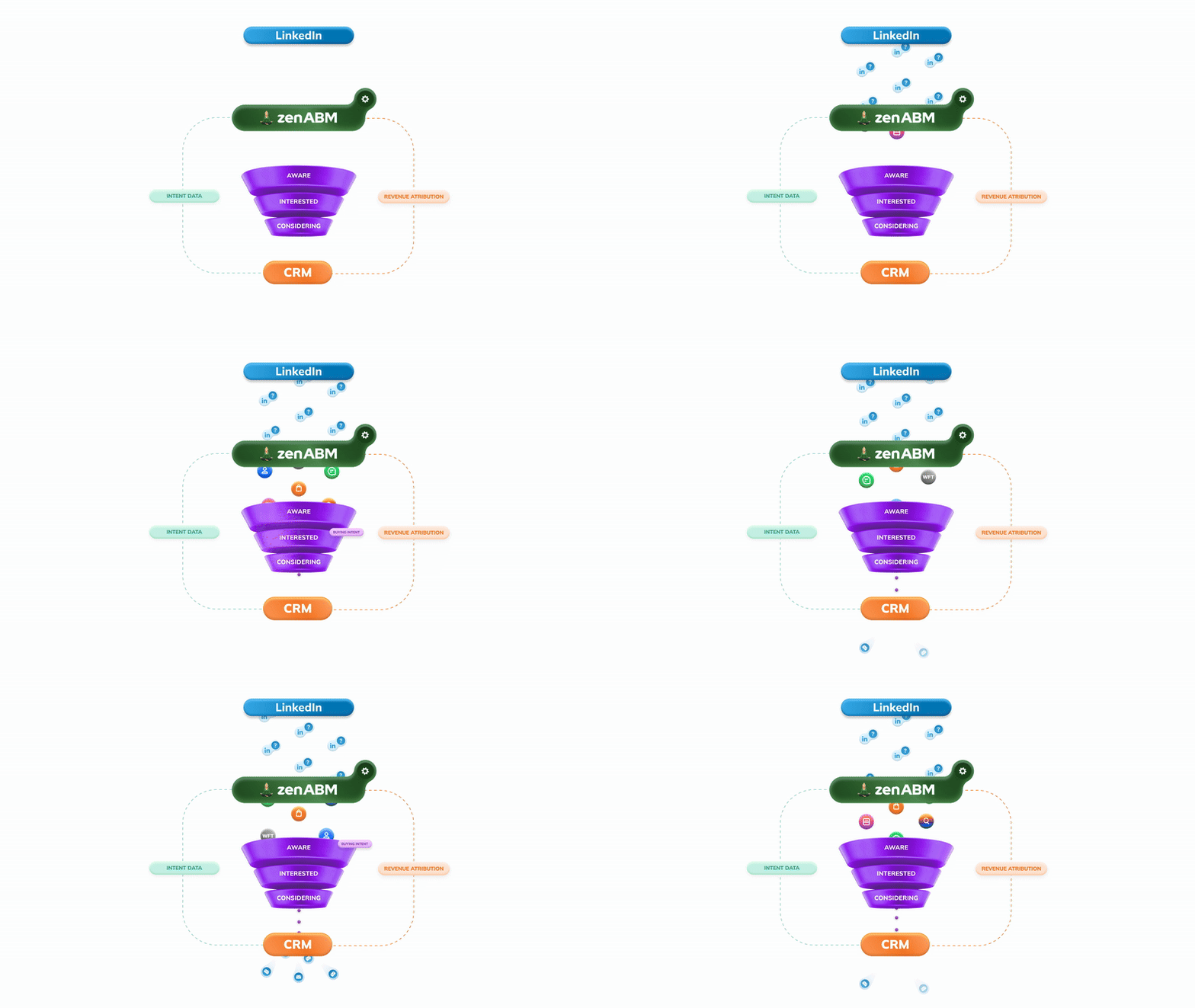
It reads the LinkedIn Marketing APIs, then joins company-level LinkedIn ad engagement to your CRM. That join is what makes it more than a thin wrapper: the AI can reason about accounts, creatives, ABM funnel stages, intent, and closed-won revenue, not just raw ad metrics.
Connect it at https://zenabm.com/mcp, where it exposes 60+ tools, and read questions are safe, while write actions ask for explicit confirmation before anything changes.
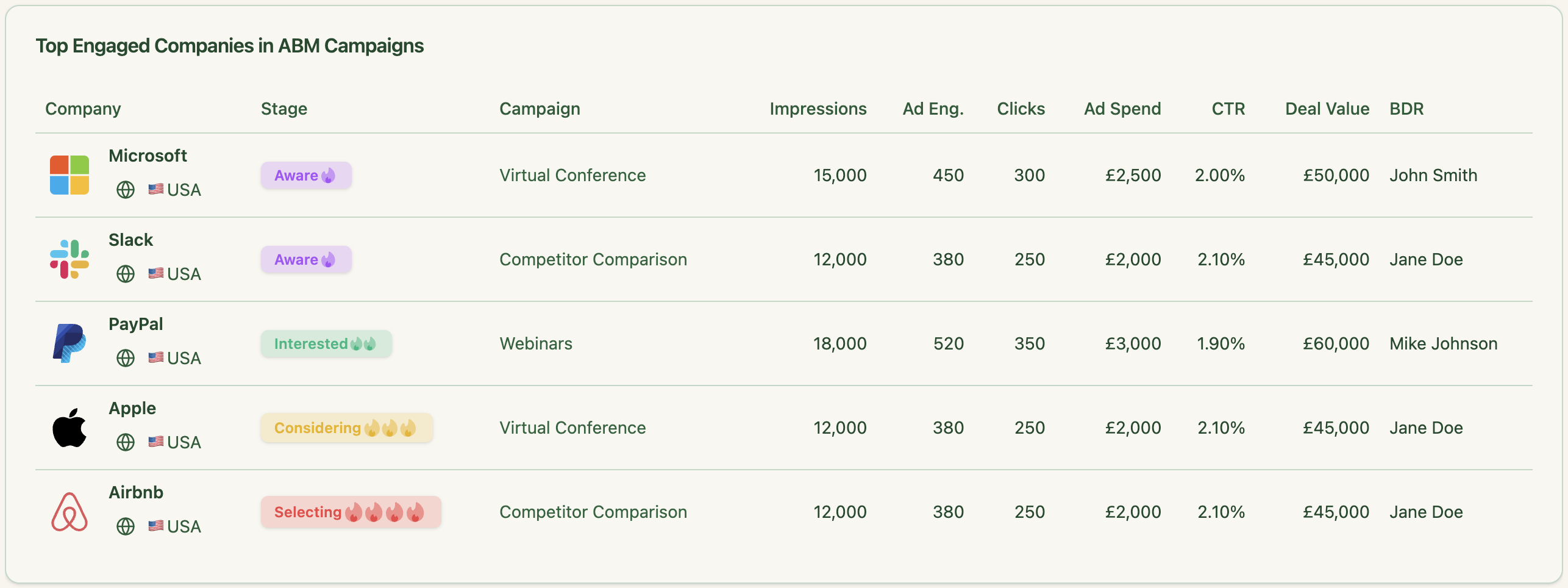


It also surfaces two metrics Campaign Manager never shows:
To compute those from the raw API yourself, you would pull impressions and the right click type, separate landing-page clicks from social engagement, and do the math per ad, per week.
ZenABM’s MCP server has that baked in.
So when should you use the raw API versus an MCP server?
Build on the API directly if you are a platform shipping a product to other advertisers, or you need to write automation that does not exist anywhere else.
Use an MCP server if the goal is to analyze, report on, and ask questions about your own LinkedIn ad performance, which is what most marketing and GTM teams actually want

The LinkedIn Ads API is not one thing. It is a family of gated, versioned, scope-specific endpoints that each require their own approval path, their own auth logic, and their own maintenance as LinkedIn ships monthly version updates.
The Advertising API handles account structure.
The Reporting API handles analytics.
Matched and Predictive Audiences are a separate private program.
The Conversions API handles server-side attribution.
Getting useful answers out of any of them means building the routing, the refresh cycle, the pagination loops, and the derived metrics yourself.
For teams building a product on top of LinkedIn’s ad infrastructure, that build is the job and the API is the right starting point.
For marketing and GTM teams whose actual goal is to understand what their LinkedIn spend is doing, the raw API is several months of engineering before you get to the first insight.
An MCP server like ZenABM’s skips that path: it holds the API access, handles the plumbing, and surfaces the data as plain-English questions Claude or another AI can answer directly.
It also adds what the raw API cannot give you on its own, namely, the CRM join, eCTR, eCPC, and company-level engagement scored against your ABM funnel.
If the goal is to query your own LinkedIn Ads data without building and maintaining the infrastructure underneath it, ZenABM offers a 37-day free trial, and the MCP server connects in a few minutes.
You can also book a demo with us to know more!
No. What people call the LinkedIn Ads API is the LinkedIn Marketing API, a family of separate APIs. The main ones are the Advertising API for account structure and campaigns, the Reporting API for analytics through the adAnalytics endpoint, Matched and Predictive Audiences for segments, and the Conversions API for server-side events. Each can require its own access approval and scopes.
Create a developer app in the LinkedIn Developer Portal, then apply to the Advertising API under the Products tab and complete the access form. You build in a Development tier first, then apply for Standard tier with a video demo of your integration. The Matched and Predictive Audiences APIs are a separate private program you apply to on their own, and that review can take up to 60 days.
It uses 3-legged OAuth 2.0. A member authorizes your app, you get an access token scoped to their permissions, and you refresh it as it expires. You also pass a monthly LinkedIn-Version header in YYYYMM format, and you need the right scopes, like rw_ads for campaign management or r_ads_reporting for analytics.
The API is a set of endpoints you call with exact instructions. An MCP server sits on top of that API and exposes its capabilities as plain-English tools an AI can read and call, so you ask a question instead of writing a request. They are complementary, not competing. An MCP server like ZenABM’s connects to the LinkedIn Marketing API behind the scenes and lets you query your data in natural language.
Build on the API directly if you are shipping a product to other advertisers or you need custom write automation. Use an MCP server if you want to analyze, report on, and ask questions about your own LinkedIn ad performance. For most marketing teams the MCP route is faster, skips the approval and maintenance burden, and adds context the raw API does not, like the CRM join and eCTR and eCPC. You can start a free ZenABM trial and connect the MCP server in a few minutes.
