
• Blog
  • Pricing
Login
Free TrialGet a Demo
Get a Demo
ZenABM

ABM made easy. Plug-and-play account scoring and analytics.

Follow us

LinkedInFacebookYouTubeX
Start for FreeLoginBook a Demo

Product

  • All Features
  • AI Agent - Zena
  • Dashboards
  • AI Reporting
  • Expert Skills
  • MCP Server
  • Companies Engagements
  • Multi-Channel Revenue Attribution
  • ABM Campaign Analytics Dashboards
  • Company Buyer's Intent
  • LinkedIn Ad Campaign Insights
  • Job Titles Insights
  • CRM Sync
  • Webhooks
  • API

Use Cases

  • ABM Campaign Management and Performance Tracking
  • Account Scoring
  • LinkedIn Campaign Management and Optimization
  • For LinkedIn Ads and ABM Agencies
  • Agency MCP Server

Free Tools

  • ABM Budget Calculator
  • LinkedIn Ads Count Calculator
  • LinkedIn TLA Generator
  • Experts Chat
  • LinkedIn Single Image Ad Creator

Case Studies

  • Productive's ABM Success Story
  • Valueships's LinkedIn TLA Case Study
  • Flowfuse's ABM Success Story

LinkedIn Optimization

  • Build Campaigns with AI
  • Budget Savers
  • Bidding Agent
  • Exclusions
  • Impression Capping
  • Workflows

Resources

  • Documentation
  • Release Notes
  • Reports & Templates
  • Blog
  • Case Studies
  • ABM Benchmarks Report
  • LinkedIn Ads Agencies Directory
  • ABM Clay Templates
  • LinkedIn ABM Skills for Claude
  • LinkedIn ABM Strategy
  • Running ABM on LinkedIn: The Ultimate Guide
  • Events
  • TLA Bootcamp
  • AI for ABM & LinkedIn Ads Week

Competitors comparison

  • ZenABM vs Fibbler
  • ZenABM vs Factors.ai
  • DemandSense Alternatives
  • Recotap Alternative

Company

  • Pricing
  • Contact
  • Brand Assets
  • Become a partner

Legal

  • Terms of Use
  • Privacy Policy
  • Data Policy

©2026 ZenABM - All Rights Reserved.

  1. Home
  2. Blog
  3. Ad Formats & Creatives
Ad Formats & Creatives

LinkedIn Ad Template: Copy-Paste Templates for Every Ad Format in 2026

Emilia Korczynska
Emilia Korczynska
LinkedInPublished Mar 20, 2026·Updated Mar 22, 2026

Share this post

LinkedInXFacebook
LinkedIn Ad Template: Copy-Paste Templates for Every Ad Format in 2026

Summarize with AI:

View as Markdown

Table of Contents

  • LinkedIn Ad Template: Quick Resource
  • LinkedIn Single Image Ad Template
  • LinkedIn Thought Leader Ad Template
  • LinkedIn Carousel Ad Template
  • LinkedIn Video Ad Template
  • LinkedIn Document Ad Template
  • LinkedIn Text Ad Template
  • How to Use These LinkedIn Ad Templates
  • LinkedIn Ad Template: Final Thoughts
  • FAQs About LinkedIn Ad Template

Writing LinkedIn ads from scratch every time is slow, inconsistent, and leads to wasted budget on ads that miss the mark.

The most efficient LinkedIn advertisers use templates, proven structures for introductory text, headlines, and image layouts that they adapt for each campaign.

In this guide, I will share LinkedIn ad templates for every format, single image, carousel, TLA, video, and document ads, with the specific structures and copy frameworks backed by performance data from ZenABM’s 2026 Benchmarks Report.

LinkedIn Ad Template: Quick Resource

Too short on time to read the whole guide?

Download this handy LinkedIn ads templates cheat sheet here.

LinkedIn Single Image Ad Template

Winning LinkedIn Single Image Ads Examples cover, with sample LinkedIn single image ads for ABM
Winning LinkedIn Single Image Ads Examples
Top-performing LinkedIn ad from ZenABM offering a free Black Friday outbound build with partner logos
Another example of a single-image ad that worked great for us at ZenABM
Userpilot LinkedIn single image ad with a crowded feature list, shown as a weak example of ad design
Example of a low-performing single-image ad compared to the benchmarks in our report.

Single-image ads are the most common LinkedIn ad format, with a median CTR of 0.42% and $13.23 CPC in ABM campaigns.

Here is the template for the copy and creative elements:

Introductory text template (under 150 characters)

Keep your intro text under 150 characters to avoid the “read more” truncation.

“Read more” clicks count as paid clicks. 15-20% of your budget can be wasted on text expansion clicks.

Template 1: Problem-solution

[Specific problem your persona faces]? [Your product] helps [target persona] [specific outcome]. [CTA].

Example: Struggling to track which companies click your LinkedIn ads? ZenABM shows you company-level engagement data. Try it free.

Template 2: Social proof lead

[Specific result achieved] for [customer type]. See how [product] can do the same for [target]. [CTA].

Example: $5M in influenced pipeline from LinkedIn ABM. See how ZenABM tracks ad engagement at the account level. Start your free trial.

Template 3: Direct offer

[Specific offer] for [target persona]. [What they get]. [Time-limited element]. [CTA].

Example: Free 37-day trial for B2B marketers. See which companies engage with your LinkedIn ads. No credit card needed.

Headline template (under 70 characters)

Your headline should communicate the core benefit in under 70 characters:

  • [Benefit] for [Persona]: “Track LinkedIn Ad Engagement by Company”
  • [Action verb] + [Outcome]: “See Which Companies Click Your Ads”
  • [Number] + [Benefit]: “37-Day Free Trial – No Credit Card”

Image template

Based on our analysis of top-performing single-image ads (2%+ CTR), the winning image template includes:

  • Recommended size: 1200 x 1200 px (square)
  • Photo of a real person or product screenshot, not stock graphics
  • CTA button embedded in the image (47% of top performers include this)
  • Problem-solution text overlay or diagram/flow chart
  • High contrast colors that stand out against LinkedIn’s blue-grey feed

One critical tip: Have one clear problem or job to be done in your headline, one message at a time. Don’t create this feature soup where you’re just talking about your product. Start with the problem, then present your solution.

LinkedIn Thought Leader Ad Template

TLAs deliver 2.68% median CTR and $2.29 CPC, by far the best-performing LinkedIn ad format.

Here is the template based on our analysis of 119 TLAs:

TLA copy structure template (1,000-1,500 characters)

Emilia Korczynska's LinkedIn thought leader ad for Userpilot, a ZenABM partner, with ABM campaign results
LinkedIn Thought Leader Ad template example

Hook (50-100 characters): Open with a pain point or vulnerability. 65% of top-performing TLAs use first-person “I” voice.

“I’ve been running ABM campaigns for 3 years. Here’s the one thing I wish someone told me earlier.”

Backstory (300-500 characters): Share a personal story that connects to the pain point. Be specific about your experience.

“When I started at [Company], we were spending $15K/month on LinkedIn ads with zero visibility into which companies actually engaged. We had CTR data and CPCs, but no idea if our target accounts were the ones clicking.”

Problem Detail (200-300 characters): Dig deeper into the problem. Show you understand the frustration.

“Our sales team kept asking ‘which accounts are warm from your ads?’ and I had no answer. LinkedIn Campaign Manager shows aggregate data, not company-level engagement.

Solution + Social Proof (300-400 characters): Present the solution with specific metrics.

“That’s when we built [solution]. Now I can see that [Company X] clicked 12 times last month, [Company Y] visited our pricing page after seeing 3 ads, and our pipeline-per-dollar-spent is $10 for every $1 we invest in LinkedIn.”

CTA (50-100 characters): Direct command at the bottom. Place the link here. 75% of top performers put the link in the bottom 25%.

“Want to see which companies engage with your LinkedIn ads? Here’s the link: [URL]”

“Write your TLAs like you would write poetry, single lines at a time.” Emilia Korczynska, VP Marketing at Userpilot

Gabriel Ehrlich from Remotion adds: “I’ve seen really long posts work really, really well, and I’ve seen really short posts work really, really well.”

Test both lengths with your audience.

Deep dive: LinkedIn Thought Leader Ads for ABM

TLAs become even more powerful when you can measure their downstream effect properly.

ZenABM helps here with company-level engagement de-anonymization, CRM sync, and ABM stage tracking, so you can tell whether a TLA is actually warming named target accounts and moving them closer to the pipeline.

ZenABM company table showing LinkedIn ad impressions, clicks and cost per target account
Company-level LinkedIn ad engagement data for each campiagn for a selected time period in ZenABM
LinkedIn ad data pushed to company lists in the HubSpot CRM using ZenABM
ABM stage tracking in ZenABM

Deanonymize LinkedIn ad engagements, get intent, accounts scoring (starting @$59/month!)

37 Days Free Trial

Try ZenABM Now

LinkedIn Carousel Ad Template

LinkedIn carousel ad first card: 'If revenue is stuck, it's usually because someone avoided a decision'
LinkedIn carousel ad template example with card layout

Carousel ads (0.32% CTR, $13.30 CPC) let you tell a story across multiple cards.

LinkedIn Carousel Ads benchmarks table from ZenABM showing a 0.32% median CTR and $13.31 median CPC

For us at ZenABM, carousel ads have worked great for tool comparisons, step-by-step tool walkthroughs, etc.

Also, for the cold layer, carousel ads showing a problem-solution framework have performed impressively.

Here is the template:

5-card carousel template

Card

Purpose

Template

Card 1

Pattern interrupt

Bold headline + surprising stat or provocative question. Here’s why your LinkedIn ABM ads aren’t working

Card 2

Problem statement

Define the problem with specific data. 85% of LinkedIn ad budget reaches companies NOT on your target list

Card 3

Solution overview

Present your approach. One key visual + one short sentence. “Track company-level engagement in real time

Card 4

Social proof

Customer result or benchmark data. $5M in pipeline influenced from LinkedIn ABM”

Card 5

CTA

Clear next step + specific offer. “Start your 37-day free trial”

Carousel design specs reminder

Carousel Linkiedin ads specs infographic
Carousel LinkiedIn ads specs

Some spec-related details you must lock-in:

  • All cards: 1080 x 1080 px (1:1 square only)
  • JPG or PNG only (no GIF)
  • Card headline: 45 characters max
  • Intro text: 255 characters max
  • Leave 50px safe zone at bottom of each card

LinkedIn Video Ad Template

ZenABM table of LinkedIn video ads benchmarks: 342 ads, 0.37% average CTR and 0.24% median CTR
Access the full report here

Video ads (0.24% CTR, $15.61 CPC) are best for awareness and trust-building.

I recommend:

  • Creating video ads that look like UGC content, because people engage more, though you must keep them authentic.
  • Phone-shot, and informal style outperforms polished corporate videos on LinkedIn.
  • Always add captions. 80% of LinkedIn users browse with sound off. Use burned-in bold captions throughout the video.
Userpilot LinkedIn sponsored ad showing no-code in-app announcements for open enrollment messages
an example of a good product demo-style LinkedIn video ad

Also, video ads often look weak if you judge them only by front-end CTR.

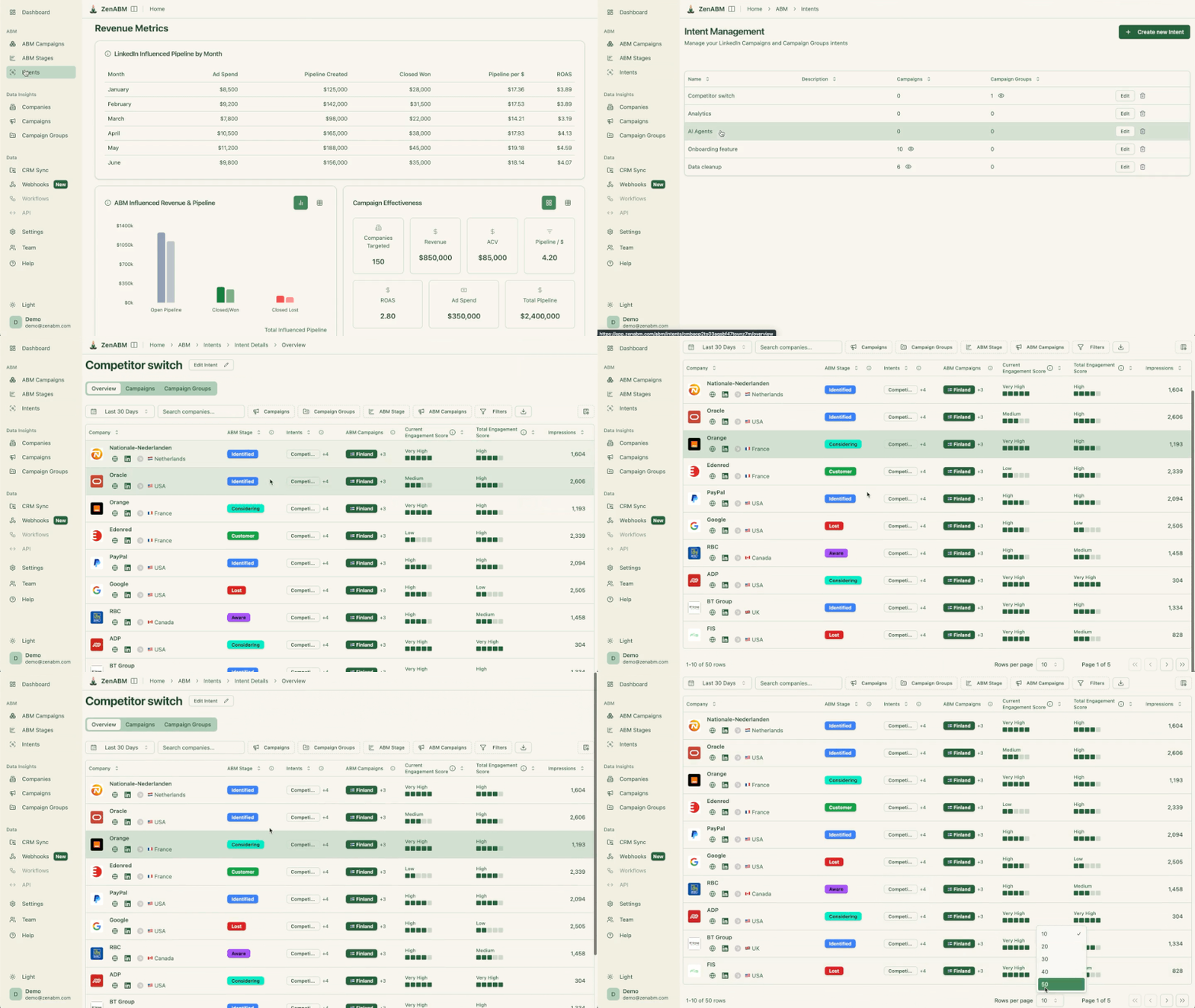
ZenABM helps add the missing context by showing which companies engaged with the ad, which job titles interacted, and whether those accounts later showed stronger intent signals in your broader ABM motion.

ZenABM job title analytics: campaign groups for Growth Specialist with impressions, clicks and CTR
Job-title analytics in ZenABM
ZenABM revenue metrics dashboard showing LinkedIn-influenced pipeline by month and ABM campaign effectiveness
Company buyer’s intent in ZenABM

Done with the recommendations, here is the template:

15-second awareness video template

Seconds

Content

Template

0-2s

Hook

Bold text on screen: “[Pain point question]?” + Logo visible

2-8s

Problem + Solution

Quick demo or speaker explaining the problem and your approach

8-12s

Social proof

Specific result: “[Number] [outcome] in [timeframe]”

12-15s

CTA

Clear next step: “Try [product] free” + URL on screen

LinkedIn Document Ad Template

ZenABM table of LinkedIn Lead Gen Form ad benchmarks showing CTR, CPC, CPM and CPL for 2026 performance

Document ads work well for engagement and lead gen.

Here is the template:

5-page document ad template

What’s included in the 5-page LinkedIn document ad template:

  1. Cover page: Bold title + specific data point that establishes credibility (e.g., “Based on analysis of 500+ ABM campaigns”)
  2. Problem page: Define the challenge with stats that resonate with your target persona
  3. Framework page: Present your approach or methodology in a clear visual
  4. Data/proof page: Benchmarks, case study results, or comparison data
  5. CTA page: Clear next step + how to learn more

Some design tips for the template:

  • Use 18pt+ font (in-feed preview shows pages at small size)
  • One idea per page: big headline, one point, one visual
  • Use colors that contrast against LinkedIn’s blue-grey UI
    Paid ads expert on Reddit talks about the importance of contrast, especially for LinkedIn document ads

    Paid ads expert on Reddit talks about the importance of contrast, especially for LinkedIn document ads. Source
  • Think slide deck, not e-book

Pro Tip: Think carefully about gating: The cost per lead with document ads can reach very high – even for low-intent assests. So, use ungated for trust-building, and gated only for warm accounts.

LinkedIn document ad on phone screens showing an ungated Download document button for a marketing trends PDF
ungated LinkedIn document ads example

This is another place where ZenABM can help.

Its account scoring and ABM stage tracking make it easier to decide which accounts are warm enough for a gated document CTA and which ones should stay in an ungated education flow.

ABM stage tracking in ZenABM
ZenABM's current vs total engagement score
https://zenabm.com/use-cases/account-scoring

LinkedIn Text Ad Template

Laptop showing LinkedIn text ads in the sidebar, a LinkedIn Ads example for B2B marketers

Text ads are “practically free” when using the website visits objective. The template is simple:

  • Image: 100 x 100 px, use a simple, high-contrast logo or icon
  • Headline: 25 characters max, state the core benefit
  • Description: 75 characters max, expand on the benefit + CTA

Example: Headline: “Track ABM Pipeline” / Description: “See which companies engage with your LinkedIn ads. Free trial.”

“LinkedIn’s text ads and spotlight ads are extremely significant to my ABM strategy template as they generate a huge number of impressions for a very low CPM.” – Tim Davidson, Founder of B2B Rizz

How to Use These LinkedIn Ad Templates

The templates above are starting points, not finished ads.

Here is how to use them effectively:

  1. Start with the template structure, hook, problem, solution, proof, CTA
  2. Replace placeholders with your specific data, real numbers, real customer names, real results
  3. Match the voice to the audience, if targeting product managers, use a product manager’s language
  4. Create 5-6 variations per campaign. I recommend creating 6, maybe even sometimes 7, so you can quickly eliminate the ones that are underperforming.
  5. Track results at the company level, use ZenABM to see which templates drive engagement from your target accounts
  6. Use these templates to create multiple versions of the same core message.

LinkedIn Ad Template: Final Thoughts

The best LinkedIn ad template is not the one that looks the cleanest in a swipe file.

It is the one that makes your message easy to understand, easy to test, and easy to connect to real buying signals.

And that last part is where ZenABM adds a lot of practical value.

Its company-level engagement tracking, CRM sync, ABM stage tracking, job title analytics, revenue attribution views. and other capabilities help you evaluate your templates based on which accounts engaged, which personas responded, and which ads actually influenced pipeline.

Try ZenABM’s 37-day free trial or book a demo now!

FAQs About LinkedIn Ad Template

Some common questions related to the LinkedIn ad template and their answers:

What is the best LinkedIn ad template?

The best LinkedIn ad template depends on your format and funnel stage. For Thought Leader Ads, use the Hook-Backstory-Problem-Solution-CTA structure in 1,000-1,500 characters with a first-person voice.

For single-image ads, use the problem-solution framework with a clear CTA in the image. Both templates are backed by data from our analysis of 119 top-performing ads.

How many LinkedIn ad variations should I create from a template?

Create 5-6 variations per campaign. LinkedIn recommends 5 ads per campaign, and having 6-7 gives you room to quickly eliminate underperformers.

Each variation should test a different angle of the same core message, different hooks, different social proof, or different offers.

What should a LinkedIn ad headline include?

Your LinkedIn ad headline should communicate the core benefit in under 70 characters (anything longer gets truncated). Use one of three patterns: [Benefit] for [Persona], [Action verb] + [Outcome], or [Number] + [Benefit]. Avoid generic headlines, specificity drives clicks.

How long should LinkedIn ad introductory text be?

Under 150 characters for single image and video ads. LinkedIn allows up to 600 characters, but only ~150 display before “see more” truncation. Since “read more” clicks count as paid clicks, front-load your key message. For carousel ads, the limit is 255 characters. For TLAs, aim for 1,000-1,500 characters.

Share this post

LinkedInXFacebook

Author

Emilia Korczynska

Emilia Korczynska

LinkedIn

Share this post

LinkedInXFacebook

Try Zena AI Agent

Ask our experts about LinkedIn Ads & ABM. Get instant answers with sources.

Emilia KorczynskaAli YildirimVeronika VebereTim DavidsonMaximilian Herczeg
+20 experts
Try it free

Stay up to date with ZenABM

Get the latest ABM insights in your inbox.

Latest in Blog

Back to Blog