

©2026 ZenABM - All Rights Reserved.

LinkedIn sponsored posts (also called Sponsored Content) are paid ads that appear in the LinkedIn feed alongside organic content.
They look nearly identical to organic posts (same card layout, text formatting, and comment section), except for a small “Promoted” label beneath the company name.
That native appearance is what makes them effective, but it’s also what makes the specs so unforgiving.
In this guide, I will cover all you need to know about LinkedIn sponsored post specs, organised by format, so you can quickly find what you need.
I will also flag the specs that most guides overlook but directly impact your ad performance,
In case you want a quick rundown:

Before diving into format-specific specs, it helps to understand the common text specs that apply across every single sponsored post format.
These are the constraints you’ll hit regardless of whether you’re running a single image ad, a carousel, or a Thought Leader Ad.
Element | Maximum | Recommended | Note |
|---|---|---|---|
Introductory text | 600 characters | Under 150 characters | “Read more” clicks count as paid clicks |
Headline | 200 characters | Under 70 characters | Truncates on mobile after ~70 chars |
Description | 300 characters | N/A | Only shows on LAN placements |
Destination URL | 2,000 characters | Include UTM parameters | Must be HTTPS |
Important: The most important spec that most guides bury, and the one that silently drains budget, is this: “Read more” clicks on your introductory text count as paid clicks. LinkedIn does not distinguish between someone clicking your CTA button to visit your landing page and someone tapping “Read more” to see the rest of your ad copy. Both actions trigger a billable click event in Campaign Manager. Based on our data, 15-20% of clicks can be wasted on text expansion alone.
The fix: front-load your entire value proposition into the first 150 characters. That means no “In today’s rapidly evolving landscape…” openers. Lead with the outcome, the data point, or the specific pain. If your intro text works as a complete message at 150 characters, the “Read more” truncation becomes irrelevant, and you stop paying for curiosity clicks that never reach your landing page.

Single-image ads remain the workhorse of LinkedIn advertising and are still the most-used Sponsored Content format for a reason: they’re fast to produce, easy to test, and consistently deliver solid performance across all campaign objectives.
In ABM campaigns, single-image ads typically produce a median CTR of around 0.42% with a median CPC of $13.23, which is expensive compared to platforms like Meta (where CPCs tend to hover around $1-2), but the audience quality is a different universe.
LinkedIn’s audience carries roughly twice the buying power of the average online user, and 80% of members have some level of decision-making authority.
You’re paying a premium to reach the people who can actually sign a purchase order.
Spec | Requirement | Recommended |
|---|---|---|
Horizontal | Min 640 x 360 px | 1200 x 627 px (1.91:1) |
Square | Min 360 x 360 px | 1200 x 1200 px (1:1) |
Vertical | Min 360 x 450 px | 1200 x 1500 px (4:5) |
File format | JPG, PNG, GIF (static) | PNG |
Max file size | 5 MB | Under 2 MB |
Max resolution | 7680 x 4320 px | 1200 px wide |
My recommendation: Default to 1200 x 1200 px (square). Square images take up 78% more feed space on mobile than landscape (1.91:1), and with mobile accounting for the majority of LinkedIn sessions, that extra visual real estate translates directly into higher impression visibility. The vertical 4:5 ratio takes up even more space, but there’s a catch: vertical images are restricted to mobile-only delivery, which means your desktop audience never sees them. If you’re running ABM campaigns targeting enterprise accounts, where many professionals still browse LinkedIn on their work desktops during business hours, cutting out desktop reach is a real trade-off. Square gives you the best of both worlds: near-maximum mobile feed presence without sacrificing desktop delivery.
One additional note on file format: PNG is recommended over JPG for a reason. JPG compression introduces artifacts around text and sharp edges, which matters when your ad creative includes things like data callouts, logos, or headline overlays. The visual degradation is subtle on a desktop monitor but noticeable on high-DPI mobile screens. Also, keep file sizes under 2 MB for fast loading.
CTA button options: Apply, Download, Get Quote, Learn More, Register, Request Demo, Sign Up, Subscribe, and View Jobs.
For more tips: LinkedIn Single Image Ads Best Practices for ABM
If single-image ads are your default format, ZenABM becomes especially useful after launch.
Its ABM stages and CRM sync help you distinguish which engaged accounts are still in awareness from those progressing toward the pipeline, so you don’t judge your best-performing creatives purely on surface metrics like CTR or CPC.


Video ads on LinkedIn are a different beast entirely, both in terms of production cost and performance dynamics.
While video drives the highest engagement in terms of watch time and brand recall, it consistently posts the lowest CTR (around 0.24% median) and the highest CPC ($15.61 median) among all sponsored post formats.
The reason is structural: video is a passive consumption format. People watch, but they don’t click through.
That makes video excellent for top-of-funnel brand building and retargeting audience creation, but not so good for direct response campaigns where you need clicks and conversions.
Spec | Requirement | Recommended |
|---|---|---|
Landscape | Min 360p | 1920 x 1080 px (16:9) |
Square | Min 360 x 360 px | 1080 x 1080 px (1:1) |
Vertical | Min 360 x 450 px | 1080 x 1350 px (4:5) |
File format | MP4, MOV, AVI | MP4 |
Duration | 3 sec to 10 min | 15-30 seconds for ads |
Max file size | 5 GB | Under 500 MB |
Frame rate | Up to 60 fps | 30 fps |
Bitrate | No minimum | 5-10 Mbps |
Audio | AAC, MP3 | AAC |
Some tips:
Complete guide: LinkedIn Video Ads for ABM

Carousel ads let you attach 2 to 10 swipeable image cards to a single sponsored post, each with its own headline and destination URL.
They’re purpose-built for storytelling and sequential messaging, walking a prospect through a product workflow, presenting a before/after comparison, or breaking a case study into digestible slides. In ABM campaigns, carousels post a median CTR of 0.32% and a median CPC of $13.30, which puts them in the middle of the pack on cost but lower on click-through.
The trade-off is engagement depth: people who interact with carousels tend to spend more time with them, swiping through multiple cards, which means more brand exposure per impression even if fewer people ultimately click through to your site.
Spec | Requirement |
|---|---|
Card size | 1080 x 1080 px (1:1 only) |
Number of cards | 2 to 10 |
File format | JPG or PNG only (no GIF) |
Max file size per card | 10 MB |
Card headline | Up to 45 characters per card |
Intro text | Up to 255 characters |
Destination URL | One per card (can differ) |
Some things you must consider:
Pro Tip: A carousel card can link to a different destination URL. This is a powerful but underused feature for ABM. You can tailor each card to a different stage of the buyer journey or a different use case, linking card 1 to a blog post, card 2 to a case study, and card 3 to a demo request page. Instead of forcing all your carousel traffic through a single funnel entry point, you let the viewer self-select based on which card resonated most.

Document ads are one of the most underrated formats in the LinkedIn Sponsored Content lineup, and the data is starting to reflect that.
The format lets you upload a PDF, DOC, DOCX, PPT, or PPTX file that viewers can scroll through directly in the LinkedIn feed, no download, no landing page, no leaving the platform.
This in-feed consumption model dramatically reduces friction, which is why document ads have been posting some of the strongest engagement and lead gen numbers of any format.
In European campaigns, for example, document ads have delivered lead form completion rates as high as 22.73%, nearly ten times the completion rate observed for video ads in comparable contexts.
Even at more conservative benchmarks, document ads combined with Lead Gen Forms consistently outperform the conversion rates of sending traffic to external landing pages.
Spec | Requirement | Recommended |
|---|---|---|
File format | PDF, DOC, DOCX, PPT, PPTX | |
Max file size | 100 MB | Under 10 MB |
Max pages | 300 pages | 5-10 pages |
Preview pages | 10 visible in feed | — |
Page size | Any | Letter/A4 |
Optional | Ungated for trust |
Some tips you must consider:

Supported campaign objectives: Brand Awareness, Engagement, and Lead Generation.
Deep dive: LinkedIn Document Ads: The Ultimate Guide with Examples
This is another format where ZenABM adds a useful layer.
Instead of judging a document ad purely by lead volume, you can use its account scoring and ABM stages to see whether the accounts consuming the document are actually moving closer to opportunity, which is a much better signal than raw form-fill count.

Thought Leader Ads (TLAs) are unique among sponsored posts because they promote existing organic posts from a personal profile, not from a company page.
That distinction isn’t just structural; it fundamentally changes how the ad is received by the viewer.
A TLA shows up in the feed as a post from a real person, with their profile photo, their name, and their voice.
It feels like content, not advertising.
And the numbers reflect that perception gap.
TLAs deliver a median CTR of 2.68% and a median CPC of $2.29, making them by far the highest-performing and most cost-efficient format in the entire Sponsored Content lineup.
Spec | Requirement |
|---|---|
Source | Existing organic post from personal profile |
Post types supported | Text-only, text+image, text+video |
Not supported | Posts with 2+ images, documents, carousels |
Objectives | Brand Awareness or Engagement only |
CTA button | Optional (can be added during setup) |
Editing | Cannot edit content after creation |
Author approval | Required (email notification) |
Thought leader ads, this is like the poster child of a very successful ad format. Even in terms of clicks to landing pages, not just clicks in general, this format is very, very cost-efficient. – Emilia Korczynska, VP Marketing at Userpilot
Complete guide: LinkedIn Thought Leader Ads for ABM

Event ads are a straightforward format designed for one purpose: driving attendance to LinkedIn Events.
They pull the event image, name, date, and description directly from your LinkedIn Event page, which means the ad’s visual and copy elements are largely determined by how well you’ve set up the event itself.
This automation is both the format’s strength (zero creative production required) and its limitation (limited control over how the ad renders in the feed).
Spec | Requirement |
|---|---|
Event image | Pulled from LinkedIn Event page |
Recommended size | 1200 x 627 px (1.91:1) |
File format | JPG, PNG |
Max file size | 5 MB |
Objectives | Website Visits, Engagement |
The performance profile of event ads is interesting: they post an average CTR of 0.55%, which is actually higher than single image ads (0.42%), carousels (0.32%), and video (0.24%). The elevated CTR makes sense when you consider the psychology, an event ad has a built-in urgency element (a specific date) and a clear, low-commitment CTA (attend/register vs. buy/demo).
Understanding specs is necessary but not sufficient; you also need to know how each format actually performs in the real world so you can make informed allocation decisions.
The table below shows how each sponsored post format performs in ABM campaigns specifically, based on data from our benchmarks report.
Sponsored Post Type | Median CTR | Median CPC | Best ABM Use |
|---|---|---|---|
Thought Leader Ads | 2.68% | $2.29 | Awareness, credibility |
Event Ads | 0.55% | Varies | Event promotion |
Single Image | 0.42% | $13.23 | Direct response |
Document Ads | ~0.43% | Varies | Lead gen, education |
Carousel | 0.32% | $13.30 | Storytelling |
Video | 0.24% | $15.61 | Brand building |
Some additional tips:
Btw, this is also where ZenABM is most useful as a measurement layer.
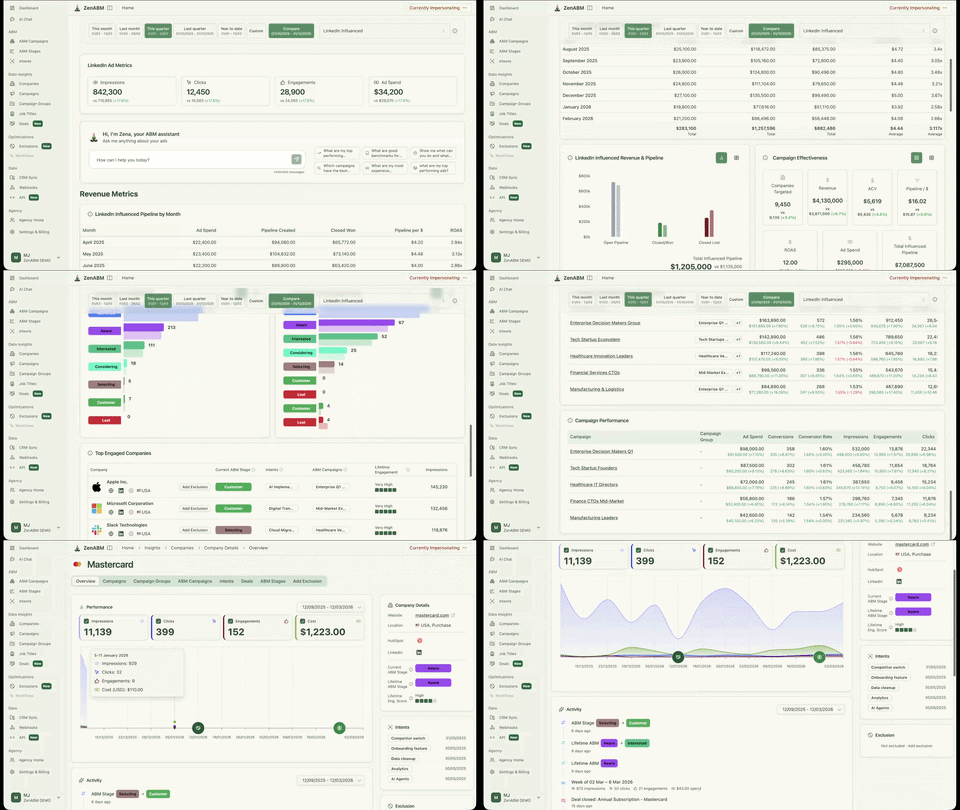
It combines company-level LinkedIn ad engagement, bi-directional CRM sync, account scoring, ABM stages, first-party qualitative intent, and plug-and-play ABM analytics dashboards so you can decide which sponsored post formats are actually influencing target accounts and pipeline, not just generating cheaper clicks on paper.

If your team prefers to query that data conversationally, Zena can also surface those LinkedIn ABM analytics in natural language instead of forcing you to dig through dashboards manually.


Getting LinkedIn sponsored post specs right is not just a design or compliance exercise. It directly affects how your ads render, how much engagement they attract, and how efficiently your budget turns into real pipeline.
The details that look minor on paper, like character limits, image ratios, file weight, or caption formatting, often end up having an outsized impact on performance once your campaigns are live. That is especially true in ABM, where the goal is not just to collect clicks, but to earn attention from the right accounts in the right buying stage.
And that is where better measurement becomes important. If you want to go beyond format-level performance and see which sponsored posts are actually engaging target accounts, influencing warmer stages, and contributing to pipeline, ZenABM gives you that account-level visibility on top of LinkedIn ad data.
Try ZenABM for free (37-day free trial) or book a demo now to know more!
Some common questions about LinkedIn sponsored post specs:
LinkedIn sponsored post specs are the technical requirements for paid ads that appear in the LinkedIn feed.
They include image dimensions, file formats, file size limits, text character counts, and CTA options.
Specs vary by format.
Single image, video, carousel, document, event, and Thought Leader Ads each have different requirements.
1200 x 1200 pixels (1:1 square) is the best size for LinkedIn sponsored post images.
takes up more feed space on mobile than landscape (1200 x 627) and works on both mobile and desktop.
Use PNG format and keep file size under 2 MB for fast loading.
LinkedIn allows up to 600 characters of introductory text and 200 characters for the headline.
However, only ~150 characters of intro text and ~70 characters of headline display before truncation.
Carousel ads have a shorter intro limit of 255 characters.
“Read more” clicks count as paid clicks, so keep text concise.
A LinkedIn sponsored post is a paid ad that appears in users’ feeds with a “Promoted” label.
It reaches a targeted audience beyond your followers.
A regular post appears organically to your connections and followers. Sponsored posts support additional features like CTA buttons, lead gen forms, and detailed targeting options.
Thought Leader Ads blur this line by promoting existing organic posts as paid ads.
