

©2026 ZenABM - All Rights Reserved.
![LinkedIn Event Ads Guide [2026]](/_next/image?url=https%3A%2F%2Fcdn.zenabm.com%2Fmedia%2FLinkedIn-Event-Ads-Guide-2026-1200x628.jpg&w=1920&q=75)
LinkedIn event ads are purpose-built for promoting events, like webinars, workshops, conferences, and live sessions directly in the LinkedIn feed.
For ABM campaigns, they solve a specific problem: getting decision-makers at your target accounts to register for events where you can build real relationships and demonstrate expertise.
We have used LinkedIn event ads to promote multiple ABM-focused events, including the ZenABM ABM Bootcamp sessions, and tracked the results through ZenABM.
In this guide, I will share what works, what does not, and how to set up event ads specifically for ABM campaigns.
In case you want a quick rundown:

LinkedIn event ads are a sponsored content format that promotes a LinkedIn Event in the feed.
They display the event name, date, time, and a brief description, along with an “Attend” button that registers the user for the LinkedIn Event directly.
The following are the defining characteristics of LinkedIn Event Ads:
LinkedIn event ads appear directly in the main LinkedIn feed as sponsored content, which makes them feel more native and less intrusive than inbox-based formats like message or conversation ads.
This also means they benefit from the same scroll-stopping creative and copy principles as other feed ads.
You cannot run a LinkedIn event ad on its own.
First, you need to create a LinkedIn Event, because the ad is built around promoting that event page.
In other words, the event itself is the core asset, and the ad simply amplifies it.
The biggest advantage of this format is the low-friction registration flow.
Users can click the “Attend” button directly from the ad unit, which makes signing up feel faster and easier than being pushed to a separate landing page.
Less friction, fewer chances for humans to wander off and do something pointless.
The ad unit itself shows key event information such as the date, time, and event description.
This gives prospects enough context to decide whether the event is relevant before clicking, which can improve both registration quality and intent.
When someone clicks “Attend,” that action can also generate organic visibility because their LinkedIn connections may see that they are attending the event.
This creates a built-in word-of-mouth effect and can expand your reach beyond the paid audience.

LinkedIn event ads are supported across both desktop and mobile devices, which gives them a broader reach than formats like text ads and spotlight ads that have more limited device support.
That matters because plenty of decision-makers are doomscrolling from their phones while pretending to work.
Before diving into the setup details, it is worth understanding why events deserve a central role in your ABM strategy.
Events, whether webinars, workshops, or in-person meetups, create something that no amount of advertising can, which is a direct relationship with people at your target accounts.
When someone at a target account attends your event, several things happen:
This is why we run the ZenABM ABM Bootcamp as a live workshop series rather than just publishing blog content, because events drive deeper engagement than any other marketing tactic.
This is also consistent with what a lot of experienced B2B operators keep pointing out: events work best when they create real interaction, not just passive consumption.
Michael Falato, for instance, describes event participation as one of the strongest observable buying signals because attendees are effectively raising their hands around a specific topic.

In ABM, that matters a lot, because you are not just trying to generate surface-level awareness, you are trying to create enough depth and context for meaningful follow-up with the right accounts.
Shane Chiu frames this well, too, noting that ABM is not just ads, but coordinated engagement across multiple touchpoints, including events, outreach, and personalized content.

Steps to set up LinkedIn event ads for ABM:
You must create a LinkedIn Event before you can run event ads.
Go to your company page, click “Create an event,” and fill in the details like name, date, time, description, and whether it is online or in person.
If it is a webinar, you can link to an external registration page or use LinkedIn’s built-in event registration.

For event ads, you have two main options:
For event ads, the “engagement” is an event registration, which is a genuinely valuable action.
So, I suggest choosing engagement over brand awareness as an objective here.

After you have chosen your campaign objective, upload your company list as a matched audience.
Remember to layer in job function and seniority, targeting appropriately for the event topic.
Also, turn off audience expansion and LinkedIn audience network.
If you already use ZenABM, this step gets sharper because you can build your invite list based on real company-level LinkedIn ad engagement, ABM stage, account scoring, and first-party qualitative intent, instead of uploading one giant static TAL and hoping the right accounts care.


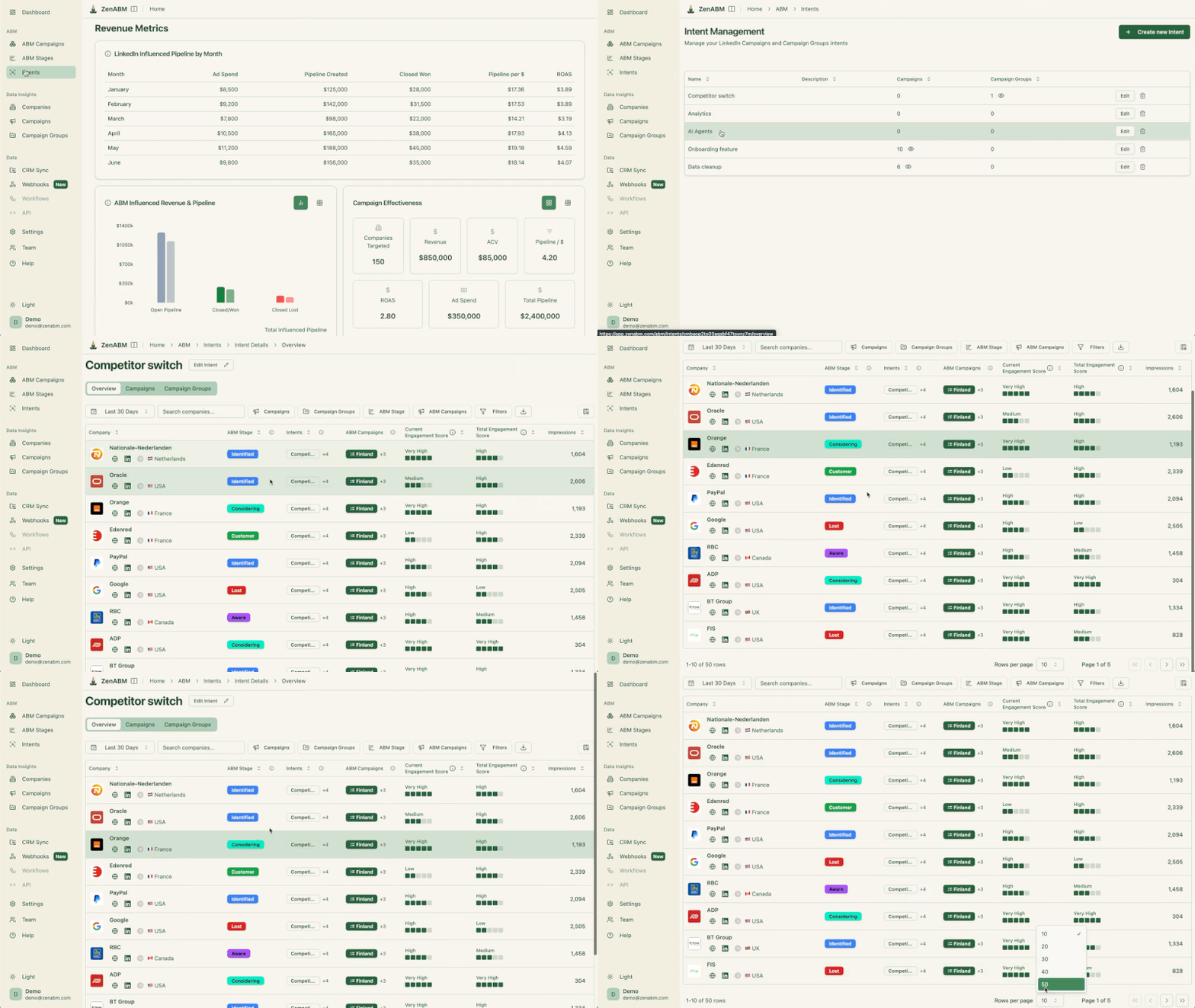
ZenABM’s job title analytics also help you see which roles are actually engaging across your campaigns, which is useful when deciding whether your event should be promoted to CMOs, demand gen leaders, RevOps, or some other persona mix.

In the ad creation step, select “Event ad” as the format and choose the LinkedIn Event you created.
The ad will automatically pull in the event details like name, date, time, and your description.
The introductory text above the event card is your chance to sell the event.
Focus on what the attendee will learn or gain, not what you will be talking about.
Good event ad copy examples for ABM:

Event ads work best as a mid-funnel tactic within a broader ABM campaign on LinkedIn.
Here is how to integrate them:
Follow these steps before the event:
This pre-event orchestration matters more than most teams realize.
Steve Wagner has argued that ABM data makes events more effective when you use buying signals to identify the contacts most worth reaching before the event, personalize invitations based on intent, and decide where sales should focus their time instead of just hoping the right people register.
In other words, the event itself is not the strategy, but one moment inside a broader account plan. The more intentional your pre-event targeting is, the more likely your registrations will come from accounts that actually have pipeline potential
This is another place where ZenABM can be genuinely useful.
You can prioritize pre-event spend around accounts already showing momentum, like companies engaging with your LinkedIn ads, revisiting key pages, or moving into later ABM stages, rather than promoting the event evenly across the whole list.
And if you want sales involved before the event, ZenABM’s automated BDR assignment and custom webhooks make it easier to route hot accounts into outreach or Slack alerts the moment they cross an engagement threshold.


Follow these steps during the event:
If you are running this properly as ABM, you should not just look at click volume here. ZenABM lets you see which target companies are engaging but still have no registration, so you can push a different angle to those accounts instead of wasting impressions on people who were never a fit in the first place.
Finally, work on these after the event:
As Emilia told our ABM Bootcamp participants:
“When accounts are starting to engage with your ads and show interest, don’t just leave them to their own devices, engage them.” — Emilia Korczynska, VP Marketing at Userpilot and co-creator of ZenABM ABM Bootcamp
Event registrants are showing strong interest.
Follow up with them through multiple channels, not just more ads.
Based on ABM campaign data from the LinkedIn ABM Performance Benchmarks Report 2026, the CTR benchmark for LinkedIn event ads was 0.55%.
The 0.55% CTR makes event ads one of the higher-performing sponsored content formats.
Their CTR is even above single-image ads (0.42%) and significantly above video ads (0.24%).
This makes sense: the “Attend” action has lower friction than visiting a website. People can register for an event with a single click without leaving LinkedIn.
Also, when you combine event ads with message ads for the same event, the economics get even better.
Message ads for event invitations typically achieve ~$11 CPL, and event ads can complement this by reaching people who might not open their LinkedIn messages but do scroll the feed.
The most effective event promotion strategy I have seen for ABM accounts is using LinkedIn event ads and message ads together, not in isolation.
Event ads give you feed placement, which helps you reach target account members while they are scrolling LinkedIn and makes registration easy with a low-friction “Attend” button right inside the ad.
Message ads add a second, more personal touchpoint by delivering the invitation directly to the recipient’s inbox from a relevant sender, which is why they often perform so well for event registrations, sometimes around the ~$11 CPL mark.
Used together, these two formats create a surround-sound effect across both the feed and the inbox.
So if someone ignores or misses the event ad while scrolling, they may still notice the personal invitation in their messages, and if the inbox message gets overlooked, the feed ad can reinforce the event later.
That repeated but varied exposure is what makes the combination especially effective for ABM.
Some LinkedIn event ads best practices to consider:
Event ads need time to deliver across your target account list.
Starting too late means LinkedIn may not have enough time to serve the ad to your full audience before the event date.
The event description appears in the ad unit.
Keep it concise and focus on the value for attendees, like what they will learn, who is speaking, and any unique draws (live Q&A, exclusive data, etc.).
The event banner is the main visual in the ad.
Use a high-quality image that communicates the event topic.
Also, avoid stock photos, because they reduce credibility. Photos of the actual speaker or branded graphics work better.
Use company engagement data to identify target accounts that saw the event ad but did not register.
These accounts can be retargeted with a different angle, like a message ad, a single image ad highlighting a specific session topic, or even direct outreach from your sales team.
ZenABM is useful here because it does not stop at ad engagement. You can combine company-level LinkedIn engagement with website behavior and CRM context to decide whether a non-registrant account needs another ad touch, a BDR follow-up, or no more budget at all.
Do not just count total registrations.
Track which specific target accounts registered and attended.
This data is gold for your ABM program, because it tells you which accounts are actively engaging and moving through your funnel.
That account-level view is important because event success in ABM is rarely about filling the room.
This is exactly the reporting layer ZenABM is built for.
Its account-level LinkedIn ad dashboards, CRM sync, account scoring, and ABM stage tracking help you tie registrations and attendance back to named accounts, open pipeline, influenced revenue, and next best action for sales.

If your team wants faster answers, Zena, ZenABM’s AI chatbot, can surface this kind of LinkedIn ABM analysis in natural language instead of forcing you to dig through campaign exports and CRM filters manually.


Finally, avoid these mistakes while running LinkedIn event ads for ABM:
A lot of these mistakes become easier to avoid when you can actually see which accounts are engaging, what stage they are in, what pages they visited after the event, and whether sales followed up.
LinkedIn event ads work well for ABM because they reduce friction and help you get the right people from the right accounts into a higher-trust environment than a normal ad click.
But the real value comes after the registration.
ZenABM helps with the part most teams are bad at: seeing which target accounts engaged with the event promotion, which registered, which attended, which came back to high-intent pages, which rep should own the follow-up, and whether any of that later turned into pipeline.
That is why ZenABM’s combination of company-level LinkedIn ad engagement, CRM sync, ABM stages, account scoring, job title analytics, first-party qualitative intent, automated BDR assignment, custom webhooks, and Zena AI is so useful here.
It gives you a clearer way to run event-led ABM as a measurable revenue motion.
Try ZenABM for free (37-day free trial) or book a demo now to know more!
Yes. LinkedIn event ads are tied to LinkedIn Events. You must create a LinkedIn Event first (from your company page), then promote it using the event ad format in Campaign Manager.
Yes, with a workaround. Create a LinkedIn Event and link it to your external event registration page. Attendees who click “Attend” on LinkedIn will be directed to your external page. However, the experience is smoother when the event is hosted directly on LinkedIn.
Event ads use the same auction-based pricing as other sponsored content formats. For ABM audiences, expect CPMs in line with single-image ads. When combined with message ads for event promotion, the effective cost per event registration can be around $11 based on ABM campaign benchmarks.
Use both. Event ads reach people in the feed with a low-friction registration button. Message ads deliver a personal invitation to the inbox. Together, they maximize your chances of reaching decision-makers at target accounts through multiple touchpoints.
Yes. You can build retargeting audiences based on people who engaged with your event ad (clicks, reactions) but did not complete the registration. This is a valuable audience for follow-up campaigns with a different angle or a last-chance registration message.
