



Most marketers think LinkedIn ads personalization stops at putting the company name in the headline.
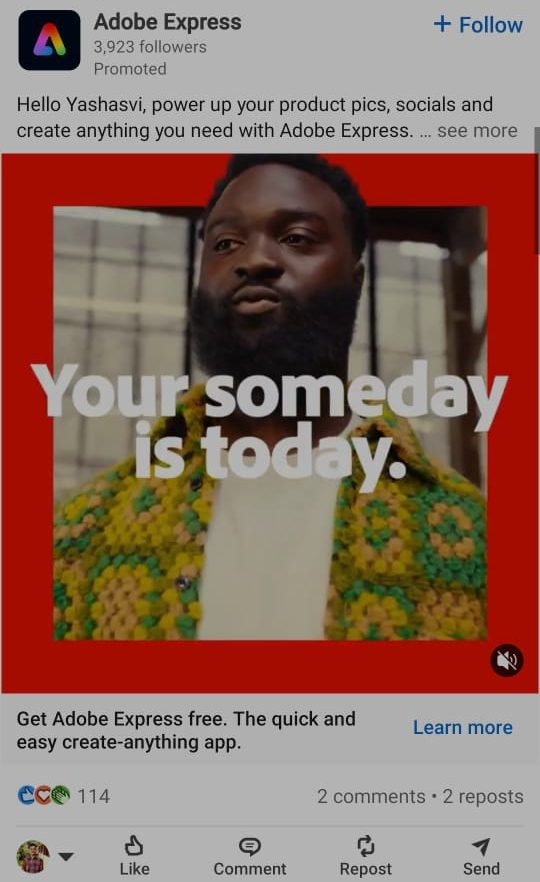
That is the surface layer.
The personalization that actually moves accounts forward in LinkedIn ABM is not the dynamic field.
It is the decision about which message, campaign, offer, and landing page each account should see next based on what they actually engaged with.
What this guide covers:
The patterns in this post come from Emilia Korczynska’s (VP of marketing at Userpilot) experience of running LinkedIn ABM at Userpilot and tracking every campaign, click, and account stage in ZenABM, along with quotes from operators like Ali Yildirim, Ana Marturet, and Tas Bober, who are testing the same things.
Here is the short version before each piece gets unpacked in full.
{{Company Name}} or {{Job Title}} can lift attention but does not replace good messaging.
LinkedIn ads personalization is the practice of adapting targeting, ad creative, copy, offer, landing page, and sales follow-up based on what is known about the account or the buyer.
It is not a token swap in the headline, but the decision tree behind the ad.
Concrete examples of personalization in practice:
The point of personalization is not to look clever, but to make the message more relevant and the next step more obvious, because if a prospect cannot connect the ad to a problem they actually have, no amount of dynamic insertion will help.
LinkedIn ads personalization breaks into three layers.
Most teams stop at level 1 or 2, while the accounts that win in ABM stack all three.
This is segment-based, not dynamic. Different audiences receive different creative based on stable firmographic attributes, which works well for one-to-many and one-to-few ABM motions.
This is what most people mean when they say “personalization.”
Macros or dynamic creative insert variables like company name, industry, job title, or location into the ad copy.
It is useful at scale, but only when the rest of the ad is also tailored to the audience seeing it.
This is where ABM personalization becomes genuinely useful, because it adapts based on what the account actually did rather than what they look like on paper.
An account that engaged five times with attribution ads should not see another awareness ad; they should see a case study or ROI proof.
Most “personalized” campaigns still treat every account in the audience identically once they enter the funnel, which is the gap that level 3 closes.
Macros are dynamic placeholders that pull in information about the viewer or their company at render time.
LinkedIn supports them in newsfeed ads, message ads, and conversation ads with tokens for first name, last name, company, job title, and industry.
Ali Yildirim, who runs LinkedIn ads at Understory, explained the current state of LinkedIn macros after the 2025 rollout:
“More on the personalization feature for newsfeed ads that LinkedIn just released to most accounts. Now we’ll be able to incorporate the same macros that convo ads have had for a while now into newsfeed ads. The other key difference is that you need 2 sets of copy. The ‘normal’ version and then the ‘personalized’ version which incorporates the macros.”
– Ali Yildirim, on LinkedIn macros for newsfeed ads in his LinkedIn post
That second point matters.
LinkedIn requires a fallback version because not every viewer has the right field populated, and skipping the fallback means the ad either does not serve or renders a broken token.
Examples of macro-style ad copy that actually work:
{{Company Name}}?”{{Job Title}}s trying to prove LinkedIn pipeline.”{{Industry}} teams running ABM on LinkedIn.”{{First Name}}, see which companies from your target list are engaging with your ads.”Macro best practices and common mistakes:

Dynamic company name insertion is the most-requested LinkedIn personalization tactic and the most misused one.
It works in some narrow cases and backfires in others.
Ana Marturet, who tracks LinkedIn ad updates closely, captured the moment 1:1 personalized ads finally rolled out platform-wide:
“LinkedIn finally dropped 1:1 personalized ads. They’ve been rolling it out gradually but as of today, it’s live across the board. I can’t tell you how many times customers have sent me screenshots of other brands testing this, asking ‘when can we do this too?’ This one’s going to be a game changer. Personalization at scale is officially here.”
– Ana Marturet, on LinkedIn 1:1 personalized ads going live in her LinkedIn post
When the company name insertion works:
When it does not work
Company-name insertion can lift attention.
It does not replace good messaging.
Job title insertion is more useful than company name insertion in most cases because the pain points actually differ by role, and the trick is to match not just the title but also the proof and the CTA.
Real persona personalization changes the headline, the body, the offer, and the proof together; inserting the job title while leaving the rest of the ad identical is still just a token swap.
Here is persona-led messaging by role:
| Persona | Pain point to lead with | Proof to show |
|---|---|---|
| Demand Gen Manager | Proving LinkedIn influenced pipeline | Pipeline attribution dashboard, campaign performance |
| CMO | Revenue impact and board reporting | Pipeline influence, revenue attribution |
| RevOps | CRM sync, data quality, workflow automation | HubSpot/Salesforce integration screenshots |
| BDR leader | Knowing which accounts are warming up | Account stages, intent signals, sales alerts |
| Agency owner | Client reporting and multi-client ABM | Multi-client dashboards, ROI per client |
Pro Tip: You can also use Wouter Dieleman’s approach to aligning SPICED strategy with personas for enterprise ABM. Click here to read more about it.
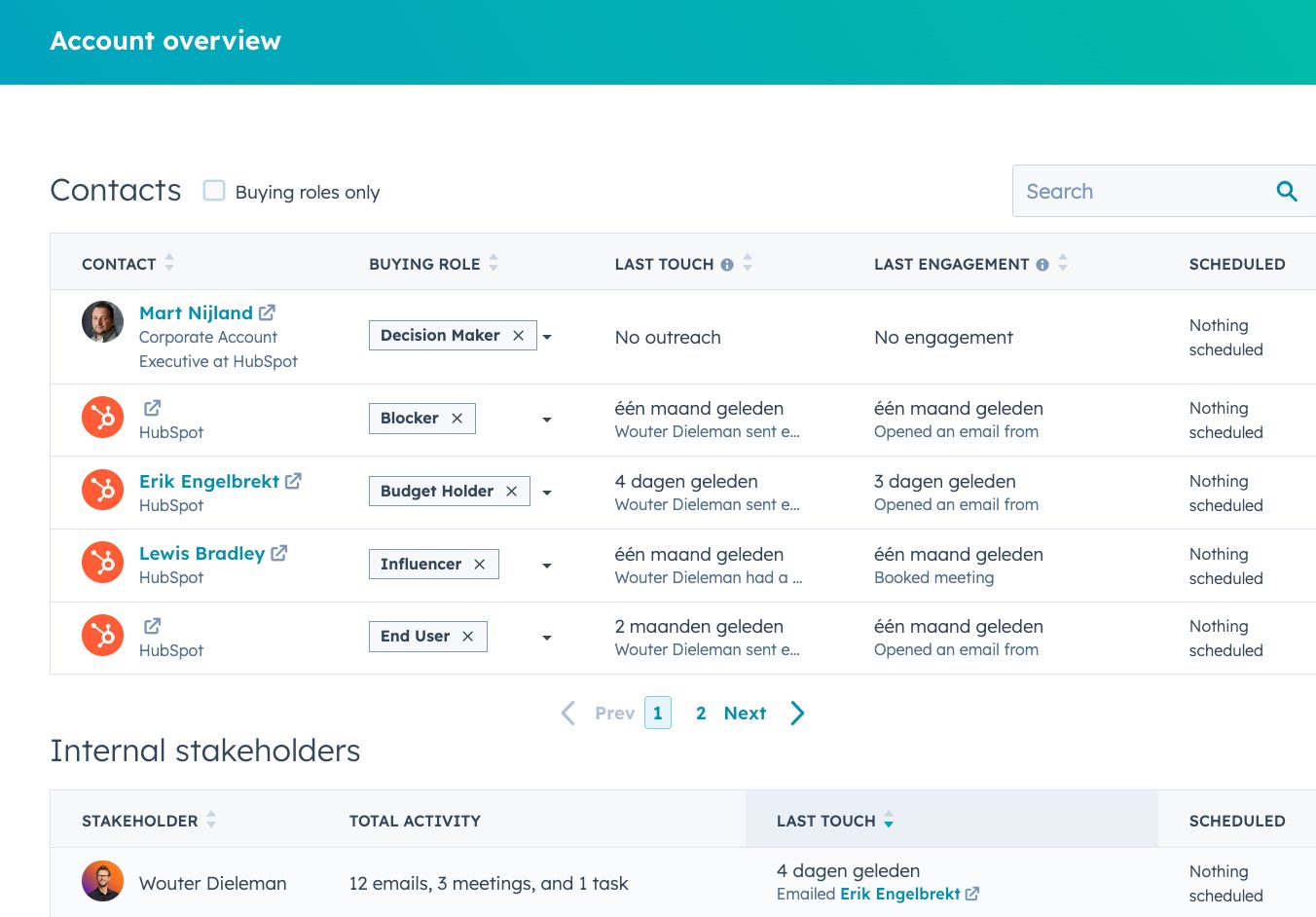
Personalization at scale rarely lives inside LinkedIn Campaign Manager alone.
Teams doing this well stitch together four categories of tools.
Tools like Clay, Apollo, BuiltWith, and standard CRM enrichment let teams build segmented account lists by industry, tech stack, size, region, persona, competitor usage, funding stage, or recent buying signal.
Personalization is only as good as the segmentation underneath it, which is why list quality is where this work starts.
Canva templates, Figma component libraries, Bannerbear, Placid, and AI creative workflows let teams generate ad variants by company, industry, persona, or pain point.
Without templated creative, persona personalization stalls at three or four ads and never reaches meaningful coverage.
Mutiny, HubSpot smart content, Webflow personalization, and custom dynamic landing pages let teams swap headlines, logos, proof, use cases, CTAs, and case studies based on the account or segment.
This is the layer most teams ignore, and it is where ad personalization either compounds or dies on the page.
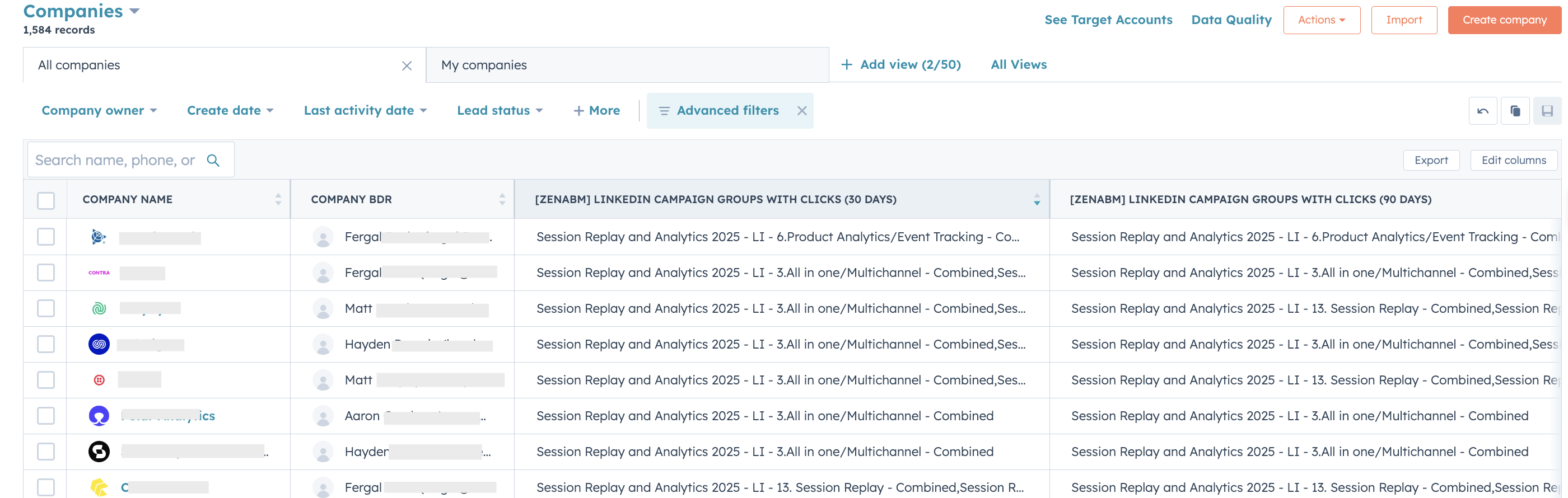
This is where ZenABM identifies which companies engaged with which LinkedIn campaigns, assigns account stages and intent themes, and triggers the next campaign or follow-up.
Dynamic creative is useful, but without intent data, the personalization is still guesswork about what to build around.




Ad personalization breaks if the landing page is generic.
Visitors pattern-match the disconnect in two seconds, and the click becomes wasted spend, which is why this is the layer most teams underinvest in.
Tas Bober, who builds ABM landing pages for B2B teams, made the case at the ABM Bootcamp that “who” personalization (inserting the company name on the page) is rarely enough on its own.
Her framework is to personalize for the “where” (where the buyer is in their journey) rather than only the “who.”
“Company or individual names don’t negate the fact that your ‘who’ landing pages are still generalized templates. Build your ABM landing page like a business case for that account at the stage they are in, not a templated page with a logo on top.
What to actually personalize on the page:
Some examples you can take inspiration from:
The rule: keep the page aligned with the ad theme.
If the ad is about LinkedIn attribution, do not send visitors to a generic homepage.
If the ad is about CRM sync, send them to a CRM sync page.
This is the highest-leverage layer of LinkedIn ABM personalization.
The most effective personalization comes from observed behavior, not static firmographics, because static personalization assumes a SaaS RevOps person at a 200-person company has the same problem as every other SaaS RevOps person at a 200-person company.
Intent personalization treats each account as the individual it actually is.
The most important intent signals you must track for each account:
Some intent-to-action examples to give you an idea:
The best LinkedIn ad personalization is not “Hi {{Company Name}}.” It is “this account showed this intent, so the next message should match it.”
ZenABM helps you track that specific intent:
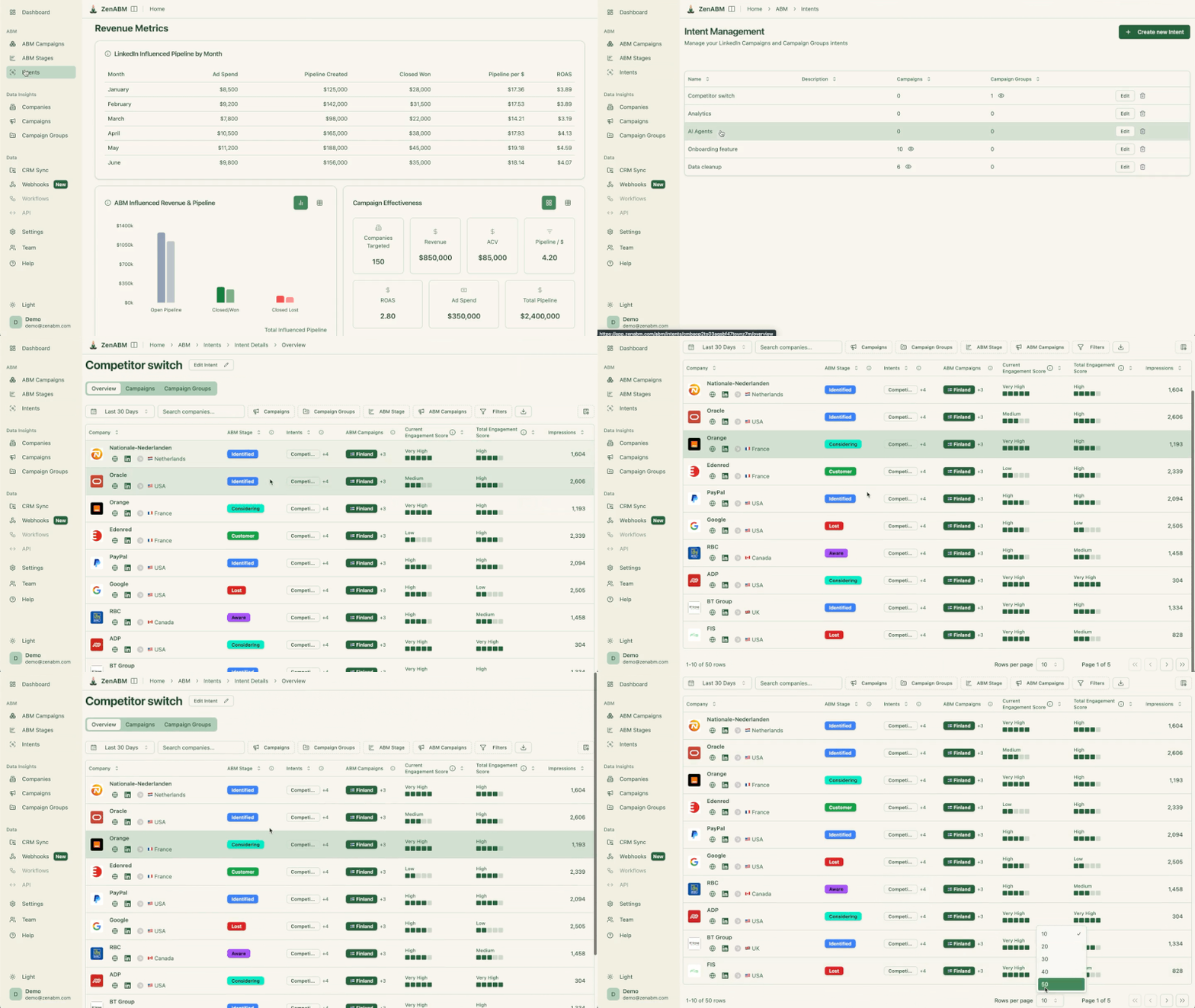
Here is the full workflow, end to end:



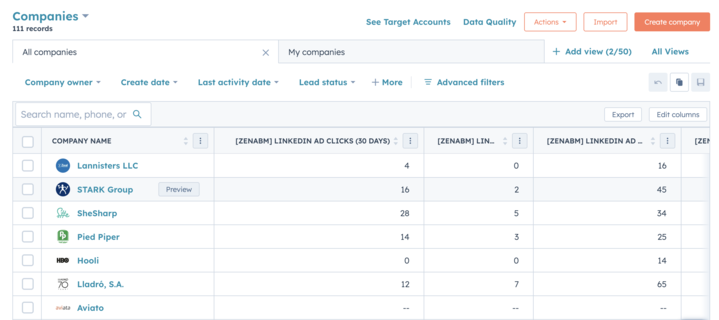
Worked example:
This is the step most teams skip.
Running great ads, seeing who engaged, and then doing nothing with the signal means the campaign sequence never becomes personalized.
By the way, if your ABM motion also includes other channels like Reddit Ads and Google Ads, ZenABM tracks them too:

It also tracks website visits, form fills, etc.
So, you get all paid, organic and inbound activity of each account in one place, which can help you personalize your LinkedIn ads for each account:

Here is a structure for a ZenABM-style LinkedIn ABM program, mapping directly to the running ABM on LinkedIn playbook by Emilia Korczynska:
| Campaign Group | Audience | Message | Personalization | Goal |
|---|---|---|---|---|
| Campaign group 1: Cold awareness | ICP account list | Broad pain or problem statement | Industry and persona only | Move accounts from Identified to Aware |
| Campaign group 2: Intent-based warm campaigns | Accounts that engaged with specific themes | Based on intent (attribution, CRM sync, reporting, sales prioritization) | Theme-matched creative and landing page | Move accounts from Aware to Interested to Considering |
| Campaign group 3: BOFU personalization | Demo visitors, high-intent accounts, open opportunities | Proof, ROI, comparison, implementation | Account tier, persona, objection, CRM stage | Move accounts from Considering to Selecting to Closed Won |
| Campaign group 4: Closed-lost reactivation | Closed-lost accounts showing new engagement | What changed, new feature releases, objection handling | NA | Reopen conversations |
The line between “this is relevant” and “this is unsettling” is thinner than most teams realize.
The rule: personalize around topics and roles, not around individual behavior.
Dos:
Don’ts:
Better phrasing:
Worse phrasing:
{{Company Name}} clicked our attribution ad five times.”Measuring personalization by CTR alone leads to optimizing for the wrong outcomes, because personalized headlines lift CTR without always lifting the pipeline.
Here is the metric stack, mapped to ABM revenue attribution.
| Metric | What it tells you |
|---|---|
| CTR and CPC by personalization type | Whether the creative is earning attention |
| Engagement by company | Which accounts are warming up |
| Engagement by persona | Which roles inside the account are warming up |
| Engagement by intent theme | Which message resonates with which account |
| Stage movement (Identified to Aware to Interested) | Whether personalization is moving accounts |
| Cost per Interested account | Real ABM efficiency |
| Pipeline by campaign theme | Which intents convert to pipeline |
| Pipeline per dollar spent | The only number that closes the loop |
| Landing page conversion rate by segment | Whether page personalization is working |
| Sales reply rate from intent-triggered outreach | Whether intent signals translate to conversations |
Personalization should be judged by whether it moves accounts forward, not whether it looks clever in a screenshot.
Also, if you are looking for one lean tool that provides all these metrics in one place, ZenABM does that:

The common patterns across LinkedIn ad accounts that “do personalization”:
LinkedIn ads personalization is not one tactic.
It is a stack.
Company name insertion is the surface. Persona segmentation is the middle.
Intent-based campaign sequencing—moving accounts based on what they actually engaged with—is what separates ABM from retargeting with better copy.
The teams that get this right do not just write smarter ads.
They build a system: campaigns tagged by theme, engagement mapped to account intent, stage movement tracked, and the next message triggered by behavior rather than guesswork.
If you are running LinkedIn ABM and want to see which accounts are warming up, which themes are resonating, and where each account should go next, ZenABM tracks all of it and pushes it directly into your CRM.
Start your free 37-day trial now or book a demo to know more!
LinkedIn ads personalization is the practice of adapting targeting, ad creative, copy, offer, landing page, and sales follow-up based on what is known about the account or buyer. It operates at three layers: static segment personalization, dynamic field personalization (macros, company name, job title), and intent-based personalization driven by what the account engaged with.
Yes. LinkedIn supports macros for first name, last name, company, job title, and industry in newsfeed ads, message ads, and conversation ads. As Ali Yildirim noted after the 2025 rollout, both a “normal” version and a “personalized” version of the copy are required since not every viewer has clean profile data. Fallback copy is non-negotiable.
Yes, but at the persona and intent layer, not the company name layer. For one-to-many ABM, the focus should be on industry and persona segmentation plus intent-based campaign sequencing, with 1:1 dynamic creative reserved for Tier 1 accounts where the production cost is justified.
Personalize around topics and roles, not individual behavior. Avoid lines like “we saw you clicked our ad.” Use phrasing like “teams exploring LinkedIn ad attribution usually run into this problem” instead. Reserve company names for Tier 1 accounts and make sure the rest of the ad earns the personalization.
ZenABM identifies which companies engaged with which LinkedIn campaigns, assigns account-level intent and stage, and pushes the data into HubSpot or Salesforce. From there, accounts can be moved between LinkedIn campaigns based on what they engaged with, sales follow-up can be triggered, and the pipeline can be measured by campaign theme. Start with a free 37-day trial.
