


![7 Great Account-Based Marketing (ABM) Tools [2026]](/_next/image?url=https%3A%2F%2Fwp.zenabm.com%2Fwp-content%2Fuploads%2F2025%2F11%2FGemini_Generated_Image_mxhmpvmxhmpvmxhm-scaled.png&w=1920&q=75)
Choosing an account-based marketing tool is sometimes even tougher than running an ABM campaign itself.
I mean, so many marketers confess to hopping on fancy tools without knowing what they actually need and ending up buying an overkill or a very inadequate version.
I’ve tried to solve that in this article: I’ve compared 7 great ABM tools and discussed their feasibility for each type of business (big, mid or small).
Read on to choose your fit…
Short on time?
Here’s a quick tabulated comparison:
| ABM Tool | LinkedIn Ads Integration | Direct API Integration | Real-Time Engagement | Multi-Channel Ads | Intent Data (3rd-party) | CRM Integration | AI Predictive Analytics | Community/Organic Tracking | Pricing (Entry-level) | Best for |
|---|---|---|---|---|---|---|---|---|---|---|
| Demandbase One | ✅ | ✅ | ✅ | ✅ | ✅ | ✅ | ✅ | ❌ | High | Enterprise ABM |
| ZenABM | ✅ | ✅ | ✅ | ✅ | ❌ | ✅ | ❌ | ❌ | Low | LinkedIn-centric multichannel ABM |
| 6sense | ✅ | ✅ | ✅ | ✅ | ✅ | ✅ | ✅ | ❌ | High | AI-driven ABM |
| Terminus | ✅ | ❌ | ✅ | ✅ | ✅ | ✅ | ❌ | ❌ | High | Sales & Marketing alignment |
| RollWorks | ✅ | ❌ | ✅ | ✅ | ✅ | ✅ | ✅ | ❌ | Medium | Ad-focused ABM |
| Common Room | ❌ | ❌ | ✅ | ❌ | ❌ | ✅ | ✅ | ✅ | Medium | Community-led ABM |
| Factors.ai | ✅ | ❌ | ✅ | ❌ | ✅ | ✅ | ✅ | ❌ | Flexible | Analytics-focused ABM |
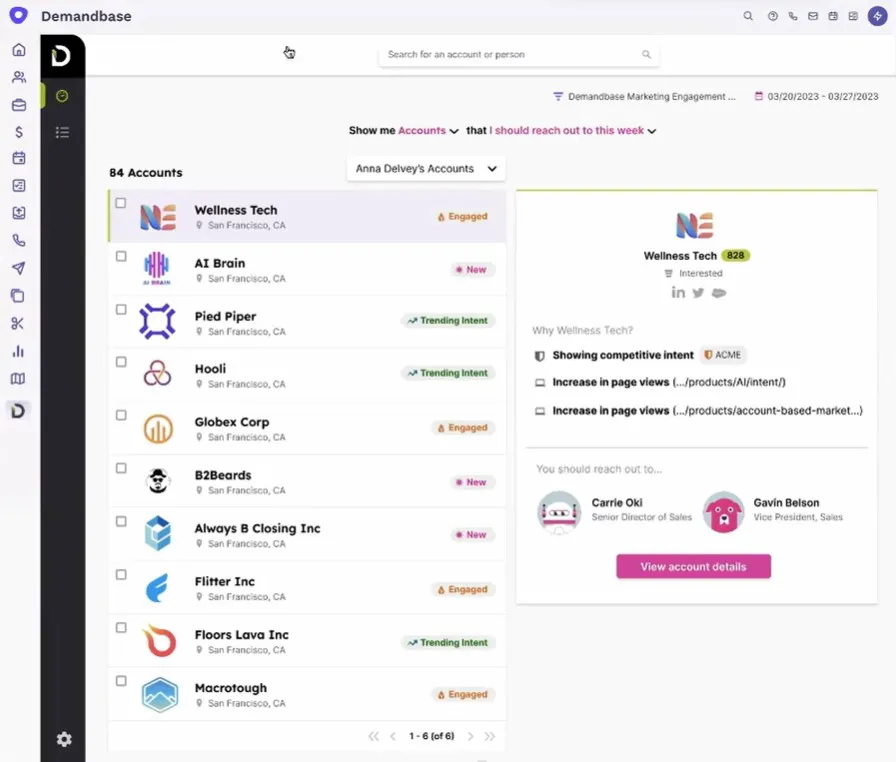
Demandbase One is a complete end-to-end enterprise-grade ABM platform.
It offers everything from building target account lists with intent and fit data to running campaigns across multiple channels, to engaging visitors on your website to measuring every touch (all under one roof).
Here’s a quick tour of its features:
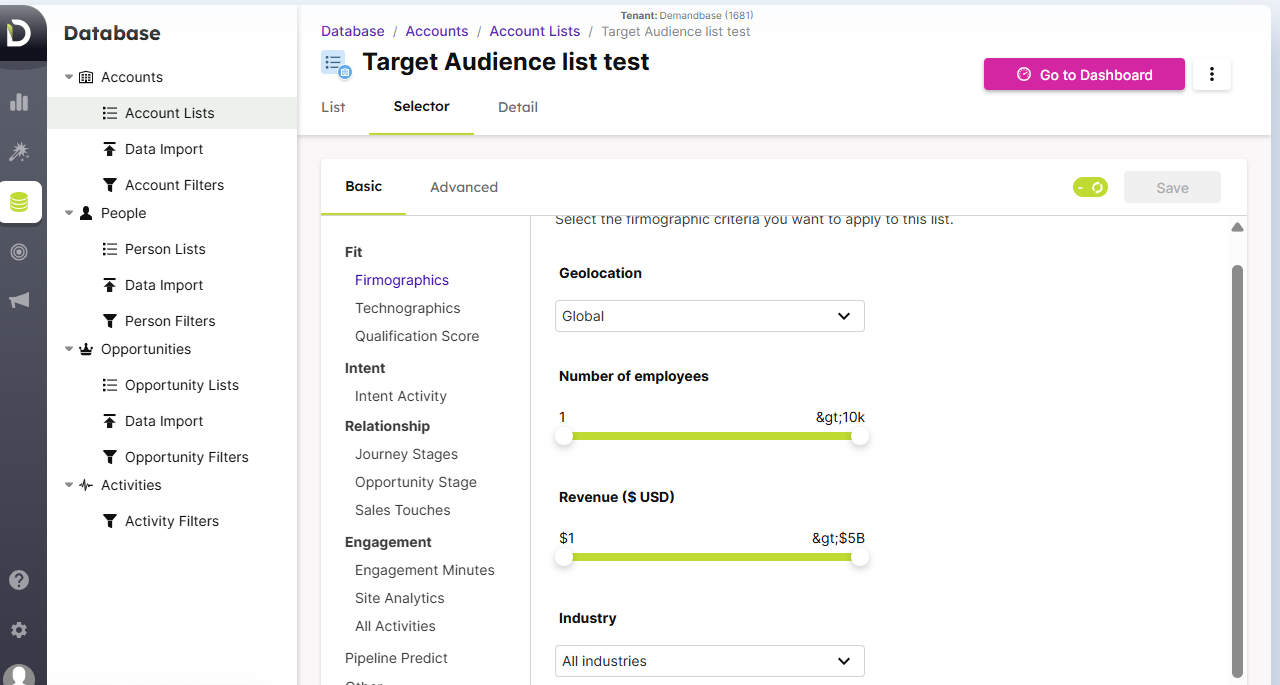
Demandbase helps you build and refine Target Account Lists (TAL) using a wealth of data.
You can upload your own account lists, deanonymize site visitors to add to your TAL, or utilize Demandbase’s extensive company database and AI.
For instance, Demandbase can suggest accounts based on firmographics, technographics, intent keywords, or even which companies are hiring for roles related to your product.
It’s like a hub of your CRM data, third-party data, and AI.
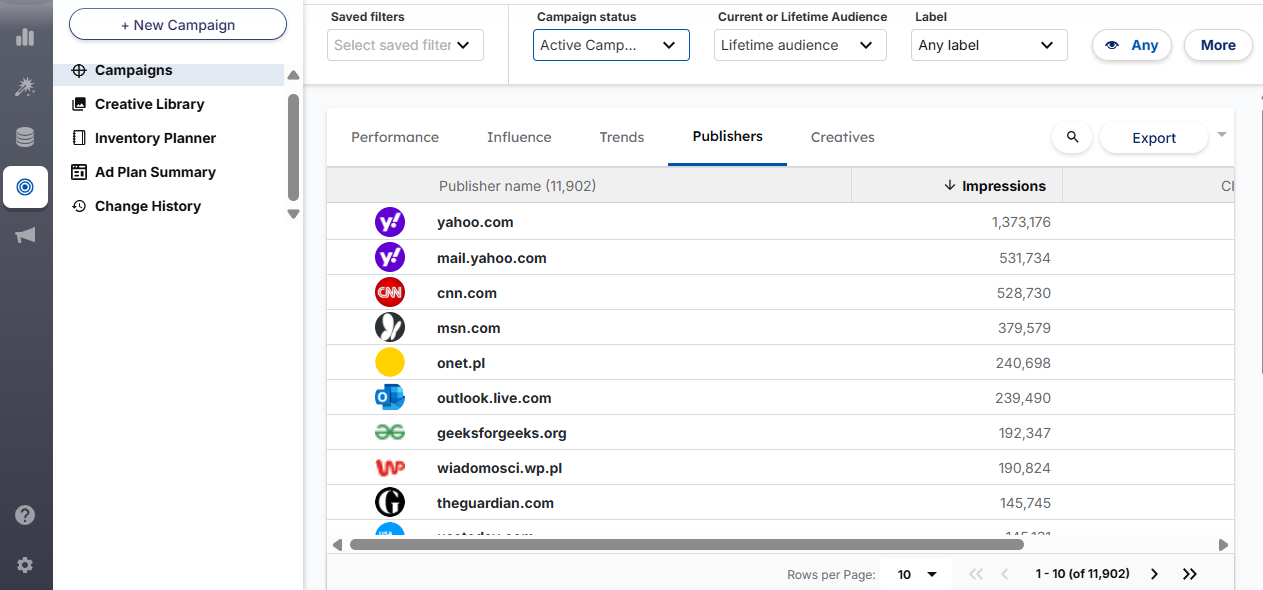
One of Demandbase’s crown jewels is its native Demand-Side Platform (DSP) for B2B ads. This means you can run programmatic display ads, retargeting, native ads, and even Connected TV ads directly through Demandbase.
It also has built-in integrations to manage campaigns on LinkedIn, Facebook/Instagram, Twitter, Google (Search and YouTube), and more.
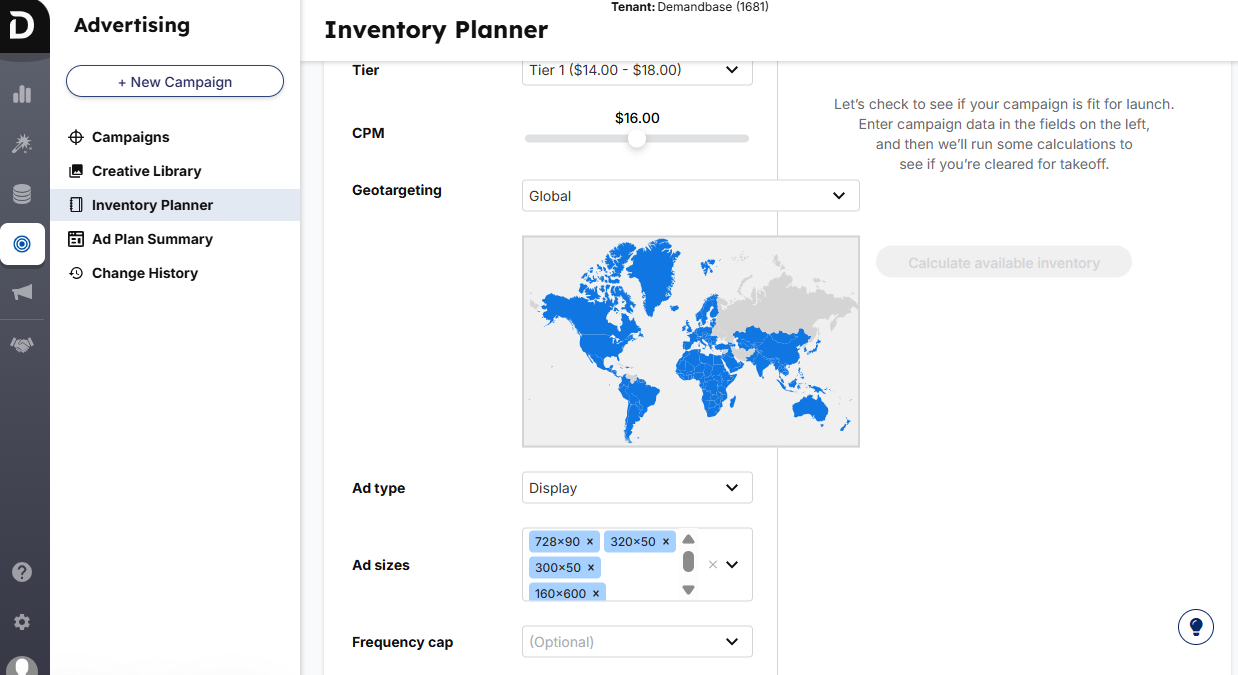
Demandbase also supports frequency capping at the account level (e.g. make sure one big account doesn’t see your ads 100 times) and uses AI to auto-optimize your ad spend towards the accounts showing the highest intent.
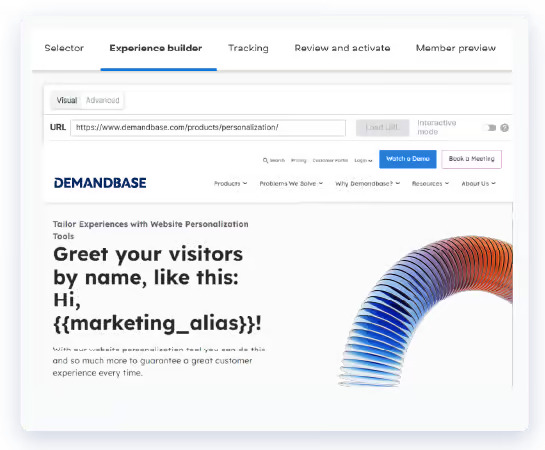
Beyond ads, Demandbase can personalize your website for target accounts.
It can greet a visitor from Acme Corp with a personalized message or content specific to their industry (by recognizing their IP or cookie). It can also create personalized microsites or landing pages for accounts or clusters of accounts.
Demandbase was a pioneer in partnering with intent data providers. It brings in third-party intent signals (e.g. Bombora data on what topics accounts are researching) alongside your first-party data (web visits, email engagement).
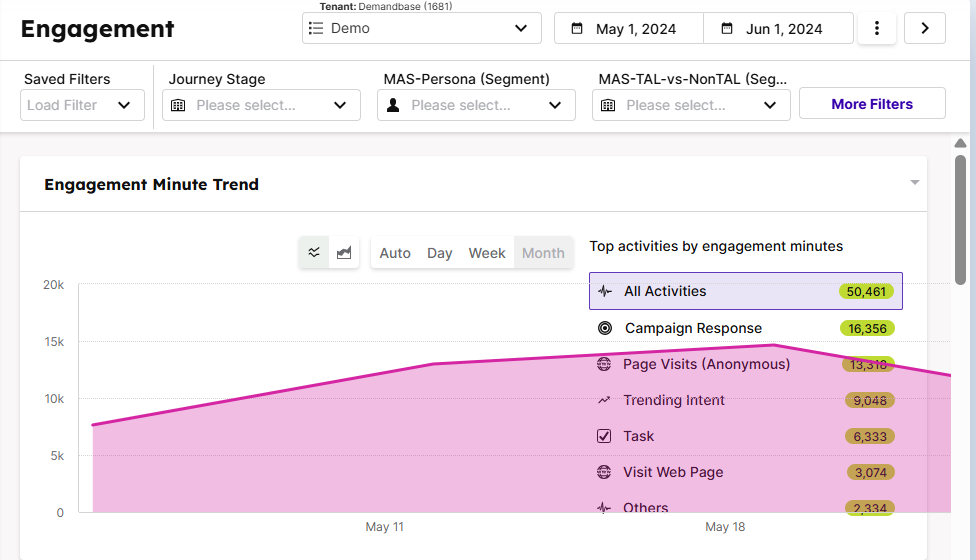
The platform builds a 360° profile of each account, including firmographics (company size and industry), technographics (the tools they use), trending intent topics, and engagement scores. For example, you can see that Account X has had 5 people visit your site, is surging on intent for “cloud security”, and fits your ICP of fintech companies.
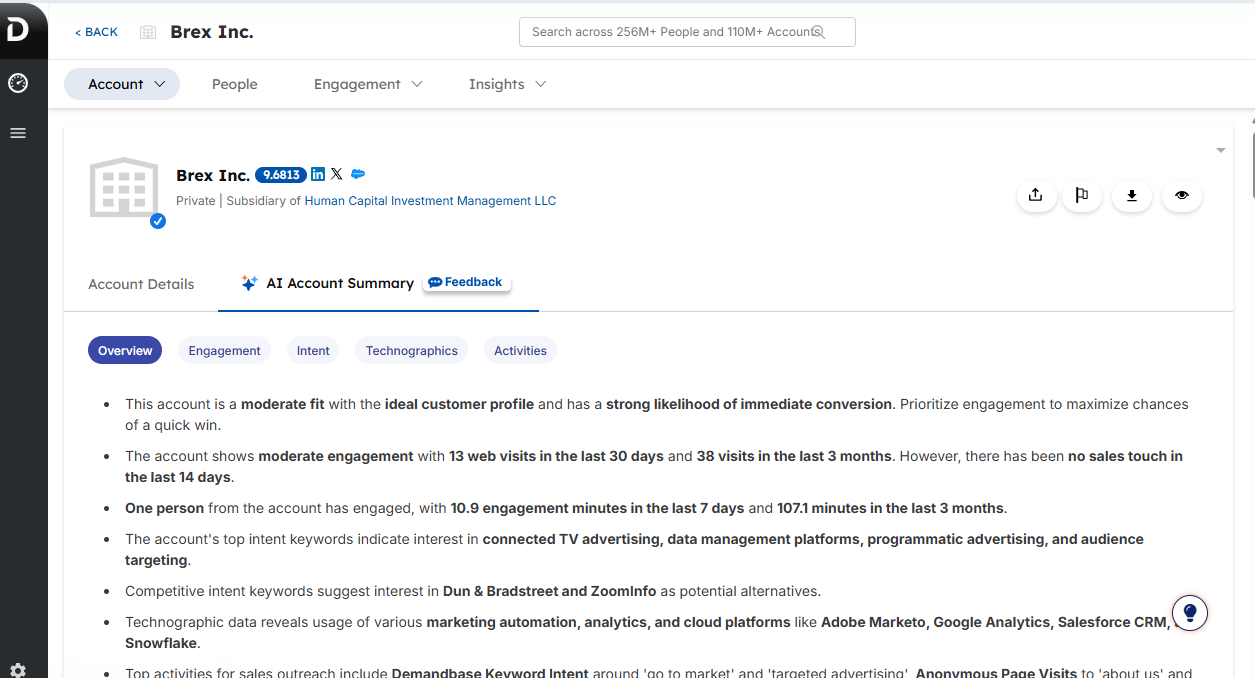
That depth of account insight helps both marketing and sales teams prioritize and personalize outreach.
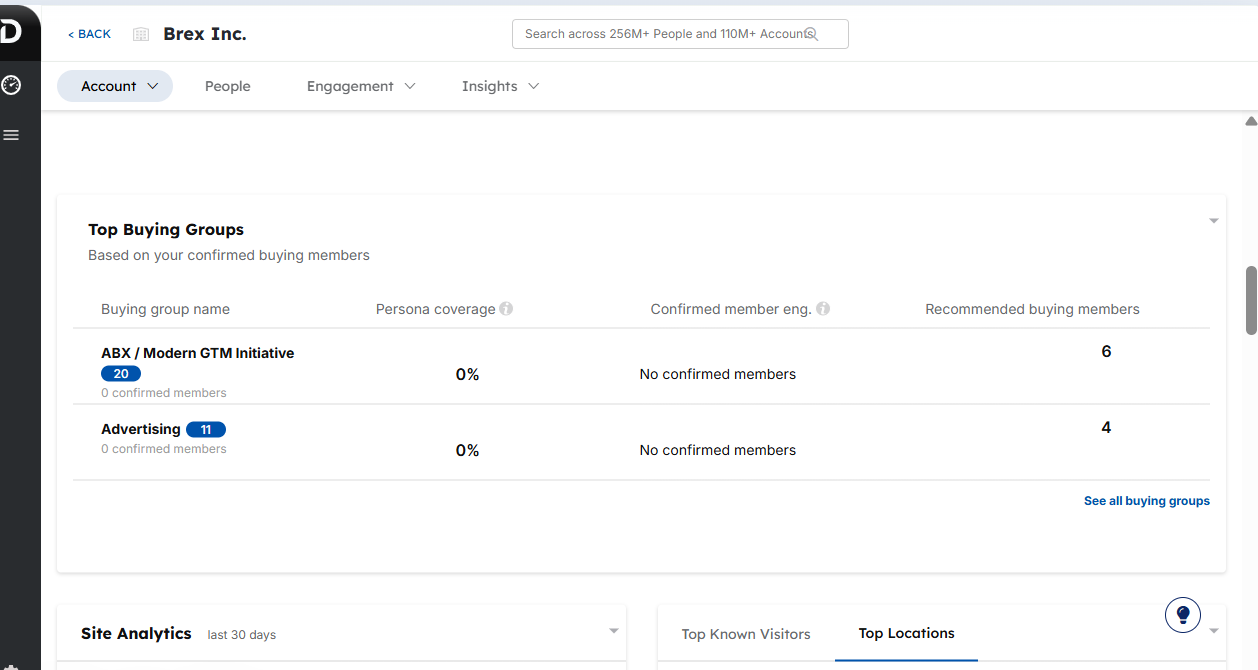
ABM is about accounts, but ultimately you still need to reach the right people at those accounts. Demandbase enables persona- or role-based targeting to reach decision-makers, such as CTOs or procurement managers, at the target account.
It can integrate with contact data to map and target buying committee members. It even lets you define “Buying Committees” or groups within accounts.
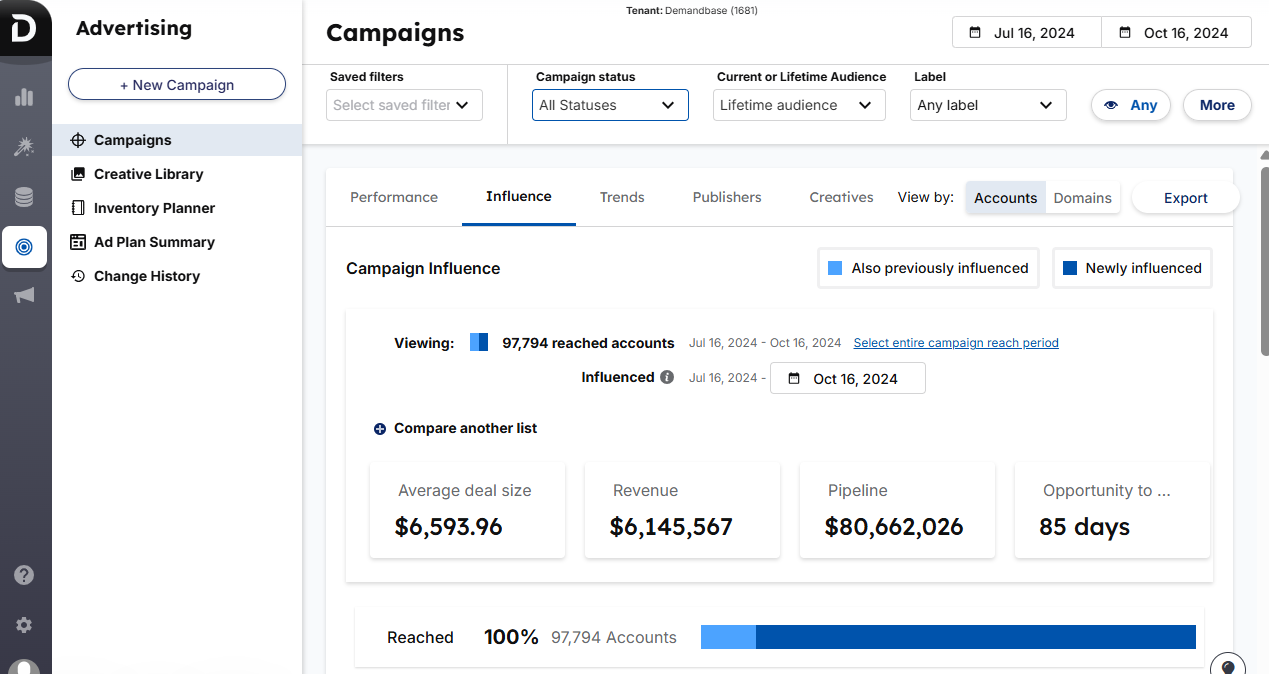
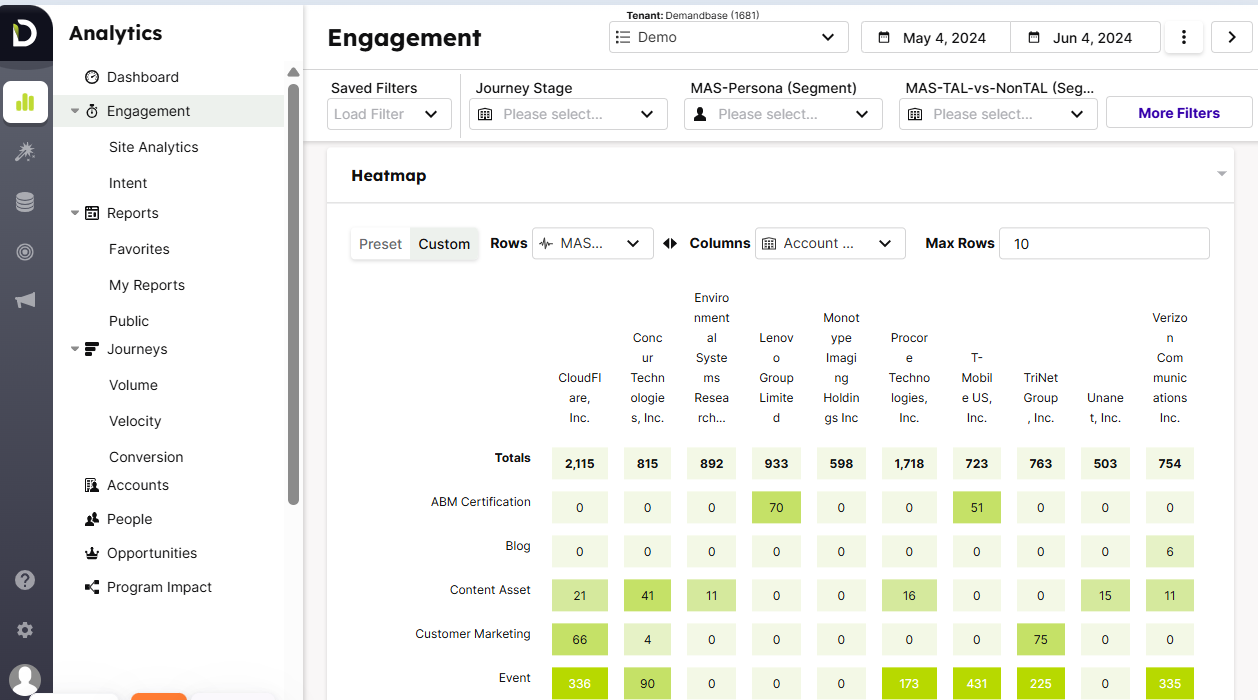
With so many channels and tactics in play, Demandbase’s analytics help you prove (and improve) your ABM. It provides dashboards for account engagement (like heatmaps of which accounts are interacting most across various channels), funnel progression (how accounts move from unaware to engaged to opportunity), and pipeline attribution that shows influenced pipeline and revenue by the campaign.
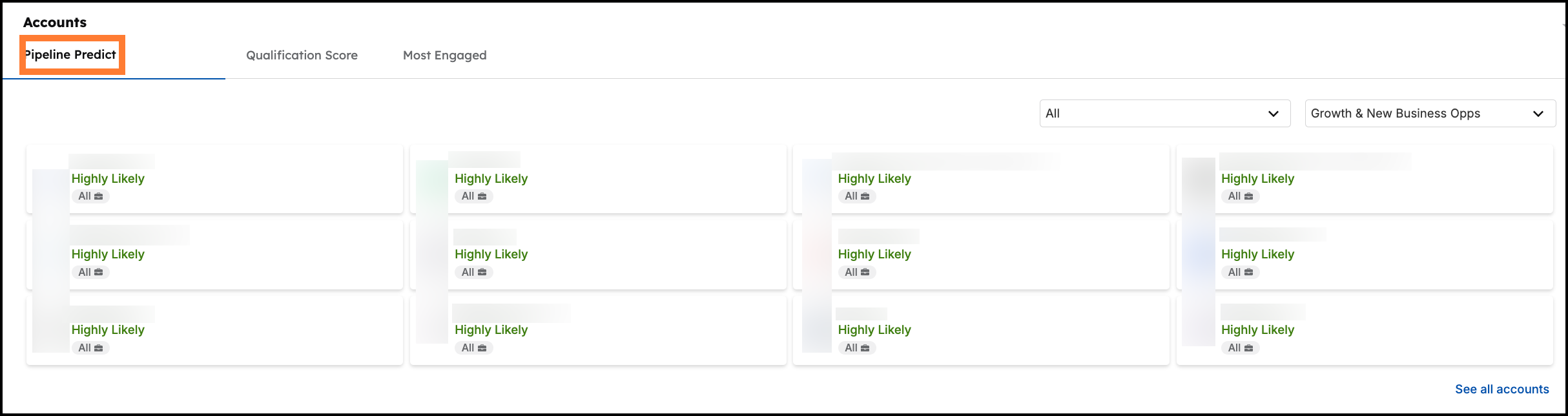
For example, you can see that your Q1 LinkedIn ad campaign influenced $2M of pipeline and closed $500K in sales. It also offers AI-powered insights, such as a Pipeline Predict Score that indicates which accounts are statistically most likely to result in wins.
Demandbase One integrates with major CRMs (Salesforce, etc.), marketing automation (Marketo, HubSpot, etc.), sales engagement tools, and more.
It also offers a module for Sales (often called Demandbase for Sales) that gives sales reps a personalized view of ABM insights without overwhelming them, so they know which accounts to focus on each day.
You can explore these integrations in more detail in the Demandbase official docs.
Demandbase One is best for mature ABM teams that want everything in one place: ads, personalization, intent, analytics, and sales enablement. It’s powerful for large target account lists and multi-channel strategies, and helps align big sales teams with real-time account insights. Continuously innovating since its Engagio merger, it remains a leader in ABM best practices.
Three cons: complexity (steep learning curve), cost, and high probability of being an overkill for most businesses.
Large B2B organizations with established ABM programs and significant budgets. If you have a dedicated ABM team, thousands of target accounts, multiple marketing channels in play, and a mandate to tightly align marketing & sales data, Demandbase is worth the investment.
It’s also a top choice for companies that want to consolidate point solutions.
For e.g. replace separate tools for ads, intent data, and web personalization with one unified platform.
ZenABM is a plug-and-play ABM analytics and attribution platform purpose-built for account-based marketers whose campaigns are multi-channel (as ABM should be), but the primary channel is LinkedIn.
From LinkedIn ad engagement tracking to connecting it to a real pipeline and providing a complete buyer journey across multiple channels and touchpoints, it has everything you need for running ABM with LinkedIn at its centre.
Here’s what ZenABM offers:


ZenABM retrieves first-party, account-level data for each LinkedIn ad campaign directly from LinkedIn’s official API.
This is something rare.
Even many ABM giants don’t provide this and rely on browser cookies or unreliable IP matching.

The platform automatically scores each account’s engagement on LinkedIn in your chosen timeframe (say, the last week).
This “current engagement score” updates continuously, highlighting your hottest accounts this week, not just historically.
The benefit?
Your sales team knows right now which target accounts are surging in interest, enabling timely outreach. It’s similar to how some tools detect intent spikes, but tuned specifically to LinkedIn interactions.
A historic engagement score is also provided under “total engagement score.”
ZenABM, with its own engagement score and CRM data, can track the ABM stage of each account.
The best part?
The threshold for each stage is customizable at your end.

And as ZenABM can track ABM stages of accounts, it lays out the movement of accounts through stages for you to see where the friction is:
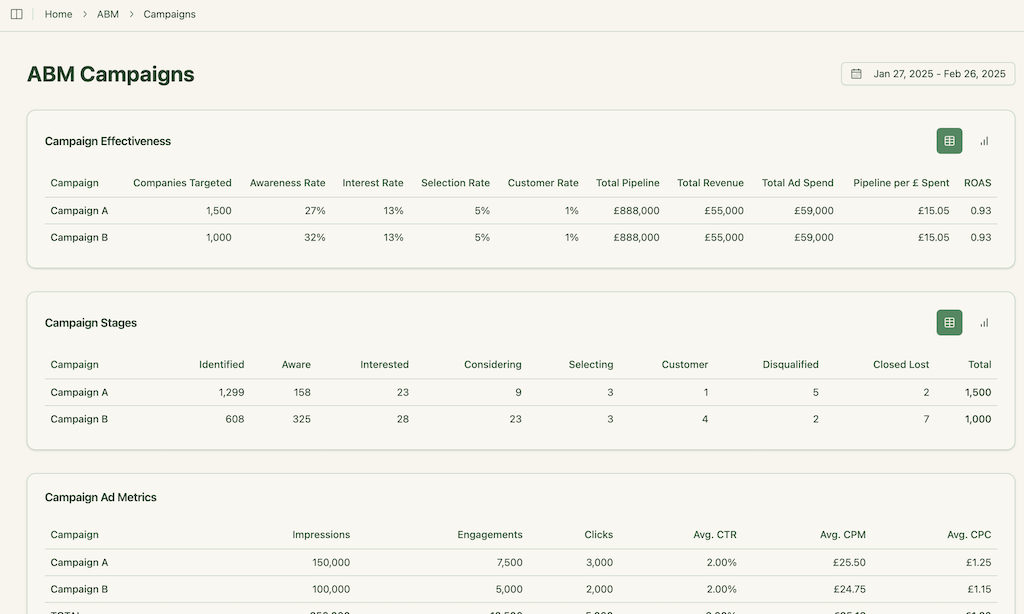

ZenABM pushes all the LinkedIn engagement info straight into your CRM (currently HubSpot and Salesforce, with more integrations on the way; you can build your own, too, using ZenABM’s webhooks).
It writes a single company-level property with metrics like “LinkedIn Ad Engagements (last 7 days)”, so any sales rep can see account engagement at a glance.
Even cooler, it auto-assigns BDRs to an account in your CRM once it hits a certain engagement threshold (e.g. moves into an “Interested” stage).
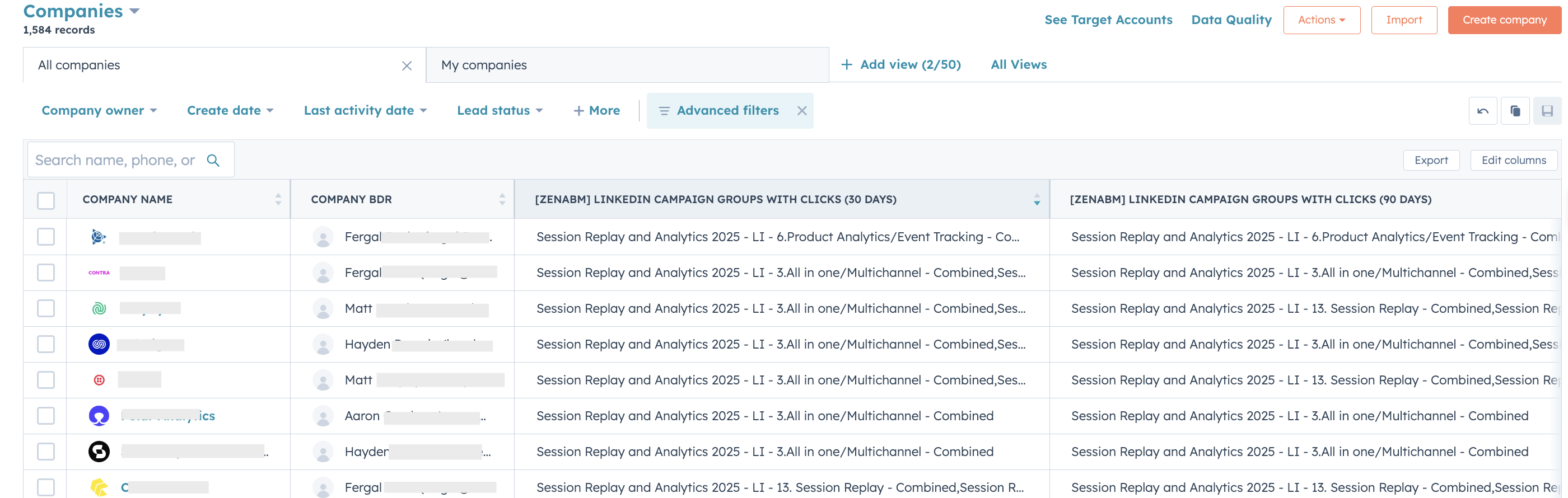
No more missed follow-ups because someone didn’t manually update a spreadsheet!
Regarding CRM updates, ZenABM also updates the account stage in your CRM:

Running multiple LinkedIn campaigns for different value props or product features?
ZenABM lets you tag campaigns by intent topic and then tracks which accounts engage with which messaging.
It groups companies by interest (e.g. which ones interacted with your “Feature A” ads vs “Feature B”), and pushes that intent signal into your CRM as well.
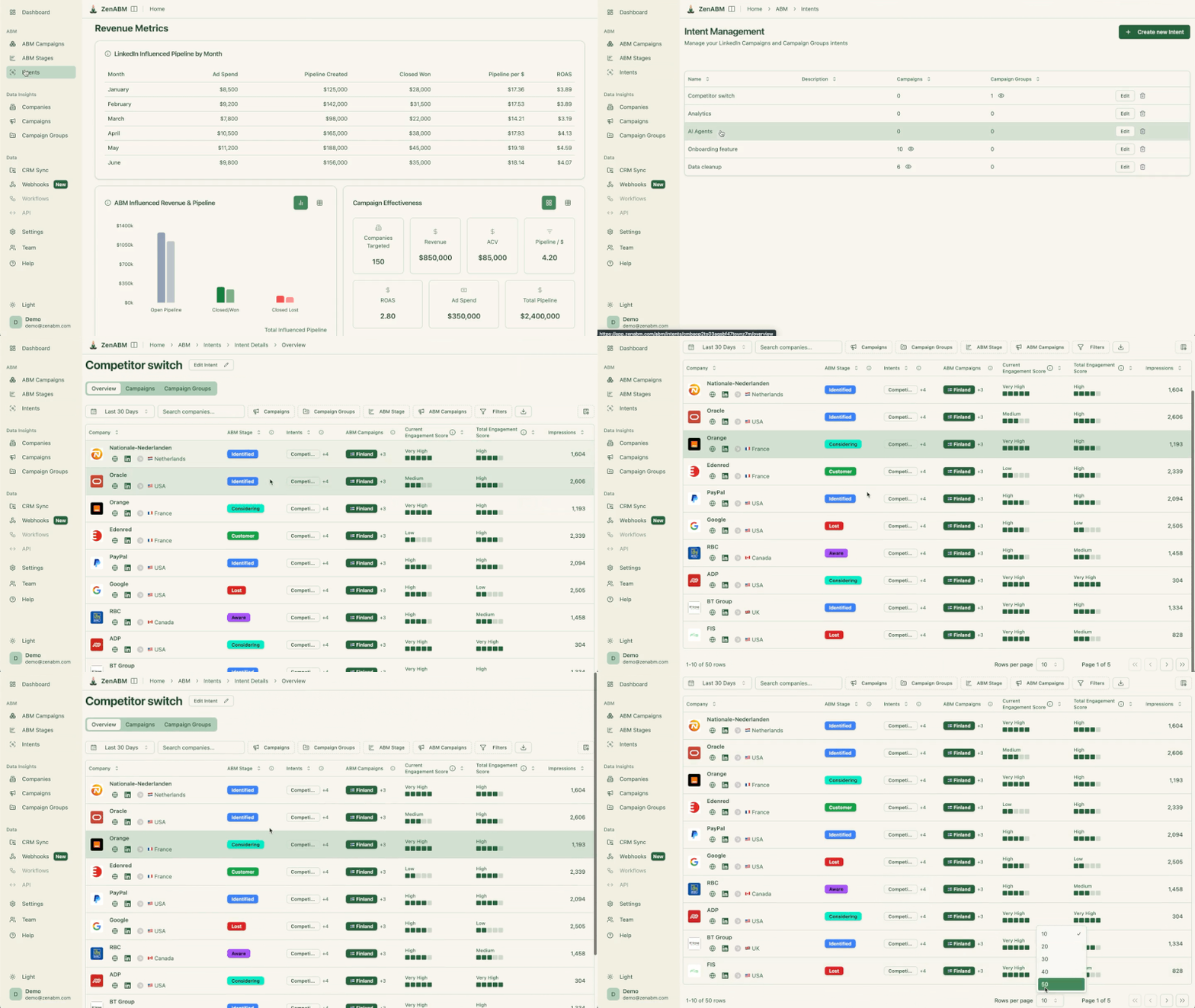

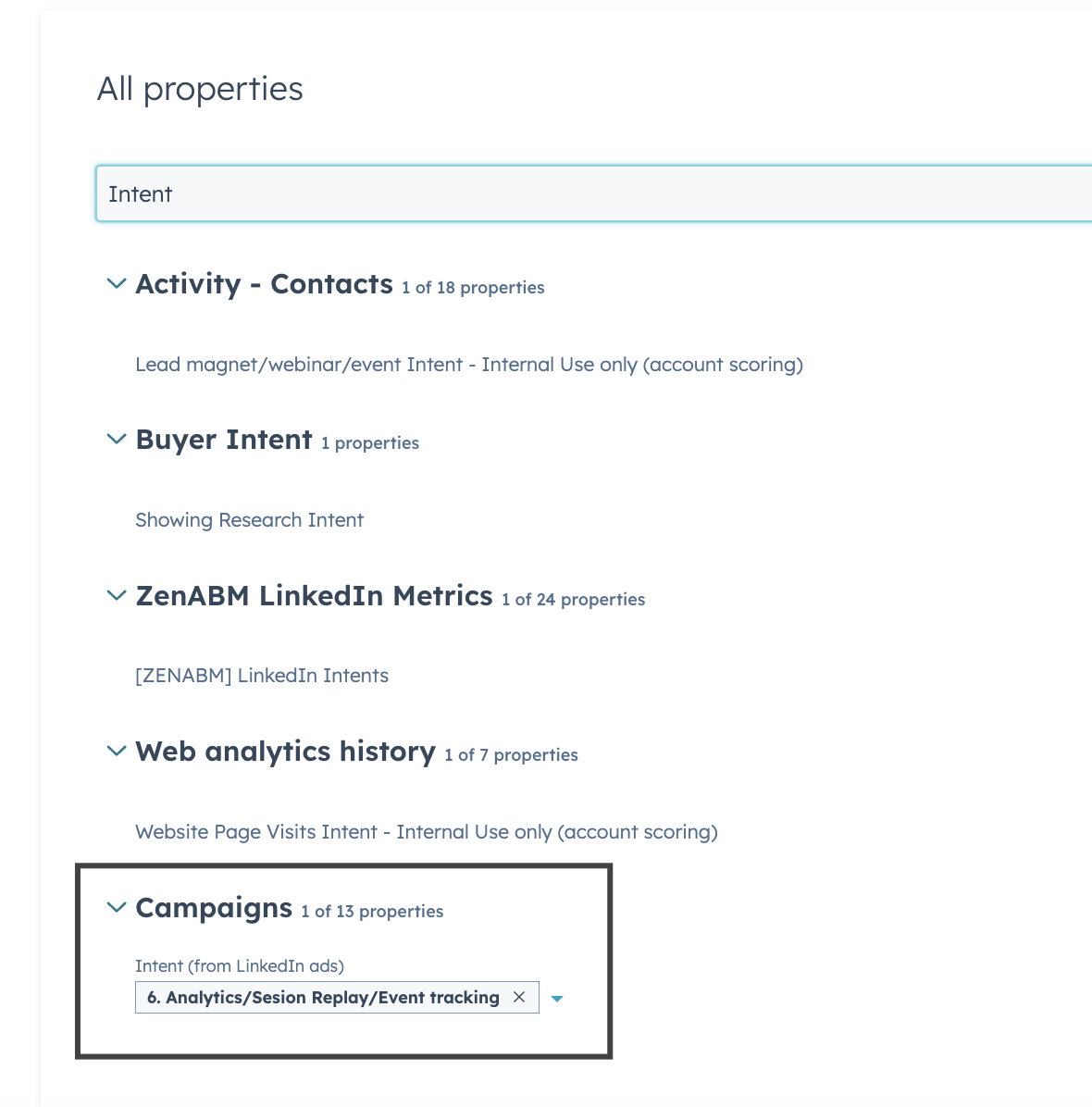
Your sales team can then tweak their pitches, knowing what the account cares about.
You’ll find them discussing: “Account XYZ keeps engaging with our cloud security ads, so lead with that.”

Like the big ABM suites, ZenABM provides out-of-the-box dashboards for campaign performance and ROI.
It automatically matches your LinkedIn ad-engaged companies to actual deals in your CRM to calculate influenced pipeline, revenue, win-rate, and even ROAS (return on ad spend).
Apart from LinkedIn ads engagement tracking and attribution, ZenABM now also tracks other touchpoints like Google ads, Reddit ads, etc., and lays out the complete account journey for you:


You can put ZenABM anywhere in your GTM workflow by connecting it to other tools using its custom webhooks:
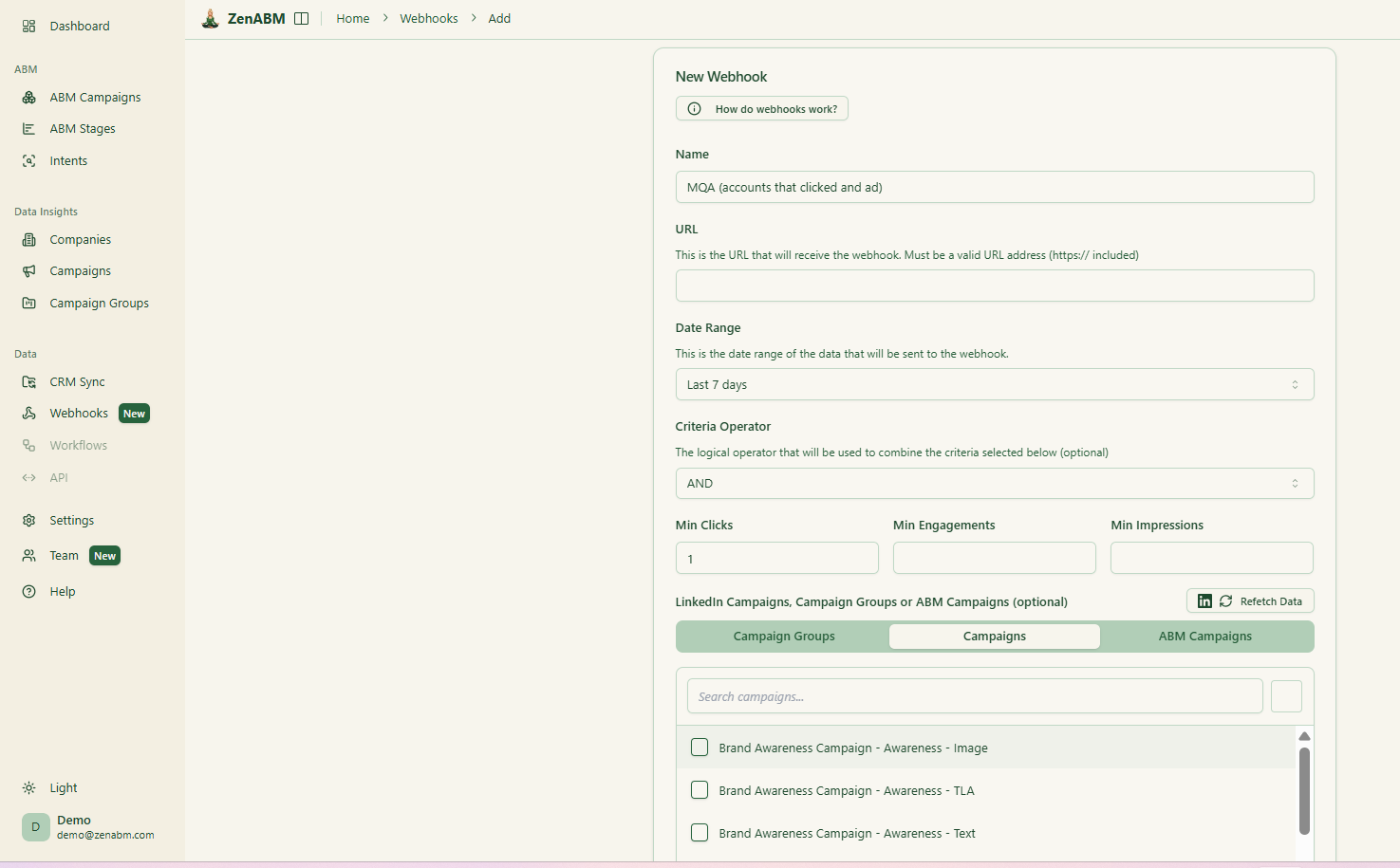
It also provides API access and MCP:

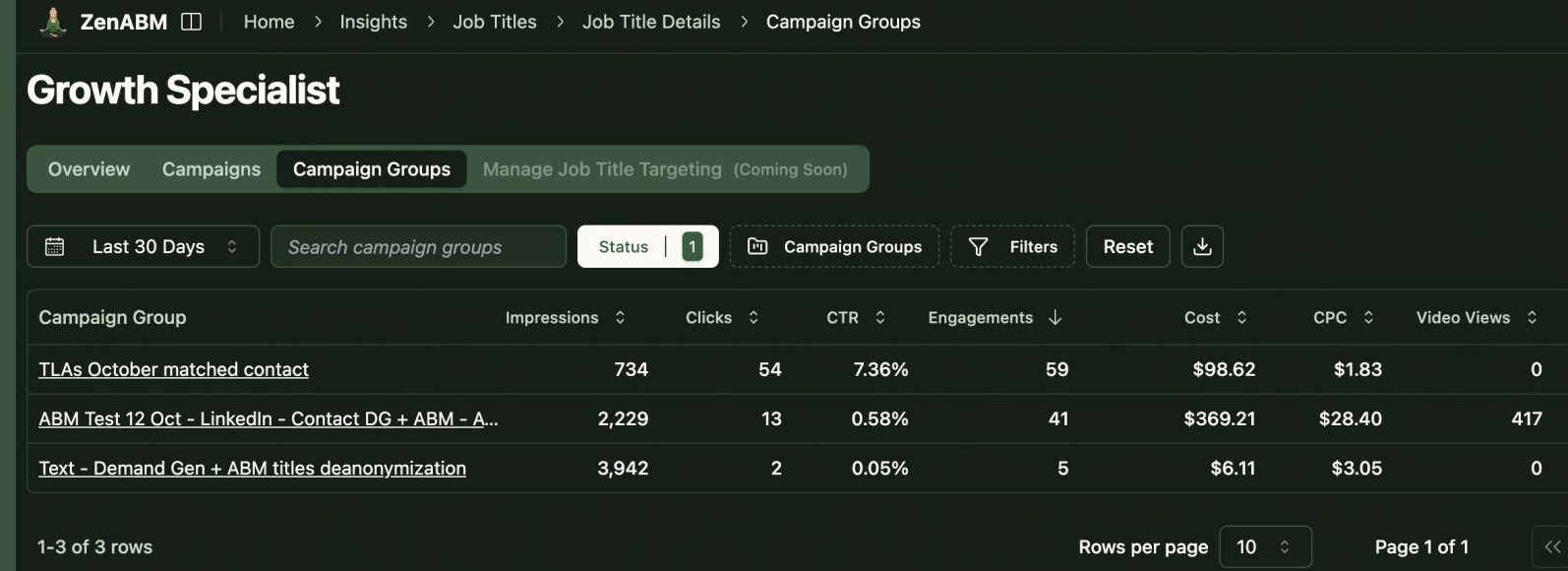
ZenABM gives you a clear view of the seniority and job title of your audience for each specific ad campaign:
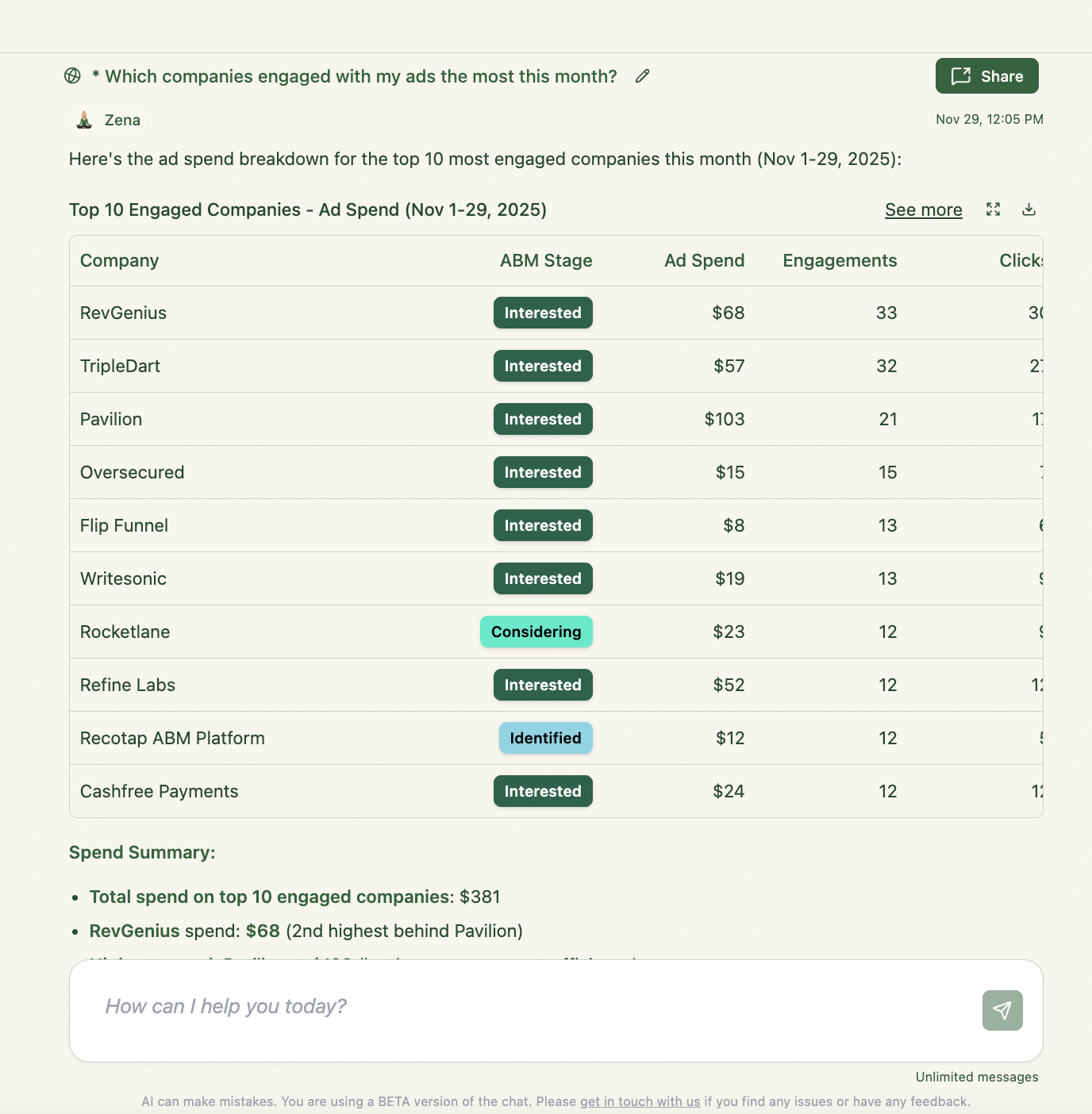
ZenABM has its own LLM layer, so you can ask all your analytics and attribution-related questions in natural language and skip dashboards:

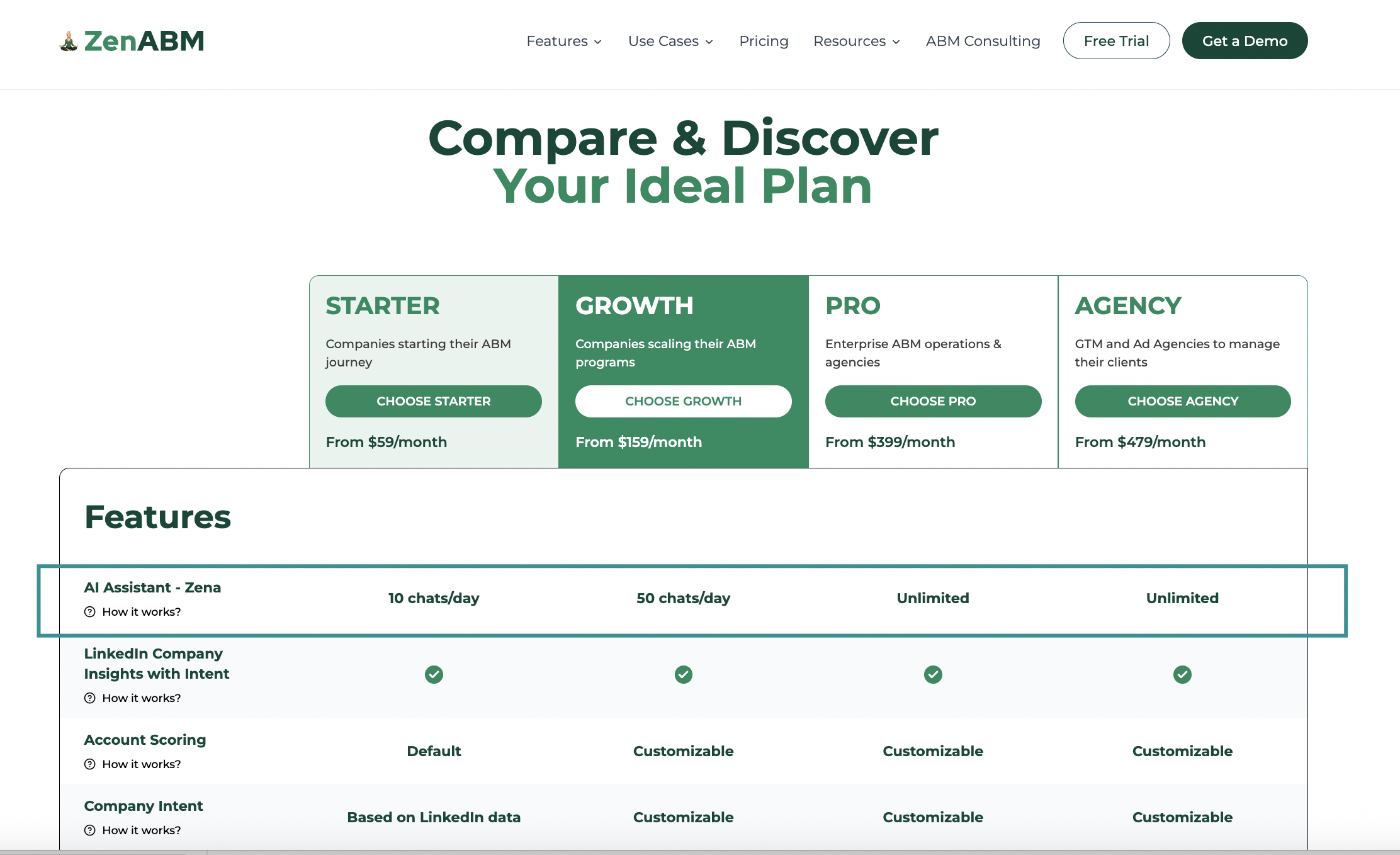
Unlike enterprise ABM platforms that can cost tens of thousands per year, ZenABM’s plans start at just $59/month for a full LinkedIn ABM solution.
All core features (LinkedIn tracking, scoring, CRM sync, dashboards) are included in that simple pricing.
This makes ZenABM an easy entry point for small and mid-size teams to get serious about ABM without needing a massive budget.
By design, ZenABM is specialized for LinkedIn.
It’s the best at what it does (LinkedIn ads analytics and pipeline attribution) and now provides multichannel attribution and journey mapping, but it’s not a complete enterprise-level ABM orchestration tool like Demandbase.
If you need a platform to run display ads, website personalization, or manage sales outreach sequences, ZenABM alone isn’t aiming to do that.
You might use it alongside other tools.
If your ABM strategy revolves mainly around LinkedIn Ads (e.g. you’re running account-targeted campaigns on LinkedIn as the primary tactic, while also running ads on Reddit, Google, etc.), ZenABM is a no-brainer.
It gives you enterprise-grade insight into that channel’s performance at a price point and ease of use that’s pretty unheard of.
It’s also great for teams that need results fast: you can plug it in and start seeing meaningful data within days (no long onboarding).
6sense has rapidly become one of the most talked-about ABM platforms, thanks to its heavy use of AI and big promises around “predictive intelligence.”
In a nutshell, 6sense helps B2B revenue teams answer questions like:
It’s an ambitious platform that combines multi-channel execution with a brainy AI engine under the hood.
Here’s what stands out about 6sense:
One of 6sense’s hallmark features is its ability to de-anonymize website visitors. Using a proprietary “Company Graph” of IP addresses, cookies, device IDs, etc., 6sense can often tell you which company a previously unknown web visitor likely belongs to.
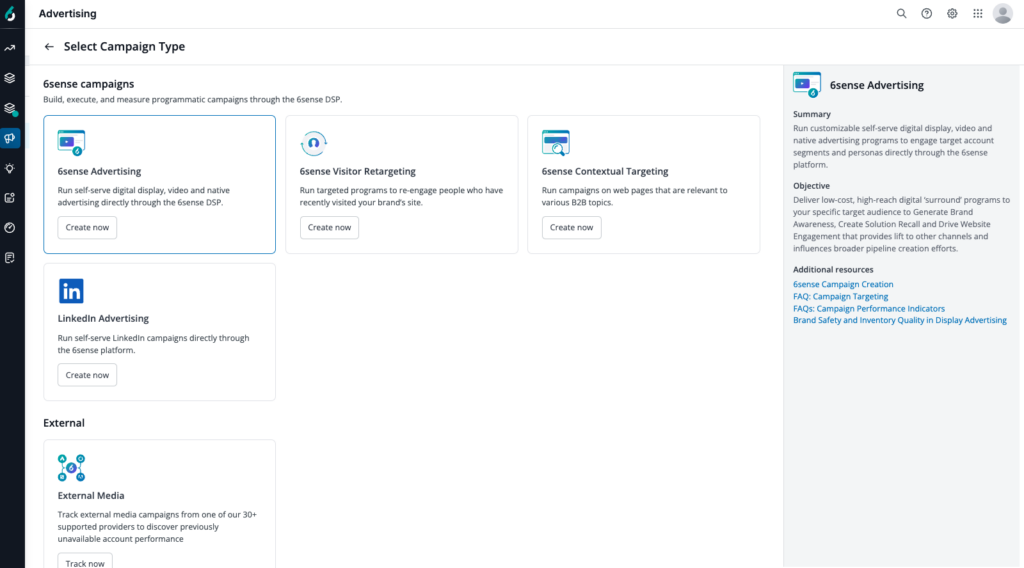
Similar to Demandbase, 6sense allows you to run advertising campaigns across channels directly through its platform. It has its own B2B DSP for programmatic ads (display, video, and even Connected TV), and it integrates natively with LinkedIn Ads and Google Ads as well.
This means you can set up account-targeted campaigns on LinkedIn or retarget web visitors with ads, all managed inside 6sense.
Additionally, 6sense can coordinate other touches like sending data to Salesloft/Outreach for sales emails, or triggering personalized web content (often via integrations with tools like Mutiny for web personalization, or Drift for chatbots).
6sense’s AI crunches a ton of data signals, including:
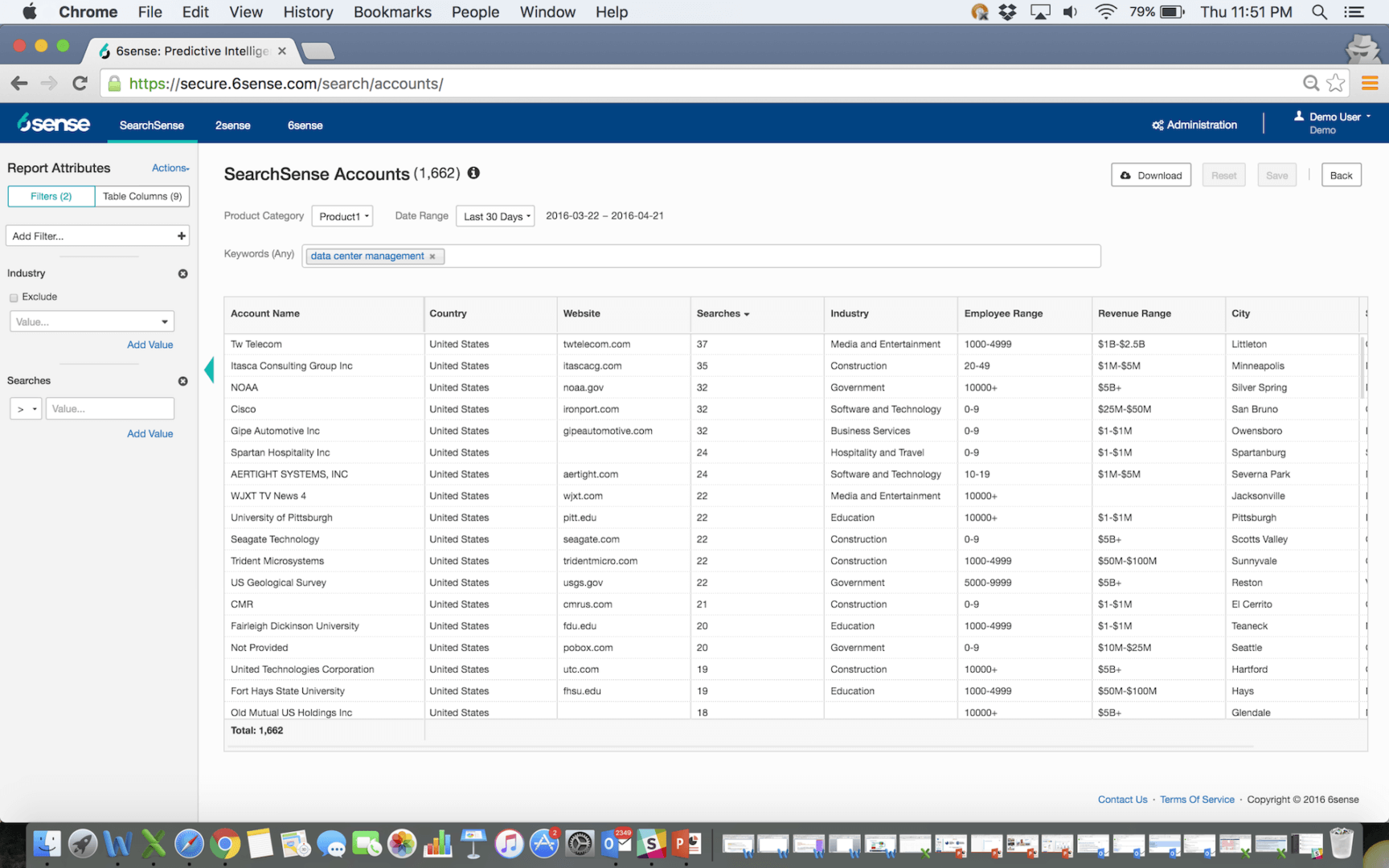
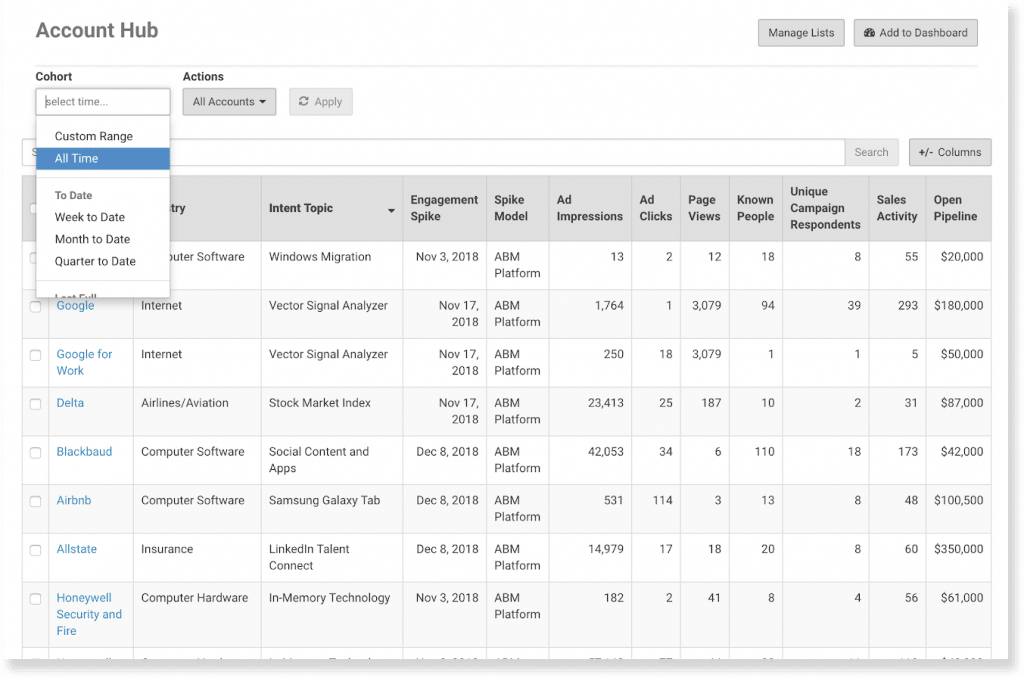
Using the data, it predicts which accounts are in different buying stages. It assigns scores or segments often labelled with stages like “Target, Awareness, Consideration, Decision, Purchase” or a numeric score 0-100 indicating how likely an account is to close.
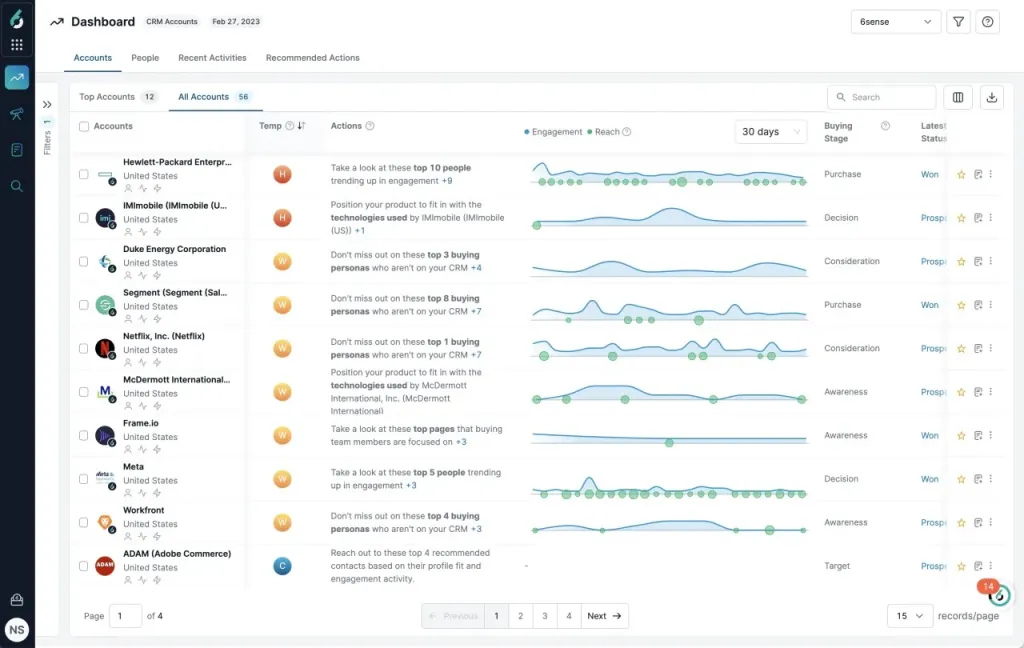
Essentially, 6sense tries to do what an experienced marketer or rep would do (identify the best prospects) but at scale and with more data than a human could juggle. Many users praise this for helping prioritize sales efforts
For instance, your sales rep can get a daily alert of their top 10 accounts this week based on 6sense’s model, instead of guessing.
6sense doesn’t rely on just one source of intent; it’s an aggregator of intent signals. It uses first-party intent (activities on your own site or emails), second-party intent (like Research intent on review sites such as G2/TrustRadius which 6sense has partnerships with), and third-party intent (broad web search signals, Bombora topics, etc.).
In 6sense, you get 360° account profiles that include:
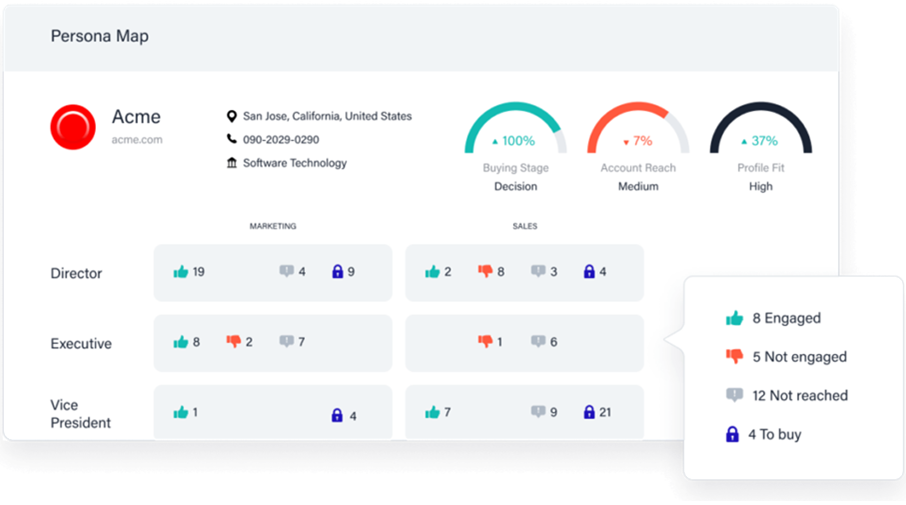 and even psychographic info if available.
You can slice and dice accounts by all these attributes to create hyper-targeted segments like “All fintech accounts in EMEA with >$1B revenue that are showing intent on cloud security and have had >3 website visits in the last 30 days.”
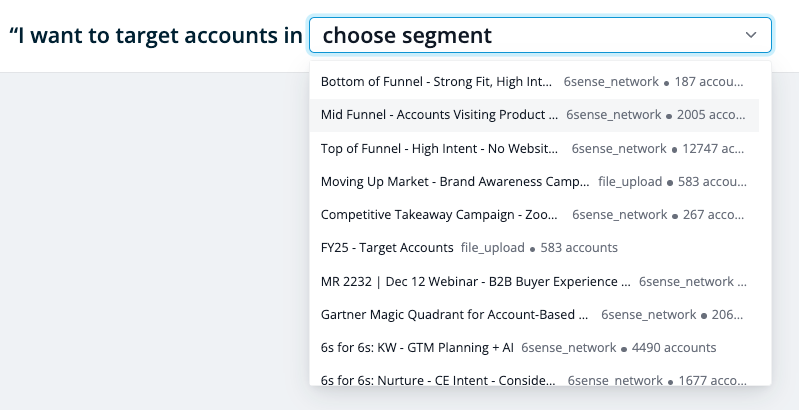
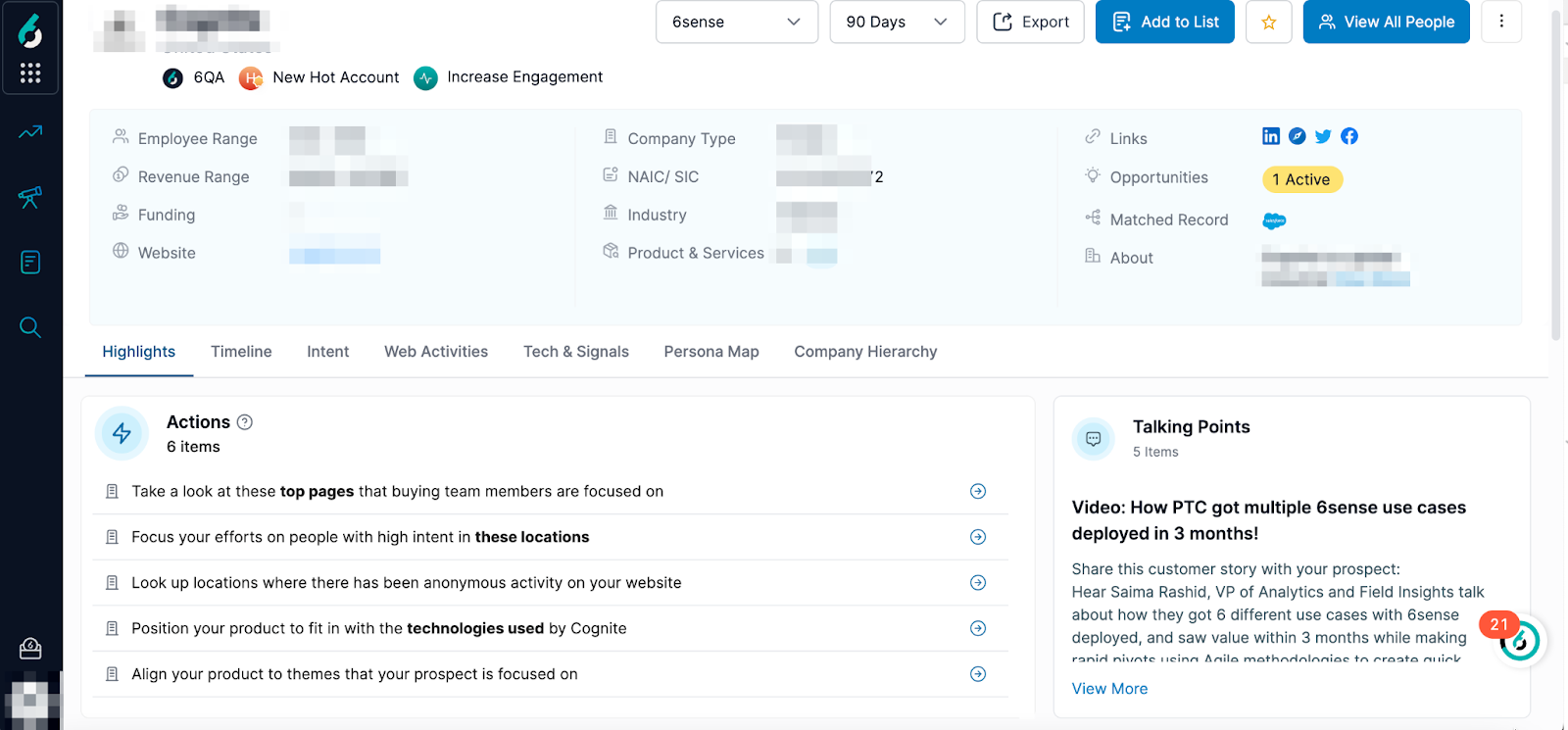
6sense provides sales with insights such as “These accounts are in the decision stage, and here are the key people engaging” and next best actions to be taken, too!
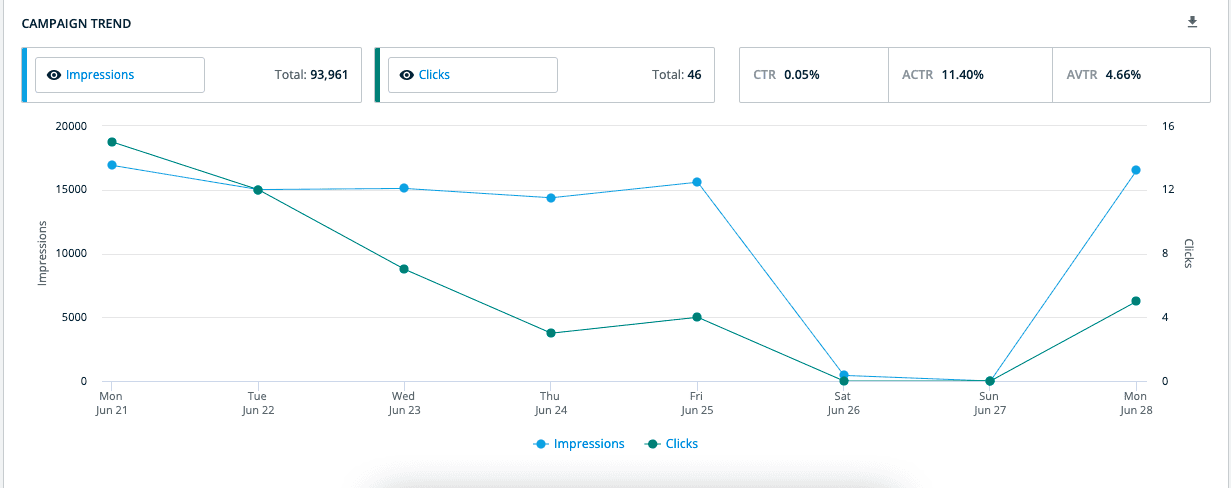
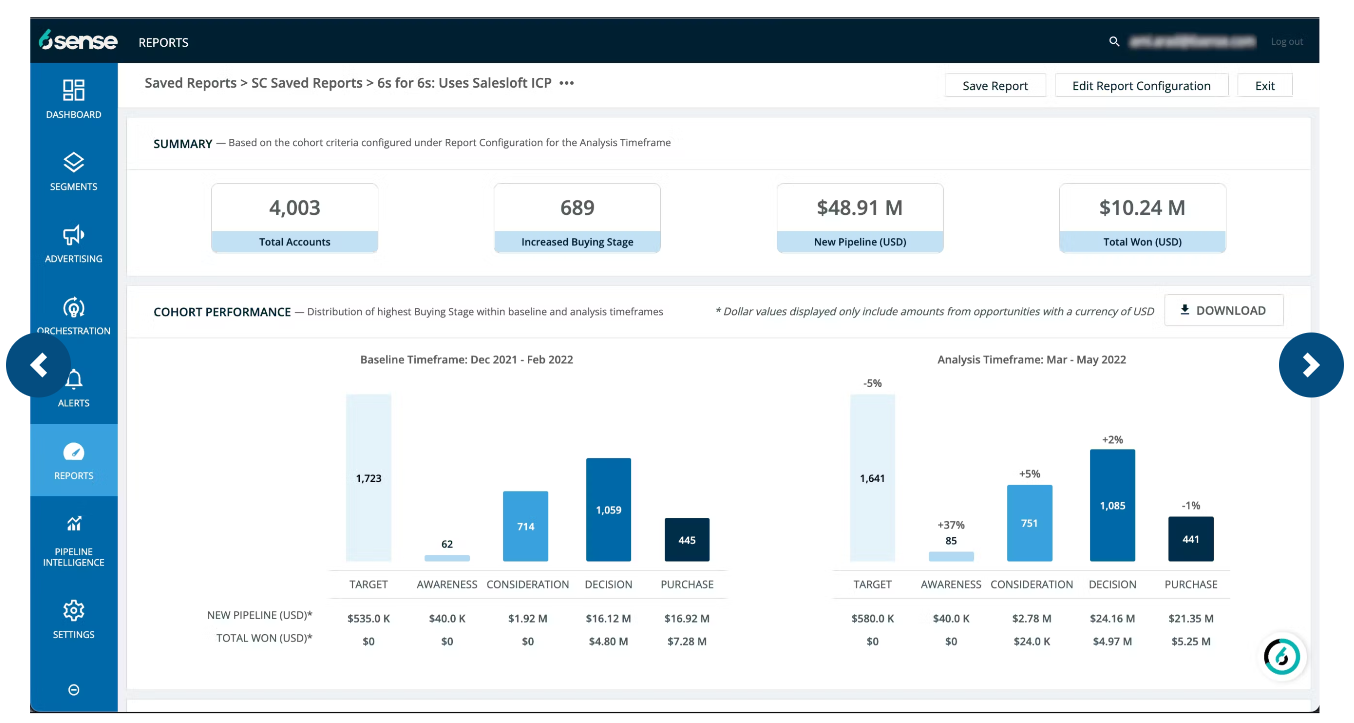
Like others, 6sense offers dashboards to prove your ABM impact.
You can see sourced vs influenced pipeline (did 6sense help identify a deal that wouldn’t have been in the pipeline otherwise, or at least accelerate it), multi-touch attribution, and campaign performance.
6sense is big on metrics like lift (how much more pipeline you generated in an account because you did these ABM actions) and uses AI for things like forecasting (predicting future revenue from target accounts).
It also tracks things like how many days an account spent in each buying stage, which can inform your strategy.
6sense is often praised for its accurate intent data and predictive capabilities.
The platform’s ability to unify anonymous and known signals is a game-changer for marketing teams that were flying blind on website visitors. If you are a data-driven team that loves the idea of AI helping prioritize accounts and wants a one-stop shop for ads + insights, 6sense is extremely powerful.
It’s especially useful for larger marketing/sales teams where, without AI, you might overlook important account signals. Also, its multi-channel execution means you can cut down on separate tools for ads, retargeting, etc.
The flip side of all that power is complexity and cost – a common theme with top-tier ABM platforms.
6sense is known to be one of the pricier solutions on the market, often similar in cost to Demandbase or sometimes more, depending on scale.
Small and mid-size companies might find it hard to justify the spend unless they have a very clear ABM revenue plan to fund it.
There’s also a steep learning curve.
Another consideration: to really get value, you need quality data flowing in. If your Salesforce data is messy or you’re not in the habit of tagging campaigns, the AI isn’t magic; it needs fuel.
Finally, if you’re a single-channel marketer (say you only care about LinkedIn ads and nothing else), 6sense may be overkill.
6sense is best for mid-to-large B2B companies with long sales cycles, big account lists, and a sales team ready to act on insights. If you already invest in intent data and ads, 6sense unifies it all and pinpoints exactly where to focus.
Terminus is another heavyweight in the ABM arena, often mentioned in the same breath as 6sense and Demandbase, but with its own flavour.
Terminus originated as an ABM advertising platform (much like RollWorks) but has since expanded to a broader suite through acquisitions and development, including email signature marketing, website chat, and a strong focus on sales and marketing orchestration.
Here are the notable capabilities of Terminus:
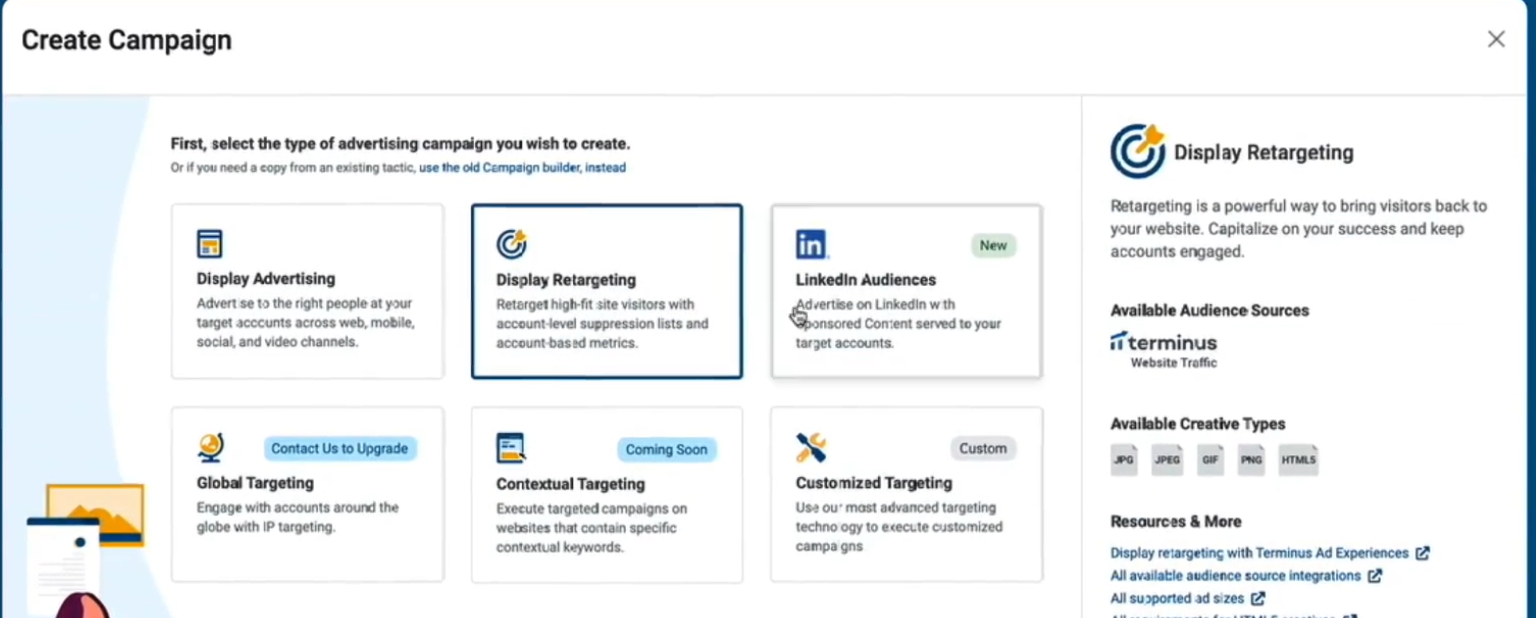
Terminus enables you to run targeted ad campaigns to your accounts on channels such as Google Ads and LinkedIn directly through the platform.
They have a network for display ads as well. While not as extensive as Demandbase’s multi-channel (Terminus doesn’t natively cover, say, Twitter or CTV as far as we know), it covers the primary channels most B2B marketers need, and it’s continually improving ad capabilities.
One unique feature Terminus offers via an acquisition (Sigstr) is email signature marketing. This basically turns the everyday email footer of your employees into an ABM channel.
You can banner-target your prospects via the emails your team already sends, which is a clever way to get extra impressions.
Terminus also added a chatbot/website personalization capability (from acquiring BrightFunnel/Ramble and others), so you can greet web visitors from target accounts with tailored messages or chat routing.
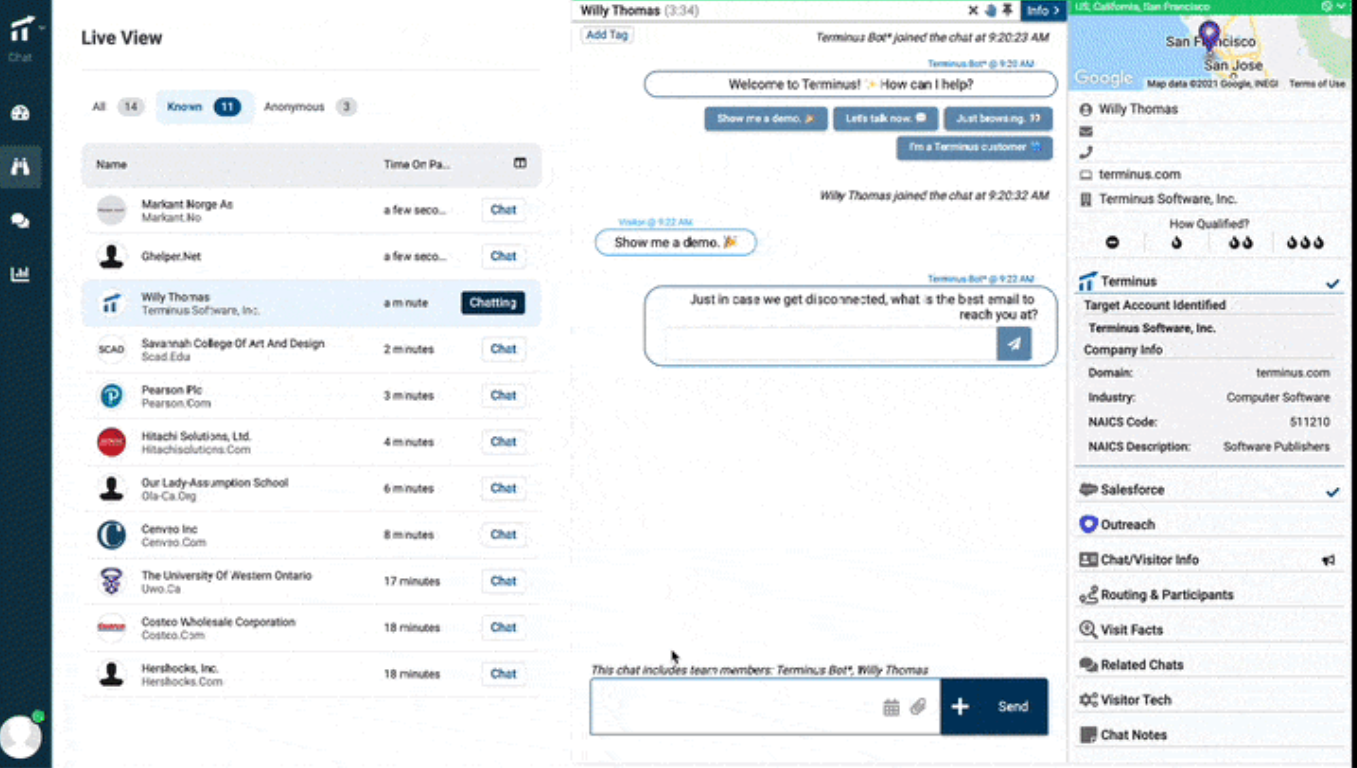
These are nice touches that align marketing with customer experience.
Terminus puts heavy emphasis on aligning with sales. It integrates with sales engagement tools like Outreach and Salesloft.
So, when an account shows high engagement, Terminus can trigger a task or sequence for the sales team.
On the data side, Terminus connects with CRM (Salesforce, HubSpot CRM, MS Dynamics) and marketing automation (Marketo, Pardot, HubSpot Marketing) out of the box.
It also integrates with intent data providers (Bombora, G2, etc.), enrichment tools, and even connects with Slack for notification workflows.
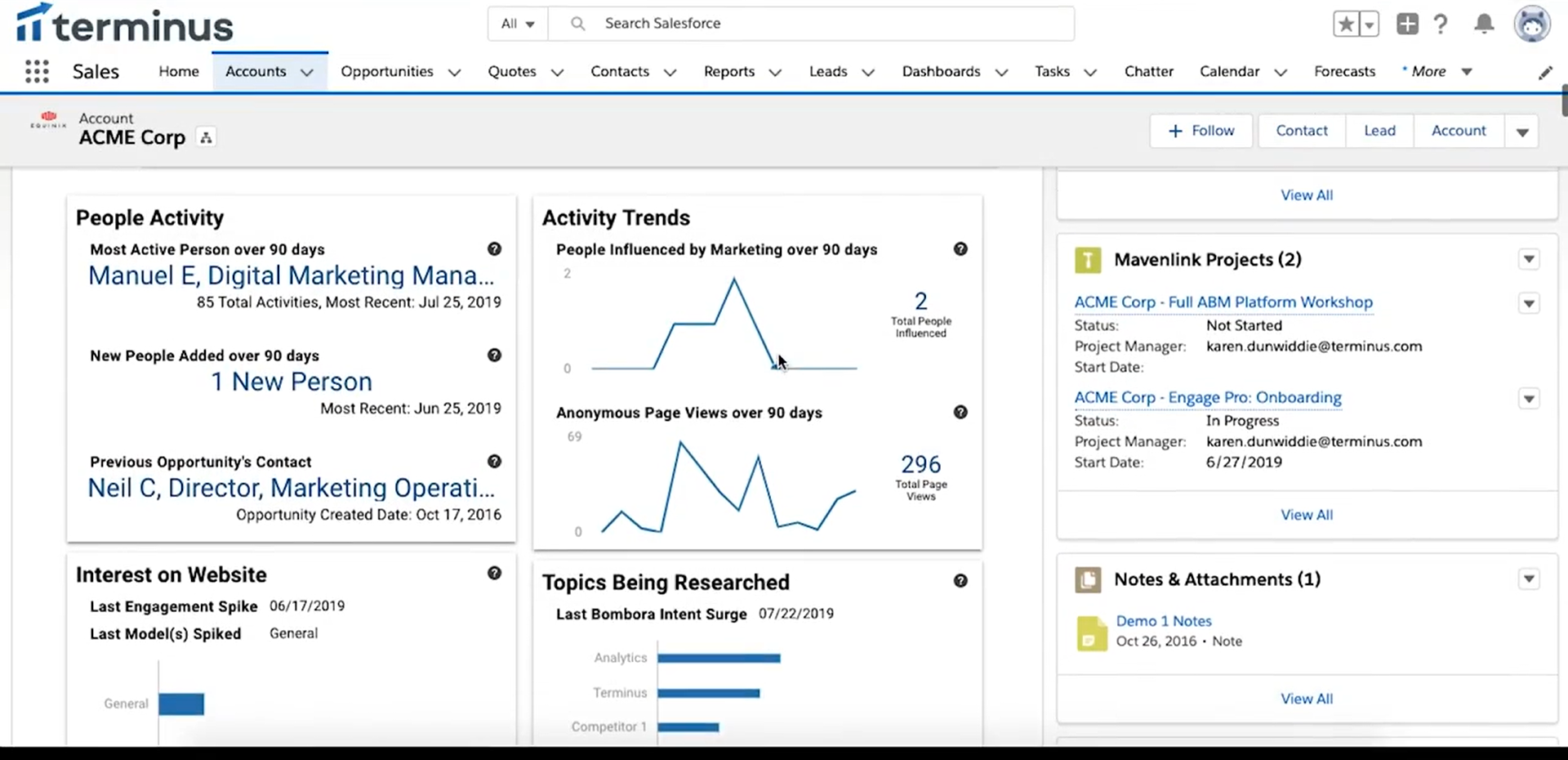
You can explore each integration in detail in the Terminus docs.
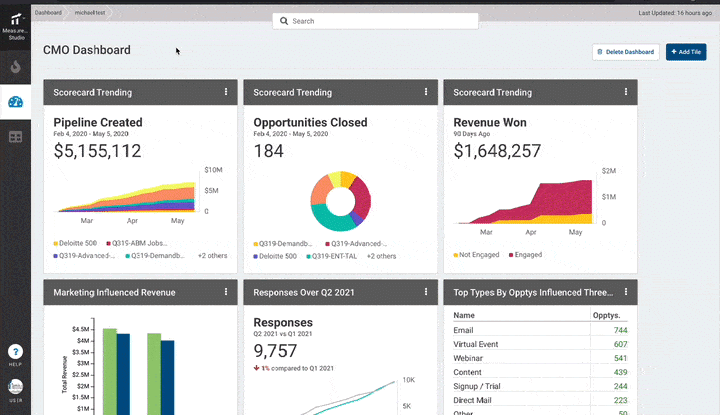
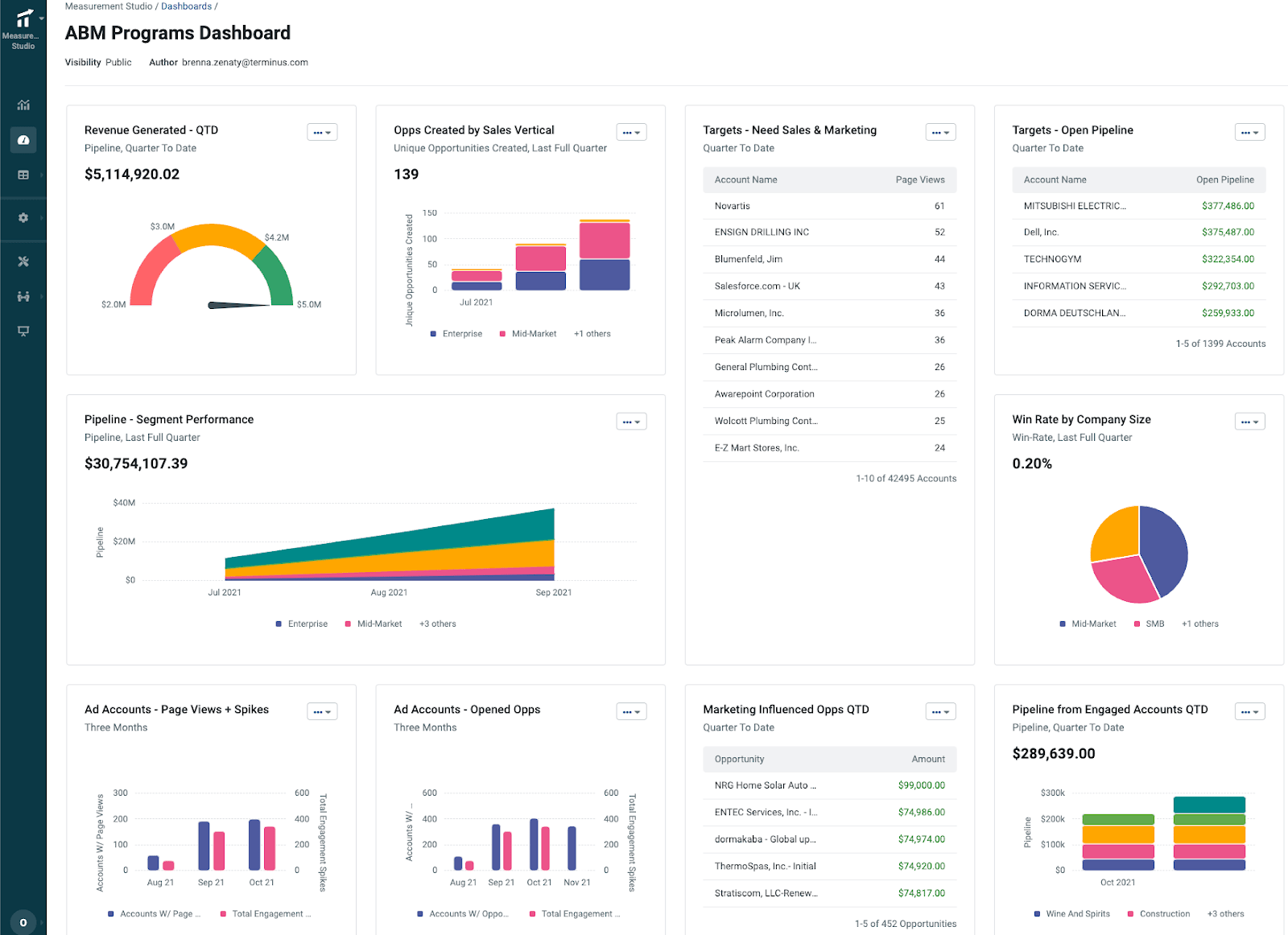
Terminus has an ABM attribution and analytics module called Measurement Studio. It provides out-of-the-box dashboards that show things like revenue generated from ABM efforts, new opportunities created, open pipeline attributed to ABM, and how target accounts are progressing.
You can see top-engaged accounts, accounts that may need more love, and overall ABM impact on the pipeline in a snapshot. It also allows customizable attribution windows (e.g., count all touches in the 6 months before a deal as part of attribution) and uses AI to find patterns in successful marketing sequences.
Terminus is indeed a holistic toolkit
Users often praise its user-friendly interface and the fact that you can do so much within one platform (ads, email sigs, chat, analytics) without needing five different tools.
It’s great for teams that want to run multi-channel ABM (beyond just ads) and ensure that all those channels are working in sync. It’s also great for ABM performance measurement and ROI attribution.
Additionally, Terminus is relatively flexible: you can start with just a few features and expand use later.
Pricing is a known downside. Terminus doesn’t publicly list prices (sales-led process) and is considered a premium product. Smaller companies or startups might find it too expensive, especially given that you might also need to pay for intent data or other integrations on top.
Some users on platforms like Trustradius, Infotech.com, and Software Finder have reported a few feature limitations, such as caps on the number of accounts you can have in certain campaigns or somewhat limited out-of-the-box report customization. There have also been mentions of integration hiccups (e.g., data syncing issues with HubSpot in some cases).
Another consideration: if your ABM approach is very simple (maybe just running ads to a list), Terminus could be overkill and overwhelming.
Terminus is best for B2B companies serious about multi-channel ABM with the team size and budget to match. If you’ve got 5+ marketers and a comparable sales team, it’s great for coordinating digital ads with less-common plays like direct mail or email signatures. Mature industries with big deal sizes get the most value, while smaller or earlier-stage teams may want to wait until they’re ready.
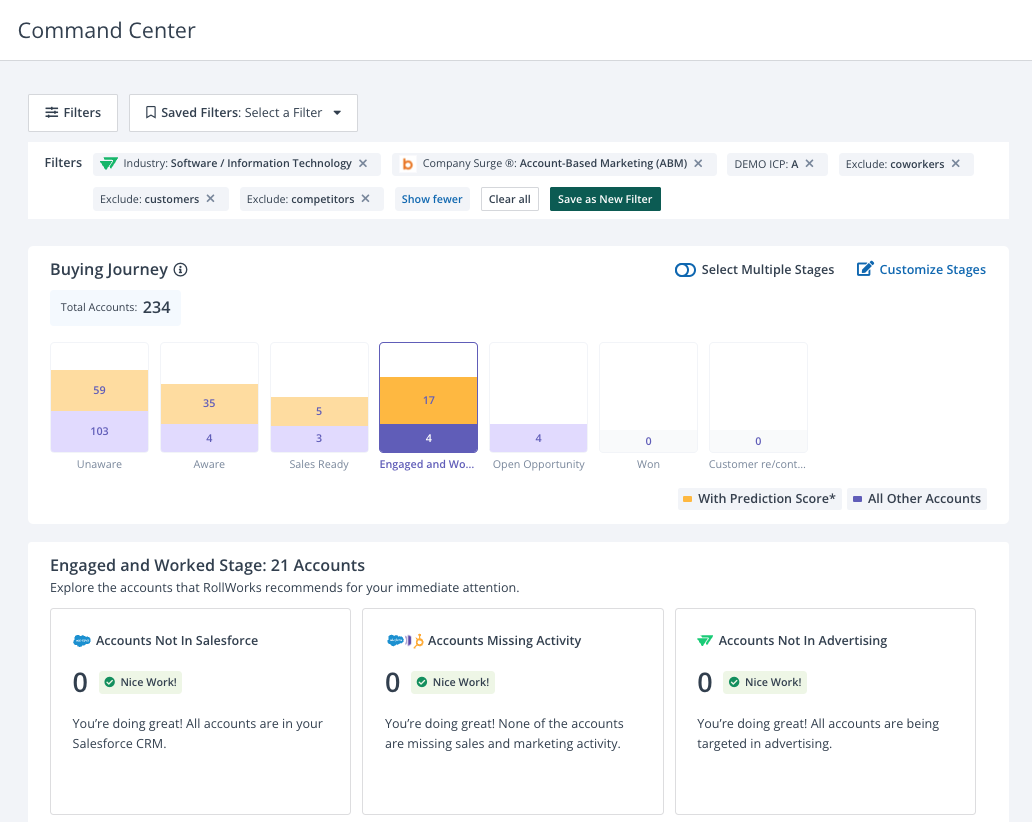
RollWorks is often considered the “entry point” enterprise ABM platform.
It offers many advanced features like account scoring, intent data, and a native advertising network, but with a reputation for being a bit more approachable (and sometimes more affordable) than the ultra-high-end tools. Backed by NextRoll (the folks behind AdRoll), RollWorks’ strength is digital advertising and audience management.
If your primary ABM tactic is running targeted ads (display, LinkedIn, etc.) to a list of accounts, RollWorks was practically built for that scenario.
Let’s look at the key features of RollWorks:
RollWorks provides multiple ways to build your Target Account List.
You can simply import a list of companies from your CRM or marketing automation.
Or, you can use RollWorks’s own data and algorithms to generate a list for you. For instance, RollWorks can analyze your customer data and firmographics to suggest accounts that fit your ICP (Ideal Customer Profile). It includes an ICP Fit scoring system (grading accounts from A to D) based on criteria like industry, company size, revenue, technologies used, etc., which you can customize.
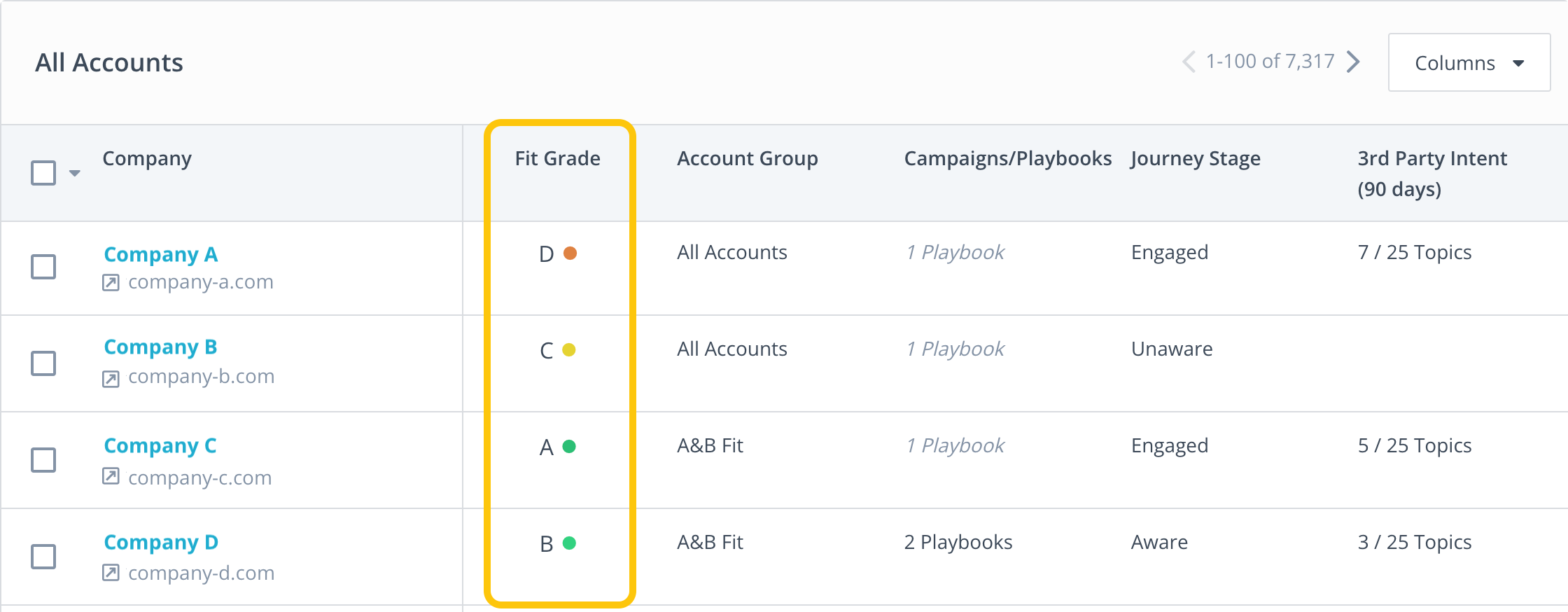
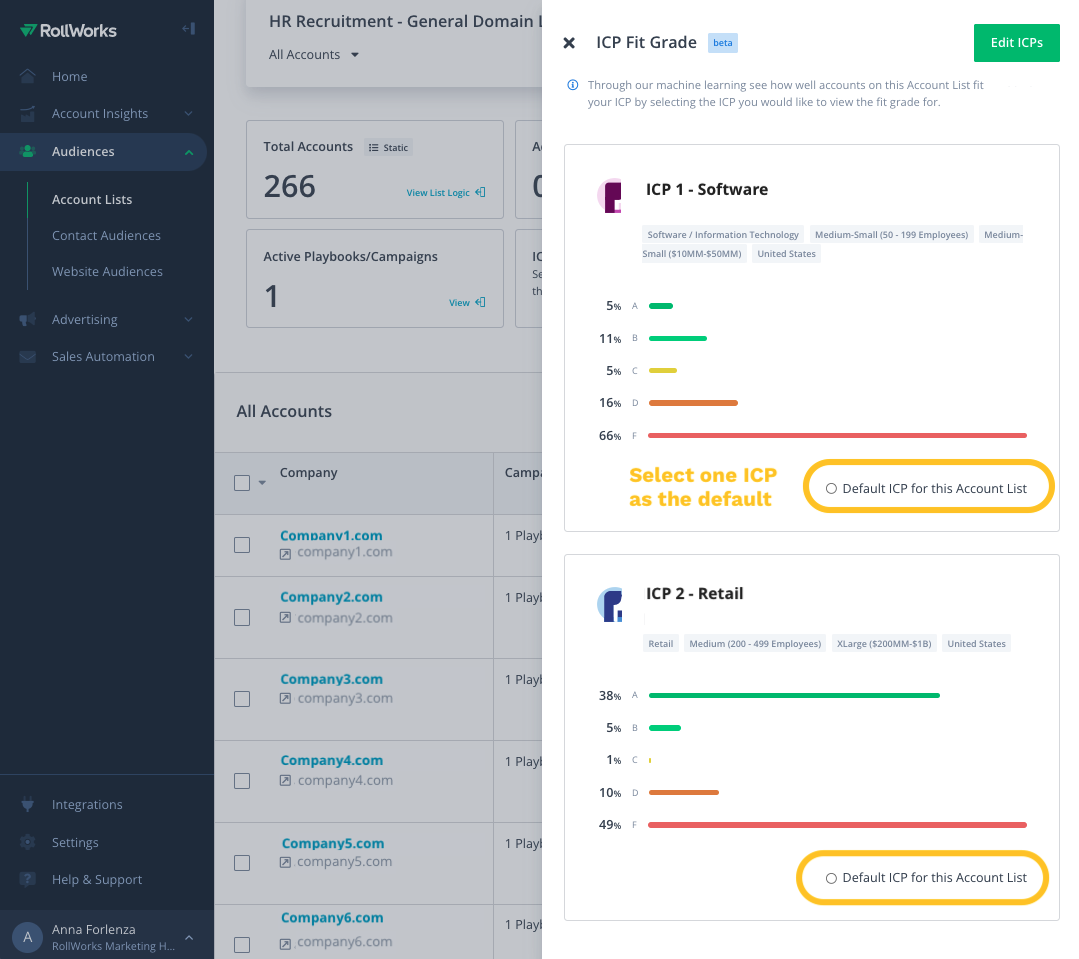
This helps prioritize accounts that aren’t just engaging with you, but also match the profile of customers who are successful for you. In short,
RollWorks can monitor intent signals to find accounts “in market.” It tracks when people at your target accounts are searching for certain keywords across the web or consuming content on third-party sites related to your solution.
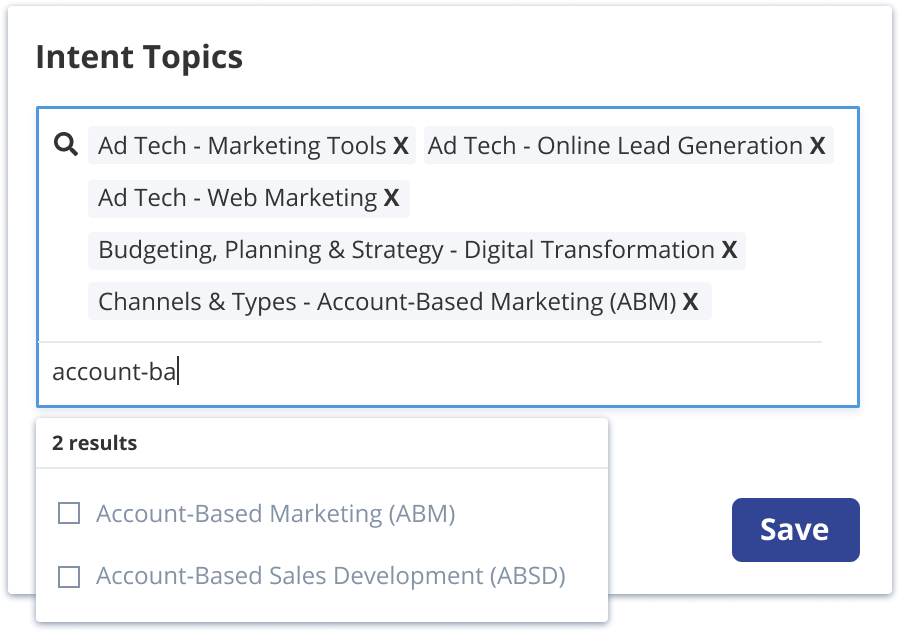
For example, if 10 people at Acme Corp start reading articles about “data backup solutions” (and that’s a keyword you track), RollWorks will flag Acme Corp as having intent.
Additionally, RollWorks offers “Journey Stages” and engagement insights.
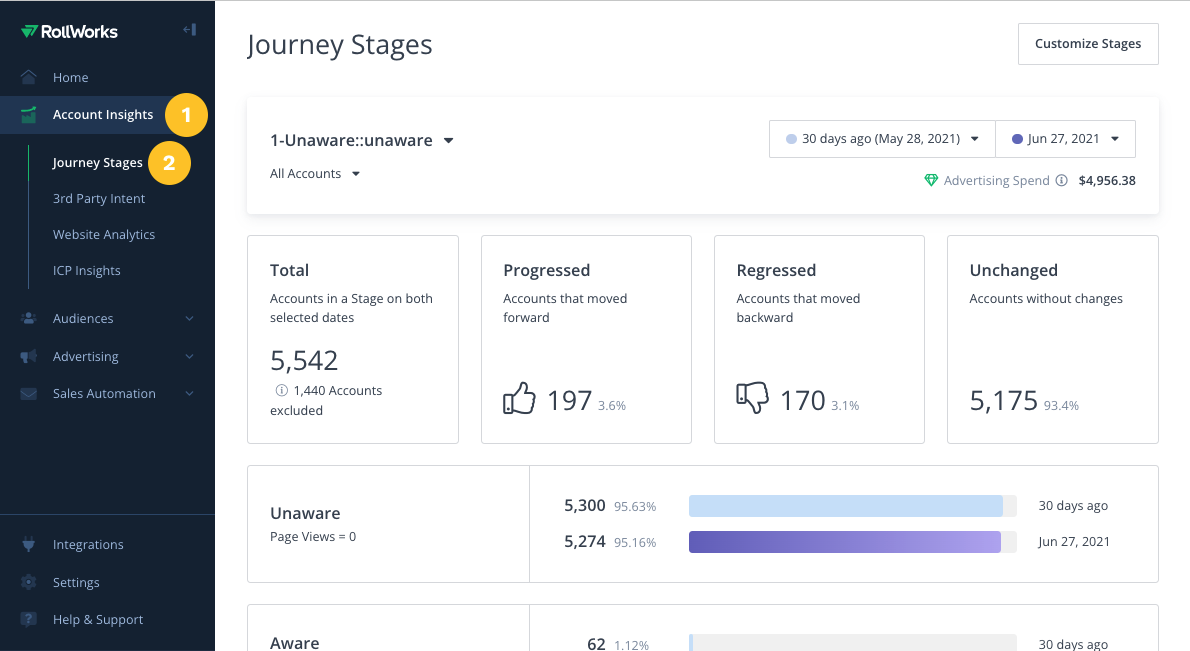
It basically shows where each account is in their journey (just browsing, starting to show interest, deep engagement, etc.). While it might not have the super-deep AI of 6sense, RollWorks does give a solid picture of account activity and intent that’s baked into the platform.
RollWorks has its own demand-side platform (DSP) for programmatic display ads and retargeting. It also integrates with social platforms like LinkedIn via LinkedIn Marketing API and others.
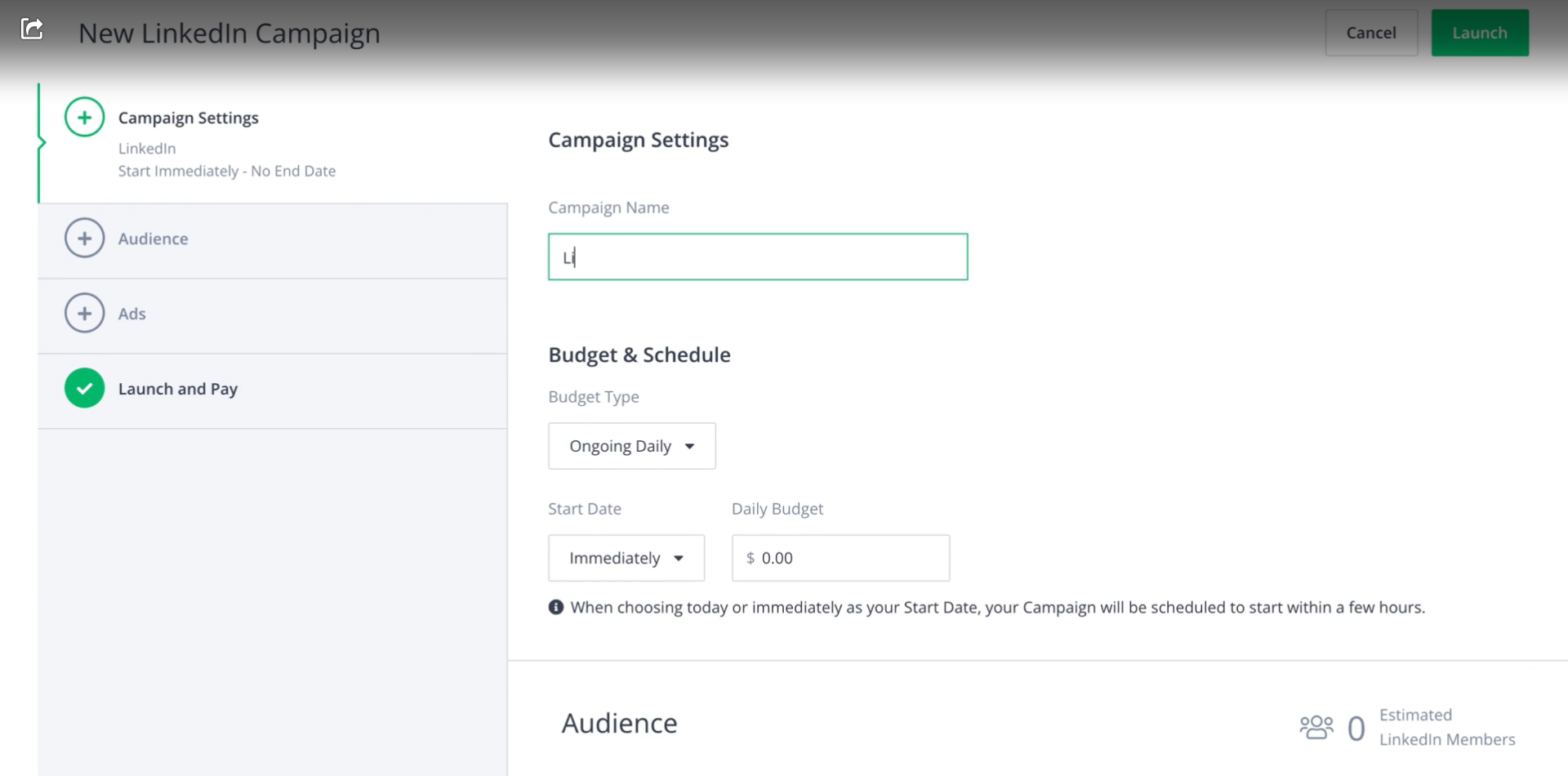
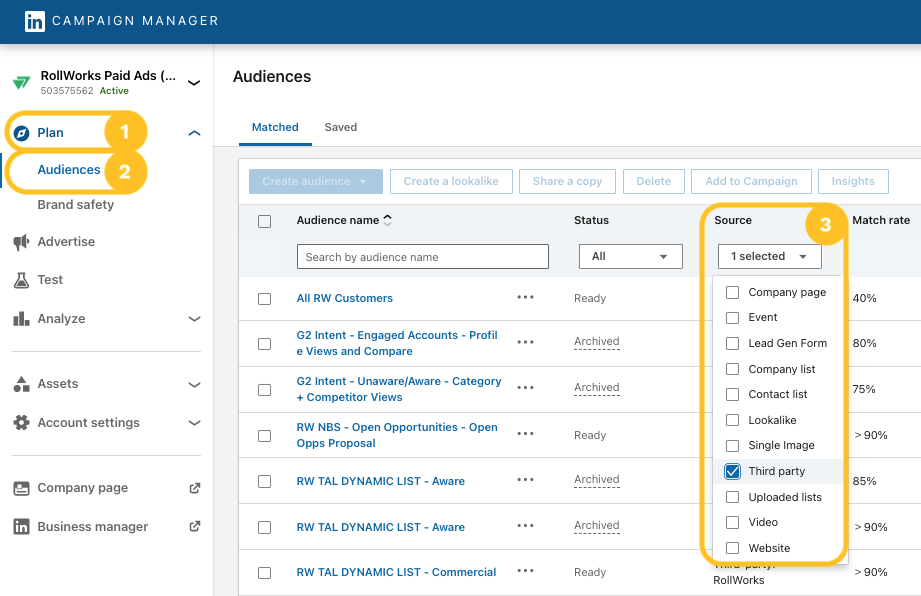
This means you can run account-targeted campaigns across web display networks (like banner ads on news sites) and also run LinkedIn sponsored posts, all from RollWorks.
The platform allows pretty granular targeting: by account, by audience segments, etc., similar to 6sense’s dynamic segments.
And yes, Rollworks also has smart ad budget optimization and frequency capping.
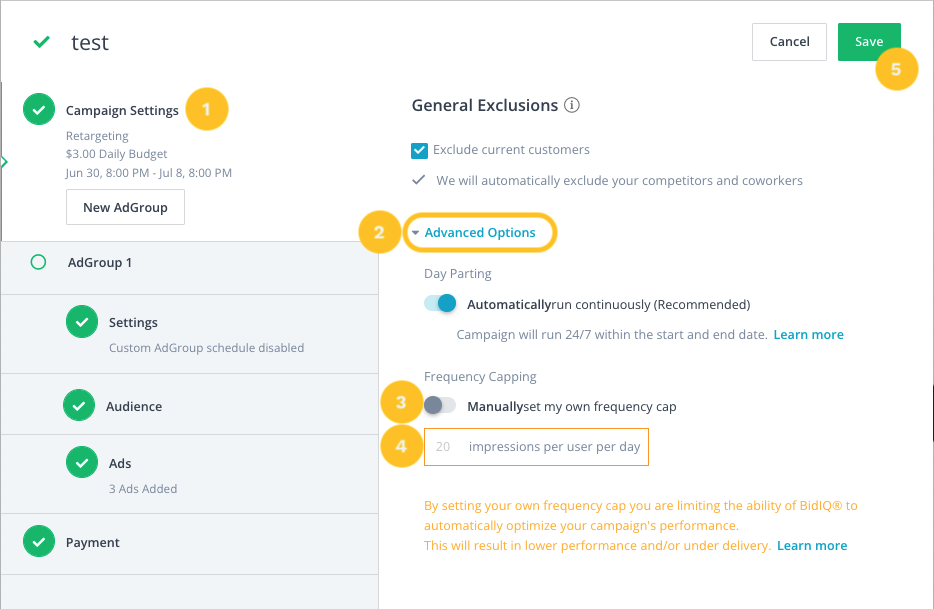
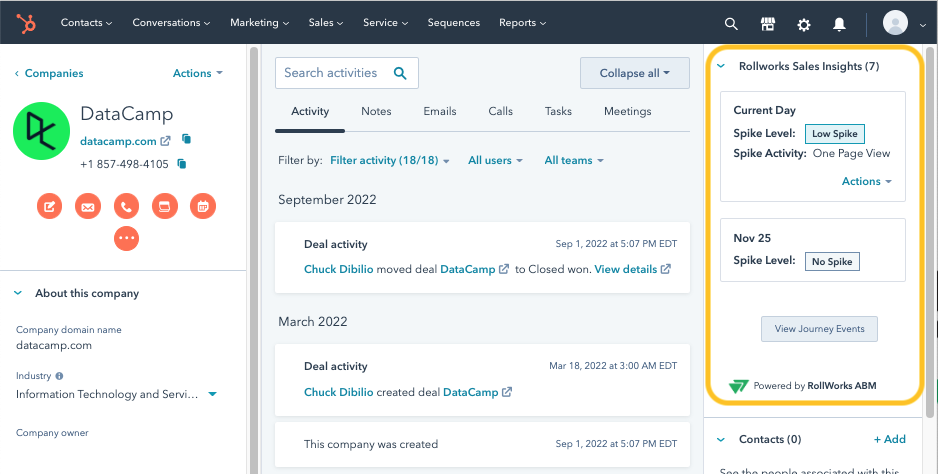
RollWorks syncs with CRM (Salesforce, etc.) to both pull in account lists and push back engagement data. It can trigger alerts to sales when an account hits a threshold and also provides a sales widget that hovers over the CRM for the convenience of the sales teams. One of RollWorks’ value props is helping marketing and sales stay on the same page with a shared view of account engagement.
The platform also supports connecting with tools like Outreach or Slack for notifying sales about hot accounts.
Aside from CRM, RollWorks has integrations with marketing automation (HubSpot, Marketo, etc.), allowing you to use those systems’ data for audience creation or to measure impact on lead/account progression. It also partners for things it doesn’t do natively.
To know more about RollWorks’ integrations, you can read this guide dedicated to RollWorks.
RollWorks is feature-rich for advertising and account targeting, without being as intimidating as some larger ABM suites.
Its interface is reportedly intuitive for campaign setup and segmenting accounts.
Also, because of its advertising DNA, RollWorks excels in providing detailed ad performance data at the account level, which is exactly what ABM marketers crave.
RollWorks, while cheaper than the big suites, still demands serious spend.
Expect $2K–$5K/month in ad budget plus platform fees, or it’s not worth it. It’s focused on digital ads and CRM outreach, so no native direct mail or deep web personalization.
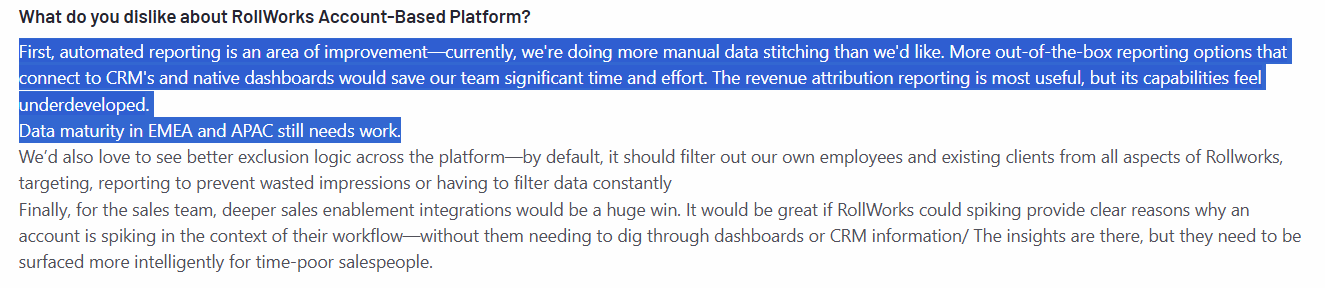
Its data and scoring are solid but less predictive than 6sense, and some users note limits on account lists, ad volumes, integrations, and reporting.

RollWorks is ideal for mid-market B2B teams stepping up from manual ABM to a scalable ad-driven approach. Perfect if you want to expand a pilot, blanket target accounts with LinkedIn + display ads, and track engagement deeply, without the heavy lift of complex AI platforms. Commonly used by SaaS and mid-size tech firms that need a dedicated ABM ads tool, but not a full enterprise suite.

Not all ABM needs to revolve around paid ads and cold outreach.
Common Room is a tool that approaches ABM from a different angle: leveraging your community and organic engagement as the fuel for account-based strategies.
If your company has a vibrant user community, developer audience, or lots of activity in places like Slack channels, forums, GitHub, social media, etc., Common Room helps you harness those interactions to drive pipeline.
Let’s look at the core features offered by CommonRoom:
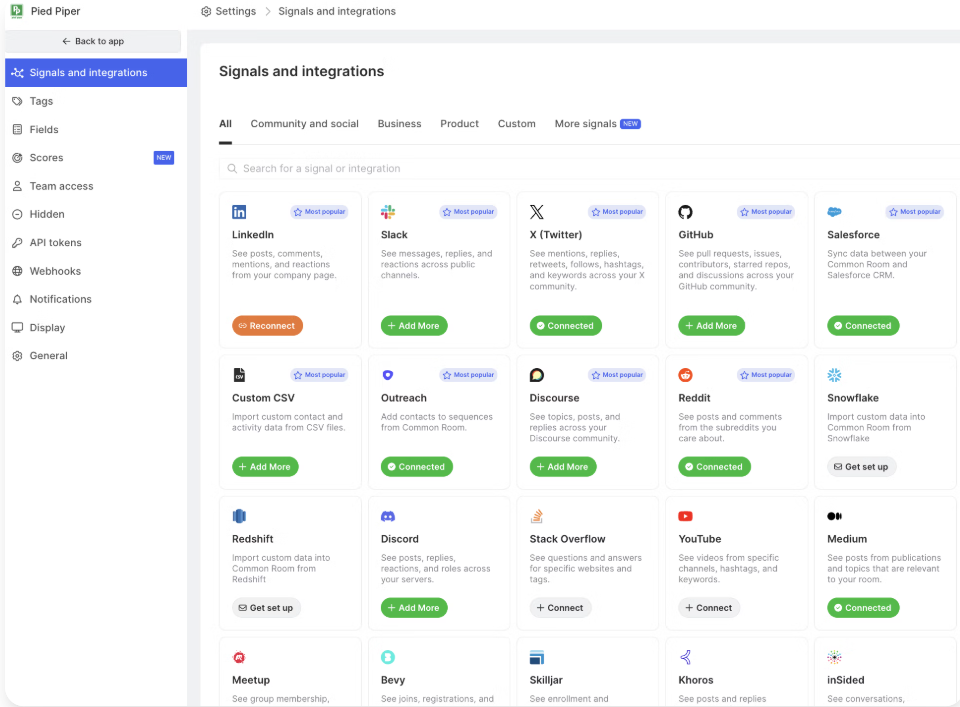
Common Room connects to a ton of sources including community platforms (Slack, Discord, Discourse forums), social media (Twitter, LinkedIn), developer platforms (GitHub, Stack Overflow), CRM (HubSpot, Salesforce), customer success tools, and even your product analytics or data warehouse.
It then aggregates activity from all these places and links them to the people and accounts behind them. For example, imagine Jane Doe from Acme Corp stars your GitHub repo, joins your Slack community, and attends a webinar – Common Room will unify these into Jane’s profile and roll up to Acme Corp’s account profile.
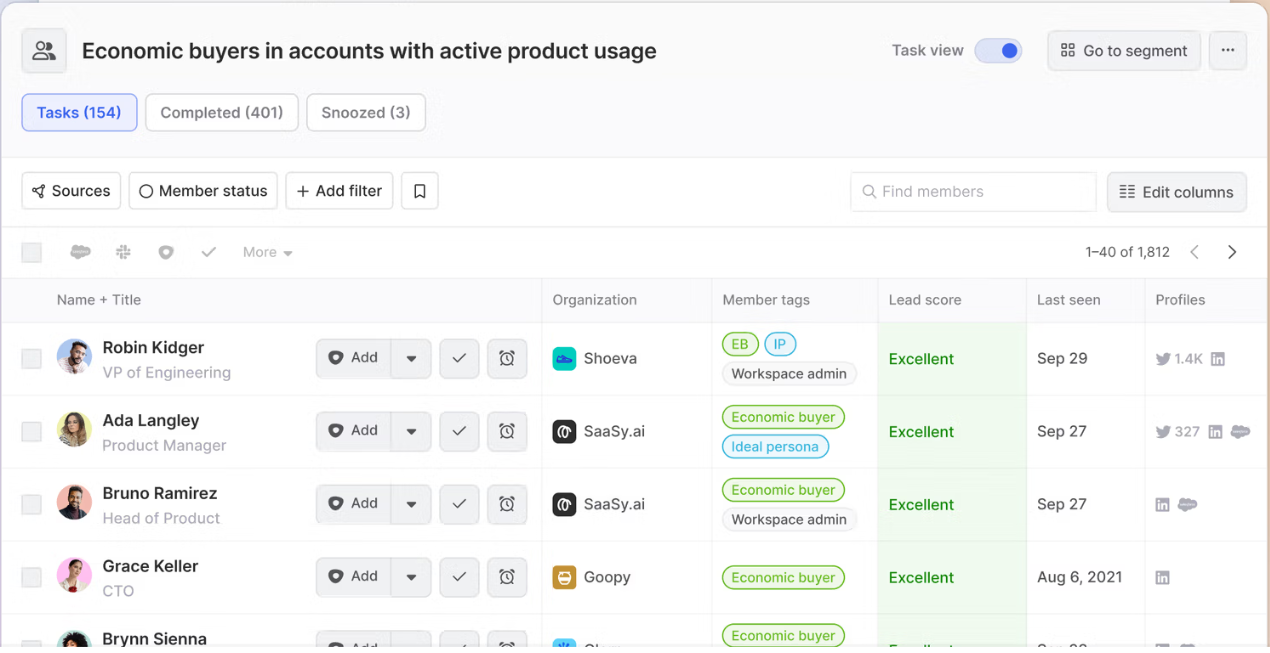
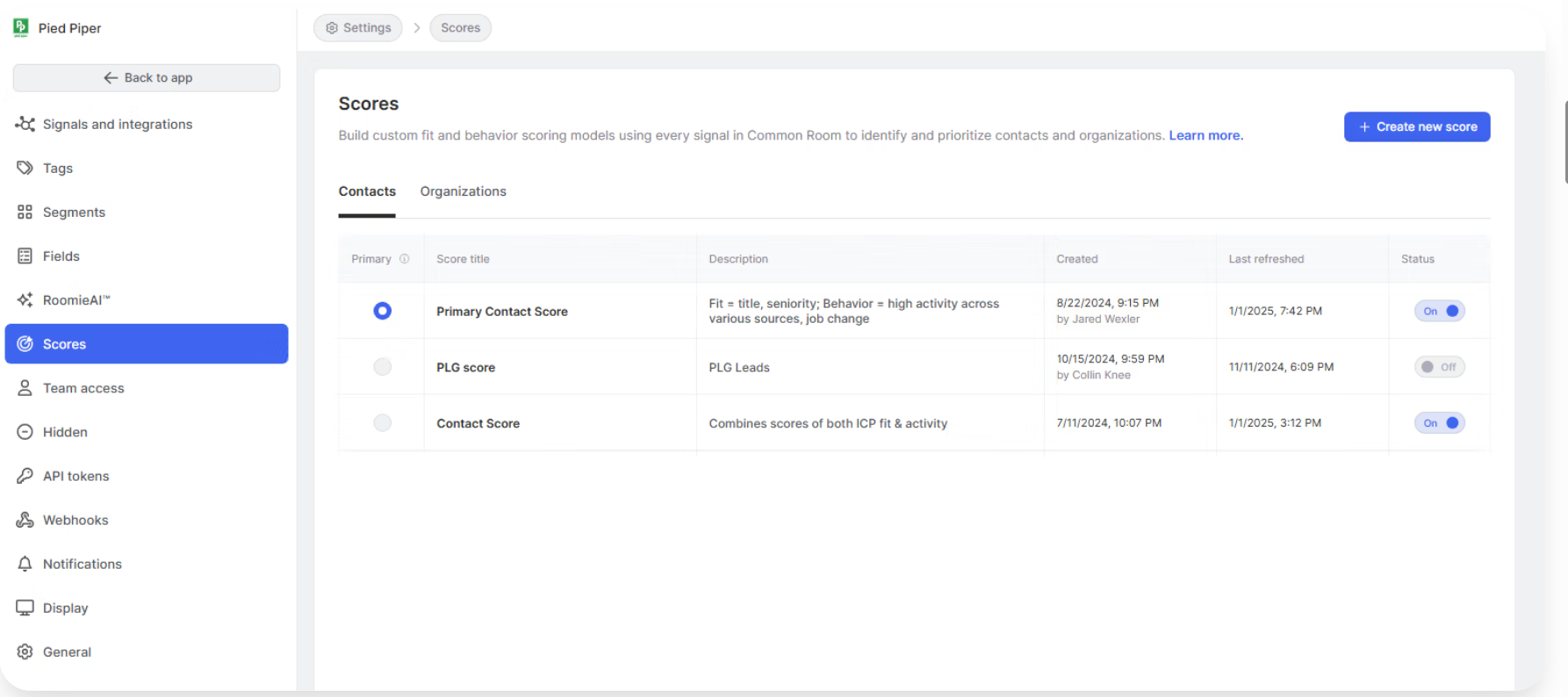
Common Room uses AI to highlight the most engaged individuals and accounts. It scores or ranks contacts based on their activities (e.g., someone who asks a question in your community and downloads an e-book might score higher than someone who just lurks).
Also, the scoring model is highly customizable.
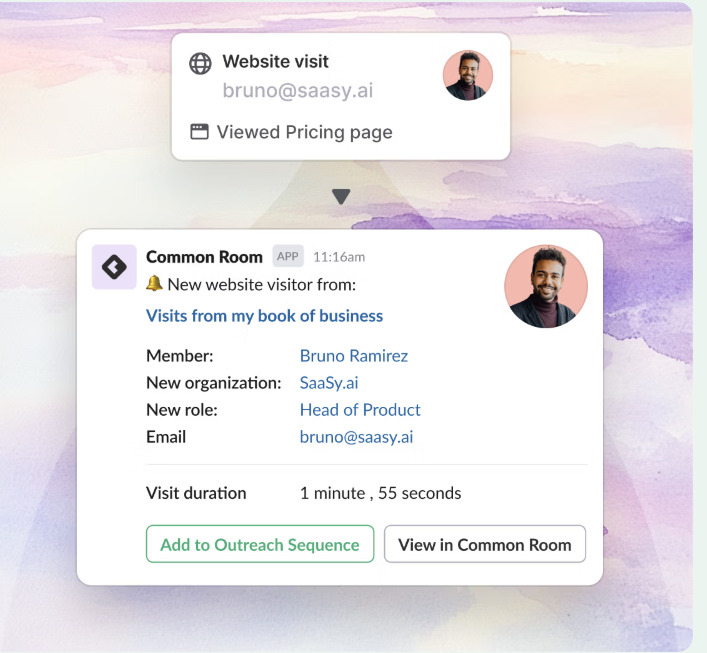
You can set up alerts or triggers in Common Room.
For instance, notify the account owner if someone from their target account with a VP title joins your community Slack. Or create a task if an account’s engagement score jumps by 20 points in a week.
Common Room enriches profiles with data (like LinkedIn info, title, etc.) to give context on who the person is.
It also integrates with sales tools. For example, you could push a list of hot contacts into Outreach sequences. There’s also integration with product analytics (via Segment or direct DB connections), so product usage (if you have a freemium or trial product) can be factored into the engagement scores.
Common Room provides metrics like community growth, account engagement over time, and impact on pipeline (though note, it’s not an ad attribution tool, it’s more about attribution of community efforts).
You can see how many accounts in your target list have some community engagement, or which community activities correlate with deal closing.
It’s a bit of a newer space, so these analytics are evolving, but the idea is to prove that your community/dev rel efforts are bringing in qualified leads and helping move accounts forward.
Common Room is built for community-led or product-led marketing. If you’ve got an active user base or inbound interest, it cuts through the noise by surfacing your most engaged accounts and people. Instead of manually checking Twitter, Slack, or GitHub, it bubbles up hot prospects in one view. Highly customizable, it gives you an ABM edge at the earliest stage of the buyer journey, capturing signals traditional ad-focused tools miss.
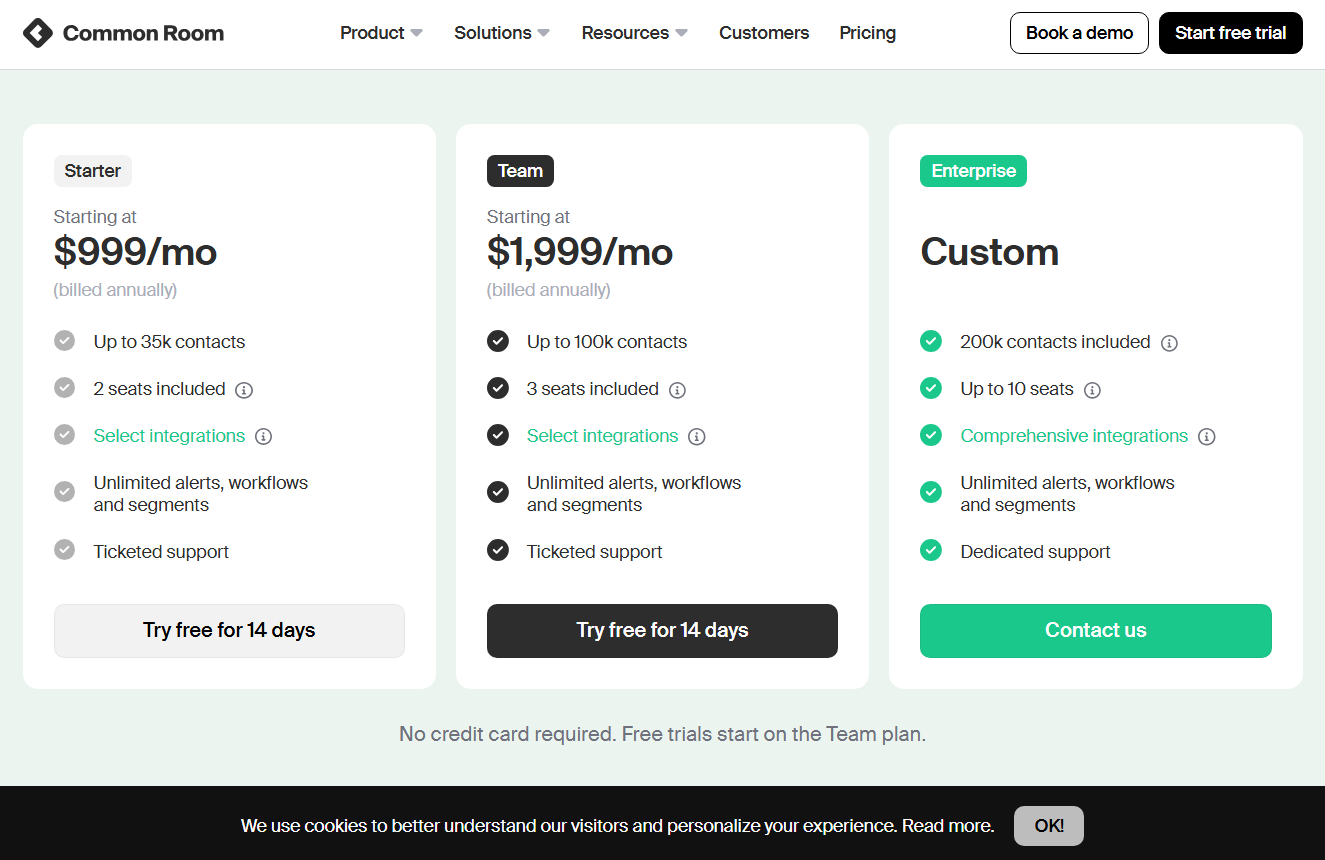
Common Room isn’t a traditional ABM tool, so it has no comprehensive ad campaign management, anonymous web tracking, or multi-touch attribution. It focuses strictly on organic engagement, so most teams pair it with an ad or marketing automation platform. Without an active community, it can be overkill. Pricing starts around $1K/month and can climb to tens of thousands for larger orgs, so you’ll want to fully leverage it. AI-generated outreach is hit-or-miss, and there’s a learning curve in setting up integrations and scoring models.
Common Room is perfect for companies with active communities. I’m talking developer tools with GitHub/Stack traffic, SaaS with Slack groups, or PLG products with heavy user chatter. It helps ABM teams tap advocates and early signals for new business, while Customer Success can track ongoing engagement. Pair it with a LinkedIn-focused tool like ZenABM to get a full picture of both organic and paid account activity.
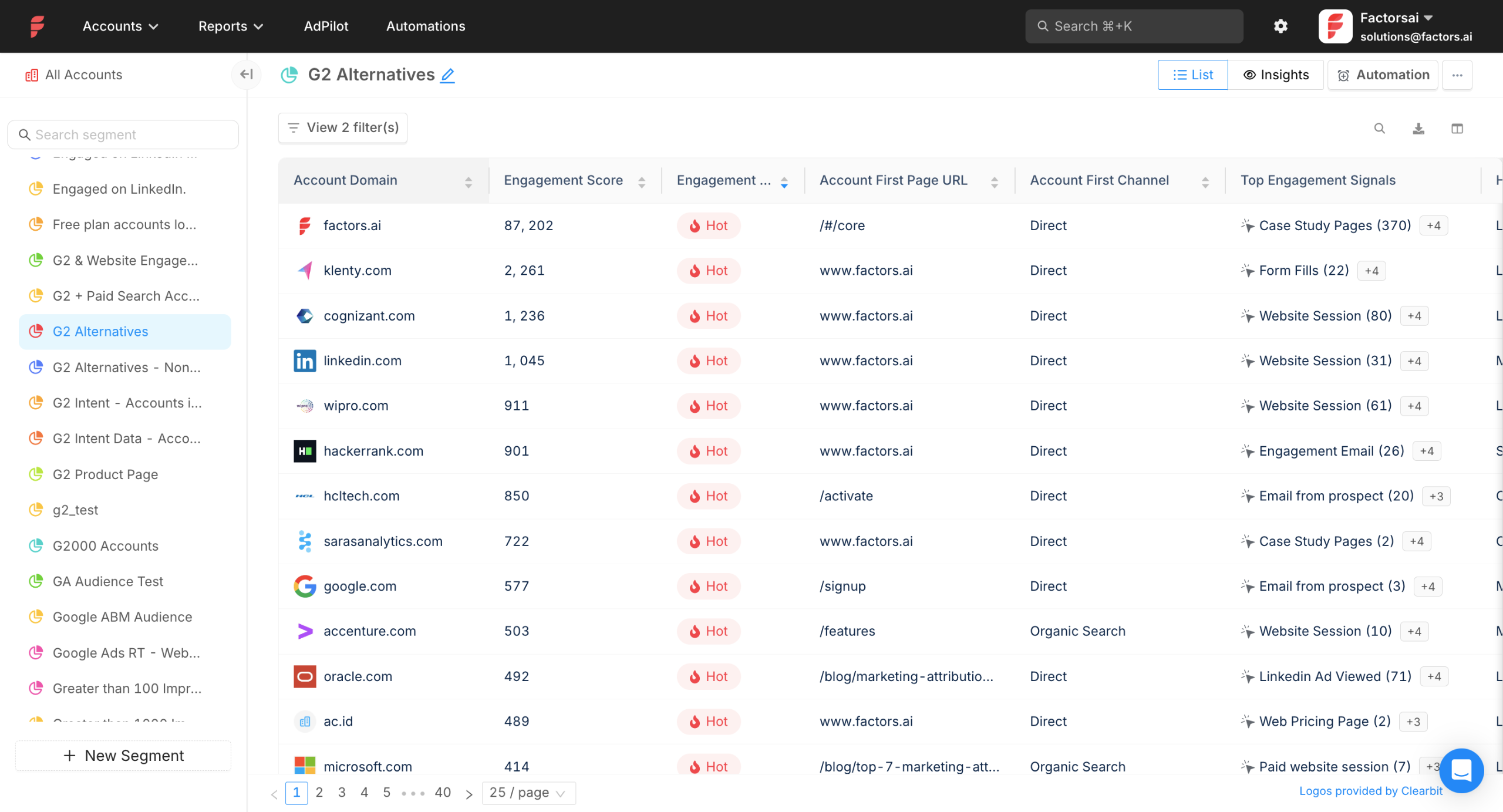
Factors.ai is focused on bridging ABM efforts with revenue attribution, answering “which campaigns or channels influenced our target accounts to become customers?”
Unlike many ABM platforms, Factors.ai doesn’t lock you into an all-or-nothing suite;
It’s more modular and usage-based, which can be attractive for teams that want to start small and scale up.
However, as we’ll see, “usage-based” can also become a double-edged sword in terms of cost.
Let me show you the core features of Factors.ai:
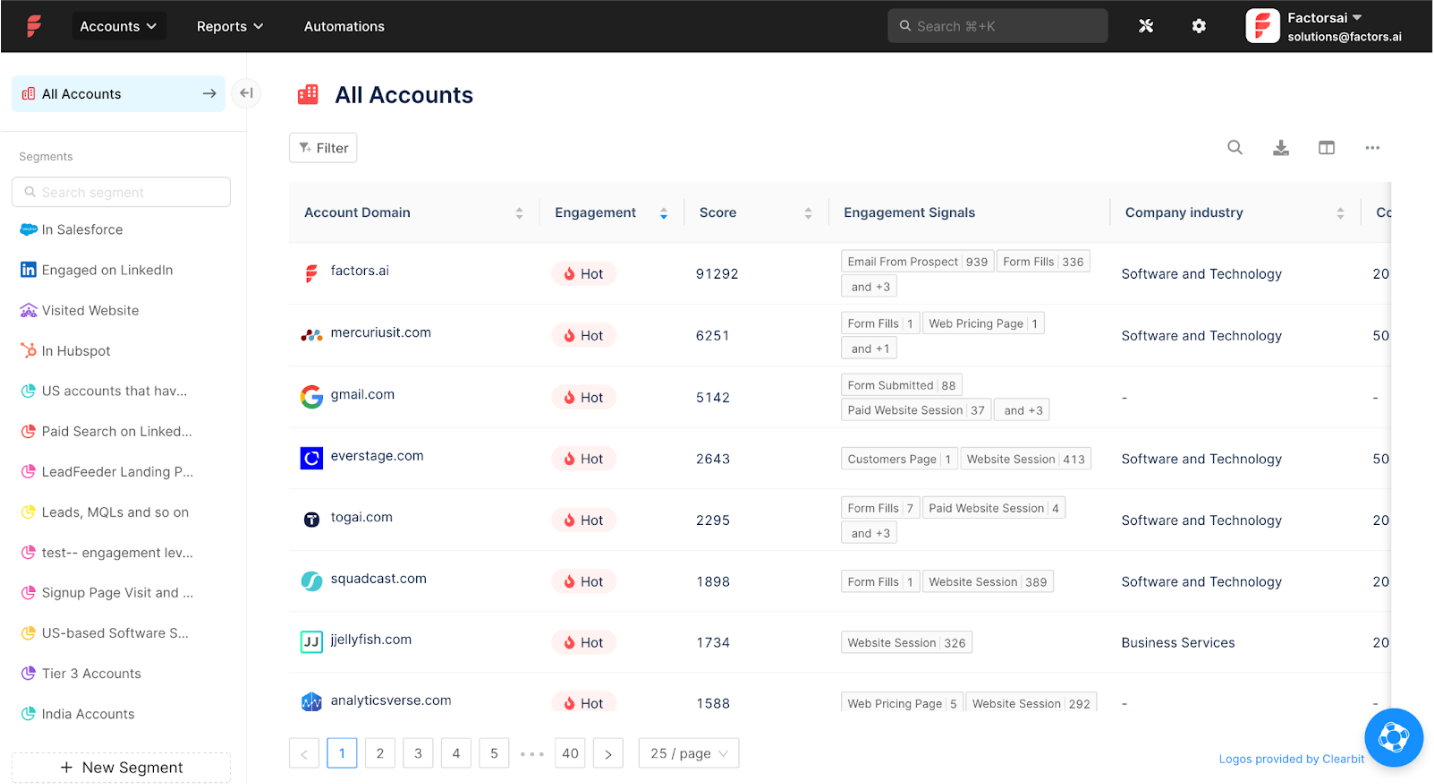
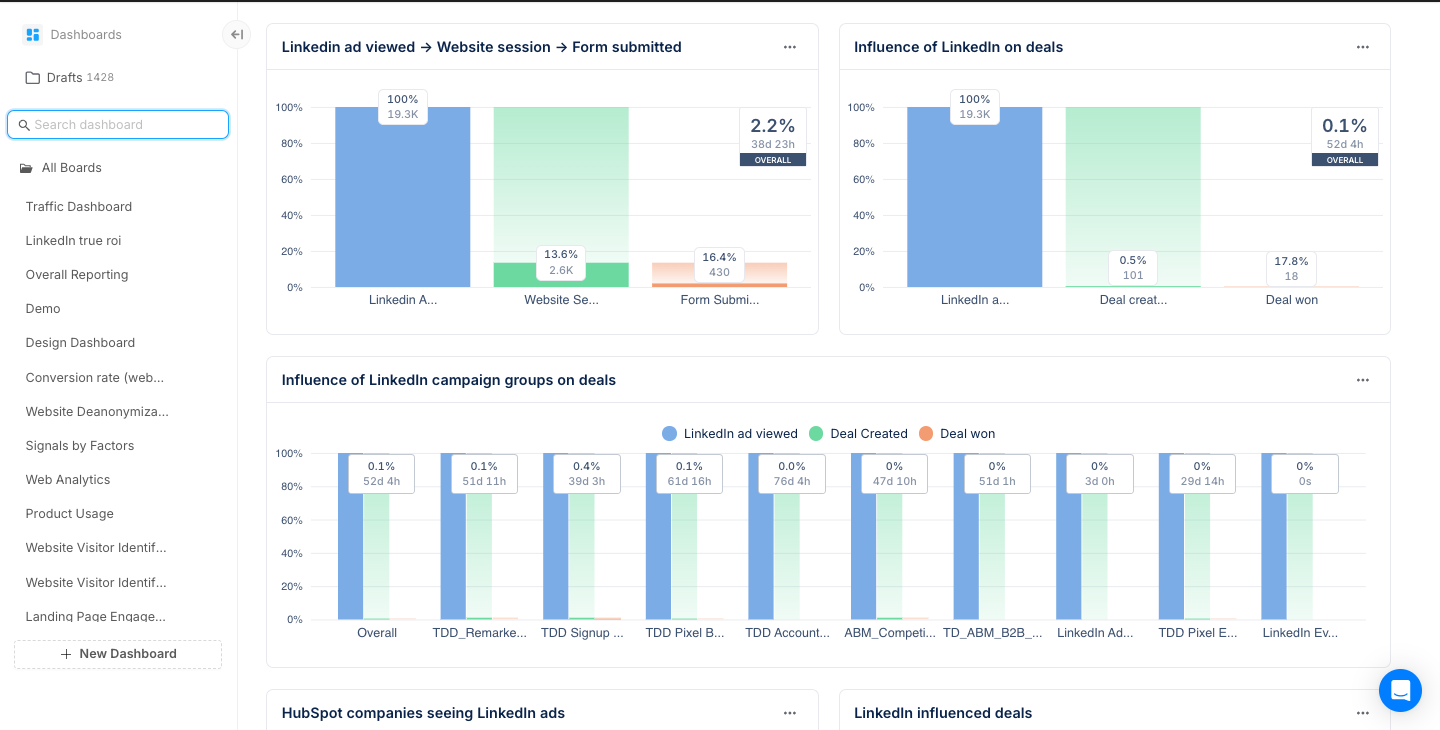
Factors.ai offers pre-built dashboards and reports specifically around ABM metrics.
For example, showing how target accounts move through stages, which marketing touches they’ve received, and how those correlate with pipeline creation.
It’s the kind of multi-touch attribution and funnel analysis that a marketing ops person might build in BI tools, but Factors.ai provides it out of the box.
This includes metrics like account engagement over time, deal velocity for accounts that engaged with campaign X vs those that didn’t, and pipeline or revenue influenced by marketing. If you are struggling to quantify ABM impact, Factors.ai aims to solve that.
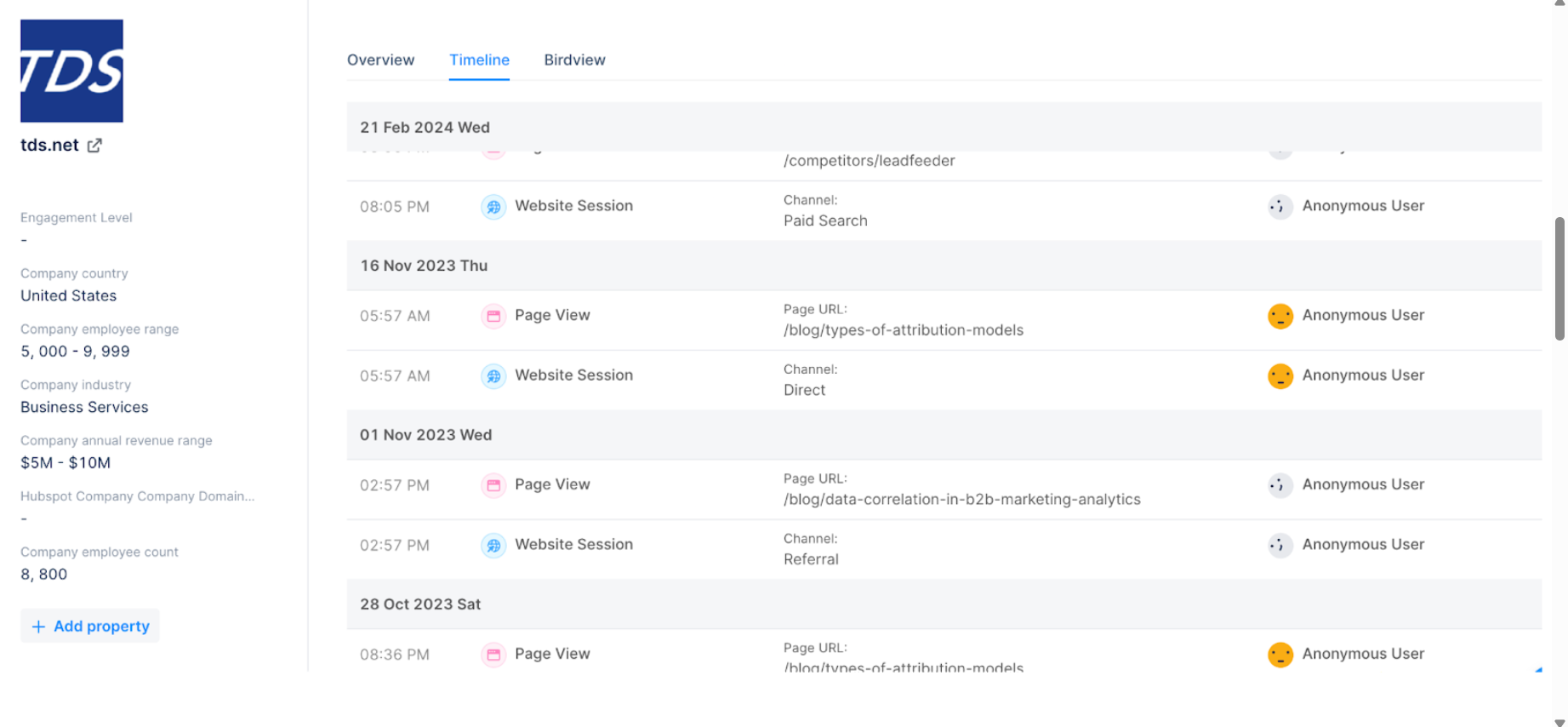

Factors.ai can identify some of the companies visiting your website by analyzing visitor IP addresses (and possibly other signals). They include a script on your site that tries to match visitors to a database of company IPs.
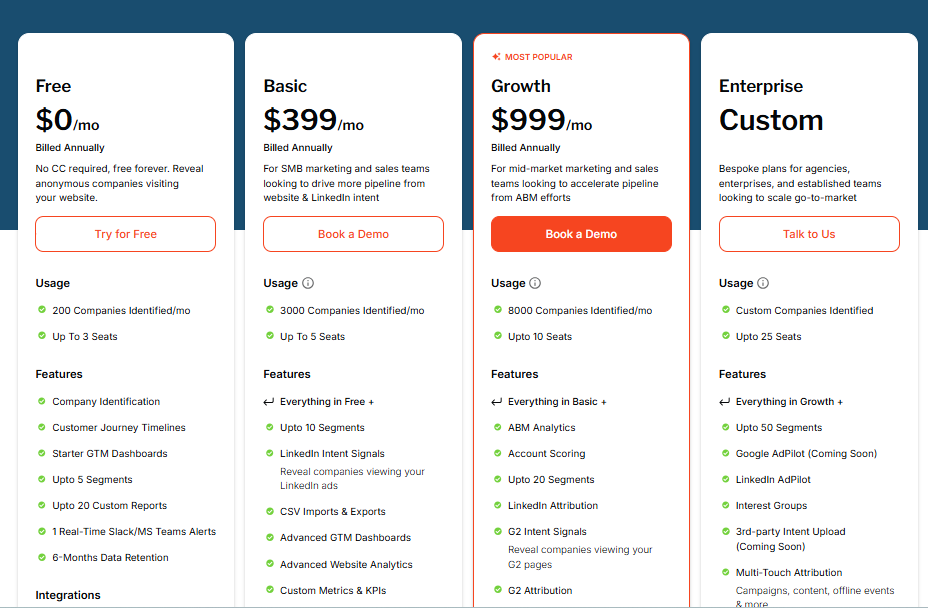
Factors.ai is transparent about its pricing (a rarity among ABM tools). They have a free tier (up to 200 identified companies/month, 3 users) and then paid tiers like Basic ($399/mo for ~3,000 companies/month, 5 users) and Growth ($999/mo for ~8,000 companies, 10 users).
This pay-for-what-you-use model is great for starting out. For e.g., a small ABM program can begin at a few hundred bucks a month. But if your needs grow (tracking tens of thousands of visitors or accounts), costs can scale up quickly with overage fees. For instance, if you go beyond your account limit, you might pay an extra $100 for each additional 500 accounts tracked. More users cost more, more segments or custom reports cost more, etc.
Some teams might get bill shock if their traffic or team size increases unexpectedly.

Factors.ai introduced features like “Interest Groups” and “LinkedIn AdPilot.” Interest Groups is essentially their term for intent segmentation.
Grouping accounts by interest topics (likely based on content consumption or firmographic patterns), and AdPilot presumably helps automate or optimize LinkedIn Ads campaigns from within Factors.ai.

These are powerful add-ons for ABM, but they come at a premium: roughly +$750/month for Interest Groups and +$1,000/month for LinkedIn AdPilot.
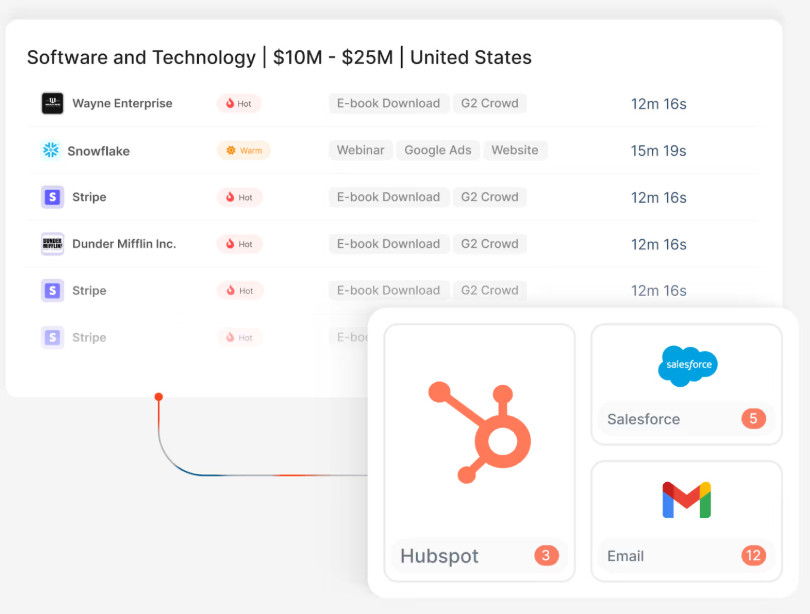
Factors.ai connects with your CRM (e.g., HubSpot, Salesforce) to pull in deal data, and with ad platforms/analytics (likely via connectors or by ingesting CSVs) to crunch the numbers.
The goal is to match ad impressions, website visits, etc., to the pipeline.
For teams that are very analytics-focused, Factors.ai provides a lot of value without making you replace your existing tools. You can keep using LinkedIn, keep using your CRM, and just layer Factors.ai on top to get better insight. The transparent pricing and lower entry point are a breath of fresh air compared to “Call us for a quote” from others. Like, you know, a starter plan is $399/month, which is within reach of many smaller companies or specific business units.
There’s also a free trial.
Factors.ai’s usage-based pricing can balloon as your ABM program scales. What starts cheap can hit enterprise-level bills fast. Add in the ~42% hit rate for IP-based visitor ID, and you may pay for a lot of ‘unknowns.’ Key features like intent segmentation or LinkedIn AdPilot cost extra, so a fully loaded plan can rival big ABM suites without matching their execution. Since it’s mostly analytics, you’ll still need other tools to actually run campaigns.
“Factors.ai suits teams with an ABM process already in place who want better insights and attribution without buying a full suite. Ops and analytics leaders can use it to prove ABM ROI, startups can test and learn before upgrading, and finance teams can stick to base plans for predictable costs. But if you plan to scale fast, a fixed-cost ABM platform may be the smarter long-term bet.
Choosing an ABM tool isn’t about chasing the biggest logo or the fanciest AI.
It’s about picking the one that fits your stage, channels, and budget.
For enterprise ABM teams, Demandbase is a great choice.
If you’re LinkedIn-heavy, go for ZenABM.
If you thrive on community, Common Room is your weapon.
And if your motion is focused on web-visitor identification, RB2B is your best bet.
The point is: buy for your actual GTM motion, not the vendor’s sales pitch.
That’s how you win with ABM.
Anyways, you can try ZenABM for free now or book a demo here.

