

©2026 ZenABM - All Rights Reserved.

LinkedIn targeting is either the foundation of a successful ABM campaign or the reason it fails.
There is no middle ground here.
I mean, you can have the best creative, the most compelling offers, and a generous budget, but if your targeting is wrong, none of it matters.
Everyone underestimates [targeting]. But you mess up targeting, and you mess up your whole campaign, and you waste the budget. – Maximillian Herczeg, former LinkedIn employee and Founder of Kamrat
This guide covers every LinkedIn targeting option available for ABM, including what each one does, when to use it, when to avoid it, and how to combine them into campaigns that reach the right people at the right companies.
Short on time?
Here’s a quick overview:

Before diving into individual targeting options, it helps to understand the two fundamental approaches to LinkedIn targeting for ABM:
You define your audience using LinkedIn’s built-in filters, like company size, industry, job function, seniority, etc.
LinkedIn finds people who match those criteria.
This is what most advertisers use by default.
You upload a list of specific companies or contacts to LinkedIn.
LinkedIn matches them against its member database and creates a targetable audience.
This is the foundation of ABM on LinkedIn.
And which approach should you use for ABM?
For account-based marketing, list-based targeting should always be your primary approach.
Attribute-based targeting is secondary.
You use it to layer filters on top of your account list (for example, targeting only directors and VPs at companies on your list).
Using attribute-based targeting alone for ABM is one of the most common mistakes.
But, again, having no list at all and relying purely on attributes is even worse for ABM.
Let’s discuss the types of list-based targeting in detail now:
Company list targeting (also called account targeting) is the single most important targeting capability for ABM on LinkedIn.
It lets you upload a CSV of company names and domains.
LinkedIn matches them against its database and creates an audience of employees at those companies.
Now, match rates typically range from 60-90% depending on list quality.
So, the quality of your company list determines the quality of your entire ABM program.
And that’s not just because of the low match rates, but also due to the fact that LinkedIn’s delivery optimization will start favoring the wrong types of companies, serving more impressions to bad-fit accounts because the algorithm sees them engaging (or simply being cheaper to reach).
So, your list quality is not a “nice to have.”
It directly affects campaign performance.

For a detailed walkthrough of how to build your target account list, read our guide on running ABM on LinkedIn.
This is also where a platform like ZenABM becomes useful in practice, because company-level LinkedIn ad engagement and CRM sync make it easier to see whether the accounts on your list are actually behaving like good targets after launch, instead of treating the TAL like a static spreadsheet that never gets refined.


Contact list targeting lets you upload a list of email addresses.
LinkedIn matches them to member profiles and creates a targetable audience of specific individuals.
Now, match rates for contact lists are typically 30-70%, depending on whether people use their work or personal email on LinkedIn.
And as you might have noticed, the typical match rate I mentioned for contact list targeting is less than what I just mentioned for company list targeting.
Well, that’s a reality.
And that’s the very reason why the company list vs. contact list debate is one of the most common questions in ABM.
Solution?
Use company lists as the default for most ABM campaigns and reserve contact lists for specific use cases:
That transition from broad company targeting to narrower contact targeting is much easier when your targeting logic is tied to actual account movement.
ZenABM’s ABM stages and account scoring help clarify when an account has earned that shift, so you are not prematurely narrowing campaigns just because a few people clicked an ad once.


LinkedIn’s attribute-based targeting options fall into three categories: location, company attributes, and member attributes.
Location is the only mandatory targeting field on LinkedIn.
You can target by continent, country, state, region, or metro area.
LinkedIn determines location from member profiles (permanent location) or IP address (recent or temporary location).
For ABM, be intentional about location.
If your sales team only covers North America, do not target globally just because some of your target accounts have offices worldwide.
Target the regions where you can actually close deals.


For ABM, company attributes, and especially the company name, are useful for quick campaigns when you do not have time to build a full matched audience list.
But it has a significant limitation: you can only select about 100 companies per campaign through the dropdown.
For larger target account lists, you need to use the company list upload (matched audiences) approach.
Attribute | What It Does | ABM Usefulness |
|---|---|---|
Company name | Target employees of specific companies | High: direct ABM targeting, but limited to ~100 companies per selection |
Company industry | Target by LinkedIn’s industry categories | Medium: useful as a broad filter, not precise enough alone for ABM |
Company size | Filter by employee count ranges | Medium: useful to exclude companies outside your ICP size range |
Company revenue | Target by estimated annual revenue | Medium: helpful if ACV is a key ICP criterion |
Target companies growing at certain rates | Low: directional at best, data can be stale | |
Company followers | Target followers of your LinkedIn page | Low: small audience for most companies |
Company connections | Target connections of a company’s employees | Low: only available for 500+ employee companies |
Pro Tip: For checking company connections count at scale, Clay can help:

Now this is where you narrow down who within your target companies sees your ads.
There are other types of member attributes that factor in your audience’s interests and traits:
Finally, LinkedIn also provides member attributes to help you narrow down the audience based on educational qualifications and other demographic factors:
Understanding the AND/OR logic is essential for building effective audiences.
Here is how LinkedIn applies it:
For ABM, the recommended targeting stack is:
This combination targets directors, VPs, and CXOs in marketing, sales, or IT at companies on your target list, in your target geography.
It is specific enough to reach decision-makers but broad enough for LinkedIn to deliver consistent impressions.
The critical mistake is over-segmenting.
Adding too many filters shrinks your audience below LinkedIn’s minimum of 300 or makes it so narrow that campaigns cannot deliver enough impressions.
Gabriel Ehrlich offers a useful principle:
I believe that you should be spending in direct relationship to your TAM. – Gabriel Ehrlich
If your total addressable market is small, your targeting should reflect that, but you still need enough audience to run effective campaigns.
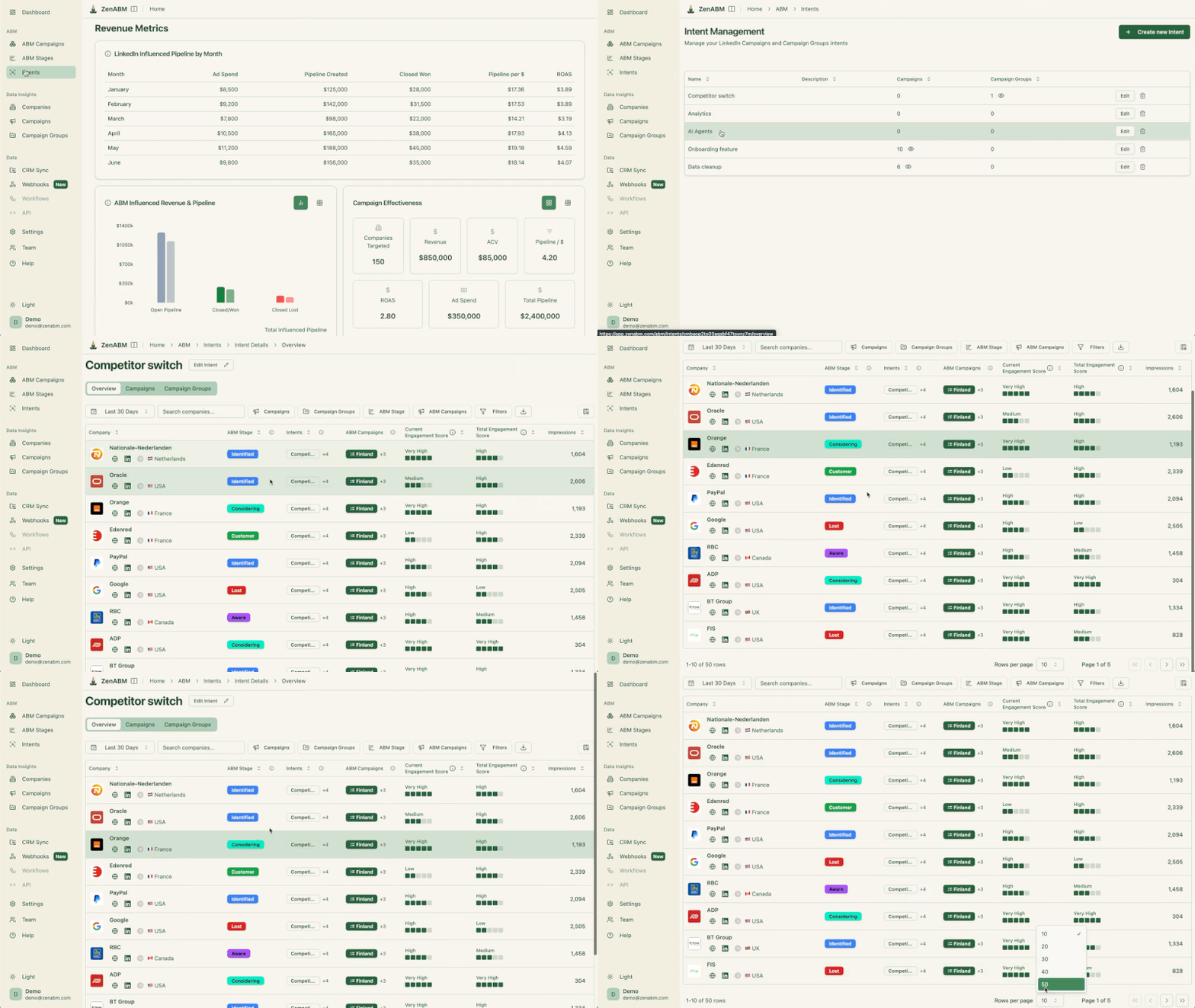
If you want to validate whether that neat-looking targeting stack is actually reaching the right people inside the right accounts, ZenABM helps close that loop.
Company-level engagement data, job title analytics, and first-party qualitative intent can show whether your filters are surfacing the personas you wanted, or whether LinkedIn is finding the cheapest pockets of attention inside your TAL instead.


Different stages of your ABM funnel require different targeting approaches.
Here is how you can structure them:
Targeting: Company list (cold accounts) + Job function + Seniority + Location.
Keep it relatively broad within your TAL.
The goal is awareness across the buying committee, so include multiple functions.
Try to achieve 30-50% penetration per month.
Targeting: Company list (engaged accounts) + Website retargeting + Job function + Seniority.
You can narrow functions here to focus on decision-makers.
These accounts know you, so deepen engagement with the right people:
For warm audiences, here, monthly penetration must be 70 to 90% audience penetration per month.
Targeting: Contact list (known contacts at pipeline accounts) + Company list.
At this stage, you target specific people at specific accounts. Use contact lists layered with company lists for maximum precision.
Targeting: Closed-lost or churned company list + Job function + Seniority.
This is one of the highest-value targeting strategies in ABM, as it’s about trying to capture existing demand rather than generating new demand.
The most common LinkedIn targeting mistakes you must avoid:

LinkedIn’s Audience Expansion shows your ads to a “lookalike” audience that LinkedIn’s algorithm predicts will be similar to your uploaded list.
Sounds useful, but LinkedIn’s classification of industries, job titles, and company sizes is consistently less accurate than your manually curated target account list.
When Audience Expansion is on, your campaign to “VP-level product managers at 500 enterprise software companies you specifically chose” becomes a campaign to that list plus however many additional companies LinkedIn decides are similar.
You lose control of who sees your ads and your spend distribution, and end paying full price for a diluted audience.
I mean, you didn’t spend hours in tools like Clay/Apollo, only to let LinkedIn tamper with the TAL, right?
So, turn it off every time.

LinkedIn’s Audience Network places your ads on third-party websites and connected TV platforms (Hulu, Netflix, and similar) that are part of LinkedIn’s advertising network.
Now, people watching these platforms may not be in a professional mindset.
I mean, will they click your ad to book a demo while watching a show?
The performance data for LAN placements is consistently below feed performance.
Most practitioners on Reddit strongly discourage turning it on, even for awareness-oriented campaigns.

Also, this feature makes you pay LinkedIn CPMs for placements that deliver a fraction of the value of LinkedIn feed placements.
So, turn LAN off in the Placements section of every campaign.
“Your reps will be really pushing you to use it… they said to me last week, ‘how about using your ads on connected TV while people are watching Hulu or Netflix.’ I’m not entirely sure that people watching Hulu or Netflix will be particularly interested in checking out product analytics.” — Emilia Korczynska
When Budget Optimization at the campaign group level is enabled, LinkedIn allocates your campaign group budget automatically across the campaigns within it, concentrating spend on whichever campaign starts performing best early on.
This, too, sounds efficient but creates a significant problem: your video ad or TLA may generate high engagement in the first week (engagement rate looks good, LinkedIn over-allocates to it), and your single-image ads might get almost no budget to generate the reach data you need.
So, turn off budget optimisation at the campaign group level and set individual budgets for each campaign within the group.
Include warm accounts in your targeting from day one (existing pipeline, closed-lost deals, churned customers, and companies that have visited your website).
These will produce results faster and prove the ROI of your ABM program while cold accounts warm up.
Adding too many targeting layers creates audiences that are too small to deliver.
If your target account list has 500 companies and you filter for VP-level marketers in North America, you might end up with 400 people, which is barely above LinkedIn’s minimum.
Keep your targeting focused but broad enough to sustain campaign delivery.
For more detailed guidance on campaign structure, see my guide on estimating how much budget you need and the LinkedIn ABM Benchmarks Report 2026..
Your targeting directly affects your costs.
Here is what our benchmarks show:
Audience Size | Typical CPL | Conversion Rate | Best For |
|---|---|---|---|
Broad (1M+) | $45-85 | Lower | Demand gen, not ABM |
Medium (100K-1M) | $75-125 | Moderate | One-to-many ABM |
Narrow (under 100K) | $100-200+ | 2-3x higher | Focused ABM with strong TAL |
For ABM, the narrow audience cost premium is almost always worth it.
A $150 lead that converts at 3% is more valuable than a $60 lead that converts at 0.5%.
Your targeting choices should optimize for pipeline, not for cost per lead.
Also note that 80% of LinkedIn traffic is mobile.
This affects your creative strategy more than your targeting, but it is worth keeping in mind that your ads and landing pages need to work on mobile because that is where most of your target audience will see them.
LinkedIn targeting is not just a campaign setup step.
In ABM, it is the mechanism that determines whether your budget reaches the right accounts and the right buying committee members, or gets diluted across people who were never a fit in the first place.
The winning approach is usually straightforward: start with a strong company list, layer in only the filters that genuinely improve relevance, and avoid the settings that quietly take control away from you.
Good ABM targeting is not about making the audience as narrow as possible. It is about making it precise enough to matter and broad enough to deliver.
That is also why feedback loops matter so much.
A platform like ZenABM helps you see which target accounts are actually engaging, which job titles are responding, and whether your targeting strategy is pushing the right companies toward pipeline, rather than just producing impressions and clicks.
Try ZenABM for free (37-day free trial) or book a demo now to know more!
Some common questions about LinkedIn targeting for ABM and their answers:
LinkedIn requires a minimum of 300 matched members per campaign. For ABM, I recommend targeting at least 1,000 members to give LinkedIn enough data to optimize delivery. If your audience is below 300 after applying all targeting filters, broaden your job function or seniority criteria, or combine multiple account segments into one campaign.
Start with company lists as your default. Company lists give you a broader reach within target accounts and do not require you to identify specific individuals upfront. Use contact lists for late-stage campaigns where you know exactly who you need to reach – specific buying committee members at pipeline accounts.
If your campaign is struggling to spend its daily budget, your audience is likely too narrow. Check the audience size forecast in Campaign Manager before launching. If it shows fewer than 1,000 members, consider broadening your targeting. Also, monitor audience penetration. If you are reaching 90%+ of your audience within the first week, the audience is too small for sustained campaigns.
Yes. Running multiple campaigns to the same account list with different messaging and creative is standard practice in ABM. You might run an awareness campaign with thought leader ads, an engagement campaign with case study content, and a conversion campaign with demo CTAs, all targeting the same accounts but with different creatives and objectives.
LinkedIn recommends audience expansion because it increases reach and helps LinkedIn spend your budget more efficiently, but that’s LinkedIn’s perspective. For ABM, it is actually counterproductive because it adds people outside your target account list to your audience. Turn it off for every ABM campaign.
