

©2026 ZenABM - All Rights Reserved.

Relevance AI is my favorite platform for building AI agents, but this is not a product review. This is the path I took to discover it, and why that same path explains how to track revenue from LinkedIn ads. It also shows why many teams misread what LinkedIn actually does for revenue.
Most teams would tag that purchase as SEO. In truth, the ad impressions on LinkedIn nudged the sale. These multi-touch paths are normal. If you only use last click reports or cookie-based attribution in your CRM, you will label the source wrong. You will underfund the campaigns that moved the account.
This is why you need a way to track revenue from LinkedIn ads that captures account-level exposure and influence across campaigns and creatives.
ZenABM exists to solve this problem and much more.
Let me show you how.
If you only have a few minutes, here is the plan:
LinkedIn is a brand and category builder. It rarely acts as a last click engine. CTRs stay low.
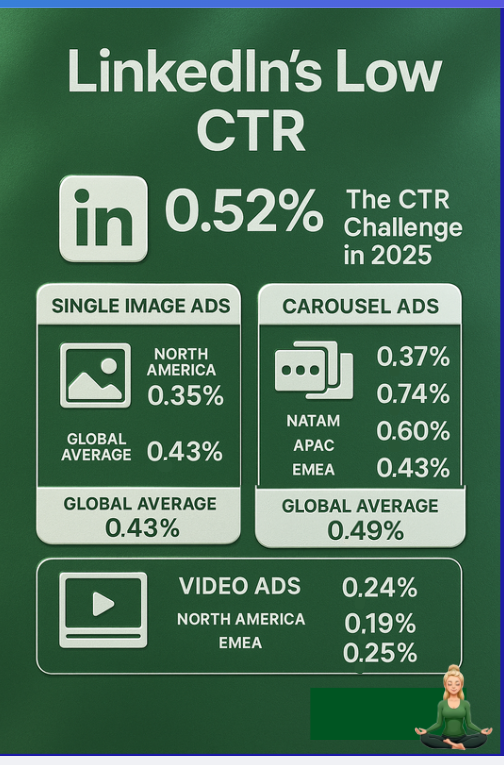
Your ICP is not searching with intent like on Google. They scroll. A VP sees your ad. They do not click. They later search your brand or type your URL and convert. Analytics mark the sale as Organic or Direct. LinkedIn’s real revenue assist never shows up.
The fix: treat impressions and passive engagement as real signals. If you want to track revenue from LinkedIn ads with accuracy, capture who saw what and connect that exposure to account movement. Do this even when no one clicked.
Most stacks cannot do this yet.
LinkedIn’s native reporting added the Company Engagement Report, now the Companies tab, to show account-level interactions.
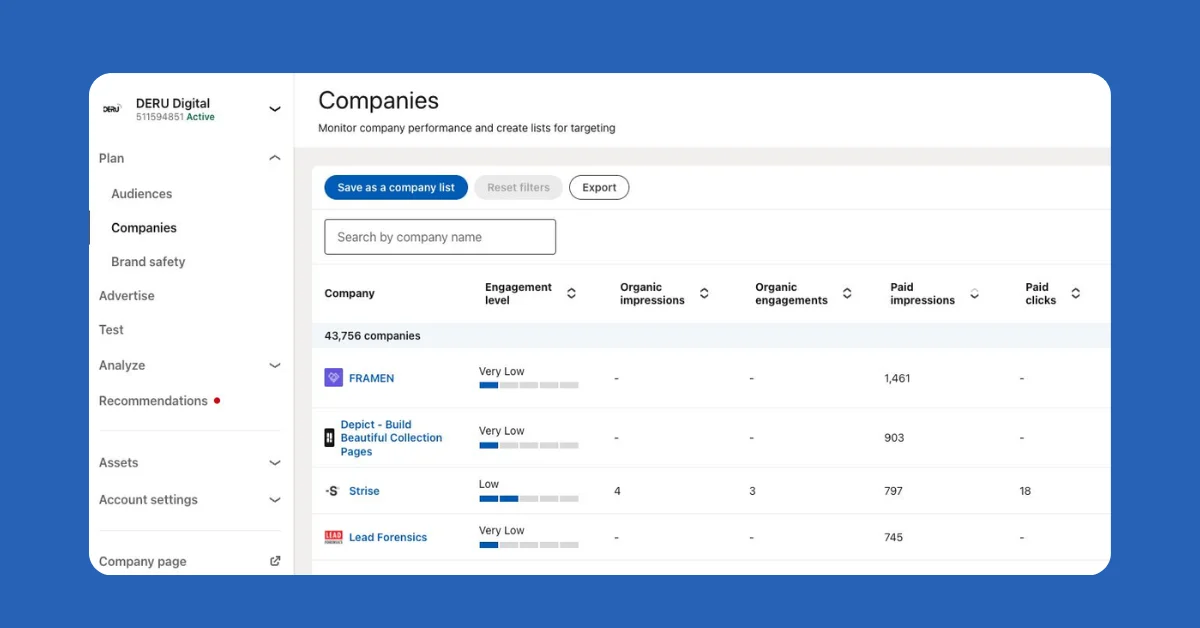
It helps, but it is limited for ABM. The data is aggregated across the ad account. You cannot tell which campaign drove impressions and reactions at Acme or which creative moved the buying group. When you run multiple ABM motions, you need that detail for testing, readiness scoring, and revenue attribution.
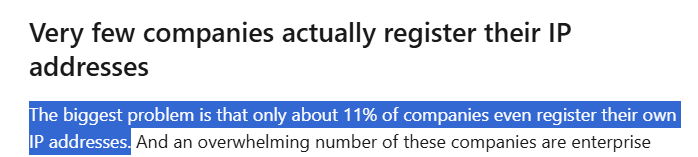
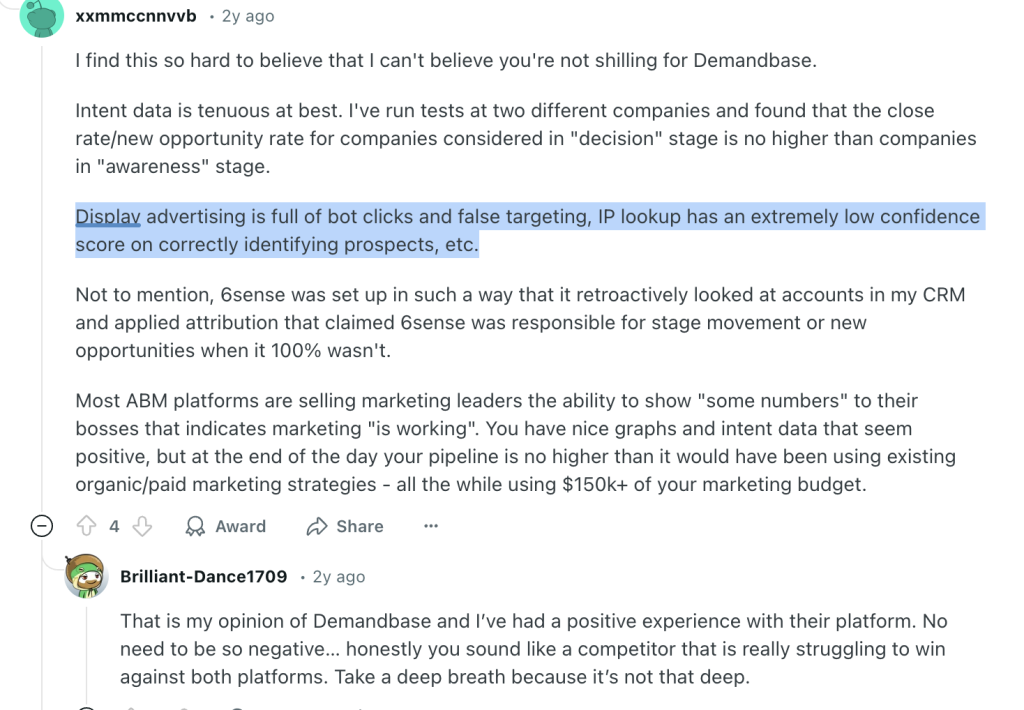
IP matching tools promise to show which companies hit your site. They only see visitors who arrive. That means clickers. Viewers who never clicked your LinkedIn ad stay invisible. Even for clickers, accuracy falls due to VPNs, shared networks, and dynamic IPs.
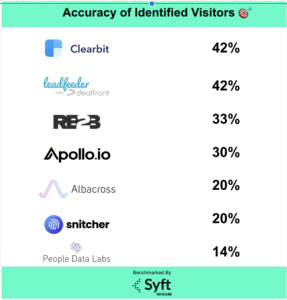
As this Syft study shows, typical accuracy is near 40 per cent. That is not enough for ABM grade analytics or revenue proof.
Real world example. Userpilot ran LinkedIn to site analysis through Clearbit and saw one company identified. Their own.
For ABM revenue measurement, this is a non-starter.
Retargeting systems such as AdRoll or Criteo infer company or intent with cookies and device graphs. That breaks for ABM.
Native integrations like HubSpot sync forms and basic ad data. Useful for ops. Not enough for revenue tracking.
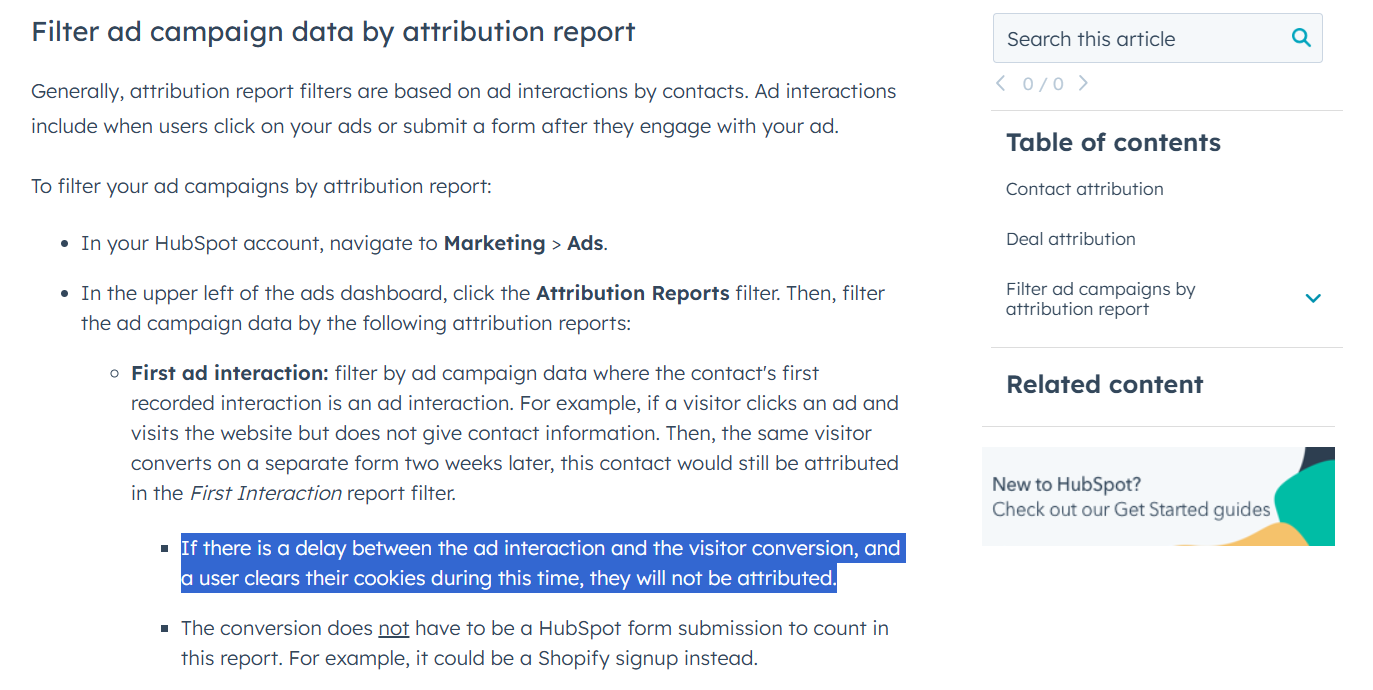
In a buying committee, one person views the ad and another fills the form days later. Last click models and cookie limits drop that link. If you want to track revenue from LinkedIn ads, you need a company-level model, not only a click-through view.
To analyze LinkedIn ads for ABM with precision, you need first-party visibility at both campaign and company levels across impressions, reactions, and clicks. Measure per account. Not just per person. ZenABM delivers this view using LinkedIn’s official APIs. No cookies. No IP matching. No scraping.
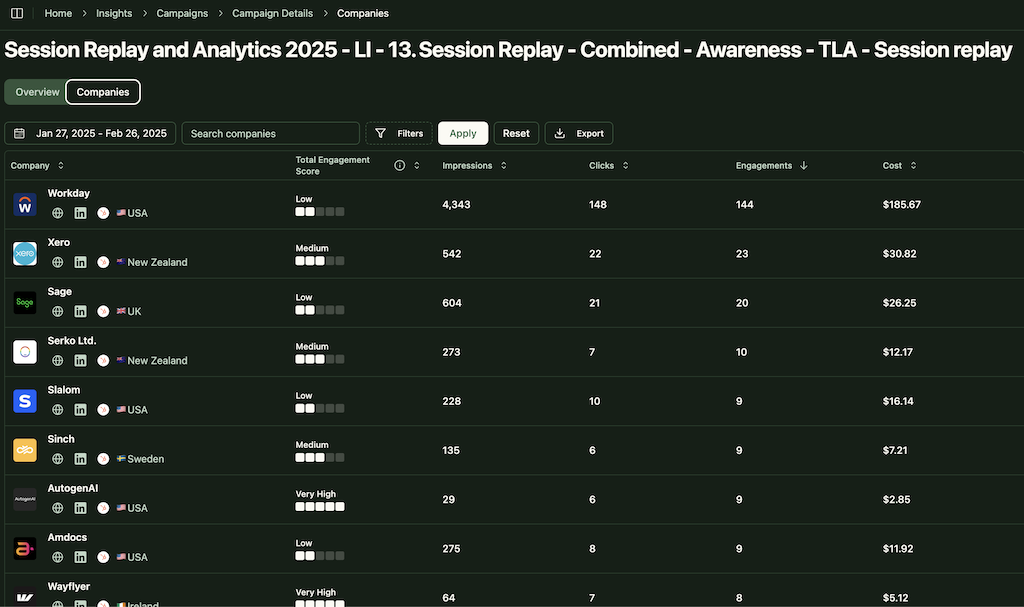
For each campaign, ZenABM surfaces account-level impressions, reactions, shares, and clicks next to CRM deal context.
Example. Company X never clicks. They keep seeing your ads and book a demo a month later. ZenABM links those exposures to the opportunity so the campaign gets a real assist on revenue.
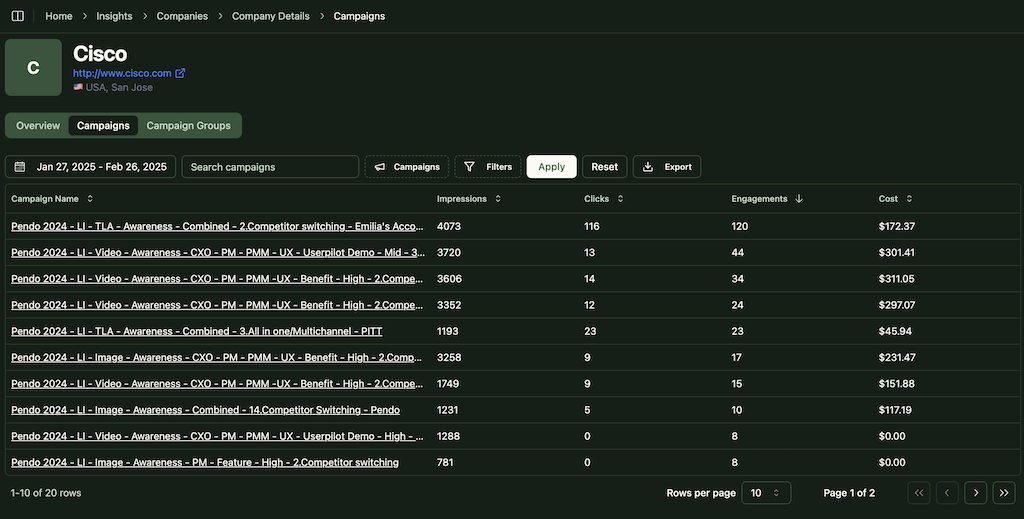
From awareness to education to conversion ads, every touch stays visible. Last click does not take all the credit.



No CSVs required. Company records show properties like Impressions, Last 7 Days and Clicks, Last 7 Days by campaign. Now you can build lists, reports, routing rules, and automations that prove revenue.
ZenABM tracks the ABM stage of each account using CRM data and engagement levels. You set the thresholds.

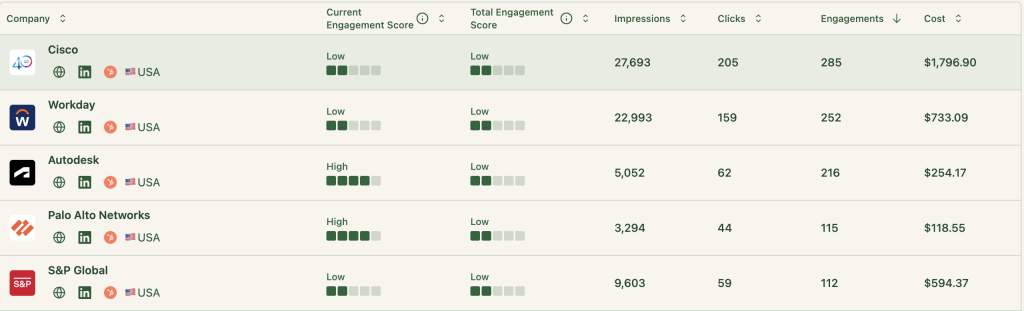
Set thresholds on cumulative impressions, reactions, or clicks. When an account heats up ZenABM routes to the right BDR, launches sequences, or starts a one-to-one play.
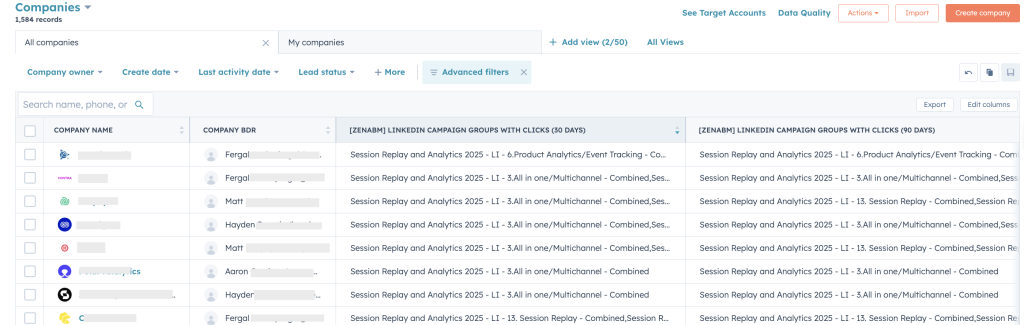
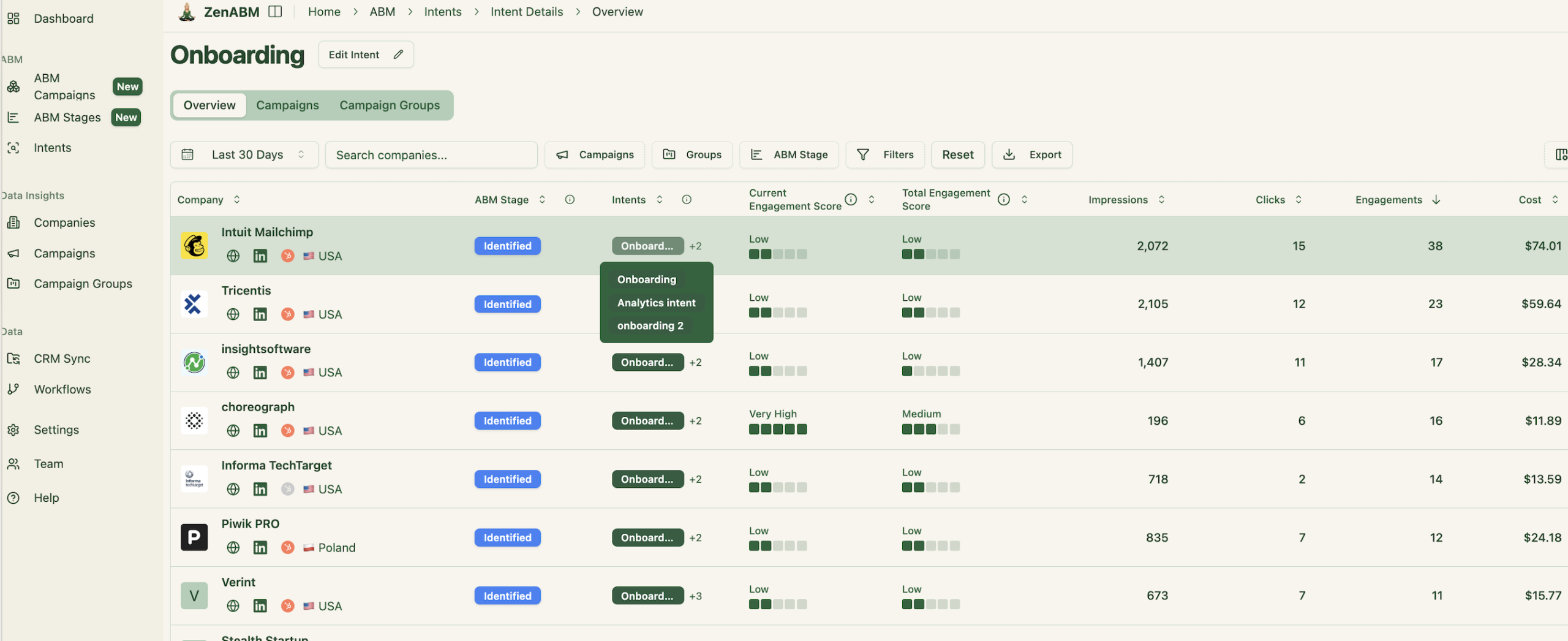
Tag campaigns by use case, feature, or vertical. ZenABM clusters accounts by what they engage with so reps open with the right story and move revenue faster.
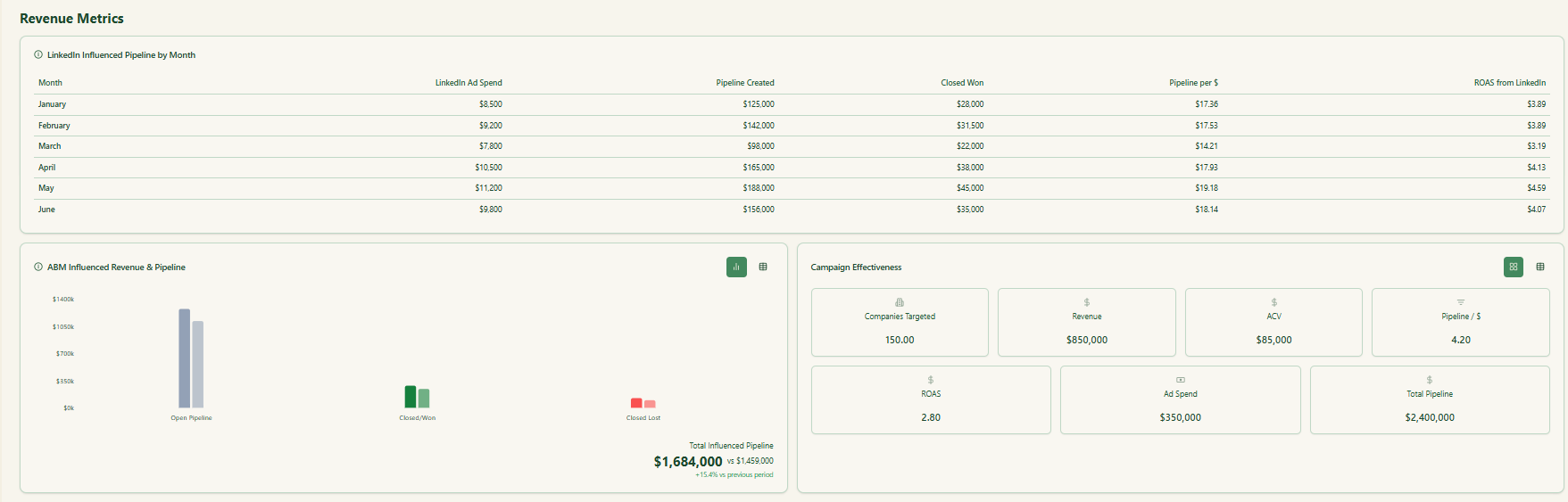
See which campaigns influenced opportunities and revenue beyond the last click. This is the attribution view ABM needs to track revenue from LinkedIn ads the right way.
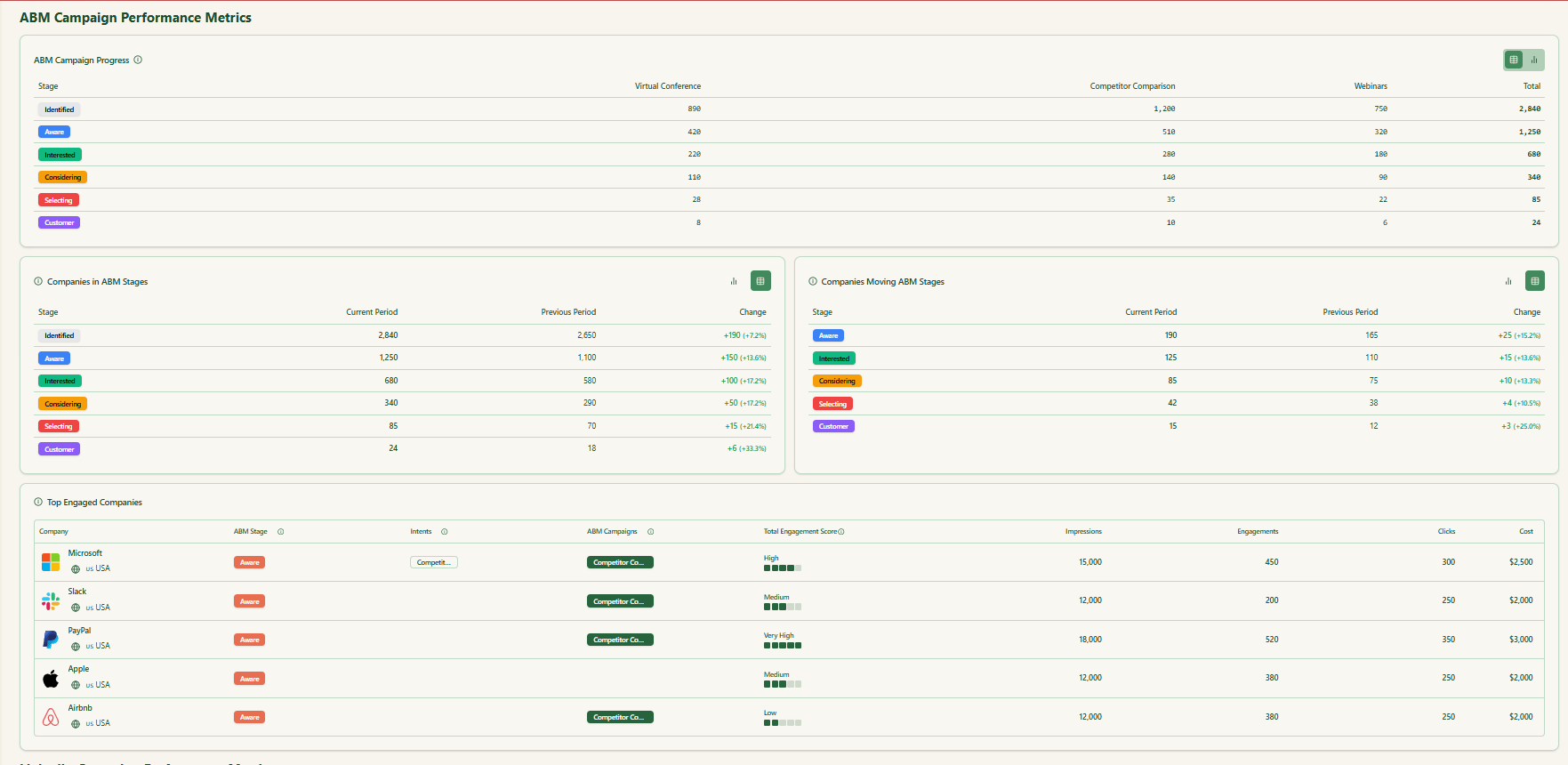
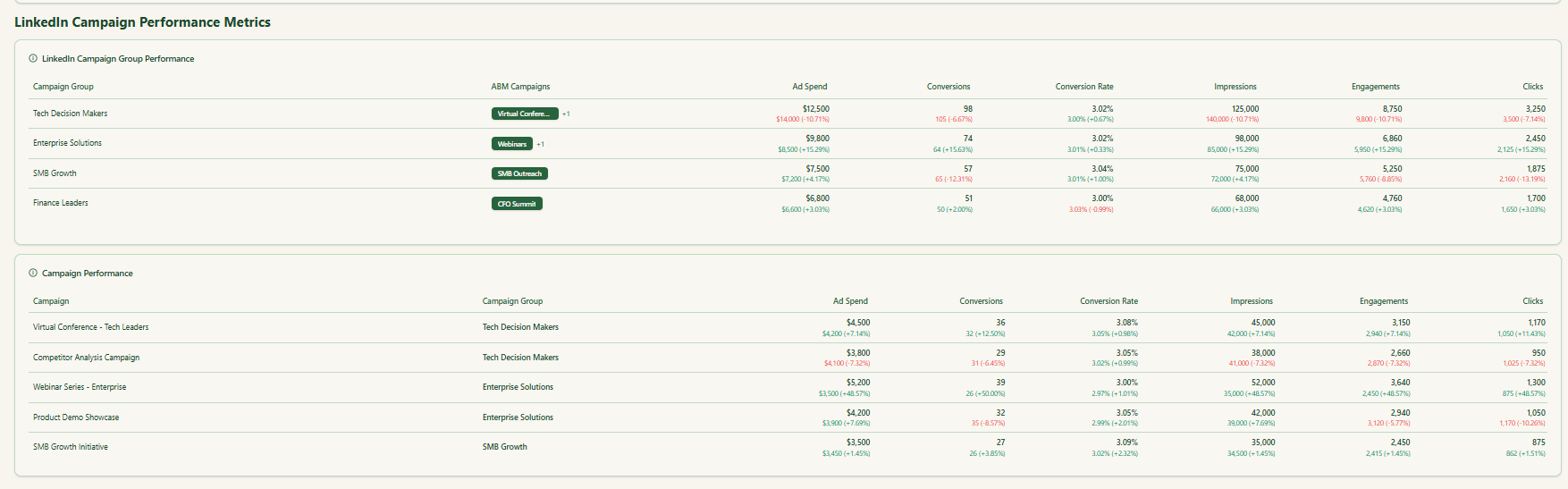
Prebuilt views highlight what matters. Account impressions. Engagement momentum. Opportunity influence. ROI by campaign and by account.
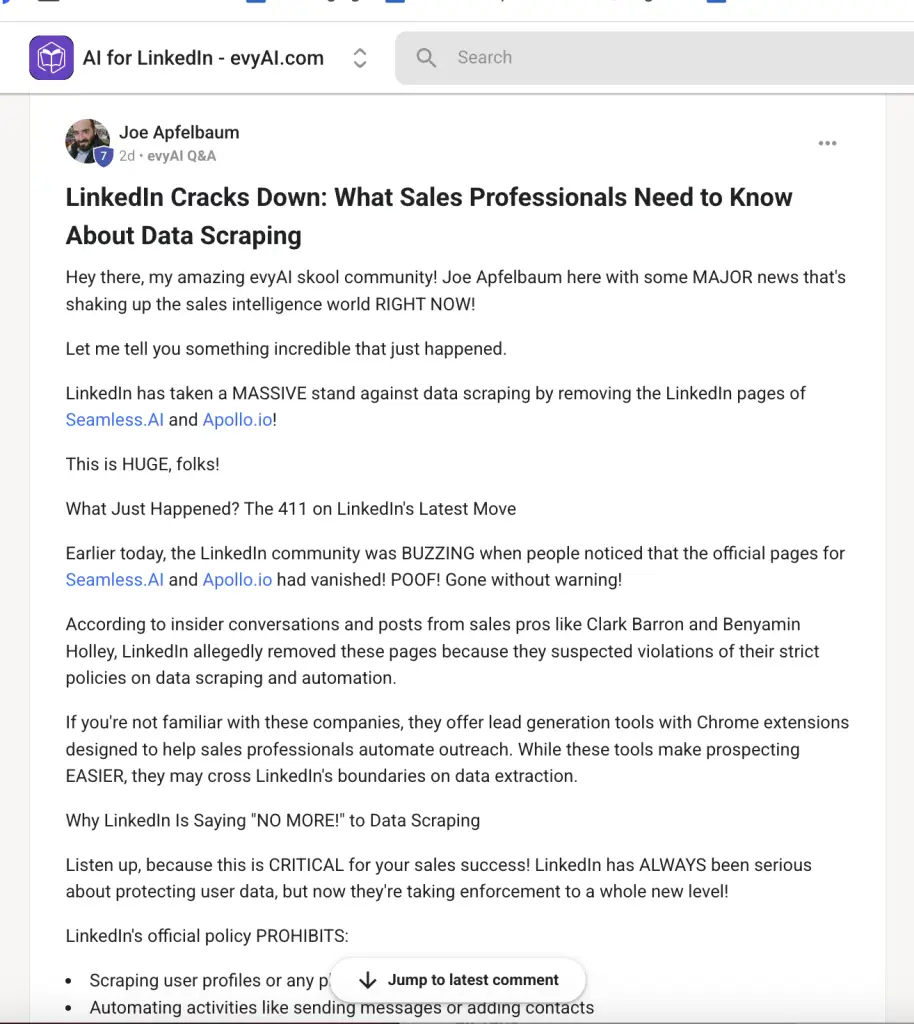
ZenABM uses LinkedIn’s sanctioned APIs. No scraping. No fingerprinting. Clean first-party telemetry that you can trust for revenue reporting.
Clicks and forms show one slice of truth. In long multi-stakeholder cycles, the real picture lives at the account level. When you can see who saw which campaigns, how often, and how those exposures moved the pipeline, you can finally track revenue from LinkedIn ads with confidence and optimize spend.
If you want a clean way to track revenue from LinkedIn ads, adopt first-party company-level measurement for impressions, reactions, and cross-campaign influence. Sync that data to CRM for scoring, routing, and revenue reporting. That is what ZenABM delivers. See the view through story you missed and double down on the campaigns that move accounts.

