

©2026 ZenABM - All Rights Reserved.

If you’re running LinkedIn ads and want to monitor which companies viewed them, you’ll need to track ad views at the company level.
This is possible through LinkedIn Campaign Manager, but it comes with caveats.
In this article, I’ll explain how to track LinkedIn ad views by company using Campaign Manager, where it falls short, and how ZenABM addresses those shortcomings.
Using LinkedIn Campaign Manager to Track Ad Views by Company
As of 2024, LinkedIn Campaign Manager includes a “Companies” tab (previously called the Company Engagement Report), which gives a company-level overview of ad metrics.
This feature provides key stats per company, including the number of ad impressions, clicks, engagements, and lead conversions:

Here’s how to access and use this tab:
You’ll then see a list of companies that were exposed to your ads within that window.
Focus on the Paid Impressions column to see how many times your ads were viewed by users at each company.
The default view shows top companies, but you can search for specific accounts or apply filters to narrow the list.
While Campaign Manager’s Companies tab reveals which companies saw your ads, it only offers aggregate metrics—no detail at the campaign or ad group level.
So, even if Company X viewed or clicked an ad, you won’t know which campaign it came from.
That’s a major blocker for ABM teams running multiple overlapping campaigns, each with its own ad sets.
Here’s an example campaign structure used by Userpilot:

Each campaign and group varies based on:
So, without campaign-level ad view tracking, it’s hard to:
Say you run different campaigns for Product A and Product B. If Acme Corp views both, LinkedIn will show impressions, but not tell you which product they were interested in.
That ambiguity weakens attribution and decision-making.
The fix?
A tool that offers campaign-specific company-level impression tracking.
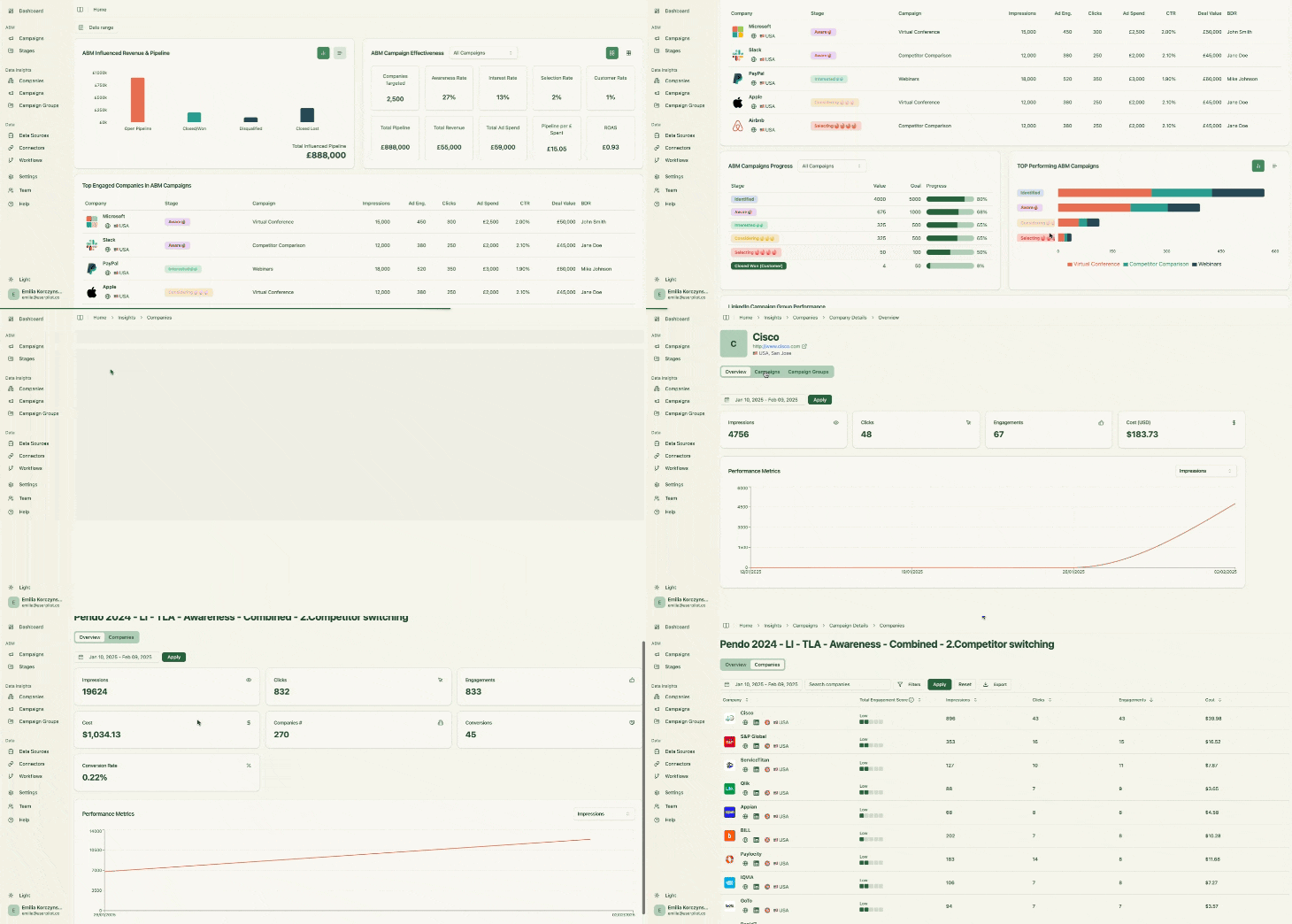
ZenABM is built for LinkedIn ABM and provides precision visibility via:

ZenABM tracks:
All metrics are linked back to their respective campaign and group.
This is powered by LinkedIn’s official API—no sketchy workarounds or data hacks.
And that’s just the beginning:
ZenABM offers native, bi-directional CRM integrations—no developers required.
ZenABM maps campaign-level engagement data to your CRM’s deal records:

Now you can say things like:
ZenABM pushes key metrics into your CRM as structured company properties:

ZenABM generates real-time “Engagement Scores” for companies based on activity across all your campaigns:
Accounts are then auto-assigned to BDRs in your CRM:

You can also tag campaigns by intent themes, and ZenABM groups companies by behavioral patterns:

These signals sync to HubSpot, too:

Your team gets alerted on which companies are ready for outreach.
No need for complex reporting—ZenABM offers built-in dashboards for tracking ROI, revenue, and ROAS:

ZenABM supports native structures like campaigns, groups, and ads, keeping everything mapped and organized.
Monitor every company’s ABM progress based on real-time interaction data with rules of your own:


ZenABM offers tailored plans for different ABM needs:
All plans include a free trial. Check pricing or book a demo to explore further.
To accurately track which companies viewed your LinkedIn ads—and tie that back to specific campaigns—Campaign Manager alone doesn’t cut it.
ZenABM provides campaign-level precision, CRM syncing, and revenue insight.
Try ZenABM or start a free trial today.
