

©2026 ZenABM - All Rights Reserved.
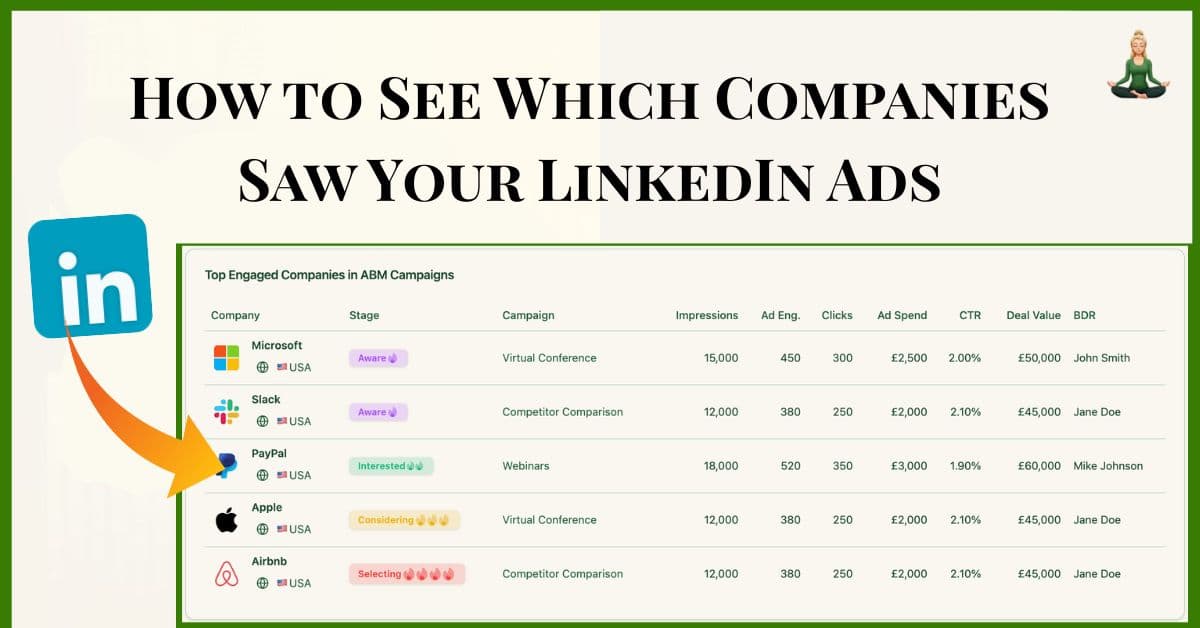
If you are running ads on LinkedIn and want to see companies that saw your LinkedIn ads, you’ll have to track company-level ad impressions.
You can do that in LinkedIn Campaign Manager, but it has limitations.
In this article, I’ll show you how to see which companies saw your LinkedIn ads in LinkedIn campaign manager, its gaps and how ZenABM fills those gaps.
Using LinkedIn Campaign Manager to Identify Companies That Saw Your Ads
LinkedIn Campaign Manager, since 2024, includes a “Companies” view (formerly known as the Company Engagement Report) that provides company-level metrics for your ads.
This feature shows key data points per company, including the number of times people at each company saw your ad (impressions), clicked it, engaged with it, and even leads generated:
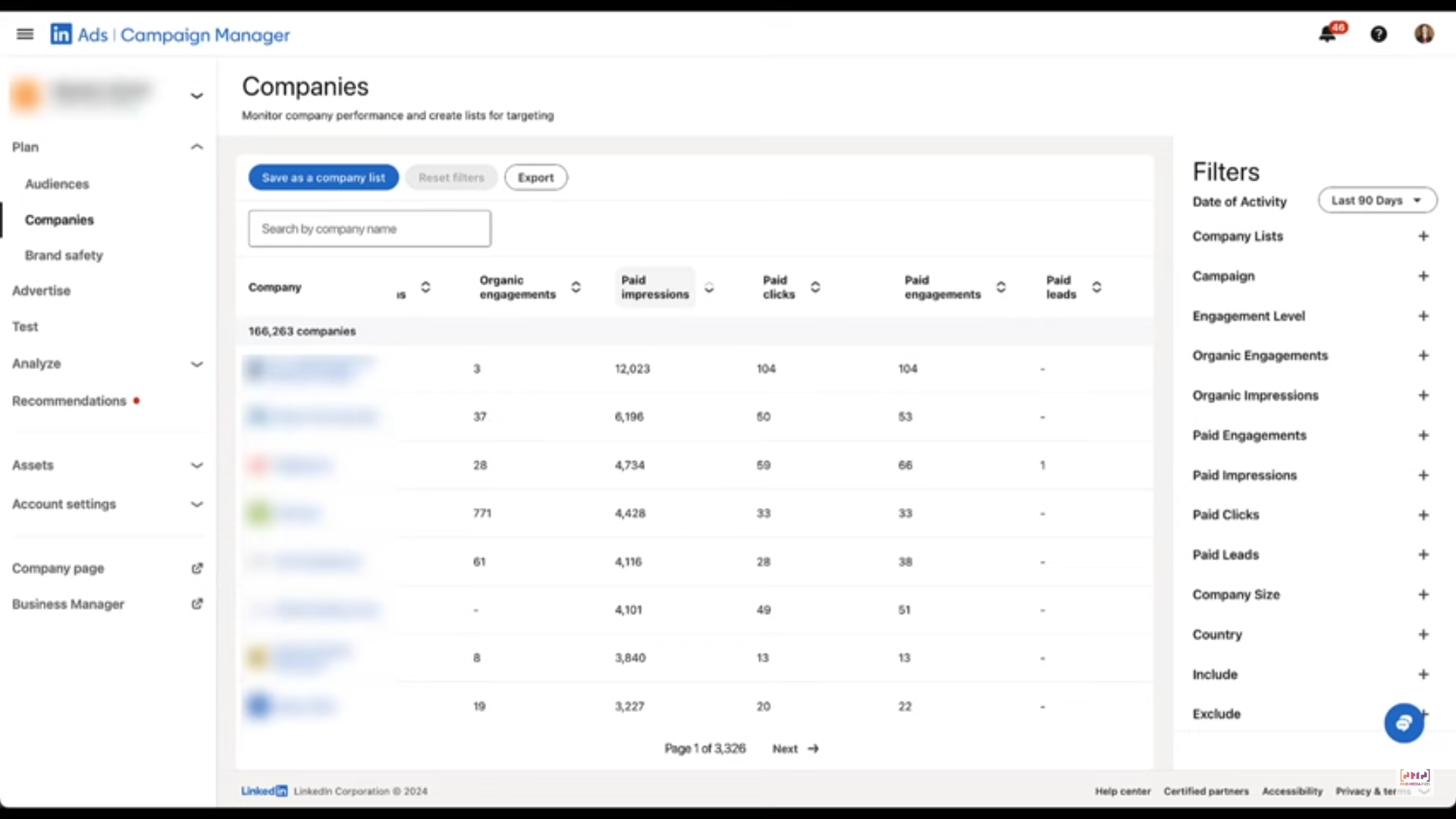
Here’s how you can go to the tab and use it:
Finally, you’ll see a table listing companies that have been reached by your ads in that period.
Look at the Paid Impressions column to see how many times members at each company were exposed to your ads.
By default, this may show the top companies; you can use the search bar to find specific accounts of interest or apply filters to refine the list.
The Companies tab in Campaign Manager does show which companies viewed your LinkedIn ads, but the data is aggregated across the entire ad account and period, not broken down by specific campaign.
So while you know that Company X saw or clicked an ad, you don’t know which one.
That’s a big problem for ABM teams, who often run several ABM campaigns simultaneously. Each of these includes multiple campaign groups, which in turn contain several individual ad campaigns.
Take this ABM campaign structure for example, which was used by Userpilot:
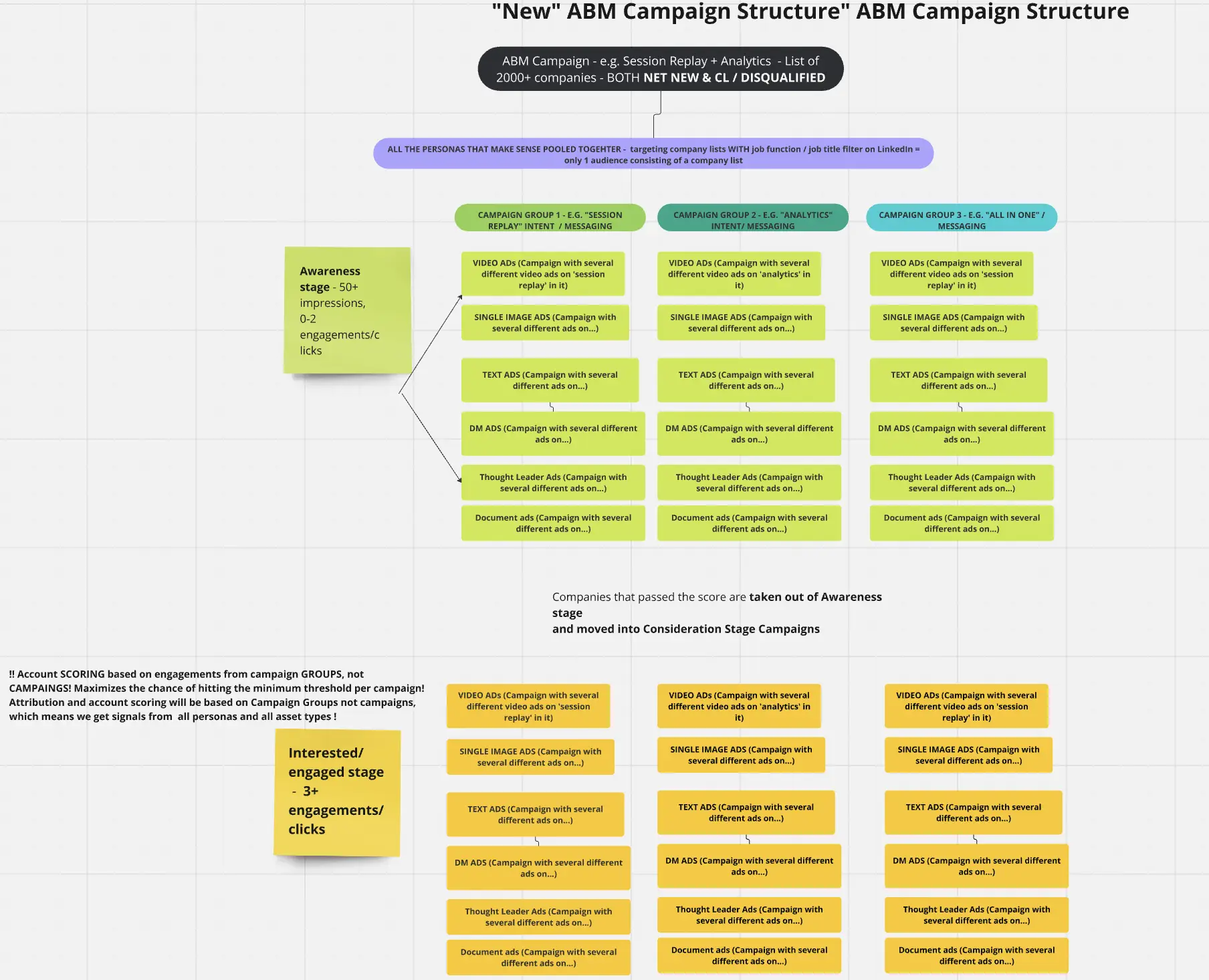
Each ad campaign, campaign group, and ABM initiative varies based on factors like:
That’s why tracking company-level impressions, clicks, and engagement across each individual campaign, group, and ABM stream is essential to:
So, while LinkedIn’s native solution may show which companies are seeing your ads, it won’t give the full breakdown needed for ABM clarity.
Say you’re running separate campaigns for Product A and Product B. If both reach Acme Corp, LinkedIn will show that Acme saw your ads, but won’t tell you which product they engaged with. That level of ambiguity undermines your ability to attribute intent or ROI.
Solution?
A tool that shows you company-level ad impressions data per campaign.
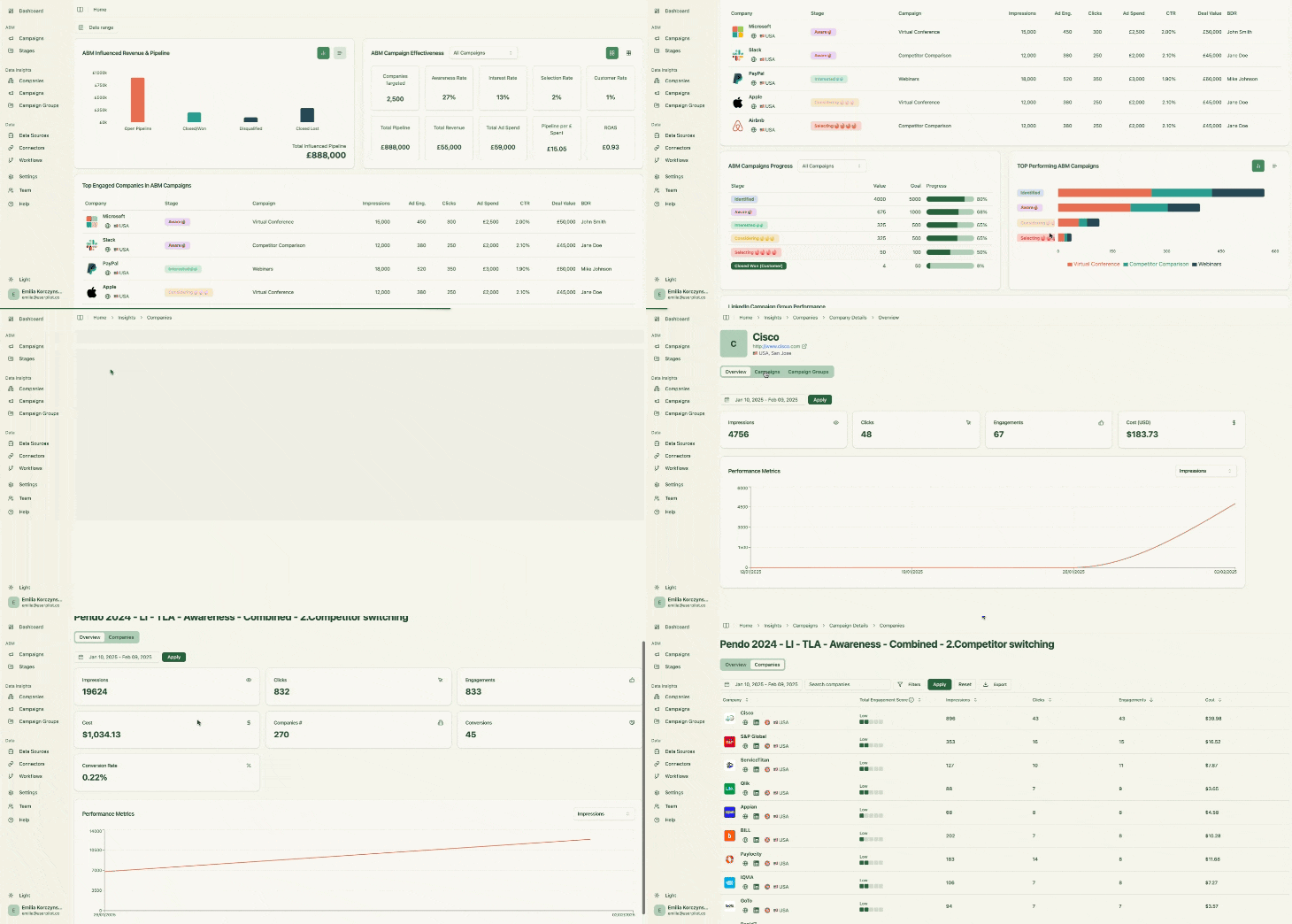
ZenABM is purpose-built for LinkedIn ABM and delivers precision with these features:
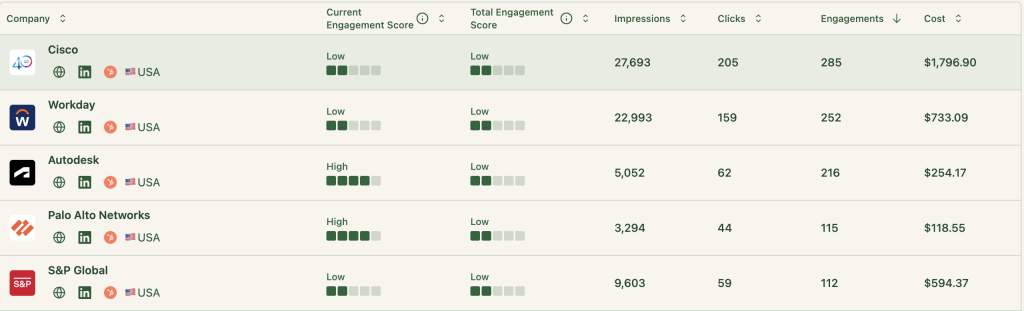
ZenABM records which companies:
Plus, this reporting is done for each campaign and campaign group.
Also, this is powered via LinkedIn’s official API—no third-party data hacks, cookies, or IP lookups.
Thius was the main feature we were looking for here, but there’s more:
ZenABM natively integrates with your CRM bi-directionally and without needing dev help.
ZenABM matches engagement from your LinkedIn campaigns with deal data from your CRM:
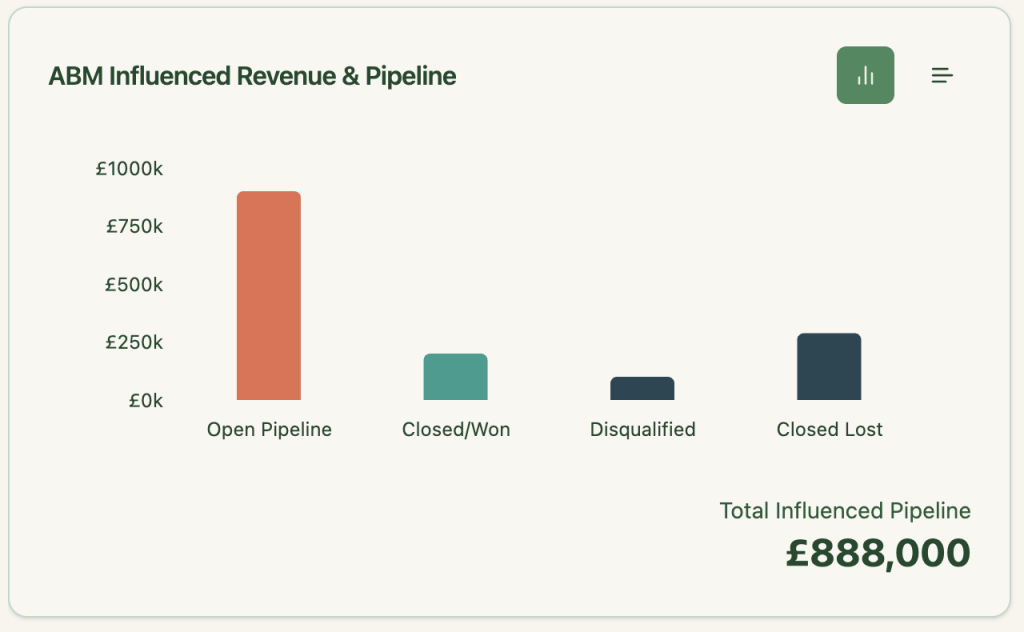
So you can confidently say things like:
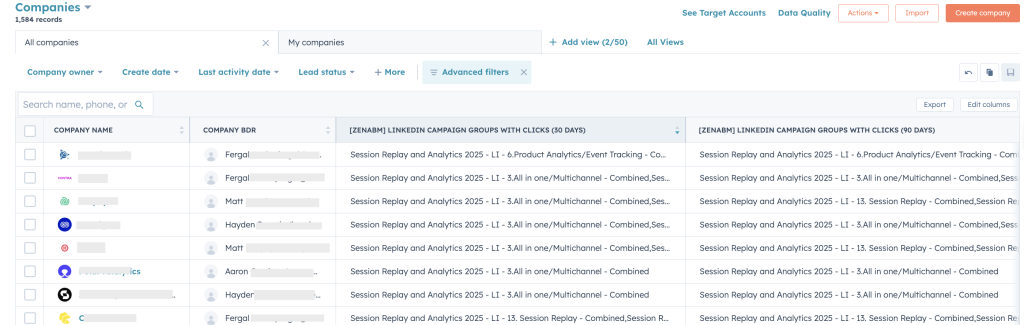
ZenABM sends engagement metrics to HubSpot as company-level properties:

ZenABM calculates a live “Engagement Score” for each company using click/impression data across all campaigns:
It then automatically routes qualified accounts to your BDRs in HubSpot:
You can also tag each campaign with buyer intent, and ZenABM will cluster companies based on shared behavioral signals:
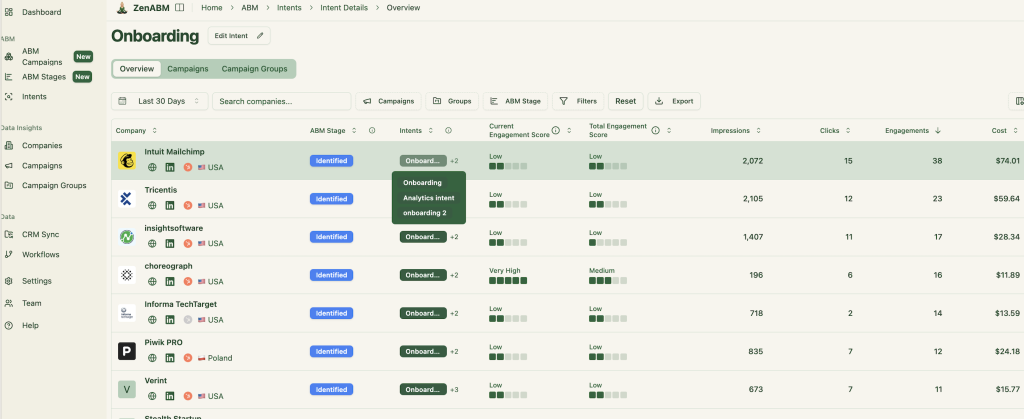
Intent is also synced into HubSpot:
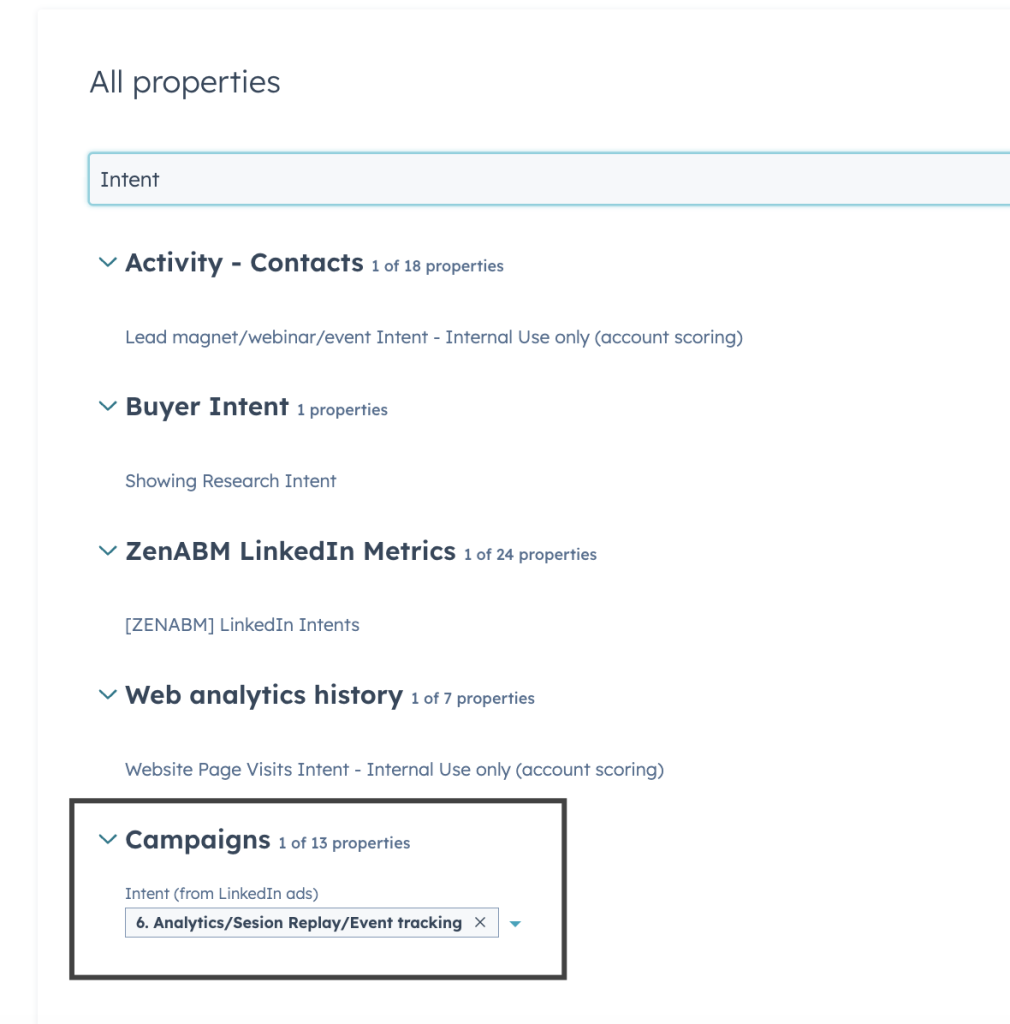
This ensures your team focuses on the right companies, at the right time, with the right message.
No need to build custom reports—ZenABM offers built-in dashboards that show ROI, ROAS, revenue, and more:
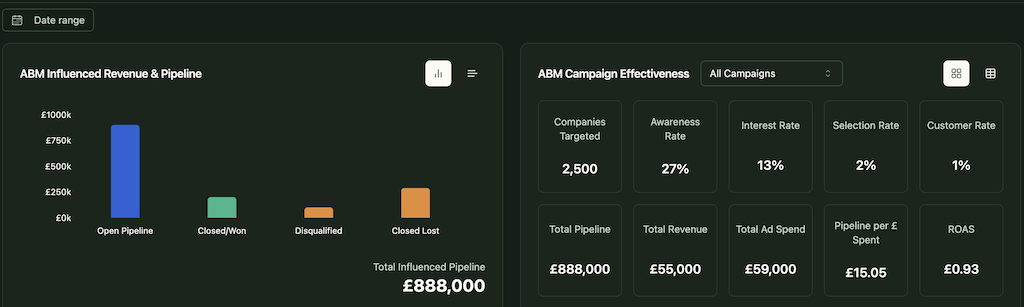
Bottom line: ZenABM shifts your approach from click-based to view-through attribution—while handling all the heavy ABM math in the background.
ZenABM comes with predefined objects like ABM campaigns, groups, and ads—making data organization seamless across all campaign levels.
Track each company’s ABM journey based on custom rules and real-time engagement data:


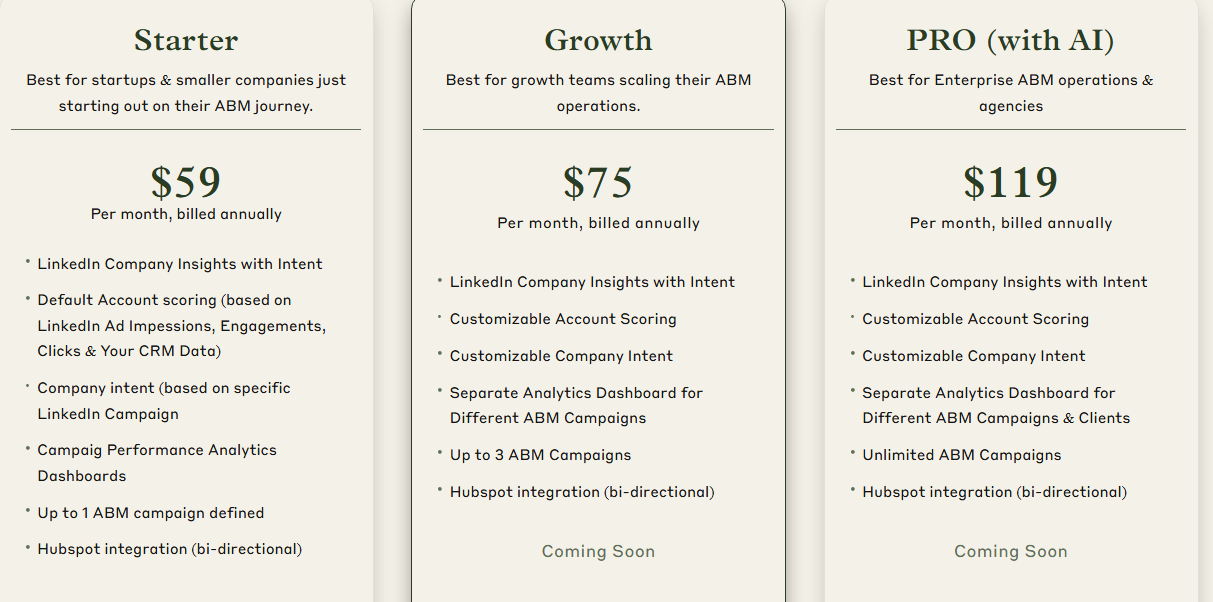
ZenABM offers flexible plans to match your ABM maturity:
All plans include a free trial. Check pricing or book a demo to learn more.
If you want to see exactly which companies saw your LinkedIn ads—and which campaigns drove impact—LinkedIn Campaign Manager alone won’t cut it. It can show which companies saw your ads, but which one – that’s not answered.
ZenABM fills in the gaps with campaign-level, company-specific insights synced straight into your CRM.
Explore ZenABM or start your free trial today.
