

©2026 ZenABM - All Rights Reserved.
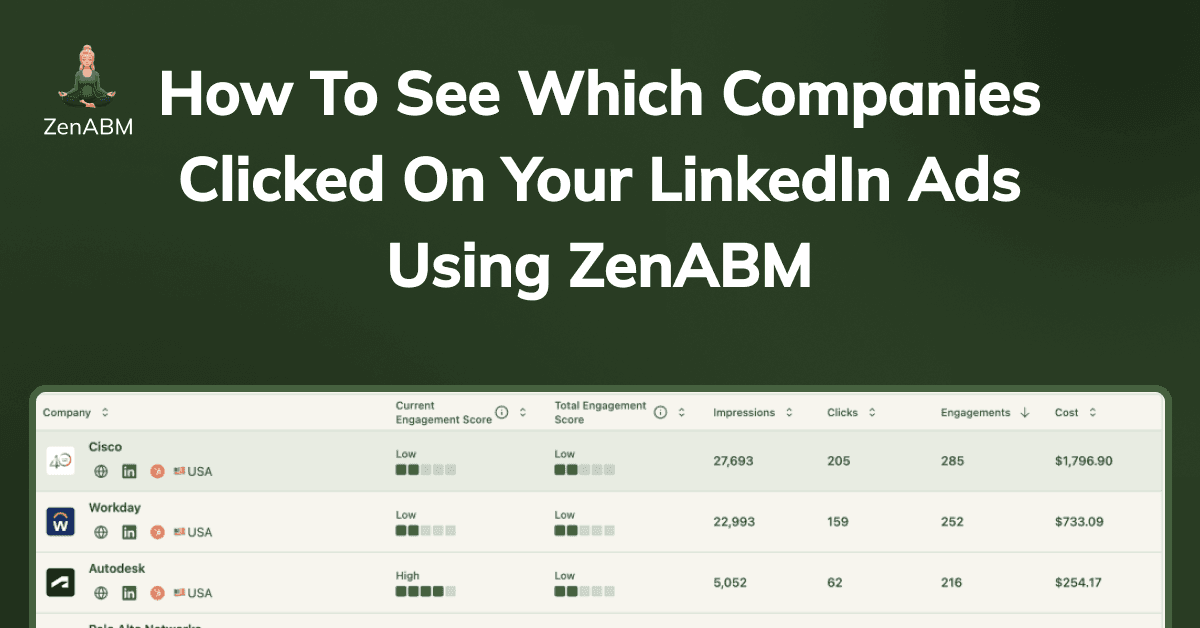
You can see which companies clicked on your LinkedIn ads in LinkedIn Campaign Manager itself.
Thanks to the “Companies Tab”, they rolled out in 2024.
But that’s insufficient: You cannot see exactly which ad campaign/campaign group a company clicked on.
In this article, I’ll show you:
LinkedIn’s native Campaign Manager has a Companies tab where you can see the companies that clicked on your LinkedIn ads under paid ads:
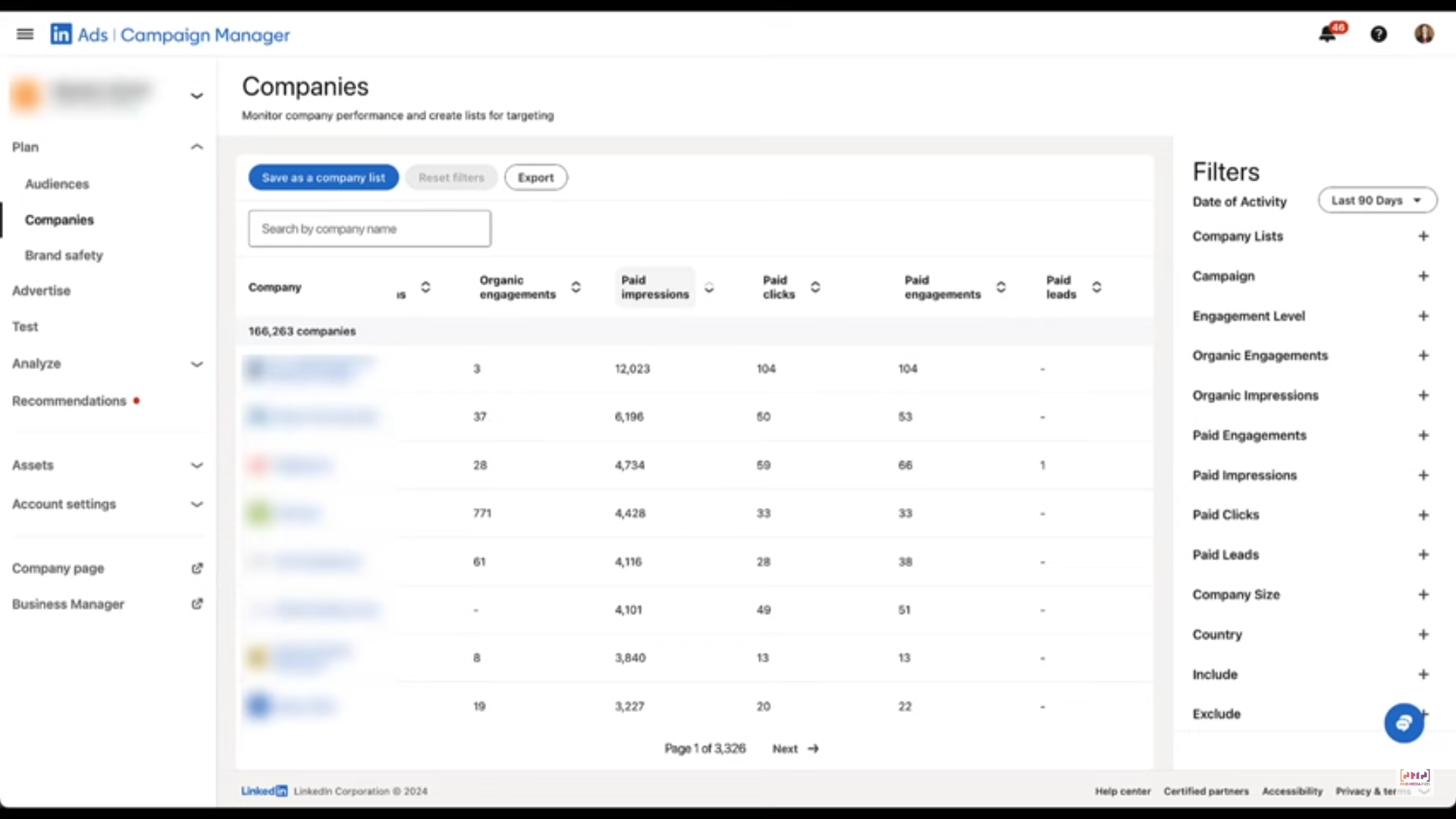
For it to work, you need no special integration. If you are running ads on LinkedIn, this should work.
Plus, you don’t just get to see ad clicks, you can also see:
Seems quite a lot?
I’d still say, too less for ABM.
All these metrics have been aggregated to your whole ad account. So, “Company X saw or clicked some of your ads” is what you get.
You still don’t know: Company-level impressions, clicks, and engagements for each particular ad. So, OK, Company X clicked/saw your ad, but which one?
Most ABM managers run multiple ABM campaigns at a time. These ABM campaigns have many campaign groups within them. Those campaign groups further have multiple ad campaigns.
Take this ABM campaign structure for example, which was used by Userpilot:
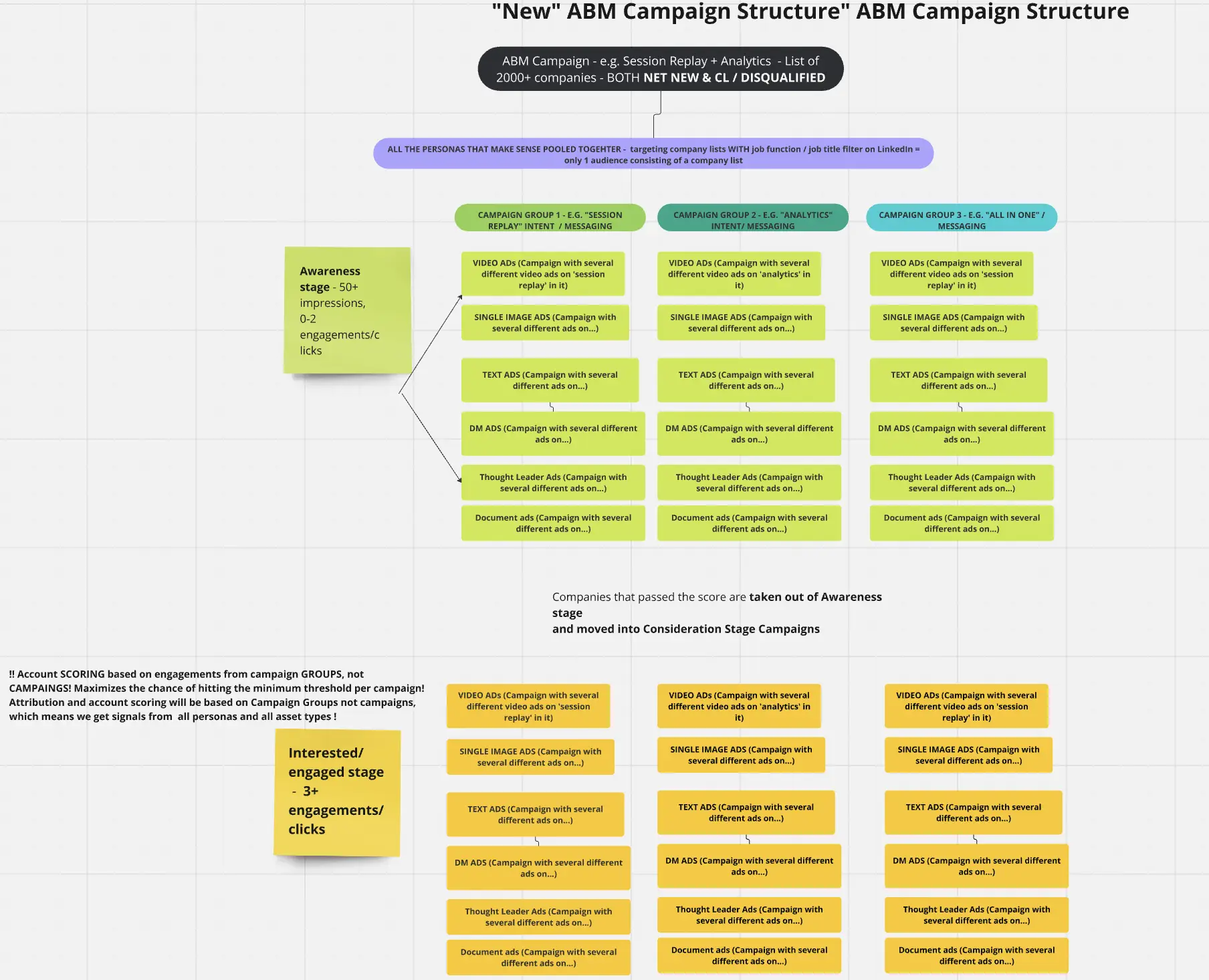
All these different ad campaigns, campaign groups, and ABM campaigns differ from each other on the basis of:
So, knowing company-level impressions, clicks, and engagements for each ad campaign, campaign group, and ABM campaign becomes necessary to:
Solution?
Third-party tools to help with your LinkedIn ABM strategy.
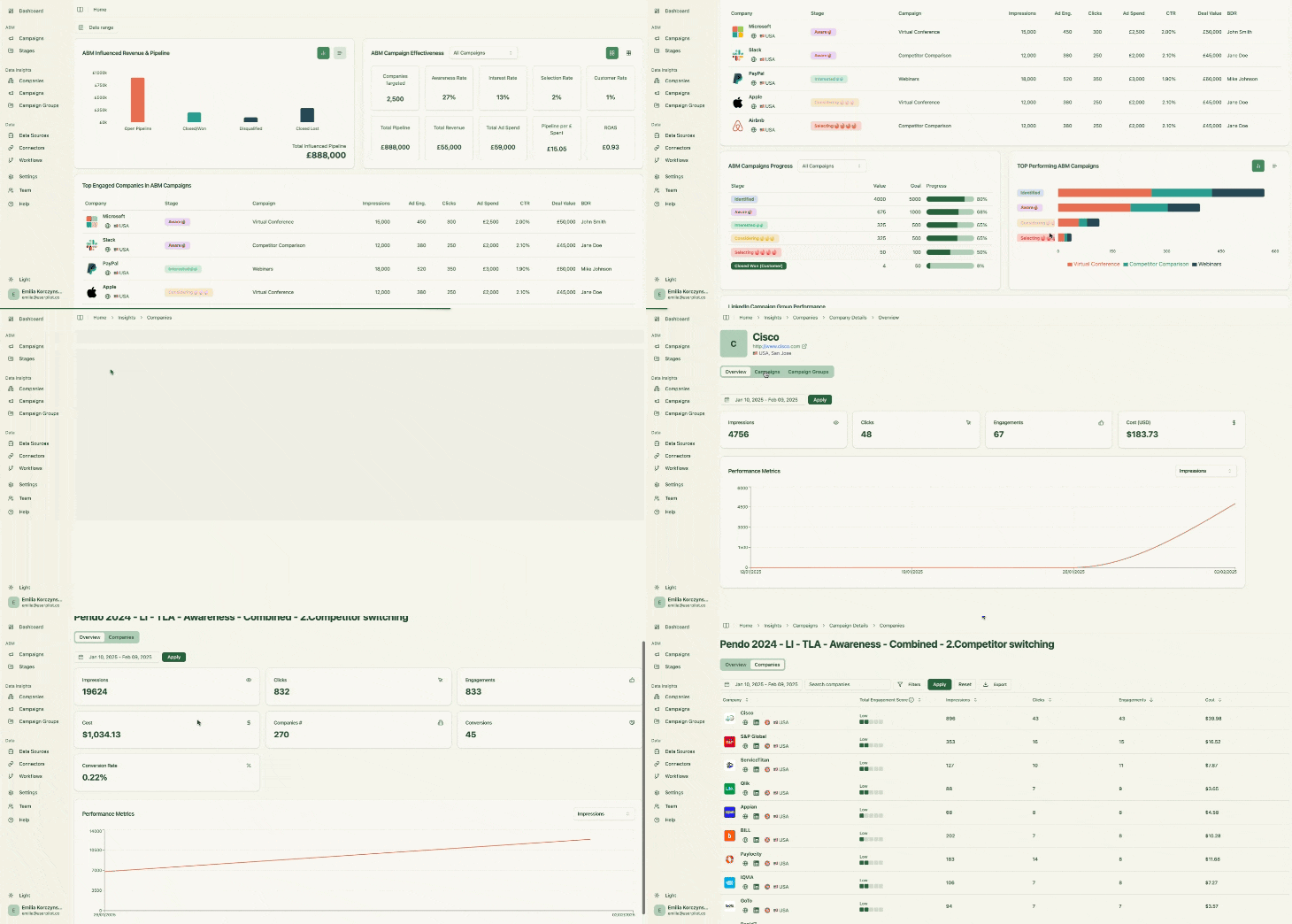
You can either go for ABM giants like Dreamdata, Demandbase One, Terminus, 6sense, etc., if you can justify the cost of their otherwise overwhelming multi-channel features.
But if LinkedIn is your primary platform for running ABM, ZenABM is purpose-built for it:
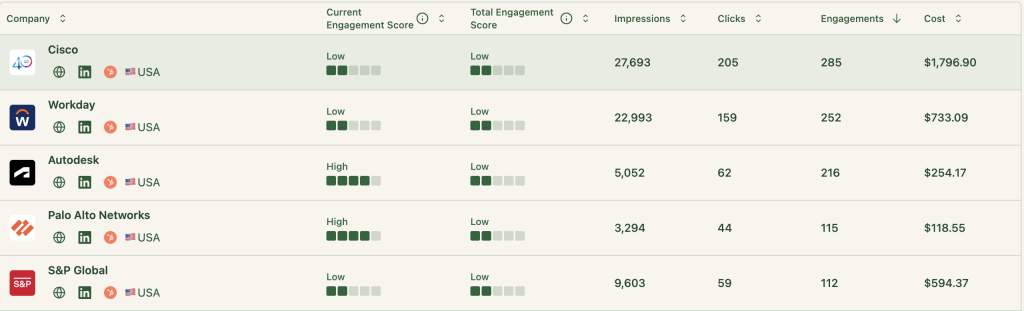
ZenABM captures all companies that:
So it natively tracks view-through engagement from every account. For example, if a prospect’s company saw your LinkedIn post-ad 50 times, then later came inbound on its own, ZenABM would still credit those 50 impressions.
And yes, ZenABM extracts this data from LinkedIn’s official API – no reliance on cookies, IP matching or third-party data sources.
ZenABM’s CRM integration is native, no-code and bi-directional:
ZenABM connects the dots: LinkedIn campaign impressions and engagement to deals in your CRM:
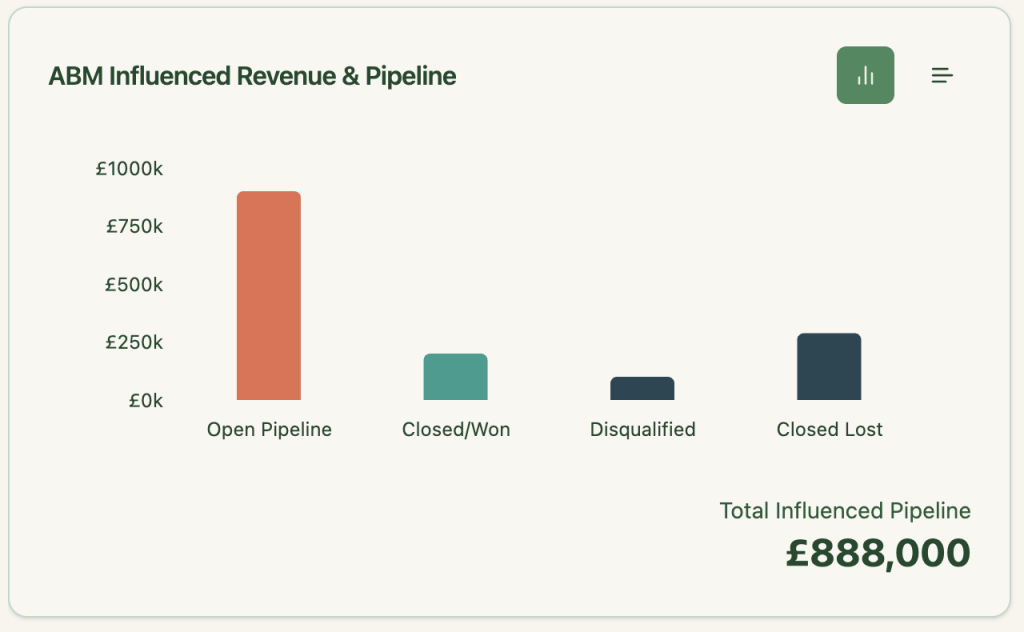
So you can finally say:
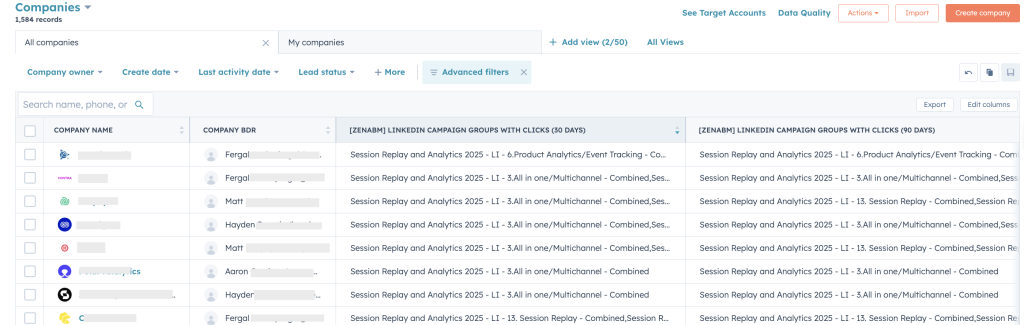
ZenABM pushes LinkedIn Ad engagement data to HubSpot as company properties:

ZenABM calculates a real-time “Current Engagement Score” based on impressions, clicks, and recency:
Then ZenABM assigns those accounts to your BDRs in HubSpot automatically:
Also, ZenABM helps you tag each campaign with buyer intent.
Then the tool groups engaged companies sharing a similar intent:
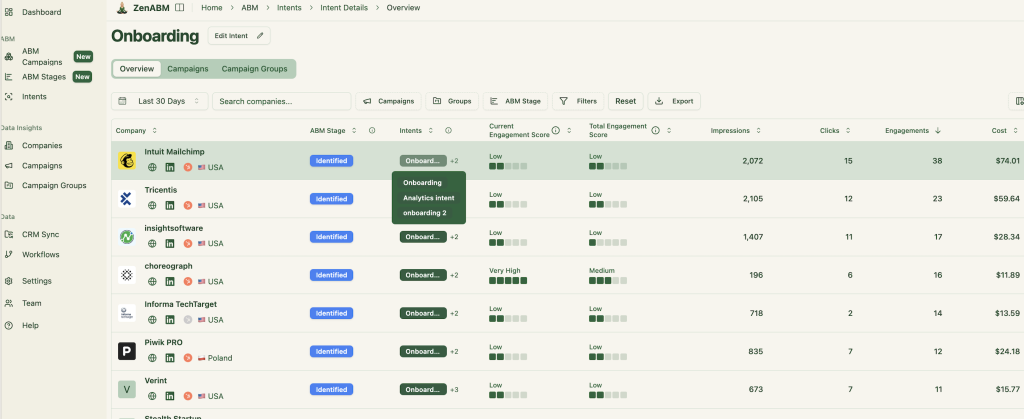
And the intent data is also pushed to the CRM:
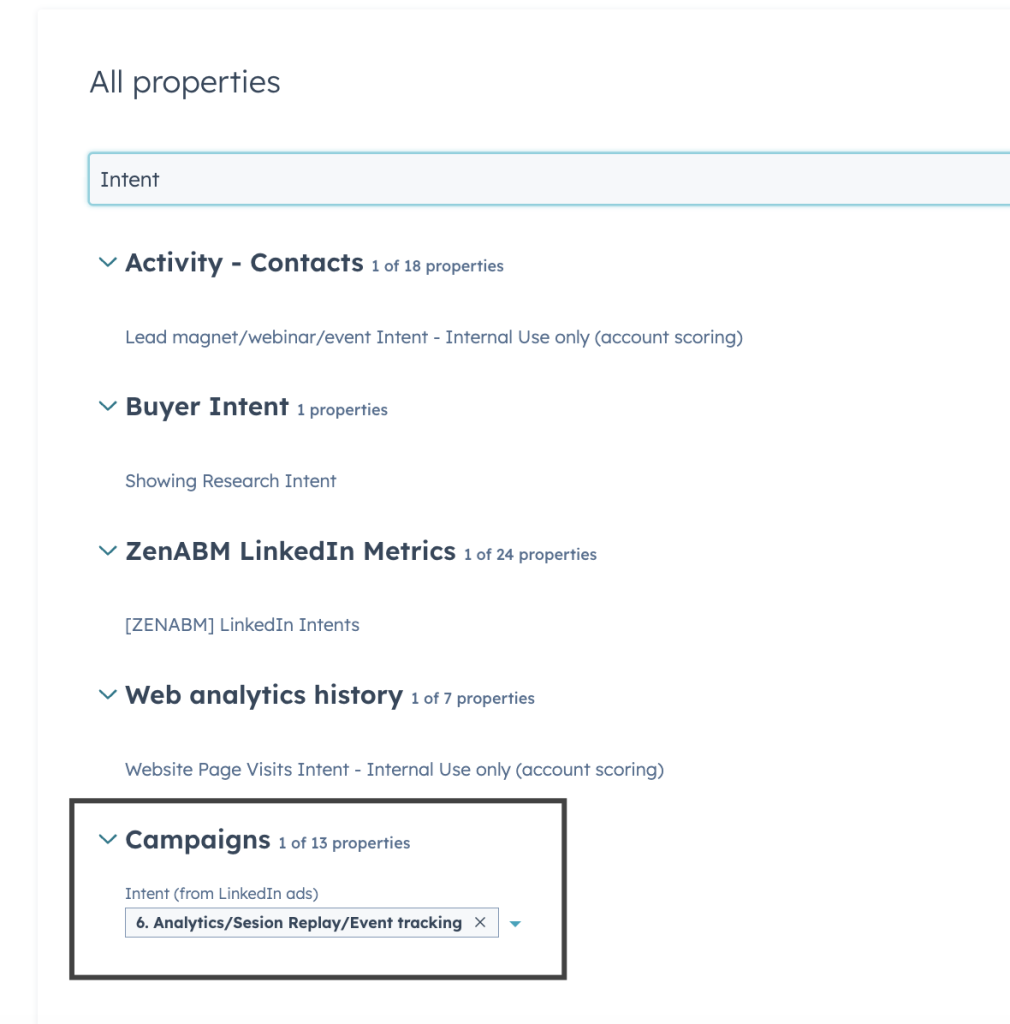
So, your team puts efforts on the right accounts, at the right time and lures prospects with the right feature ;).
With ZenABM, you don’t have to build dashboards or reports on your own.
The tool offers plug-and-play ABM dashboards to calculate metrics like ROI, ROAS, etc, of your LinkedIn ads ABM campaigns:
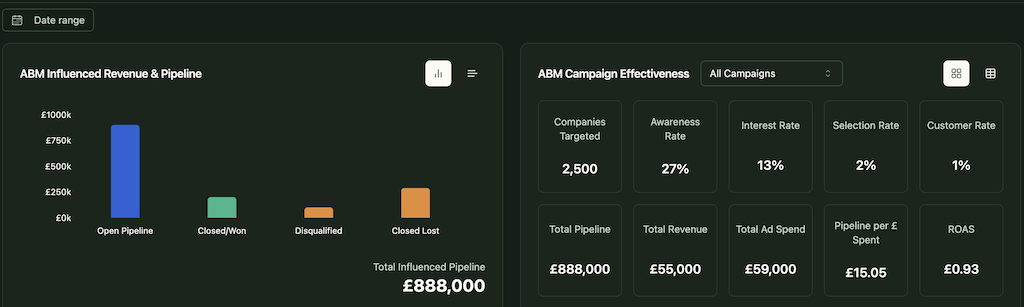
In short, ZenABM helps you switch from click-through to view-through attribution model, while also providing a hub to do all the ABM Math!
ABM provides you with multiple pre-defined objects like ABM campaigns, campaign groups, and campaigns out of the box, so you don’t have to keep reorganising your data at different levels for different campaigns.
Also, ZenABM tracks each company’s ABM stage based on the engagement data collected and the rules you set:


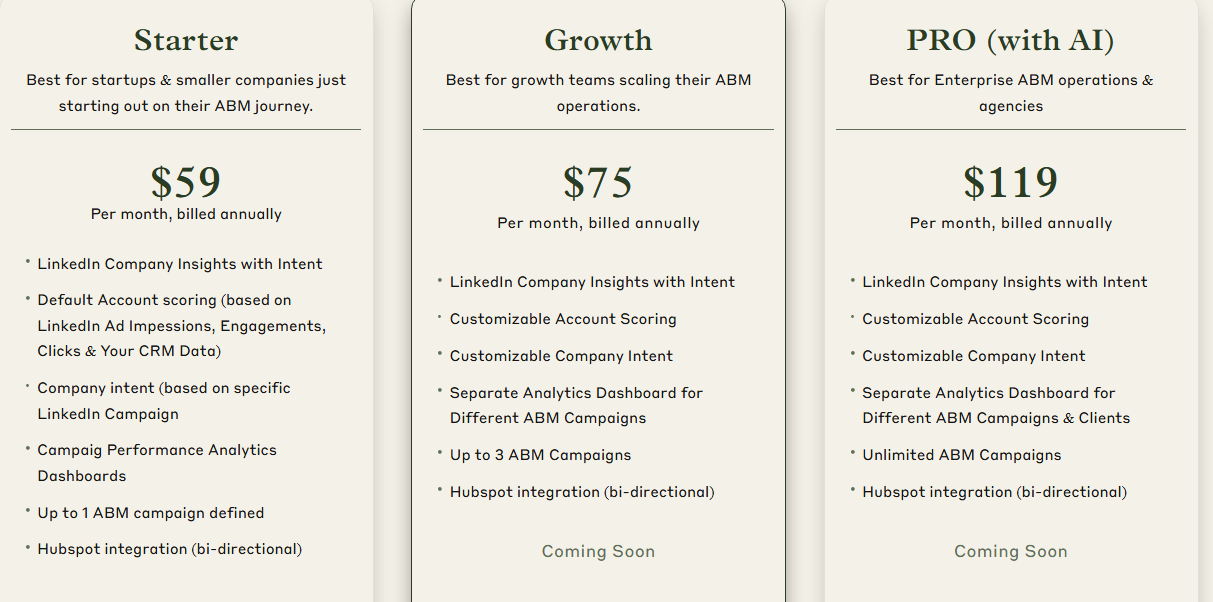
ZenABM offers three straightforward plans designed to grow with your ABM journey.
The Starter plan at $59/month (billed annually) is perfect for early-stage teams, offering LinkedIn company insights, default account scoring based on ad and CRM data, campaign-level intent, one ABM campaign, and native HubSpot bi-directional sync.
The Growth plan, at $75/month, adds customizable scoring, separate dashboards for up to 3 campaigns, and upcoming features like BDR assignment, Slack alerts, and weekly email reports.
For enterprise teams and agencies, the Pro plan at $119/month unlocks unlimited campaigns, client-specific dashboards, and upcoming AI-powered workflows like smart impression capping and campaign automation.
All plans come with a free trial, and if you need to know more, you can book a demo here.
LinkedIn’s Companies tab is a step forward, but not far enough.
For real ABM, you need more than a vague “Company X clicked something.” You need to know which ad they clicked, what intent it revealed, and how it moved them through the funnel.
That’s where ZenABM steps in.
It doesn’t just tell you who clicked. It tells you what they saw, what they did next, and how that ties back to your pipeline, down to the campaign, ad group, and buyer intent level.
If you’re serious about LinkedIn Ads for ABM, don’t settle for blind spots. See clearly. Act faster. Attribute precisely.
Try ZenABM today!
