



If you’re running ABM ad campaigns on LinkedIn, knowing exactly which companies are being served impressions and how much can be really helpful to know their buying stage and market to them further accordingly. Plus, if you could push these LinkedIn ad impressions to your CRM, it would save you hours of juggling around CSVs and pinging your sales peeps.
Now most CRMs and LinkedIn campaign manager don’t provide company-level impression tracking, let alone being able to push these ad impressions to your CRM.
So, we built ZenABM. The tool was purpose-built to first track company-level LinkedIn ad impressions per campaign and then push this ad impression data as a company property into your CRM. Now it does a lot more.
So, let’s dive into more details.
Let’s get one thing straight: most of your LinkedIn ad viewers won’t click. In fact, the average CTR on LinkedIn sponsored content is around 0.44%. That means more than 99% of your target audience might engage with your message without ever clicking on it.
Now imagine this: a decision-maker at a top target account sees your ad five times over the course of two weeks, never clicks, but later visits your site via branded search. If your CRM only tracks clicks and form submissions, that interaction never gets recorded. Your BDRs won’t know the account is warmed up. Your marketing team won’t attribute the later deal to that initial ad exposure.
And just like that, LinkedIn becomes a black box.
That’s why pushing impression data into your CRM matters. It connects the dots between brand exposure and buying actions, helping you:
But again, most CRMs don’t make this easy:
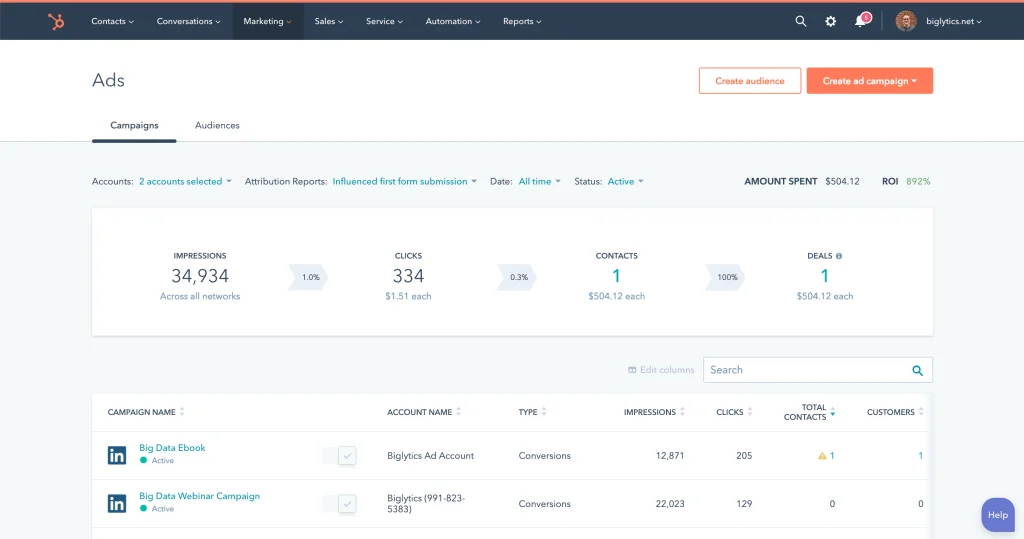
CRMs like HubSpot and Salesforce do allow you to connect your LinkedIn ad accounts, but their integrations are shallow.
They typically:
What they don’t do is:
You’ll have to hire HubSpot experts to build such workflows for you.
So if you’re relying solely on your CRM’s native options like HubSpot’s native LinkedIn Ads tool, you’re leaving tons of buyer intent signals on the table.
In ZenABM’s dashboards, you can see company-level ad impressions data for each LinkedIn ad campaign/campaign group. Plus, you can also see the engagements, clicks, and ad spend – all on company-level for each campaign:
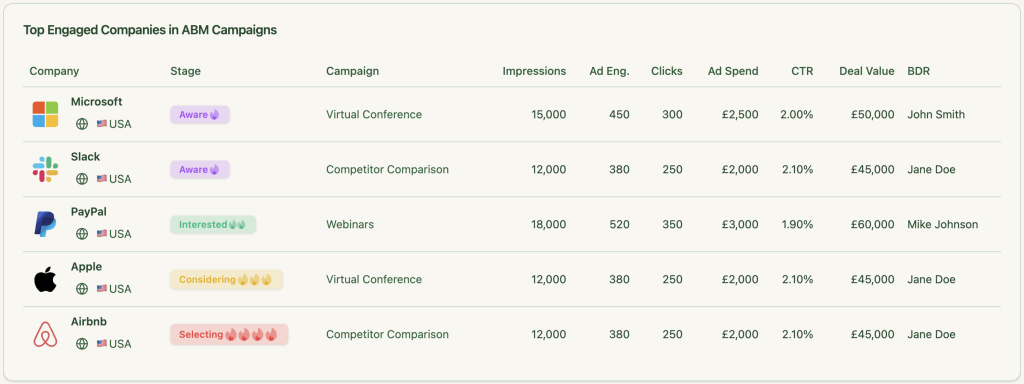
Now, you can push these same ad impressions and engagement data as a single company property into your HubSpot CRM:


The company properties are based on time periods and type of metric (clicks, impressions, engagement, etc.) like “LinkedIn Ad Engagements – 7 days” and “LinkedIn Ad Clicks – 7 days”:
Plus, workflows in HubSpot can accumulate these metrics over time into properties like “Cumulative LinkedIn Ad Engagements” and “Cumulative LinkedIn Ad Clicks,” providing a running total for each account:
Also, LinkedIn refuses to show engagement data if the interactions per company are less than 3 in a specific time period:
So, ZenABM solved this by giving one more option: data aggregation at the campaign-group level.
This gives your marketing and sales teams full visibility into each company’s engagement across LinkedIn campaigns—no manual data entry in HubSpot required.
You can connect ZenABM with your CRM to push ad impressions to the CRM in just a few steps:
1. Sign up for ZenABM using a company e-mail and verify that company e-mail.
2. Now, click on “Continue setup” and click the “Connect LinkedIn” button: 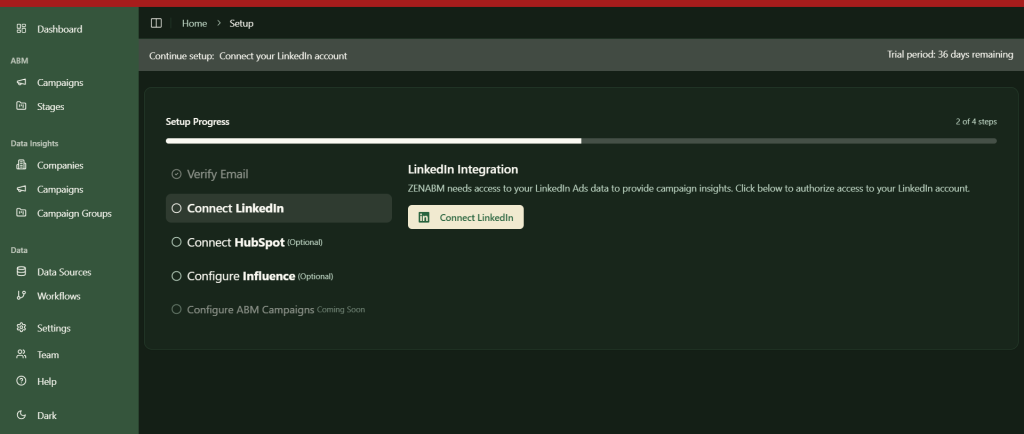
3. Sign in to your LinkedIn account and complete the verification:
4. After this, you’ll be led back to ZenABM where you must choose the LinkedIn ad account you want to integrate: 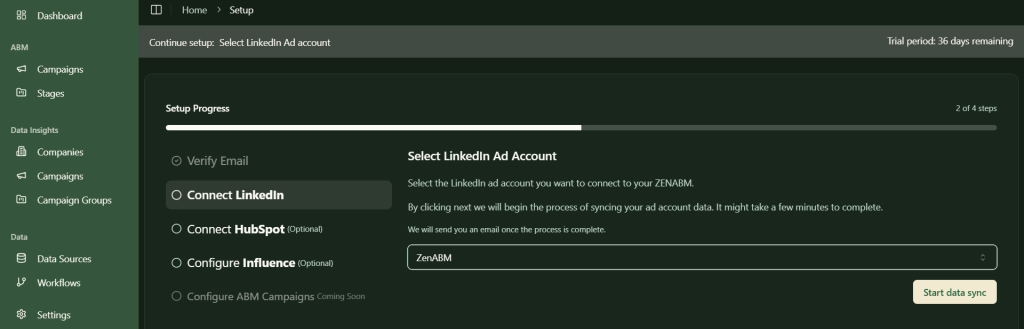
5. Similarly, click on the “Connect HubSpot” button, sign in to HubSpot, and choose the account:
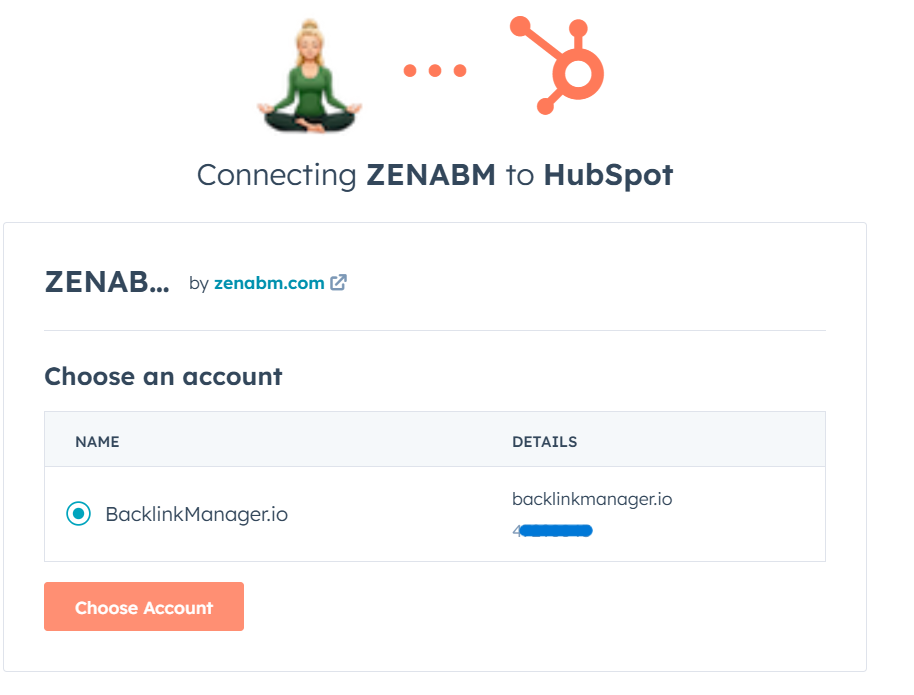
6. Now, your LinkedIn ads HubSpot integration is almost ready. Just choose the threshold number of impressions a company must have for the deal creation to be considered as influenced by your LinkedIn campaign. This step is necessary to ensure that companies with insufficient engagement are not pushed into your CRM.
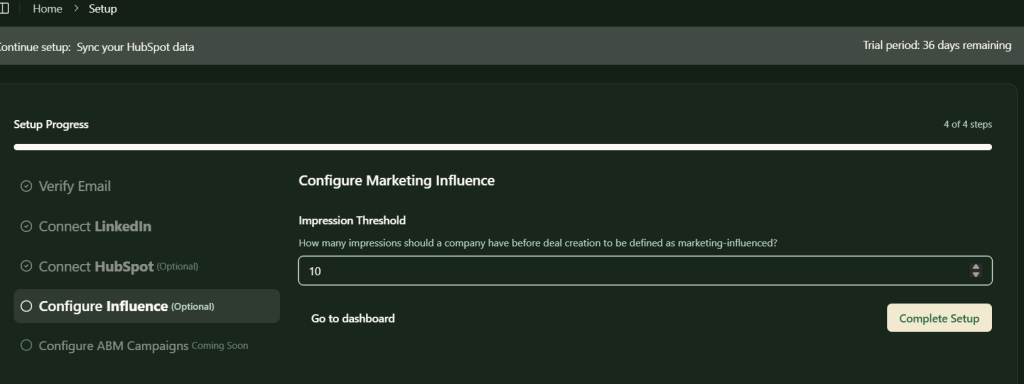
Following all these steps, your LinkedIn ads HubSpot integration is set up, and you’ll be all set to push company-level ads engagement data for each specific campaign to your CRM.
Ok, we saw ZenABM tracks company-level ad impressions per campaign and pushes them to your CRM, but what’s the source?
The source is LinkedIn’s official Ads API.
Third-party solutions like website visitor identification tools (like RB2B, Warmly, Demandbase, etc.) that rely on reverse IP lookup or DANs have their limitations
Website visitor identification based on reverse IP lookup already leaves companies that only saw your ads but didn’t click to land on your site. To add to the woes, these reverse IP lookup technologies aren’t always accurate (credits: private networks, remote work policies, or companies unwilling to register their IP address).
In fact, according to a study by Syft, Clearbit is the most accurate of many popular deanonymization services, and its accuracy is just 42 per cent:

DANs don’t cut it either because they rely on cookies and behavioural matching. The former is being phased out by Google and the latter doesn’t work because behaviours profiles of people often become outdated (hello, job changes and crazy career strategies).
Plus, bot fraud still plagues the web:
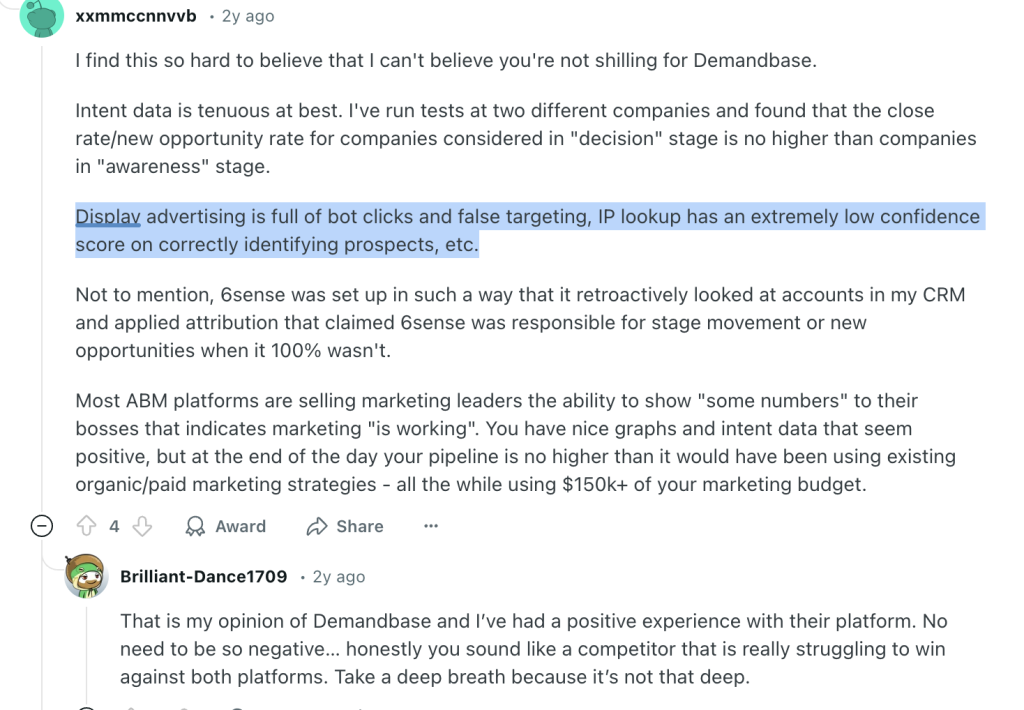
These issues make third-party options very unreliable, and first-party impression data pulling from LinkedIn’s API, which ZenABM does,is a necessity.
ZenABM offers a lot more for your LinkedIn Ads ABM strategy and operations than just the ability to push ad impressions to your CRM:
ZenABM automatically evaluates each account based on its most recent LinkedIn ad interactions, not just past engagement. It calculates a real-time “Current Company Engagement Score” for a set timeframe (like the last 7 days), highlights your hottest accounts, and updates their ABM stages in HubSpot without manual effort.
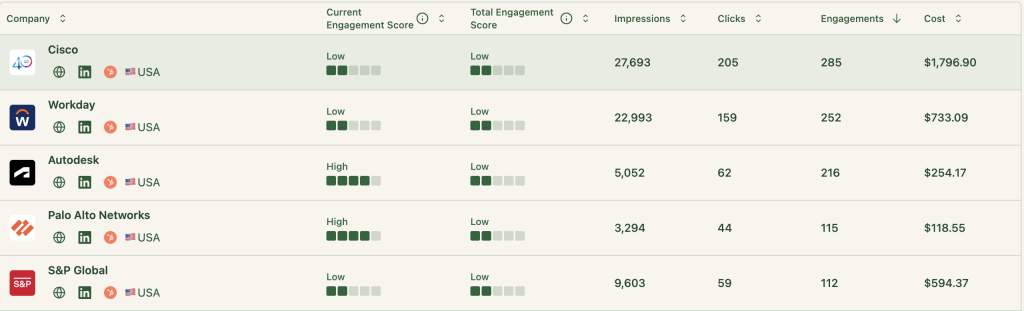
And then it assigns BDRs to companies that cross certain engagement score thresholds:
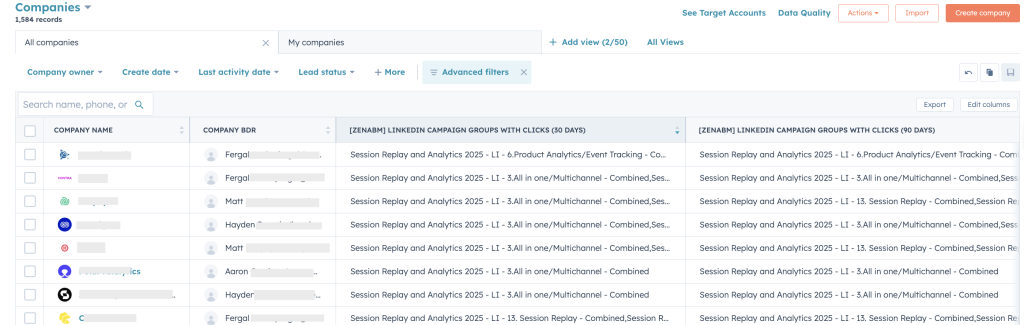
This is another CRM automation feature available ready-made in ZenABM – you need not do mental toil with Zapier or HubSpot workflows.
ZenABM not only pushes information (ad impressions, BDR details etc.) but also pulls data. Yes, its CRM integration is two-way.
The tool matches the companies engaging with your ads from the ones in your deals/opportunities in your CRM to show you the deal value of each company next to the engagement data:
Plus it graphically depicts the effect of your LinkedIn ads on your overall pipeline and closed deals:
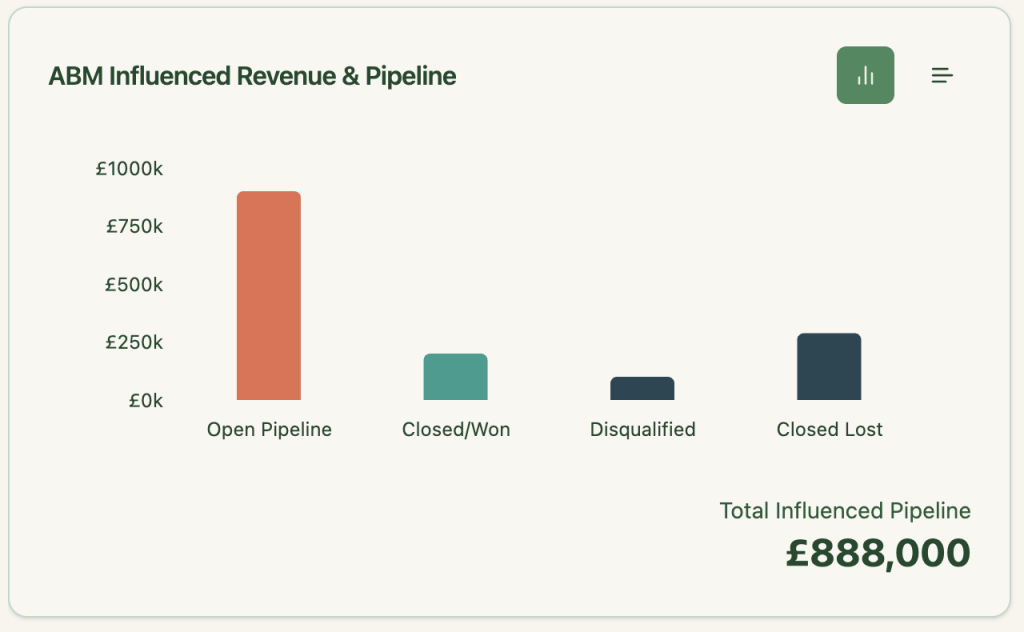
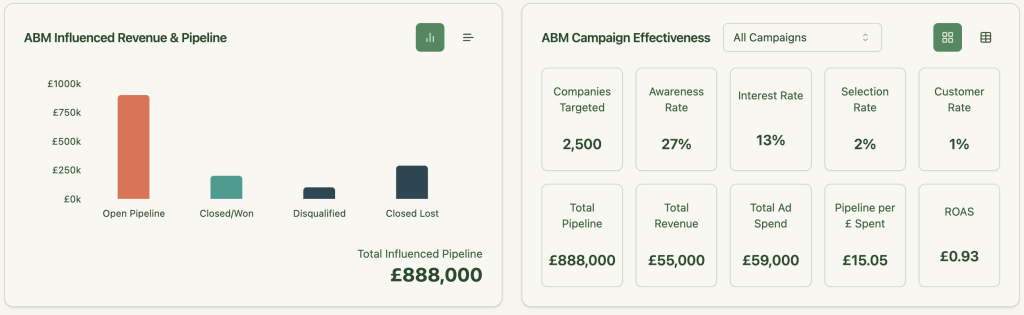
ZenABM hosts comprehensive out-of-the-box account intent & ABM campaign effectiveness analytics dashboards that show metrics like total pipeline, revenue, ad spend, pipeline per dollar (you can choose your currency) spent, and more:
ZenABM shows you exactly which companies engaged with each campaign or campaign group, making it easy to retarget them with tailored messaging.
Here’s how to put that into action:
Buyer intents come into play if your campaigns are tailored to different use cases or pain points. For instance, if you’re promoting project management software and notice a company engaging heavily with your “productivity enhancement” ad but ignoring the “secure file sharing” one, your BDRs instantly know what they should talk about during their outreach.
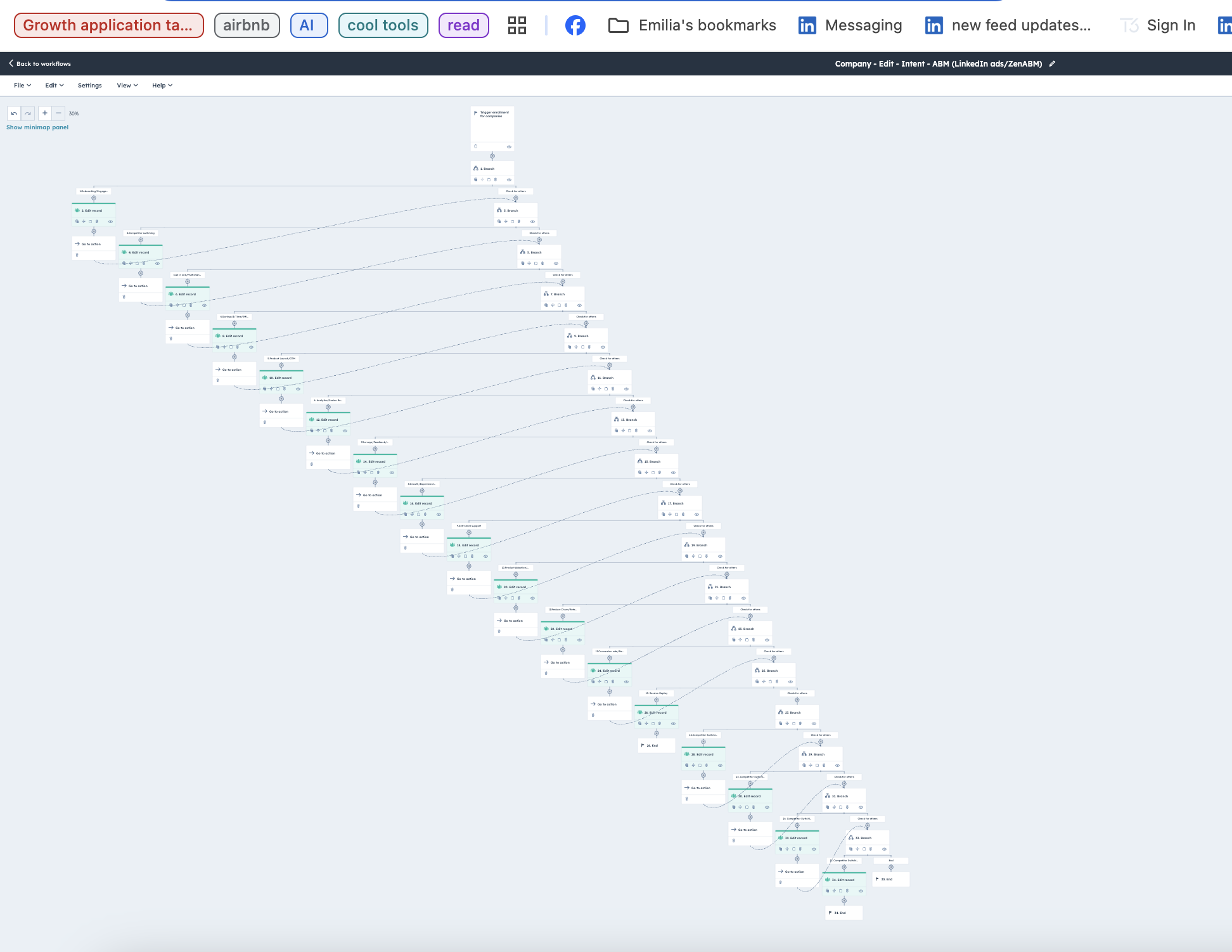
But trying to build such a workflow for multiple campaigns in your CRM like HubSpot would take days if not weeks.
Here’s how complex such a workflow seems in HubSpot:
But at ZenABM you have this ready-made for you:
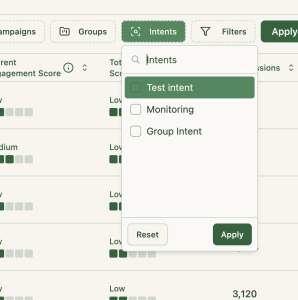
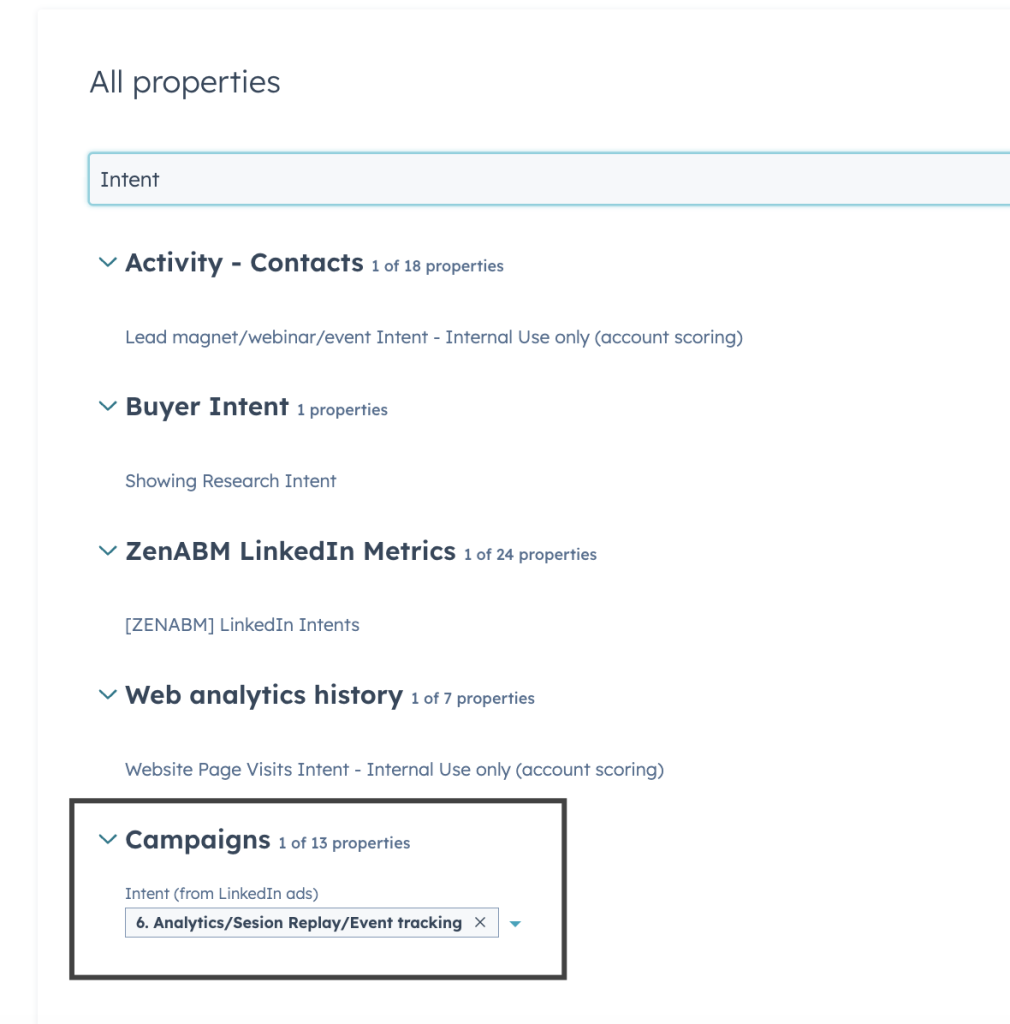
You can set intent(s) to each campaign/campaign group and push the same into HubSpot:
If you want to learn more about designing LinkedIn campaigns that reveal your prospects’ feature/use-case preferences, check out our guide on running ABM campaigns using LinkedIn ads.
LinkedIn ads don’t just drive clicks. They build invisible intent. And if your CRM can’t capture that intent, you’re flying blind. ZenABM bridges this gap by pushing company-level LinkedIn ad impression data straight into HubSpot, scoring accounts in real-time, assigning BDRs, and tying ad engagement to actual revenue.
Start turning invisible engagement into visible pipeline — book a ZenABM demo today.


