

©2026 ZenABM - All Rights Reserved.

Tracking company-level LinkedIn ad engagements per campaign, especially impressions, helps you track buying stages, market more effectively, and attribute ROI accurately.
Syncing this data to your CRM ensures your account/deal lists and LinkedIn ad engagements are in the same place.
But most CRMs and LinkedIn’s native integrations miss this entirely.
So we built ZenABM to track LinkedIn ad engagements (even impressions) by company and campaign and push them into your CRM automatically (now it does a lot more, though).
Let me tell you more…
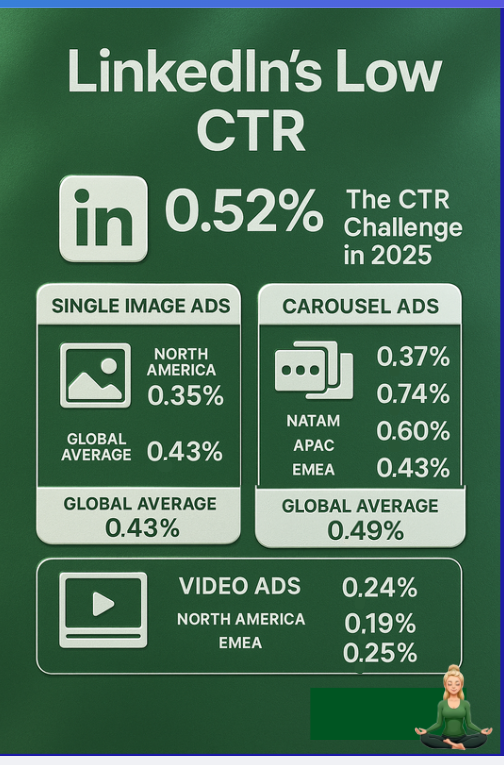
Let me be clear: most people who see your LinkedIn ads won’t actually click.
With an average click-through rate of just 0.4-0.5% on sponsored content, over 99% of your audience may see and engage with your messaging without ever taking direct action.
I mean, imagine this: a decision-maker at a high-value account views your ad multiple times across two weeks but never clicks. Later, they search your brand and visit your website. If your CRM only logs clicks or form fills, that engagement goes unnoticed. Sales won’t know the account is warming up, and marketing won’t connect the dots between that exposure and the deal that follows.
In that case, LinkedIn turns into a blind spot.
Ok, engagement tracking is essential, but why push it to CRM?
Well, because you have your target account list and deals in CRM, having company-level LinkedIn ad engagement data there would help you:
And you needn’t do this manually. This push must be automated.
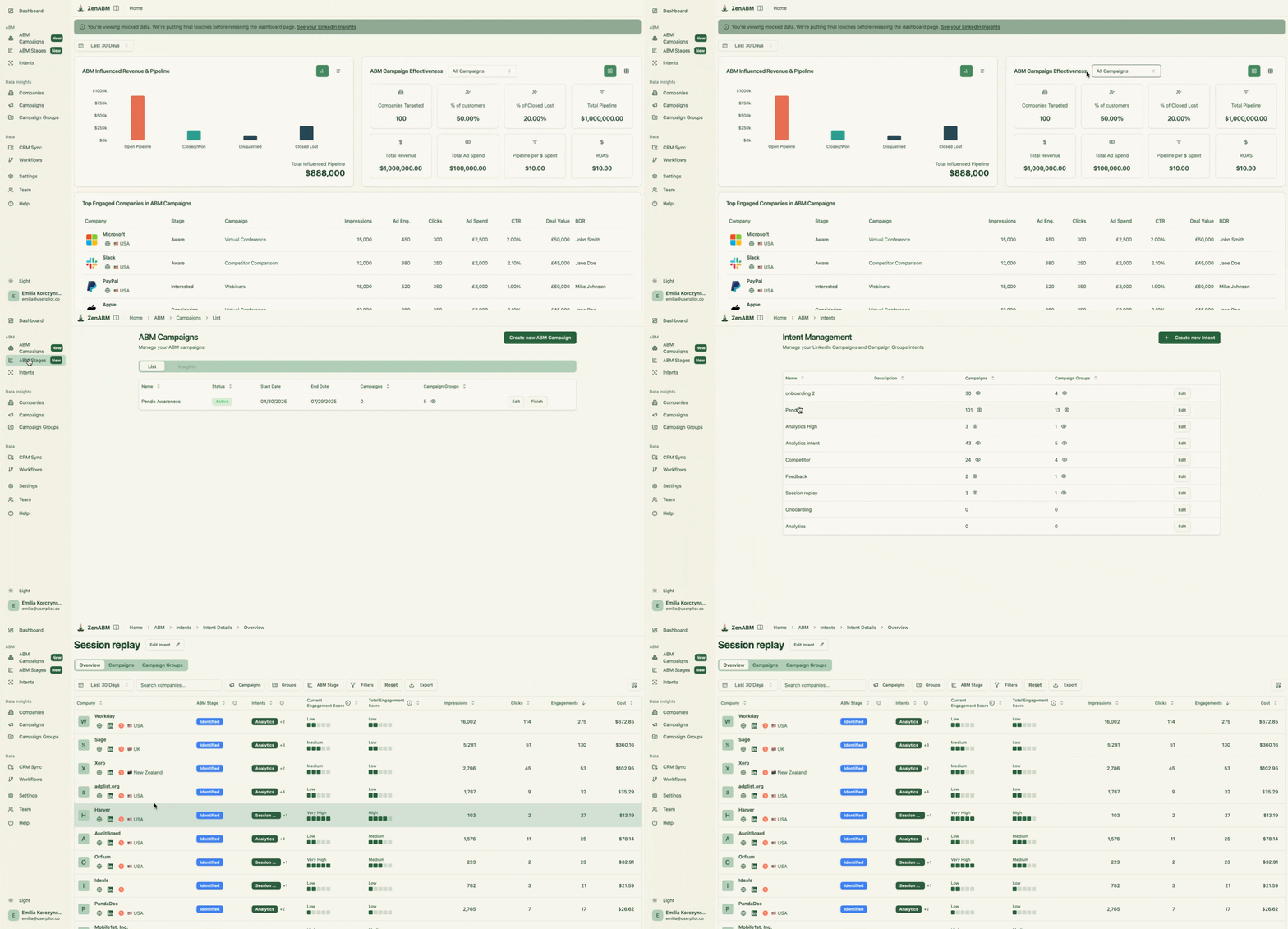
So, how do we actually get these valuable LinkedIn engagement insights flowing into your CRM?
ZenABM is purpose-built for this task.
In ZenABM’s dashboards, you get a clear view of company-level impression data for every LinkedIn campaign or campaign group.
You’ll also be able to track engagements, clicks, and ad spend, broken down by company for each campaign:
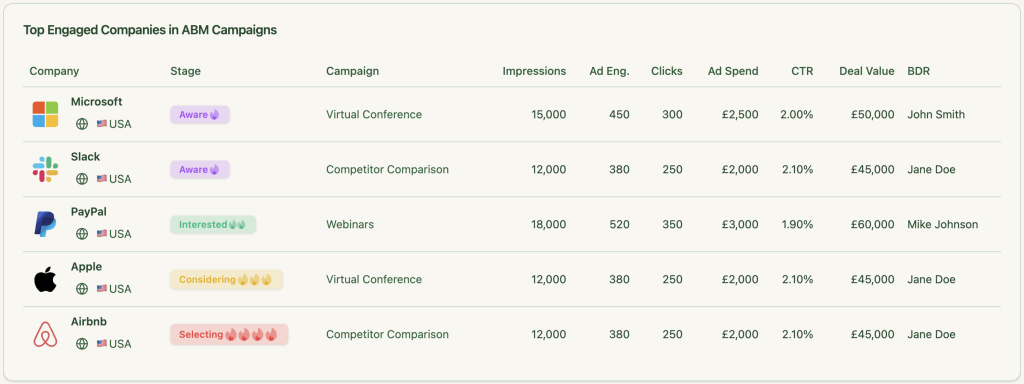
Then you can push these same ad impressions and engagement data as a single company property into your CRM.
Here’s how it looks for HubSpot, for instance:


You can connect ZenABM with your CRM to push ad impressions to the CRM in just a few steps:
1. Sign up for ZenABM using a company e-mail and verify that company e-mail.
2. Now, click on “Continue setup” and click the “Connect LinkedIn” button: 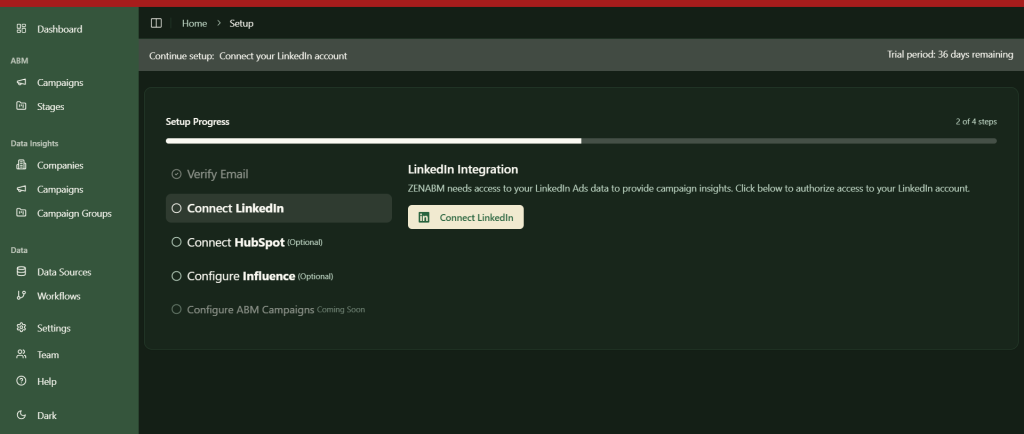
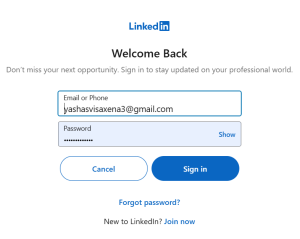
3. Sign in to your LinkedIn account and complete the verification:
4. After this, you’ll be led back to ZenABM where you must choose the LinkedIn ad account you want to integrate: 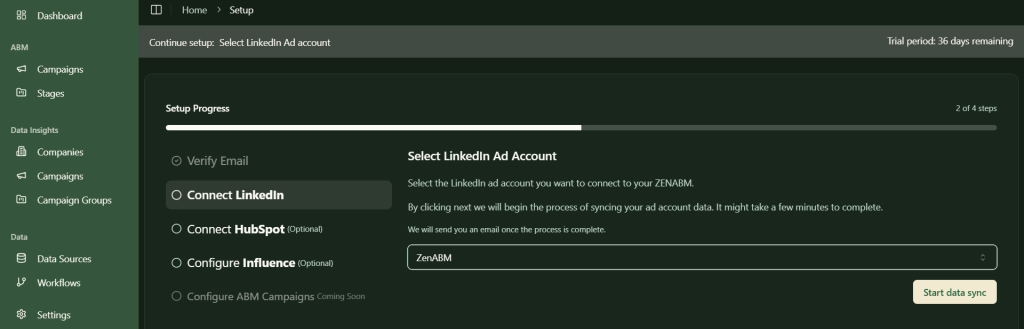
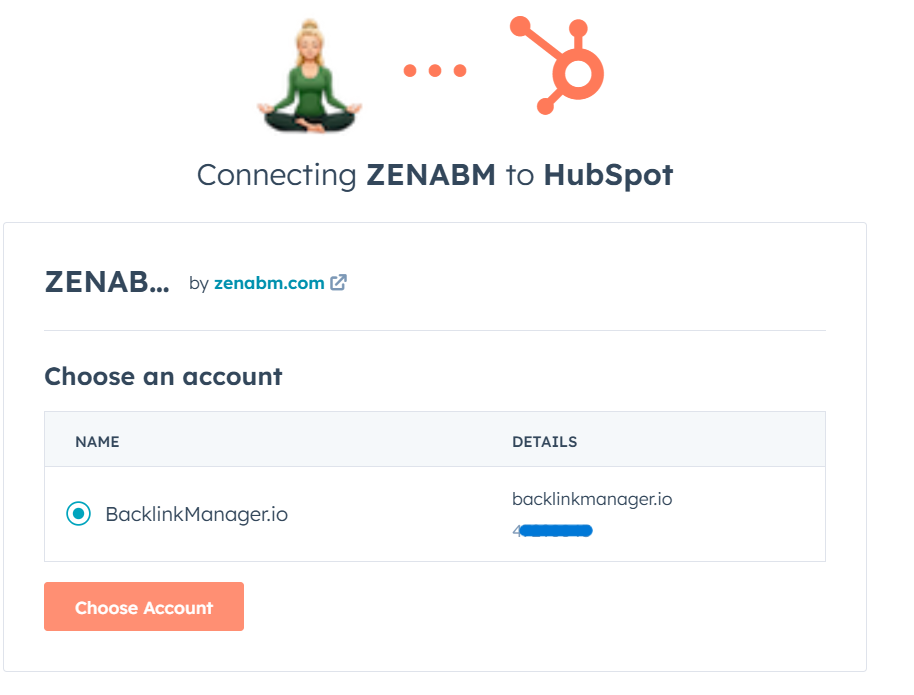
5. Similarly, click on the “Connect HubSpot” button, sign in to HubSpot, and choose the account:
6. Now, your LinkedIn ads HubSpot integration is almost ready. Just choose the threshold number of impressions a company must have for the deal creation to be considered as influenced by your LinkedIn campaign. This step is necessary to ensure that companies with insufficient engagement are not pushed into your CRM.
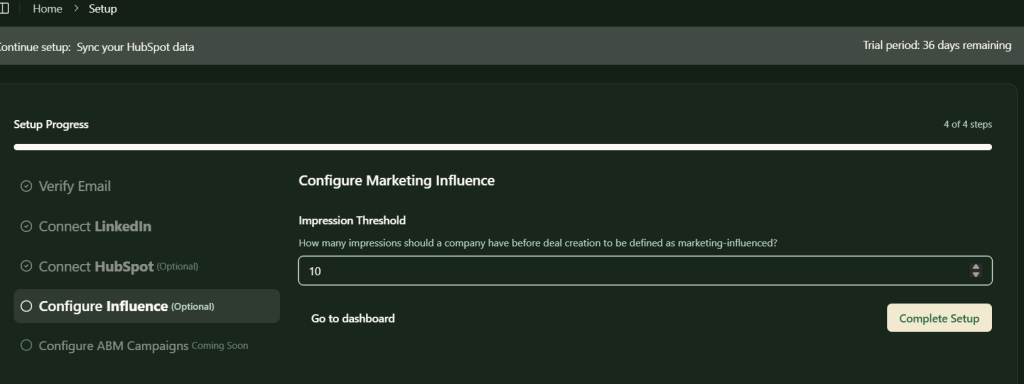
Following all these steps, your LinkedIn ads HubSpot integration is set up, and you’ll be all set to push company-level ads engagement data for each specific campaign to your CRM.
ZenABM offers a lot more for your LinkedIn Ads ABM strategy and operations than just the ability to push ad impressions to your CRM:
ZenABM automatically evaluates each account based on its most recent LinkedIn ad interactions, not just past engagement. It calculates a real-time “Current Company Engagement Score” for a set timeframe (like the last 7 days), highlights your hottest accounts, and updates their ABM stages in HubSpot without manual effort.
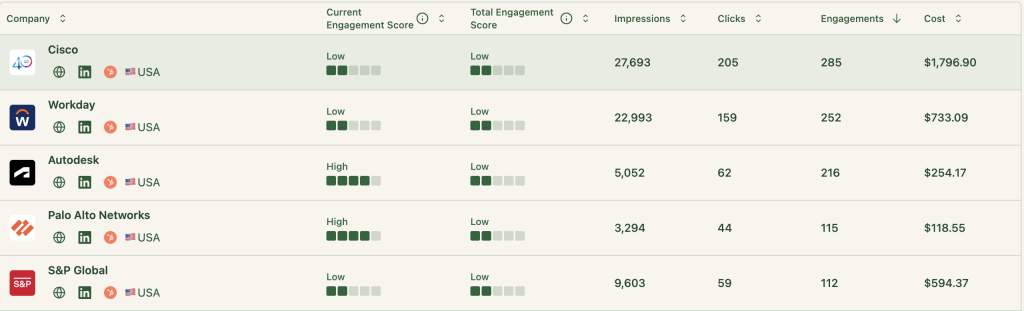
And then it assigns BDRs to companies that cross certain engagement score thresholds:
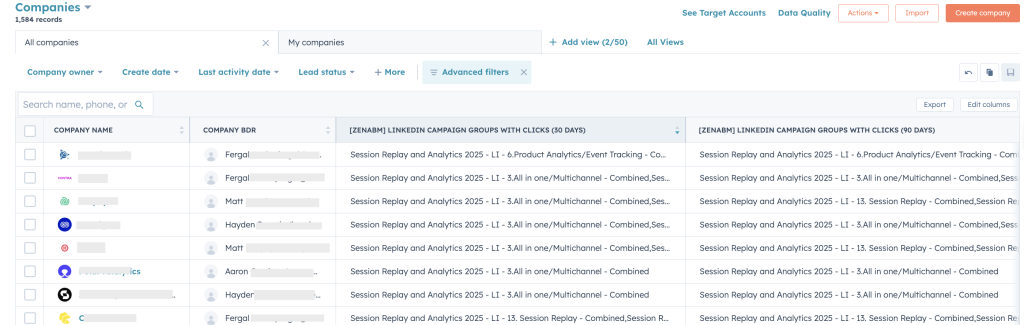
This is another CRM automation feature available ready-made in ZenABM – you need not do mental toil with Zapier or HubSpot workflows.
ZenABM shows you each company’s ABM stage based on its interaction with all your campaigns and CRM data:

And you can set the thresholds for each stage on your own:

ZenABM not only pushes information (ad impressions, BDR details etc.) but also pulls data. Yes, its CRM integration is two-way.
The tool matches the companies engaging with your ads from the ones in your deals/opportunities in your CRM to show you the deal value of each company next to the engagement data:
Plus, it graphically depicts the effect of your LinkedIn ads on your overall pipeline and closed deals:
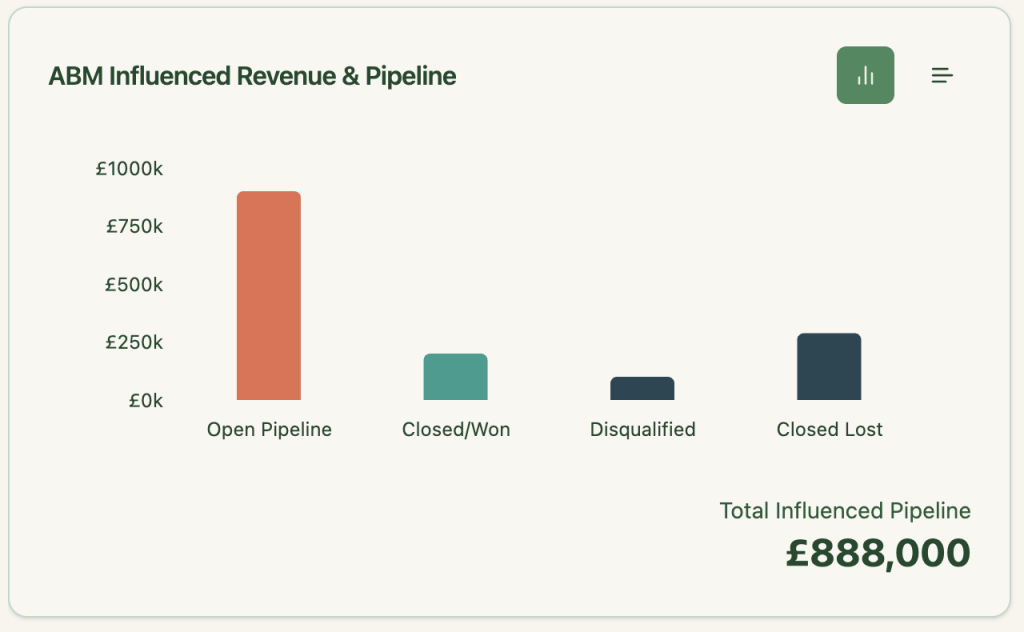
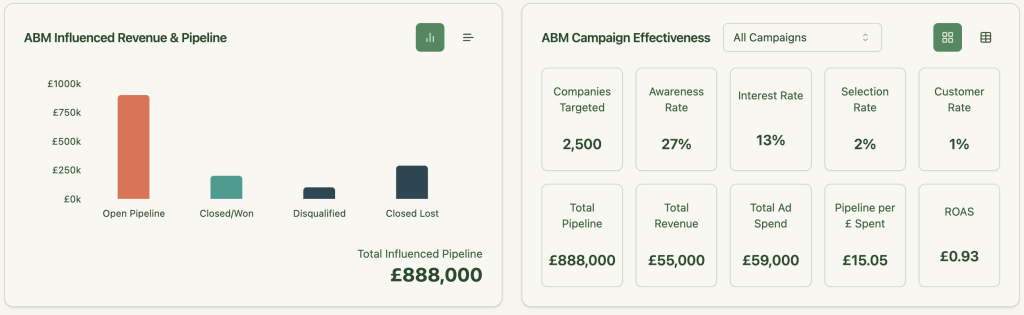
ZenABM hosts comprehensive out-of-the-box account intent & ABM campaign effectiveness analytics dashboards that show metrics like total pipeline, revenue, ad spend, pipeline per dollar (you can choose your currency) spent, and more:
ZenABM shows you exactly which companies engaged with each campaign or campaign group, making it easy to retarget them with tailored messaging.
Here’s how to put that into action:
Buyer intents come into play if your campaigns are tailored to different use cases or pain points. For instance, if you’re promoting project management software and notice a company engaging heavily with your “productivity enhancement” ad but ignoring the “secure file sharing” one, your BDRs instantly know what they should talk about during their outreach.
But trying to build such a workflow for multiple campaigns in your CRM like HubSpot would take days if not weeks.
Here’s how complex such a workflow seems in HubSpot:
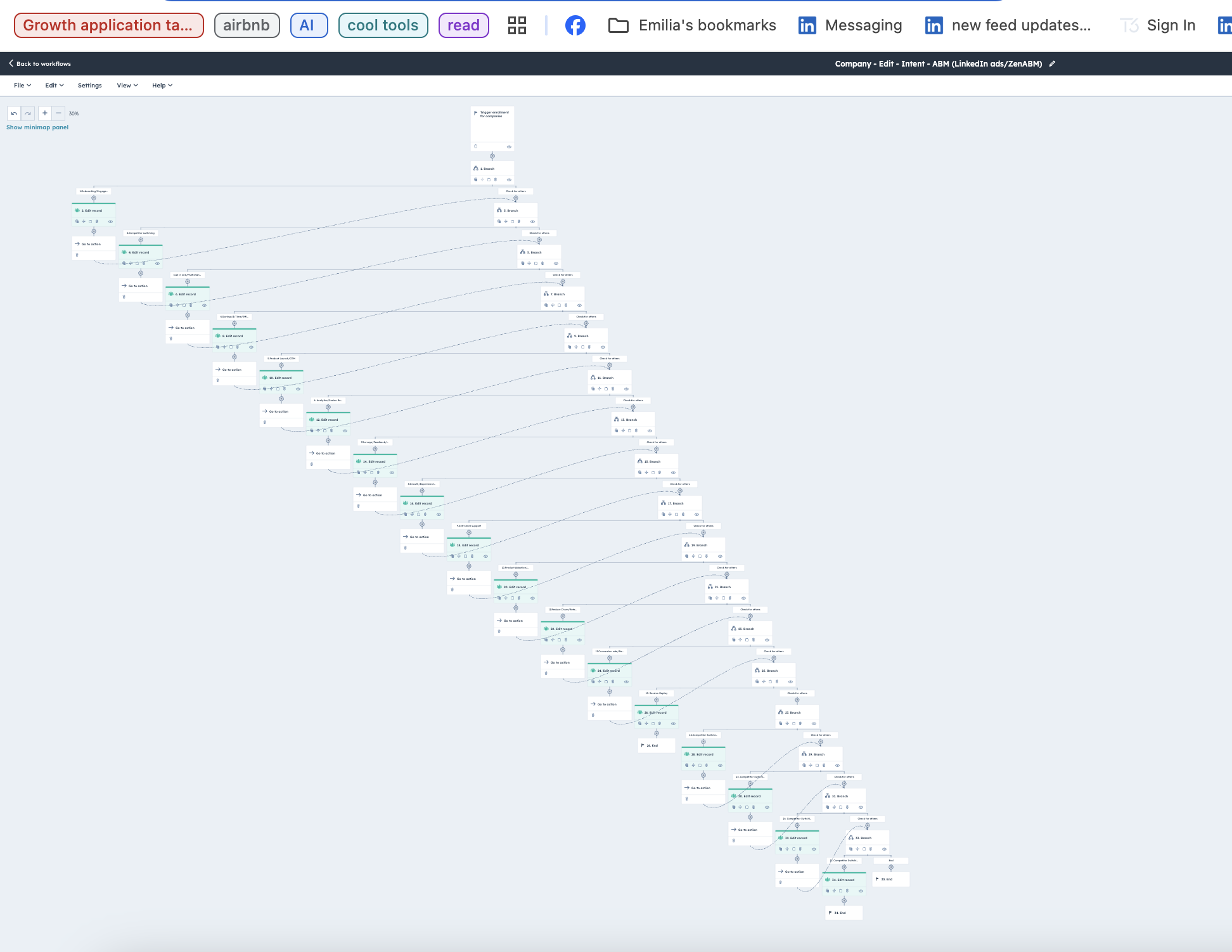
But at ZenABM, you have this ready-made for you. You can set intent(s) to each campaign/campaign group and ZenABM will then group companies showing similar intent:
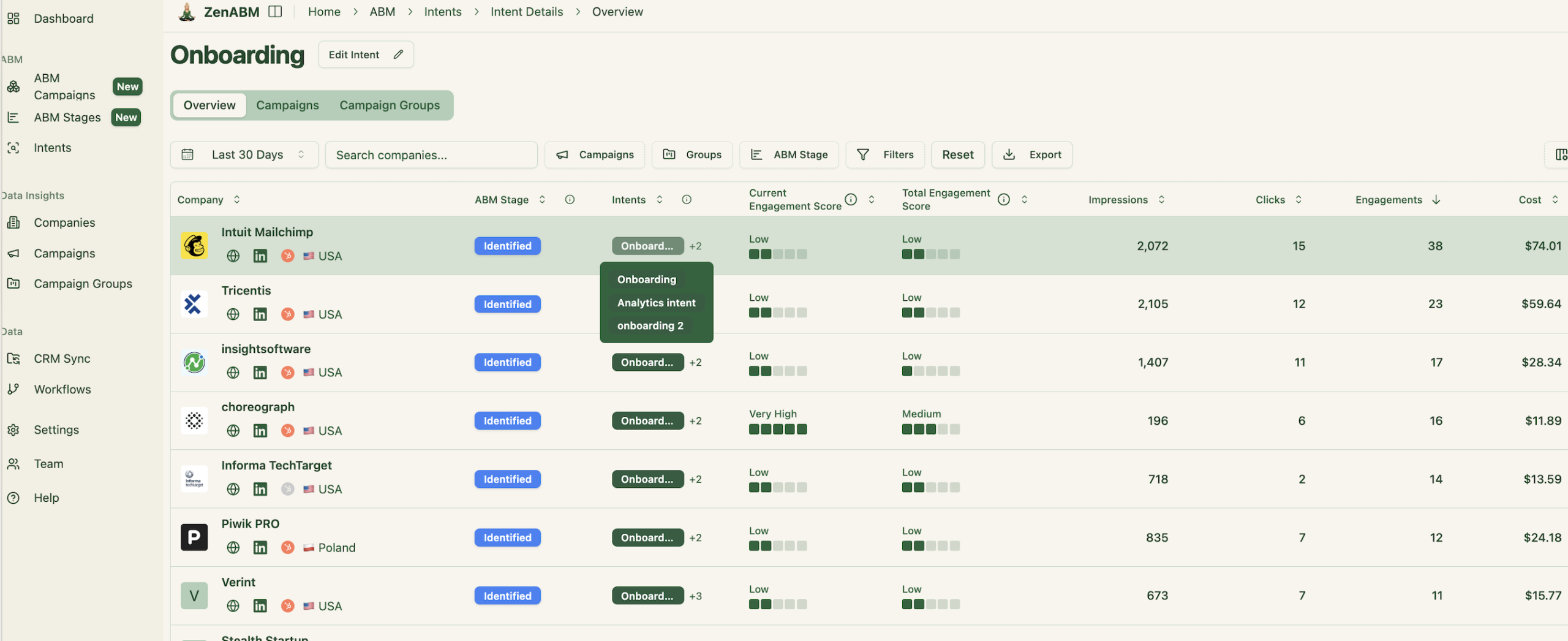
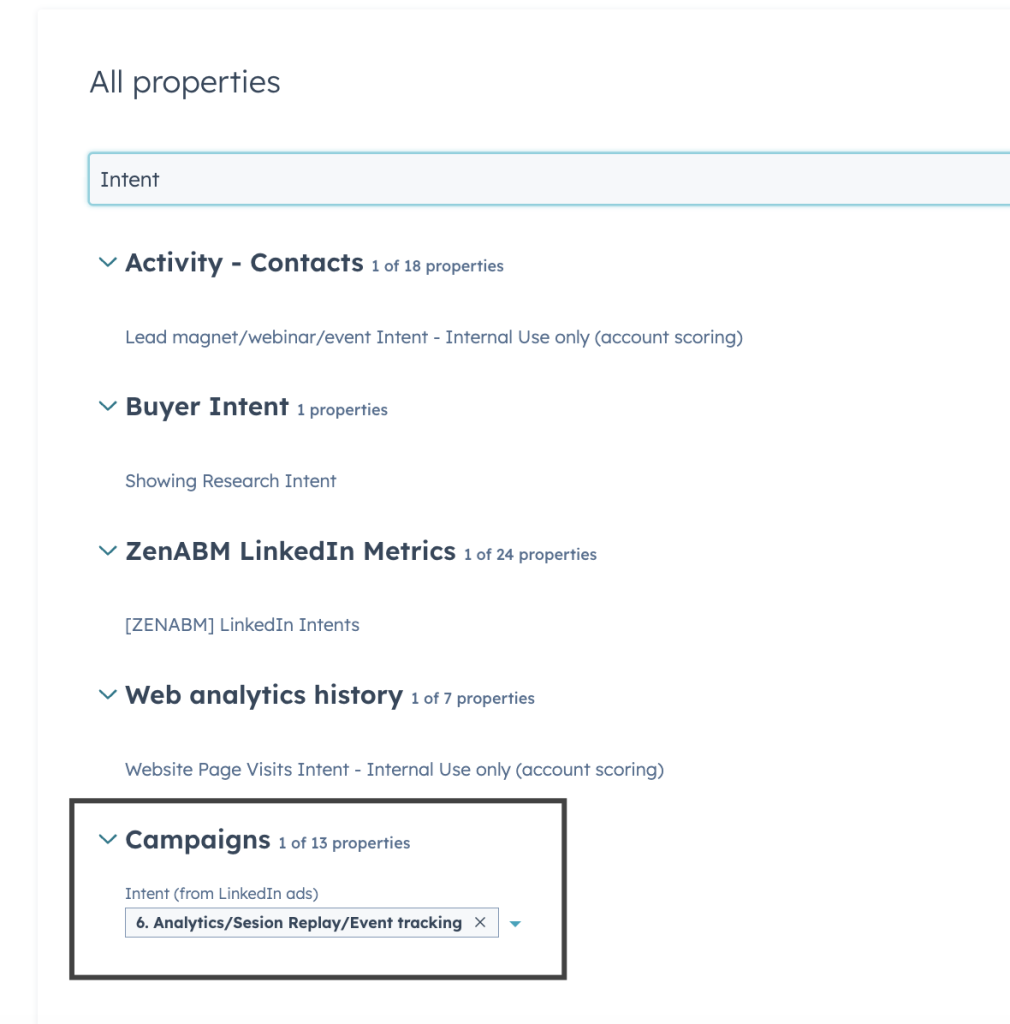
Then you can push the same into HubSpot as company property:
If you want to learn more about designing LinkedIn campaigns that reveal your prospects’ feature/use-case preferences, check out our guide on running ABM campaigns using LinkedIn ads.
LinkedIn ads don’t just drive clicks. They build invisible intent. And if your CRM can’t capture that intent, you’re flying blind. ZenABM bridges this gap by pushing company-level LinkedIn ad engagement data straight into HubSpot, scoring accounts in real-time, assigning BDRs, and tying ad engagement to actual revenue.
Start turning invisible engagement into visible pipeline — book a ZenABM demo today.
