

©2026 ZenABM - All Rights Reserved.
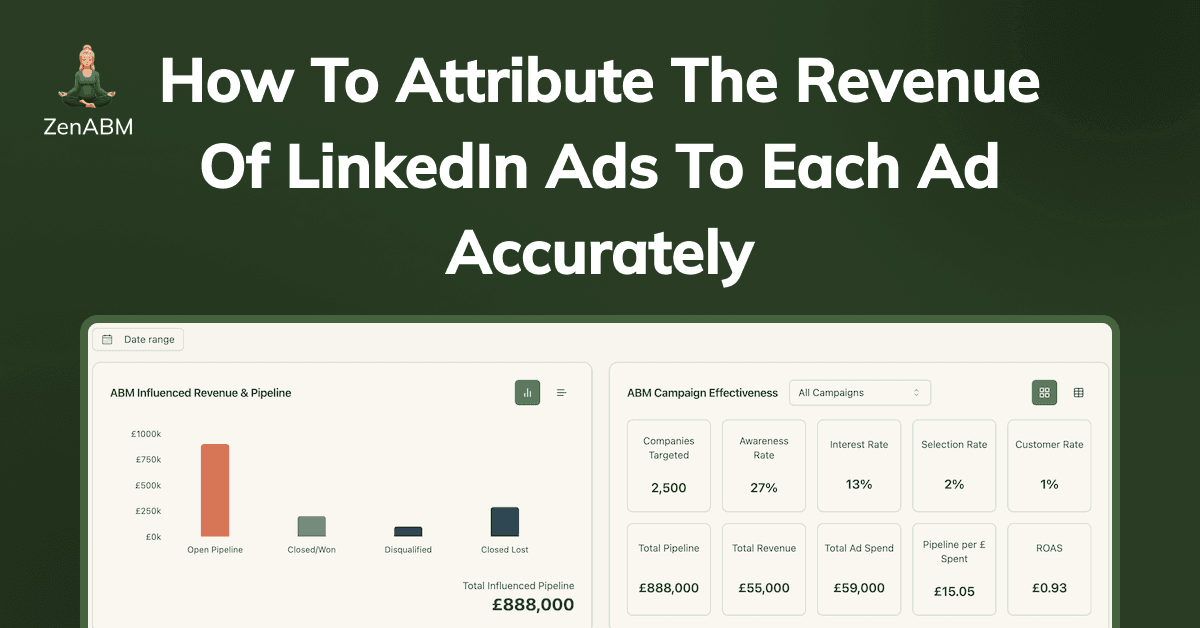
LinkedIn ads revenue attribution is complex (B2B peeps understand), and most marketers still can’t credit their specific ads with the revenue they brought.
Let’s see what’s wrong with the conventional methods/tools and the solution.
LinkedIn ads Revenue attribution is tricky because LinkedIn ads are more awareness-based (when people search for a query and see your Google ad, they are actively looking for it, but on LinkedIn, your ICP might be just doom-scrolling).
For instance, your customer might see your ad, but later search for you on Google, but you’ll think it was SEO.
Solution?
Stop with the click-attribution model and track company-level impressions for each ad campaign.
Most marketers know this, but *how* is the question, especially when there’s plenty wrong with the conventional methods/tools:
The LinkedIn campaign manager had no company-level reporting feature until they launched the ‘Company Engagement Report” in 2020, and in November 2024, they named it the “Companies” tab:
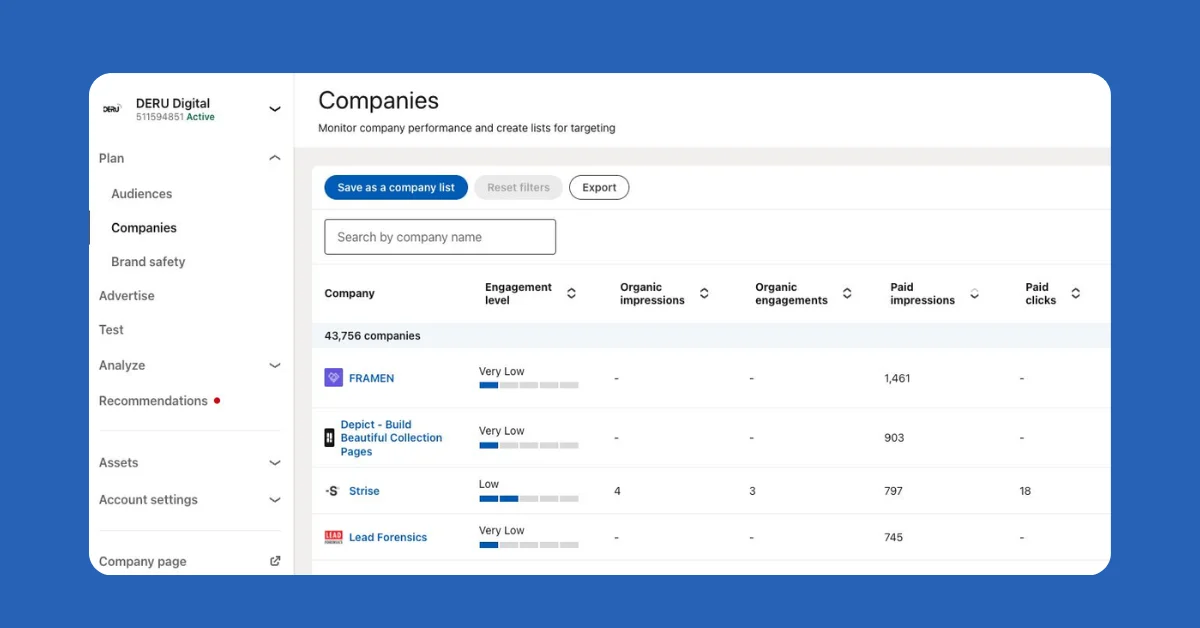
Yet, this is not enough for marketers because it only shows the companies from the list that you uploaded – you can’t reveal:
Website deanonymization tools can only help when a user clicks on your ad and visits your website. This doesn’t help with revealing the ones who didn’t click – forget about tracking companies that never clicked (something extremely common on LinkedIn).
To add to the woes, these tools are highly inaccurate (40% accurate at best).
These tools (e.g. RB2B, Warmly, Demandbase, etc.) work on reverse IP lookup. Here, an IP address is matched to a specific organization, often through public or private databases of known IP addresses. So if the site visitor is using a VPN or a shared network (say your visitor prefers working in Starbucks), the IP lookup won’t match the right company.
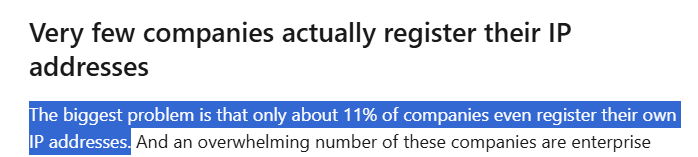
Also, most companies don’t even register their IP addresses:
For instance, Userpilot used Clearbit (one of the most accurate, as per a study by Syft) to deanonymize companies that visited their site from LinkedIn ads but ended up with just one reveal – themselves 😬:
Realisation?
A patchwork of third-party tools that play guessing games won’t help!
Pro Tip: LinkedIn Insights Tag also doesn’t provide company-level data of visitors. It only shows visitor behaviour and similar broad metrics.
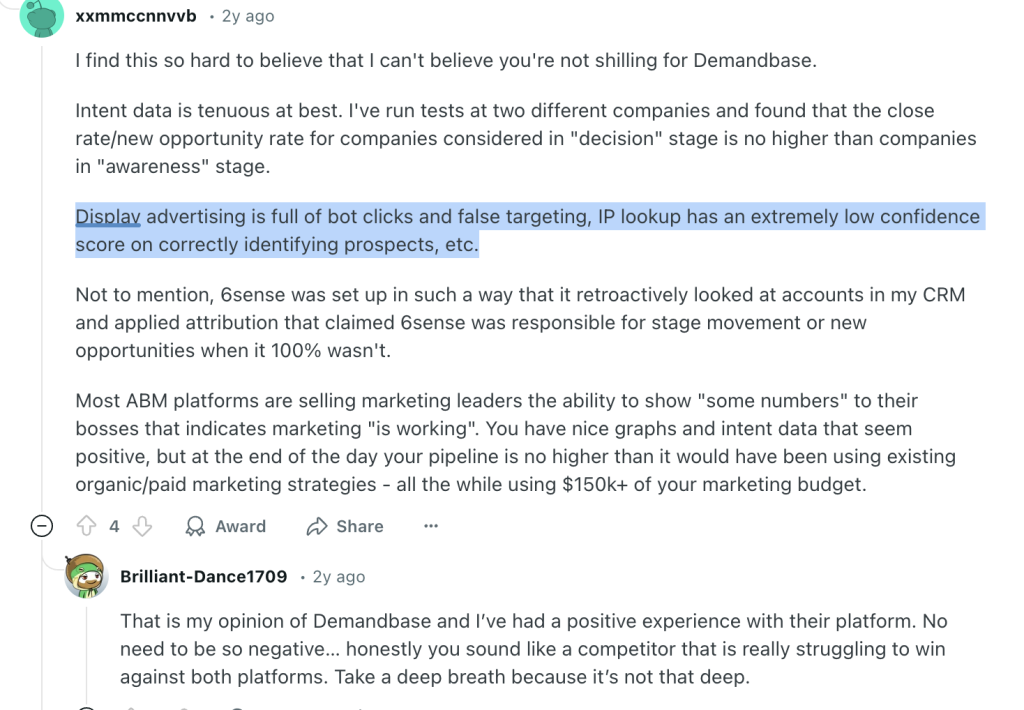
A Display Ad Network (DAN) like Adroll, Criteo, etc., doesn’t cut it either.
A DAN uses third-party cookies and device fingerprinting to track users across websites. It then matches their behaviour to existing DMP (Data Management Platform) profiles to identify their company, industry, and sometimes job title.
These DANs are ineffective because:
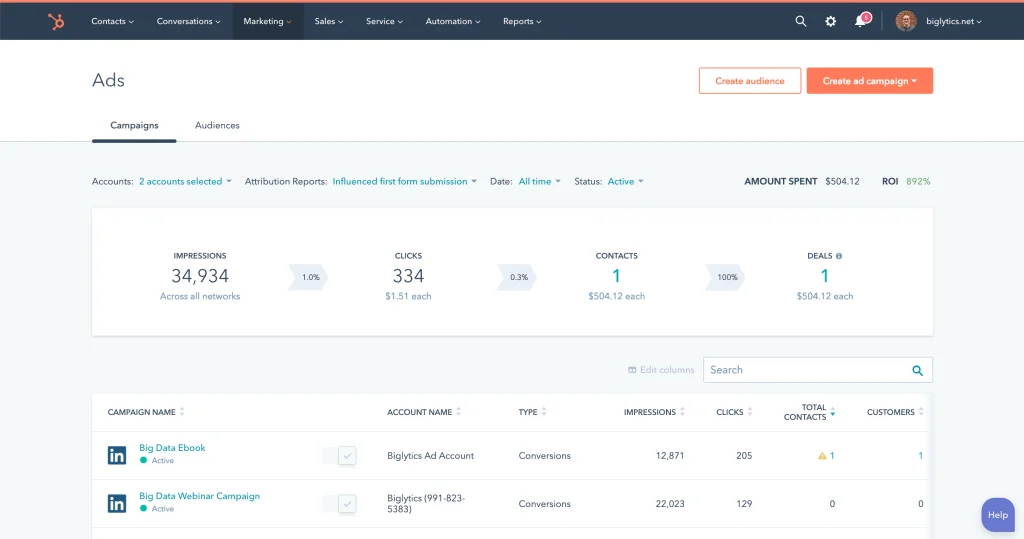
HubSpot’s native ads tool lets you connect your LinkedIn Ads account. Yes, you can manage campaigns and sync form submissions. But it won’t tell you:
“But what about contact-level details given by HubSpot using the HubSpot tracker and LinkedIn ads Pixel”, you may ask…
These are the limitations:
Bottom Line?
All these native and third-party tools we discussed don’t give company-level LinkedIn ads impression data for each campaign.
No company-level engagement data = no ABM = no ad revenue attribution insights.
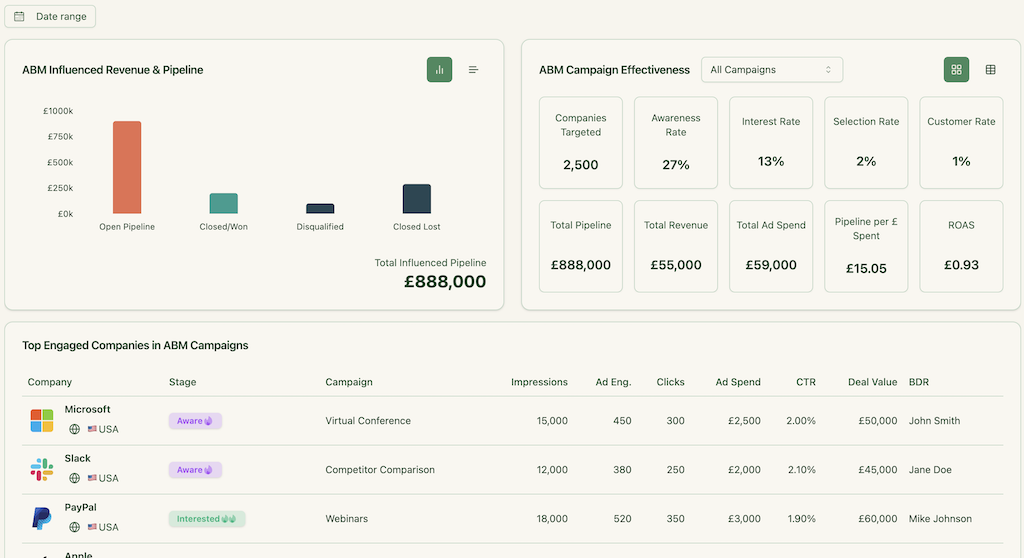
ZenABM uses LinkedIn’s official API to pull company-level engagement data per campaign—no guessing, no cookies, no reverse IP.
Here’s how it makes LinkedIn ad revenue attribution, I dare say, a breeze:
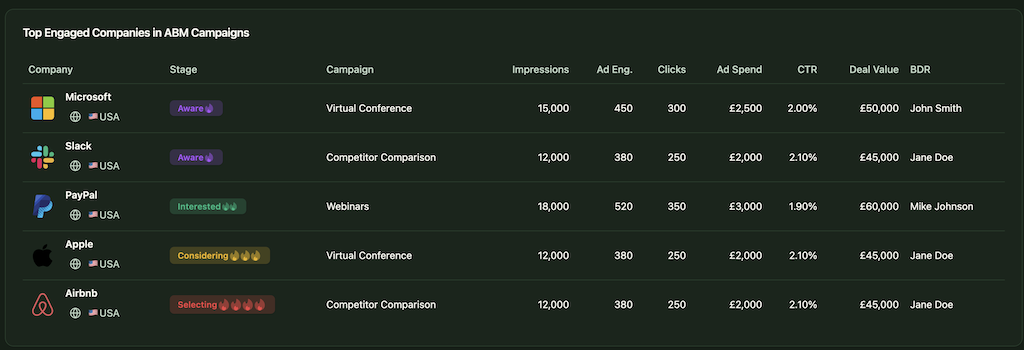
ZenABM captures every company that:
So now, you can attribute impact even when there’s no form fill, no click, no like, or no comment!
Example: Company X saw your LinkedIn ad 50+ times but never clicked. They later came inbound. With ZenABM, you know that ad planted the seed. Plus, even if they came to your site by clicking an ad, you’ll know what other ads the company had an impression for, so you attribute the revenue to all ads that brought about the awareness.
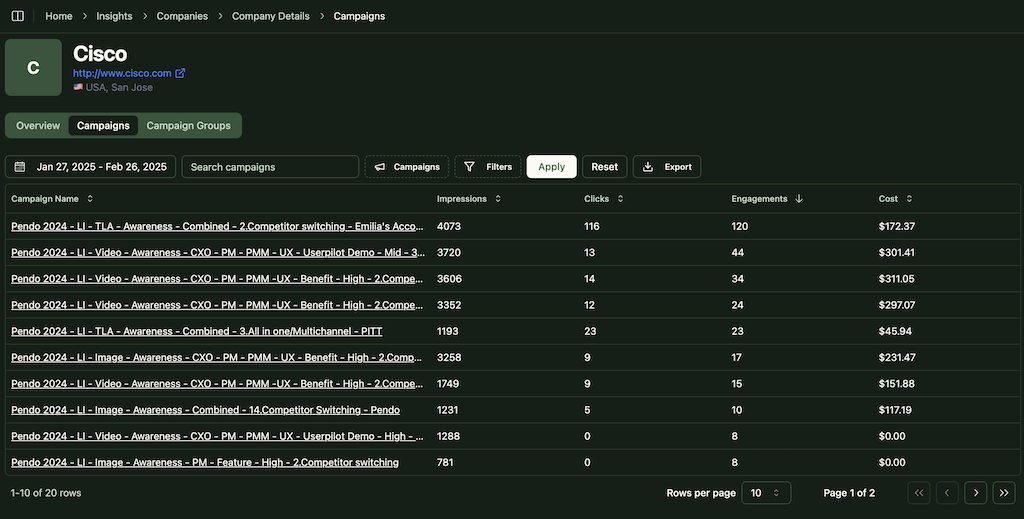
Instead of giving credit only to the last clicked ad or ad with the most impressions, ZenABM attributes conversions to all the ads that deserve credit, minuscule or gigantic.
No spreadsheets. No manual syncing.
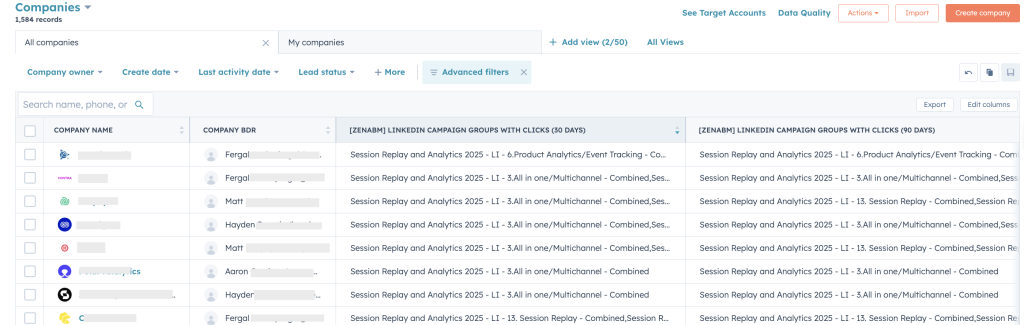
ZenABM pushes engagement data to HubSpot as company properties like “LinkedIn Ad Engagements – 7 days” and “LinkedIn Ad Clicks – 7 days.”


Also you can accumulate these metrics over time into properties like “Cumulative LinkedIn Ad Engagements” and “Cumulative LinkedIn Ad Clicks,” providing a running total for each account.
Also, as Linkedin refuses to show engagement data if the interactions per company are less than 3 in a specific time period, we made a bypass – ZenABM also aggregates data at the campaign-group level.
This ensures your marketing and sales folks can see each company’s engagement with each specific campaign, without manually updating these details in HubSpot.
ZenABM calculates a real-time “Current Engagement Score” based on impressions, clicks, and recency:
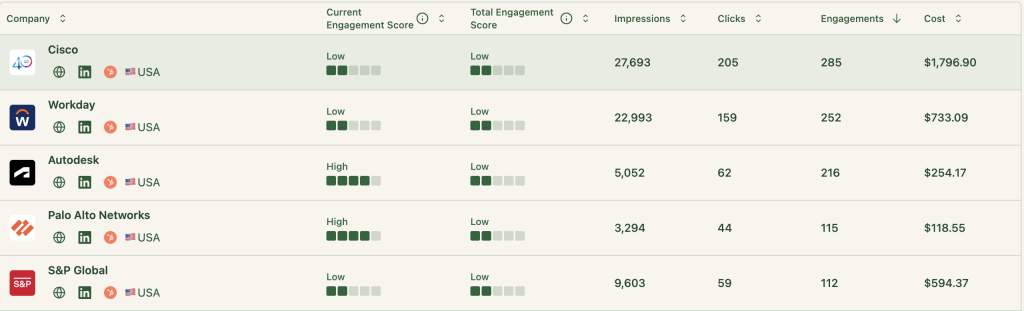
Then? ZenABM assigns those accounts to your BDRs in HubSpot without you lifting a finger:
Also, ZenABM tracks your buyer’s intent based on your campaigns:
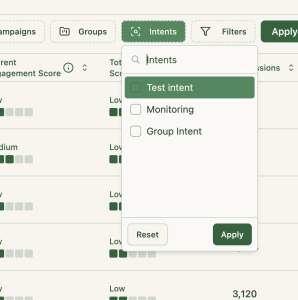
Your team works the right accounts. At the right time. Lures prospects with the right feature 😉
Now this one’s going to be your favourite – ZenABM maps LinkedIn campaign engagement to deals in your CRM:
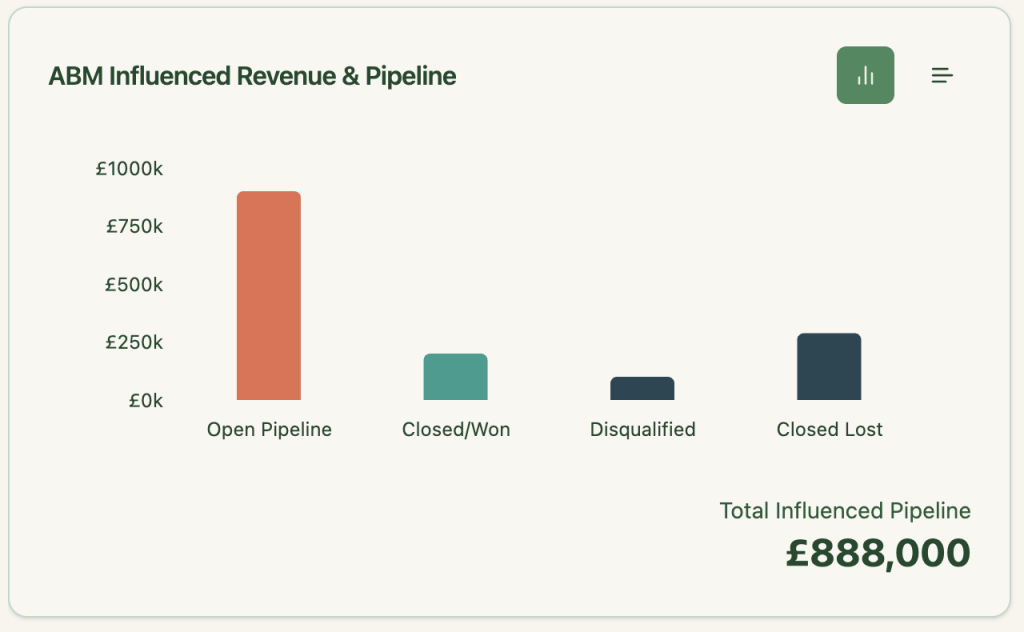
Not just the overall pipeline, you can also see the value of each deal as matched from your CRM:
So you can finally say:
No guesswork. No exporting. Just real attribution, directly inside your CRM.
With ZenABM, you don’t have to build reporting systems of your own in your CRM or Excel.
The tool provides plug-and-play ABM dashboards to calculate metrics like total revenue, ROAS, etc, of your LinkedIn ads ABM campaigns:
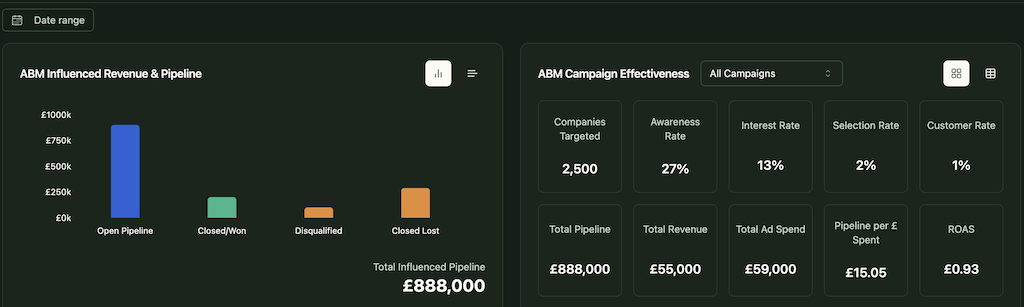
In short, ZenABM helps you switch from click-through to view-through attribution model, while also providing a hub to do all the ABM Math!
If you want to know more about the tool, you can book a demo here.
Marketers have been panicking because LinkedIn has been cracking down on scraping tools:
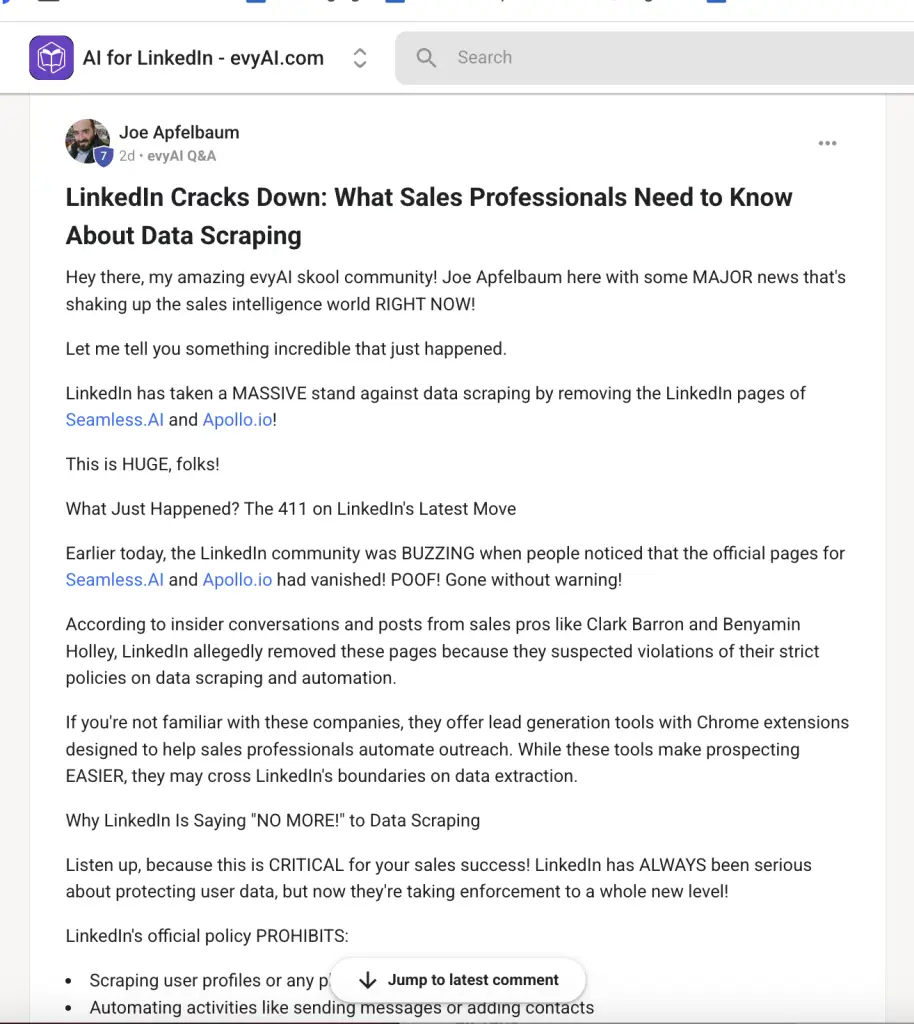
And even automation tools:

But ZenABM is the good guy: It pulls data straight from LinkedIn’s official API! So you don’t fret.
LinkedIn ad revenue attribution isn’t just about clicks—it’s about understanding the full buyer journey. Traditional attribution models fall short, especially in B2B, where impressions, multi-touchpoints, and long sales cycles dominate.
ZenABM fills this gap by delivering accurate, company-level attribution, capturing both impressions and clicks, and offering plug-and-play ABM dashboards to tie everything back to revenue.
Ready to stop guessing and start measuring what truly works?
Try ZenABM today and finally get the revenue attribution clarity your LinkedIn ads deserve.


