 AI for ABM & LinkedIn Ads Week28 Sep – 2 Oct · Reserve your seatAI for ABM & LinkedIn Ads Week · 28 Sep – 2 Oct · Reserve your seat
 AI for ABM & LinkedIn Ads Week28 Sep – 2 Oct · Reserve your seatAI for ABM & LinkedIn Ads Week · 28 Sep – 2 Oct · Reserve your seat
LinkedIn’s native dashboards and most CRMs leave major gaps in measuring ad engagement at the depth ABM demands. If you care about LinkedIn ad engagement tracking for b2b, the defaults won’t cut it.
So, we built ZenABM.
Here’s the breakdown.
Native LinkedIn tools and CRMs fall short for company-level analytics per campaign. LinkedIn exposes some company data, but only as an account-level rollup. CRMs like HubSpot, even when connected to your LinkedIn ads, surface campaign metrics, but not by company.
ZenABM closes the gap:
The built-ins miss critical context. Here’s how.
If you’re running ABM on LinkedIn, you don’t just need clicks; you need to know which companies are engaging with which individual ads.
In 2024, LinkedIn added the Companies tab in Campaign Manager:
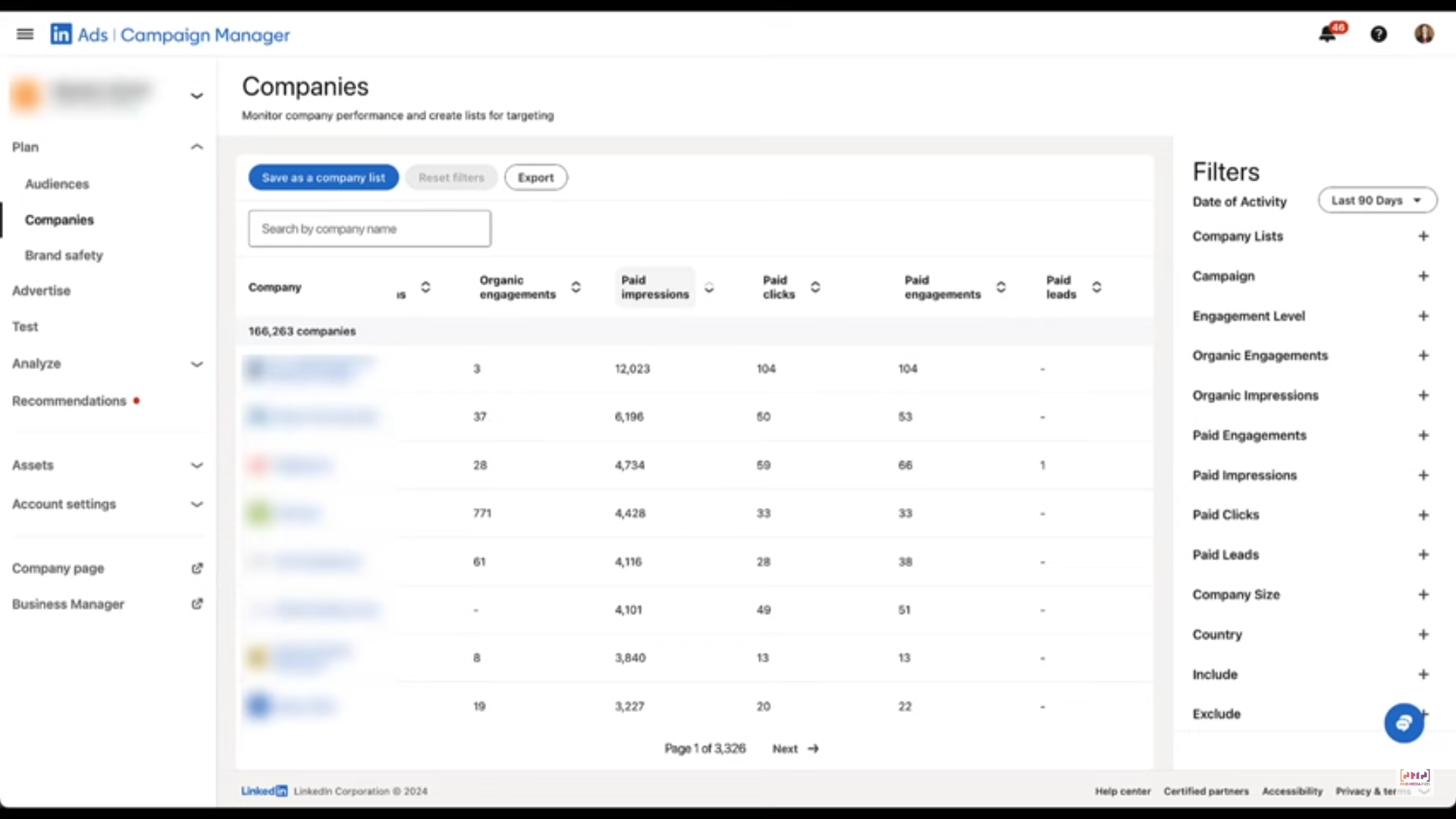
It shows a lot—paid clicks and impressions, paid engagements and leads, plus organic impressions/engagements and an overall engagement level.
Useful? Partly. But not enough.
The data is aggregated at the ad account level, not at the individual ad or campaign level—so you still can’t see which ad a company actually interacted with.
Most ABM teams run multiple programs in parallel. Each ABM program contains several campaign groups, and each group contains multiple ad campaigns.
Those campaigns often differ by:
Consider this ABM structure used by Userpilot: 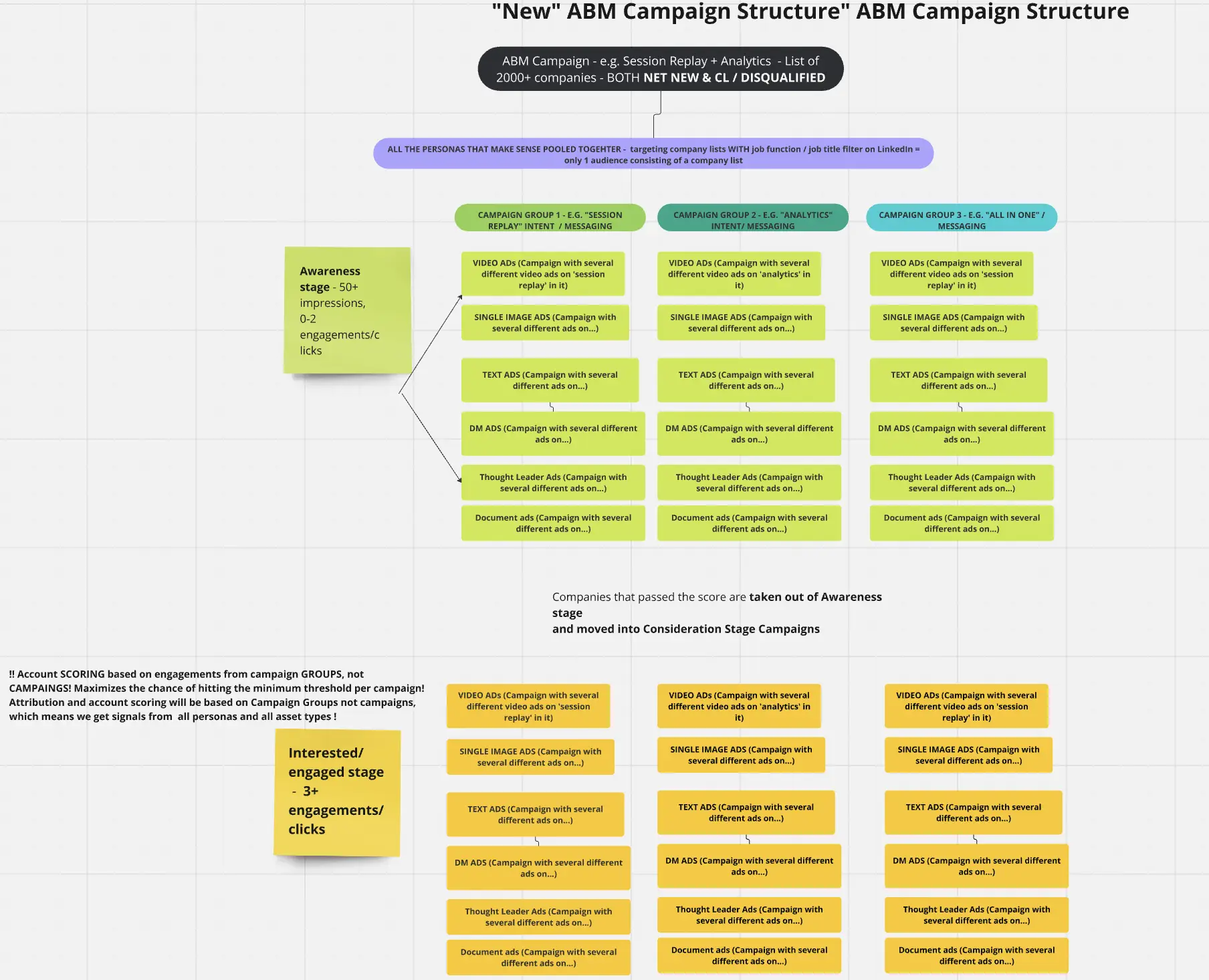
When engagement data is lumped together for the whole account, you lose the signal you actually need. Company-level impressions, clicks, and engagements per ad, per campaign group, and per ABM campaign are essential to:
CRMs like HubSpot can connect to LinkedIn Ads. For example, the LinkedIn ads HubSpot integration syncs ad data into the HubSpot Ads tool: 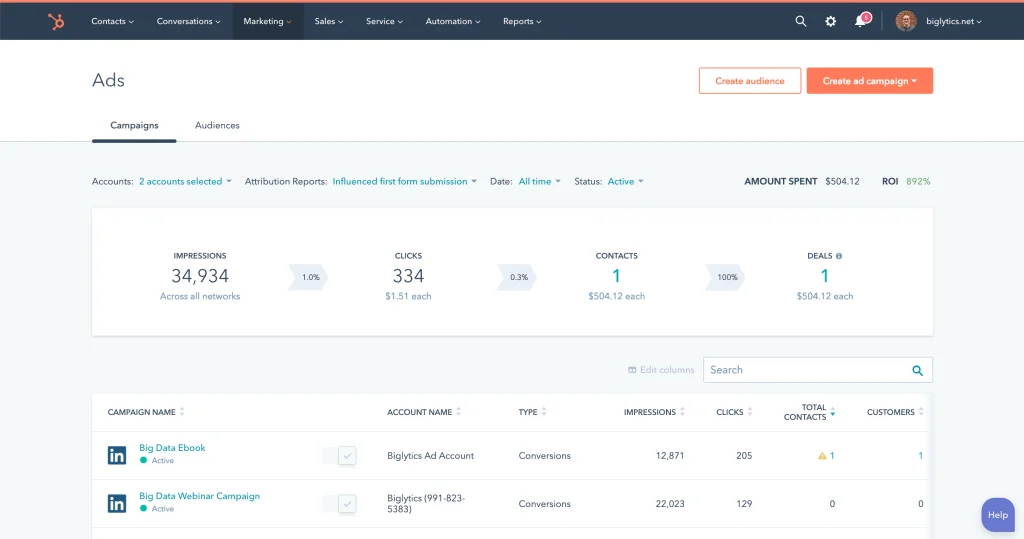
Here you get campaign-level metrics (impressions, clicks, etc.), but zero company-level breakdown.
Bottom line: LinkedIn Campaign Manager gives you company metrics, but only rolled up at the account level—not per campaign. CRMs like HubSpot give you campaign metrics, but not the companies behind them. For serious LinkedIn ad engagement tracking for b2b, you need company-level analytics at the campaign/campaign-group/ABM-program layer.
Here’s how ZenABM solves it:
ZenABM provides a company-level breakdown of impressions, engagements, clicks, CTR, and spend for every campaign and campaign group:
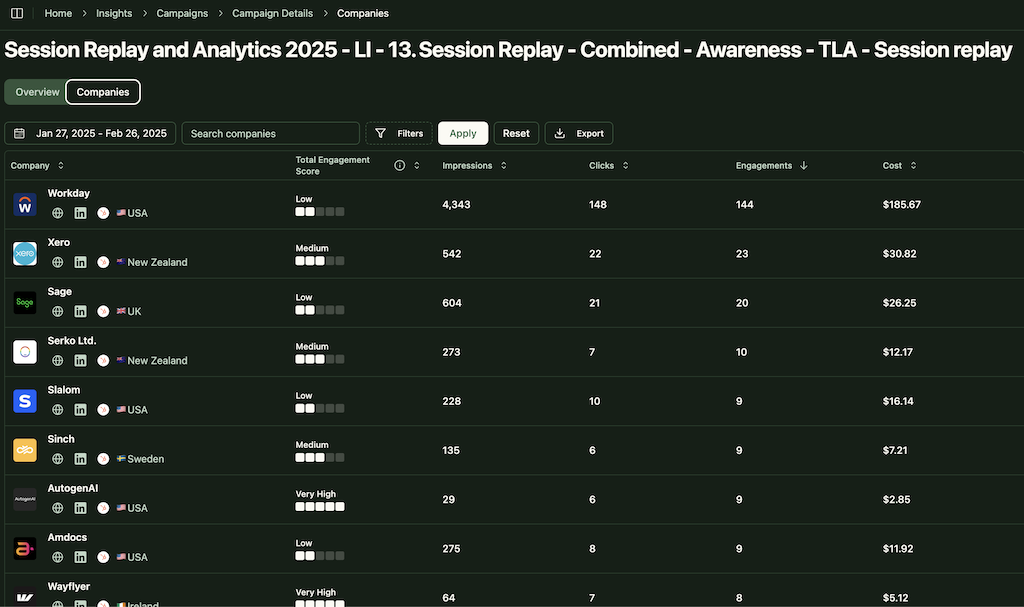
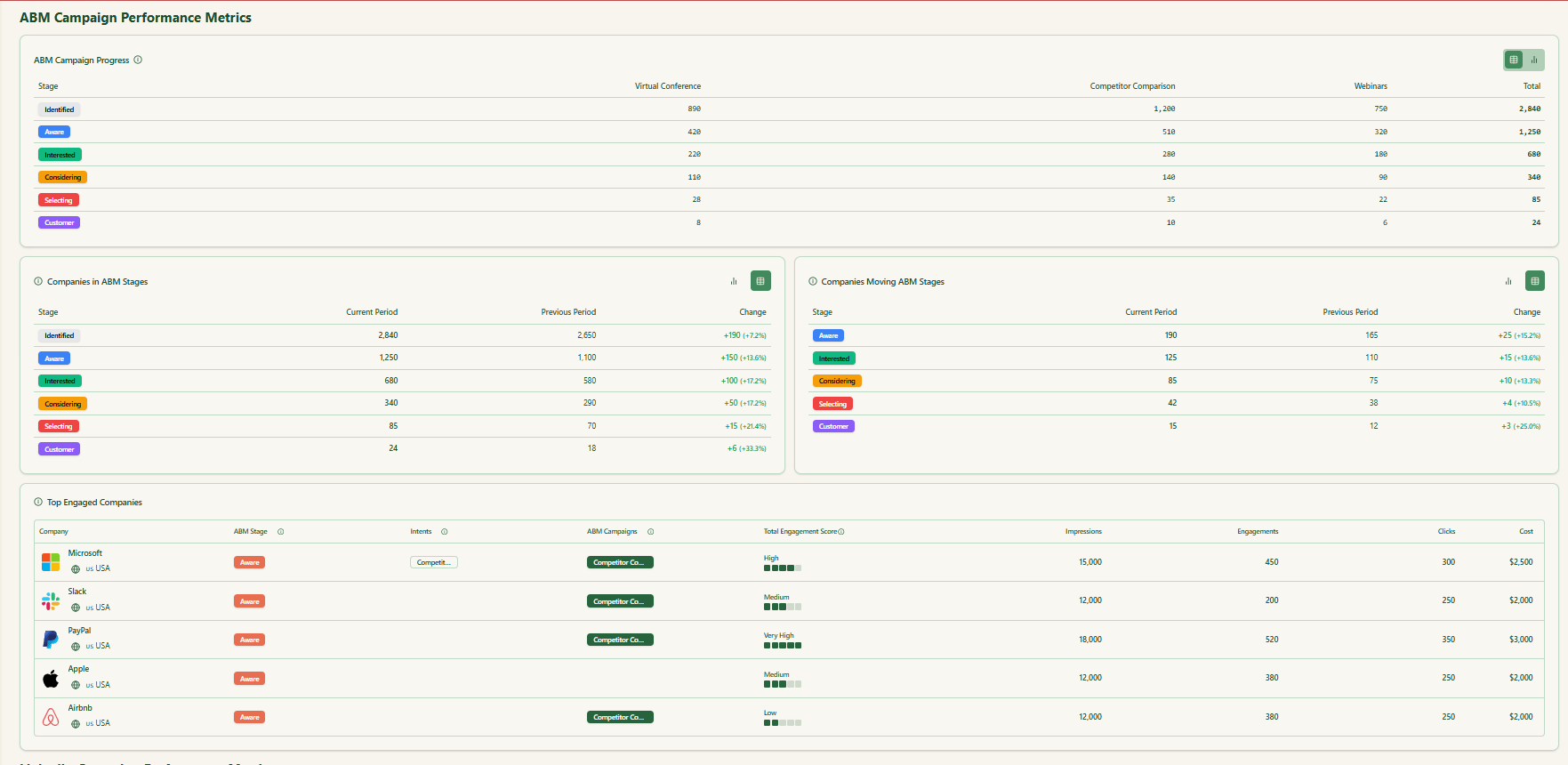
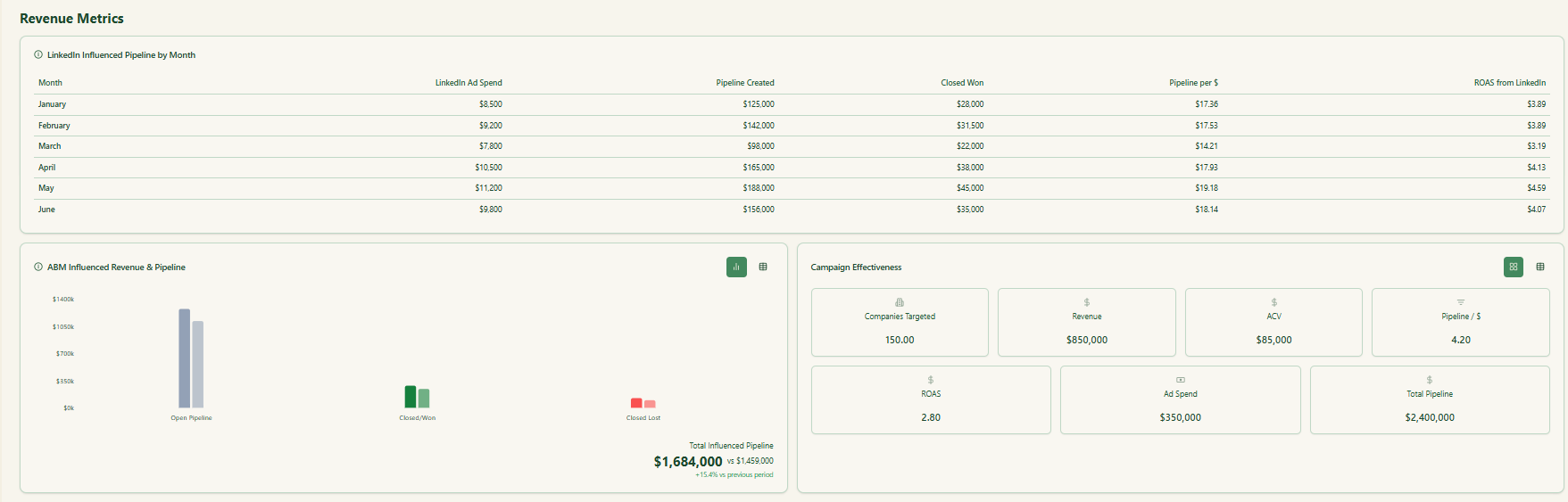
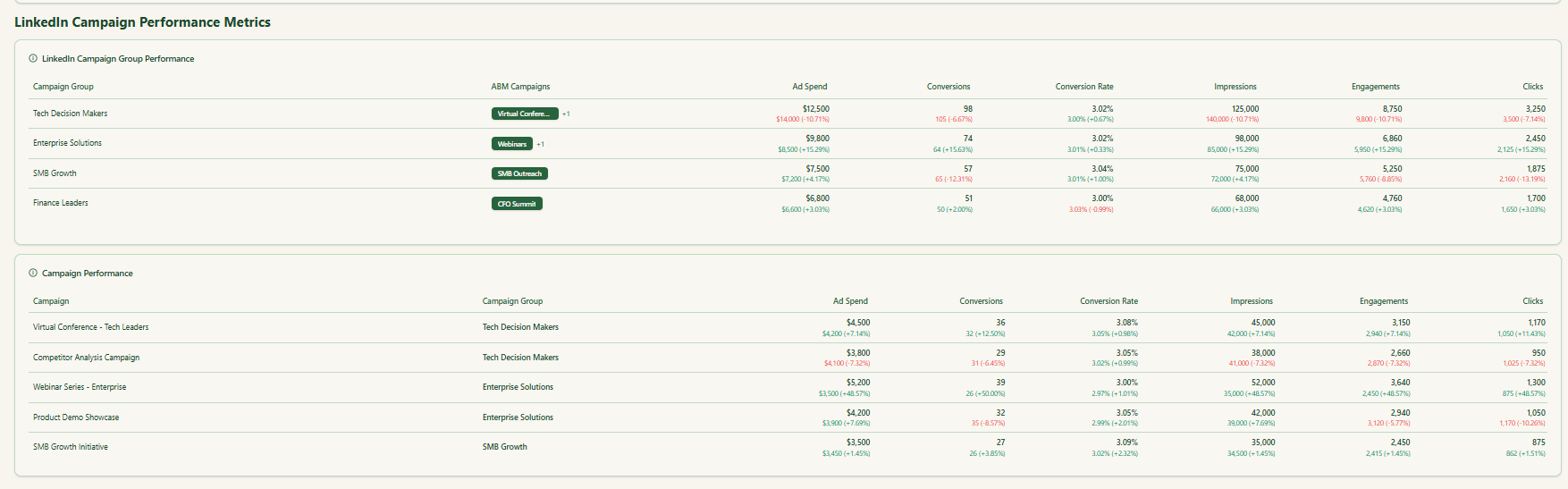
ZenABM connects to your CRM (HubSpot and Salesforce supported) to match ad-engaging companies to accounts in your deals/opportunities. It then pulls deal values so you can tie ad influence directly to pipeline and revenue.
It also computes these engagement and performance metrics:
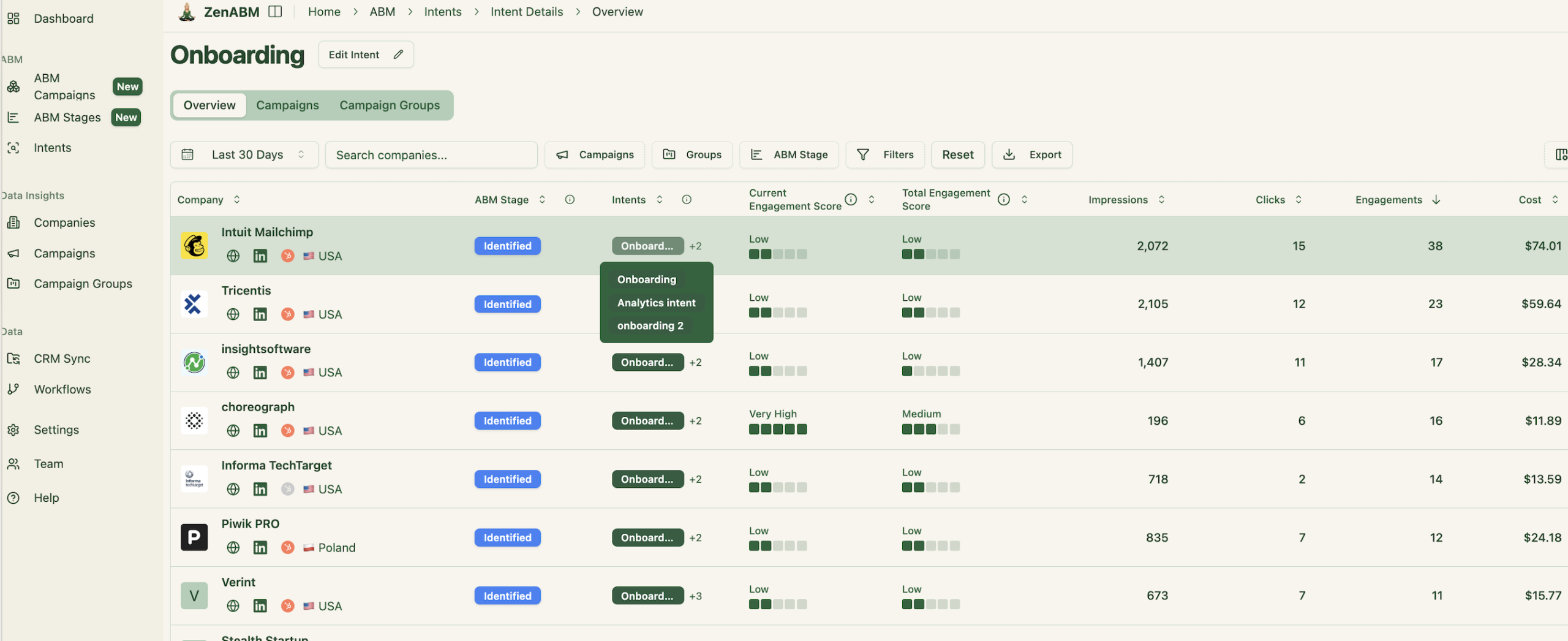
Most teams organize campaigns and groups around product features, value props, or use cases—i.e., intent.
ZenABM lets you tag each campaign/campaign group with an intent, then groups engaged companies by that intent so BDRs know exactly what to lead with in outreach:
ZenABM infers each company’s ABM stage from its cumulative ad interactions plus CRM context: 
And you control the thresholds:

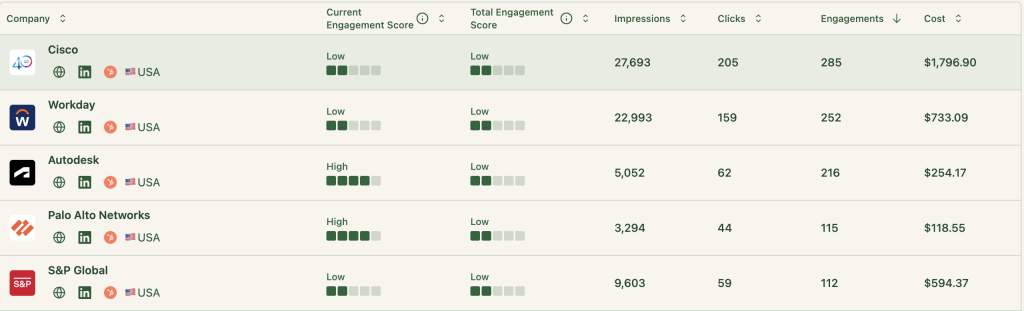
ZenABM calculates a real-time “Current Engagement Score” based on impressions, clicks, and recency, plus a cumulative “Total Engagement Score”:
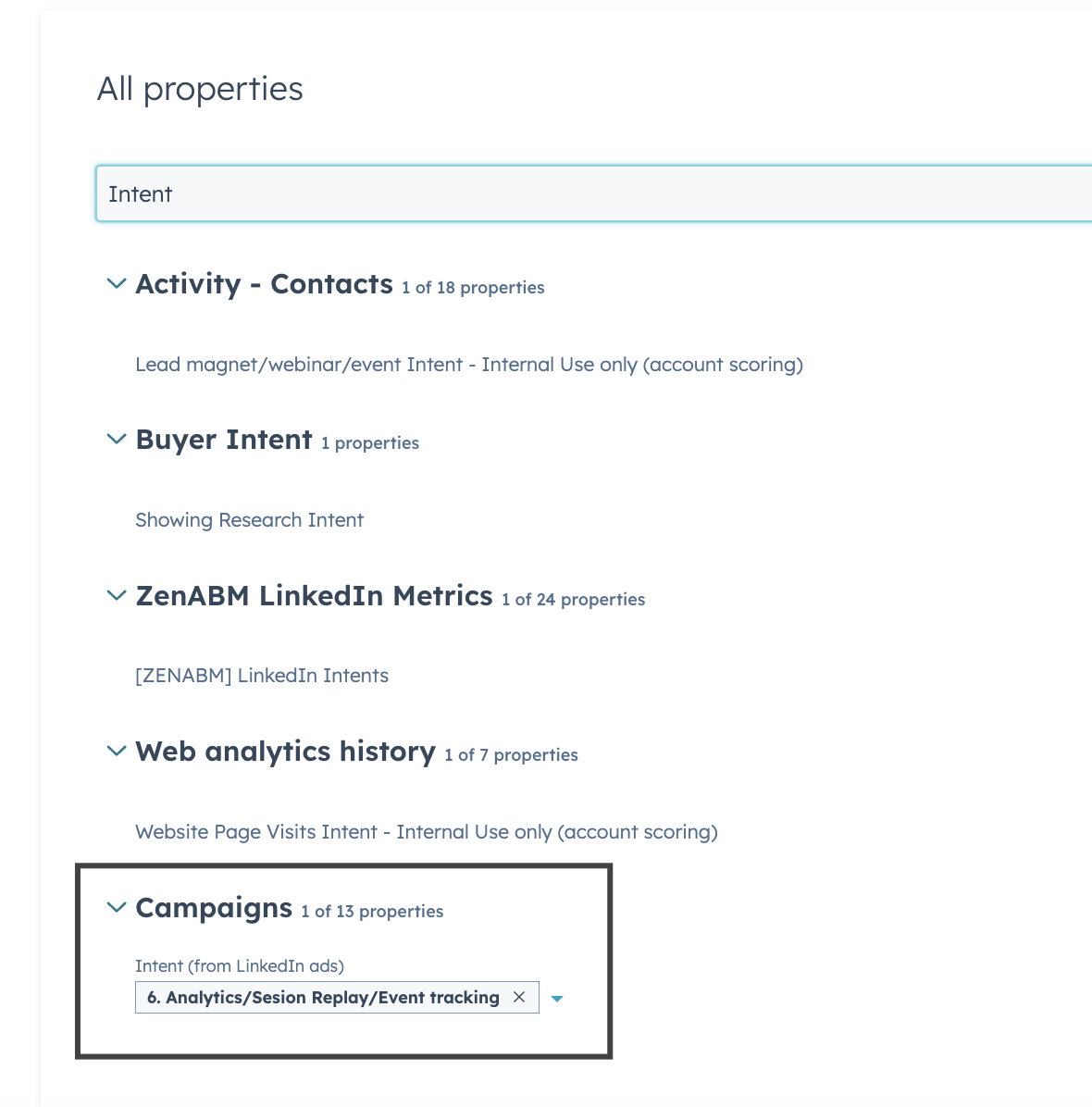
Everything ZenABM tracks—impressions, clicks, engagements, and even intent—syncs into your CRM as company properties:

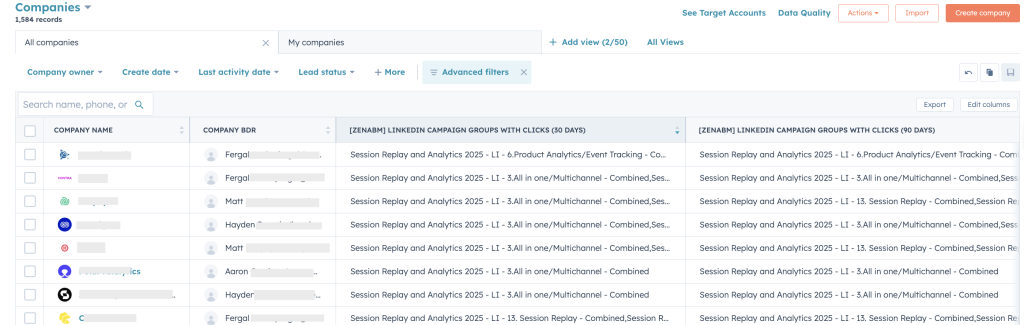
Plus, ZenABM can auto-assign BDRs once an account crosses your “interested” threshold and push that assignment into your CRM:
Relying on LinkedIn Campaign Manager or a CRM alone keeps you guessing. One aggregates at the account level and hides per-campaign detail; the other shows campaign metrics but not which companies are behind them. ABM wins only when you know exactly which companies engaged with which ads, and what that means for timing, scoring, and pipeline.
ZenABM delivers campaign-level, company-specific analytics, real-time scoring, intent tagging, and CRM sync—purpose-built for LinkedIn ad engagement tracking for b2b.
