 TLA Bootcamp — online webinars & Live Event in London9 June - 30 June 2026 !TLA Bootcamp — online webinars & Live Event in London · 9 June - 30 June 2026 !
 TLA Bootcamp — online webinars & Live Event in London9 June - 30 June 2026 !TLA Bootcamp — online webinars & Live Event in London · 9 June - 30 June 2026 !
Want to know how to run Thought Leader Ads on LinkedIn? This guide walks through the complete process – from setup to optimization. After analyzing 119 TLAs and over $300K in ad spend for our 2026 LinkedIn ABM Benchmarks Report, I’ve documented exactly what works. What you’ll learn: Step-by-step instructions for setting up LinkedIn Thought Leader Ads, choosing the right content to promote, configuring your campaign for maximum performance, and avoiding common mistakes that kill results. TLAs deliver a 2.68% median CTR – over 6x higher than single image ads. But only if you set them up correctly. Here’s how to run Thought Leader Ads on LinkedIn the right way, and how to track your TLAs performance – overall and per company targeted – with ZenABM:

Before you can run Thought Leader Ads on LinkedIn, make sure you have:
You need admin or campaign manager access to a LinkedIn Ads account. If you don’t have one, create it at business.linkedin.com.
 Identify LinkedIn posts you want to sponsor. These can be:
 Minimum recommended: $50-100/day per campaign ($1,500-3,000/month). Lower budgets won’t generate enough data for optimization. Philip Ilic explains: “Make sure your budget matches your audience size. If you’re spending 2k/month and your audience is 300k people, no one’s seeing your stuff.”

If you’re running Thought Leader Ads without company-level tracking, you’re flying blind.
LinkedIn will happily show you clicks, CTR, and engagement. None of that tells you which accounts are actually warming up. And in ABM, that’s the only thing that really matters.
You need a way to see:
Which target companies saw and engaged with your TLAs
How often they did so, including frequency and depth of engagement
Whether those accounts later opened deals or generated pipeline
Which posts and narratives are influencing revenue, not just clicks
That’s where tools like ZenABM come in. ZenABM de-anonymizes LinkedIn ad engagements at the company level, scores accounts based on repeated TLA interactions, and pushes those signals into your CRM. This lets you measure campaign influence instead of last-click conversions and align your Thought Leader Ads with sales follow-up, retargeting, and ABM stages.
If your goal is pipeline and not vanity metrics, company-level tracking isn’t optional. It’s the prerequisite that turns Thought Leader Ads from nice content into a repeatable ABM lever.



LinkedIn Thought Leader Ads only support two objectives:
Philip tested both extensively: “I analysed 300k worth of TLA data. When optimising for Engagement, the average CPC to the landing page was 4.80, compared to 7.90-12+ for Brand Awareness – up to 2x more efficient.” My recommendation: Use Engagement objective for most campaigns. It drives landing page traffic at roughly half the cost. 
Here’s how to run Thought Leader Ads on LinkedIn using Campaign Manager:

For Thought Leader Ads, choose one of these formats:
Tim Davidson notes: “Currently, you have to separate out video and image into their own campaigns. It’s the most annoying for thought leader ads where you have to separate image and text from video.” Tip: If you’re promoting multiple post types, create separate campaigns for image/text posts and video posts.
Set up your audience targeting as you would for any LinkedIn campaign:
For account-based marketing, upload your target account list and layer in job title or seniority targeting. Philip recommends niche targeting: “The most effective thought leader ads are niche-specific posts to niche-specific audiences. Design and release posts which are targeting your ICP more specifically.” 
Configure your campaign budget:
| Audience Size | Minimum Monthly Budget | Recommended Monthly Budget |
|---|---|---|
| Under 50K | $1,500 | $2,000-3,000 |
| 50K – 150K | $2,000 | $3,000-5,000 |
| 150K+ | $3,000 | $5,000+ |

This is where you actually select the Thought Leader content. Here’s how to run Thought Leader Ads on LinkedIn by finding the right posts:
Ali Yildirim shares his process: “When an organic post performs well, we wait for the natural engagement to slow down, then sponsor it. We focus on posts that directly address your target audience in the first two lines.” Look for posts that:
Philip warns: “Most people are boosting the wrong content. Posts that do well organically aren’t always the ones that convert in paid. You need posts that directly address your target audience’s pain points.”
If you’re promoting content from someone outside your company:
The author receives a notification and can approve or deny your request. Once approved, the post appears in your available creative. Important: Authors can revoke permission at any time, which immediately turns off the ad.

Review your campaign settings:
Click “Launch Campaign” to go live.
Once your campaign is running, here’s how to run Thought Leader Ads on LinkedIn effectively:
In ZenABM, the Companies tab shows which companies are engaging with your LinkedIn Thought Leader ads. This is gold for ABM.  You can also use Zena – ZenABM’s AI chatbot – to ask about your Thought Leader Ad performance and top engaged companies: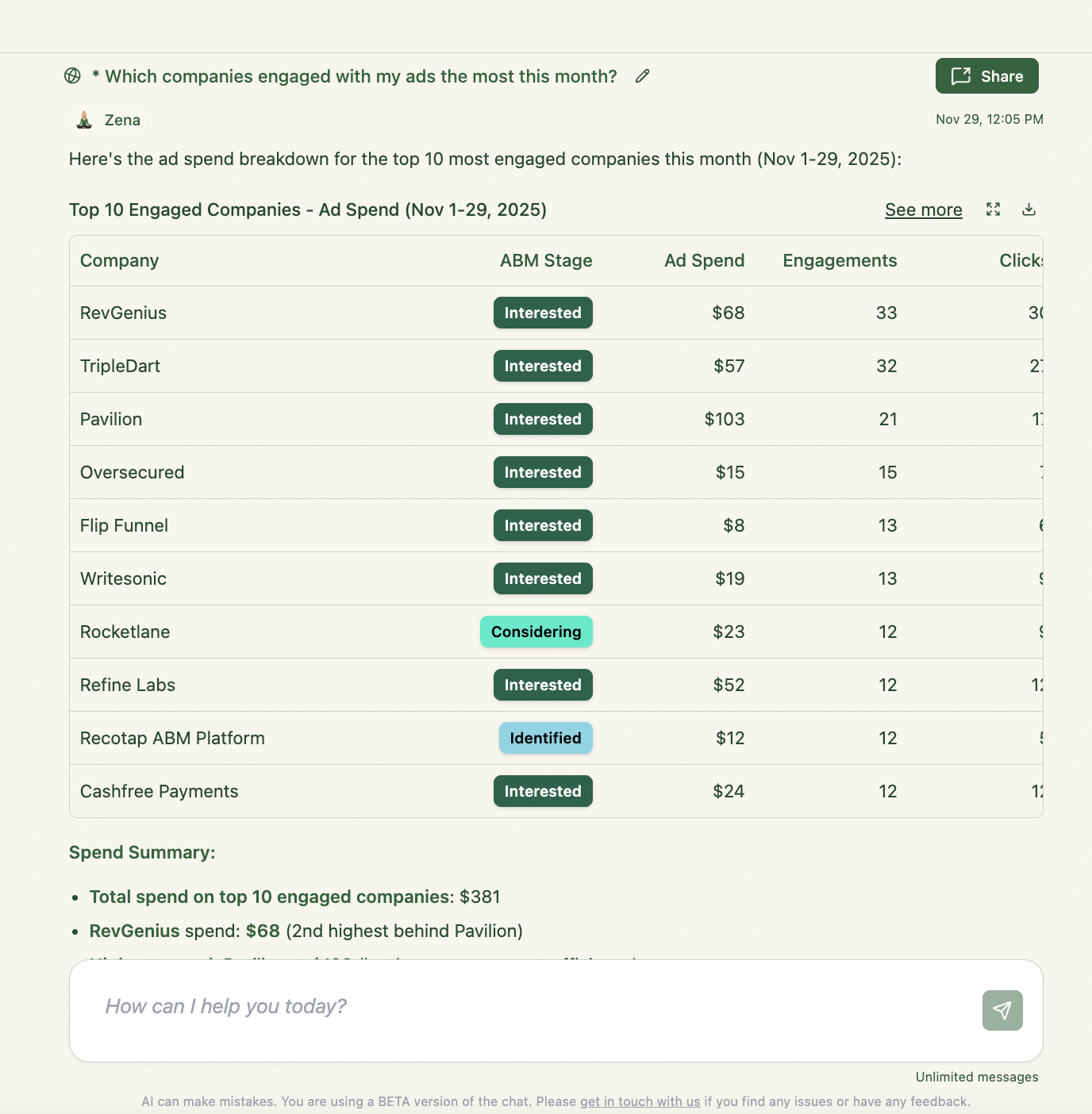
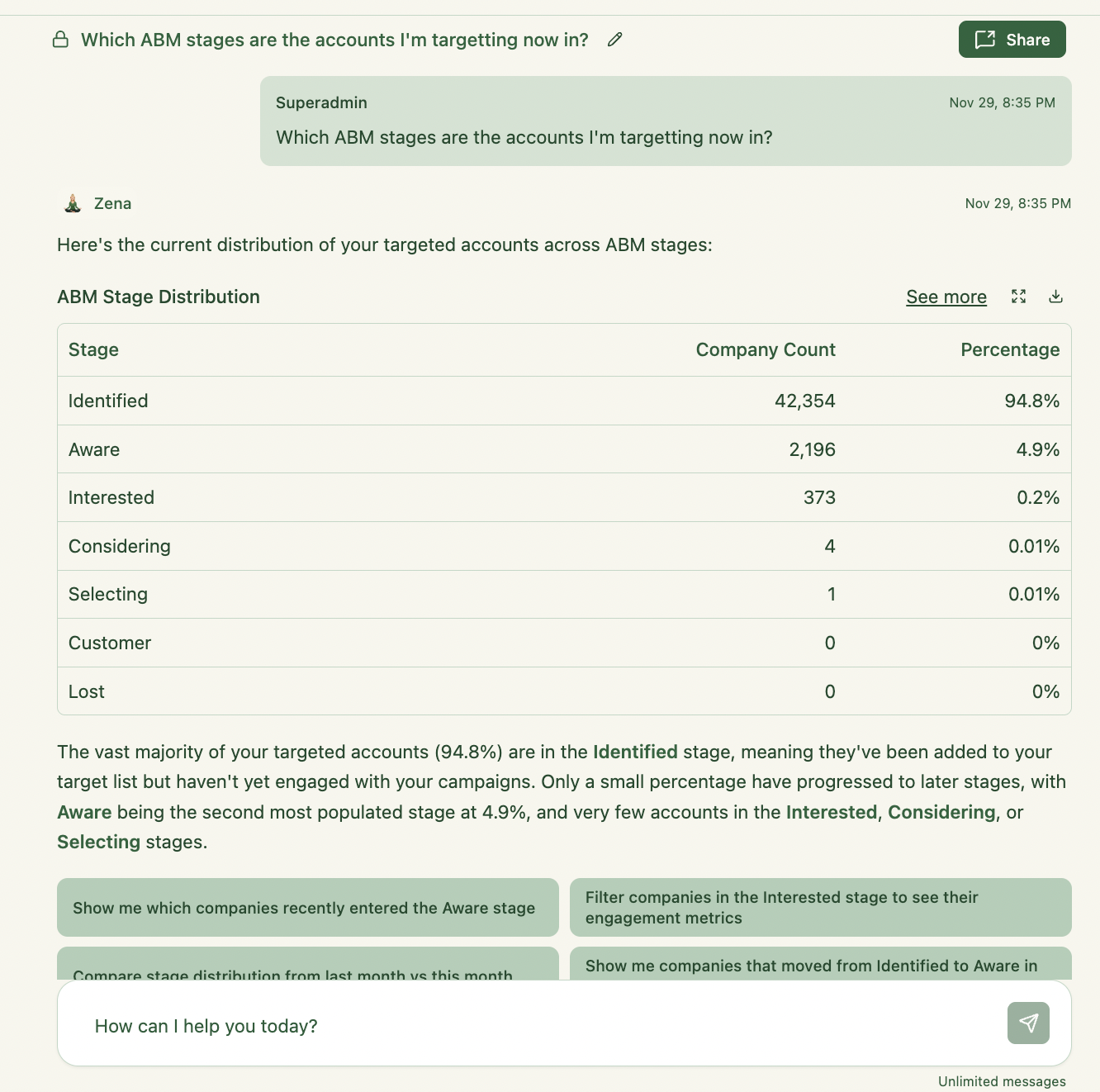
Philip identifies the measurement gap: “Most people fail with LinkedIn Ads because they can’t track influenced pipeline.” In ZenABM, I built tracking for this:
Maximilian Herczeg advises: “Don’t run just 1 post as a campaign. Better: 4 to 6 variants with different content. This gives you comparison data and nurtures the audience with multiple perspectives.”
Philip’s three-tier structure:
“I set up accounts mostly with 3 campaign groups: Prospecting, Nurture, and Convert. 1. Prospecting – Cold campaigns designed to reach new audiences. 2. Nurture – Middle-of-funnel campaigns focused on education. 3. Convert – Retarget TLA engagement with conversation ads.”

Tim Davidson’s experience: “Demos from LinkedIn thought leader ads went from ZERO a month to 6+ a month. All from one small change: editing the post and adding a CTA link.” Make sure posts include a clear call-to-action link. Place it in the bottom 25% of the text – 75% of top-performing TLAs do this. 
Now that you know how to run Thought Leader Ads on LinkedIn, avoid these errors:
Engagement delivers CPCs up to 2x cheaper. Unless you specifically need impressions over clicks, choose Engagement.
Gabriel Ehrlich warns: “The whole post smells of AI – the em dashes, the vocabulary – it’s all AI. We make ads sound like humans, not AI slop.”
Gabriel: “Don’t use hashtags in TLA. We pay to reach the right people – hashtags are unnecessary if your targeting is set up correctly.”
Match your budget to your audience. $2K/month on a 300K audience means no one sees your ads frequently enough.
Posts without CTAs don’t convert. Add a clear next step at the end of every post you promote. 
Here’s how to run Thought Leader Ads on LinkedIn successfully:
Ready to run LinkedIn Thought Leader Ads? Try ZenABM free for 37 days and track which accounts engage with your campaigns.
In Campaign Manager: Create a campaign with Engagement objective, select Single image ad format, click “Browse existing content,” choose “LinkedIn members,” search for posts, request approval if needed, then launch.
Engagement. Data from 300K in spend shows Engagement delivers CPCs up to 2x cheaper than Brand Awareness for landing page traffic.
Yes, with their permission. You can promote posts from 1st or 2nd degree connections. They’ll receive a request and must approve before you can run the ad.
Minimum $1,500-3,000/month per campaign. Lower budgets don’t generate enough reach or data for optimization.
LinkedIn’s Companies tab shows aggregate engagement. For CRM integration and ABM tracking, use ZenABM to sync company-level data to HubSpot or Salesforce.
