

©2026 ZenABM - All Rights Reserved.

LinkedIn is not a search engine. For advertising, it behaves more like a busy roadside billboard that your buying group sees all the time. If you truly want to learn how to connect LinkedIn ad spend to closed deals in ABM, meaning real influence on pipeline and ROI at the account level, you must look beyond clicks and simple form submissions.
The reliable way to do this is to monitor company-level engagement for every campaign and creative, down to impressions, not only clicks.
The catch is that most “standard” setups cannot capture view-through influence with precision, which hides the real assist that LinkedIn ads deliver.
In this repack, I will pinpoint where common methods fail ABM, then show how to repair measurement with ZenABM so you can finally see which campaigns move accounts forward and produce revenue.
First, the mindset. LinkedIn is primarily for brand shaping and category education, not for last-click conversions.
Click-through rates tend to be modest:
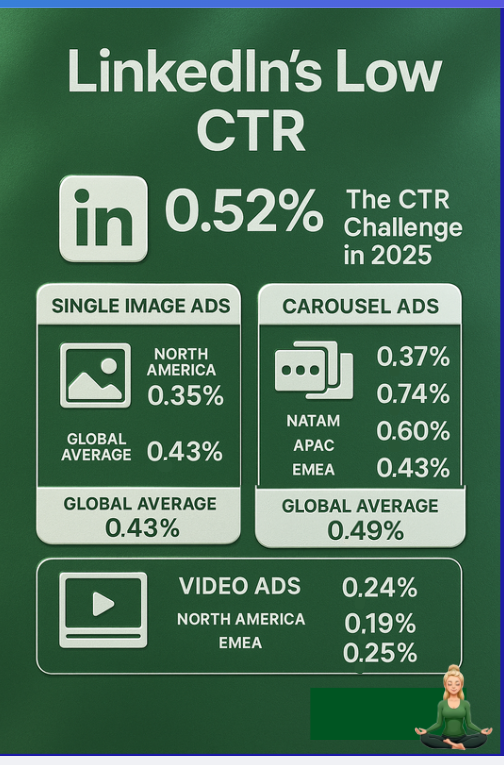
Unlike Google Search, your ICP is not hunting, they are scrolling. An executive sees your ad, does not click, later searches your brand or types your URL. Analytics then label it “Organic” or “Direct,” and LinkedIn’s real lift disappears.
The remedy: treat impressions and quiet interactions as primary signals. To assess LinkedIn ad effectiveness for ABM, capture who saw which messages and connect that exposure to account movement, even when nobody clicked.
That is where most stacks miss:
LinkedIn’s Company Engagement Report (now the Companies tab) reveals account-level interactions.
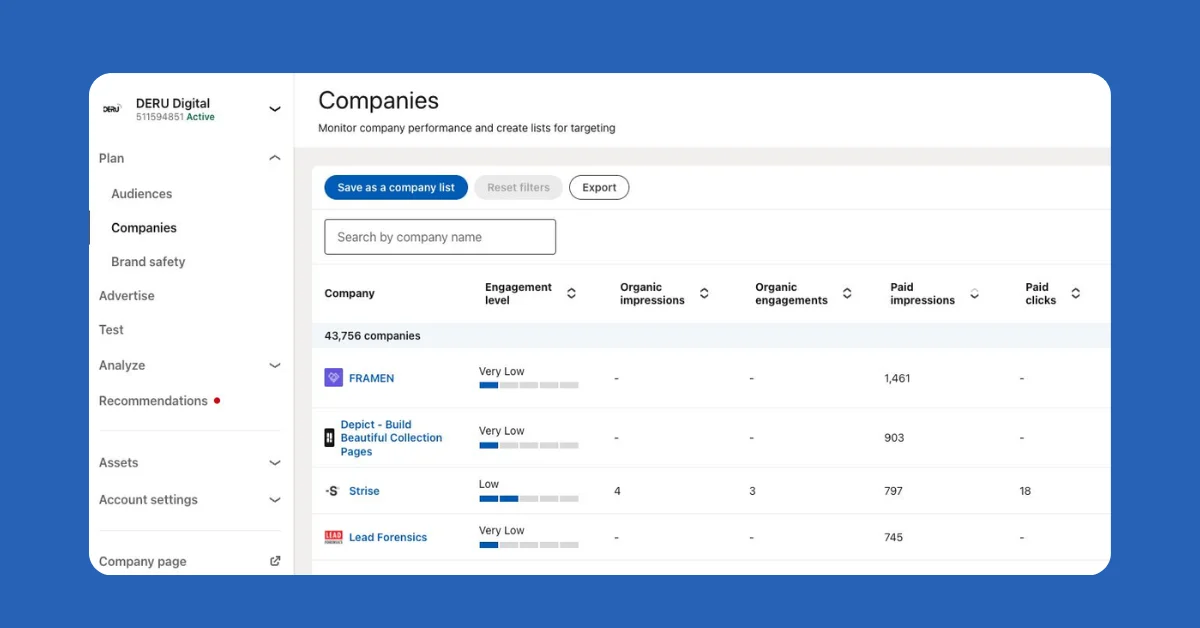
Useful, yet limited for ABM. The numbers are aggregated across the whole ad account. You cannot confidently answer, “Which campaign generated impressions and reactions at Acme,” or “Which creative nudged this buying team.” When multiple ABM motions run in parallel, this level of detail is essential for message testing, readiness scoring, and revenue attribution.
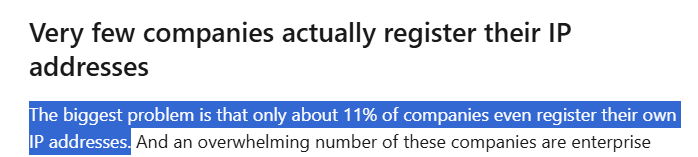
IP-based reveal tools claim to show which companies visited your site. Reality check: they only see visitors who actually arrived, which means people who clicked. Viewers who never clicked your LinkedIn ad remain invisible. Even for clickers, accuracy wobbles because of VPNs, shared networks, and dynamic IPs.
A Syft review reported typical accuracy around 40 percent, which is too thin for ABM-grade attribution.
A real example: Userpilot checked traffic from LinkedIn to their site using Clearbit, and the tool surfaced one company, their own.
For ABM measurement, that is not viable.
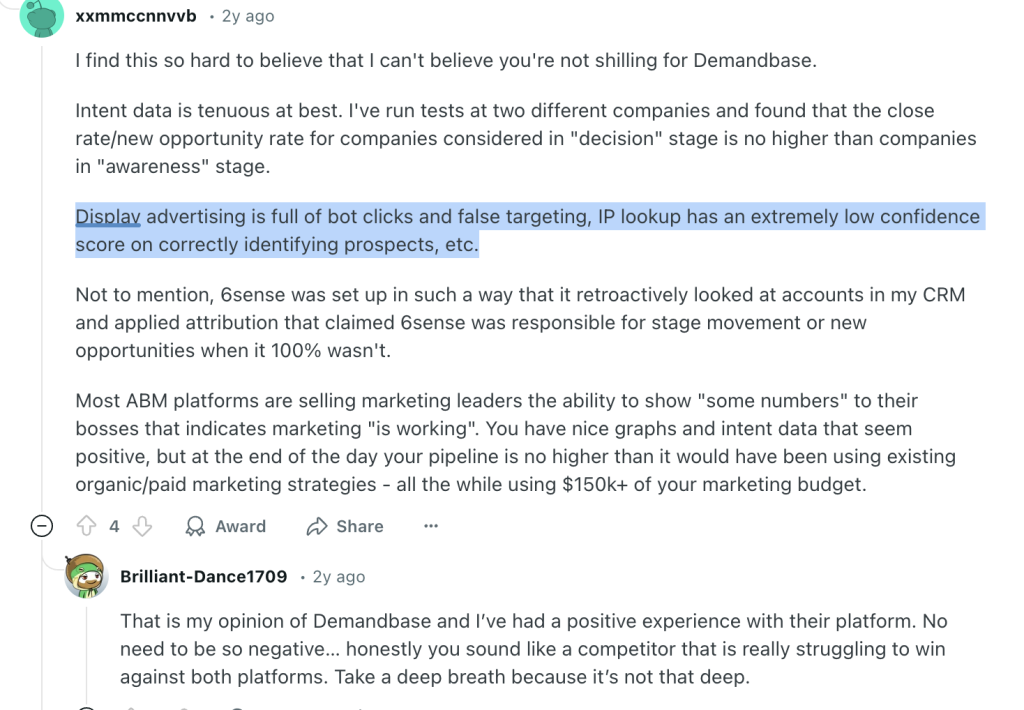
Retargeting platforms such as AdRoll and Criteo infer company or intent through cookies and device graphs. Three problems for ABM:
Native links, for example, HubSpot’s connector, sync forms and basic ad data. Great for operations, not enough for ABM impact:
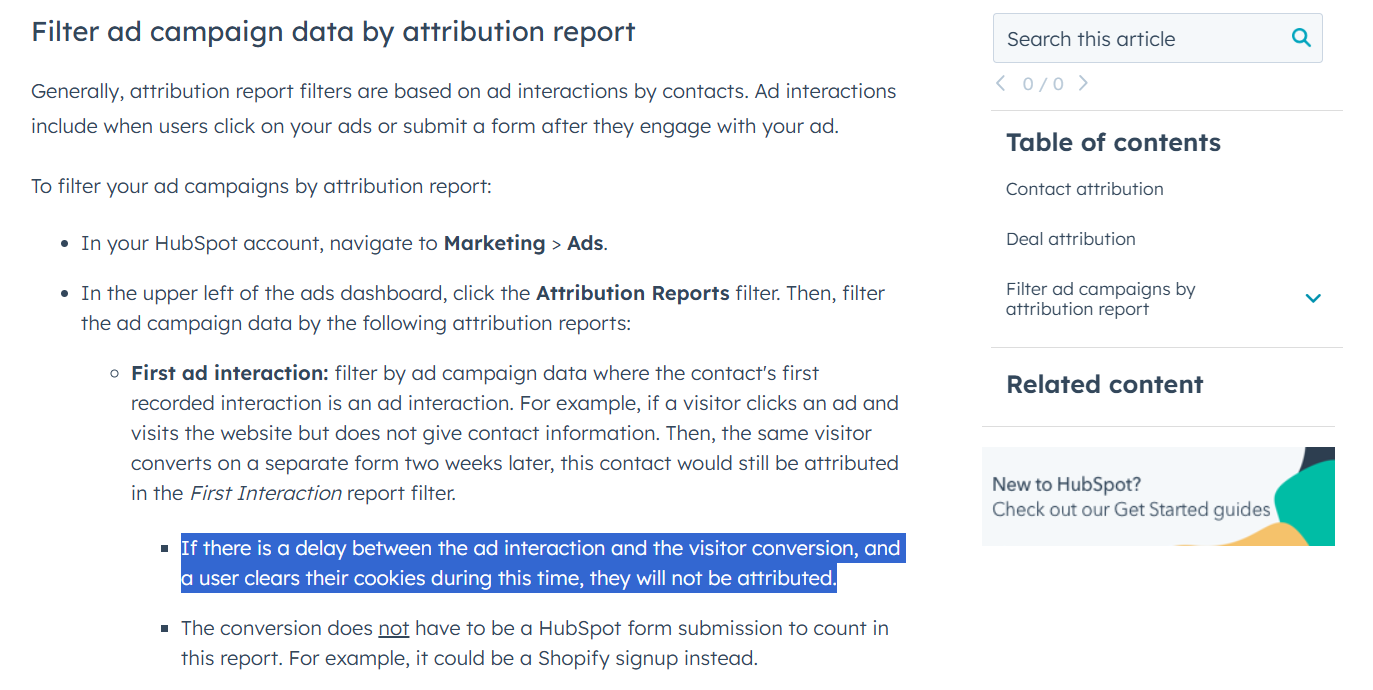
In B2B buying groups, one person views the ad and another submits the form days later. Last-click thinking and cookie limits break that link. For how to connect LinkedIn ad spend to closed deals in ABM, you need company-level view-through, not only click-through.
To evaluate LinkedIn ads for ABM, you need first-party, campaign-level, company-level visibility across impressions, reactions, and clicks, measured per account, not only per person. ZenABM analytics delivers this using LinkedIn’s official APIs, with no cookies, no IP guesswork, and no scraping.
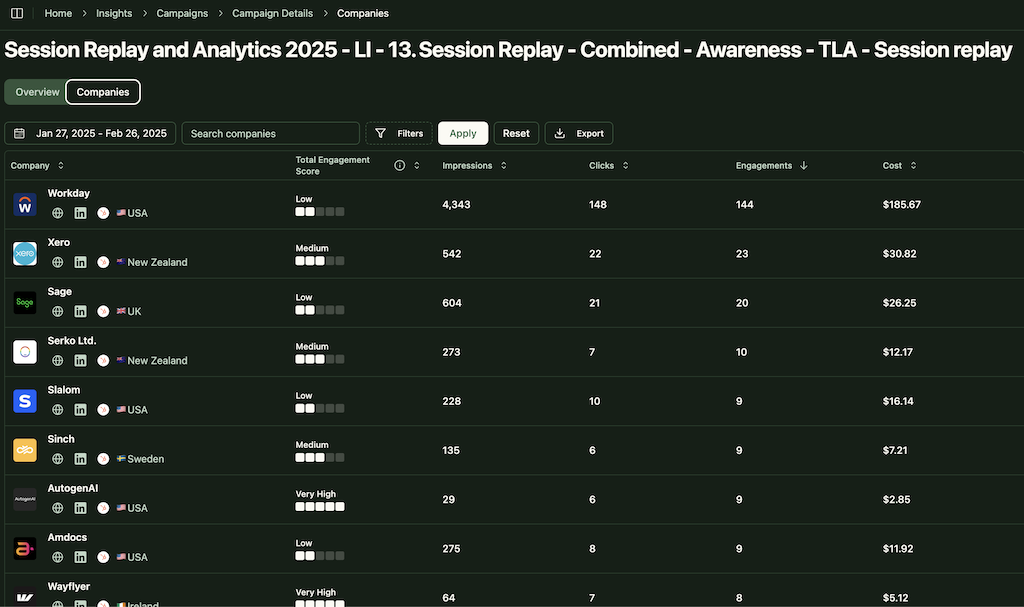
For each campaign, ZenABM surfaces account-level impressions, reactions, shares, and clicks, along with CRM context for live deals.
Example: a company never clicks, views your ads many times, then books a demo a month later. ZenABM links those exposures to the opportunity so the campaign earns its share of credit.
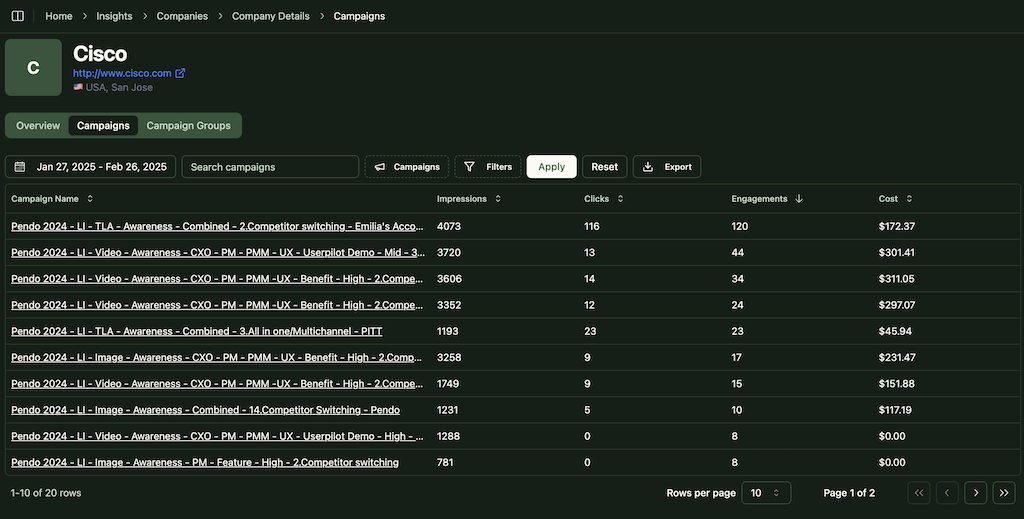
Top-of-funnel awareness, product education, and conversion offers all get recognized. No more over-crediting the final ad that collected the form.



No CSV juggling. Properties such as “Impressions, Last 7 Days, Campaign X” and “Clicks, Last 7 Days, Campaign X” live on the Company record and power lists, reports, and workflows.
ZenABM monitors the ABM stage of each account using CRM data and engagement levels, and you control the thresholds:

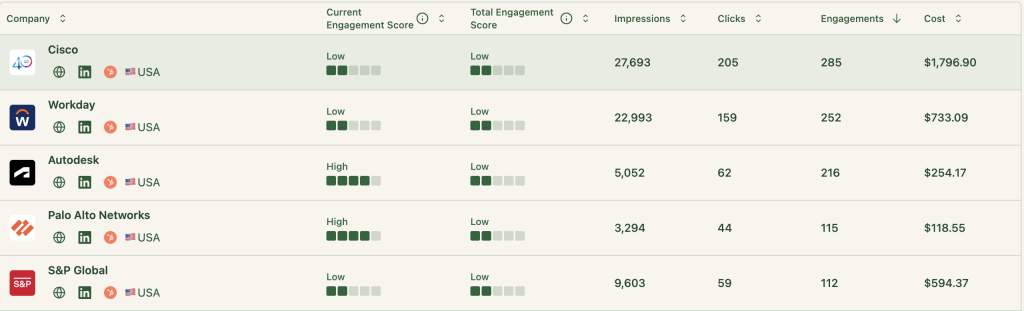
Set thresholds on cumulative impressions, reactions, or clicks. When a company heats up, auto-assign to the right BDR, launch sequences, or trigger a one to one play.
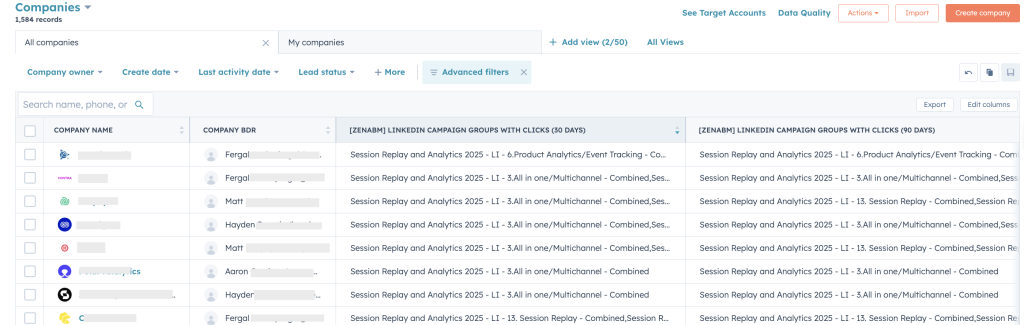
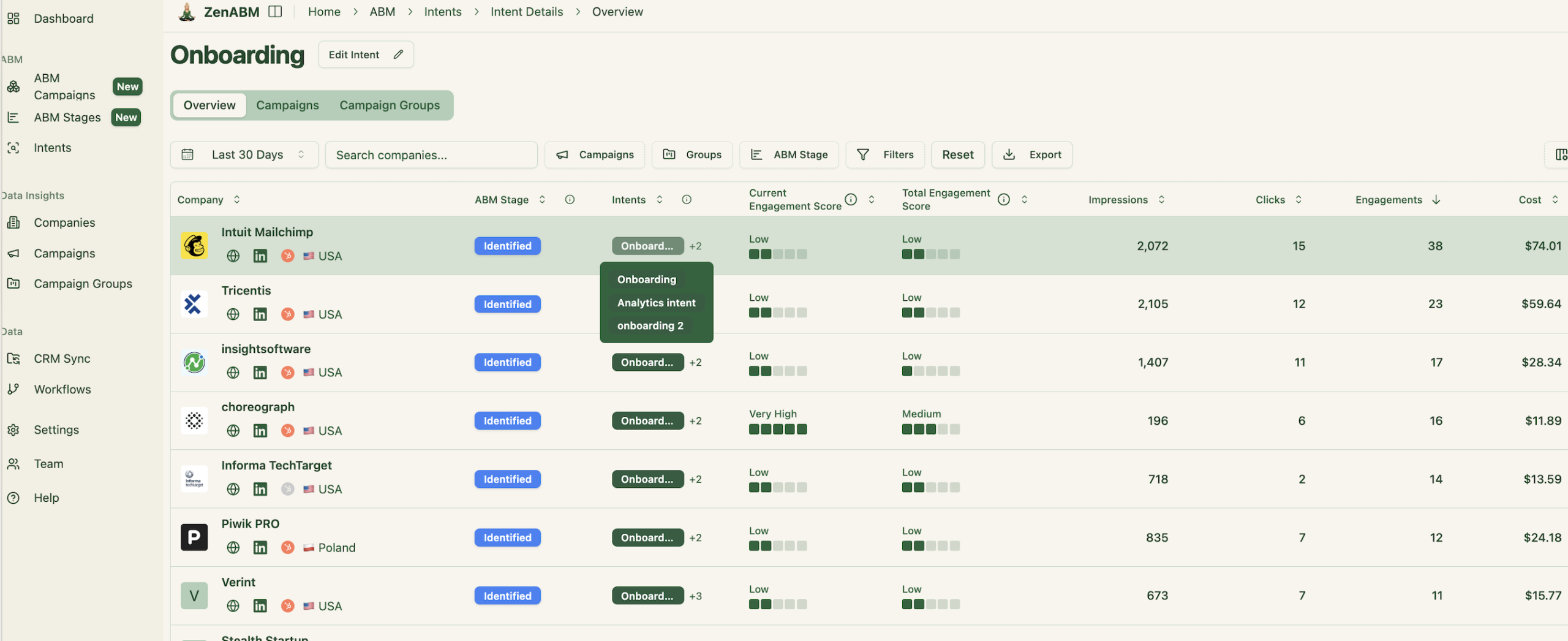
Tag campaigns by use case, feature, or vertical. ZenABM groups accounts by the topics they engage with, so reps know which story to open with.
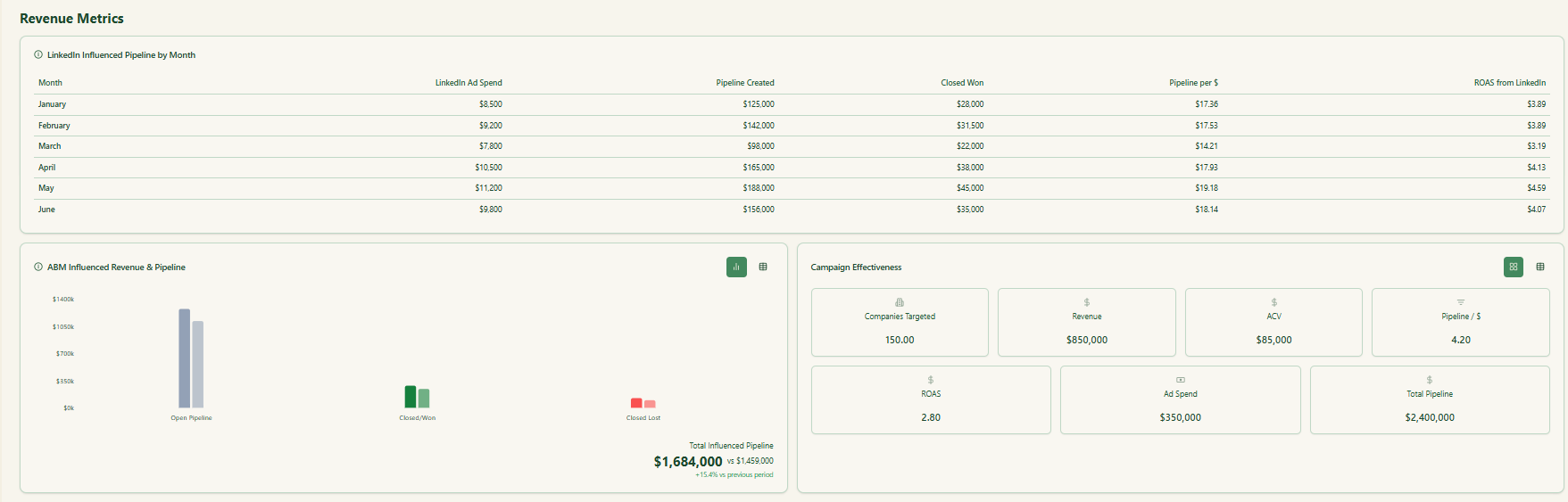
See which campaigns influenced opportunities and revenue, beyond last click. This is the attribution model ABM needs.
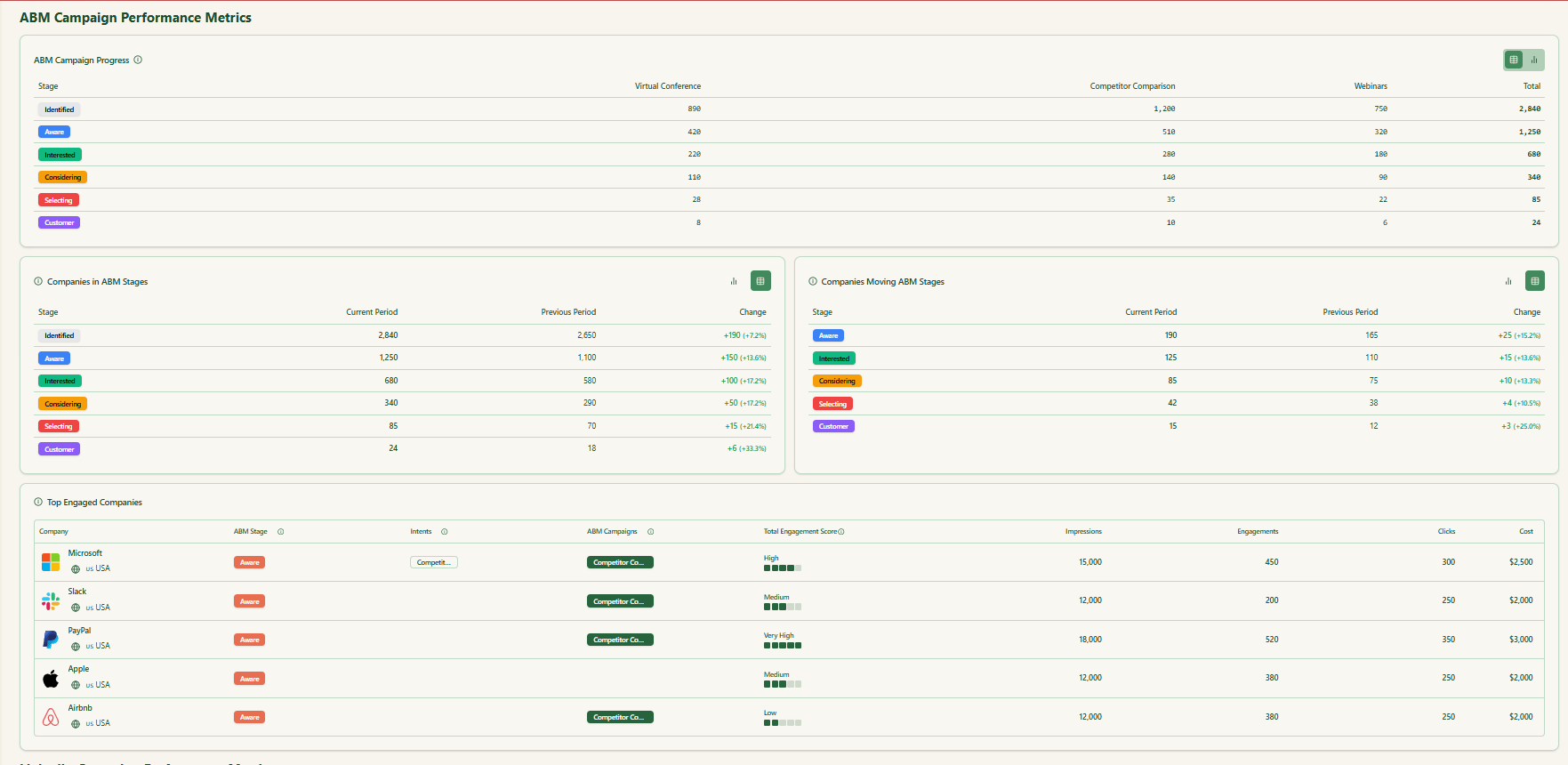
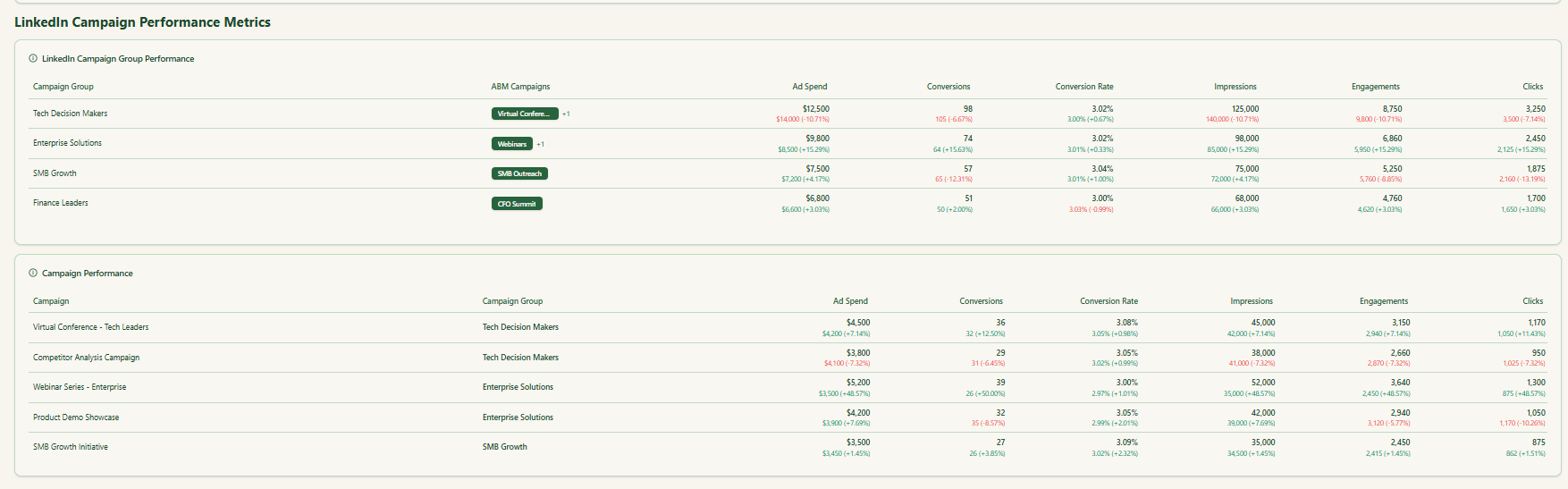
Prebuilt views spotlight what matters most, including account impressions, engagement momentum, opportunity influence, and ROI, cut by campaign and by account.
ZenABM relies on LinkedIn’s approved APIs. No scraping, no fingerprinting. Clean, compliant, first-party telemetry.
Clicks and forms show only a slice of reality. In longer, multi-stakeholder sales cycles, company-level view-through is where LinkedIn’s real value appears. When you track who saw which campaigns, how frequently, and how that exposure nudged pipeline and closed deals, you stop guessing and start improving.
If you are serious about how to connect LinkedIn ad spend to closed deals, adopt first-party, company-level analytics that capture impressions, reactions, and cross-campaign influence, then sync everything to your CRM for scoring, routing, and revenue reporting. That is exactly what ZenABM provides. Reveal the view-through story you have been missing and double down on the campaigns that actually move accounts.

