Common Room Pricing Analysis: Is It The Right Choice for You?
Yashasvi Saxena
Share this post
Common Room, fortunately, declares its pricing on the site, unlike most account-based marketing enterprise suites.
Yet, its sticker price is not the end of it.
The pricing model is still heavily influenced by how you use the tool.
So, in this article, I’ll first explain the headline Common Room pricing available on the site and then go beyond it to discuss user feedback, hidden fees, feasibility for different business sizes, and where a lean tool (like ZenABM) might be better.
Common Room Pricing: Quick Summary
Common Room pricing: Starts around $12K/year for Starter, $30K/year for Team, and custom for Enterprise. Annual contracts only.
Hidden costs: Expect add-on fees for premium data (Bombora, enrichment), contact overages, and paid onboarding/customization.
Who benefits most: Mid-market and enterprise B2B teams with mature, multi-channel ABM programs and community-driven GTM.
Who should skip it: Startups, SMBs, or teams with small deal sizes or single-channel focus.
User feedback: Great data and analytics, but not worth the price unless you use every feature.
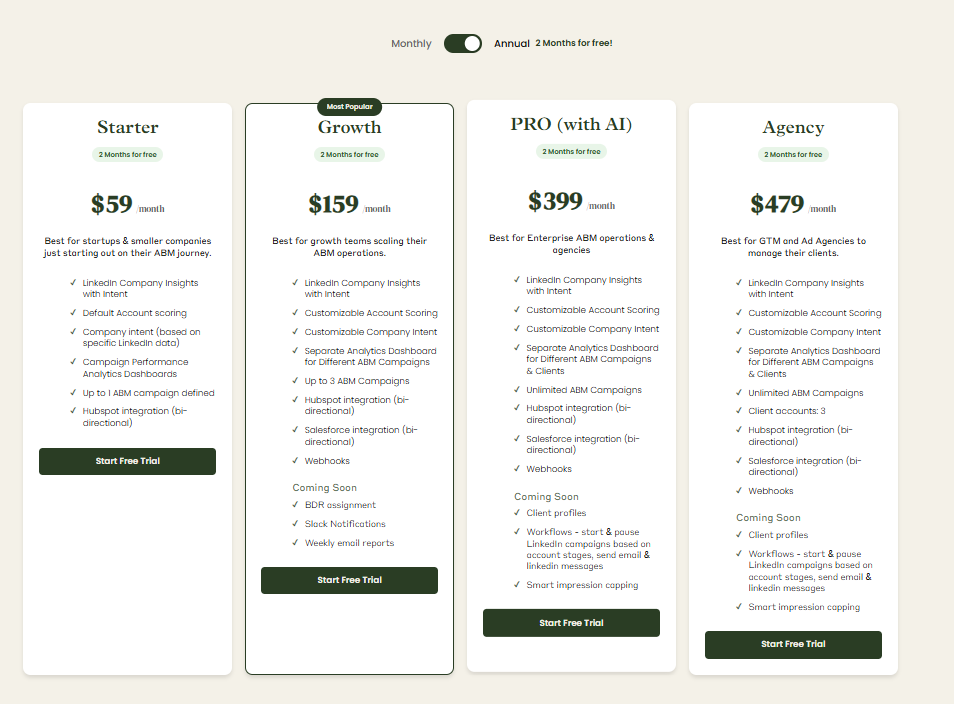
Lean Alternative: ZenABM, with first-party LinkedIn ad intent data, account scoring, CRM sync, ROI attribution, and pricing starting at $59/month, suits smaller teams and, in fact, any team running LinkedIn-centric account-based marketing campaigns.
Track LinkedIn Ad Engagement by Company for Each Ad Creative
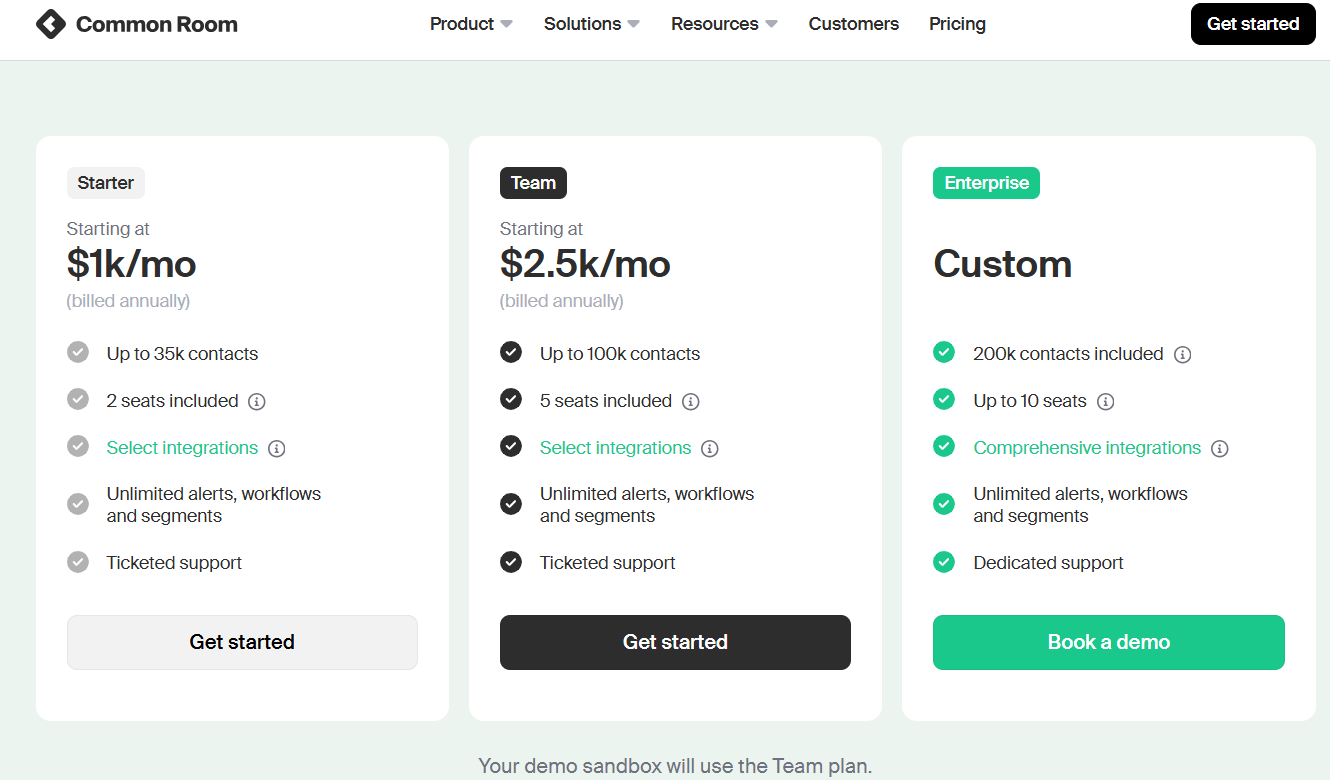
Common Room offers three broad editions on annual contracts.
Its site breaks down the tiers roughly as follows:
Starter – ~$12K/yr (roughly $1K/mo): Covers up to ~35k contacts and includes 2 user seats. Comes with core features (web, product, and community signals, basic scoring, alerts, etc.).
Team – ~$30K/yr ($2.5K/mo): Extends to ~100k contacts and 3–5 seats, with access to more integrations and higher data allowances.
Enterprise – Custom pricing: Includes ~200k contacts (and up to 10 seats) by default, with all integrations and enterprise-grade support. Beyond that, additional contacts or seats are negotiated in the quote.
All plans include a free trial period (e.g. a 14-day Team trial, but after that, you’re locked into annual billing.
Teams can get started and respond to engagement signals within minutes, ensuring prompt and efficient outreach.
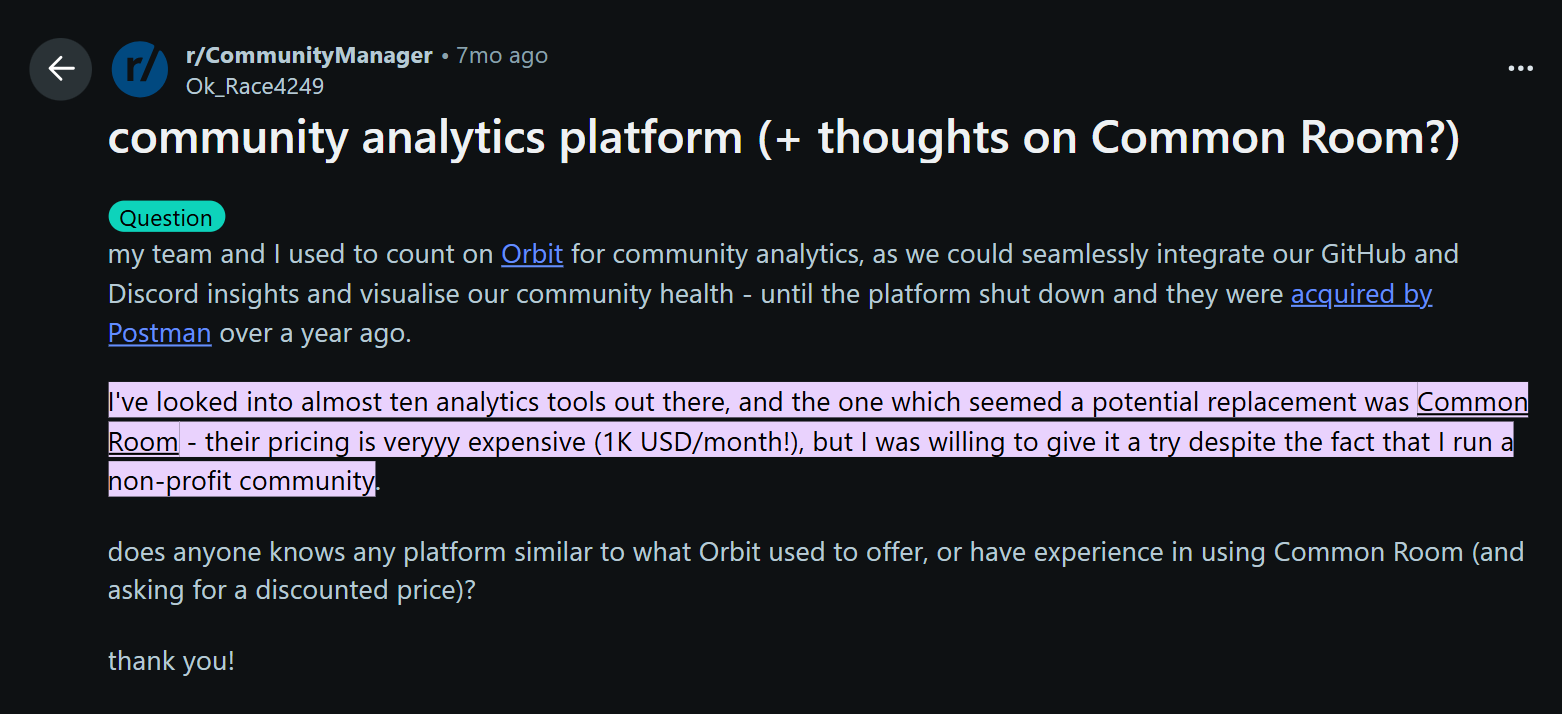
Customer feedback on Common Room echoes the pricing point: the platform is feature-rich but costly.
In forums, buyers describe it as excellent for cross-channel community signals and call it one of the best informed GTM AI, but complain about it being expensive.
Many say it only feels worthwhile if you leverage all its capabilities; otherwise, it’s overkill.
On the flip side, companies with large account lists and mature GTM processes report clear value—for example, spotting engaged users early across web and community channels.
But for most users, the sentiment is: great data, strong support, but expect to pay enterprise prices.
Hidden Fees, Overage Charges, and “Gotchas”
Because Common Room pricing is not entirely fixed and somewhat quote-based, watch for these extra expenses:
Add-on Data: Some advanced signals require paid add-ons. For example, Bombora intent data (“surging topics”) is listed as an add-on in the pricing table. Phone-number enrichment and certain premium integrations are also extra.
Custom Services: The base license covers standard onboarding, but any heavy customization (custom integrators, bespoke training, campaign management) may incur professional-services fees. These aren’t usually in the sticker price, so ask upfront.
Contact Overage: Plans cap the number of tracked contacts/accounts. If your list grows beyond the tier, you’ll need a higher plan. E.g. Starter is up to ~35k contacts, Team ~100k; exceeding that will raise costs.
No Ad Spend Markup: Unlike some platforms, Common Room does not mark up your media spend. You pay your ad networks directly. However, managing budgets for LinkedIn, Google, etc., is still on you.
Who Is Common Room Best Suited For?
Ideal Users:
Enterprise & Mid-Market B2B Teams: Especially tech/software companies with sophisticated sales & marketing teams. Large account lists (thousands of contacts) benefit most.
Community-Driven GTM: Businesses whose buyers gather in online communities (Slack, Discord, GitHub, etc.) – for example developer tools, open-source projects, or PLG companies.
Multi-Channel ABM Programs: Organizations that need to stitch together signals from website, product, social, email, and especially community forums.
Sales-Aligned Operations: Teams where SDRs/AEs actively use the system. Common Room’s Person360 outputs and alerts are most powerful when sales reps take action on these insights, turning signals into concrete steps that drive results..
Data-Driven Revenue Ops: If you require custom ABM dashboards, campaign ROI tracking, and full-funnel analytics, Common Room’s analytics suite (at extra cost) can be a fit.
Not a Good Fit:
Small Companies & Startups: At ~$12K/year minimum, most SMBs or cash-strapped startups find it too expensive and complex.
Single-Channel Needs: If you only need basic lead data or LinkedIn targeting, point solutions (or even LinkedIn’s own tools) are simpler.
New to ABM: Without an existing ABM or community strategy, you likely won’t use most features.
Low-Value Deals: Teams with small average deal sizes usually can’t recoup a $12K+ spend.
ZenABM: A Streamlined, First-Party Alternative for GTM Teams
Unlike Common Room’s enterprise-heavy, all-in-one model with steep costs, ZenABM takes a leaner, LinkedIn-first approach.
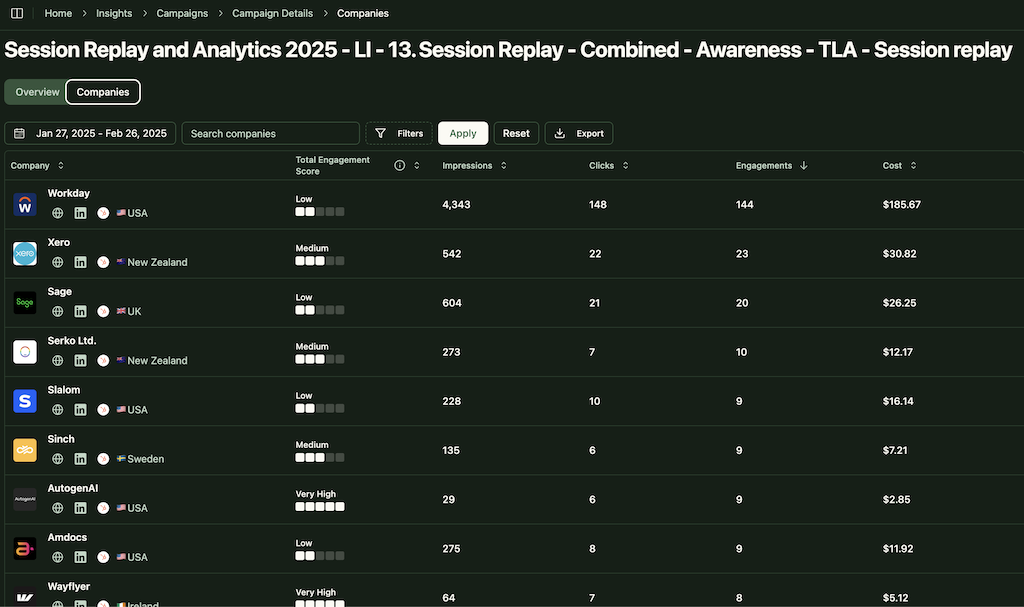
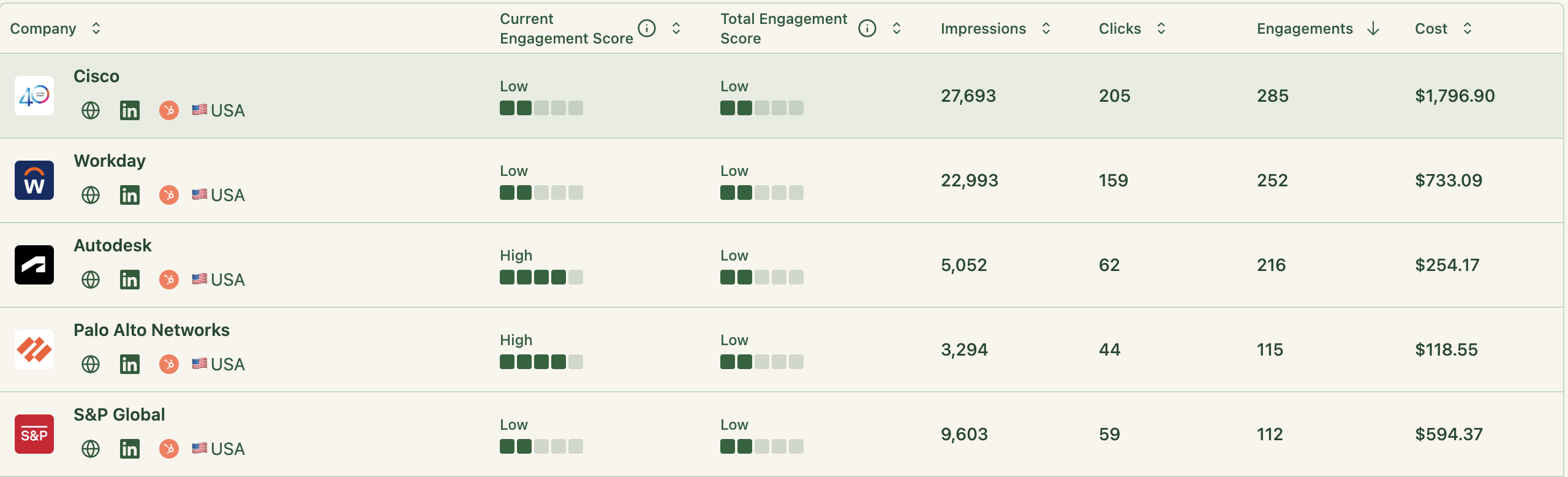
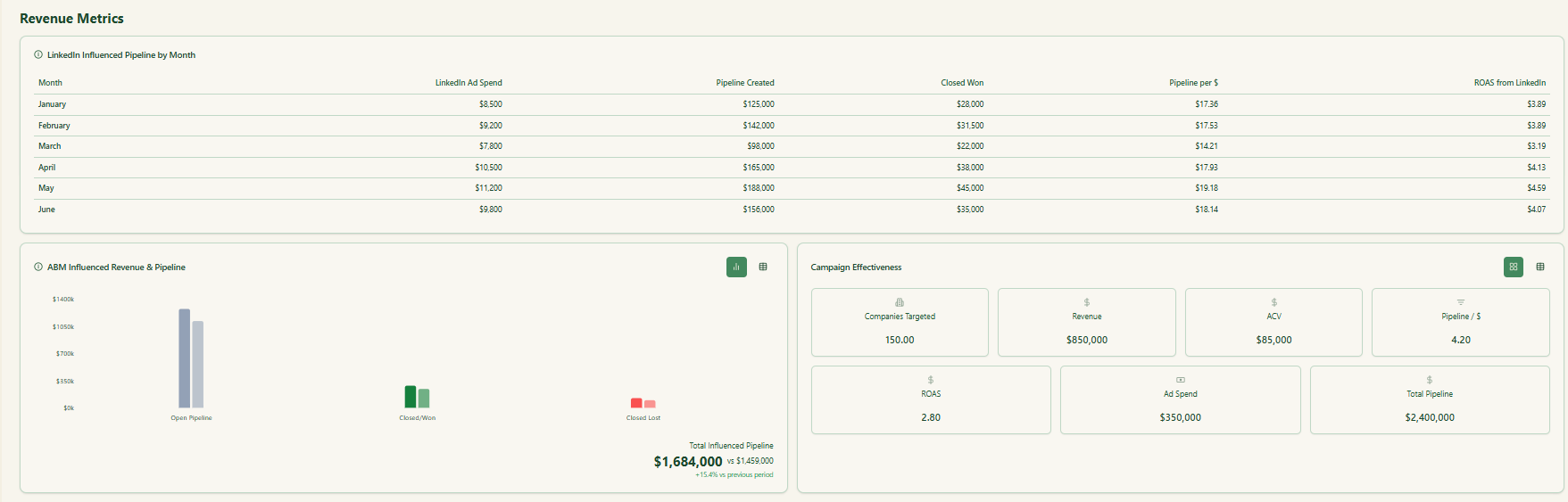
ZenABM dashboard showing company-level ad engagement metrics from LinkedIn’s APICompany-level LinkedIn ad engagement for each campaign over a chosen timeframe
Engagement-Based Scoring and Stage Mapping
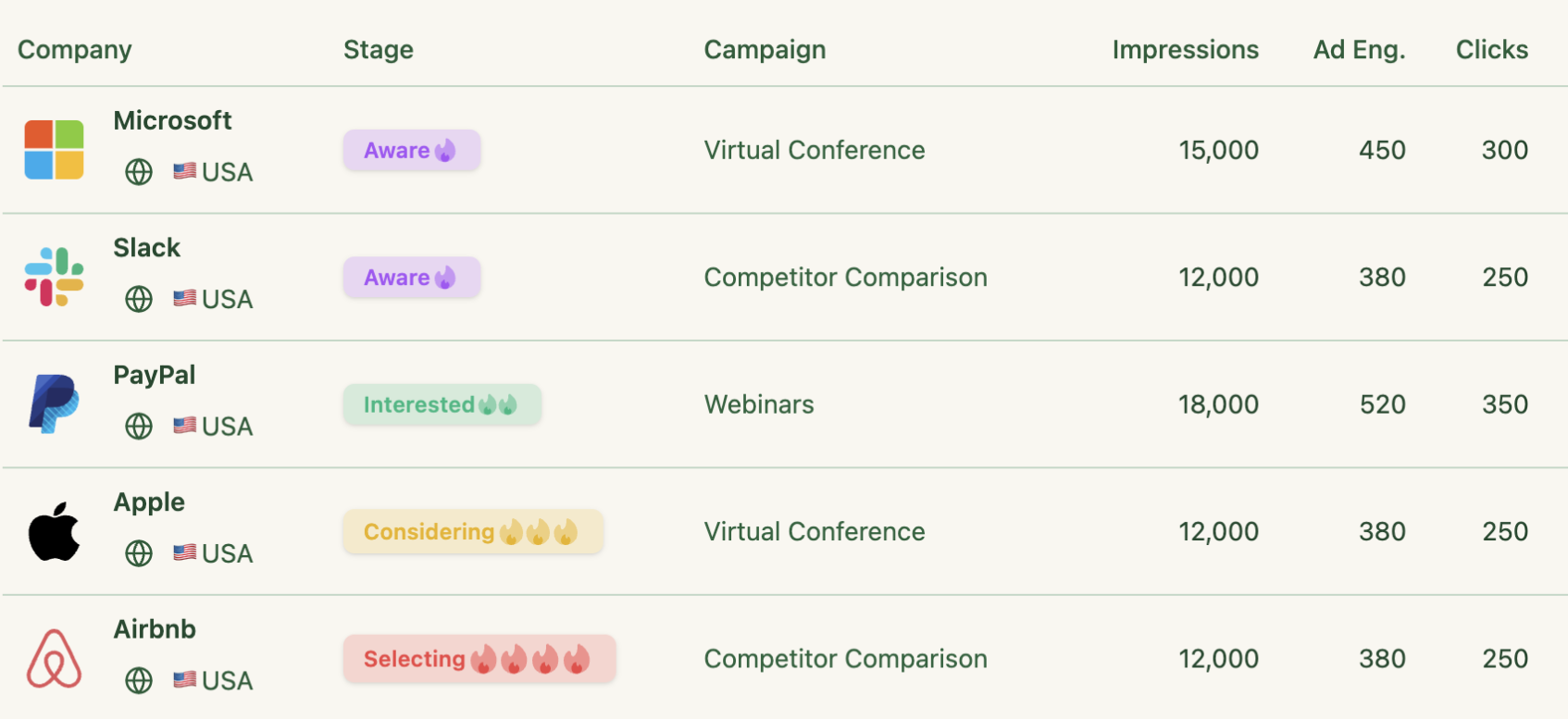
Beyond raw metrics, ZenABM consolidates historic and real-time engagement data across campaigns to calculate account scores and map them to ABM funnel stages.
It then assigns each account an ABM stage, blending campaign engagement with CRM signals, which improves targeting and outreach precision.
Automated BDR Routing
ZenABM routes accounts in the “interested” stage directly to BDRs
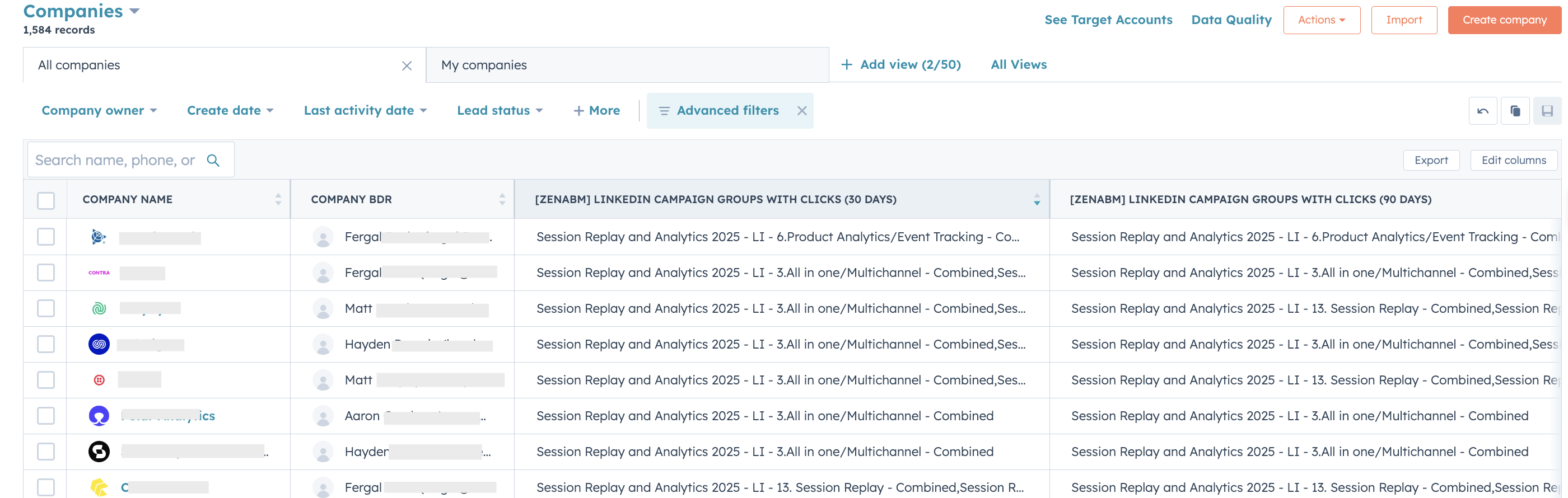
ZenABM continuously updates company properties in CRM while also pulling in deal values – giving a fuller view of engagement plus pipeline impact.
Out-of-the-Box ABM Dashboards
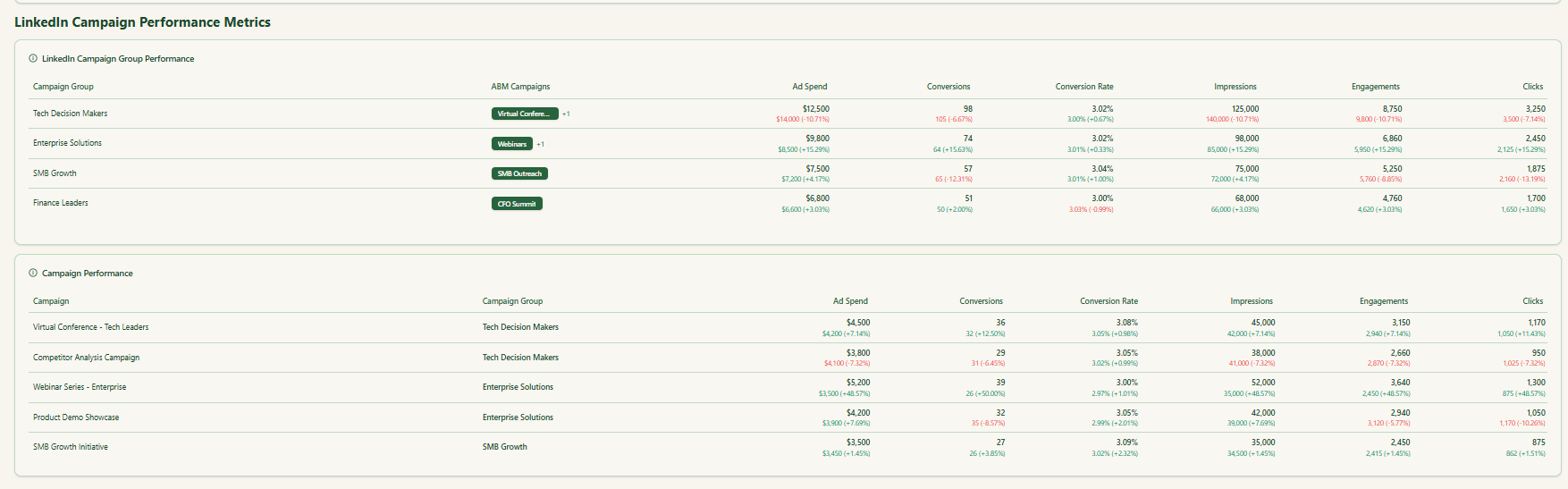
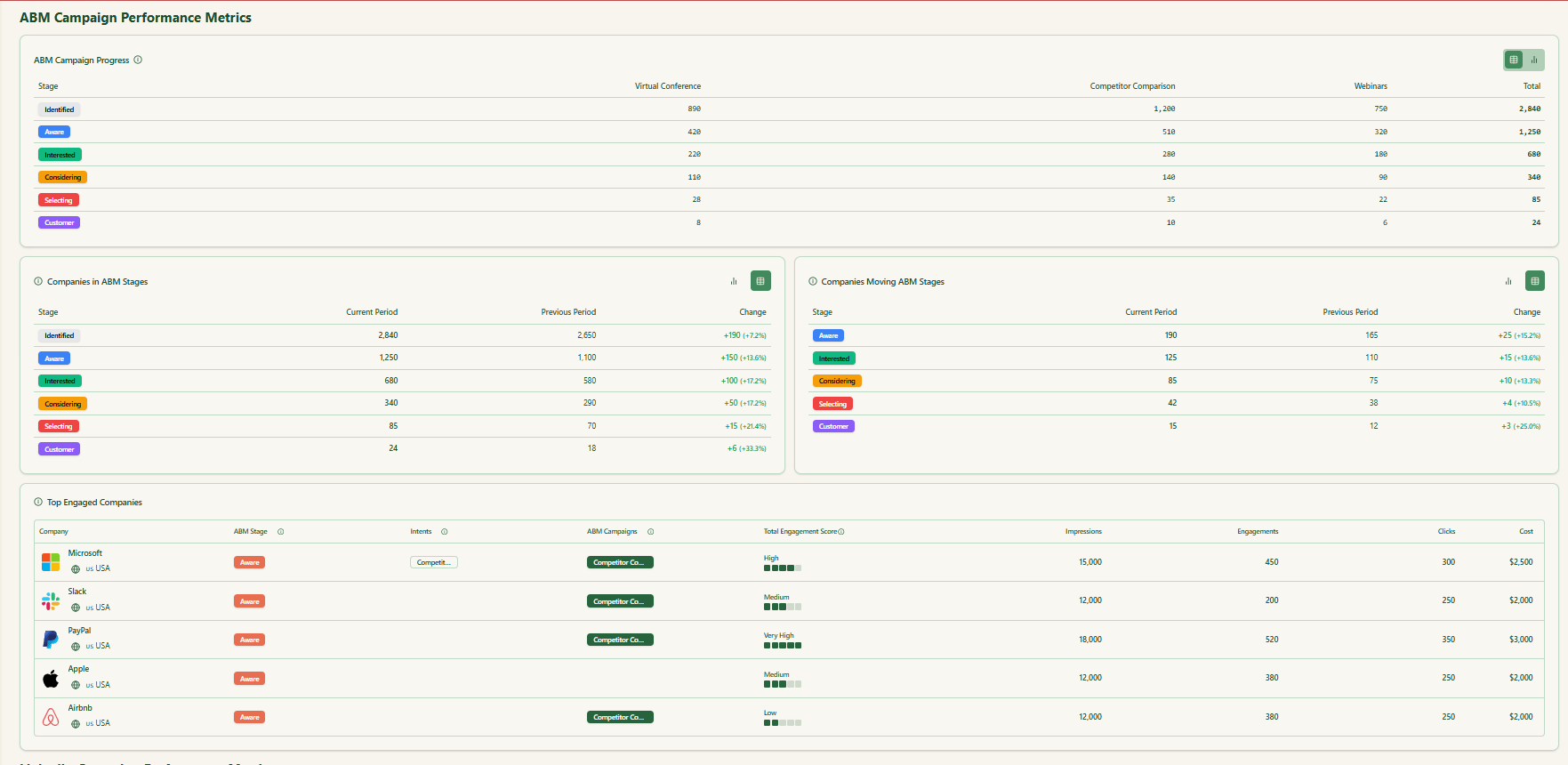
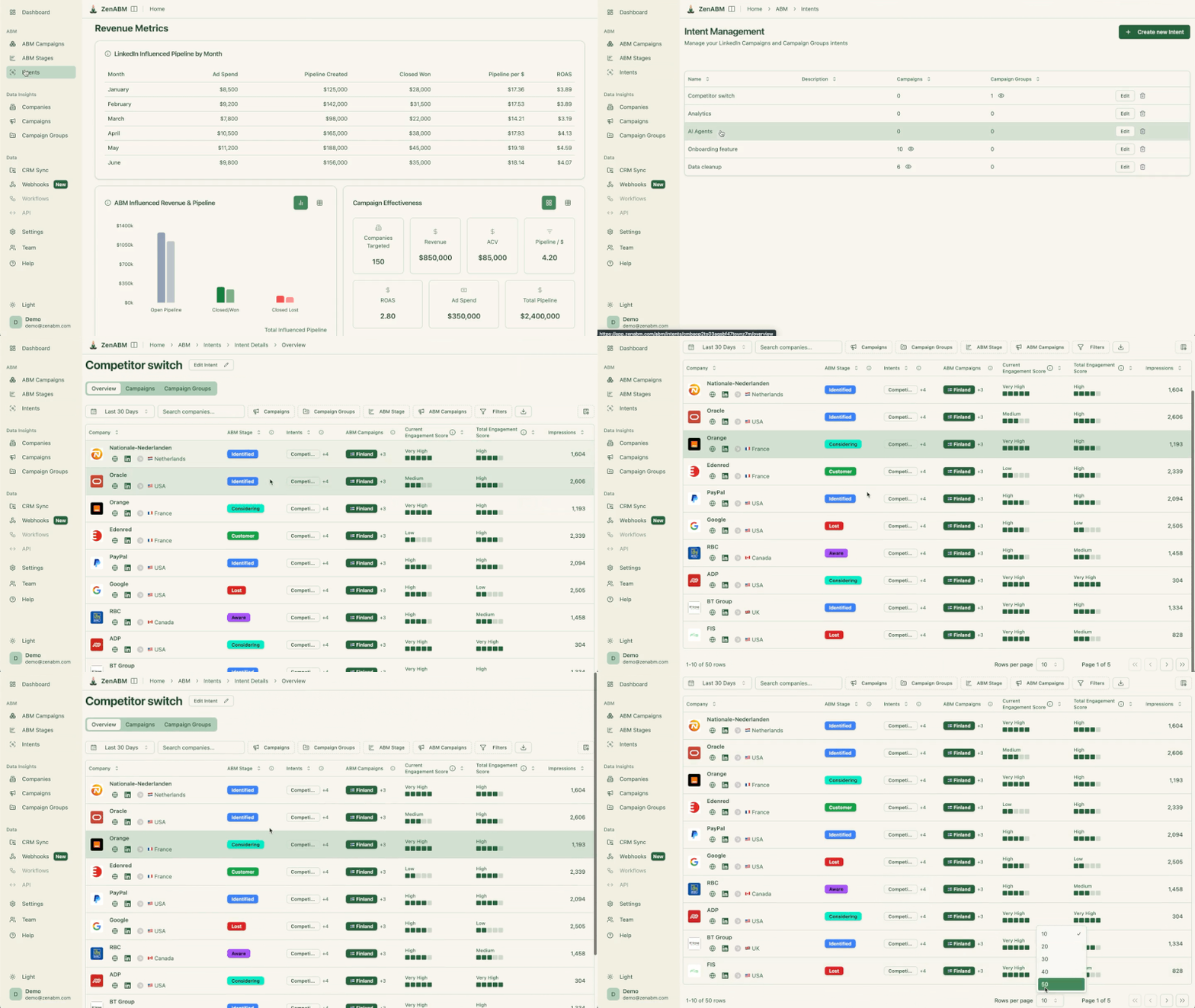
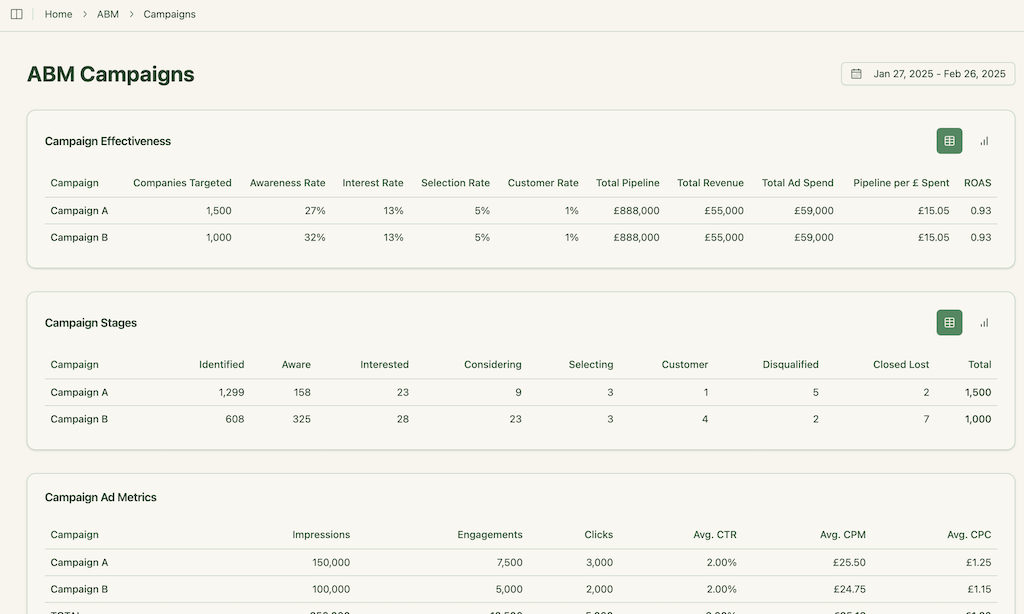
LinkedIn campaign analytics in ZenABMABM campaign reporting dashboard in ZenABM
Dashboards come pre-built for attribution and ABM analytics, surfacing both revenue impact and actionable insights from engagement data.
Intent, Funnel Health & Leakage Analysis
Instead of noisy third-party intent feeds, ZenABM surfaces first-party signals from ads to reveal qualitative buying intent for target segments.
ZenABM’s funnel analysis dashboards highlight where accounts drop off in the journey so teams can address leaks and avoid wasting effort on vanity metrics.
Pricing is flexible (monthly or annual with two months free), and a 37-day free trial allows teams to try before buying.
Conclusion
Common Room is a powerful but pricey ABM platform.
For companies with a good organic presence, large deal sizes, mature sales alignment, and the resources to run orchestrated multi-channel plays, the investment can pay off with clear ROI.
But for smaller teams or those just starting, Common Room is usually too costly and too complex.
Many features will sit unused.
If your ABM strategy is LinkedIn-heavy or you simply want predictable, first-party data without a six-figure platform commitment, tools like ZenABM offer a more practical path.