

©2026 ZenABM - All Rights Reserved.

Tracking which companies engage with your LinkedIn ads and how those engagements turn into pipeline or revenue can get overwhelming if you rely on manual data exports and spreadsheets. Every day, B2B marketers waste hours pulling LinkedIn campaign stats, matching them to CRM records, and updating CSV files.
There’s a better way: integrate your CRM with LinkedIn Ads to automate this process.
In this post, we’ll explore seven of the best CRM integrations for LinkedIn ad tracking, showing how each simplifies your campaign workflows and improves attribution.
| Tool | Account-Level Tracking | LinkedIn API Integration | Two-Way CRM Sync | Pricing | Best Fit |
|---|---|---|---|---|---|
| ZenABM | ✅ Comprehensive tracking | ✅ Official LinkedIn API | ✅ Yes, native (HubSpot) | From ~$59/mo | Focused LinkedIn ABM for SMBs |
| Factors.ai | ✅ Strong account tracking | ✅ LinkedIn API integration | ⚠️ One-way sync (needs custom setup) | From ~$399/mo | Multi-channel attribution for mid-to-large teams |
| Demandbase | ✅ Robust tracking | ✅ Official LinkedIn partner | ✅ Two-way CRM sync | Enterprise pricing | Large-scale multi-channel ABM |
| Terminus | ✅ Target account tracking only | ✅ Official LinkedIn integration | ✅ Strong Salesforce sync | Enterprise (~$30k+ annually) | Salesforce-centric enterprise ABM |
| HockeyStack | ✅ Good tracking capability | ✅ LinkedIn API | ⚠️ Limited (one-way, manual setup) | Custom/Enterprise pricing | Multi-channel attribution & analytics |
| LeadsRx | ⚠️ Pixel tracking only | ❌ No official LinkedIn API | ⚠️ One-way sync (via cookies/pixels) | Custom pricing | Multi-channel/offline attribution |
| 6Sense | ⚠️ Limited to clicked ads | ⚠️ Partial (aggregate data) | ✅ Strong CRM sync (but limited LinkedIn detail) | Enterprise pricing | Broad ABM/intent data use cases |
Here’s what a good LinkedIn CRM integration for ad tracking must have:
First and foremost, your integration tool should capture LinkedIn ad engagement on a company or account level for each campaign. In LinkedIn ABM, it’s crucial to know not just aggregate clicks or conversions, but which target accounts saw your ads, engaged (e.g. liked or commented), or clicked through. This per-account visibility lets you measure awareness and interest even if those companies haven’t converted yet.
Avoid tools that rely on scraping or only pixel tracking.
LinkedIn strictly limits third-party scrapers, and cookie-based pixels are becoming less reliable as privacy measures increase:
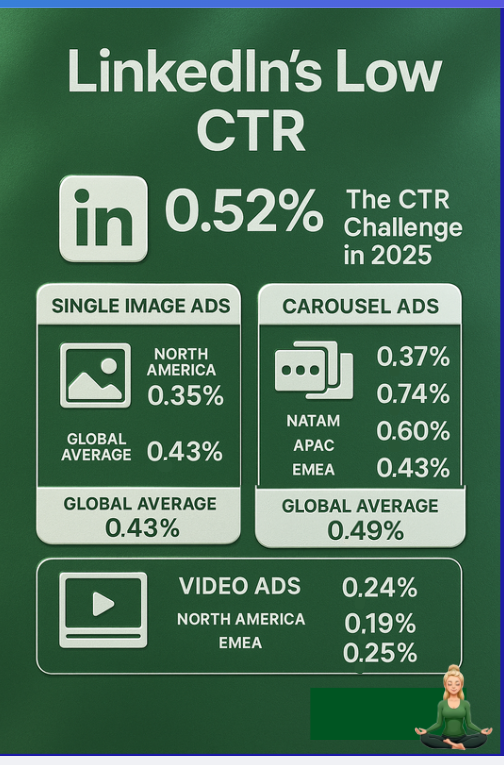
Plus, LinkedIn ads typically have low direct click-through rates (people often see the ad without clicking):
To get accurate “view-through” attribution, choose an integration that pulls data directly from LinkedIn’s official Ads API.
This ensures you get all impression and engagement data straight from the source, so you can credit an ad for influence even when no immediate click occurs.
Finally, a good LinkedIn-CRM integration needs to sync data both ways:
These capabilities allow marketing to attribute pipeline to specific ads and enable sales to see which accounts are “heating up” due to ad engagement, all without manual spreadsheet work.
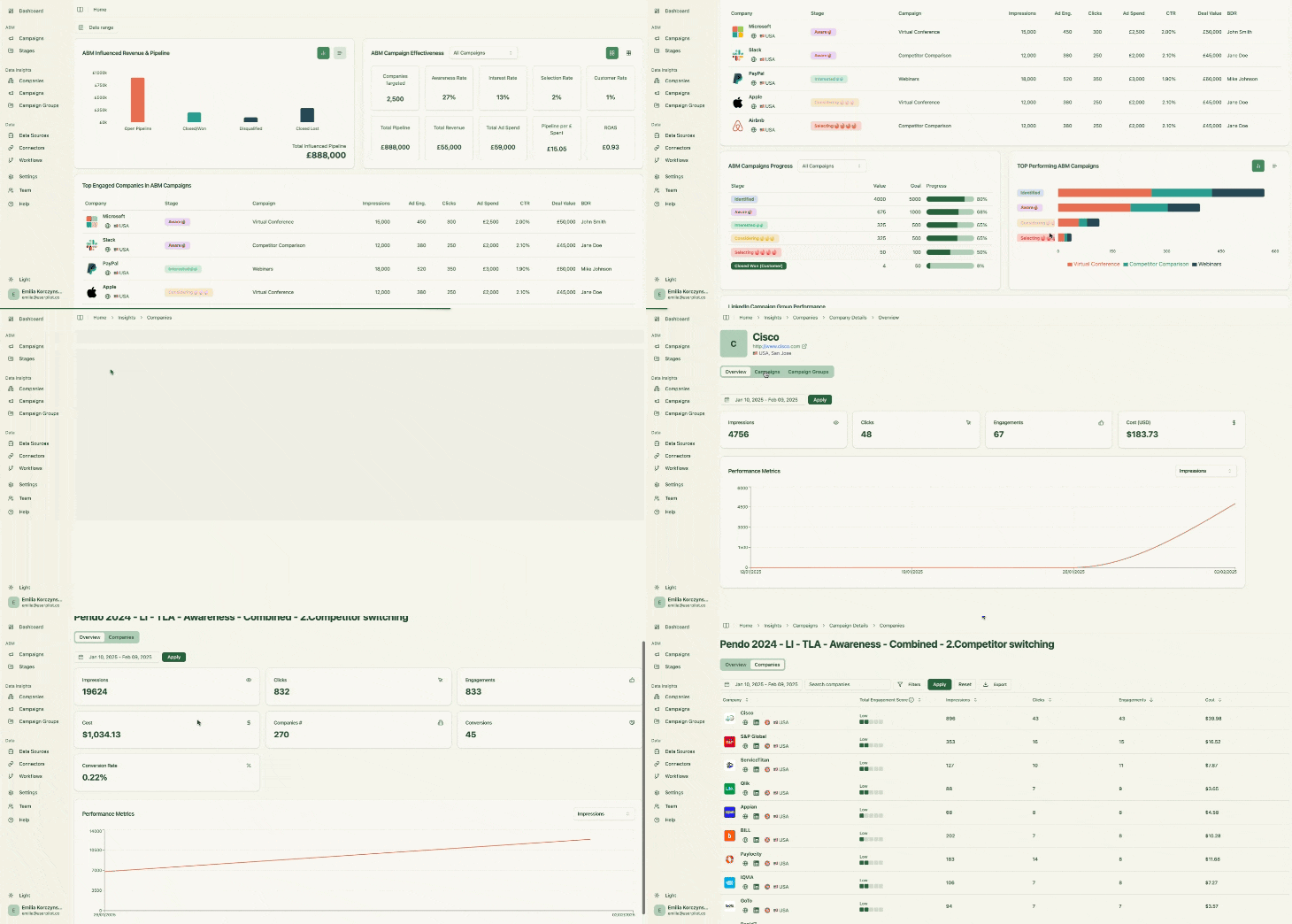
ZenABM is a purpose-built LinkedIn Ads ABM platform that automates your LinkedIn-to-CRM workflows end-to-end. From capturing LinkedIn ad engagement data to syncing directly with your CRM, it covers all the bases needed for streamlined ad tracking.
Here’s how ZenABM simplifies LinkedIn ad tracking with its CRM integration:
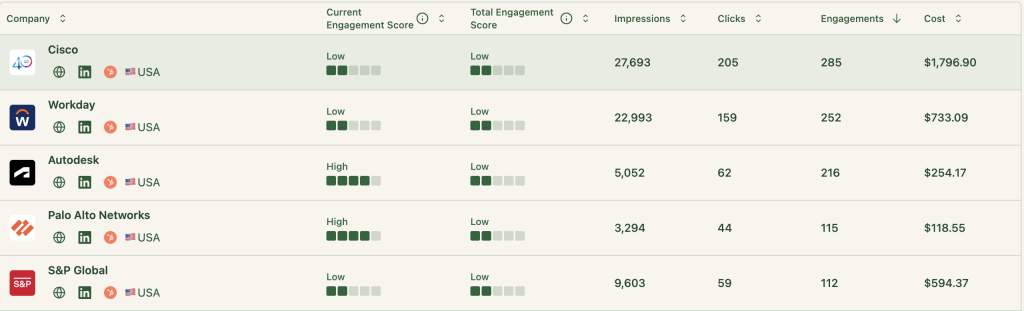
ZenABM automatically captures every account that interacts with your LinkedIn ads—whether they just saw an ad (impression), engaged with it (like, comment, share), or clicked through. It even logs accounts that saw the ad but never clicked through to your site, a critical advantage given LinkedIn’s typically low click-through rates.
All this data comes directly from LinkedIn’s official Ads API, ensuring accuracy and compliance with LinkedIn’s terms (no risky web scraping or unreliable reverse IP lookups).
This comprehensive tracking means you can attribute influence even without a direct conversion.
For example, if Company X saw your LinkedIn ad 50 times but never clicked, and later someone from X became a lead through your website, ZenABM will reveal that those ad impressions helped plant the seed for that deal. You’ll also know if a company clicked one of your ads and also had impressions from other campaigns, allowing you to credit all the LinkedIn ads that contributed to raising their awareness.
ZenABM provides a native, no-code integration with popular CRMs like HubSpot.
This two-way sync means:
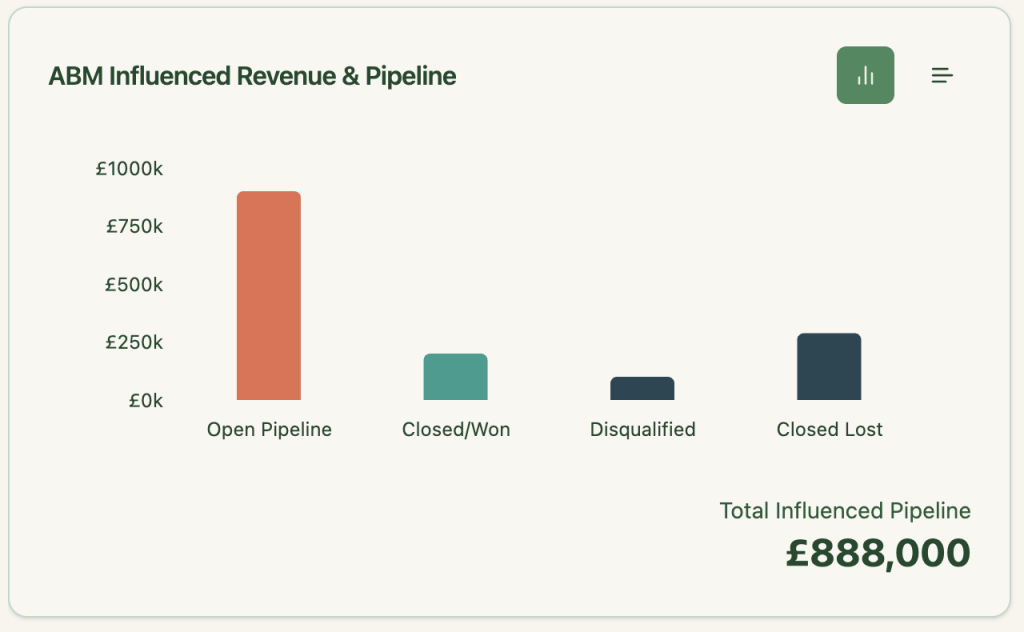

It automatically matches companies engaging with your LinkedIn ads to the accounts and deals in your CRM, letting you see exactly how much pipeline or revenue each ad campaign has influenced. ZenABM’s dashboard will show metrics like “Campaign A influenced $75k in pipeline” or “Campaign Group X touched 22 closed deals,” so you can quantify LinkedIn ROI at a glance.



The platform also writes back LinkedIn ad engagement metrics into your CRM as company-level properties. For example, you can set up fields such as “LinkedIn Ad Impressions (Last 7 days)” or “LinkedIn Ad Clicks (Last 30 days)” that ZenABM updates automatically for each account. Your CRM’s account lists will then highlight which companies are interacting with your ads in near real-time — no manual CSV uploads needed.
Beyond just tracking, ZenABM adds helpful automation on top. It calculates a real-time engagement score for each account based on that account’s ad impressions, clicks, and overall engagement activity. This score helps identify “hot” accounts responding to your campaigns.
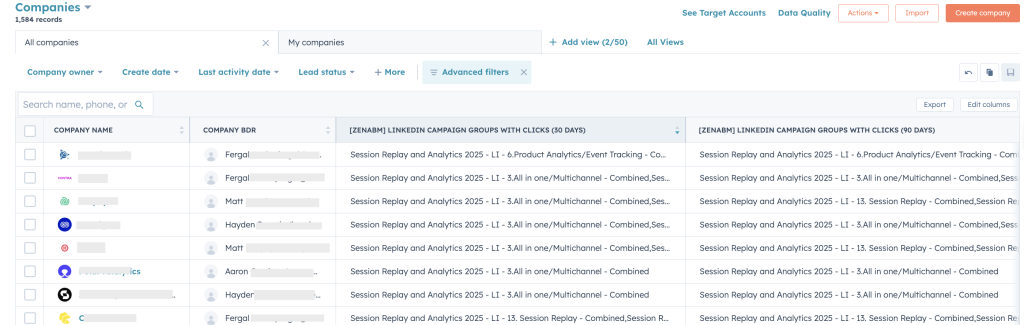
The tool can automatically assign these highly engaged accounts to specific sales reps (BDRs) in your CRM, ensuring prompt follow-up without any manual intervention:
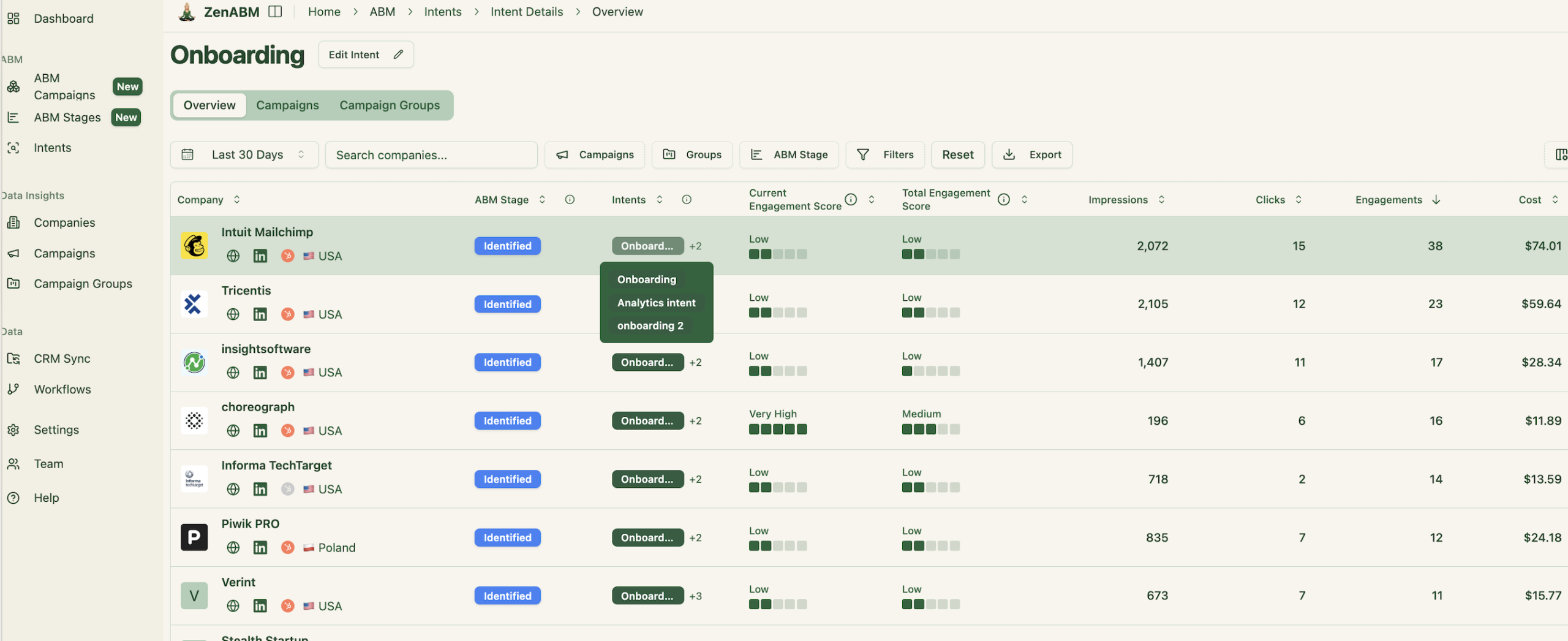
ZenABM also lets you tag campaigns by the intent or product topic they represent. For instance, if you run different LinkedIn campaigns highlighting different product features, you can label each campaign in ZenABM with its theme. The platform then groups accounts by those interests, showing you which companies are engaging with which messaging:
It even pushes each account’s inferred intent (based on their ad engagement) into your CRM as a field:
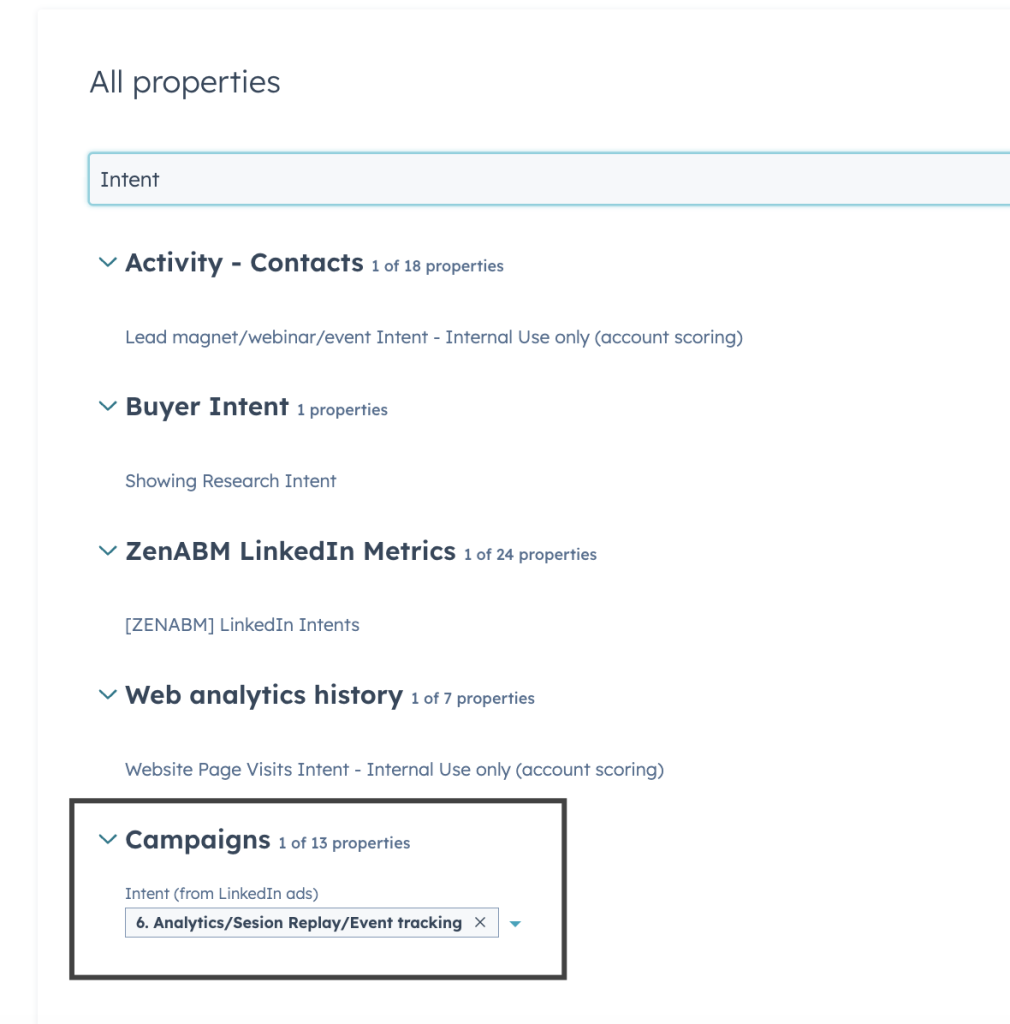
This way, your sales team knows not just that an account is engaged, but also what they’re interested in, and can tailor their outreach accordingly ;).
To top it off, ZenABM offers built-in ABM performance dashboards for your LinkedIn campaigns:
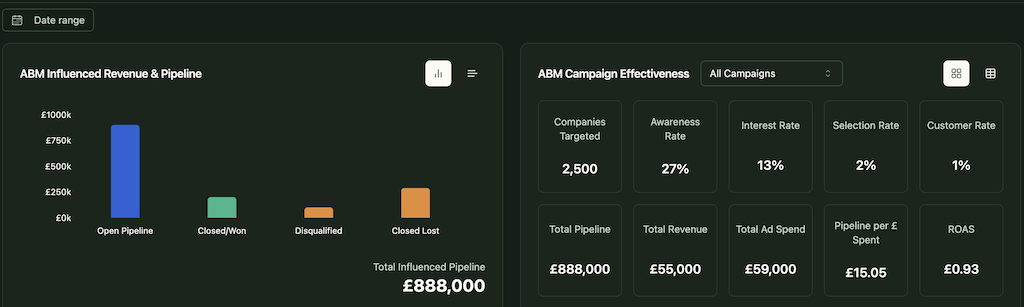
These plug-and-play dashboards calculate metrics like ROI and ROAS for your LinkedIn ad spend, saving you from having to build these reports manually.
Essentially, ZenABM provides one hub for all your LinkedIn ad tracking analytics, allowing you to embrace a true “view-through” attribution model instead of relying solely on click-through data.
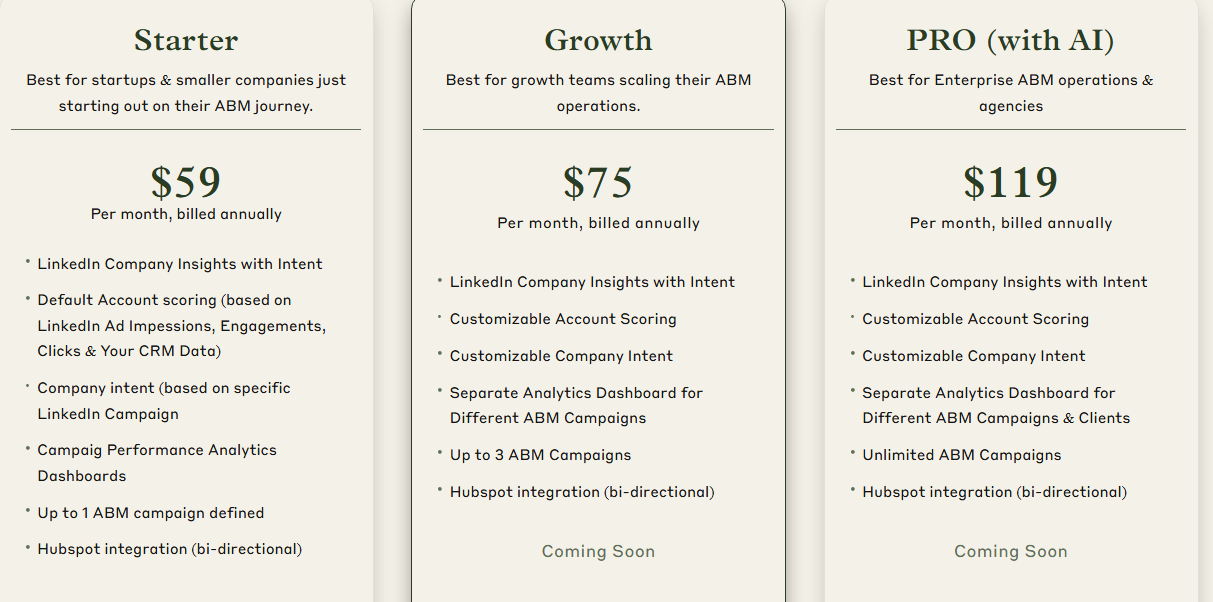
ZenABM is one of the more affordable options in this space. It offers several plans designed to grow with your needs.
The Starter plan (around $59/month, billed annually) is perfect for early-stage teams and includes LinkedIn account insights, default account scoring from ad & CRM data, single-campaign dashboards, and a native HubSpot sync.
The Growth plan (~$75/month) adds customizable scoring, dashboards for multiple campaigns, and upcoming features like automatic BDR assignment, Slack alerts, and weekly email reports.
For enterprise teams or agencies, the Pro plan (~$119/month) unlocks unlimited campaigns, client-specific dashboards, and advanced AI-powered workflow features.
All plans come with a free trial.
Factors.ai is a marketing analytics platform that supports LinkedIn Ads as part of a broader multi-channel toolset. In addition to LinkedIn, it also integrates with Google Ads, Facebook Ads, marketing automation systems, and web analytics to provide a unified view of account engagement.
For LinkedIn ad tracking specifically, Factors.ai offers key ABM capabilities, but with a few caveats.
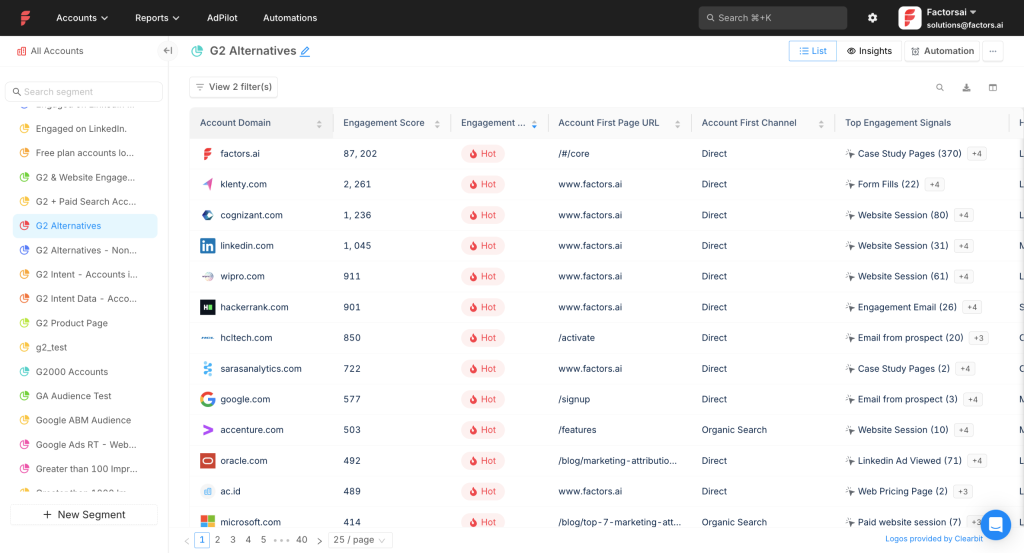
Factors.ai does pull in first-party LinkedIn ad data at the account level. Through LinkedIn’s API, it records which companies saw or clicked your LinkedIn ads, along with impression counts, clicks, and spend per campaign:
This means you’re not limited to lead-gen form fills; you can actually see which target accounts viewed your ads even if they didn’t click.
The platform also connects to CRMs like HubSpot and Salesforce to facilitate attribution. It matches the companies engaging with your LinkedIn campaigns to account records and deals in your CRM:
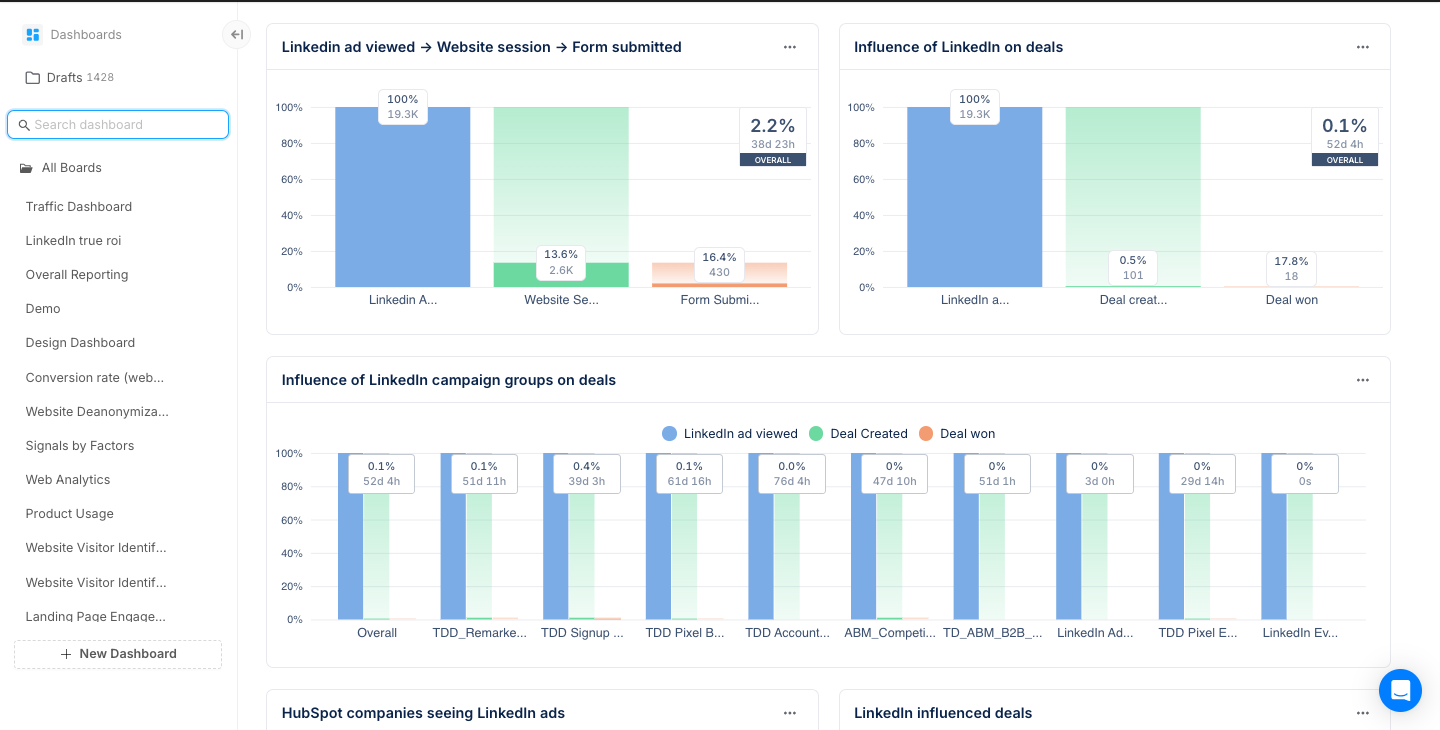
In doing so, you can view, for example, how much pipeline a particular LinkedIn campaign influenced or which ads a closed-won client interacted with during their journey.
While Factors.ai meets the core needs of tracking and CRM matching, it falls short in one aspect of automation: automatically pushing engagement data into the CRM.
There’s no ready-made workflow to write all those LinkedIn engagement metrics into your CRM’s company or account fields.
It’s technically possible to set up such a workflow within Factors.ai, but it requires custom configuration.
Another consideration is cost and scope.
Factors.ai isn’t a specialized LinkedIn-only tool; it’s a full marketing analytics suite.
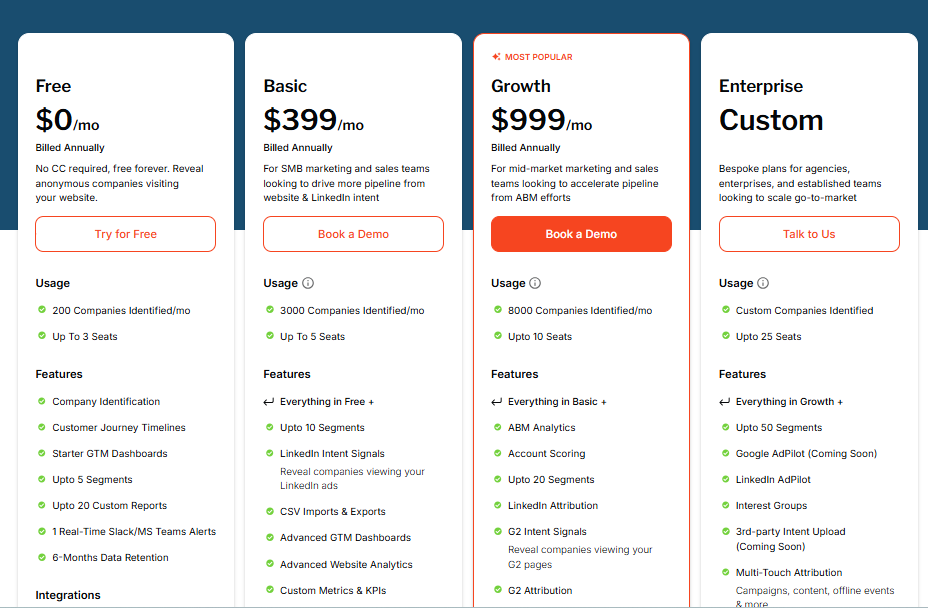
The entry plan (~$399/month on annual billing) provides basic LinkedIn intent tracking and analytics suitable for small teams.
However, the more advanced CRM integration features only unlock in the higher-tier plans (the “Growth” plan starts around $999/month).
These upper plans bundle many features you might not use if you’re only focused on LinkedIn ad tracking. Also, some users have pointed out minor UI and workflow issues – for example, desires for more custom event tracking and some manual steps needed in the interface. These aren’t deal-breakers, but they indicate that the platform may require some tinkering to fully adapt to your needs.
Bottom line: Factors.ai does a solid job linking LinkedIn ad engagement to CRM data for multi-touch attribution. It will show you the impact of LinkedIn ads on the pipeline. But it doesn’t natively push that data back into your CRM, meaning you might still do some legwork to make LinkedIn engagement visible inside your CRM for sales.
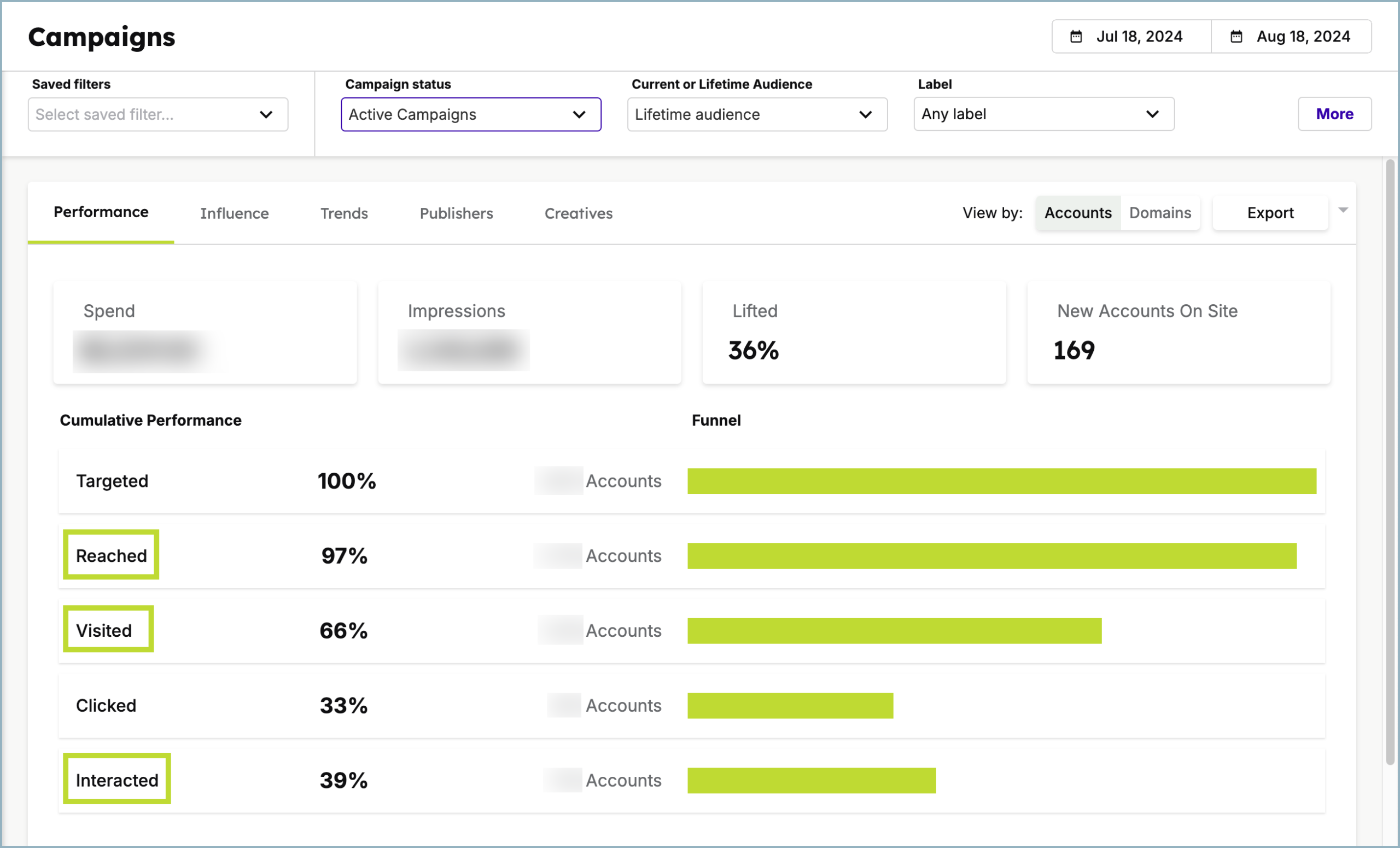
Demandbase One is an enterprise-grade, end-to-end ABM platform. From building target account lists to orchestrating campaigns and measuring engagement, Demandbase offers a comprehensive suite of tools, including robust LinkedIn Ads integration. Demandbase is an official LinkedIn Marketing Partner, which means it has reliable access to LinkedIn’s data and capabilities.
Demandbase One checks all the boxes for LinkedIn ad tracking.
It uses LinkedIn’s API to gather account-level ad engagement data (impressions, clicks, etc.) for your campaigns.
Because Demandbase is focused on accounts, LinkedIn metrics in the platform are naturally organized by account and campaign.
On the CRM side, Demandbase provides bi-directional integrations with major CRMs like Salesforce, HubSpot, Microsoft Dynamics, and more.
It can automatically push LinkedIn engagement data (like which account clicked or how many impressions they had) into your CRM, and pull CRM data out for attribution analysis.
For example, you might configure it to update an account’s status or score in the CRM when they reach a certain engagement threshold, while simultaneously tracking in Demandbase how many opportunities or deals from that account were influenced by your LinkedIn ads.
A user review on Capterra highlighted the importance of this kind of integration: “Demandbase has a seamless UI that makes it easy to work in… I don’t expect sales to actually log into the platform, so the Salesforce integration is really important.
The main drawbacks with Demandbase are cost and complexity. As a full ABM solution, it’s geared toward larger organizations with big ABM programs (and budgets). Pricing isn’t publicly disclosed (you’ll need to engage with their sales team), but it’s known to be on the high end. Small or mid-market businesses may find it hard to justify the cost if they only need LinkedIn ad tracking functionality.
Additionally, the wealth of features can translate to a steep learning curve.
Bottom line: Demandbase One offers robust LinkedIn ad tracking with CRM integration, ideal for multi-channel ABM. For simpler LinkedIn-to-CRM needs, a lighter solution may be faster and more affordable.
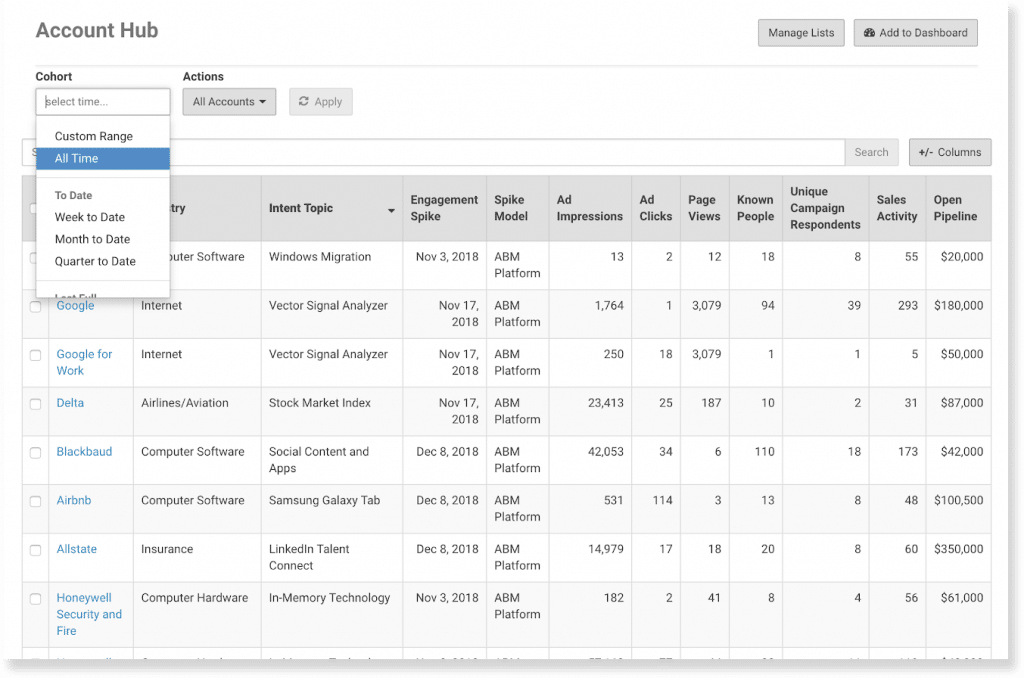
Terminus (part of DemandScience) is another well-known ABM platform with a strong focus on advertising, including LinkedIn Ads. Terminus launched a native integration with LinkedIn Marketing Solutions in 2021, enabling real-time data sync between LinkedIn and the Terminus platform. This makes it a relevant option for automating LinkedIn ad tracking into your CRM.
Terminus does provide account-level tracking for LinkedIn ads, but with one notable limitation: it primarily tracks the accounts you’re targeting in your ABM lists. In practice, you need to pull in your target account list (from your CRM or elsewhere) or set up a LinkedIn Matched Audience for Terminus to monitor.
Terminus will then use the LinkedIn API to pull impression and click data for those specific accounts. It won’t automatically discover new accounts outside your list that happened to engage.
On the CRM integration side, Terminus shines, especially with Salesforce. Its integration is so tight that one customer noted their sales team doesn’t even need to log into Terminus; everything important surfaces in Salesforce. Terminus matches the LinkedIn-ad-engaged accounts to your CRM accounts and can automatically update CRM fields or stages based on engagement thresholds:
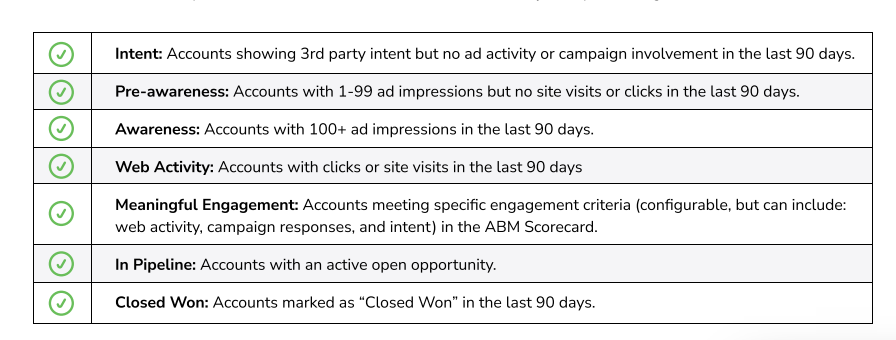
Terminus also includes dashboards that show the pipeline generated and deals won from ABM efforts, tying back to ad campaigns:
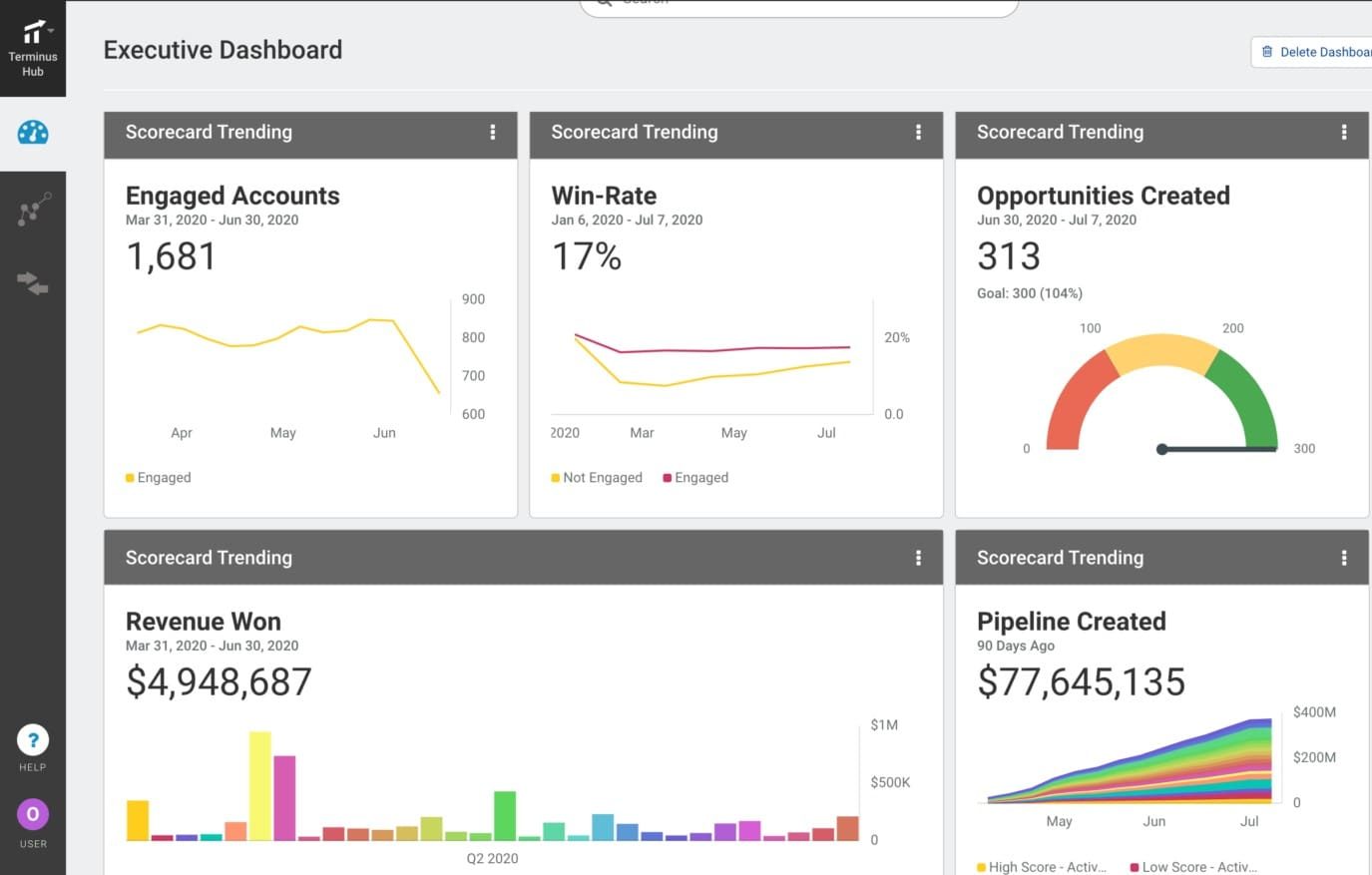
As with other large ABM platforms, the drawbacks of Terminus are its cost and complexity. It offers a wide array of features (multi-channel ads, web personalization, analytics, etc.) beyond just LinkedIn tracking. If you don’t need those extras, they can make the platform feel like overkill. The pricing is also in the enterprise range — reports suggest it can run $30k or more annually, and since the DemandScience acquisition, you’ll have to go through a sales process to get current pricing details.
Bottom line: Terminus has the capabilities to cover LinkedIn ad tracking and CRM updates thoroughly for ABM practitioners. It’s best suited for companies that are invested in a Salesforce-centric ABM strategy and potentially using other Terminus features. If all you need is LinkedIn integration, however, you might find leaner and cheaper solutions that get you there with less effort.
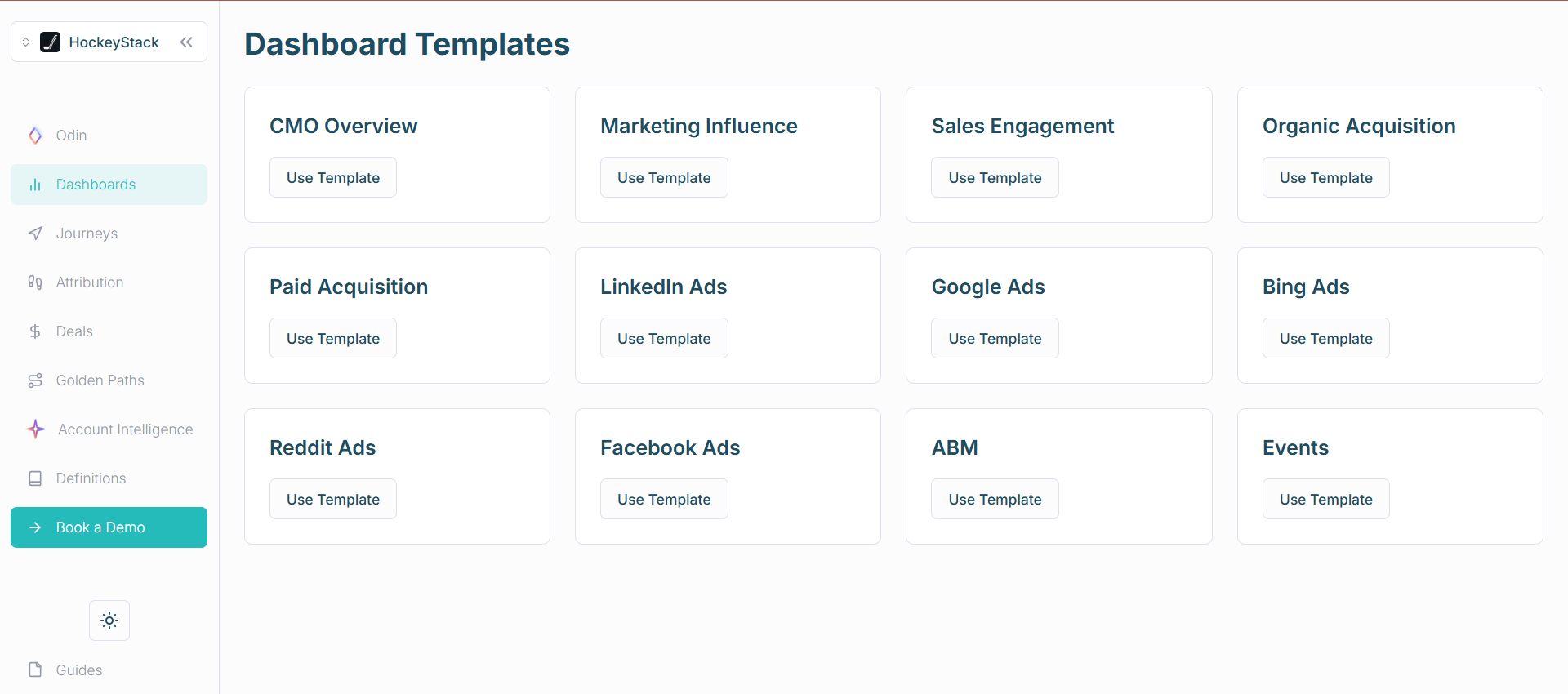
HockeyStack is a modern B2B analytics and multi-touch attribution platform that has been gaining traction for its ability to connect marketing efforts to revenue. It’s not LinkedIn-specific; rather, it tracks interactions across many channels (they advertise support for 16+ channels) and ties them to both accounts and individual users. Within that, HockeyStack includes features for LinkedIn Ads tracking that help send data to your CRM.
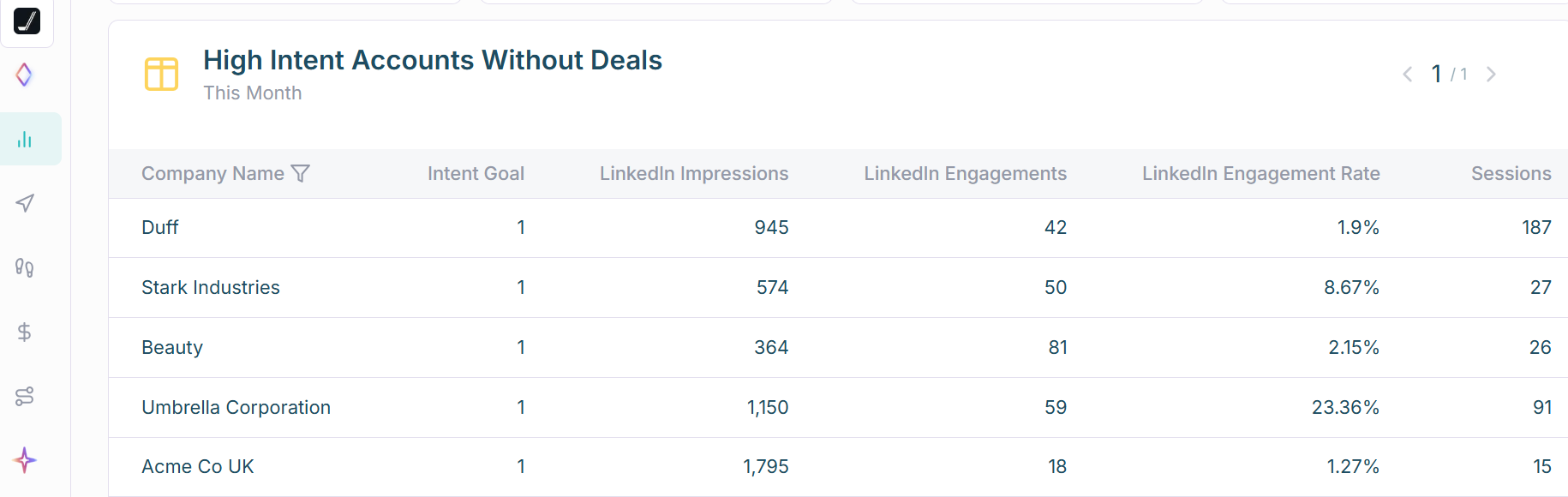
HockeyStack uses LinkedIn’s official API to pull in company-level impression and engagement data from your LinkedIn campaigns. So, like others, it captures which accounts saw your ads and how they interacted, giving you true view-through insight.
It also integrates with your CRM by importing deals and revenue:
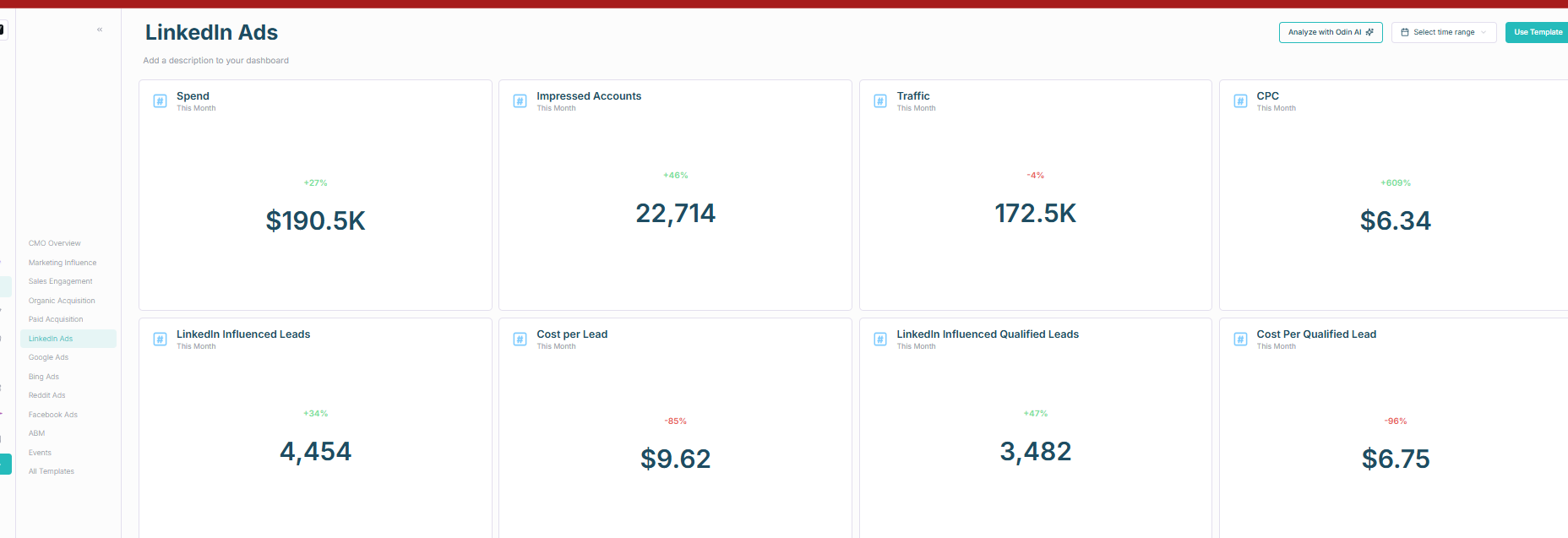
Using these, HockeyStack can attribute pipeline and closed deals back to LinkedIn ad campaigns in its reporting interface. You’ll be able to see, for example, that “Campaign X influenced $Y in pipeline and Z closed deals,” similar to the insights provided by the other tools.
It also gives person-level detail when possible, so you can drill down into which specific contacts at an account engaged with which marketing efforts.
HockeyStack offers one-way LinkedIn-to-CRM integration, pulling data from your CRM but requiring manual setup to push LinkedIn engagement data back.
Users on G2 report some UI complexities and a steep learning curve. Pricing is custom and typically aimed at companies investing heavily in attribution.
Bottom line: HockeyStack is great for multi-touch attribution across multiple channels, including LinkedIn, but lacks native CRM sync. Ideal for data-driven teams; for LinkedIn-only tracking, simpler tools may be faster.
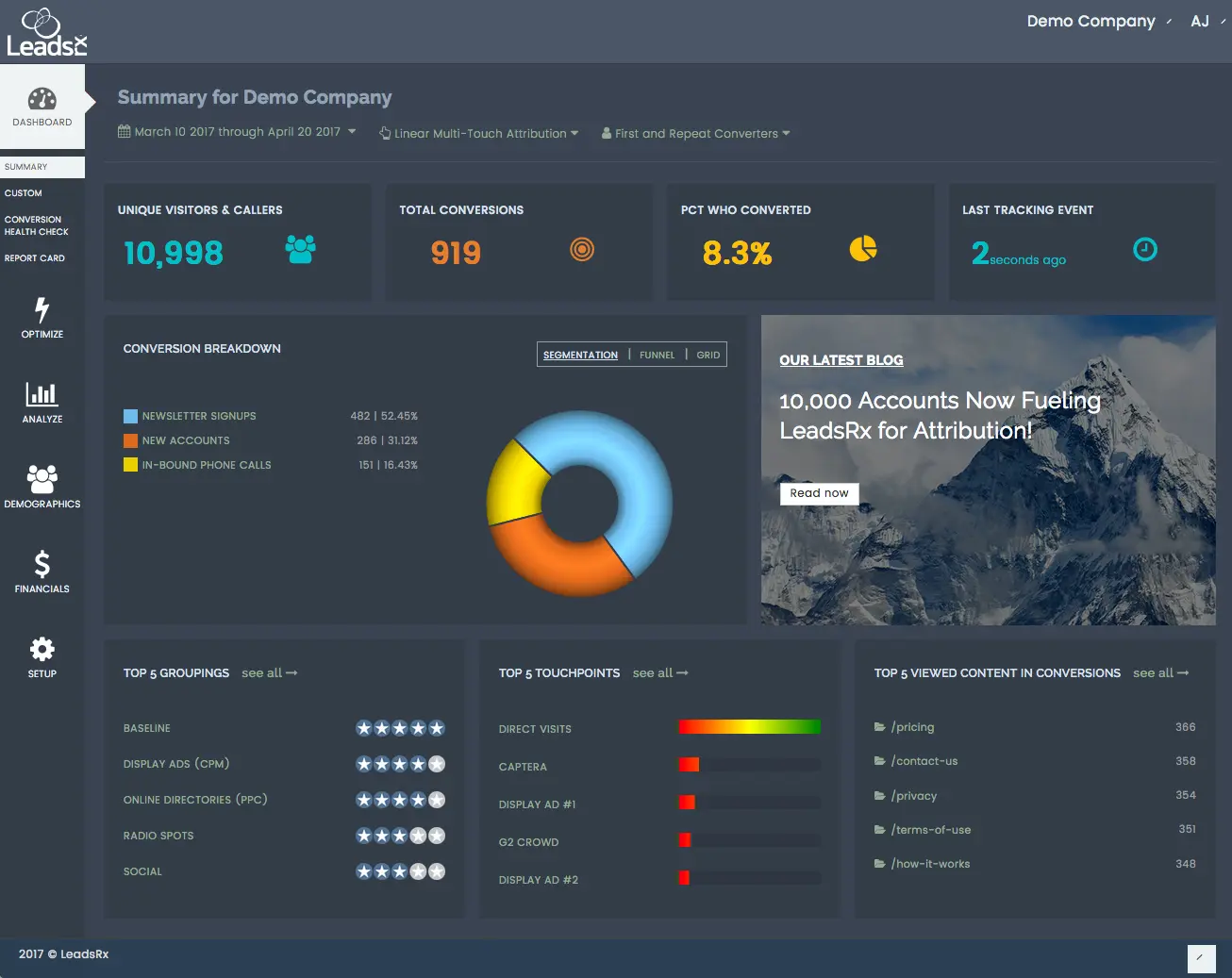
LeadsRx is a long-running attribution software known for covering both online and offline marketing channels via its “Universal Tracking Pixel.”
Instead of using LinkedIn’s built-in data for impressions, LeadsRx asks you to incorporate a LeadsRx tracking pixel as an impression tracker in your LinkedIn ad campaigns. When your LinkedIn ad is displayed, this pixel fires and places a cookie in the viewer’s browser.
If that same person later visits your website and converts (for instance, fills out a form), LeadsRx detects the cookie and attributes that conversion back to the LinkedIn ad impression they encountered earlier. This way, LeadsRx can credit a LinkedIn ad with assisting a conversion even if there was no direct click on the ad.
It’s a clever workaround to capture view-through effects, but it comes with some caveats:
LeadsRx integrates with CRMs like HubSpot and Salesforce, connecting LinkedIn ad impressions (via cookies) to conversions.
However, it doesn’t provide direct account-level reporting and relies heavily on cookie-based tracking, which can be less effective with privacy changes. It’s suitable for basic attribution but lacks immediate CRM feedback.
Bottom line: LeadsRx is good for multi-channel attribution, including offline channels, but its cookie-based tracking makes account-level LinkedIn insights limited. For robust LinkedIn ad-to-CRM automation, tools with direct LinkedIn API data are preferable. Pricing is custom.
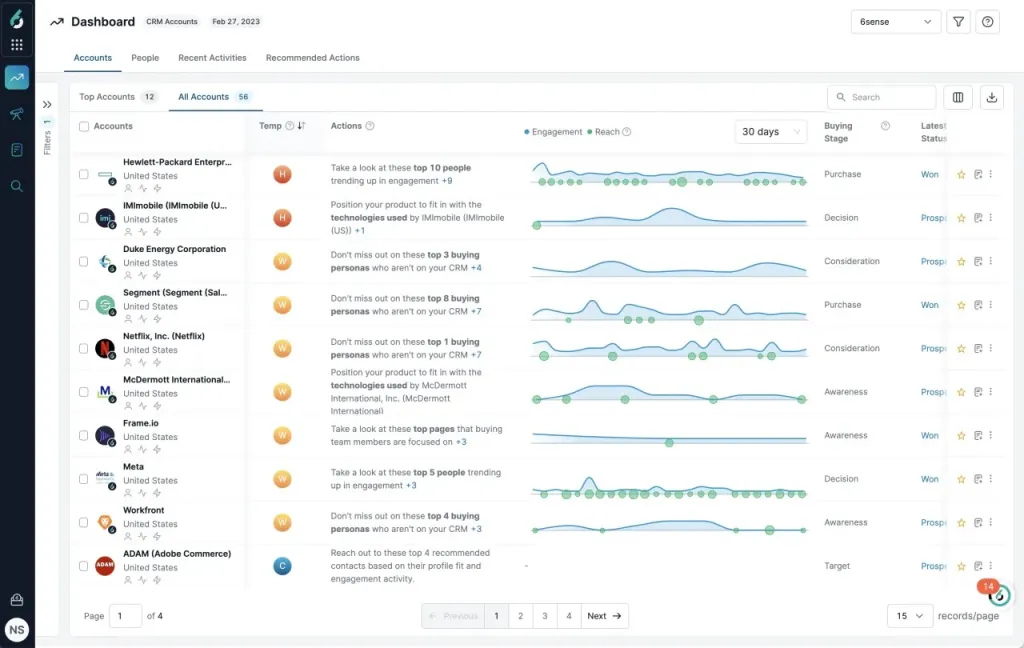
6sense is widely known for its account identification and intent data capabilities. It’s an AI-driven ABM platform that helps sales and marketing teams zero in on accounts in an active buying cycle. In 2023, 6sense also launched an integration with LinkedIn Ads to extend its reach in digital ad channels. However, when it comes to LinkedIn ad tracking and CRM integration, 6sense’s approach has some notable gaps.
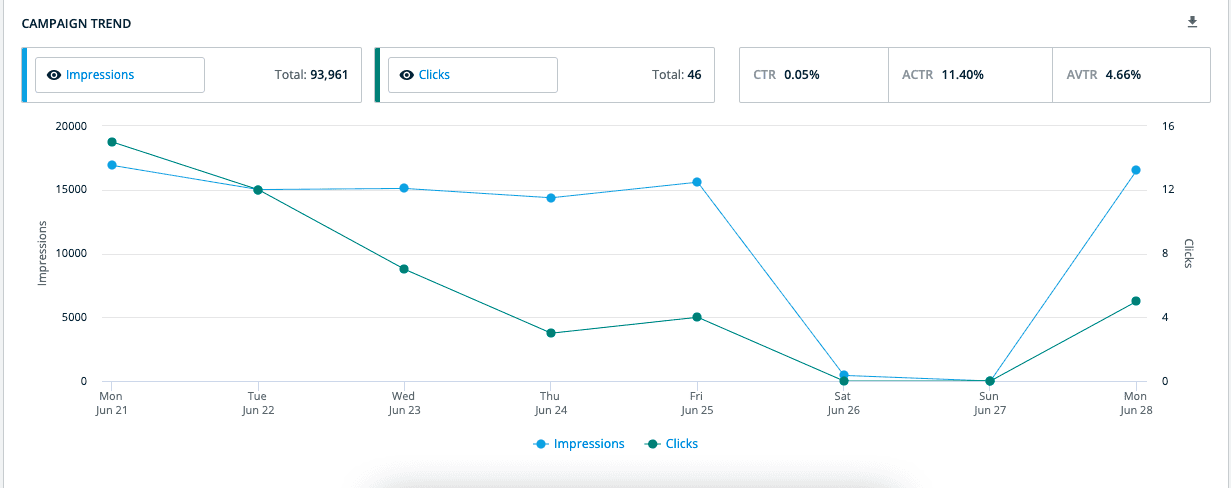
6sense’s forte is identifying anonymous web traffic and predicting which accounts are “in market.” For LinkedIn Ads, rather than pulling detailed per-account engagement data, 6sense currently provides mostly aggregate campaign metrics. You won’t get a list from 6sense of every account that saw your LinkedIn ad unless someone from that account clicks the ad.
Essentially, a LinkedIn ad impression will only surface in 6sense’s data if it results in a click-through to your website, at which point 6sense can detect the visitor via its web tracking pixel or IP identification. If an account just views the ad and scrolls by, that interaction stays invisible to 6sense.
In an environment like LinkedIn, where engagement often happens without clicks (impressions and passive views drive a lot of awareness), 6sense won’t capture the full influence of your ads.
6sense excels at general CRM integration, updating account scores and correlating CRM opportunities. However, it doesn’t provide detailed LinkedIn ad engagement data. It’s complex, expensive, and best suited for enterprise ABM programs with larger budgets.
Bottom line: 6sense is strong in account intelligence and broad ABM, but limited for detailed LinkedIn ad tracking. For focused LinkedIn-to-CRM needs, consider other specialized tools.
Choosing the right LinkedIn ad to CRM automation tool boils down to one thing: visibility and convenience.
If you can’t see which companies saw your ads, engaged with them, and eventually turned into pipeline and see that all in your CRM where your deals are, the tool isn’t the right one.
Tools like Demandbase One and Terminus have company-level ad engagement tracking and a two-way LinkedIn ad to CRM automation, but they bundle these abilities with a lot more features, and the price is high.
HockeyStack and Factors.ai also track company-level LinkedIn ad engagement, but their CRM integration is only one-way. They can pull companies and their deal value from your account lists in the CRM for measuring the influence of ads on pipeline and revenue, but they can’t push ad engagement data to the CRM. This is a serious lacuna because, without this automation, you’ll have to download company-level engagement data into a CSV and upload it to your CRM daily. You’ll also make your BDRs act on stale signals if you just miss one day!
LeadsRX and 6Sense have strong CRM integrations, but they don’t track company-level ad engagement data for LinkedIn. LeadsRX tracks it at the person-level while 6Sense only shows you broad LinkedIn campaign data and doesn’t tie it to companies or people. So, they are out of the picture.
ZenABM tracks company-level ad engagement data and has a built-in two-way LinkedIn ad to CRM automation, plus is focused mainly on LinkedIn ABM and starts at just $59/month. It is purpose-built for our use case here.
To know more about ZenABM, you can book a demo or start a free trial.
