



Attributing revenue, ROI, and pipeline influence to your LinkedIn ad campaigns cannot be done in Excel workbooks or Notion tables.
The buyer journey on LinkedIn is too complex, too multi-touch, and too impression-heavy for manual tracking to capture what’s actually happening.
You need a dedicated tool in your stack, and you need to pick the right one. Not every attribution platform handles LinkedIn well, because most were built for click-based channels, and LinkedIn is fundamentally an impression-first platform where 99%+ of your audience never clicks.
So here’s a breakdown of the 9 best LinkedIn ad campaign attribution tools, evaluated specifically on the features that matter for giving each LinkedIn campaign its true credit, dollar by dollar.
Short on time?
Here’s a quick tabulated comparison:
| Tool | Company + Campaign-Level Impression Tracking | Two-Way CRM Integration | First-Party LinkedIn API Data | Pricing | Summary |
|---|---|---|---|---|---|
| ZenABM | Yes | Yes (native, bi-directional) | Yes (via LinkedIn API) | $59 to $479/month | Purpose-built for LinkedIn ABM attribution. Affordable, native HubSpot and Salesforce sync, direct deal mapping, first-party intent, automated BDR assignment. |
| Factors.ai | Yes | Partial (pulls data; no native push to CRM as company property) | Yes (via LinkedIn API) | No longer public (last known: $399 to custom) | Strong impression control and LinkedIn/Google AdPilot. Pipeline attribution via CRM pull. Add-ons significantly increase cost. |
| Demandbase | Yes | Yes (multi-CRM, bi-directional) | Yes (via LinkedIn API) | Custom (enterprise pricing) | Full end-to-end ABM suite with intent bidding and frequency capping. Powerful but complex and priced for large enterprise budgets. |
| Terminus | Partial (Matched Audiences only) | Yes (bi-directional) | Yes (limited to matched audiences) | Custom | Good for campaign management and Salesforce integration, but company-level tracking scope is limited to pre-uploaded lists. |
| HockeyStack | Yes | Partial (pull only; native workflow builder available) | Yes (via LinkedIn API) | Custom | Rich visual analytics, person-level tracking, AI Revenue Agents. Strong multi-channel attribution but learning curve and custom pricing. |
| 6sense | No | Yes | No | Custom | Strong segmentation and intent data platform. LinkedIn integration is for audience management, not impression-level attribution. |
| HubSpot Attribution | No | Yes (internal) | No | $800 to $3,600/month | Simple for existing HubSpot users. Contact-level click attribution only, no company-level impression tracking, no ABM focus. |
| Common Room | No (tracks engagement only, not impressions) | Yes | No (uses LinkedIn API for contacts and engagement, not impressions) | $999 to custom | AI-native GTM and buyer intelligence platform. Great for community-driven signals but not designed for LinkedIn ad impression attribution. |
| Windsor.ai | No | No (manual account grouping) | No | $19 to $499+ | Data centralization and multi-channel modelling hub. Excellent for data science teams but not designed for ABM-level LinkedIn attribution. |
Your tool can have the fanciest dashboard and a huge list of integrations, but without the following three prerequisites, it won’t deliver accurate LinkedIn ad attribution.
People rarely click on LinkedIn ads (the CTR for sponsored content is as low as 0.44%), which means the platform is fundamentally about brand awareness and multi-touch influence rather than direct response.
Your customer might see your ad during their commute, then search for you organically two weeks later.
That organic visit wasn’t truly organic; it was seeded by the impression. B2B buyer journeys are long and nonlinear, which makes impression tracking at the company level essential for accurately attributing the pipeline.
If you’re running ABM campaigns on LinkedIn, you need to see which companies saw which ads across which campaigns, not just which ones clicked.
Without company-level impression data, you’re attributing revenue only to the last touchpoint and ignoring the 15 impressions that built the trust that led to the conversion.
Your attribution tool must integrate bidirectionally with your CRM, not just pull deals data for matching.
On the push side, it should automatically sync company-specific impressions, engagement metrics, intent signals, and ABM stage data into your CRM (HubSpot, Salesforce) as company properties, so sales and RevOps have real-time context without logging into a separate dashboard.
On the pull side, it should match company names from your CRM deals with ad performance data.
If your sales team closes a $200,000 deal with Company X, and Company X hit a defined impression and engagement threshold on your LinkedIn campaigns, that should automatically reflect in your attribution reporting.
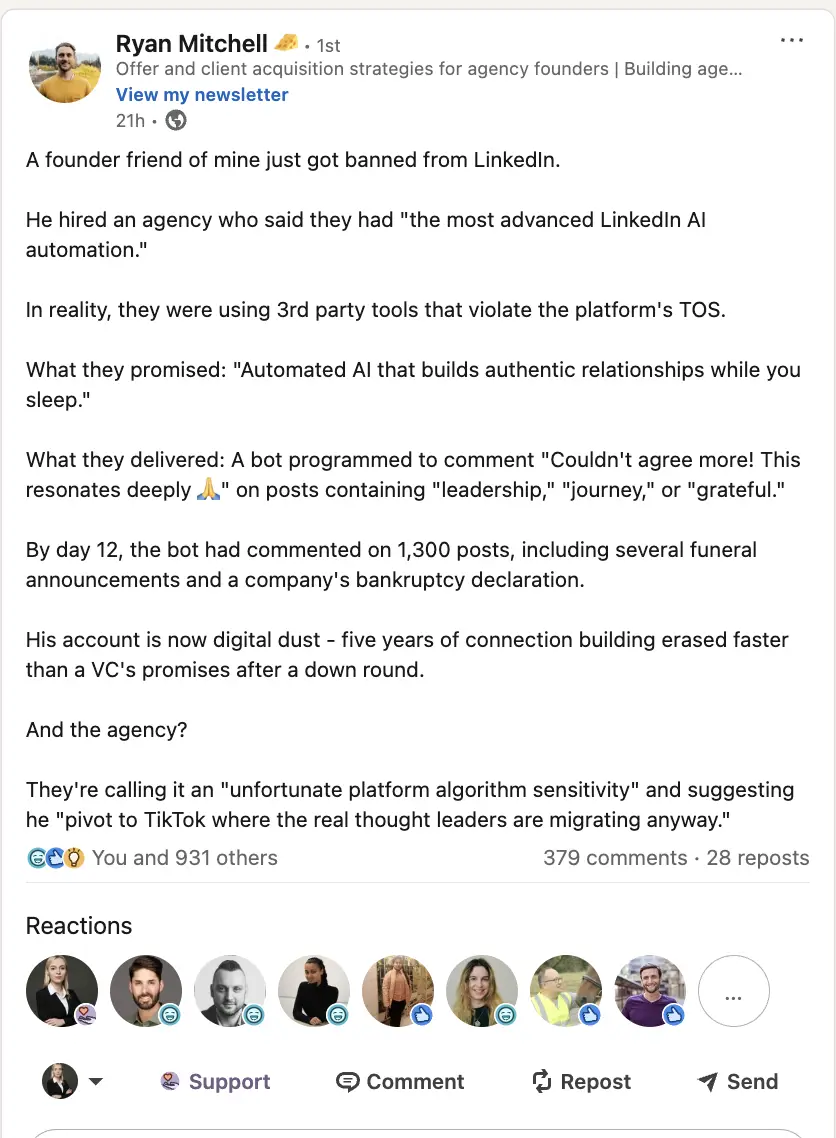
LinkedIn has been cracking down on data scrapers and third-party automation tools:
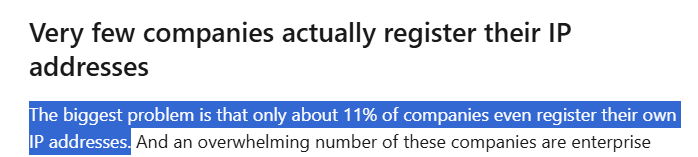
Website visitor deanonymization tools are unreliable for LinkedIn attribution because they depend on reverse IP lookup, which accurately identifies only 20 to 40% of visitors, and they can only track clicks (not the far more common impression-only engagement):
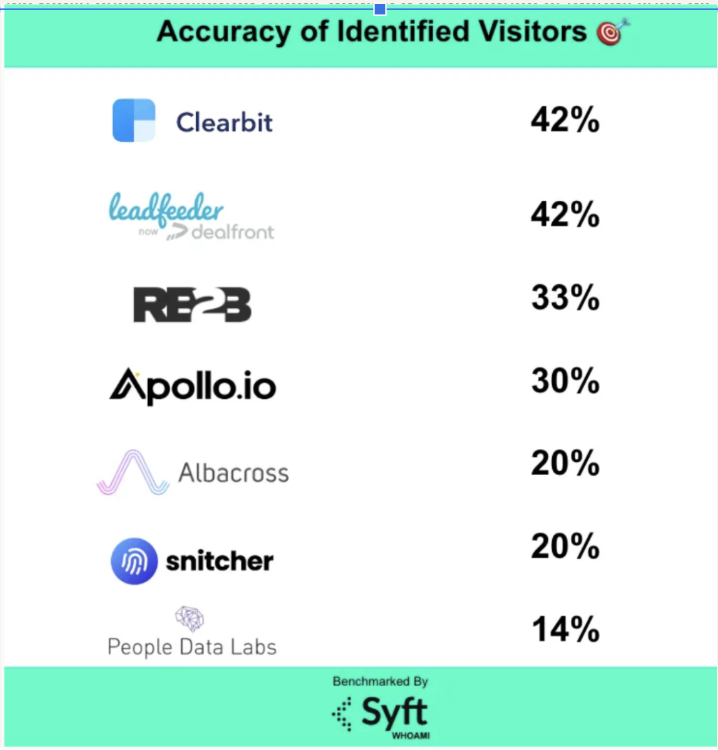
Display ad networks also introduce their own problems with bot fraud and false positives.
The conclusion is straightforward: first-party company-level engagement data pulled directly from LinkedIn’s official API is the only reliable foundation for LinkedIn ad attribution.
Now let’s look at each tool, what it does well, whether it meets these prerequisites, and what it costs.

ZenABM is a purpose-built LinkedIn ABM analytics and attribution platform.
It was designed from the ground up for one thing: connecting LinkedIn ad engagement to pipeline and revenue at the company level, with CRM sync, intent detection, ABM funnel stages, and automated BDR assignment built into the core product rather than sold as add-ons.
It now extends attribution capabilities to other channels too.
The prerequisites described above are foundational to the tool.
They’re not “supported features”; they’re the reason the product exists.

ZenABM captures every company that sees your ad (impressions), engages with your ad (likes, comments), clicks it, or never visits your website at all.
This means you can attribute impact even when there’s no form fill, no click, and no site visit, which is the reality for 99%+ of LinkedIn ad interactions.
For example, Company X might see your LinkedIn ad 50+ times but never click on them.
They later come inbound through a direct search.
With ZenABM, you know which ads planted the seed, and you can attribute the resulting deal to every campaign that contributed to the account’s awareness, not just the last touchpoint before conversion.
All of this data is pulled directly from LinkedIn’s official API.
ZenABM’s CRM integration is native, no-code, and bi-directional.
It connects LinkedIn campaign engagement directly to deals in your CRM, mapping company names from engagement data to deal records so you can see which campaigns influenced which pipeline:

This gives you statements like: “This campaign drove $75k in pipeline,” “This campaign group touched 22 deals that closed,” and “ROI for this quarter’s LinkedIn spend = 5.2x,” all based on CRM deal data matched to LinkedIn engagement automatically.
On the push side, ZenABM syncs all engagement data into HubSpot and Salesforce as company properties: impressions, engagements, clicks, cumulative totals, intent labels, engagement score, and ABM stage. Sales and RevOps see the data in their CRM without logging into a separate tool.

Other notable features of ZenABM:
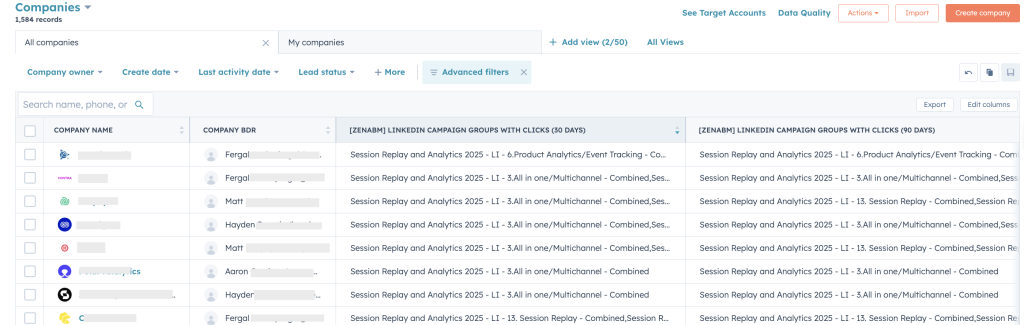
ZenABM calculates a real-time engagement score based on impressions, clicks, and recency, then automatically assigns accounts that cross your “Interested” threshold to BDRs in your CRM:

ZenABM also captures buyer intent from campaign engagement, so BDRs know not just which accounts are warm but what those accounts are interested in based on the specific campaign themes they responded to:
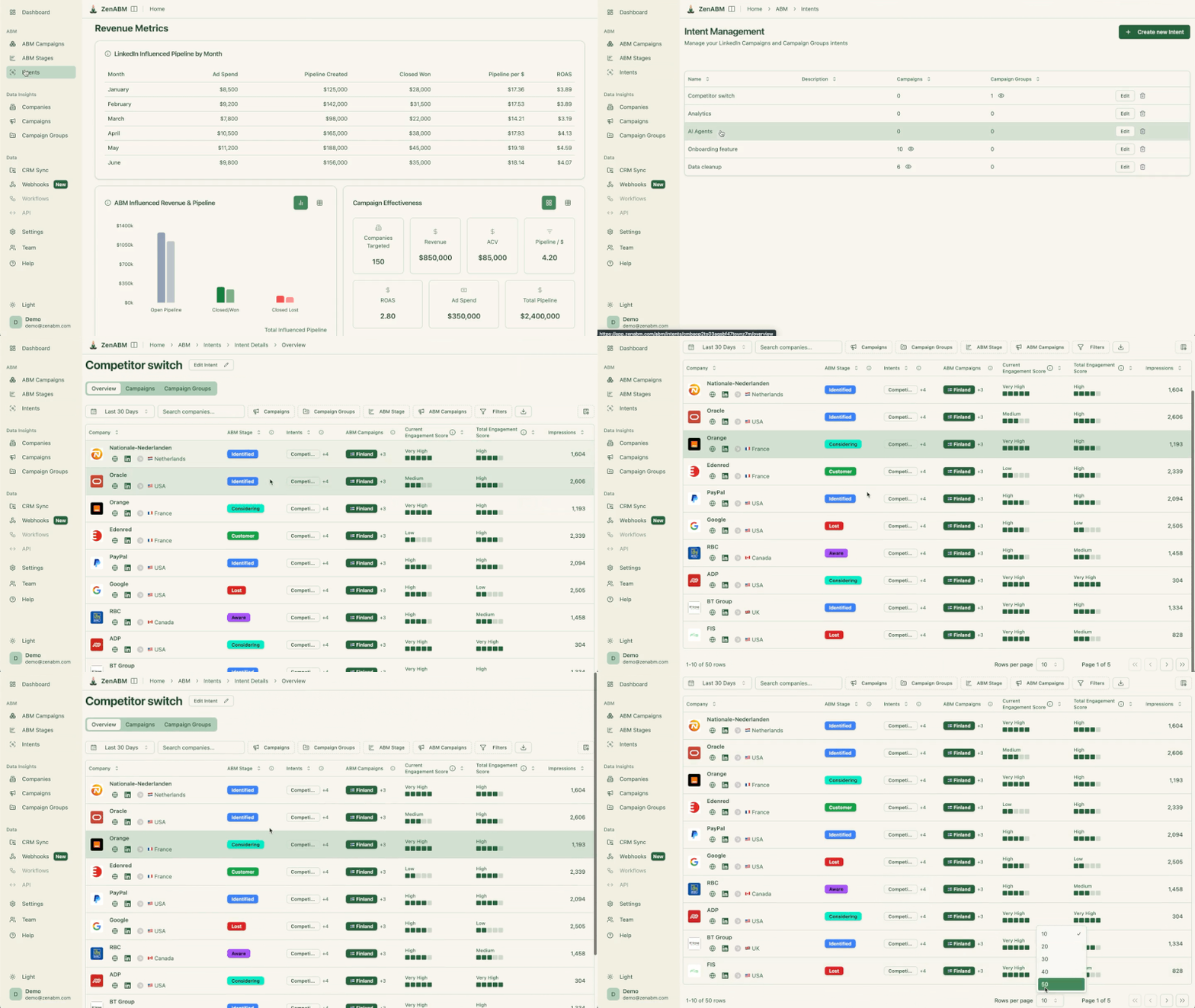
ZenABM ships with plug-and-play ABM dashboards that calculate ROI, ROAS, pipeline per dollar spent, and account stage progression across your LinkedIn campaigns without requiring any custom dashboard build:

In short, ZenABM lets you switch from click-through to view-through attribution while providing a complete hub for ABM measurement and pipeline reporting.

ZenABM also provides an analytics AI agent – Zena – so you can simply ask all your questions in natural language and do not need to bury your head in the dashboards.
ZenABM now also includes attribution for other channels like Google Ads, Reddit Ads, etc., and lays out the complete buyer journey.

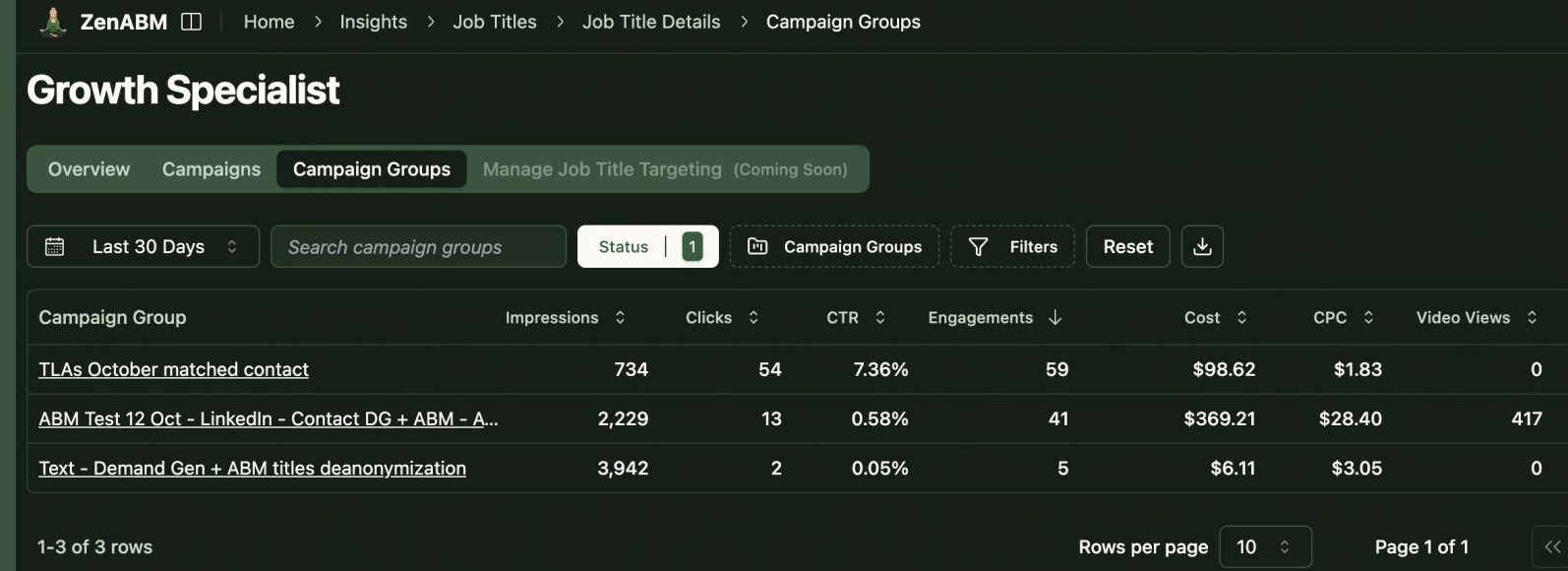
ZenABM not only gives you a company-level deanonymization of your LinkedIn ad audience, but also gives a job-title and seniority level breakdown.
ZenABM let’s you exclude specific companies from some or all of your LinkedIn campaigns with one click:

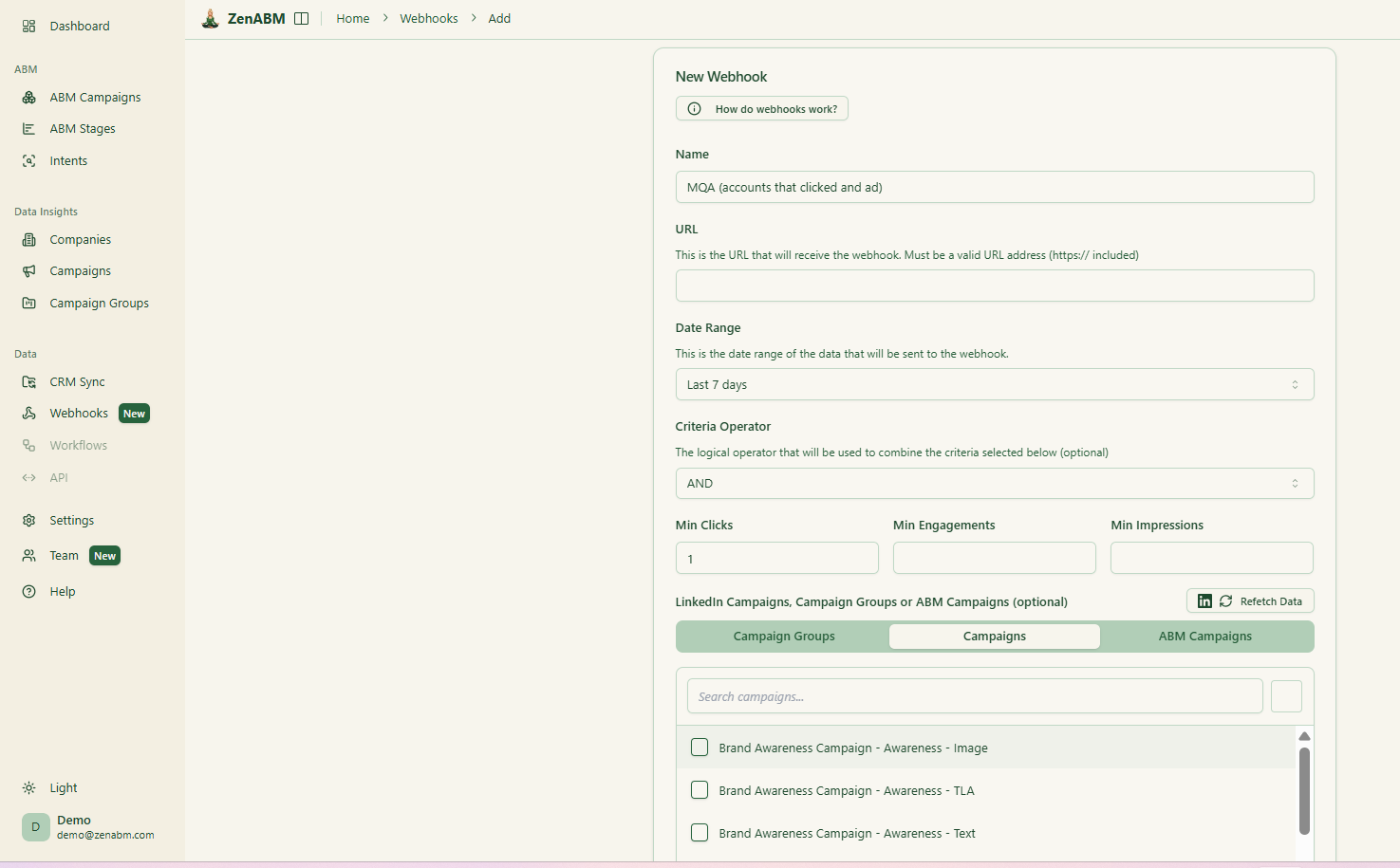
ZenABM provides custom webhooks, API access, and also an MCP, so ZenABM can fit in your GTM stack and automations effortlessly

ZenABM is highly focused on LinkedIn ABM.
Unlike broader ABM platforms, it does not perform website visitor deanonymization, account intelligence from third-party intent sources, display ad tracking, or target account list building.
It’s built for one job: LinkedIn ad attribution and ABM orchestration.
Bottom Line: ZenABM is not a feature-heavy multi-channel ABM platform. It’s purpose-built for LinkedIn ad attribution and ABM execution, and for that specific job, it’s the most comprehensive and affordable option available.
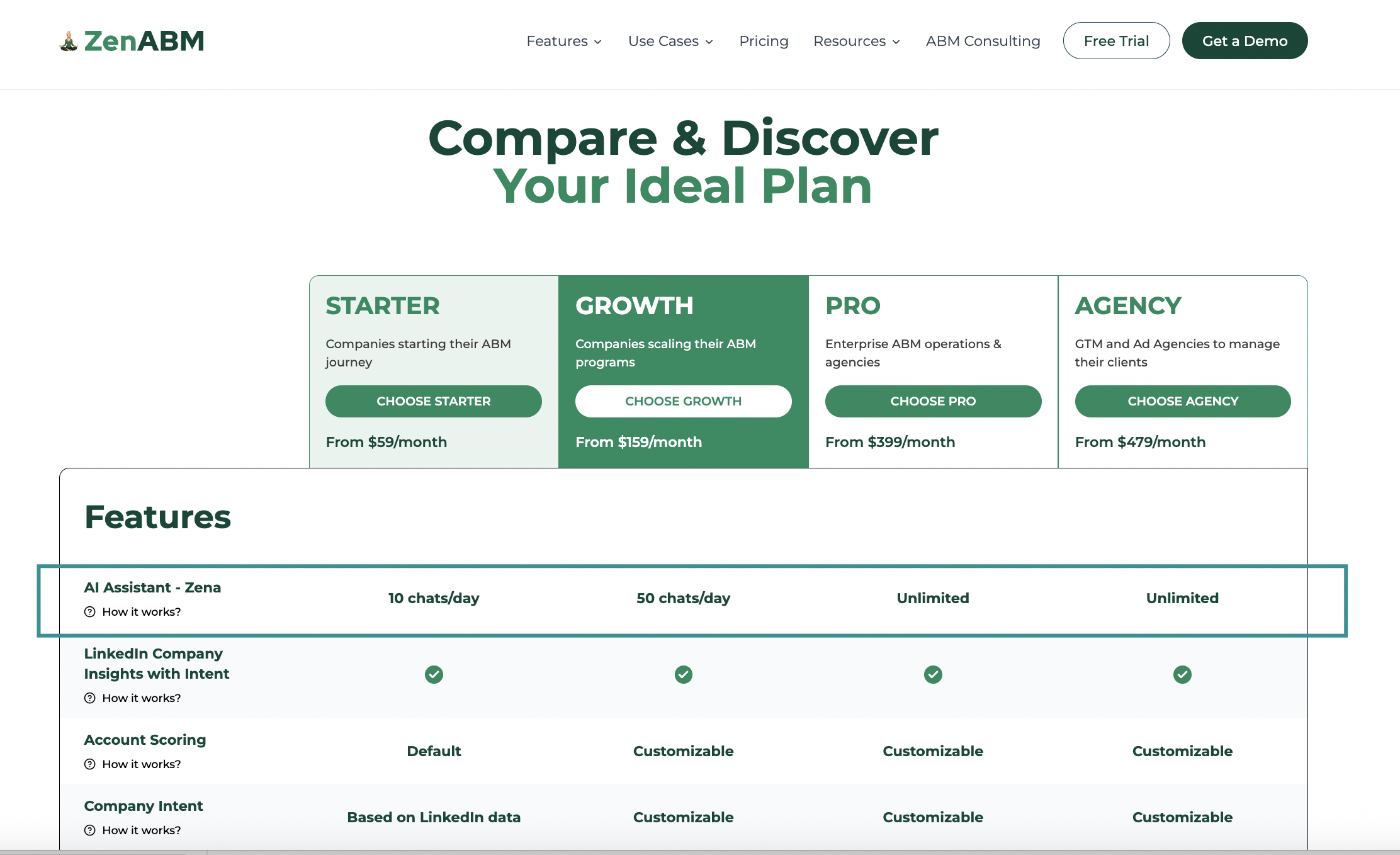
ZenABM offers four plans with no usage-based overages, no seat fees, and no add-on charges for intent data or CRM sync.
The Starter plan at $59/month gives smaller teams LinkedIn company-level engagement insights, default account scoring based on ad and CRM data, campaign-level intent signals, one ABM campaign, and native bi-directional HubSpot sync.
The Growth plan at $159/month adds customizable scoring, up to three ABM campaigns with separate dashboards, Salesforce integration, automated BDR assignment, Slack alerts, and weekly email reports.
The Pro plan at $399/month unlocks unlimited ABM campaigns, client-specific dashboards, AI-powered features, and advanced enterprise integrations.
The Agency plan at $479/month includes multi-client support with three client seats plus $199 per additional client.
All plans include a 37-day free trial with full functionality. Book a demo or view pricing details.
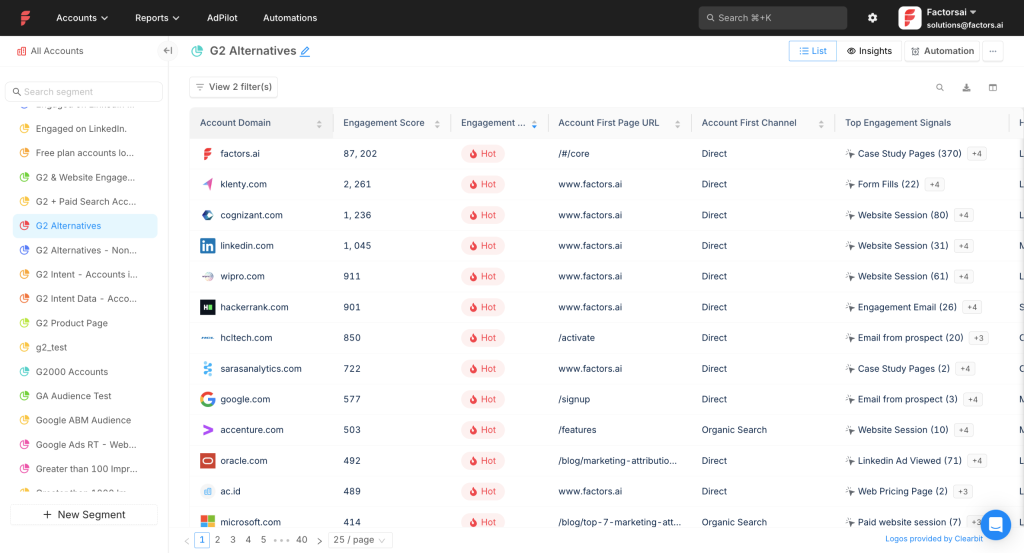
Factors.ai is a broader GTM analytics and advertising platform that includes LinkedIn ad solutions alongside Google Ads optimization, website visitor deanonymization, marketing automation, workflow building, intent capture, account intelligence, lead scoring, and multi-touch attribution.
Yes, Factors.ai meets the core requirements, though with one notable gap on the CRM push side.
Factors.ai pulls first-party engagement data (impressions, clicks, spend) from LinkedIn’s official API at the campaign group and campaign level, so you can see which companies viewed your ads, not just the ones that clicked.
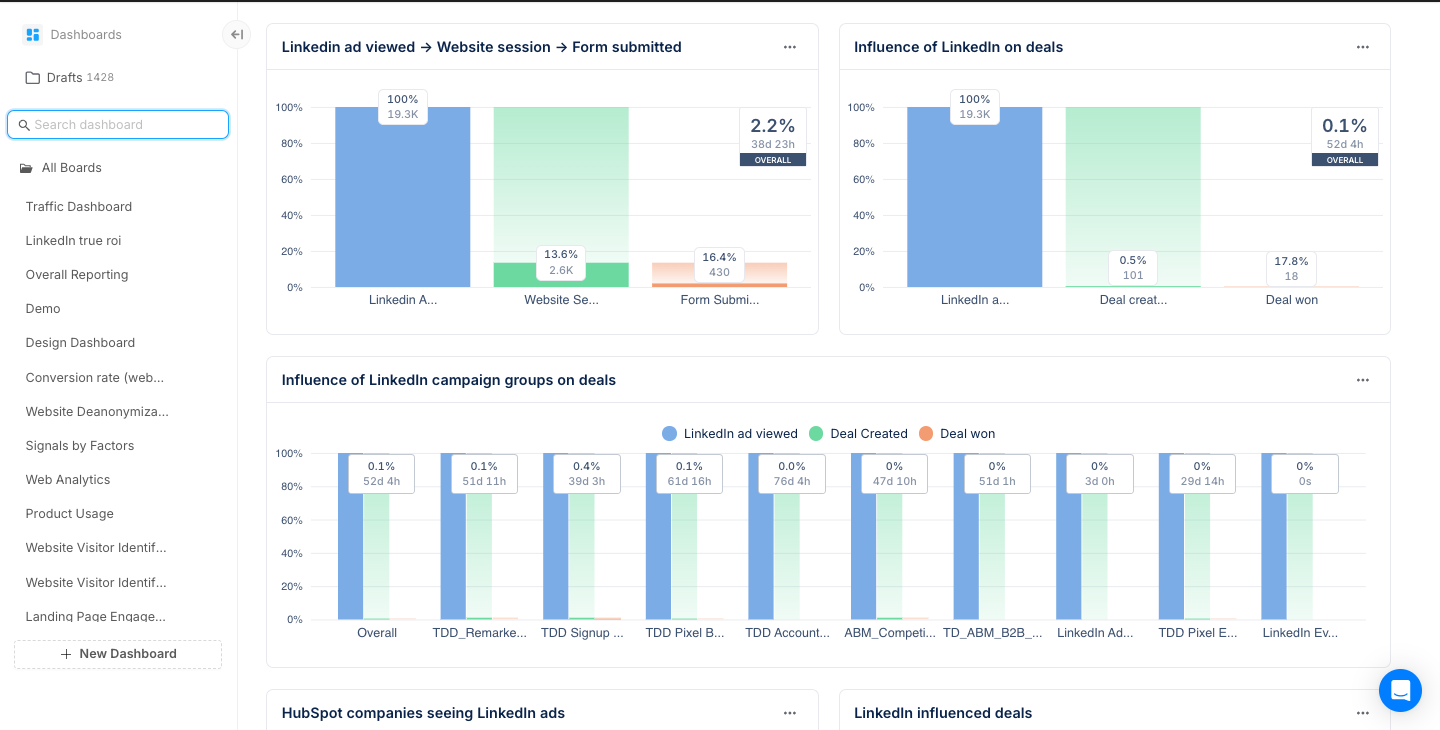
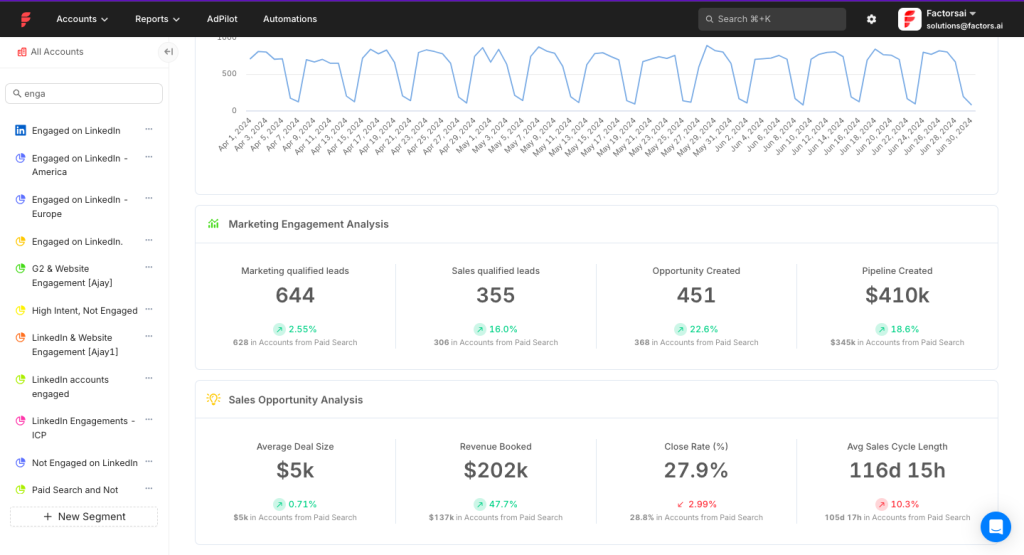
Factors.ai integrates with HubSpot and Salesforce to match engaged account names with CRM deals. However, it does not natively push company-level LinkedIn engagement data as company properties into your CRM. That workflow has to be built manually within the platform.
Factors.ai’s LinkedIn AdPilot is an AI-powered add-on that connects account signals to LinkedIn Campaign Manager for automated audience syncing, retargeting, and impression capping:
Combines data from multiple sources to build target audiences and syncs them directly to LinkedIn Campaign Manager, eliminating manual list uploads. Its LinkedIn Ads CAPI integration enables audience refinement using conversion insights from both online and offline interactions.
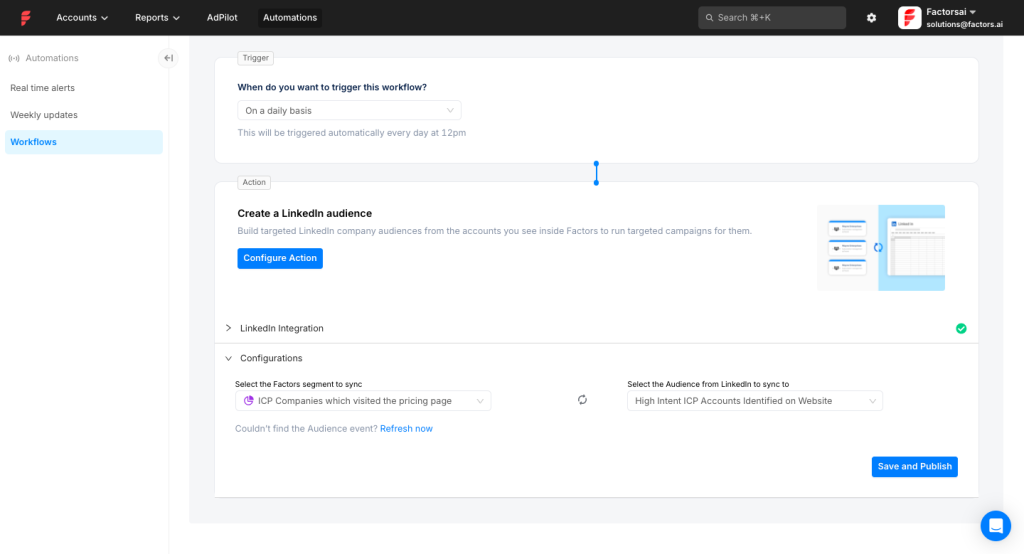
Balances ad delivery across target accounts so that larger companies don’t consume a disproportionate share of your budget while smaller target accounts get zero exposure.
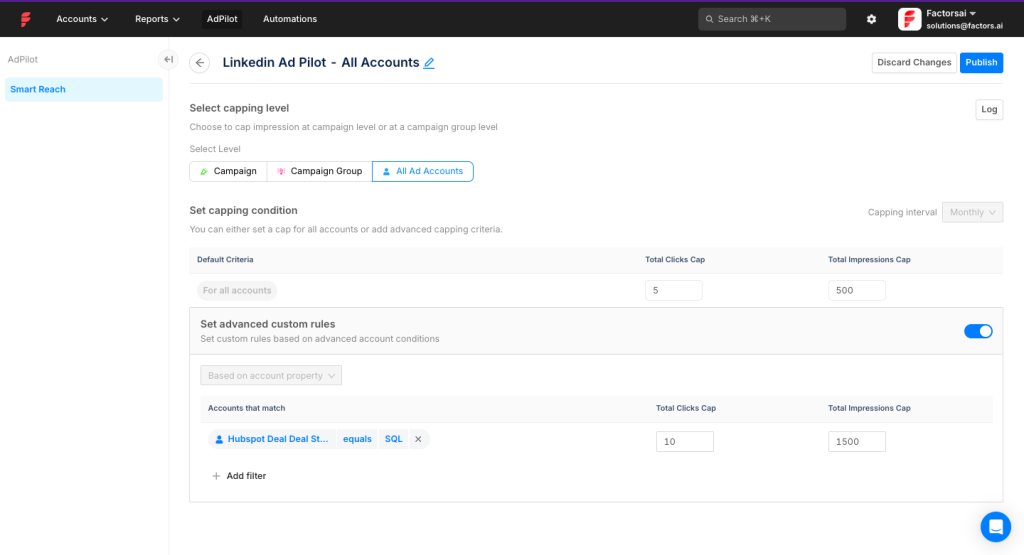
Factors.ai has also launched a Google AdPilot module that extends account-based targeting to Google Ads campaigns. This is a separate add-on (last known pricing: $1,000/month) that lets B2B teams apply account-level intelligence from Factors.ai to their search and display campaigns as well.
Factors.ai includes native workflow automation for connecting MAP, CRM, and Slack, as well as multi-touch and multi-channel attribution that tracks all marketing interactions before conversion, giving a complete view of how LinkedIn ads perform relative to other channels.
Bottom Line: Factors.ai is strong on impression capping, audience segmentation, company-level impression tracking, and LinkedIn CAPI integration. The main gap is that it doesn’t natively push engagement data to your CRM as company properties, and the true cost once add-ons are factored in can be significantly higher than the base plan suggests.
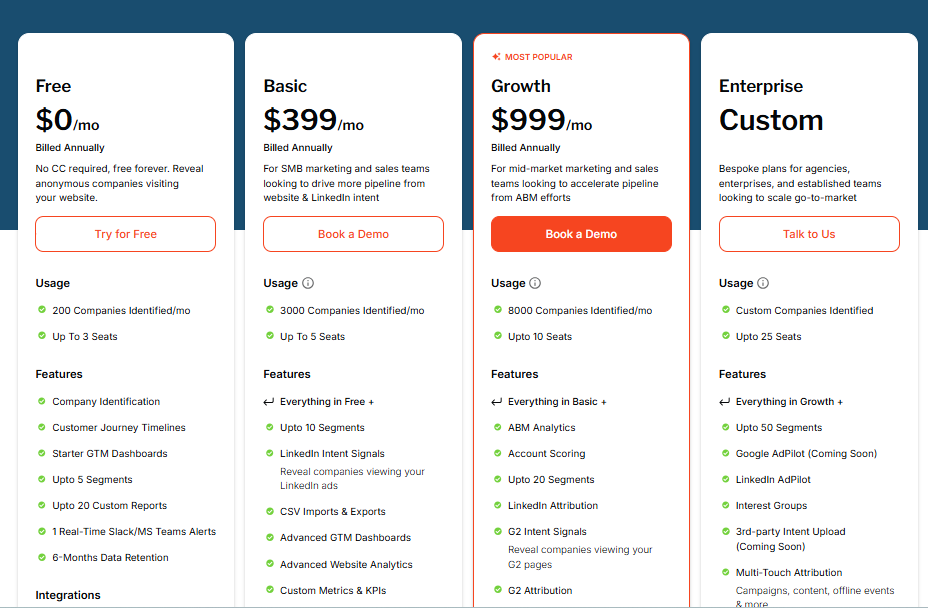
Factors.ai has removed public pricing from their website. Based on last publicly listed rates and their own blog posts: the Free plan covers 200 companies/month; the Basic plan was $399/month for 3,000 companies; the Growth plan was $999/month for 8,000 companies; and the Enterprise plan is custom pricing. Add-ons for LinkedIn AdPilot ($1,000/month), Google AdPilot ($1,000/month), and Interest Groups ($750/month) are billed separately. Verify current pricing directly with their sales team.
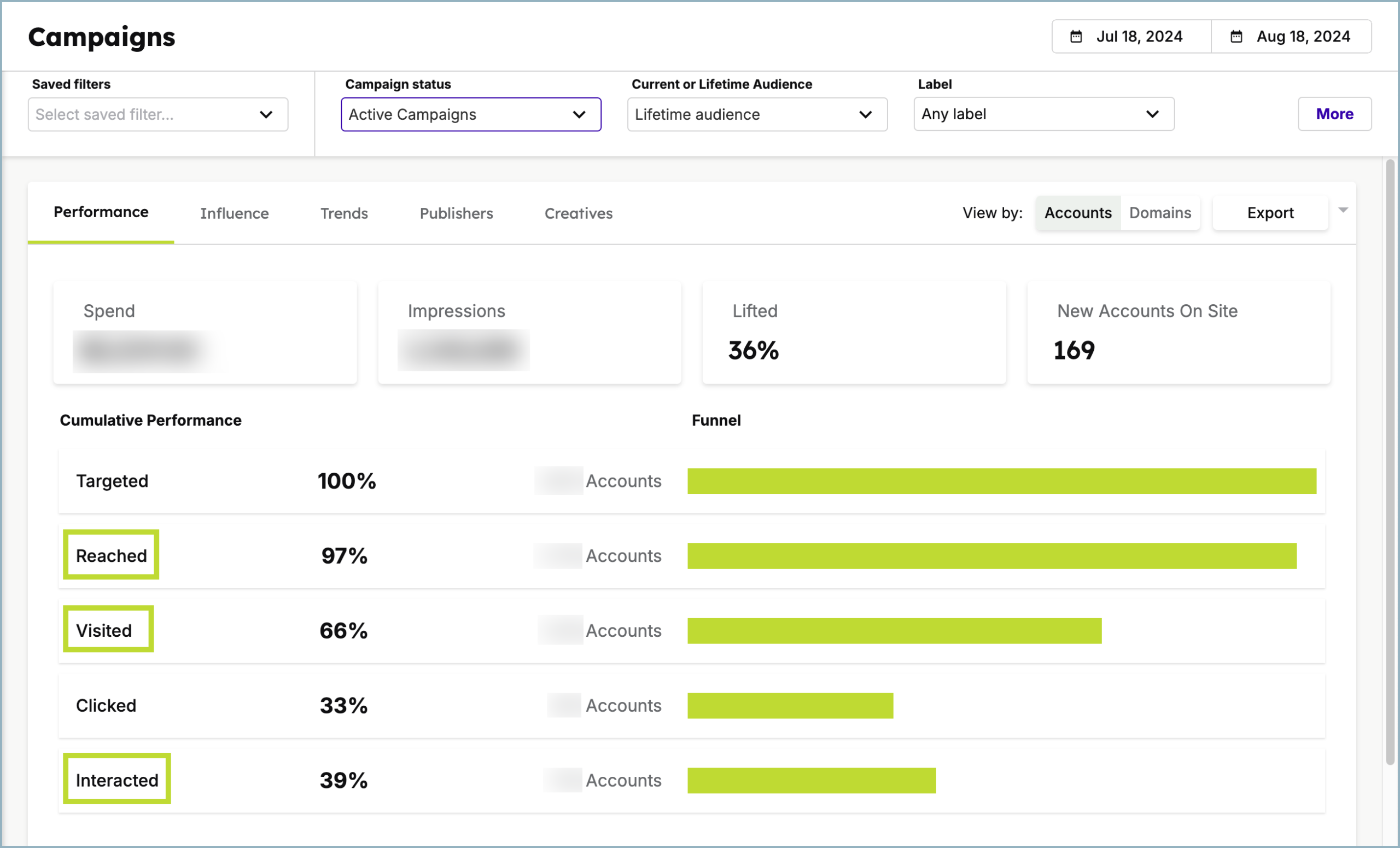
Demandbase is an end-to-end ABM platform that covers the full lifecycle: target account list building, intent data, account intelligence, display advertising, web personalization, LinkedIn ad attribution, and revenue reporting. Demandbase One is the name of their unified platform.
Yes, Demandbase meets all three prerequisites for LinkedIn ad attribution.
Demandbase One is a certified LinkedIn partner with access to LinkedIn’s official API for company-level ad engagement data. Because Demandbase is an ABM platform at its core, account-level reporting is inherent to the product.
Demandbase provides bi-directional integration with HubSpot, Salesforce, Microsoft Dynamics 365, Marketo, Pardot, and Oracle Eloqua, allowing you to measure the impact of each LinkedIn campaign on your pipeline, push company-level engagement data into the CRM, and track funnel stage movement. As one Capterra user noted: “The Salesforce integration is really important since I don’t expect sales to actually log into the platform.”
LinkedIn’s algorithm can concentrate impressions on a small number of accounts, wasting budget. Demandbase lets you cap impressions per account per campaign per time period:
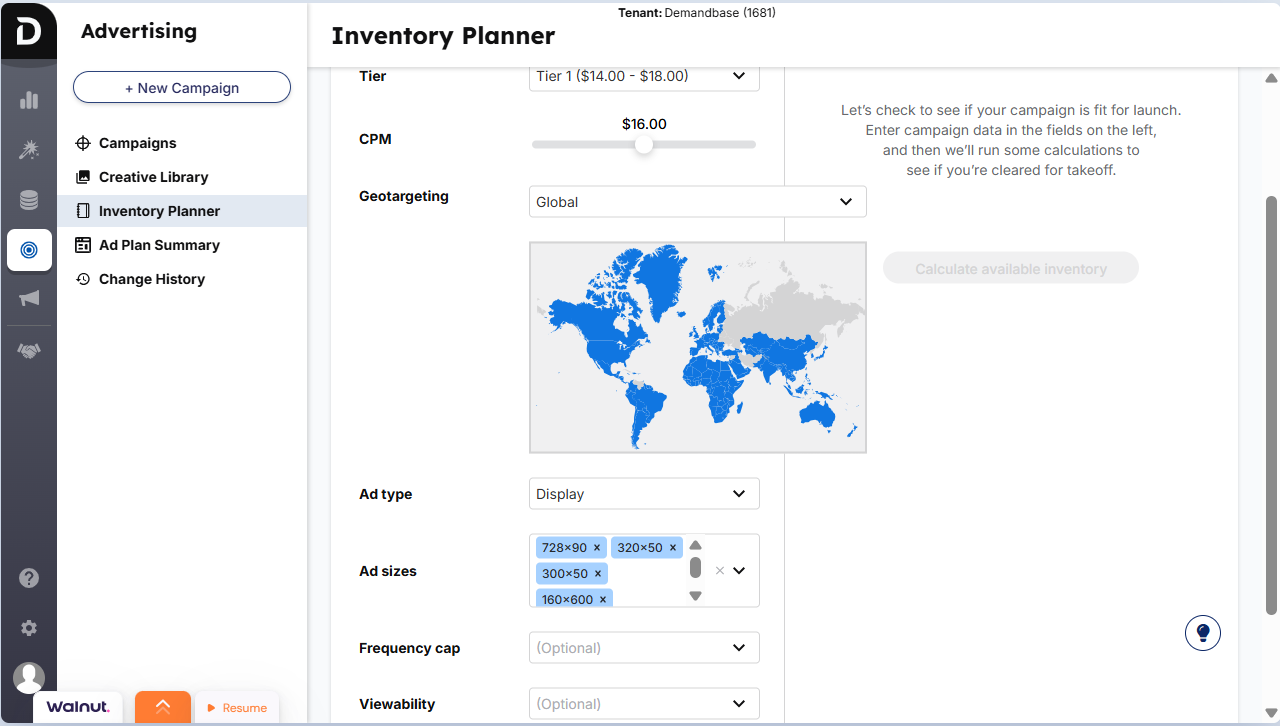
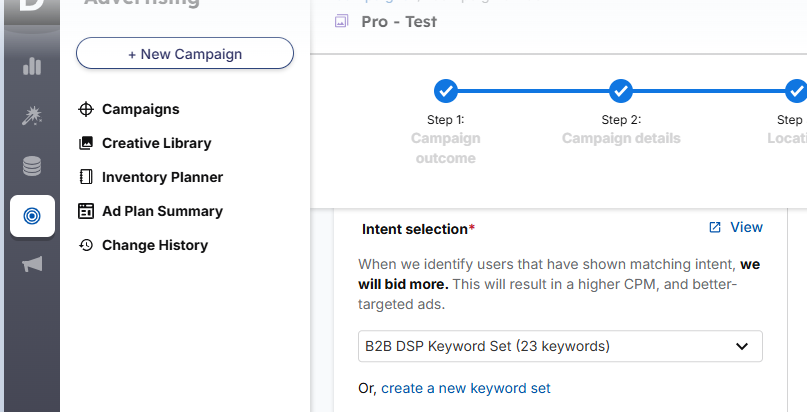
Beyond LinkedIn Campaign Manager’s basic geographic and job-level targeting, Demandbase lets you prioritize bidding based on intent keywords drawn from over 40,000 data sources combined with proprietary technology:
Demandbase is a comprehensive platform, but its pricing is enterprise-grade and the setup requires dedicated RevOps resources. Smaller teams may find it difficult to justify the cost or the implementation timeline for a platform with this level of depth.
Bottom Line: Demandbase is the right choice if you’re running ABM across multiple ad channels with a sizeable budget and have the team to manage a full-stack ABM platform. For teams focused primarily on LinkedIn ad attribution, it’s overkill.
Demandbase does not publicly disclose pricing. You’ll need to book a demo for a quote. Expect enterprise-level contracts.
Terminus is an account-based marketing platform with a strong advertising focus and multi-channel engagement features. It has a tight integration with LinkedIn Marketing Solutions (launched in 2021) for real-time data syncing. Terminus merged with DemandScience and is now part of their broader GTM platform.
Partially. Terminus passes the criteria, but with a meaningful limitation on tracking scope.
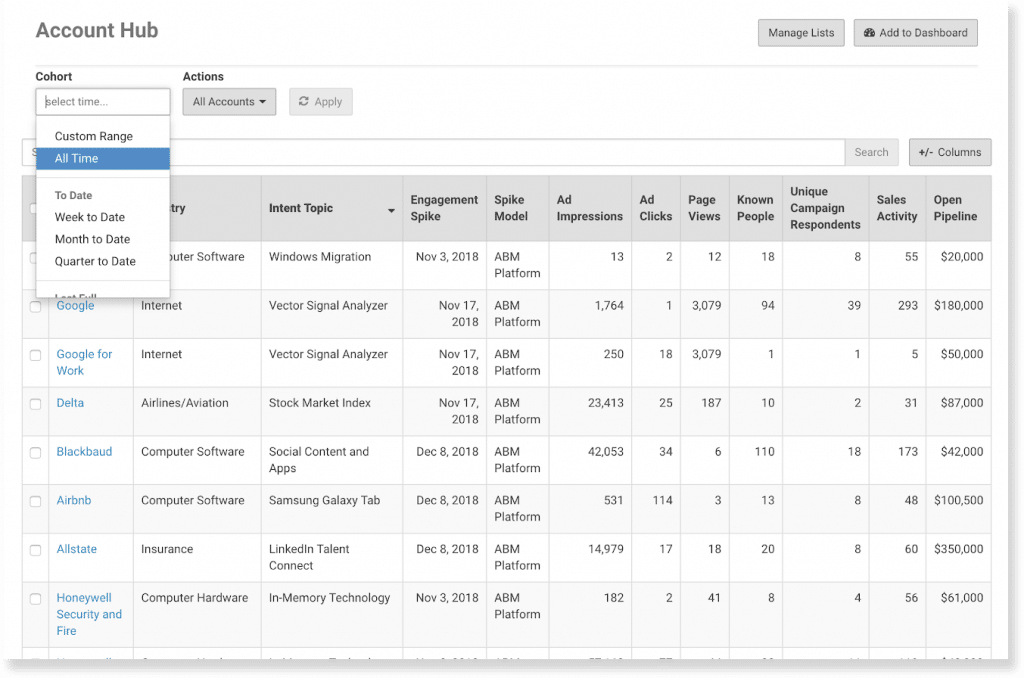
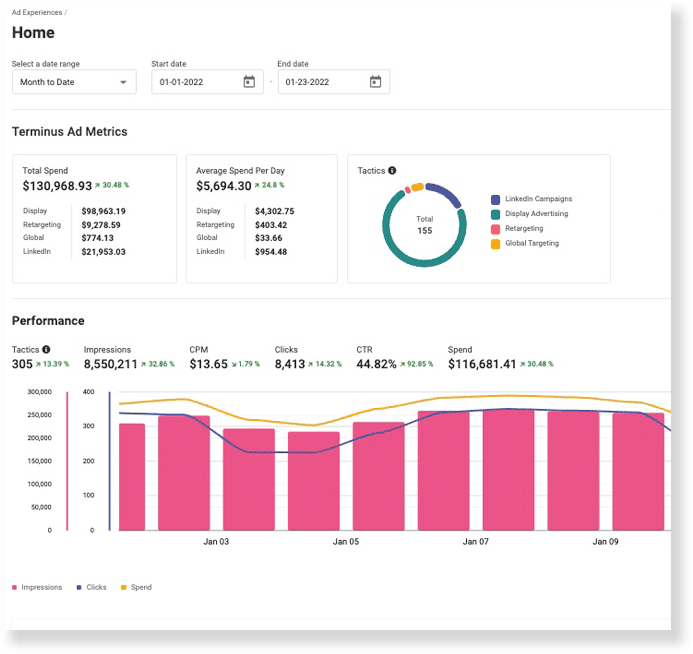
Terminus Account Hub tracks company-level LinkedIn ad impressions pulled from LinkedIn’s official API. However, it can only track companies that were either pulled from your CRM or uploaded as a Matched Audience during campaign setup. It does not identify new or unexpected companies engaging with your ads.
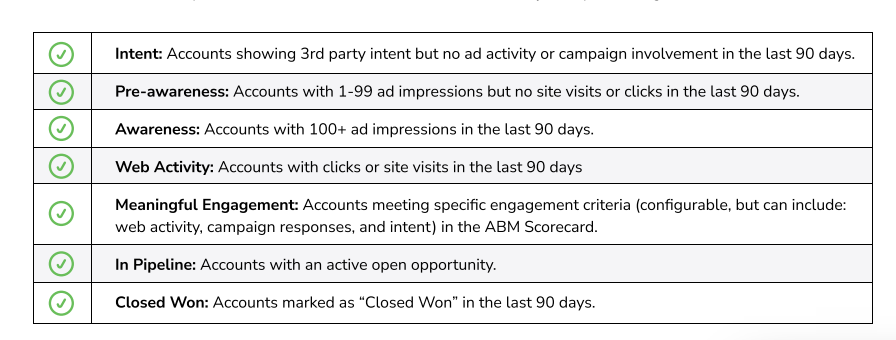
Terminus offers excellent CRM integration, particularly with Salesforce. Accounts from your CRM are automatically matched with those engaging with your ads. As accounts hit impression, engagement, or click milestones, they move through funnel stages directly in your CRM:
Pipeline attribution is also included:
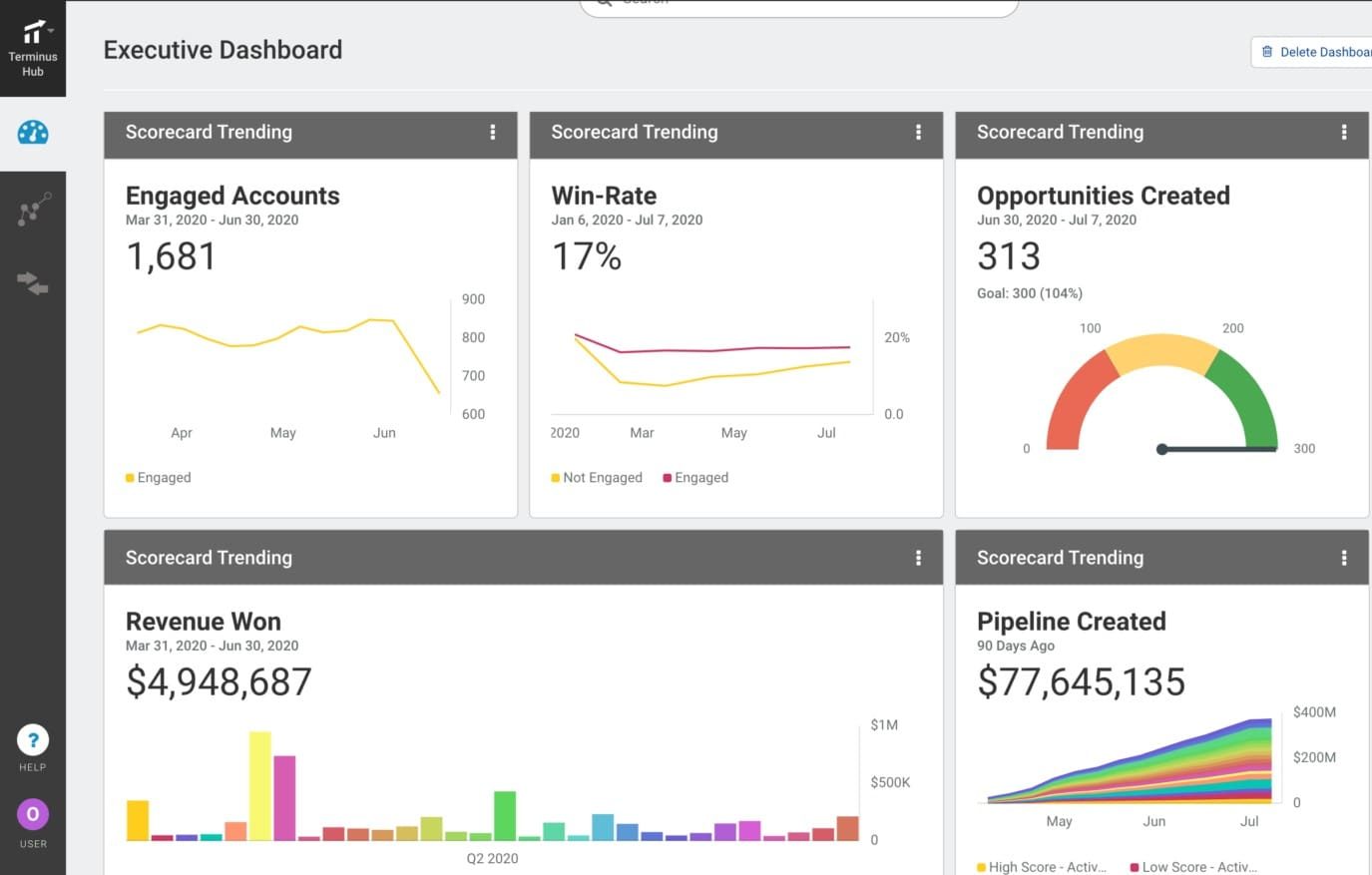
Terminus consolidates ad campaigns from LinkedIn and display ad networks into a single dashboard for cross-channel comparison and attribution:
You can build entire LinkedIn ad campaigns (audience, creatives, targeting) natively within Terminus:
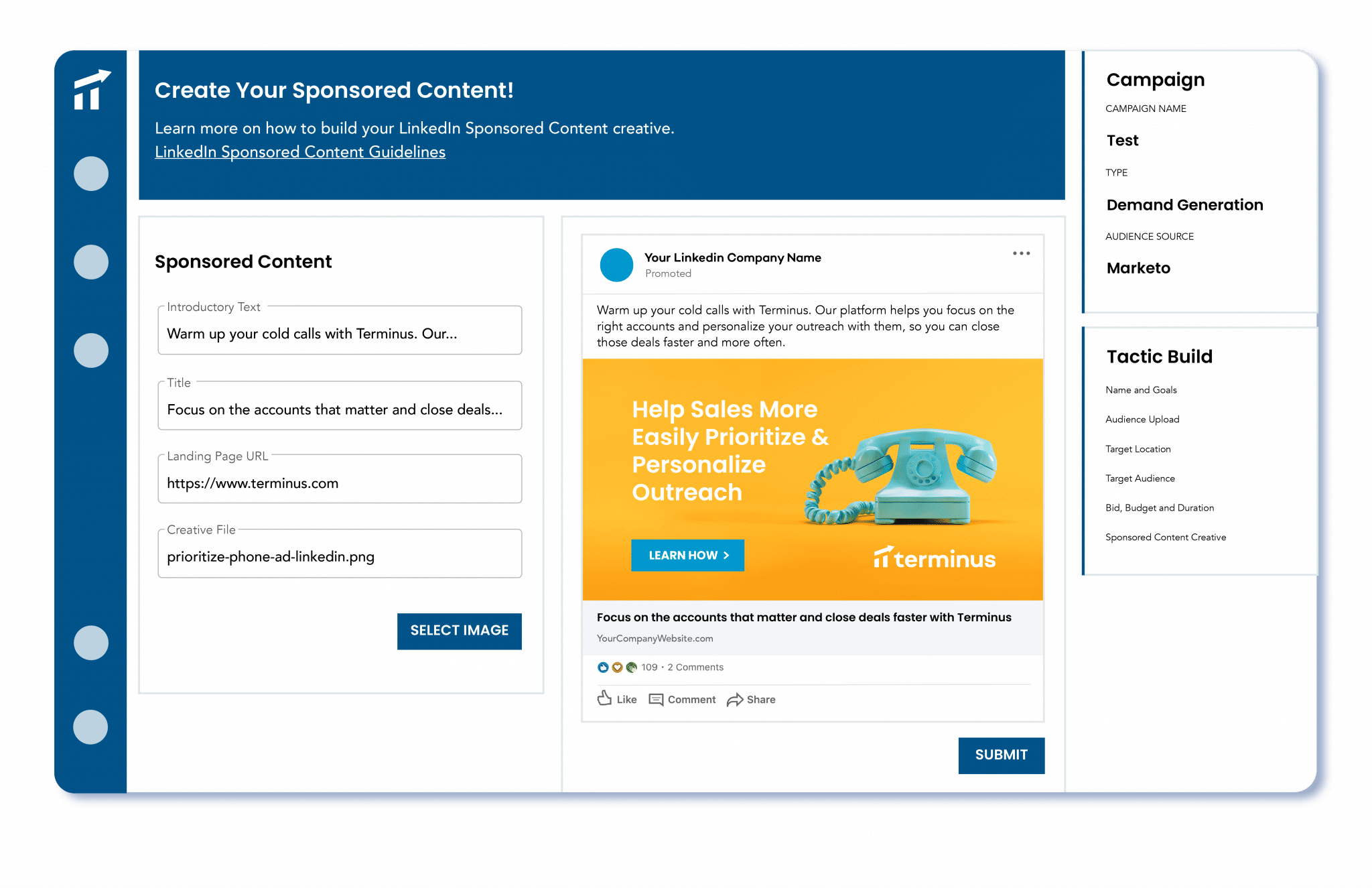
Terminus integrates with Outreach, SalesLoft, Uberflip, and intent data sources like Bombora to trigger targeted LinkedIn ad campaigns based on account behavior.
Bottom Line: Terminus has solid LinkedIn attribution capabilities, but the Matched Audiences limitation means it’s best suited for teams with well-defined, pre-existing target account lists rather than those looking to discover new accounts through ad engagement.
Terminus (now part of DemandScience) does not publicly disclose pricing. Contact DemandScience for a quote.
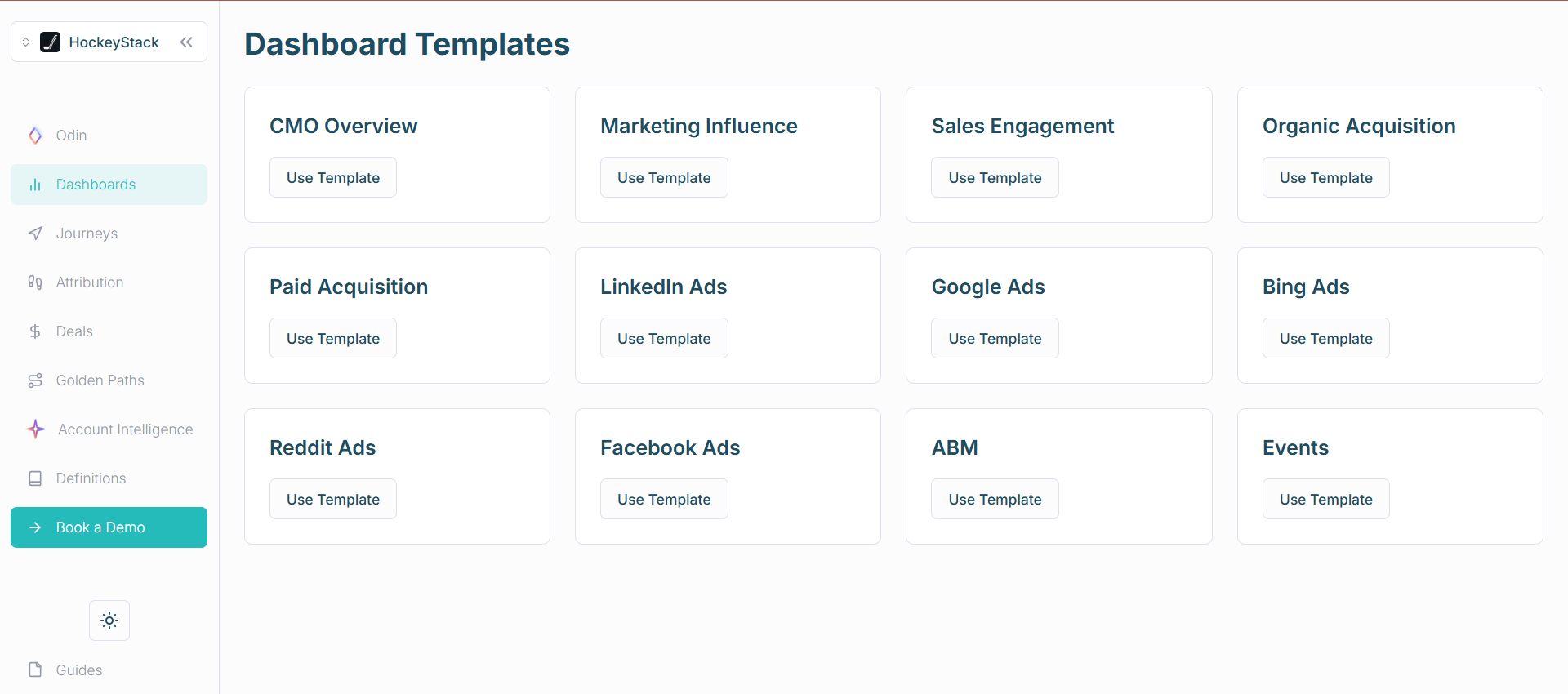
HockeyStack is a B2B revenue intelligence and attribution platform that has grown significantly since its original launch.
The company raised $50M in total funding (including a $20M Series A led by Bessemer Ventures in January 2025) and has expanded from pure attribution into a broader “Revenue Agents” platform with AI-powered analytics, a dedicated ABM product, and sales intelligence tools.
It maintains deep integration with LinkedIn Ads and combines marketing touchpoints from your website and CRM to draw complete customer journeys.
Yes, HockeyStack meets the core criteria with one gap on the CRM push side.
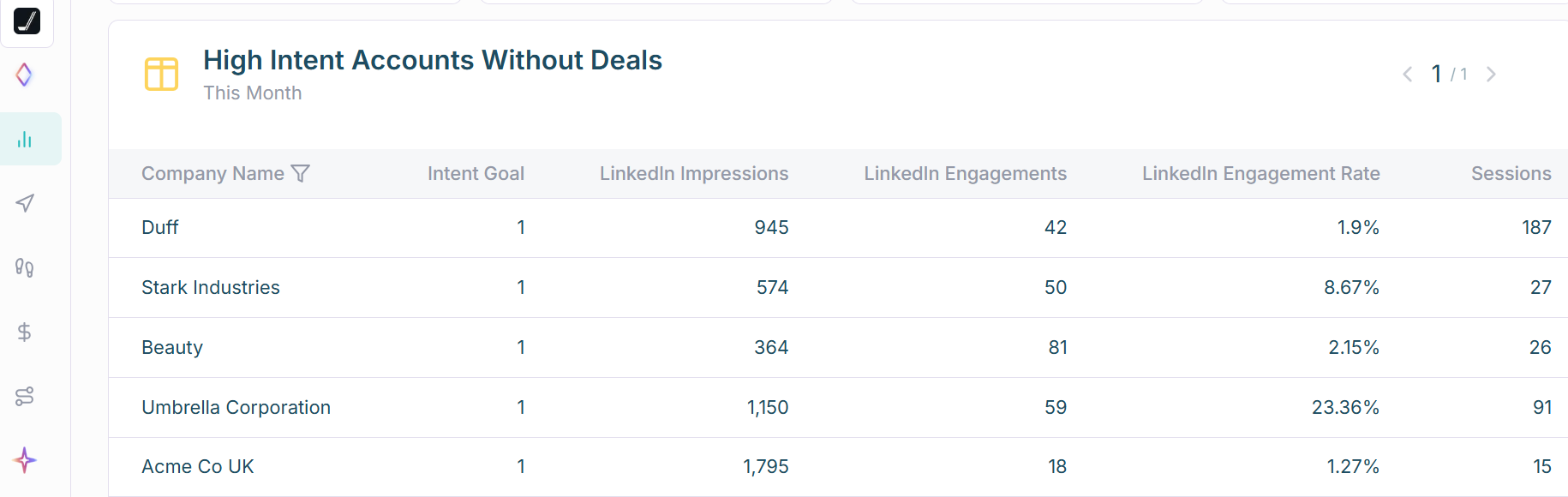
HockeyStack pulls first-party company-level impression data from LinkedIn’s official API, providing genuine view-through attribution.
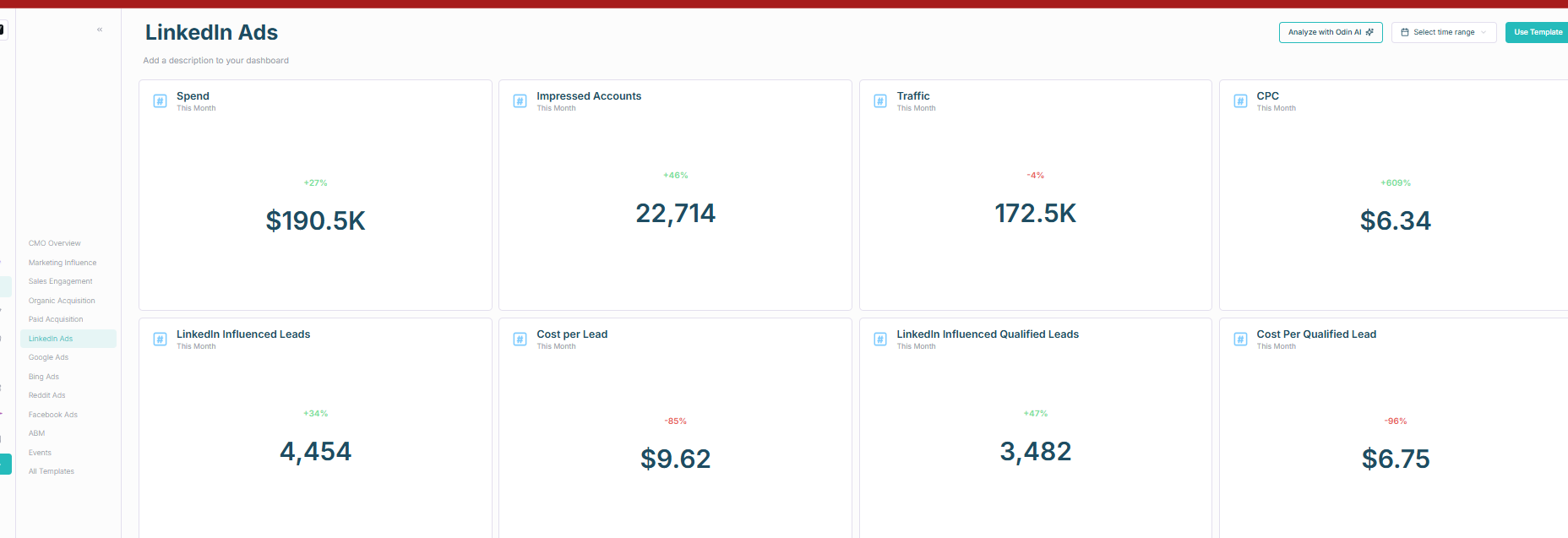
HockeyStack integrates with your CRM to pull deal data and match it against engaged accounts.
However, like Factors.ai, the CRM integration is pull-only by default. It does not natively push LinkedIn engagement data as company properties into your CRM, although you can build a custom workflow within the platform to achieve this:
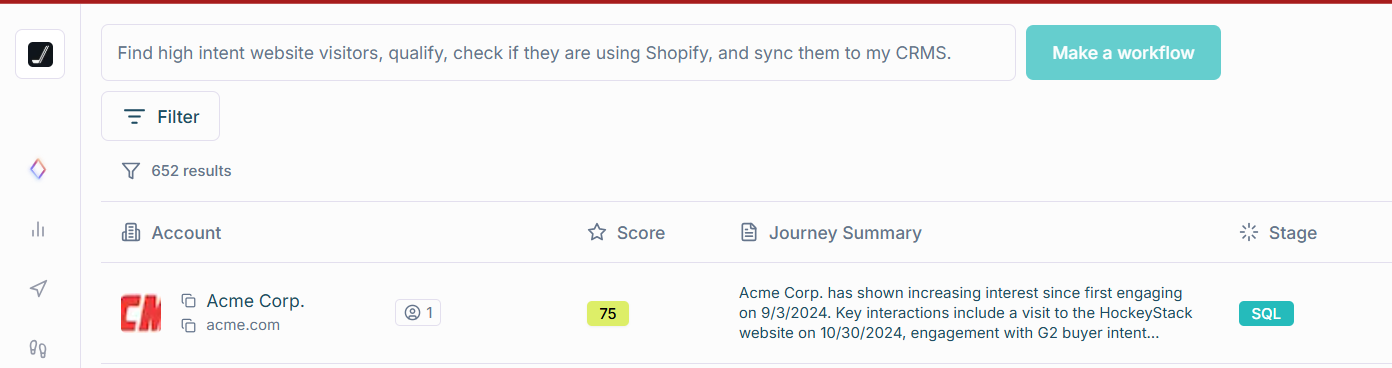
Key features of HockeyStack:
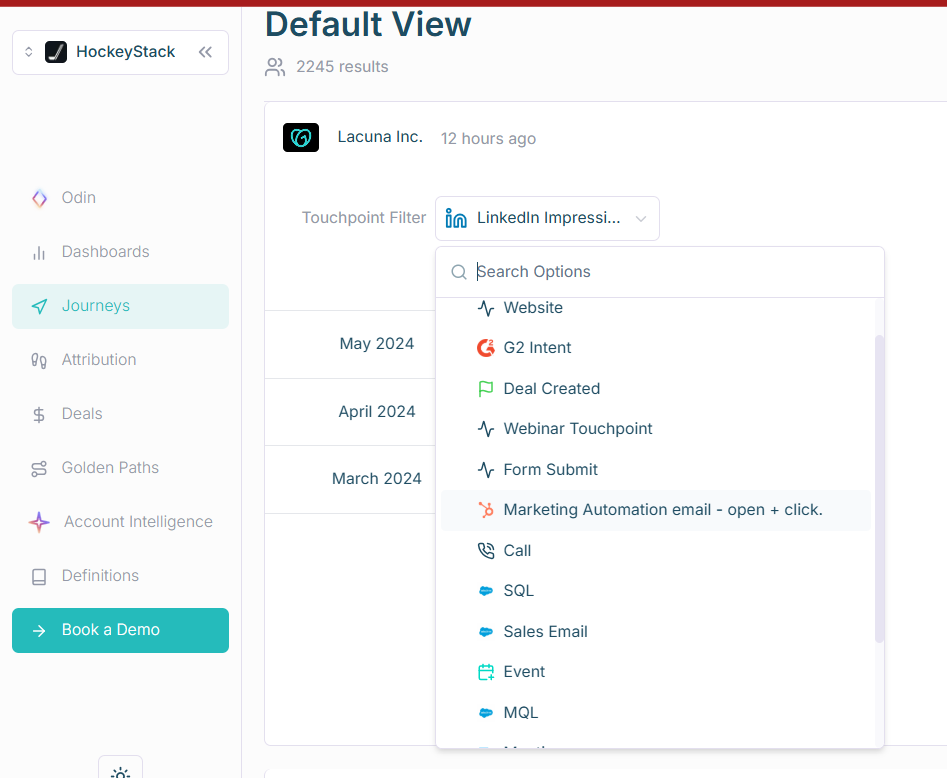
HockeyStack supports attribution across roughly 17 touchpoint sources: G2 intent, reverse IP website deanonymization, form submissions, CRM deals, sales calls, emails, LinkedIn ad impressions, and more:
HockeyStack identifies individual users and associates them with their companies, grouping them as part of the account. This means you can see not just the company’s engagement but which specific individuals were influenced by which channels:
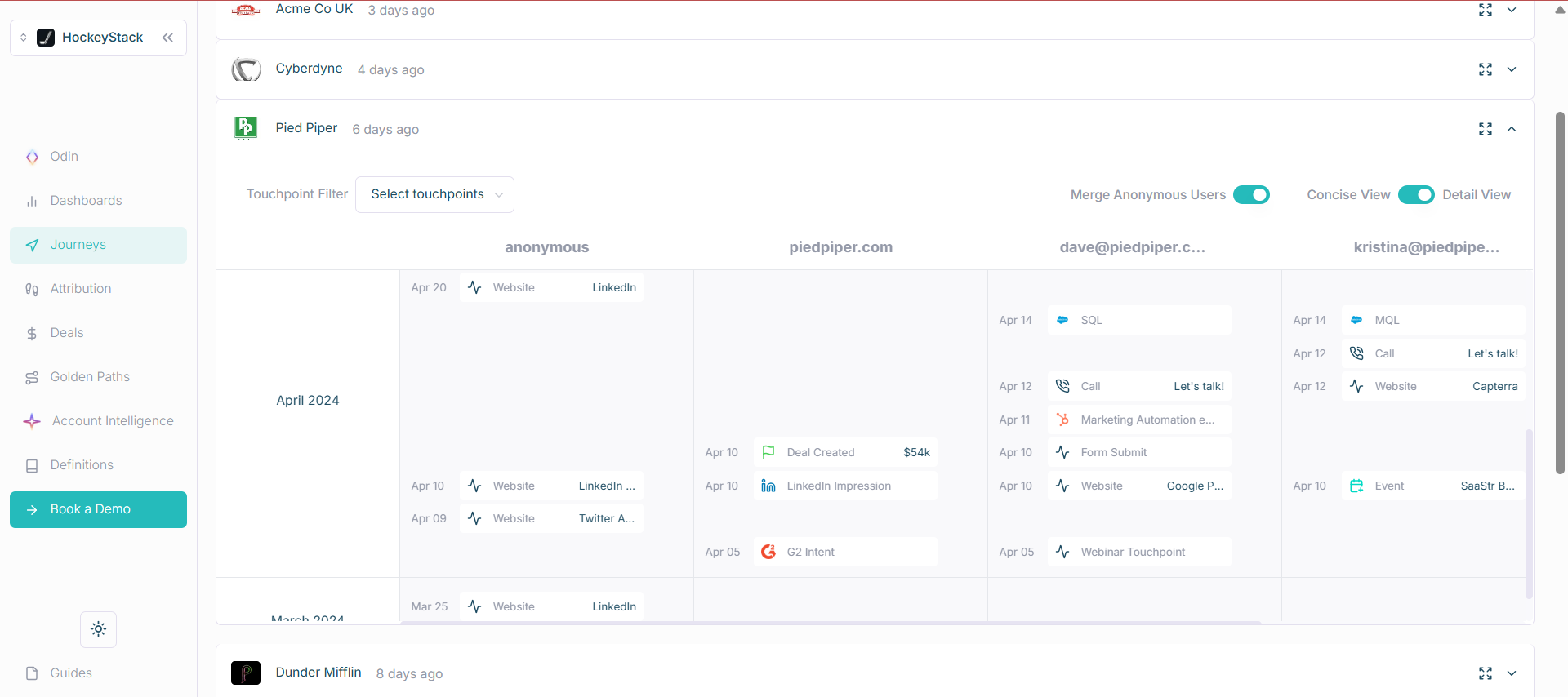
Note: person-level tracking for anonymous visitors depends on cookies and reverse IP lookup, which has the same accuracy limitations discussed earlier.
HockeyStack’s attribution dashboard lets you view attribution based on different models (time decay, position-based, linear, etc.) in a single view for comparison:
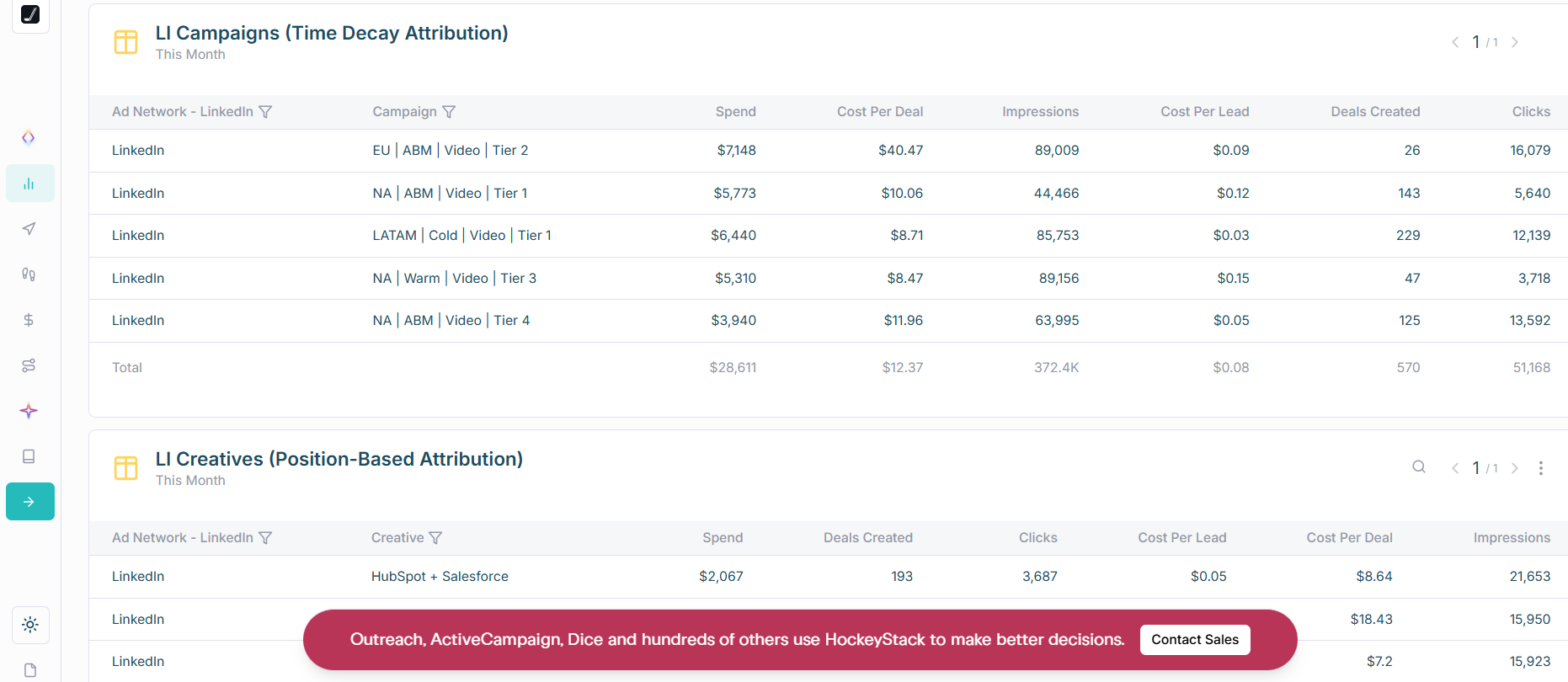
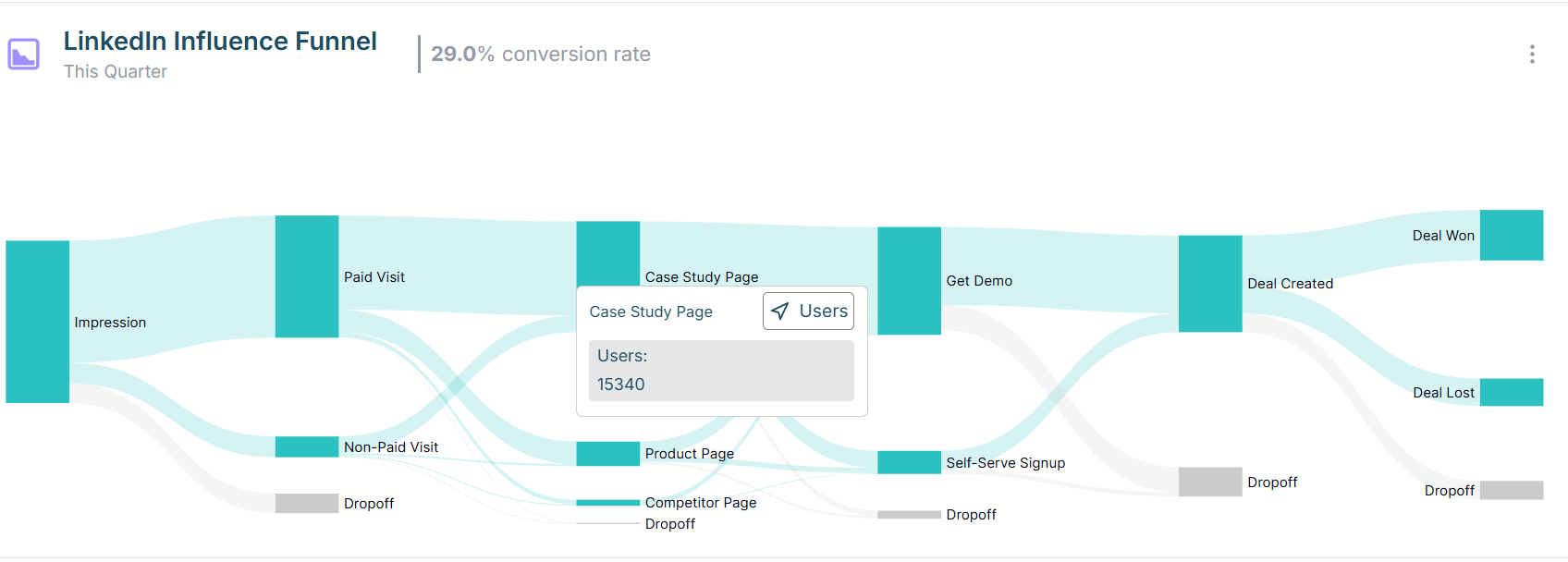
HockeyStack launched AI products in 2024 and 2025 that expand the platform from attribution into broader AI-powered GTM intelligence. These agents answer complex revenue questions, recommend strategic actions, and help identify patterns in deal data that inform campaign optimization. This expansion makes HockeyStack increasingly competitive with full-stack ABM platforms, though it also increases the platform’s complexity.
Bottom Line: HockeyStack is strong on company-level impression tracking and multi-channel attribution across 17+ sources, which makes it valuable for comparing LinkedIn ROI against other channels. The AI Revenue Agents add a differentiated intelligence layer. The main trade-off is complexity: this is not a plug-and-play tool, and you’ll likely need dedicated time (and possibly ongoing support from HockeyStack’s team) to get full value.
HockeyStack does not publish pricing. Book a demo for a quote. Given the $50M in total funding and enterprise positioning, expect pricing to reflect that trajectory.
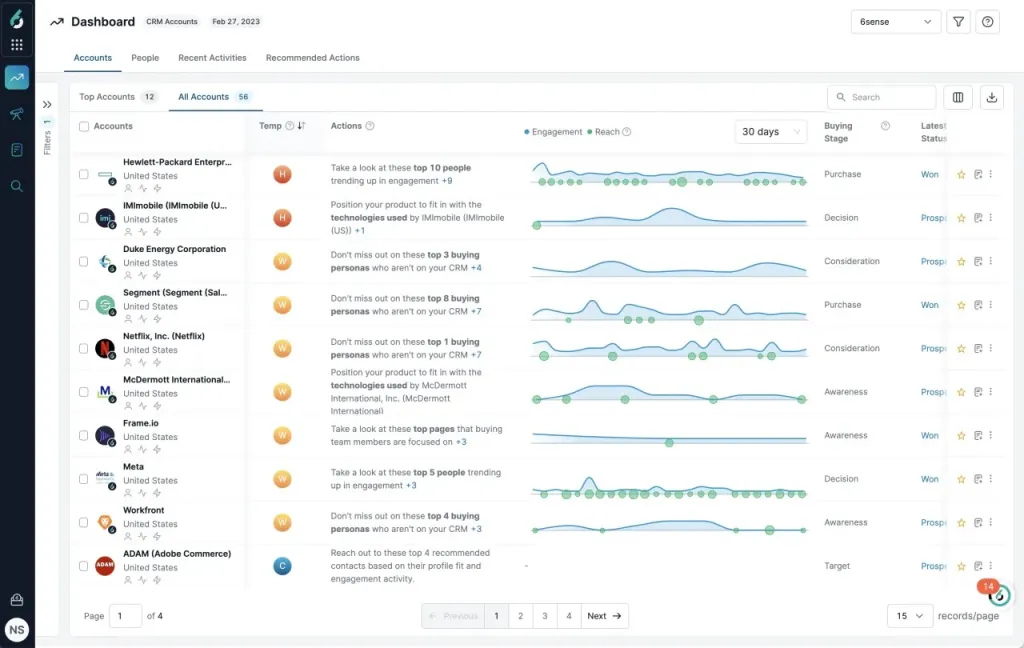
6sense’s Revenue AI platform is known for account identification, intent data, and predictive analytics. It primarily relies on its patented web visitor deanonymization technology (6Graph) but launched a LinkedIn Ads integration in 2023 for audience management and campaign targeting.
No. 6sense does not provide company-level LinkedIn ad impression tracking. For LinkedIn ads, it tracks only aggregate campaign performance. Account-level attribution requires a click that drives the lead to your website, where 6sense’s web pixel can deanonymize them. In LinkedIn’s low-click environment, this means most of your ad impact is invisible to 6sense.
6sense integrates well with CRMs, but the lack of impression-level tracking renders it insufficient for view-through LinkedIn ad attribution.
Notable features of 6sense:
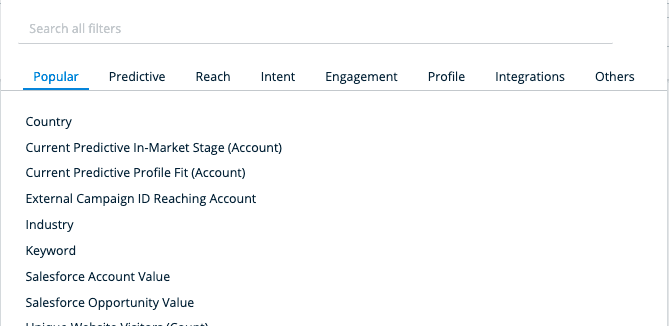
6sense enables sophisticated audience segmentation beyond LinkedIn Campaign Manager’s native options: you can create segments based on buying stage, Salesforce account value, firmographic attributes, and intent keyword activity simultaneously, then push those segments to LinkedIn for targeted campaigns.
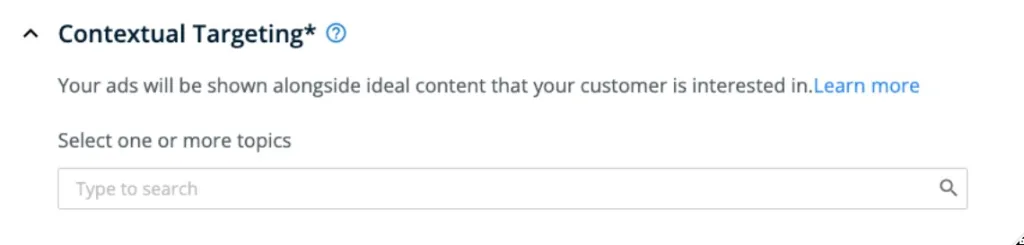
6sense places your ads adjacent to relevant organic content based on keyword targeting, increasing the likelihood of engagement:
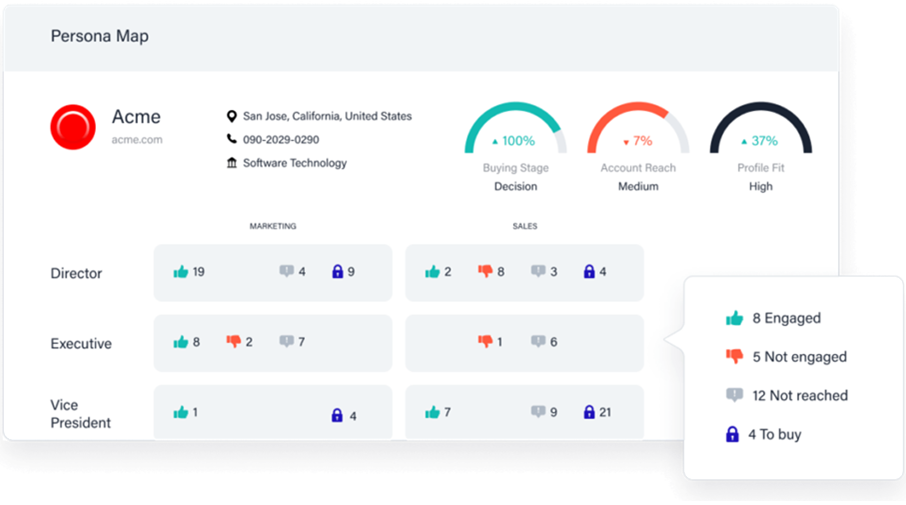
6sense maps which job roles within each account have been reached by your marketing efforts, giving you visibility into buying committee coverage.
6sense’s cons:
Bottom Line: 6sense is a powerful ABM platform for intent data, audience segmentation, and predictive analytics, but its LinkedIn integration is for campaign audience management, not impression-level attribution. If you need to know which specific LinkedIn ad contributed to each deal, 6sense can’t provide that.
6sense does not publish pricing. Contact their sales team for a quote. Expect enterprise-level contracts.
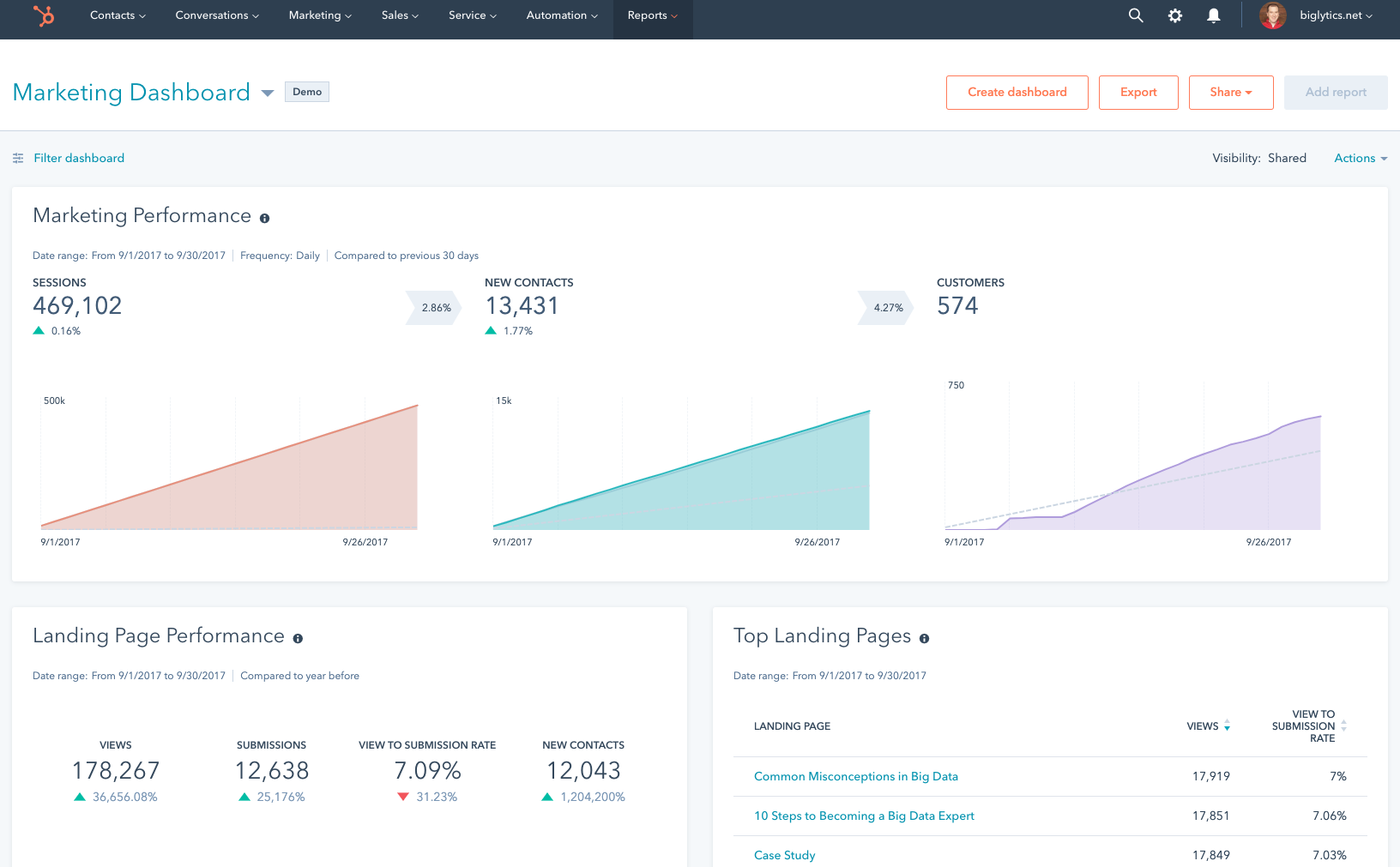
HubSpot is a popular CRM and marketing automation platform with a built-in marketing attribution module that integrates with your LinkedIn Ads account.
For teams already in the HubSpot ecosystem, it provides a convenient way to track click-based LinkedIn ad attribution without adding another tool.
No. HubSpot misses the most critical requirement.
HubSpot connects to LinkedIn Ads through its native ads tool and pulls click and lead form submission data into its attribution module.
However, it does not track impression-level data, and its attribution is contact-level rather than company-level, which means it can’t show you the full picture of LinkedIn ad influence in a world where 99%+ of interactions are impression-only.
If you don’t need impression tracking or view-through attribution, and you’re comfortable with contact-level click attribution, HubSpot is convenient because the CRM and attribution live in the same platform.
You can connect LinkedIn ad clicks to contacts, link those contacts to deals, and build revenue attribution reports.
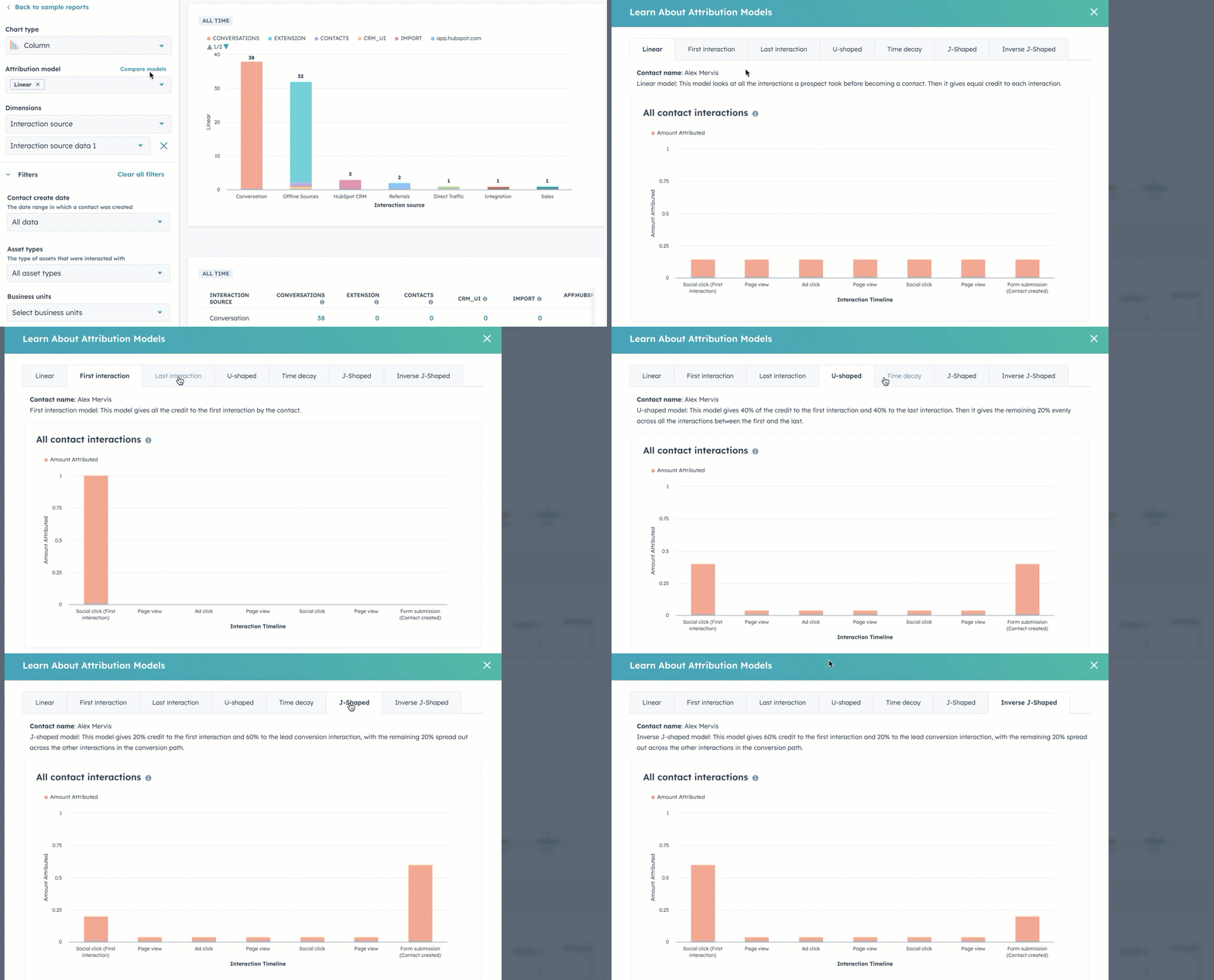
HubSpot supports seven attribution models (First Touch, Last Touch, Last Non-Direct Touch, Linear, U-Shaped, W-Shaped, and Time Decay):
HubSpot’s cons:
Bottom Line: HubSpot is a great CRM and marketing automation platform, but for impression-based, company-level LinkedIn ad attribution, it simply doesn’t have the data layer required.
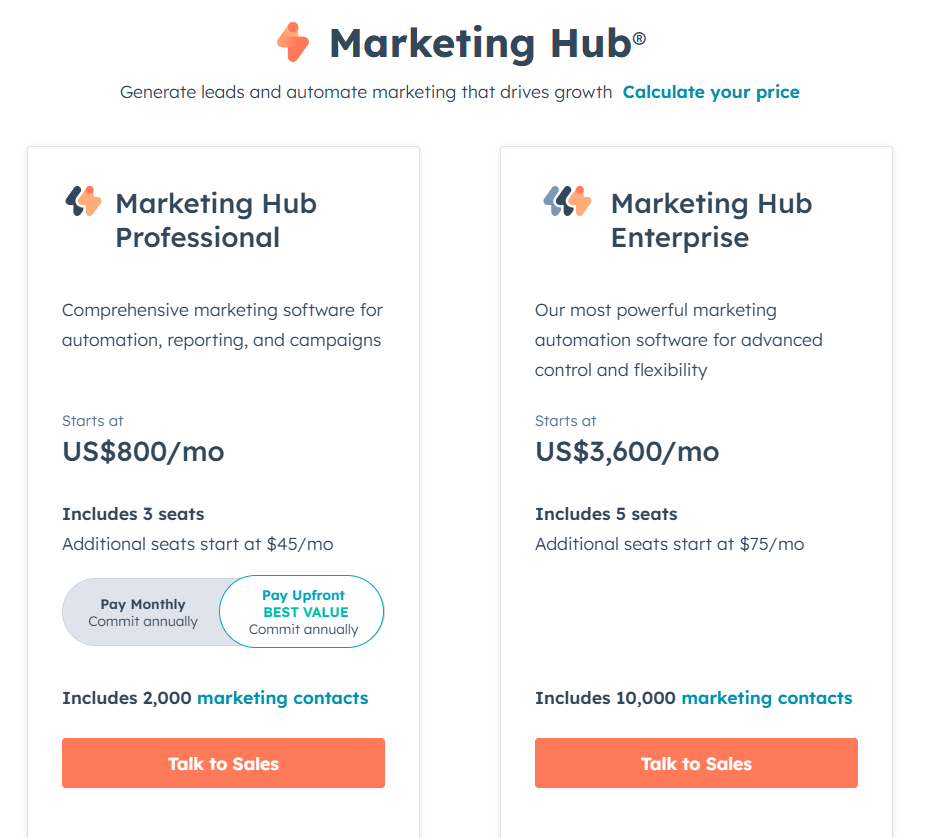
LinkedIn ad attribution features are available in HubSpot Marketing Professional ($800/month) and Marketing Enterprise ($3,600/month). The Professional tier offers ad management and custom reporting but lacks full revenue attribution, which is exclusive to the Enterprise tier.
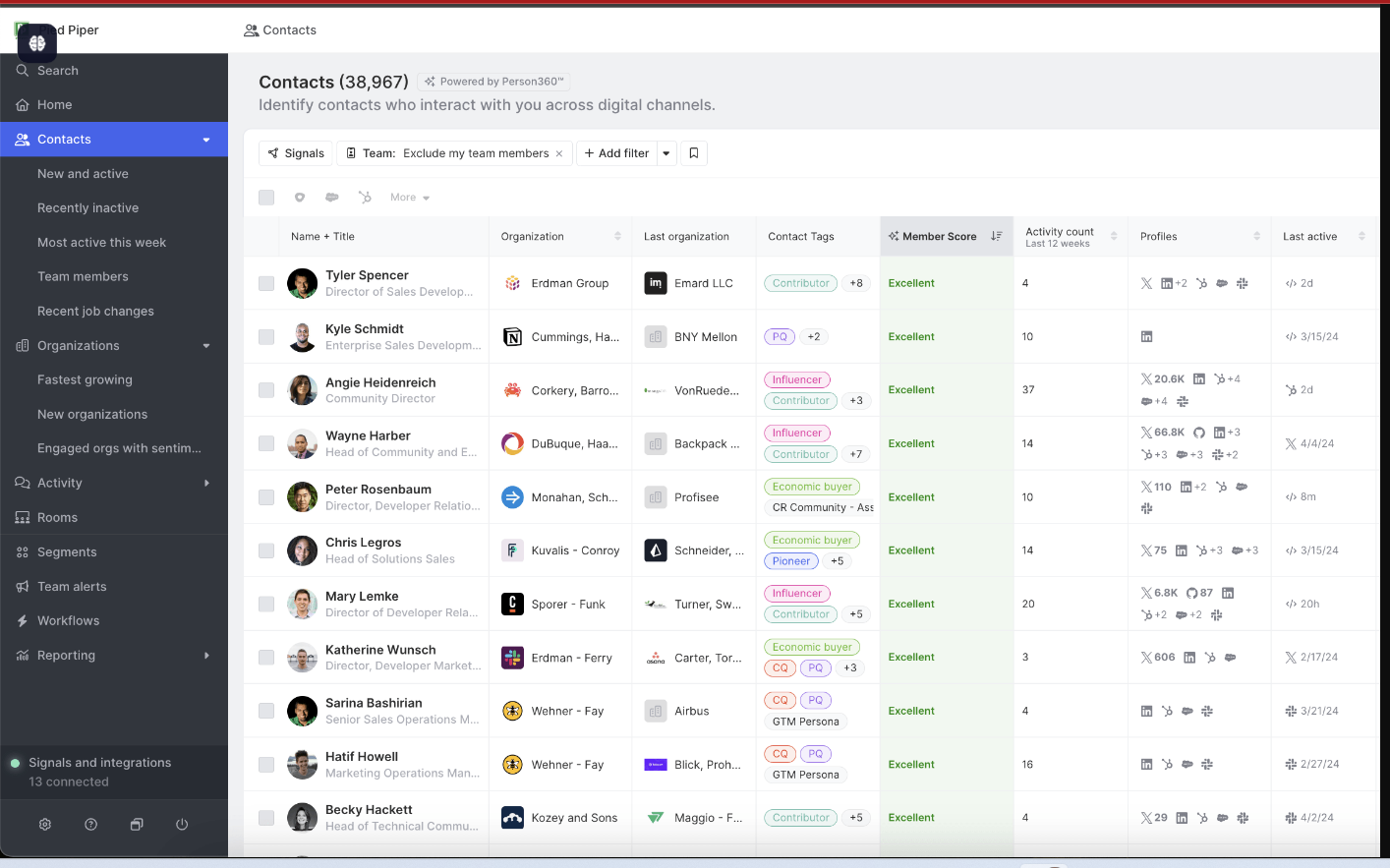
Common Room has repositioned from a community intelligence tool to an AI-native GTM and buyer intelligence platform. It specializes in aggregating signals from community forums, social media (including LinkedIn), product usage, and website visits to identify and prioritize prospects. It generates $15M in annual revenue and competes directly with tools like Clay and Cognism in the sales intelligence space.
No. Common Room does not capture company-level LinkedIn ad impressions. Its LinkedIn integration tracks organic engagement (posts, comments, reactions, mentions) and can track engagement on ads (except Thought Leader and Conversation Ads), but it does not pull impression data from LinkedIn’s API.
CRM integration exists (particularly with HubSpot), but without impression data, it can’t serve as a LinkedIn ad attribution tool in the way the other tools on this list can.
Common Room aggregates buyer signals from LinkedIn, Slack communities, GitHub, product usage, and website visits into a unified view. It can identify accounts where multiple team members are active in your community or engaging with your content, even if those accounts have never clicked a LinkedIn ad.
Common Room enriches signup data to turn an email address into a full profile with company, role, and firmographic details, which can connect an anonymous LinkedIn ad click (if it leads to a signup) to a known account.
Common Room’s AI agent (DataAgent) answers questions about community signals and can surface correlations between LinkedIn engagement and downstream outcomes.
Bottom Line: Common Room is valuable for identifying engaged accounts through community, product, and social signals, but it’s not designed for LinkedIn ad impression attribution. Use it alongside a dedicated attribution tool, not as a replacement for one.
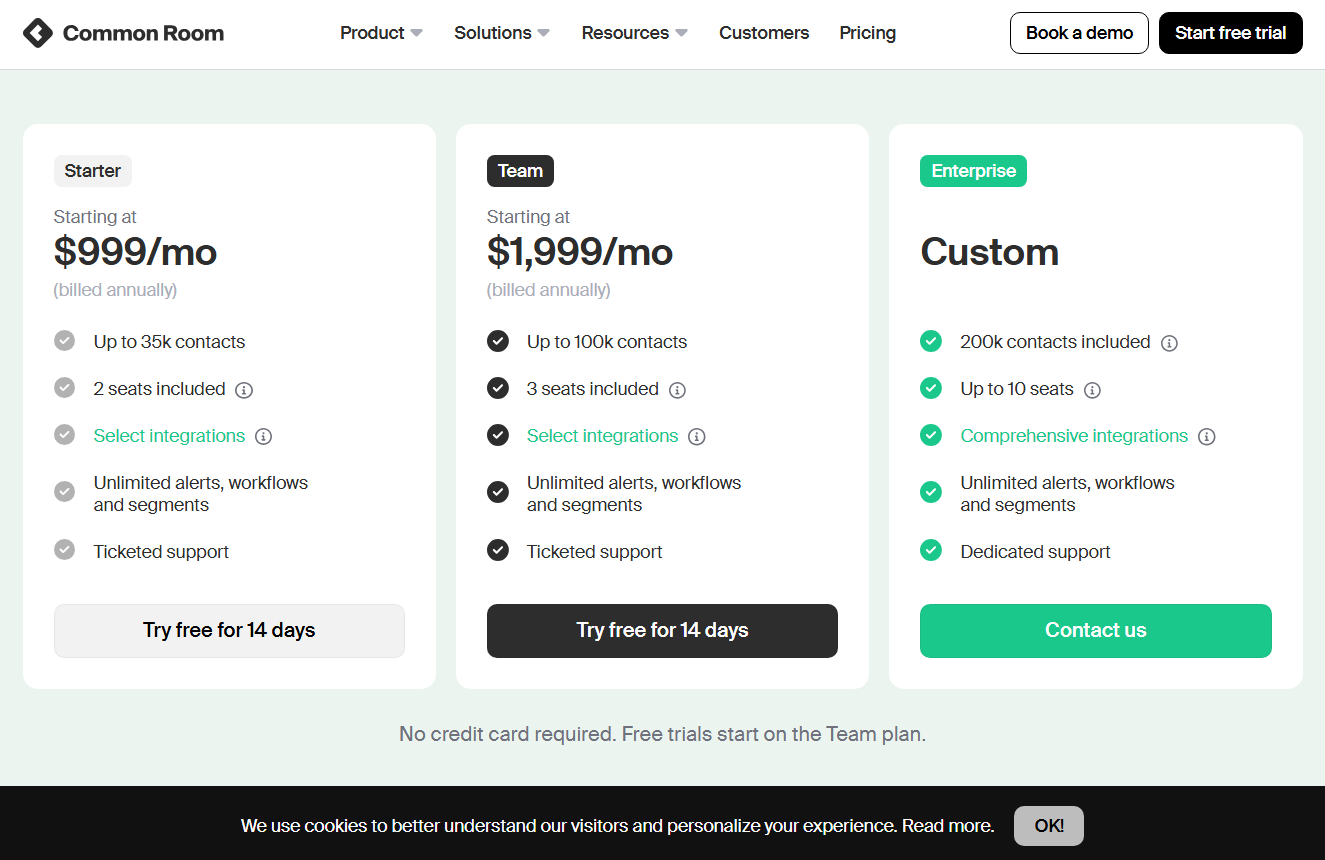
Common Room’s Starter plan begins at $999/month (billed annually) with 35,000 contacts and 2 seats. The Team plan ($1,999/month) scales to 100,000 contacts and 3 seats. Enterprise is custom pricing with 200,000+ contacts and up to 10 seats.
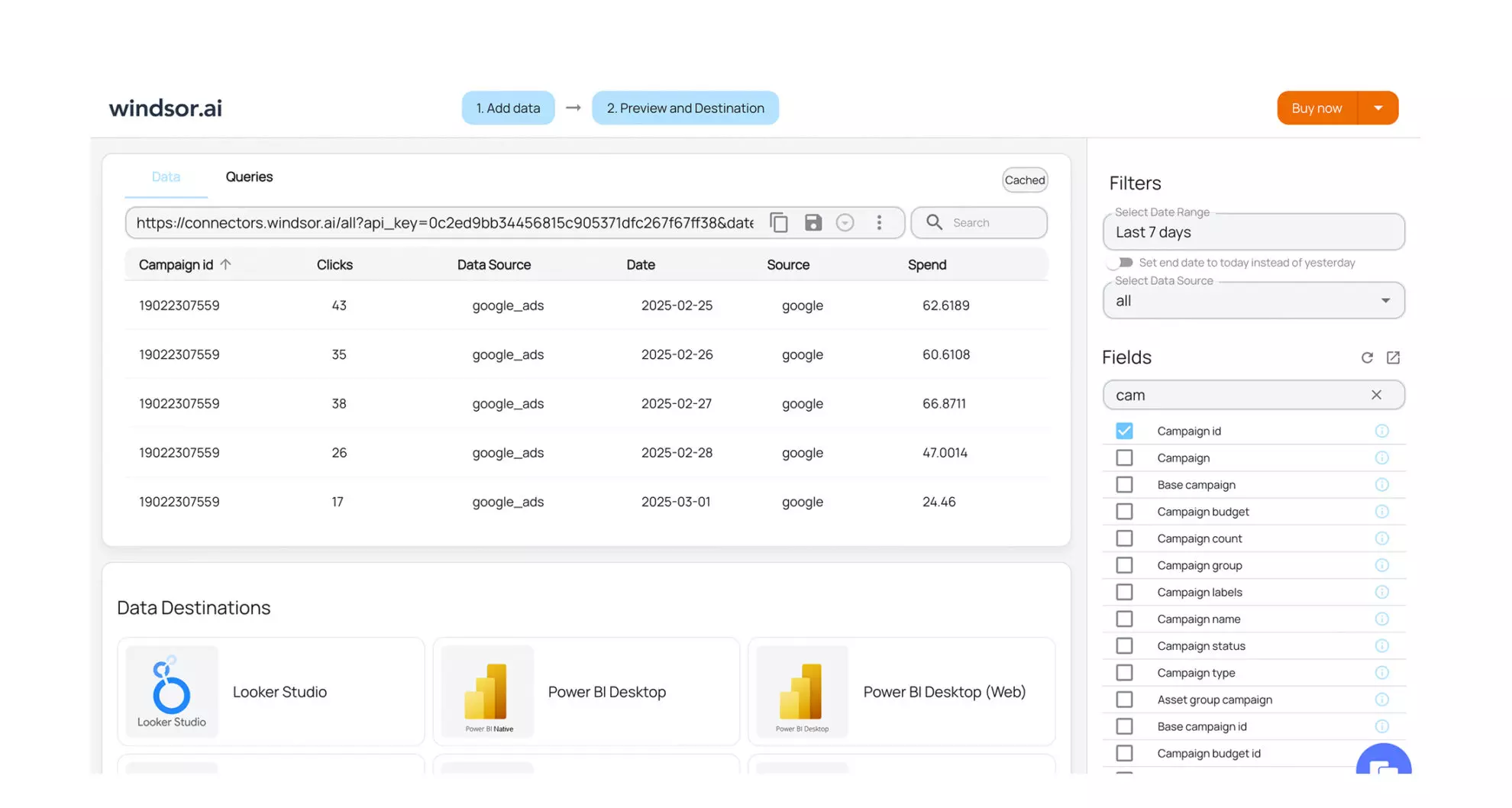
Windsor.ai is a broad marketing attribution and data centralization platform that connects 300+ data sources (CRM, ad platforms, social media, MAPs, analytics tools) into a single analytics environment. LinkedIn Ads is one of those 300+ sources.
No. Windsor.ai can only attribute a conversion to a LinkedIn ad if the user clicked the ad and visited your site (where cookie-based or reverse IP tracking kicks in) or submitted a lead gen form. It does not pull company-level impression data from LinkedIn’s API, and it does not natively group users into accounts, relying entirely on whatever company-level structure already exists in your CRM.
Windsor.ai is not an ABM tool. It’s a data analytics platform that can include LinkedIn Ads as one of many inputs but cannot attribute impact at the account level or support view-through attribution.
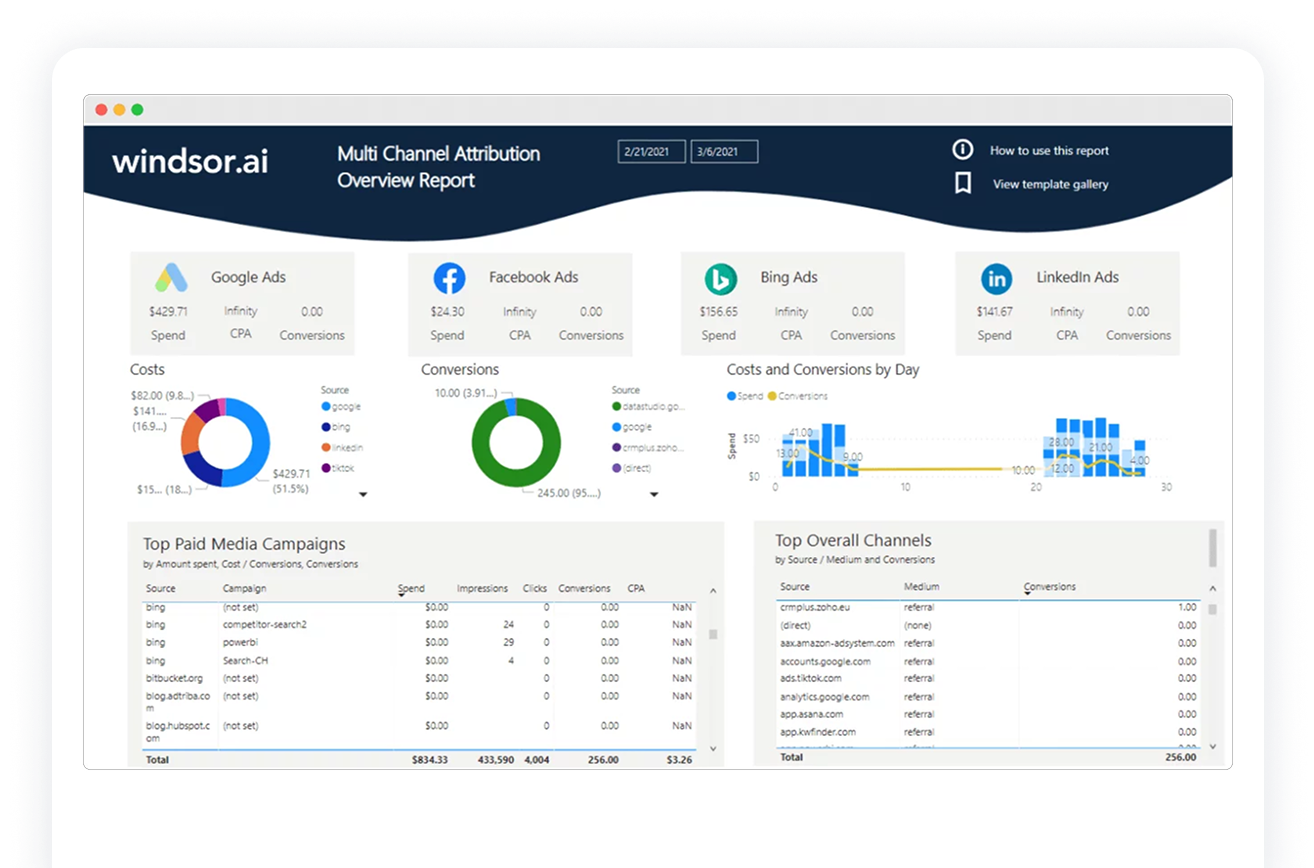
Bottom Line: Windsor.ai is a data centralization and analysis platform, not a plug-and-play LinkedIn ad attribution tool. It’s useful if you need a data hub that feeds custom analytics, but it’s not designed for the account-level, impression-based attribution that LinkedIn ABM requires.
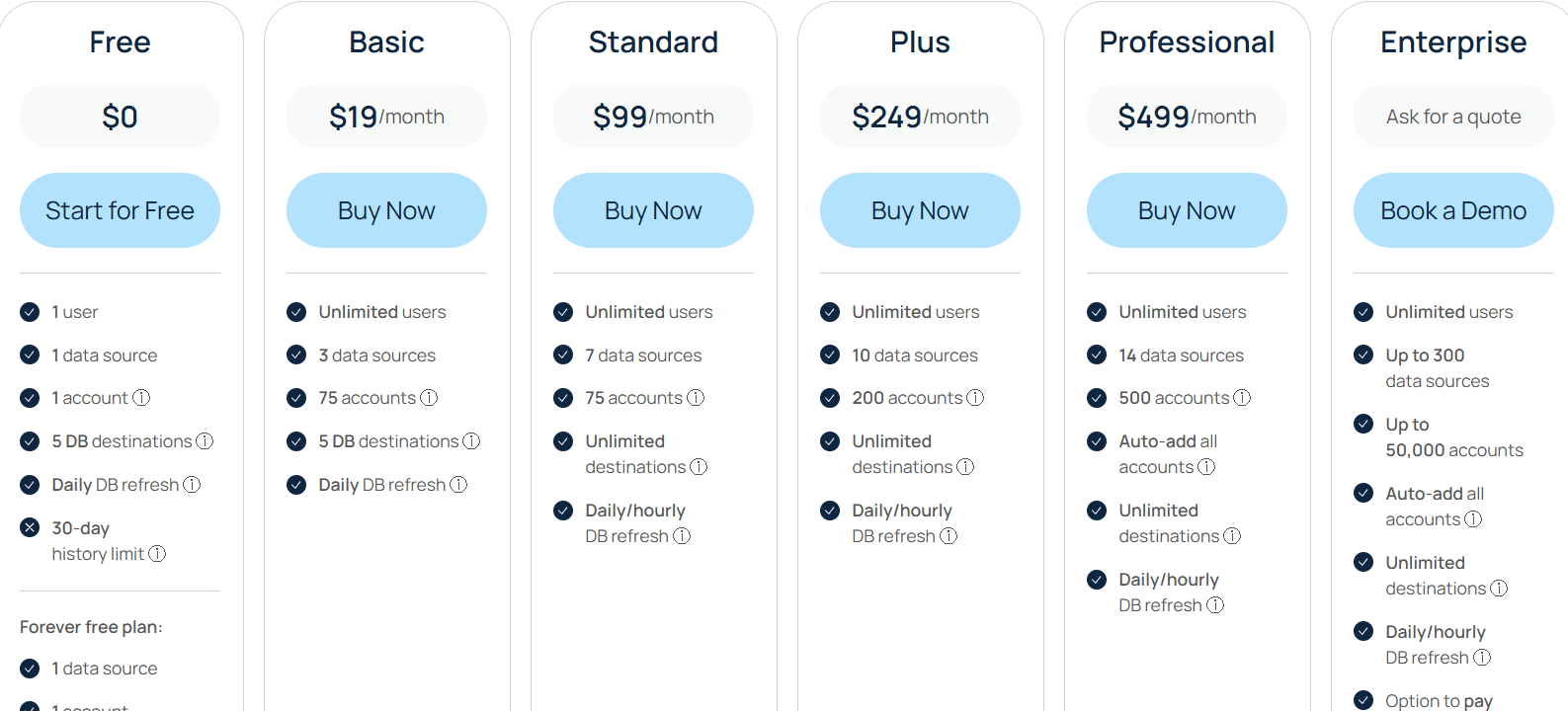
Windsor.ai starts with a Free tier (1 user, 1 data source, 30-day history). The Basic plan is $19/month; Standard is $99/month; Plus is $249/month; Professional is $499/month. Enterprise is custom pricing with up to 300 sources and premium support.
Demandbase, HockeyStack, Terminus, and Factors.ai are strong options if you have an enterprise budget, the time to manage a complex platform, and the genuine need for multi-channel ABM orchestration beyond LinkedIn. HockeyStack’s recent $50M raise and pivot to Revenue Agents makes it increasingly competitive with full-stack platforms, but also increasingly complex.
6sense is excellent for intent data and audience segmentation, but its LinkedIn integration is for campaign management rather than impression-level attribution. If you need to know which specific LinkedIn ad influenced which deal, 6sense can’t provide that.
HubSpot Attribution works well for contact-level click attribution if you’re already in the HubSpot ecosystem, but it lacks impression tracking and company-level views entirely.
Common Room and Windsor.ai serve different use cases. Common Room is a buyer intelligence platform for community and signal aggregation. Windsor.ai is a data centralization hub for analytics teams. Neither is built for LinkedIn ad attribution at the account level.
If you need a tool that pulls company-level impression data directly from LinkedIn’s official API, maps that data to CRM deals, pushes engagement and intent labels to your CRM as company properties, assigns hot accounts to BDRs automatically, and gives you plug-and-play multichannel pipeline attribution dashboards, and does all of that starting at $59/month, ZenABM is the tool purpose-built for that job.
Book your ZenABM demo and finally attribute ROI to each LinkedIn ad, even when nobody clicked, or try the tool on your own for free (37-day free trial).
