

©2026 ZenABM - All Rights Reserved.
![10 Best Account-Based Marketing (ABM) Tools [2027]](/_next/image?url=https%3A%2F%2Fcdn.zenabm.com%2Fmedia%2Fbest-abm-tools-2027-cover-v2-1200x628.png&w=1920&q=75)
The best account-based marketing (ABM) tools for 2027 are the ones that fit your channels, team and budget, and AI is changing what that means.
Below are 10 ABM tools, grouped by what each one is built for.
Each one ends with who should buy it and who should skip it.
Short on time? Here is the short version:
Here is how the 10 tools compare against the 14 criteria I explain in the next section (scroll sideways to see every column):
Tool and primary focus | G2 rating | List building | Ad execution and channels | LinkedIn-first | Signals and intent | Account scoring | Ad personalisation | Revenue attribution | Account journeys | AI and MCP | AI predictive analytics | CRM and integrations | Sales activation | Entry price | Ease of use | Best for |
|---|---|---|---|---|---|---|---|---|---|---|---|---|---|---|---|---|
Demandbase (enterprise suite) | 4.4 (2,012) | Company level, buying groups | Yes: own DSP, LinkedIn, Meta, Google, CTV | No | Yes: first and third-party intent | Yes: Pipeline Prediction | Yes: web personalisation | Yes: pipeline attribution | Yes | Partial: MCP (read-oriented), Mojo, Agentbase | Yes | Salesforce, HubSpot, Marketo | Yes: Demandbase for Sales | Not published (Vendr median $68,591/year) | G2 ease of use 8.5 | Display advertising at enterprise scale |
ZenABM (LinkedIn ads ABM) | 5.0 (6) | Company level; stages sent to LinkedIn as audiences via HubSpot | Yes: creates and manages LinkedIn campaigns | Yes | Yes: first-party intent from ad engagement | Yes: kept current, stages from rules | Partial: themed ads, no web personalisation | Yes: LinkedIn, Google, Reddit, AI referrals, organic | Yes: company journey with contacts | Yes: Zena, MCP reads and writes | No: scores from engagement and CRM data | HubSpot, Salesforce, Attio | Yes: webhooks, hot accounts with talking points | From $59/month | G2 reviewers: "clean, intuitive" | LinkedIn-first ABM |
6sense (enterprise suite) | 4.3 (1,432) | Company level, dynamic segments | Yes: own DSP, LinkedIn, Google | No | Yes: first, second and third-party intent | Yes: predictive 0 to 100 | Partial: via integrations | Yes: sourced and influenced | Yes: buying stages | Partial: MCP (read-only), RevvyAI | Yes | Salesforce, HubSpot, Marketo | Yes: next-best actions | Not published (Vendr median $62,440/year) | G2 ease of use 8.0 | Display advertising and a full suite |
AdRoll ABM (enterprise suite) | 4.3 (655) | Import or ICP fit grades A to D | Yes: DSP, LinkedIn, Meta, CTV | No | Yes: Bombora keyword intent | Yes: ICP fit and Journey Prediction | No native web personalisation | Unknown | Yes: Journey Stages | Partial: AI Assistant, MCP unknown | Partial: Journey Prediction | Salesforce, HubSpot, Marketo | Yes: Command Center, CRM widget | Retargeting: no platform fee; others by quote | G2 usability 8.4 | An easier entry into account-based ads |
Influ2 (contact level) | 4.6 (161) | Contact level, Cohort Designer | Yes: LinkedIn, Google, Meta on its own media | No | Yes: contact-level intent alerts | Unknown | Yes: ads to named people | Partial: limited reporting | Yes: engagement by name | Partial: MCP connector | Unknown | Salesforce, HubSpot, Marketo | Yes: Slack, Teams, Outreach, Salesloft | Quote (Vendr median $60,000/year) | G2 setup 8.8 | Ads to named people |
UserGems (contact level) | 4.7 (145) | Contact level, job changes | Partial: audience sync from Advanced, no native execution | No | Yes: 30+ native signals | Yes: A to D scoring | Unknown | Unknown | Unknown | Partial: Gem-E agents, MCP not on Core | Partial: AI scoring | Salesforce, HubSpot | Yes: AI SDR agent | Core $40,000/year | G2 ease of use 9.2 | Champion and job-change signals |
Common Room (contact level) | 4.5 (106) | Contact level, Prospector | Partial: audience sync via webhook and Zapier | No | Yes: community, product, Bombora | Yes: customisable | Outreach messages only | Community efforts only | Yes: Person360 | Yes: MCP reads and writes | Partial: AI scoring | HubSpot, Salesforce | Yes: alerts, sequences | Essential $2,500/month | Reviewers: easy to use | Community and product signals |
Dreamdata (attribution) | 4.7 (271) | Audience Hub, company and contact | Partial: audience sync and LinkedIn CAPI, no campaign management | No | Yes: G2 buyer intent, third-party intent | Partial: engagement scores | No | Yes: six multi-touch models | Yes: standout journey view | Partial: Analytics Agent, MCP read-oriented | Unknown | Salesforce, HubSpot, Dynamics, Marketo | Partial: webhook syncs | Starter free; Advanced by quote | G2 ease of use 8.4 | The most complete revenue attribution |
HockeyStack (attribution) | 4.5 (82) | Visitor-to-company matching, audiences | Partial: audience sync, campaigns built in LinkedIn | No | Partial: Bombora and G2 intent bought separately | Yes: AI scoring | No | Yes: includes pre-click LinkedIn impressions | Yes: account and person journeys | Yes: Odin and Nova agents, MCP unconfirmed | Partial: scoring vs closed-won | Salesforce, HubSpot | Partial: Slack and email alerts | Not published (Vendr median $29,702/year) | G2 usability 7.6 | Full-funnel attribution and journeys |
Userled (personalisation) | 4.7 (54) | Named account list | Yes: native LinkedIn execution, automated bidding | Partial: LinkedIn plus microsites | Partial: engagement alerts | Unknown | Yes: AI microsites, 1:1 ads | Partial: campaign-to-pipeline | Unknown | Partial: AI content, MCP unknown | Unknown | Salesforce, HubSpot, Marketo | Yes: Sales Plugin | LinkedIn ABM Ads from $2,000/month | G2 setup 9.0 | Personalised LinkedIn ads plus microsites |
The tools fall into five groups:
I judged each tool against the 14 criteria below, using vendor sites, G2, Gartner Peer Insights, TrustRadius, Vendr and the demos I have sat through.
Before we dive into the tools, here are the criteria I used to evaluate them, so you can make the right choice for your own team.

Here is what to check for each one:
If LinkedIn is your main channel, add four more questions:
For my own LinkedIn program I ran a $5K ABM budget against a $105K pipeline target. I set the move from COLD to WARM at 3 engagements, 2 clicks or 18 COLD feed impressions, as I describe in my LinkedIn post. A tool that cannot show you numbers like these per company is hard to run a LinkedIn program on.
Here is what I would do when picking ABM software:
Count the total cost as subscription, ad spend, data add-ons and your team's time.
AI is moving ABM from dashboards you read to agents that act, and the biggest difference between tools is whether their AI can only read your data or can also change it.
Demand Gen Report's 2026 benchmark found that 29% of respondents name content personalisation at scale as the top AI use case in ABM.
The suites now ship agents and MCP servers: Demandbase has its MCP, Mojo and Agentbase, and 6sense has its MCP and RevvyAI. Common Room, Influ2 and Dreamdata have MCPs too, and most of these are read-oriented.
ZenABM's MCP, used from Claude, ChatGPT or Cursor, reads and writes, and Zena builds LinkedIn campaigns in chat. That is the shift I expect to matter most for lean teams.

Demandbase One is an enterprise account-based suite built around its own B2B ad platform, and it has been on the market the longest, which is why it is often the default choice. Its display advertising runs at very large scale, which suits B2C companies especially. I had a couple of demos with their team, and the advertising side is clearly where it is strongest.
G2 rating: 4.4/5 from 2,012 reviews
Compared with ZenABM: Demandbase runs display at scale but does not give lean teams a LinkedIn-specific campaign builder or company-level LinkedIn engagement.
Here is the Intent Visualizer, which shows intent by account and topic:

Account-level frequency capping keeps one big account from seeing your ads 100 times, as this settings screen shows:

Pricing: there is no list price, because it is built from a platform fee plus a flat fee per user, and Vendr's median is $68,591 a year (range $24,000 to $164,037, 187 purchases).

Best for: enterprises looking for display advertising at very large scale, with an ABM team to run it.
Skip it if you run mostly LinkedIn ads on a small team, and choose a LinkedIn-specific tool like ZenABM instead.
ZenABM was designed specifically for running ABM campaigns on LinkedIn. It helps small to mid-market companies create, manage and optimise their LinkedIn ads with AI (in the app, or directly from Claude through the MCP server). It gives you account engagement at company level, extracts first-party intent signals and scores accounts automatically. It also hands you revenue attribution and the sales-ready hot accounts, with what to talk to them about.
When I was VP of Marketing at Userpilot, I struggled to run ABM on LinkedIn. My husband watched it up close and built ZenABM to fix it.
I might be a bit biased as a co-founder, but I also know first-hand what it is like to struggle to find the right tool.
G2 rating: 5.0/5 from 6 reviews, all 5 stars
A Head of Revenue writes: "What I like best about ZenABM is that they understand ABM beyond theory." Another reviewer says: "The UI and UX are clean, intuitive, and easy to navigate." A third notes: "they've built a good API and MCP that we can build stuff on top of."
Exclusions for companies and job titles apply across all campaigns, including new ones:

Create and manage campaigns with AI. You describe the campaign in chat, and Zena builds the campaign, ad sets, targeting and ads through the LinkedIn API, checking audience sizes first and confirming every change. The same works from Claude through the MCP server, with 93 tools and 15 expert skills. It can create, edit, duplicate and pause campaigns, ad sets and ads, change budgets and bids, and manage exclusions and audiences.
Here is Claude reading your live ZenABM campaign data:

Zena is an AI agent that can answer questions about your live data, deep-dive accounts, build reports, pause underperforming ads, change bids and budgets and build retargeting audiences, and it confirms every change first.

Company engagements. The Company engagements view shows every company engaging with your ads, with its engagement score, ABM stage and CRM data on one row, which Campaign Manager doesn't expose.

Intent signals. ZenABM turns engagement with themed ads into intent signals per account and syncs them to your CRM, so you can see what each account is interested in from your own ads.

Account scoring and ABM stages. Account scoring keeps each account's score current, and stages are computed from rules you define over ad engagement and CRM data.

CRM sync. ZenABM writes engagement, scores, stages and intent onto your HubSpot, Salesforce or Attio company records and creates the properties for you - 100% automatically. It also pushes engaged accounts to Clay or your sales engagement tool over webhooks.

Deal attribution. When you open a deal, you see the impressions, clicks, engagements and spend that touched the account before it opened and before it closed.
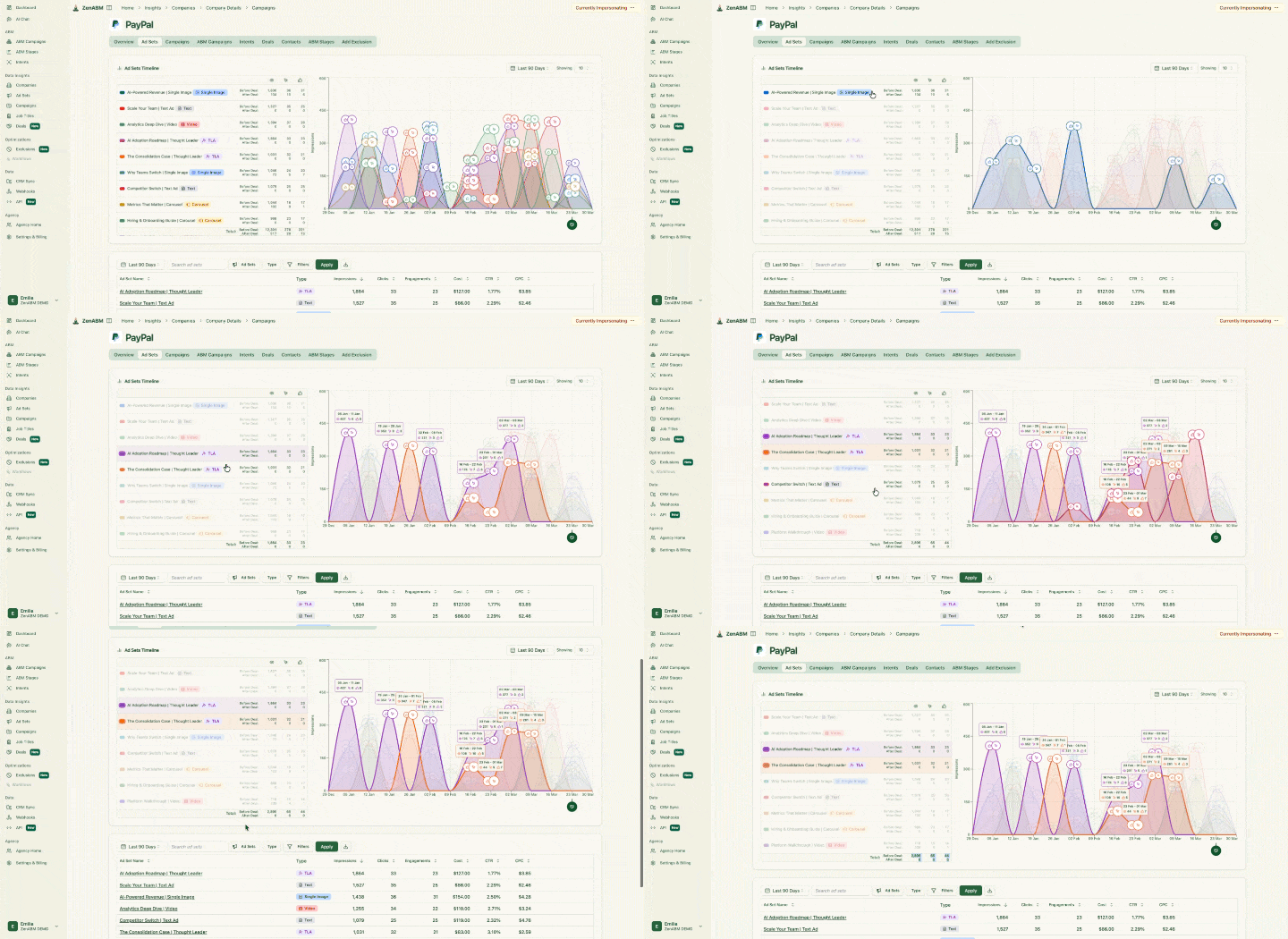
Multi-channel attribution. LinkedIn Ads, Google Ads, Reddit Ads, AI referrals and organic visits all sit on one company journey.

Contacts and journeys. ZenABM shows the contacts and leads from your target companies next to their company journey, so lead and account data sit in one place.

Pricing: Starter is from $59/month, Growth is $159/month, Pro is $399/month and Agency is $479/month, and ZenABM's pricing page shows what each plan includes.
ZenABM is LinkedIn-first, so it does not buy display or programmatic ads, personalise websites or sell third-party intent data. Teams that need those usually run ZenABM for LinkedIn next to a display suite.
Reviewers also raise a few mild points. ABM takes time to compound, so results are not always immediate. One reviewer who uses Pipedrive would like an integration, another says company data sometimes loads slowly, and one notes that some restrictions come from the LinkedIn side.
The team ships new features fast and keeps improving the product based on customer feedback.
Factors.ai is an analytics-leaning ABM platform, and its strength is data depth: its Company Intelligence API includes organic LinkedIn page engagement. Its G2 rating is 4.5/5 from 220 reviews.
It takes more effort to set up and use, and it is less focused on running ABM campaigns. ZenABM is cheaper, lets you create and manage the LinkedIn campaigns themselves, is built for ABM and is easier to use. Factors.ai's paid plan prices are not consistently published.
Best for: B2B teams running ABM mainly on LinkedIn, from lean in-house teams to enterprise programmes and agencies.
Skip it if display advertising is your main channel, and in that case pair ZenABM with a display suite.
6sense is an enterprise ABM suite in the same group as Demandbase, with its own advertising platform, predictive account scoring and intent data. I had a few demos and decided against it, because it was too complex and too expensive for our needs.
G2 rating: 4.3/5 from 1,432 reviews
Other ratings: Capterra gives it 4.6 (30 reviews), Gartner Peer Insights 4.4 (295) and TrustRadius 8.4/10 (540).
Compared with ZenABM: 6sense launches LinkedIn campaigns from inside its platform, while ZenABM is built around LinkedIn, with company-level first-party engagement from your own ads, and starts at $59/month.
Here is the screen where you pick the campaign type, including LinkedIn Ads:

Segments such as Top of Funnel become the target accounts for those campaigns:

Pricing: it is not published and works as a custom quote, and Vendr's median is $62,440 a year (range $11,376 to $176,809, 385 purchases).

Best for: enterprises looking for display advertising and a full suite.
Skip it if you run LinkedIn ads on a lean team, and choose a LinkedIn-specific solution like ZenABM instead.
AdRoll ABM (formerly RollWorks) is an ABM advertising platform with a built-in DSP, positioned as an easier way into account-based ads than the big suites. I evaluated it for the Userpilot ABM programme in 2024 and had several demos with the team.
G2 rating: 4.3/5 from 655 reviews
Compared with ZenABM: AdRoll ABM needs a paid package to connect LinkedIn, while ZenABM is built around LinkedIn and shows company engagement and stages on one row.
Here is the account table with ICP fit grades:

The Command Center shows where accounts sit in the buying journey:

Pricing: Account-Based Retargeting has no platform fee, so you pay only for media, while the other three ABM packages are custom quotes. A review on ZoomInfo's site also lists a $10,000/month minimum budget for connected TV.

Best for: B2B teams that want account-based ads on display and LinkedIn with something easier than the enterprise suites.
Skip it if LinkedIn ads are your only channel, and choose a LinkedIn-specific tool like ZenABM instead.
Influ2 is a contact-level ABM platform that runs ads to named people inside target accounts and reports engagement by name, mostly for mid-market and enterprise teams running one-to-one or one-to-few ABM. I had a demo with the Influ2 team, and the named-person approach is what it is all about.
G2 rating: 4.6/5 from 161 reviews
Compared with ZenABM: Influ2 runs ads to named contacts across channels on its own bundled media, while ZenABM builds and manages campaigns in your own LinkedIn account and also shows contacts next to the company journey.
Here is the dashboard with engagement metrics and signals:

Sales sees which contacts to follow up with in the priorities view:

Pricing: it is a custom quote via a demo, priced on Slots (one prospect targeted per month) on a 12-month term, and Vendr's median is $60,000 a year (range $34,800 to $113,520).
Best for: mid-market and enterprise teams running one-to-one or one-to-few ABM.
Skip it if your list is large and your budget is lean, and choose a LinkedIn-specific solution like ZenABM instead.
UserGems is a signals platform built around tracking customers and champions who change jobs, with AI scoring and agents on top, and it suits established revenue teams with a large CRM. I had a demo of it, and it reads as a sales-signal tool first.
G2 rating: 4.7/5 from 145 reviews
Compared with ZenABM: UserGems cannot create or manage LinkedIn campaigns, while ZenABM builds them and shows which companies engage with your ads.
Here is the signal library:

The MCP workflow builder lets you automate campaigns from signals:

Pricing: its pricing page lists Core at $40,000/year, Advanced at $75,000/year and Elite at $150,000/year, all with unlimited users. Enterprise is on request, add-on prices are not published and there is no free trial.

Best for: established revenue teams with a large CRM, high ACVs and a RevOps function.
Skip it if you have fewer than 2,000 trackable contacts or run mostly LinkedIn ads, and choose a LinkedIn-specific solution like ZenABM instead.
Common Room is a go-to-market intelligence platform that turns community, product and social signals into person-level buyer intelligence. I had a demo with them, and it fits companies with an active community or developer audience.
G2 rating: 4.5/5 from 106 reviews
Compared with ZenABM: Common Room syncs audiences to LinkedIn only through a webhook and Zapier and cannot create campaigns, while ZenABM builds and manages them.
Here is account activity unified into one view:

Each contact profile is enriched with data like title and LinkedIn information:

Pricing: Essential is $2,500/month, Advanced and Enterprise are custom quotes, and the MCP is on Advanced. Vendr's median is $27,250 a year across all purchases (76 purchases, range $10,000 to $85,800).

Best for: companies with active communities, developer audiences or product-led usage.
Skip it if you have no community to listen to, and choose a LinkedIn-specific solution like ZenABM for paid ABM.
Dreamdata is a B2B attribution platform that unifies GTM data, including anonymous visits and ad impressions the CRM never sees, into one account-based model tied to revenue. A demo with its team showed me a tool that is strongest at reporting.
It is the most complete attribution tool of its group, but it is not geared towards managing and running ABM campaigns on LinkedIn.
G2 rating: 4.7/5 from 271 reviews
Other ratings: Capterra gives it 4.8 (55 reviews).
Compared with ZenABM: Dreamdata offers no LinkedIn campaign management (no creation, budget protection, bidding or exclusions), and its MCP is read-oriented.
Here is the company journey view:

The revenue analytics dashboard ties channels to revenue:

Pricing: Starter is free (5 seats, 2 months of history, 1 sync), and Advanced is a custom quote with a Vendr median of $35,440 a year (range $27,000 to $96,000).

Best for: teams with a RevOps or data team and heavy spend across many channels.
Skip it if you need to build and manage LinkedIn campaigns, and choose a LinkedIn-specific solution like ZenABM instead.
HockeyStack is a revenue analytics and attribution platform that joins ads, website, CRM and offline activity into buyer journeys, with AI agents called Odin and Nova. I sat in on a demo, and the full-funnel view is what it is known for.
G2 rating: 4.5/5 from 82 reviews
Compared with ZenABM: HockeyStack is attribution and analytics, not a LinkedIn campaign builder, so you still build and manage the campaigns in LinkedIn.
Here is its LinkedIn campaign analytics:

Odin answers questions in plain language:

Pricing: it is not published (custom-built plans via demo, with startup pricing available), and Vendr's median is $29,702 a year (range $24,040 to $77,500, 33 purchases).
Best for: mid-market and enterprise B2B teams with long, multi-channel sales cycles and RevOps ownership.
Skip it if you need a tool that runs your LinkedIn campaigns, and choose a LinkedIn-specific solution like ZenABM instead.
Userled is an ABM platform built around personalised LinkedIn ads, AI-generated microsites and a sales plugin. I have no hands-on experience with it, so this section comes from its site and its Gartner and G2 reviews.
G2 rating: 4.7/5 from 54 reviews
Compared with ZenABM: Userled is the closest LinkedIn-focused rival, and both create LinkedIn campaigns. ZenABM starts at $59/month and adds company engagement, first-party intent, scoring and multi-channel attribution, while Userled offers personalised microsites, which ZenABM does not.
Here is how it detects ABM prospects and sets targeting:

The ad creative builder produces personalised social ads:

Pricing: it is module-based with unlimited seats and accounts. LinkedIn ABM Ads start at $2,000/month, Microsites at $2,000/month and the Sales Plugin at $599/month for 10 seats. Userled also says its entry price is $25k/year for companies under 250 employees.

Best for: teams that want personalised LinkedIn ads and microsites without dev or design resources.
Skip it if you mainly need to see which companies engage with your LinkedIn ads and tie that to pipeline, and consider a LinkedIn-first tool like ZenABM instead.
Here is which ZenABM capability does which step of ABM on LinkedIn:

If you are choosing an ABM tool for a specific job, here is what I would pick:
Pick the tool for the job you need done, not the longest feature list. Otherwise you pay for the whole gym and use the treadmill 🤷♀️
You can try ZenABM for free or book a demo.
ABM tools are software that helps B2B marketing and sales teams find, target and engage high-value accounts. A CRM tracks individual leads, while an ABM tool looks at the whole company and the people inside it. They cover ads, intent signals, scoring, attribution and CRM sync, from enterprise suites like Demandbase to LinkedIn-first tools like ZenABM.
ABM teams use tools for ads, intent signals, scoring, attribution and CRM sync. Demandbase, 6sense and AdRoll ABM run display at scale, and ZenABM runs ABM on LinkedIn. Influ2, UserGems and Common Room work at contact level, Dreamdata and HockeyStack handle attribution, and Userled pairs LinkedIn ads with microsites.
It depends on your channel, team and budget. For display advertising at enterprise scale, Demandbase or 6sense fit. For LinkedIn-first ABM on a lean team, ZenABM creates and manages campaigns, shows which companies engage, scores accounts and ties them to pipeline, from $59/month with a 5.0 G2 rating. For attribution, look at Dreamdata.
Costs range from $59/month to six figures a year, and ZenABM starts at $59/month. Vendr's medians are about $68,591 a year for Demandbase, $62,440 for 6sense, $60,000 for Influ2, $35,440 for Dreamdata and $29,702 for HockeyStack. UserGems Core is $40,000/year and Common Room Essential is $2,500/month, and you should add ad spend, data add-ons and your team's time on top.
Dreamdata is the most complete attribution tool, with six multi-touch models and a standout journey view. HockeyStack adds pre-click LinkedIn impressions and account journeys. For LinkedIn ads specifically, ZenABM shows influenced pipeline and ROAS per campaign, and deal attribution shows the touches behind each deal, across LinkedIn, Google, Reddit, AI referrals and organic.
